

Page 1
Quick Reference Guide
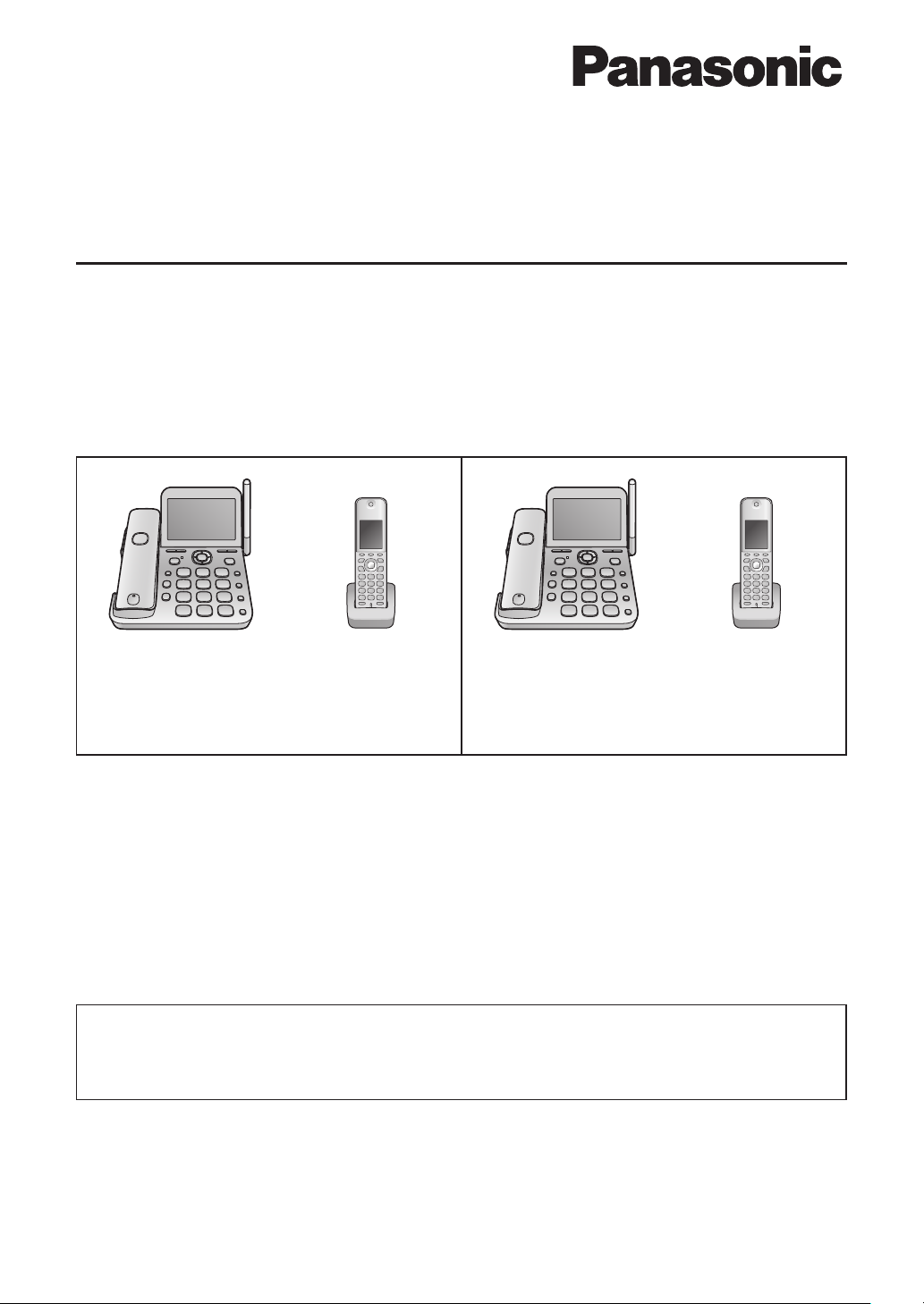
Cordless Phone
Model No.
VE-GD72DL VE-GD720DLE2
VE-GD72DW VE-GD720DE2
VE-GD72D
Base unit
(VE-GD72)
Main cordless handset
(KX-FKD353)
●
VE-GD72DL/VE-GD720DLE2 includes 1 main cordless handset, 1 personal cordless handset
and 1 base unit.
●
VE-GD72DW includes 1 main cordless handset, 2 personal cordless handsets and 1 base unit.
●
VE-GD72D/VE-GD720DE2 includes 1 main cordless handset and 1 base unit.
Personal cordless
handset
(KX-FKD506)
Base unit
(VE-GD720)
Main cordless handset
(KX-FKD354)
Personal cordless
handset
(KX-FKD507)
Table of Contents
Parts Descriptions .....................................................................................................................2
Basic Operations ....................................................................................................................... 3
Thank you for purchasing a Panasonic product.
●
This guide explains some basic features and operations, but not all of them. For further details,
see the Japanese operating instructions.
●
This product is designed for use in Japan.
Panasonic cannot provide service for this product if used outside Japan.
●
Any details given in this guide are subject to change without notice.
Page 2
1 2 3 4
5
6 7
Base unit
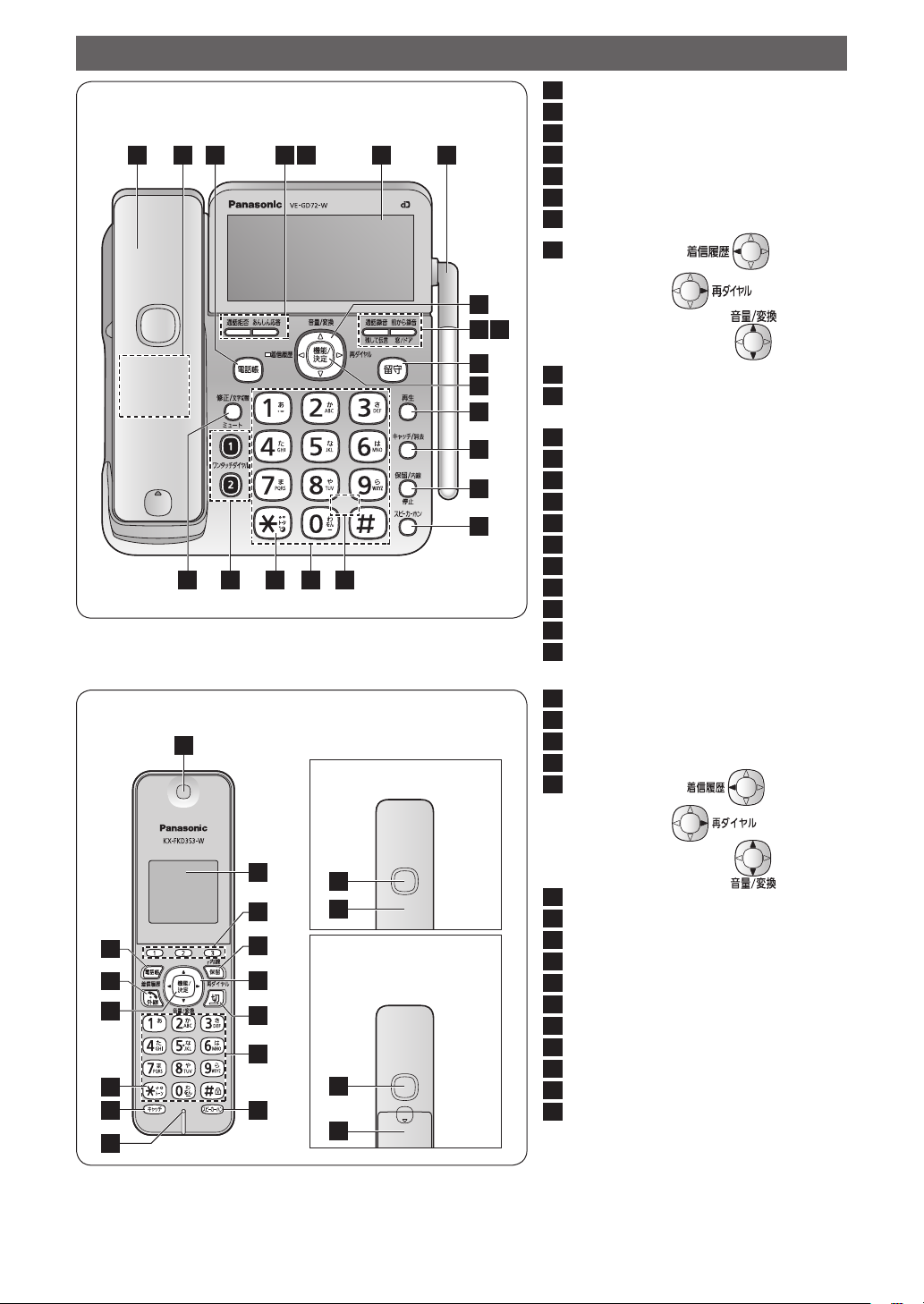
Parts Descriptions
1
2
3
4
5
6
7
Main cordless handset
Speaker (Base unit)
Phone book button
Block button
Secure button
Liquid crystal display
Antenna & Call/Talk indicator
181920 1721
Main cordless handset/Personal cordless handset
22
Backside View
Main cordless handset
8
9
11
12
13
14
15
16
10
8
Caller ID button (
Redial button (
Volume control button (
9
Call Record/Voice Memo button
10
Enhanced Record/
)
)
)
Window/Door sensor button
11
Auto Answer button & indicator
12
Function/Set button
13
Playback button
14
Flash/Clear button
15
Hold/Intercom/Stop button
16
Speakerphone button
17
Microphone (Back side)
18
Numeral/Character buttons
19
Tone button (to switch to DTMF tone)
20
One-touch Dial buttons
21
Edit/Character entry mode/Mute button
22
Earpiece
23
Liquid crystal display
24
Multi-operation/One-touch Dial buttons
25
Hold/Intercom button
26
Caller ID button ( )
35
34
33
32
31
30
Redial button (
23
24
25
26
27
28
29
36
37
Personal cordless handset
(VE-GD72DL, VE-GD72DW
and VE-GD720DLE2 only)
36
37
Volume control button (
27
Off button
28
Numeral/Character buttons
29
Speakerphone button
30
Microphone
31
Flash button
32
Tone button (to switch to DTMF tone)
33
Function/Set button
34
Talk button
35
Phone book button
36
Speaker
37
Battery cover
)
)
2
Page 3

Basic Operations
The number after the button shows the location
●
of the button described in the previous page.
Main cordless handset can be used in the
●
distance like a personal cordless handset.
Operate the base unit to use the main cordless
●
handset.
Base unit
To make a call
■
Lift the main cordless handset.
phone number (
place the main cordless handset on the base unit
or press
To receive a call
■
When the phone rings, lift the main cordless
handset.
main cordless handset on the base unit or press
.
To place the current call on hold
■
Press
cordless handset. (You can place the main
cordless handset on the base unit.)
To retrieve the held call
■
●
●
(25) during a call with the main
If you have returned the main cordless
handset on the base unit, lift the main
cordless handset.
If you have not returned the main cordless
handset on the base unit, press
). Talk. To end the call,
18
(27).
Talk. To end the call, place the
Dial the
.
After playing back the messages, press
twice to erase the messages or press
keep the messages.
* Up to 99 messages can be recorded for approx.
120 minutes in total.
To hear recorded messages while away from
■
home (Remote control)
Preparation before you leave home
Store a remote control number.
With the main cordless handset placed on the
(機能 /
base unit, press
(機能 /
. Enter the desired 4-digit number.
決定)
Press
When you leave home, press
indicator.
To hear messages
Dial your home phone number.
outgoing message is played back, enter your
remote control number.
Press
any.
NOTE
This operation can be made only from
●
telephones which can send DTMF signals.
(機能 /
決定)
4
. You will hear recorded messages if
決定)
, then press (15).
Announcement.
to
to turn on the
While the
Personal cordless handset
(VE-GD72DL, VE-GD72DW and VE-GD720DLE2 only)
To transfer the held call to the personal
■
cordless handset
Press
the other party answers.
To use TAM (Telephone Answering Machine)
■
When you leave home, press
on the indicator. (To deactivate, press
to turn off the indicator.)
it answers the call automatically in Japanese,
and records the incoming messages. Then, the
back the messages. The
and the answering mode is deactivated.
After playing back the messages, press
twice to erase the messages or press
keep the messages.
To play back all messages while TAM is
deactivated, press
“
すべて再生
during a call. Press
- (Intercom No.). Press when
(11) to turn
again
When receiving a call while TAM is activated,
indicator starts flashing.
When you return home, press to play
indicator turns off
(19)
to
”
(13)
(機能 /
決定)
(8) to select
(12).
To make a call
■
Lift the personal cordless handset from the
charger and press
number (
the personal cordless handset on the charger or
press
To receive a call
■
When the phone rings, lift the personal cordless
handset from the charger and press
Talk.
cordless handset on the charger or press
To make a call using the speakerphone
■
(Hands-free talk)
Press
Talk to the microphone (30). To end the
call, place the personal cordless handset on the
charger or press
To receive a call with the speakerphone
■
(Hands-free talk)
When the phone rings, press
the microphone.
personal cordless handset on the charger or
press
). Talk. To end the call, place
28
.
To end the call, place the personal
(29). Dial the phone number.
.
(34). Dial the phone
.
. Talk to
To end the call, place the
3
.
.
Page 4

To place the current call on hold
■
Press
To retrieve the held call
■
Press
To transfer the held call to the base unit
■
Press
To transfer the held call to the main cordless
■
handset or another personal cordless
handset
Press
the other party answers.
during a call.
.
during a call. Press .
Press when the other party answers.
during a call. Press
- (Intercom No.). Press when
C
Panasonic System Networks Co., Ltd. 2014
PNQP1131ZA F0714TU0
 Loading...