

Page 1

TC-xxLD24 and TC-LxxD2
Tuner Firmware Installation Instructions
Table of Contents
Table of Contents .................................................................................................... 1
1 Firmware History.............................................................................................. 2
1.1 Applicable Models ........................................................................................ 2
1.2 Version ...................................................................................................... 2
1.3 Purpose...................................................................................................... 2
2 Download firmware .......................................................................................... 3
3 Install Firmware............................................................................................... 3
TC-xxLD24 and TC-LxxD2
VIERA Firmware Update Procedure
Page 1 of 4
Page 2

1 Firmware History
1.1 Applicable Models
TC-xxLD24, TC-LxxD2
1.2 Version
Countermeasure firmware version 3.17
1.3 Purpose
Closed Captioning stops displaying after some time when using Video 1 or Video 2
inputs. Closed Captioning returns once the TV is powered off, then on again.
Previous versions: (included in current version)
Version (3.10)
Fixes audio issues where the audio is garbled or muffled. This occurs when a device is
connected via an HDMI cable. The issue is random and last approximately 3-5
minutes.
TC-xxLD24 and TC-LxxD2
VIERA Firmware Update Procedure
Page 2 of 4
Page 3
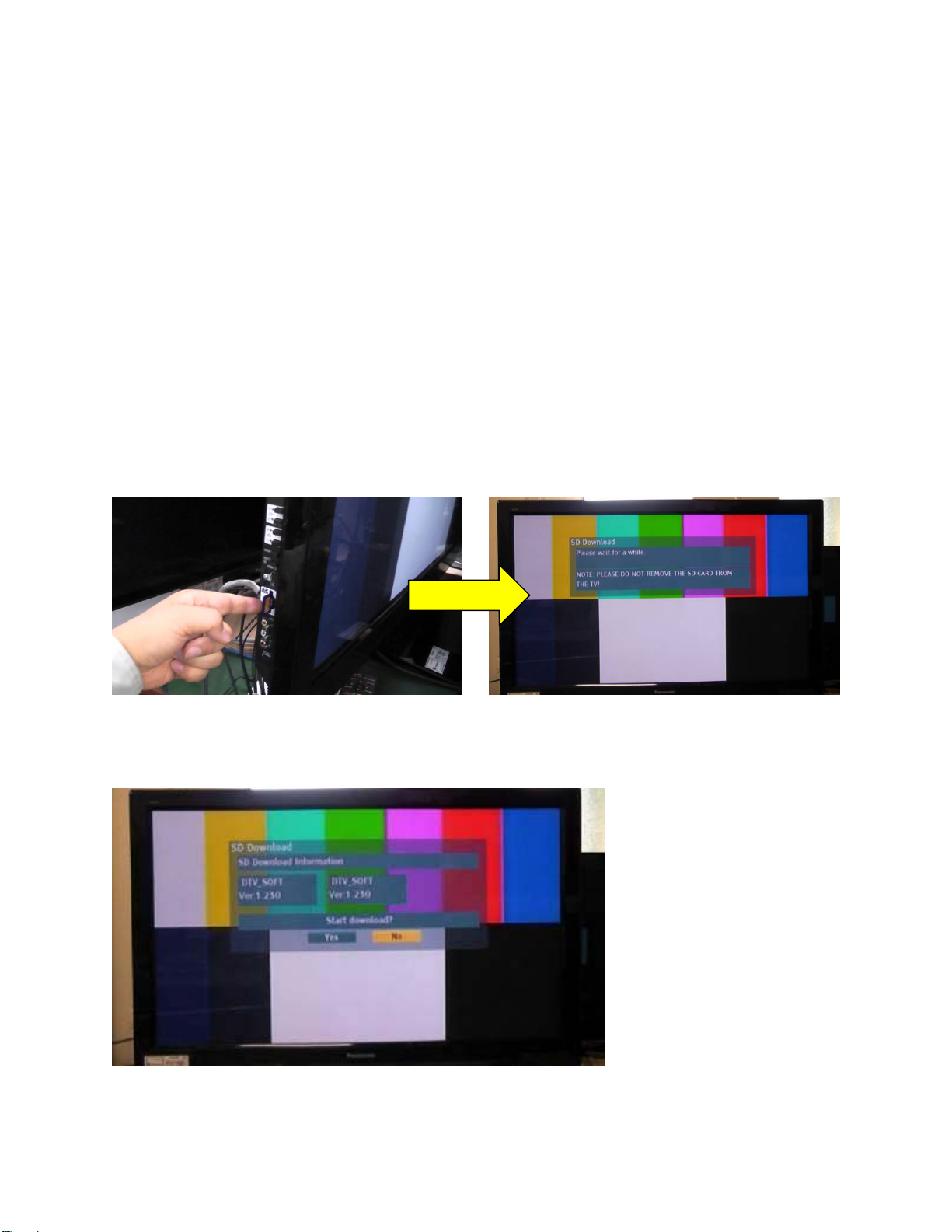
2 Download firmware
1) Save the download, Countermeasure Firmware, to a blank SD card.
CAUTION: The firmware should NOT be placed inside any folder on the SD Card.
3 Install Firmware
CAUTIONS:
Do not turn the TV OFF or press any buttons on the TV while the download is in
progress.
Do not remove the SD Card from the SD Card Slot while the download is in
progress.
1) With TV powered “ON”, insert the SD card into the SD card slot. A prompt will appear on
the screen as shown below.
2) Confirm the screen displayed below is shown.
The “Ver” number listed on the TV will vary based on the firmware version that is being
installed.
TC-xxLD24 and TC-LxxD2
VIERA Firmware Update Procedure
Page 3 of 4
Page 4
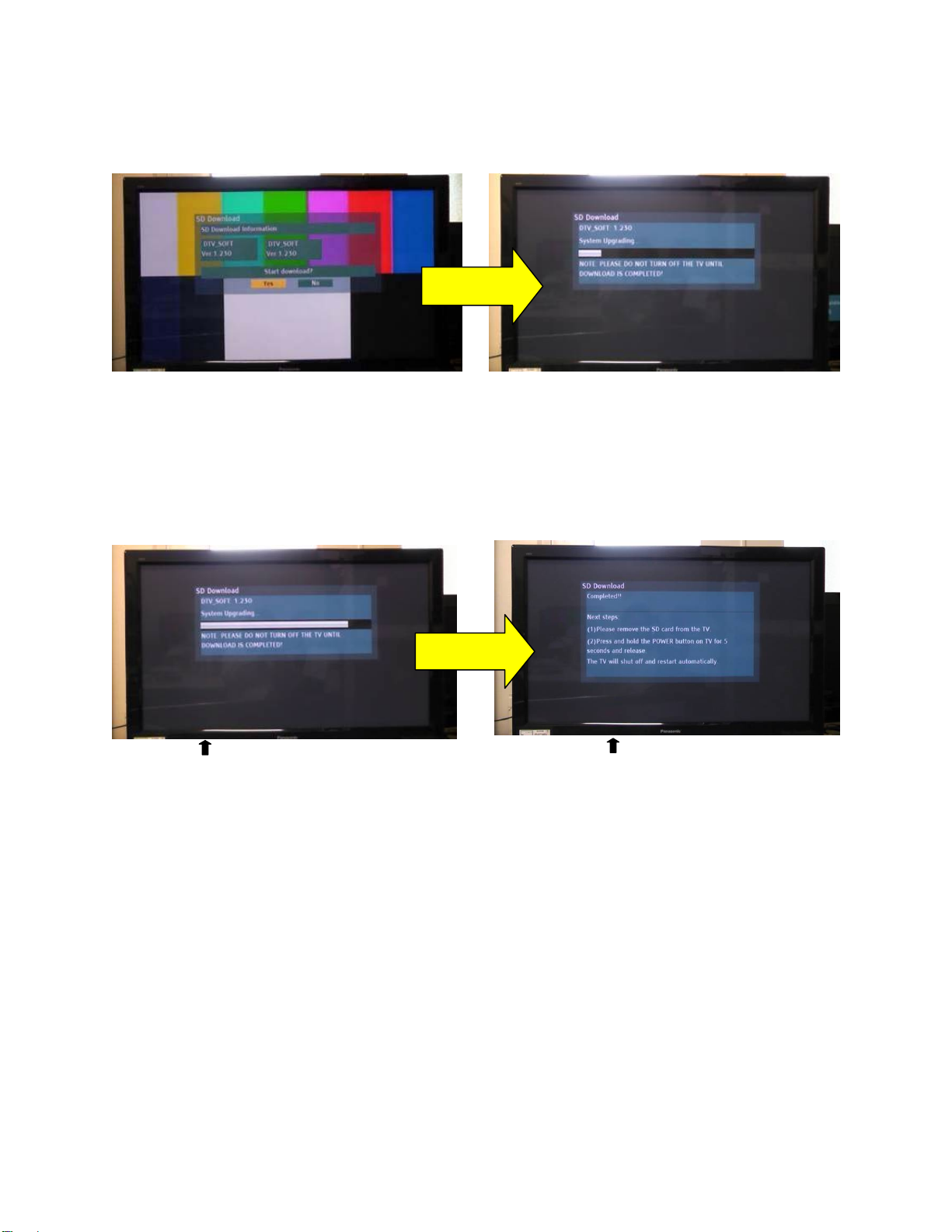
3) Select ‘Yes’ and press OK to update the software. The message shown on the picture to
utes
the right will be displayed while the software is being upgraded.
DO NOT TURN OFF THE TV.
Approx. 2
minutes
4) Wait for download to complete.
Warning: Do not turn off the TV’s power while the “System Upgrading” screen
is displayed!!
5) After the update completes, the “Completed” screen appears as shown below. Follow the
directions on the screen: (Remove SD card & hold down the power button on the TV for
5 seconds.)
Approx. 2
min
System Upgrading Screen Completed Screen
The firmware update is complete.
TC-xxLD24 and TC-LxxD2
VIERA Firmware Update Procedure
Page 4 of 4
 Loading...