

Page 1
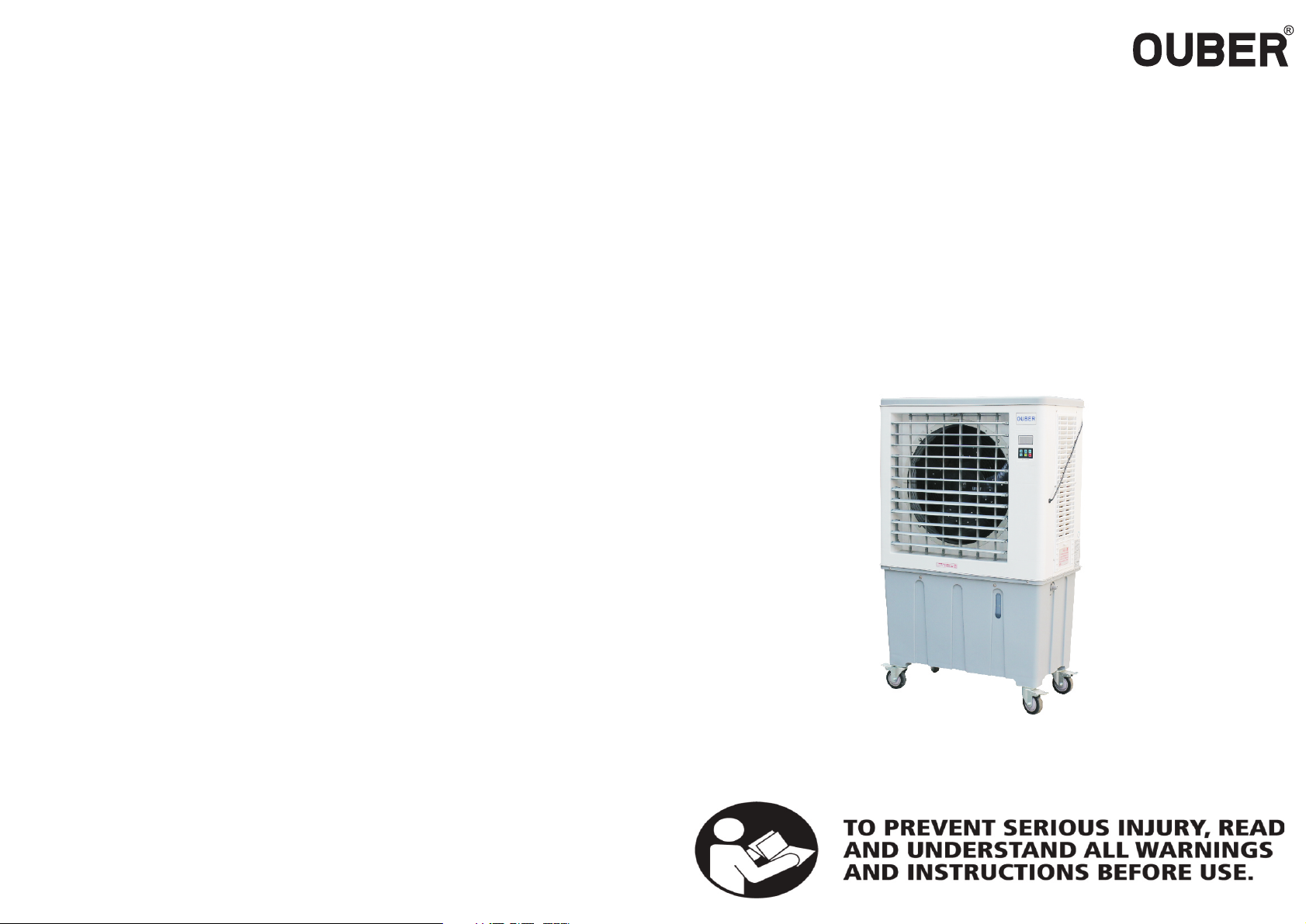
PORTABLE EVAPORATIVE AIR COOLER
NewTech Coolers by Fanmaster
INSTRUCTION MANUAL
MODEL NO: PAC280-A
We reserve all rights of this manual.
We reserve the right to change or modify this m anual without prior notice.
Page 2

PORTABLE EVAPORATIVE AIR COOLER
CONTENTS
1. Safety notice ........................................................ 1
2. Product introduction ............................................ 2
3. Note in use ........................................................... 3-4
4. Scope of application ............................................. 5
5. Environment of use .............................................. 5
6. Packing list ........................................................... 5
7. Specifcation ......................................................... 6
8. Wiring diagram ..................................................... 6
9. Diagram structure .................................................. 7
PORTABLE EVAPORATIVE AIR COOLER
16. Warranty
Any claim under this warranty must be made within 12 months of the date
of purchase of the product. This warranty is limited to repair or replacement if found
defective. Please note that our 12 month warranty does not extend to products
which have been altered, abused, not used in an environment that the product
was not designed to operate in or not used according to instructions. This includes
unauthorised service or repair.
To make a claim under the warranty, take the product (with proof of purchase) to the
store where you purchased the product or contact Fanmaster Pty Ltd. Fanmaster
Pty Ltd will pay your reasonable, direct expenses of claiming under this warranty.
You may submit details and proof of your expense claim to Fanmaster Pty Ltd for
consideration.
10. Parts list ................................................................7
11. Control panel & remote intro ............................... 8
12. Operating instructions .......................................... 9
13. Cleaning & maintenance ................................... 10-11
14. Storage ................................................................. 11
15. Troubleshoot ........................................................ 12
16. Warranty ............................................................... 13
This warranty is given by Fanmaster Pty Ltd
ABN: 45 353 934 457
Unit 1/6-8 Yalgar Rd, KIRRAWEE NSW 2232
P: 02 9524 9999
E: [email protected]
This warranty is provided in addition to other rights and remedies you have under
law: Our goods come with guarantees which cannot be excluded under the Australian Consumer Law. You are entitled to replacement or refund for a major failure and
to compensation for other reasonably foreseeable loss or damage. You are also
entitled to have the goods repaired or replaced if the goods fail to be of acceptable
quality and the failure does not amount to a major failure.
13.
Page 3

PORTABLE
EVAPORATIVE AIR COOLER
PORTABLE
EVAPORATIVE AIR COOLER
15. Troubleshoot
Failure
phenomenon
Unable to turn on 1. No Power connection
Excessive noise 1. Fan blade dirty, deformed or
Fuse burnt out 1. Water pump damage
Water leakage 1. Machine on an unbalanced
No air supply 1. Cooling pad or flter is blocked
No cooling 1. Shortage of water
Water tank and
flter screen with
preceipitation
Possible causes Solution
2. Switch failure
3. Phase failure
4. Low voltage
damaged
2. Motor wear
3. There are sundries blocking the
outlet
2. Synchronous motor damage
surface
2. Leaking from the tank
3. Drainage valve damage
4. Water inlet damage
5. Water level is too high
6. Water distribution system is
damaged
7. Cooling pads are dirty
2. Control panel is damaged
3. Mainboard is damaged
4. Fan button doesnt work
5. Motor phase
2. Water level system failure
3. Water pump damaged
4. Cool button doesnt work
5. Mainboard is damaged
1. High control mineral in water
supply
1. Check power supply
2. Replace switch
3. Check phase
4. Check voltage
1. Change fan blade or adjust
bracket
2. Replace motor
3. Clear the sundries
1. Replace water pump
2. Replace synchronous motor
1. Move the machine to an even
surface
2. Repair or replace tank
3. Replace drainage valve
4. Replace the water inlet
5. Adjust the foat valve
6. Check or replace the warter
distribution system
7. Clean the cooling pads
1. Clean or replace the cooling pad
and flter
2. Replace the control panel
3. Replace the circuit board
4. Check the motor
5. Check the phase
1. Check water levels, add water
to tank
2. Replace water level sensor
3. Replace water pump
4. Replace control panel
5. Replace circuit board
1. Increase draingage
frequecny
1. Safety Notice
1. Do not put unnecessary things/objects into the air outlet as this will cause
damage to the fan and could lead to injury.
2. Do not climb up or stack things on the unit. Do not let children or infrm
persons near or operate the fan.
3. Do not place burning apparatus near the fan as it may cause carbon monoxide poisoning. Precautions must be taken to avoid the back-fow of gases into
the open fue of gas or other fuel-burning appliances.
4. Do no attempt to make any modifcations to or repair the product yourself.
Have it installed or repaired by a qualifed person only.
5. Do not place the unit where there is fammable and explosive gas.
6. If this machine will be not used for a long period of time, turn off the water
supply and drain all the water out of the water tank and then run the fan function only to completely dry the cooling pads.
6. This unit must have a reliable earth wire connection. If the earth wire is
incorrectly connected it could cause an electric shock or
fre.
12.
1.
Page 4
PORTABLE EVAPORATIVE AIR COOLER
PORTABLE EVAPORATIVE AIR COOLER
2. Product Introduction
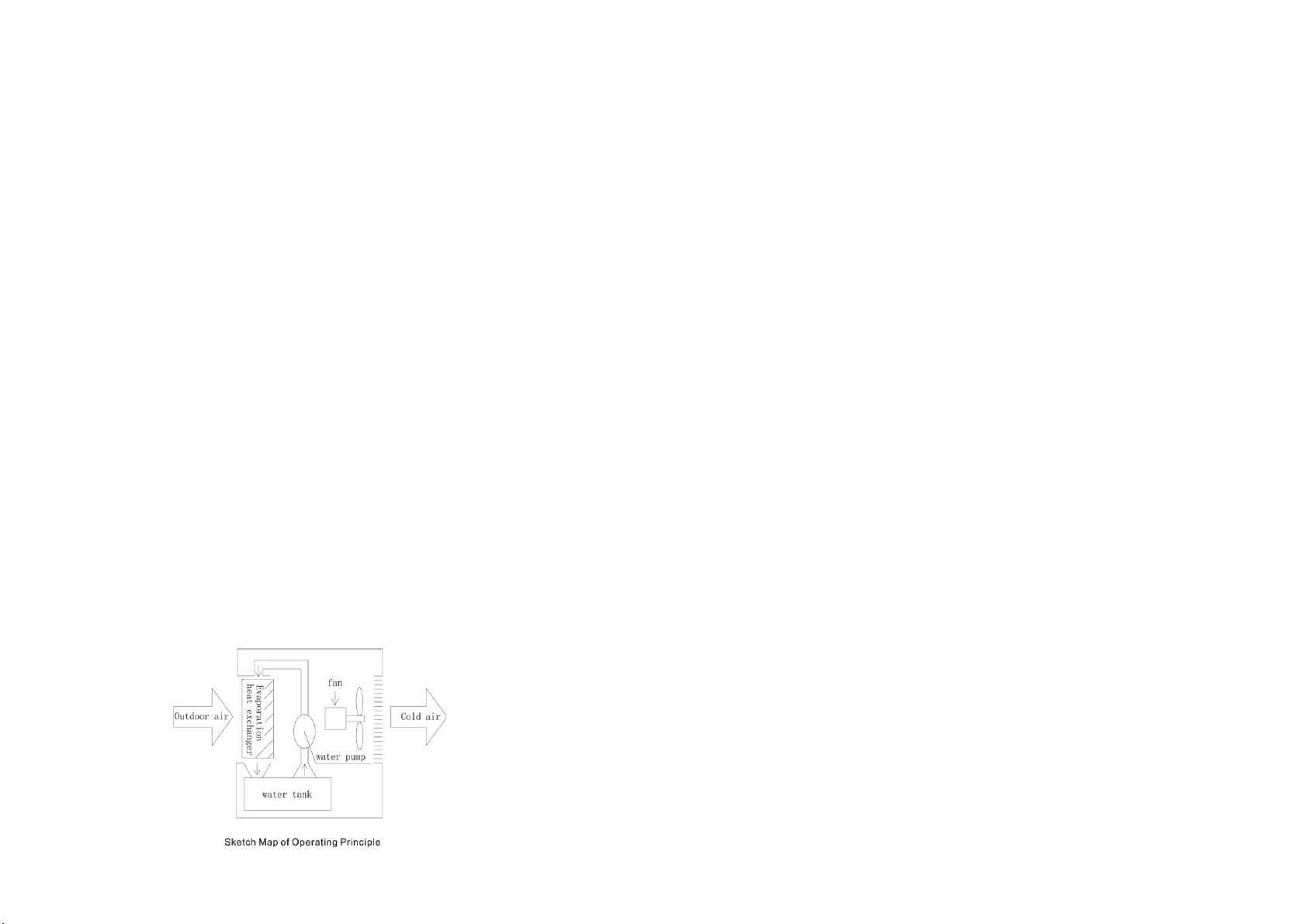
Evaporative air coolers uses evaporation to cool the air. In an evaporative cooler a pump circulates water from the reservoir on to a cooling pad, which in turn becomes very wet. A fan draws air from outside
the unit through the damped pad. As it passes through the pad the air is cooled by evaporation.
The temperature of dry air can be dropped signifcantly through the phase transition of liquid water to
water vapor (evaporation), which can cool air using much less energy than refrigeration systems.
“Refrigerated air conditioning consumes more energy and creates more greenhouse gases than fans and
effcient evaporative cooling systems” Source: www.yourhome.gov.au
Advantages
1. Less expensive to intall
Estimated cost for installation is about half that of central refrigerated air conditioning
2. Less expensive to operate
Estimated cost of operation is 1/4 that of refrigerated air conditioning. Power consumption is limited to
the fan and water pump. Because the water vapor is not recycled, there is no compressor that consumes
most of the power in closed-cycle refrigeration. The refrigerant is water. No special refrigerants, such
as ammonia, sulfur dioxide or CFCs, are used that could be toxic, expensive to replace, contribute to
ozone depletion and/or be subject to stringent licensing and environmental regulations
3. Ease of maintenance
The only two mechanical parts in most basic evaporative coolers are the fan motor and the water pump,
both of which can be repaired at low cost and often by a mechanically inclined homeowner.
4. Ventilation air
The constant and high volumetric fow rate of air through the building reduces the “age-of-air” in
the building dramatically. Evaporative cooling increases humidity. In dry climates, this may improve
comfort and decrease static electricity problems. The pad itself acts as a rather effective air flter when
properly maintained; it is capable of removing a variety of contaminants in air, including urban ozone
caused by pollution, regardless of very dry weather. Refrigeration-based cooling systems lose this
ability whenever there is not enough humidity in the air to keep the evaporator wet while providing a
constant trickle of condensate that washes out dissolved impurities removed from the air.
CLEANING THE WATER TANK
*PLEASE ENSURE THE UNIT IS TURNED OFF AND UNPLUGGED FROM THE POWER SOURCE
1. Open the water outlet valve(on the bottom of the machine) to drain out all
the water from the tank.
2. Remove the screws from the air-inlet louvers then remove the air-inlet
louvers.
3. Use a cloth or brush to wipe the inside of the tank
4. Rinse the inside of tank
5. Use a cloth to wipe the inside down
CLEANING THE OUTSIDE OF THE MACHINE
*PLEASE ENSURE THE UNIT IS TURNED OFF AND UNPLUGGED FROM THE POWER SOURCE
1. Use a soft cloth to wipe down the machine.
NOTE:
do not use detergents or solvent
14. Storage
When not in use please store in a clean environment.
Please ensure the water tank is completely drained.
Please ensure the cooling pads and flters are completely dry. Run in fan mode
for a minimum 10 minutes.
2.
11.
Page 5
PORTABLE EVAPORATIVE AIR COOLER
13. Cleaning & mainteance
PORTABLE EVAPORATIVE AIR COOLER
3. Note in use
In order to prevent harm or damage to users and other people’s personal safety and
property, please make sure to comply with the following:
TYPE FREQUENCY
Changing the water Weekly 1
Cleaning the flter screen Monthly 1
Cleaning the cooling pads Quarterly 1
*Please note in more dusty environments, the above schedule may need to occur on a
more frequent basis.
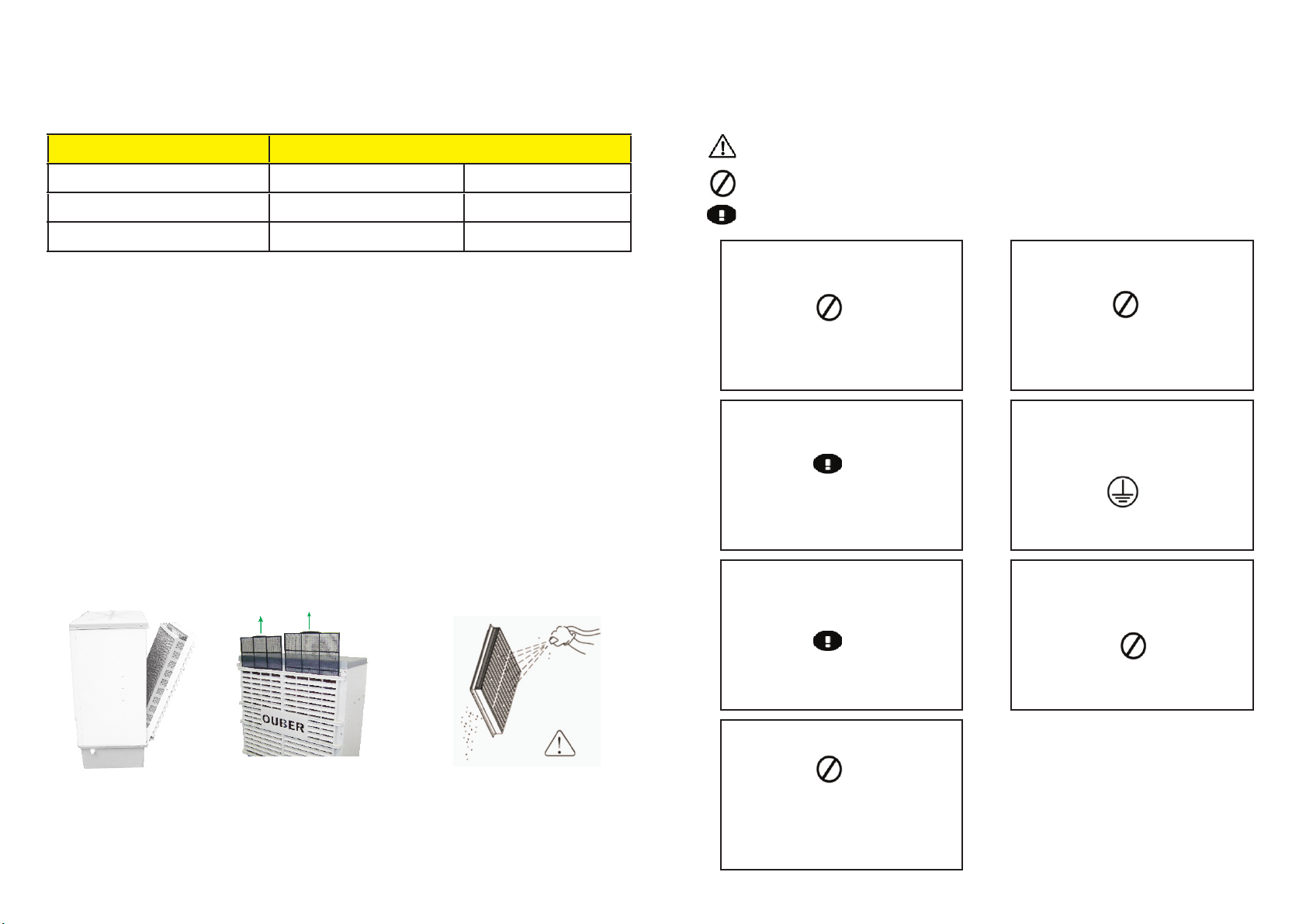
CLEANING THE COOLING PAD AND FILTER SCREEN
*PLEASE ENSURE THE UNIT IS TURNED OFF AND UNPLUGGED FROM THE POWER SOURCE
1. use a screwdriver to unscrew 6 screws from the air-inlet louvre as per the
image.
2. pull out the flter screen from the air-inlet louvre
3. hold the cooling pad and/or the flter screen and wash it down with a hose.
NOTE:
do not use a high pressure water hose as it may cause damage to the cooling pads
do not use detergents or soap to clean the cooling pads
Take out the dustproof net upward
This symbol, referring to please be careful - “ to draw attention to”
This symbol, referring to do not do - “ banned”
This symbol, referring to the need to implement - “ mandatory”
Non-authorised or non-qualifed personnel are
not permitted to do repair or modifcation to
this unit!
banned
Could lead to product failure or injury
Please solely use rated current of 10A socket!
When in use in combination with other electrical
appliances, the power socket or board may have
abnormal heat, resulting in a fre
Make sure to unplug the power plug from the
socket when cleaning the water tank and cooling pads, moving the machine or when not in
use long periods.
Do not use voltage expectant AC220~240V
± 10%!
banned
Could cause a fre or electric shock
This machine should be used with single-phase
two pole grounded electrical outlet and to ensure
its reliable grounding! Grounding device is not
installed, it could lead to airframe and other metal
parts with electrostatic induction.
Ensure grounding
Could lead to product failure or leakage
Do not damage, destroy, over bend and twist the
power cord. Please do not place heavy objects on
the power cord. Ageing or damaged power cord
must immediately be replaced or repaired by an
authorised persons.
10.
May result in an electric shock or damage
Use 0.15~0.6MPa water pressure! Temperature
cannot exceed 45’C.
banned
May result in the cooling pad to dissolve and
plastic product deformation, damage and affect
the performance
banned
Easily cause damaged, fre and electric shock
3.
Page 6
PORTABLE EVAPORATIVE AIR COOLER
PORTABLE EVAPORATIVE AIR COOLER
This machine is to be used for indoor use.
Strictly prohibit the use in environments with flammable and explosive gases and
to avoid long-term direct sunlight.
Do not place this machine on uneven or tilted surfaces as the machine may fall,
causing damage to the machine body and internal parts.
Do not place the machine close to walls, curtains and other material as it will
restrict the air intake and affect the air supply.
Do not tilt or use high impact force to the machine once water has been added.
Electrical maintenance must be completed by a qualifed persons.
If the power cord is damaged, it must be replaced by the manufacturer, its service
agent or similary by a qualifed persons in order to avoid a hazard.
12. Operating instruction
1. Make sure the voltage is in accordance with the local voltage before use.
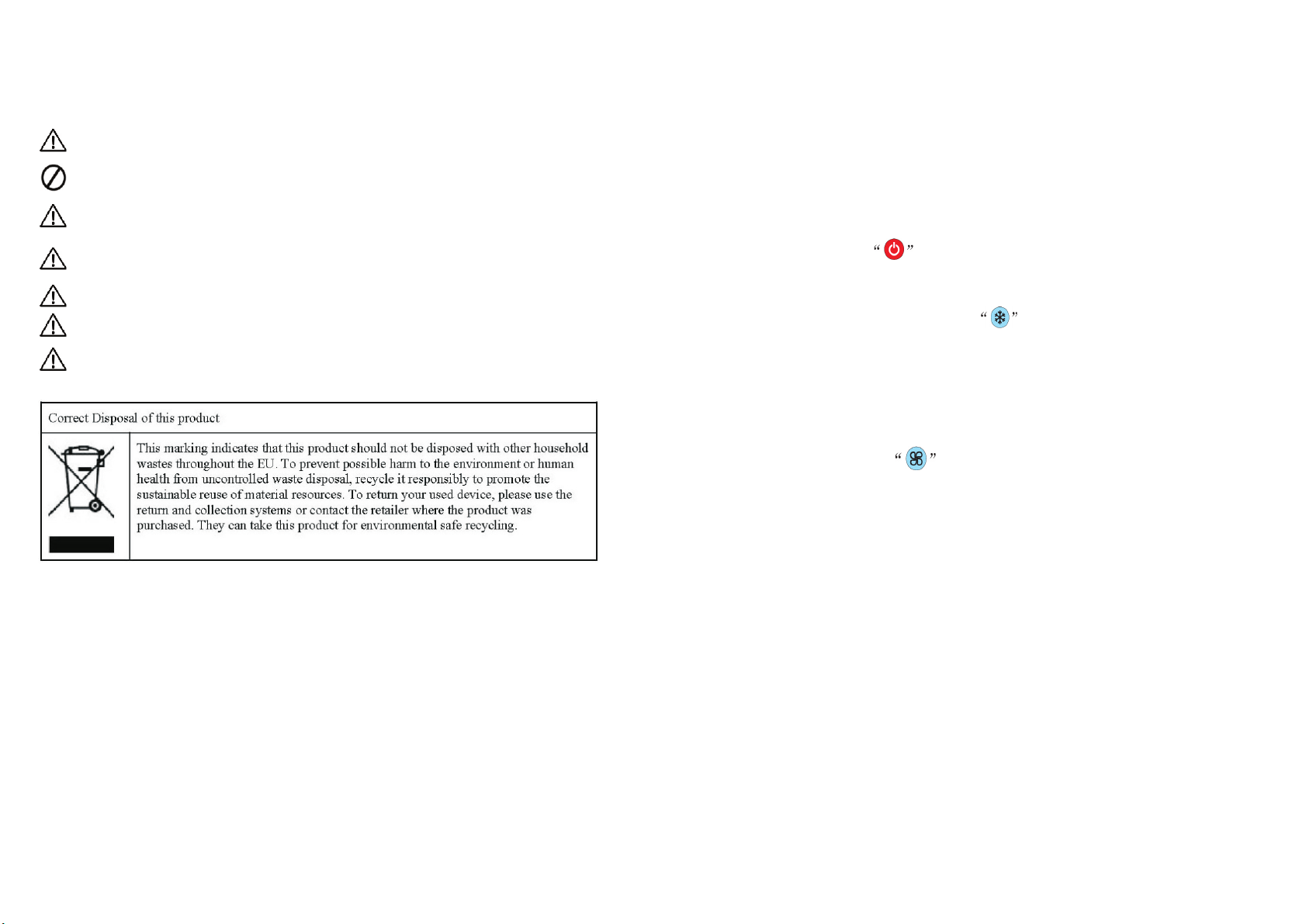
2. Connect the plug into the power source, the machine will be in standby
mode. Press the ON/OFF button to turn on and off. Once turned off the
machine will be in standby mode.
3. Once the machine is turned on, press to turn on the cooling mode. You
will start to hear water rising and being distributed over the cooling pads, once
saturated the fan will start. If there is no water the water pump will not turn on
and if the water has run out the water pump will automatically turn off and the
fan will continue to work.
4. For fan option only, press to turn on fan mode. There is 3 speeds settings you can utilise.
4.
9.
Page 7
PORTABLE EVAPORATIVE AIR COOLER
PORTABLE EVAPORATIVE AIR COOLER
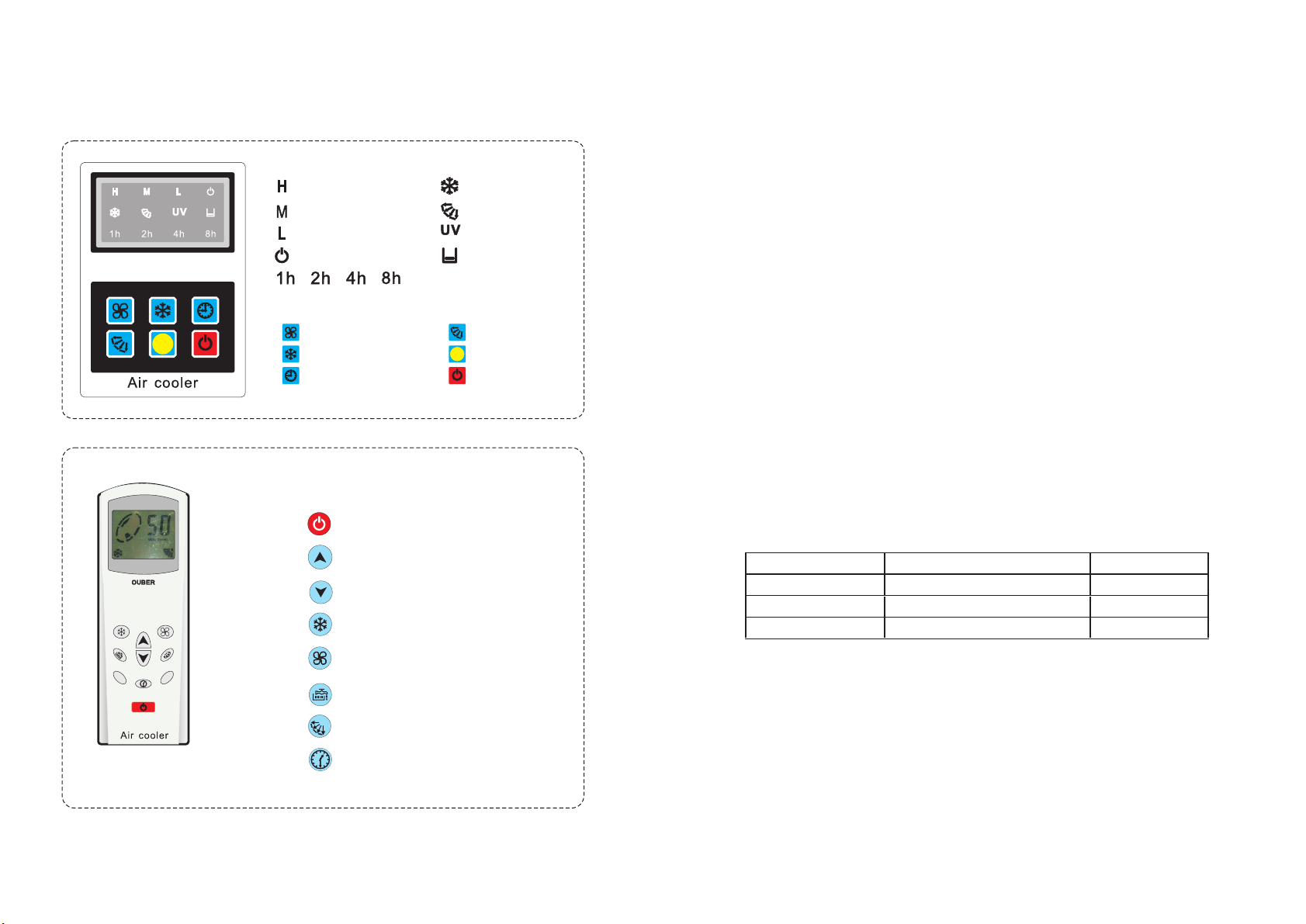
11. Control panel & remote introduction
LED Light definition LED
" "High wind speed
" "Medium wind speed
" "Low wind speed
" "Power
" "Time setting
Button definition
" "Wind speed " "Wind swing
" "Cooling " "Signal
" "Time setting " " ON/OFF
LCD remote control
1.“ ”ON/OFF
" "Cooling
" "Wind swing
" "UV
" "Water shortage
4. Scope of Application
NewTech Air Coolers have a lot of advantages from cooling, humidifcation,
purifcation, ventilation and energy saving. This product is suitable for applications with open areas with adequate ventilation. High humidity areas may need
assistance from an engineering design.
5. Environment of use
1. Ambient temperature 25’C~45’C;
2. Environment relative humidity ≤ 90%
3. Water supply should make softening treatment
0’C<temperature of water supply<45’C
Pressure of water supply: 0.15-0.6MPa
4. Deviation of voltage can not be more than ± 10% of rated voltage
5. No corrosive gases
6. No infammable and explosive gas or dust
6. Packing list
2.“ ”Increase the air fow
3.“ ”Reduce the air fow
4.“ ”Cooling mode
5.“ ”Fan mode
6.“ ”Disabled
7.“ ”Contol the swing
8.“ ”Time setting
.8.
Number Description Qty
1 Cooler 1
2 Remote Control 1
3 Instruction manual 1
5.
Page 8
PORTABLE EVAPORATIVE AIR COOLER
PORTABLE EVAPORATIVE AIR COOLER
7. Specifcations
Model
Airfow
Voltage/Frequency
Current
Power
Motor IP
Fan Type
Water tank
Machine size (mm)
Net weight
Applicable area (m )
Air outlet dimension (mm)
Noise
Water consumption
Machine IP
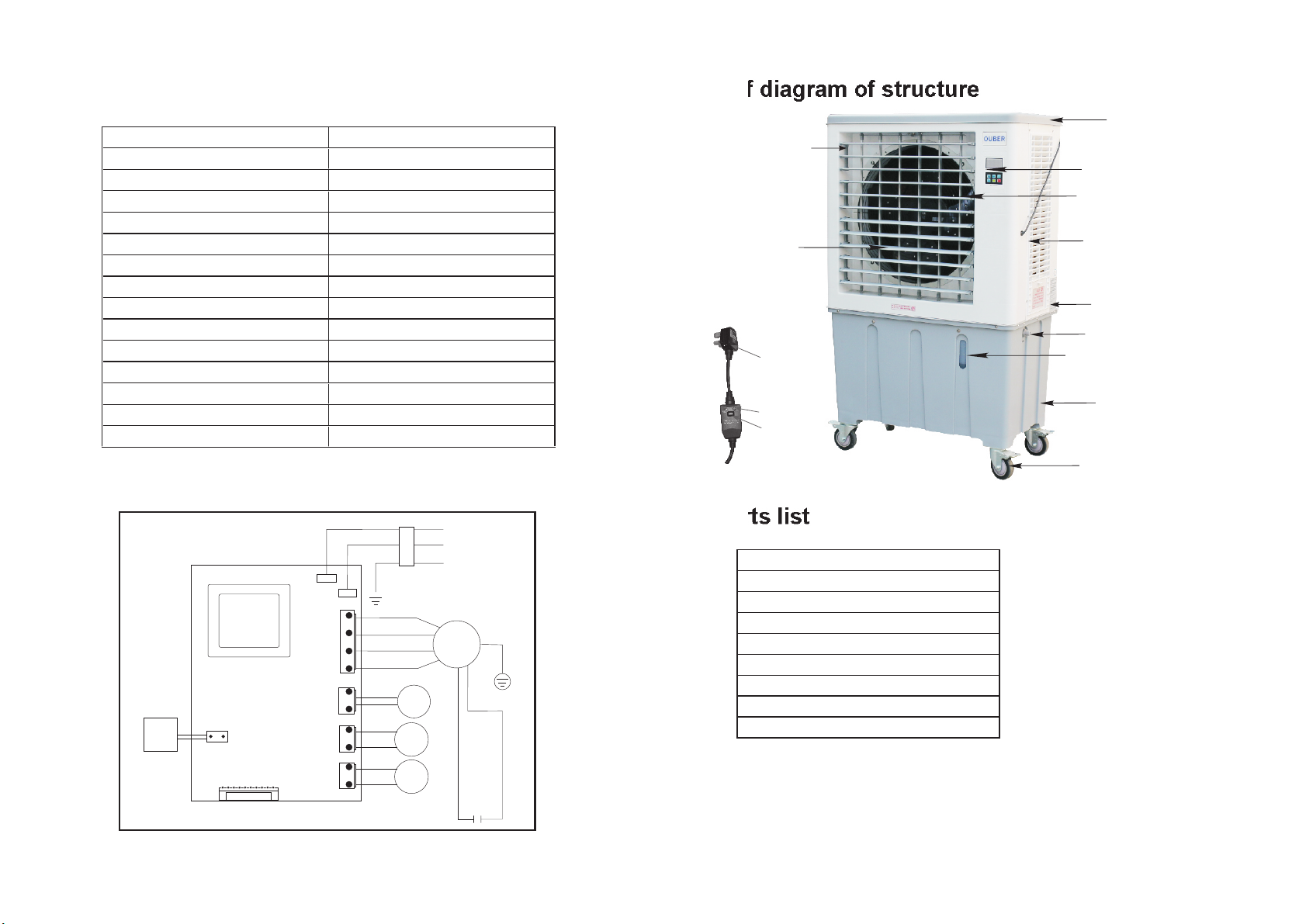
8. Wiring diagram
wat er
lev el
sens or
transformer
9. Brief diagram of structure
top cover
PAC280-A
2200 L/S
220V-240V/50Hz
1.3A
0.28KW
IP64
Axial
120L
840 x 480 x 1390
38KG
2
30~60
600x640
< 70dB
3-10L/H
IPX4
elect ri c le akage
prote ct io n devic e
bro wn
blu e
yel low-g reen
N
L
fan
pum p
wat er
swi ng
AC2 20V~2 40V
Low wind speed
Medium wind speed
High wind speed
water
pump
swing
motor
moto r
ora nge
red
10. Parts list
air outlet
axial fan
plug
feele r sw it ch
reset s wi tc h
LCD Control Panel
Fan Motor 0.28KW
Water Sumbersible Pump
Synchronous motor
Water Float
Filter screen (black)
Cooling Pad
Water Level Sensor
Control board
controller
electric swing
(vertical wind bar)
power supply wire
manual water inlet
floating water inlet valve
water level display
water container
wheel with brake
connect to the signal wire
UV
6.
UV
-μF/ 5 0 0V
7.
 Loading...