

Page 1
Page 2

2
are familiar with the contents of
this manual. Keep this manual in a
safe place for future reference.
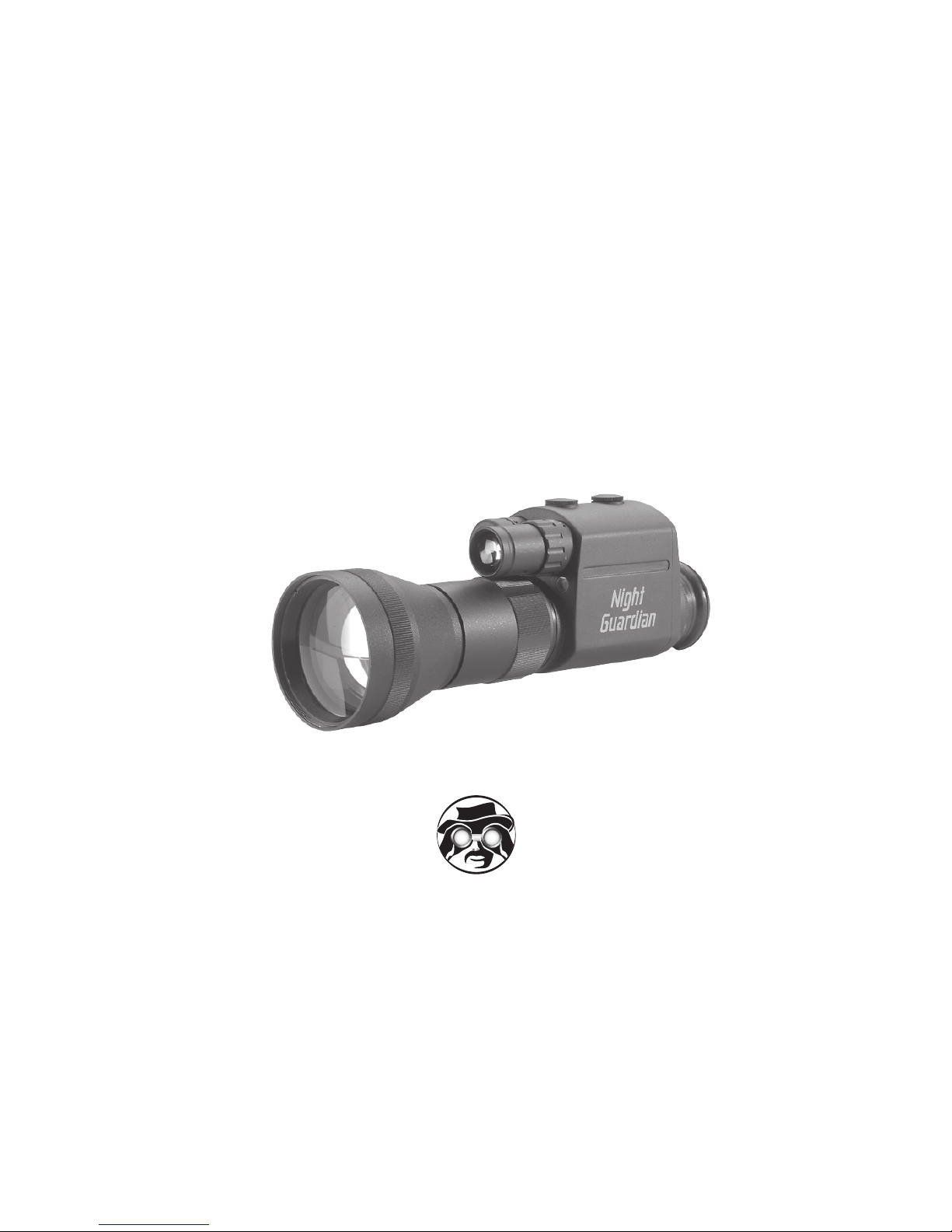
This Night Vision Device should
only be used during night or low
sensitive image intensifi er tube
that can be damaged if exposed to
excessive light. To prolong tube life
and avoid damage, do not turn the
tective cover.
This Night Vision Device is
equipped with a built-in IR illumina-
tor that can be seen by other Night
Vision Devices when it is turned on.
This device will not show the dif-
ference between colored lights. It
age. When color differentiation is
eyes is recommended.
All Image Intensifi ed Devices re-
quire some light to operate such
as moonlight or ambient starlight.
etrate smoke, fog, rain, or heavy
snowfall. Cloud cover and tree
shadows will reduce the effective-
environment near gasoline fumes
or other volatile materials. This is a
charge, or expose the battery to
fi re or high temperature. Doing so
sulting chemical burns. When the
device is not in operation for a pro-
from the device and keep it sepa-
Page 3

Technical Specifi cations
. . . . . . . . . . . . . . . . . .
4
2. Controls
. . . . . . . . . . . . . . . . . . . . . . .
standard on D-112MG)
. . . . . . . . . . . . . .
6
4. Head Mount Controls
optional on D-112MG)
. . . . . . . . . . . . . . . . .
Troubleshooting
. . . . . . . . . . . . . . . . . . . . . .
2
Warranty
Acceptance Certifi cate
. . . . . . . . . . . . . . . .
TECHNICAL SPECIFICATIONS
Generation 1+
40 lp/mm min
3.6x (1x optional)
80 mm f1.6
860’
262 meters
3m to infi nity
492’
330’
Weather Resistant
Yes
Camera/Camcorder Adaptable
Yes
Yes
CR123/30 hours
7.5” x 1.9” x 2.9”
Weight
482 grams
Operating Temperature
-4° F to 113° F
-20°C to +45°C
Warranty
Page 4
4
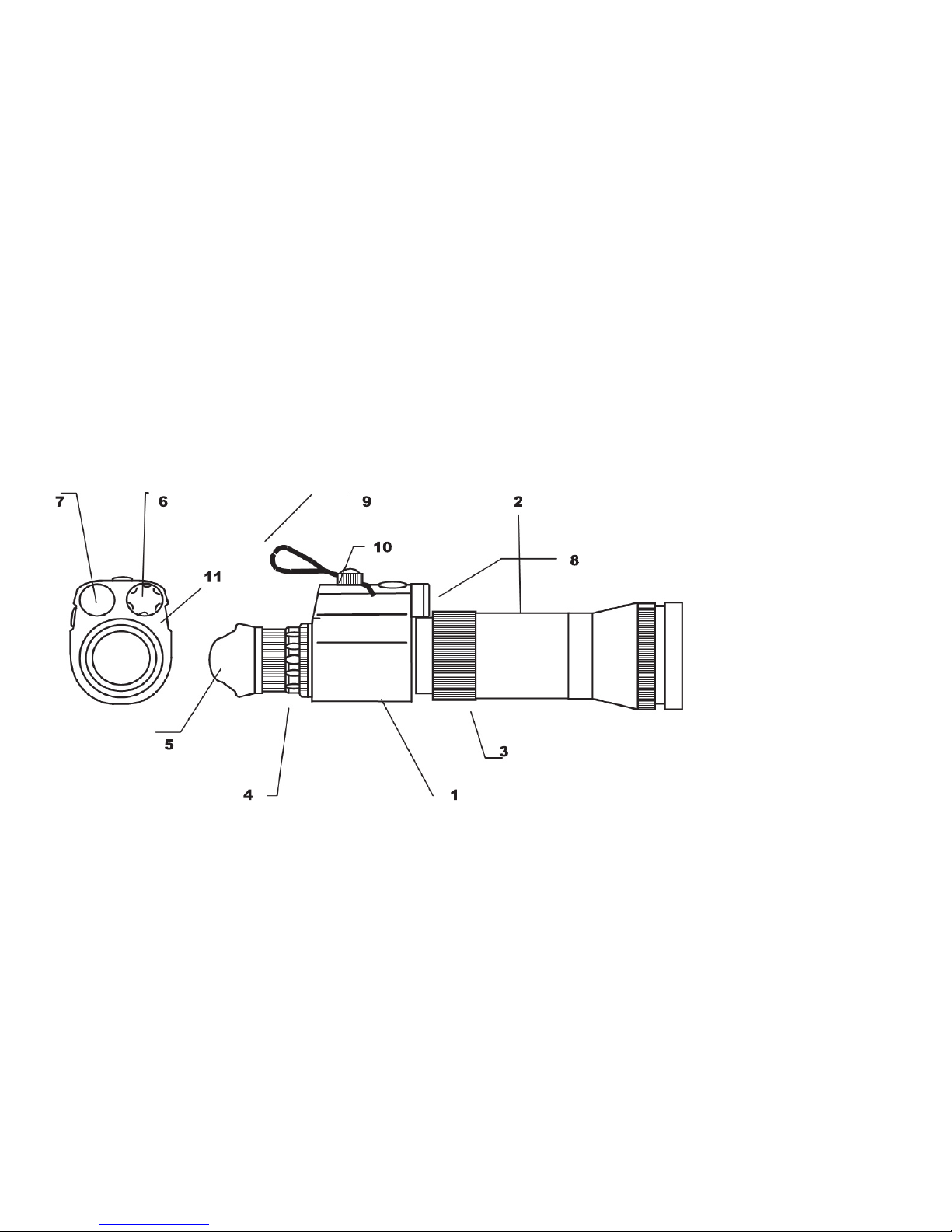
The D-112 has a black aluminum body (1). Permanently affi xed in this body are the IR illuminator
2. Objective 3.6x 80mm
f1.6
3. Objective focus ring
4. Eye-piece
5. Rubber eyecup
6. IR illuminator
cover
8. Power OFF/ON/IR
switch
9. Power ON indicator
89345
6
Page 5

sure that day time protective cover
and void warranty
2. Controls
a. ON/OFF Switch (8). Turn this switch clockwise
once to turn the unit ON. Turn it counterclockwise
to turn the unit OFF. Check the battery for the
ed for providing additional illumination in especially
dark conditions. Use this feature with caution since
active IR illuminator can be seen by other night
vision devices. Turn switch clockwise twice to the
the ON position to turn the IR illuminator OFF. IR
c. Focusing the image. Looking at the object, ro-
tate the eyepiece (4) until the sharpest image is
achieved. Adjust the front objective (3) to achieve
the sharpest image for varying distances. Adjust
the eyepiece focus again if needed. Once the eye-
objective has to be adjusted in order to achieve
Page 6
6
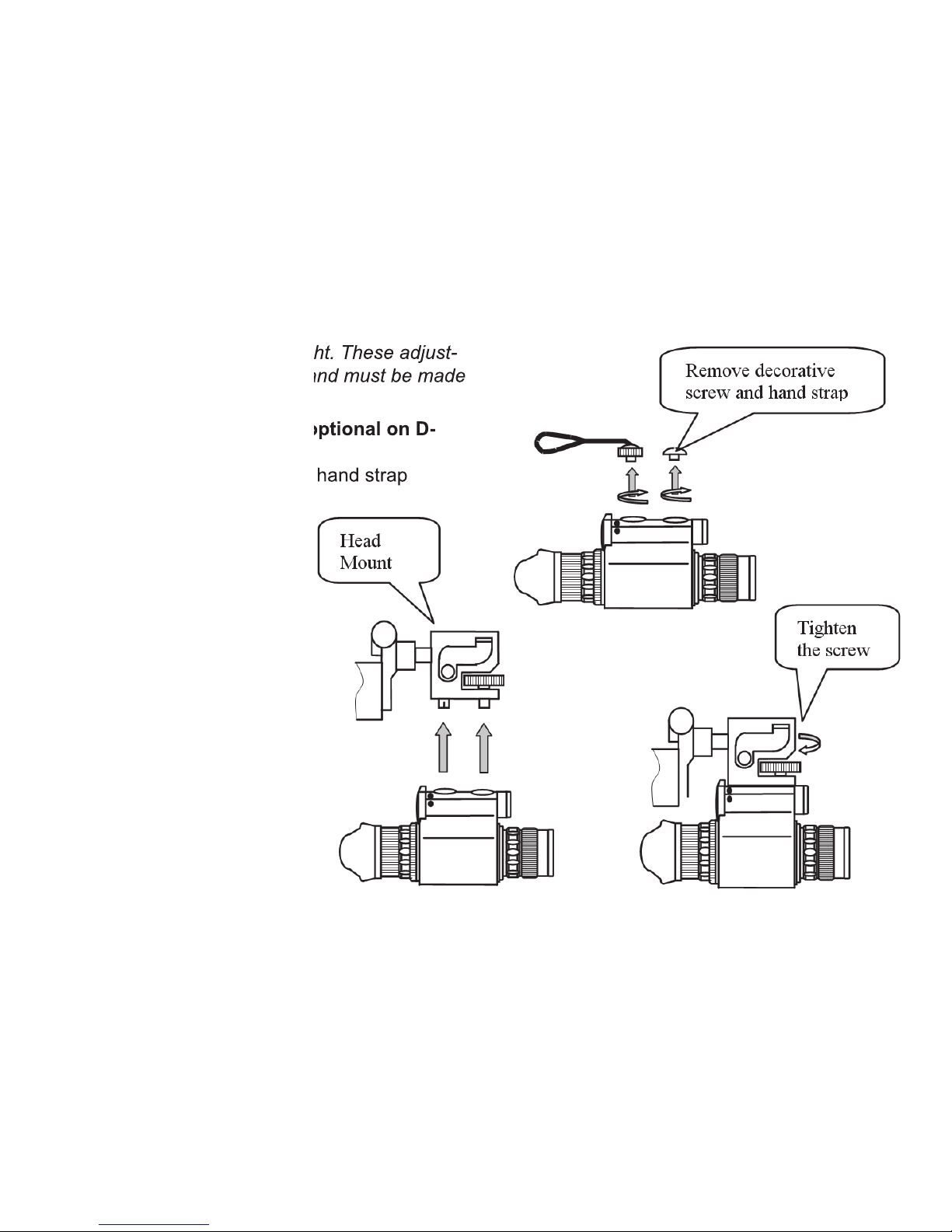
ments operate independently and must be made
3. Head Mount Attachment (optional on D-
Page 7
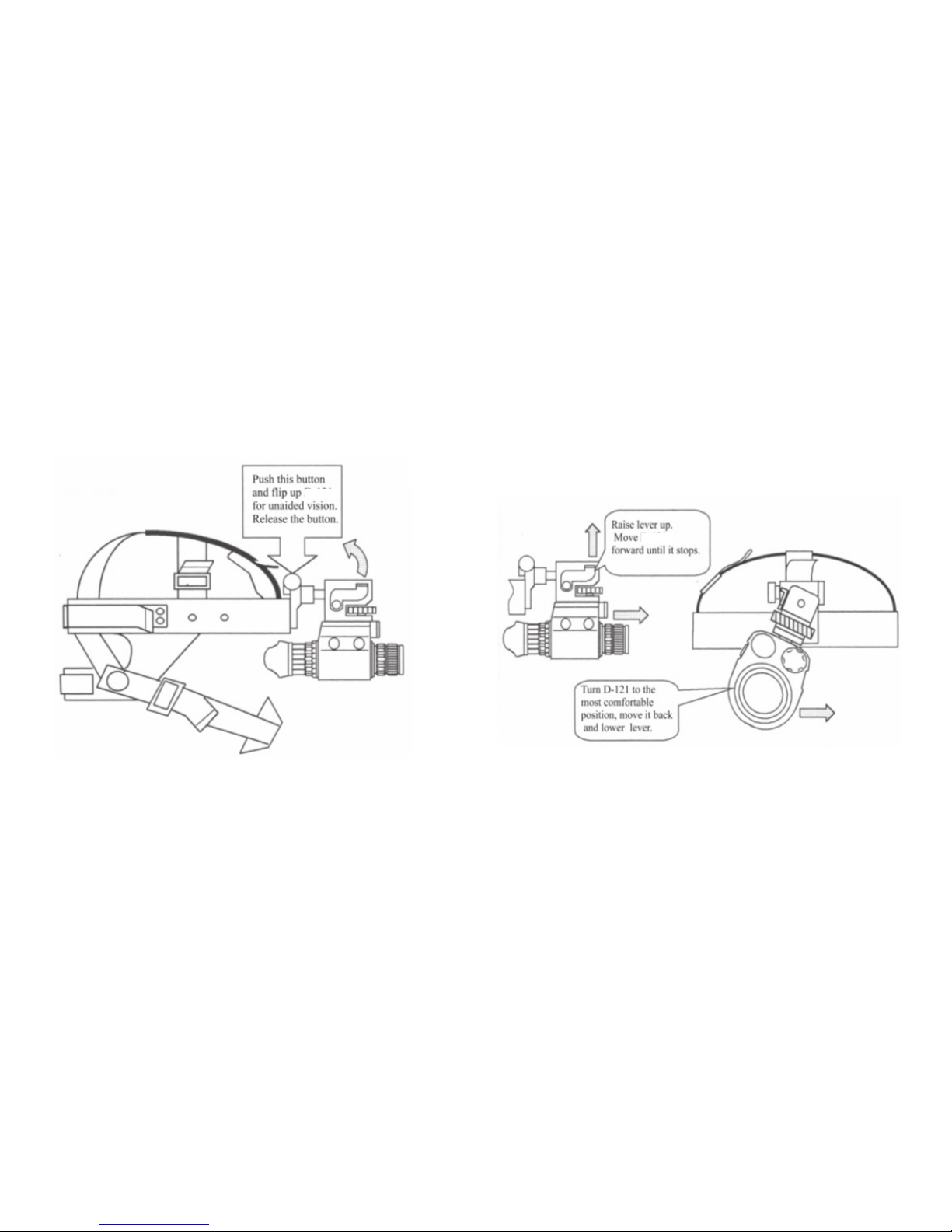
4. Head Mount Controls
The D-112 head mount is designed to work with either left or right eye depending on operator’s
Page 8
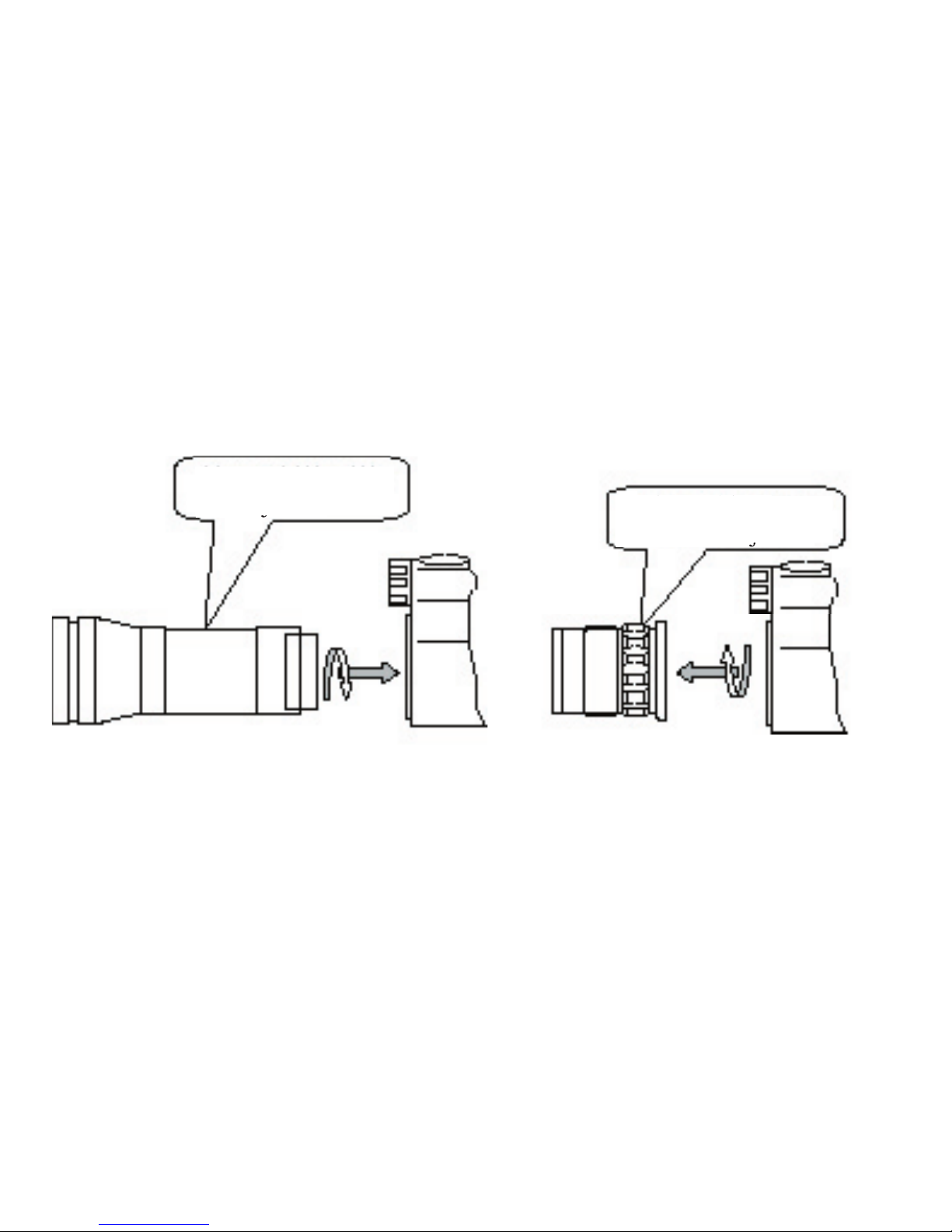
Remove 3x 80mm
Replace with 1x
27mm f1.2 objective
27mm f1.2 objective
Page 9

TICS
entiation between colors. In particular, red and
green lights will both appear green. Take care to
verify color differences with unaided vision. Ex-
ercise extreme caution when operating aircraft,
ground vehicles, or marine vessels while using
appear closer than green or blue lights. Exer-
these lights with your unaided eyes.
dark conditions including overcast starlight.
They are not practical in an extremely dark en-
vironment such as in a tunnel where there is no
These sparkles are small amounts of energy
generated inside the image intensifi er that strike
the phosphor screen and are an indication that
the device is working.
spectrum. The existence of this light and the
to the naked eye. For this reason, objects that
addition, the output image of the Night Vision
of the objects the operator sees in the viewing
area. Objects that appear light during the day
viewed through a Night Vision Device. All of
these factors must be taken into account when
Page 10

Vision Device and may seriously degrade its
This is a faint hexagonal pattern throughout
the image area. This effect is more noticeable
- the honeycomb effect is an inherent character-
that incorporate a microchannel plate in the
These are cosmetic blemishes in the image
or reliability of a night vision device and a num-
The image intensifi er tube, however, does not
Always clean the optics with a suitable optical
sive moisture to clean any part of the Night Vi-
sion Device.
Any Night Vision Device that is to be stored for a
the batteries removed.
Page 11

The Night Vision Device is water resistant. No
warranties or guarantees apply to a Night Vision
great care when using any night vision in a wet
environment as the image intensifi er tube is
sensitive to moisture.
Salt Water
water environment, wipe it off with a clean cloth
slightly dampened with fresh water and dry it
thoroughly. Take special care of the optics as
Sunlight
stored away from direct contact with bright light
sources of any kind.
and may result in warranty nullifi -
cation.
Page 12

TROUBLESHOOTING
Symptom
Corrective Action
a. Objective lens cap not been removed.
c. Incorrect battery polarity
d. Weak battery
a. Remove cap
c. Re-insert battery
d. Replace battery
a. Normal for new battery to cause this for
fi rst fi ve minutes.
a. If condition continues contact manufac-
turer for service instructions
a. Cosmetic blemishes. Normal for this
technology.
a. Acceptable as long as it does not inter-
fere with operation of the device
a. Focus is not adjusted.
a. Adjust focus
a. Cosmetic blemishes caused by too
a. Acceptable as long as target resolution
can be resolved.
a. Normal under worst conditions. These
shaved lines.
a. Acceptable as long as it does not inter-
fere with operation of the device
a. Weak batteries
a. Replace the batteries.
Page 13

The D-112 is covered by a limited 1 year warranty from time of sale. The warranty is valid only for
the original purchaser.
The manufacturer warrants its products to be free from defects in material and workmanship during
the warranty period. If the product proves to be defective during this period, the manufacturer will
This limited warranty does not cover:
2. Any product that has experienced deterioration or a malfunction from: accidents, misuse, neglect, fi re, water,
the product, repair or attempted repair by anyone not authorized to do so, use of supplies or parts not meeting
ditions or other extreme environments.
ered under this warranty.
All shipping involved in warranty work/replacement is the sole responsibility of the purchaser.
Page 14

4
any claims, actions, suits, proceedings, costs,
expenses, damages or liabilities arising out of
the use of this product. Operation and use of
this product are the sole responsibility of the
sponsibility is limited to providing the products
and service outlined herein in accordance with
the terms and conditions of this Agreement.
The provision of products sold and services
for the benefi t or creating any obligation toward
any third party of legal entity outside Night Op-
tics USA, Inc. and Customer; Night Optics USA,
solely to the Customer. Night Optics USA, Inc.’s
the form or action, shall not exceed the fees or
other charges paid to Night Optics USA, Inc. by
the Customer or the Customer’s dealer. Night
quential damages, including, but not limited to,
such damages were foreseeable or not at the
time of purchase, and whether or not such dam-
ages arise out of breach of warranty, a breach
of agreement, negligence, strict liability, or any
other theory of liability.
Page 15

ACCEPTANCE CERTIFICATE
facturer’s specifi cations.
Page 16

 Loading...