

Page 1
Calling
Making/Receiving Calls
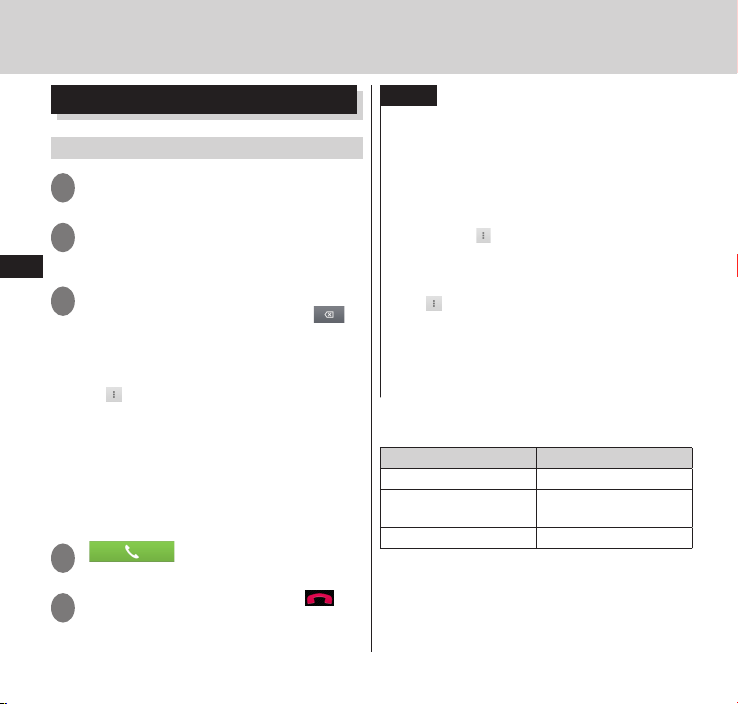
Making a call
From the application list screen,
1
"Phone"
"Dial"
2
•Tap "Favorites" to display contacts saved
Calling
to Phonebook. → P. 97
Enter the phone number
3
•If you enter a wrong number, tap to
delete the number. Touch and hold to
delete all the entered numbers.
■Set Caller ID notification manually
" " ▶ "Caller ID notification" ▶
▶
"Notify"/"Not notify"
•You can set to notify/not notify your
number by entering "186"/"184" before
entering the number.
* Effective for that call only.
■Using Koe-no-Takuhaibin (P. 93)
"Koe-Taku"
▶
" "
4
When the call is finished, " "
5
88
NOTE
When using services where you must type in
additional numbers during the call, such as for
checking your bank account balance or for using
ticket reservation services, "Add 2-sec pause" (,)
or "Add wait" (;) can be used to enter the main
telephone number and additional number
together beforehand for making the call.
•If you use "
main telephone number is dialed, the
additional number is dialed automatically after
waiting for 2 seconds.
•If "
telephone number is dialed, a wait is
automatically added. Then, once a
confirmation message for sending the
additional number is displayed, tapping "Yes"
will send the additional number.
■Emergency call
Emergency call Phone number
Police emergency 110
Fire brigade/Ambulance
emergency
Maritime distress call 118
"
"Add 2-sec pause" after the
▶
" ▶ "Add wait" is used, after the main
119
Page 2
The terminal supports "Emergency Location
Report".
Calls made to emergency service organizations
(e.g. by dialing 110, 119 or 118) disclose
informationonthecaller'slocationtothe
organization receiving the call. Emergency
service organizations may not identify the
correct location depending on the caller’s
location and the receiving condition.
The location information and phone number
are not disclosed when, before each individual
call made, "184" or another blocking prefix is
dialed first. If the information is deemed
necessary for the protection of life, etc., this
information may be acquired by the
organization being called.
Locations/timing planned for adoption of this
feature vary according to the status of the
preparations by the relevant emergency
service organizations.
When calling 110, 119 or 118 from the
terminal, first say you are calling from a
mobile phone, give your number, and state
your location clearly, because the police or fire
department may call you back for
confirmation.
Also, do not move around when making the
call. Do not turn off the power immediately
after ending the call, but leave it turned on
for ten minutes or so, so that you can receive
a call.
Depending on the area you are calling from,
you may not be connected with the nearest
police or fire department, etc.
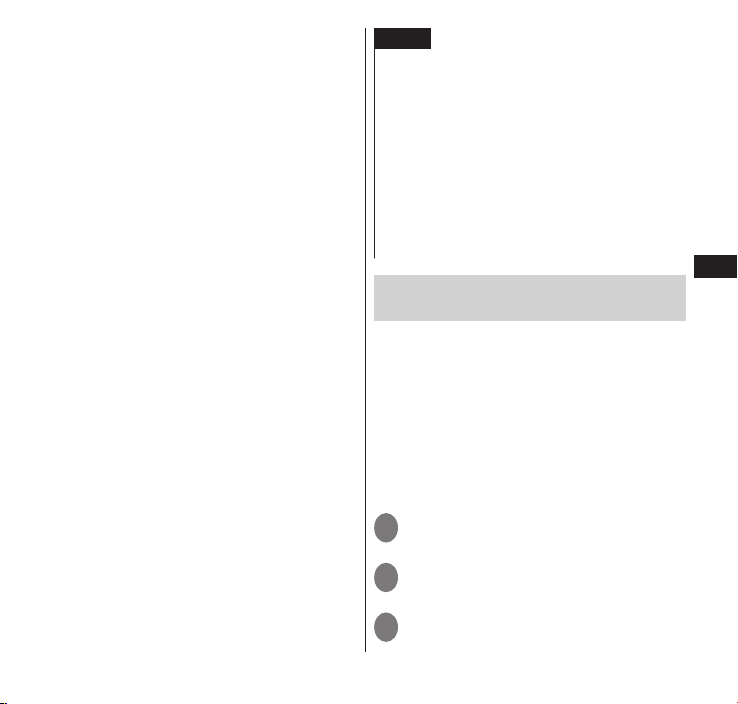
NOTE
When you have locked the screen, you can make
an emergency call without drawing screen
unlock pattern and entering the Lock Number
foreachscreen.Oneachscreen,tap"Emergency
call". The "Emergency Dialer" screen appears;
you can make phone calls only to the emergency
phone numbers.
In Japan, the 110, 119, and 118 emergency
numbers cannot be dialed when the miniUIM is
not set to it, from the PIN1 code entry screen,
during PIN code lock, PUK lock activated, or
Encryption (P. 133) is set to this terminal.
Making an international call
(WORLD CALL)
WORLD CALL is an international phone
service that can be used from DOCOMO
mobile phones. Customers who have
subscribed to the FOMA service would also
have automatically subscribed to "WORLD
CALL" at the same time (excepting those
who have declined it).
FordetailsonWORLDCALL,referto
DOCOMO"InternationalServiceswebsite".
Using international dial assist
From the application list screen,
1
"Phone"
"Dial"
2
Touch and hold "0"
3
•A plus sign "+" appears.
→
P. 188
Calling
89
Page 3
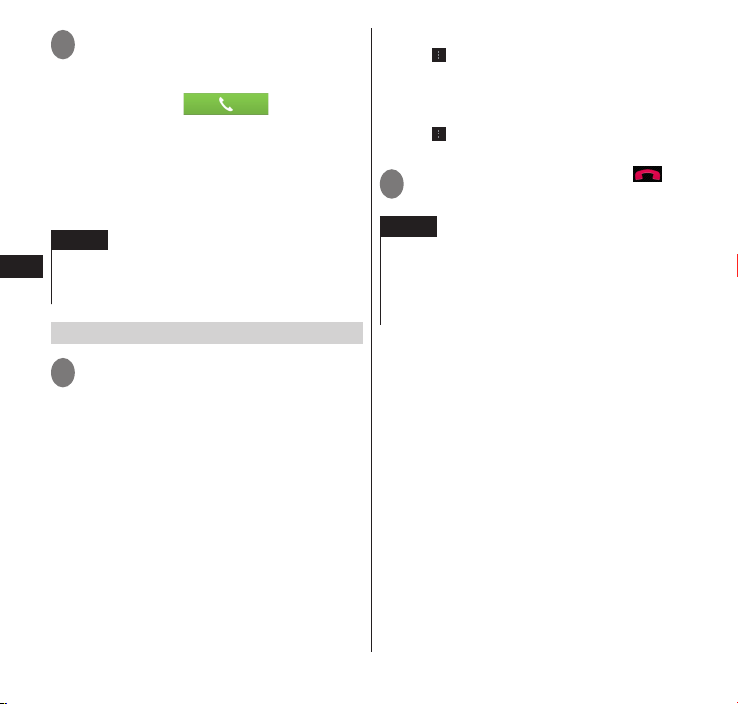
Enter the country code ▶ enter
4
the area code (city code) ▶ enter
the recipient's mobile phone
number ▶ "
•If "+" is converted to an international
prefix when making a call based on the
settings in "Automatic conversion
function" (P. 188), tap "Converted
number" in the "International dial assist"
screen.
NOTE
If the area code begins with "0", omit "0".
However, "0" may be required for calling some
Calling
countries or areas, such as Italy.
Receiving a call
When a call is received,
1
"Activate" ▶ "Accept"
■Turn off the ring tone and the
vibrator.
"/"d"
▶ "u
■Declining a call
"Activate" ▶ "Reject"
▶
Declining calls and transmitting by
■
SMS
"Activate" ▶ "Reject call with SMS" ▶
▶
Tap the message
•The selected message is sent to the other
person as SMS.
■Putting an incoming call on hold
" " ▶"Onhold"
▶
•The call is connected and immediately
"
placed on hold.
■Record message
" ▶ "Record message"
"
▶
•Play record message →P. 94
When the call is finished, " "
2
NOTE
If you decline an incoming call when Voice Mail
service or Call Forwarding service are set to
Activate, the call is forwarded to the Voice Mail
service center or the designated forwarding
number.
90
Page 4
Page 5
Page 6
 Loading...