

Page 1
®
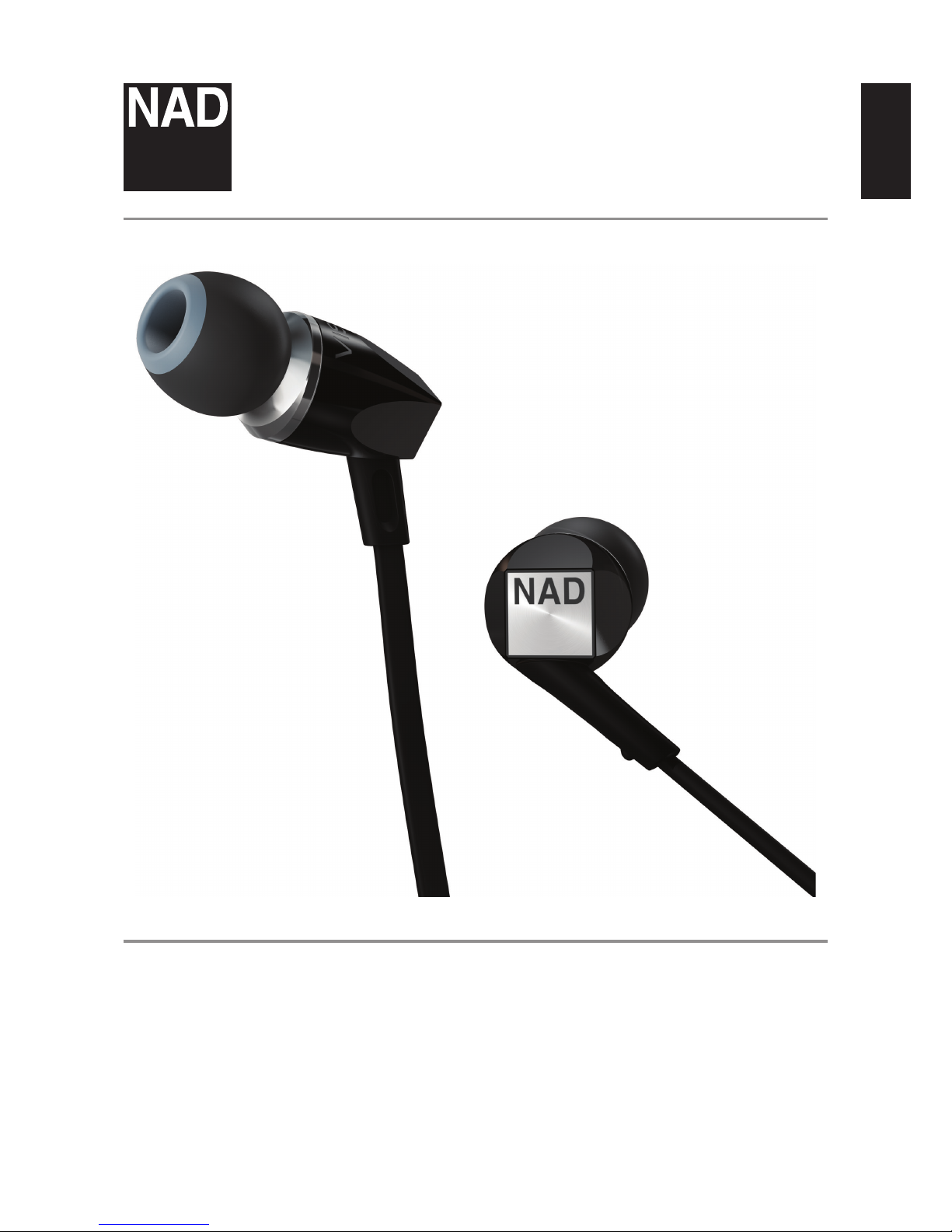
VISO HP20
ENGLISH
Owner’s Manual
Page 2
ENGLISH
2
OSHA GUIDELINES FOR NOISE EXPOSURE LIMITS
The Occupational Safety Health Administration (OSHA) has issued
headphone usage recommendations for maximum daily exposure and
sound pressure levels [measured in decibels (dB)]. A decibel is a unit
of sound measurement that increases exponentially with volume. For
example, conversational speech is typically around 60dB, and a rock
concert in a stadium is often about 110dB.
90dB 8 hours
95dB 4 hours
100dB 2 hours
105dB 1 hour
110dB 30 minutes
115dB 15 minutes
120dB Avoid as damage may occur
FCC NOTICE
This device complies with Part 15 of the FCC Rules. Operation is subject
to the following two conditions: (1) this device may not cause harmful
interference, and (2) this device must accept any interference received,
including interference that may cause undesired operation.
WARNING!
• Warnings or announcements may be unnoticed when you are
using the headphones. You should be aware of ambient sounds
while wearing the headphones, and recognize them as needed.
• Long-term exposure to loud music may cause permanent hearing
damage.
• Do not attempt to modify this product as it could result in
personal injury and/or product failure.
• If water or other foreign substances permeate inside the device,
fire or electric shock may result.
CAUTION
Changes or modifications to this equipment not expressly approved
by NAD Electronics for compliance could void the user’s authority to
operate this equipment.
NOTES ON ENVIRONMENTAL PROTECTION
At the end of its useful life, this product must not be disposed
of with regular household waste but must be returned to a
collection point for the recycling of electrical and electronic
equipment. The symbol on the product, user’s manual and
packaging point this out.
The materials can be reused in accordance with their markings. Through
re-use, recycling of raw materials, or other forms of recycling of old
products, you are making an important contribution to the protection of
our environment.
Your local administrative office can advise you of the responsible waste
disposal point.
IMPORTANT SAFETY INSTRUCTIONS
2
Page 3

ENGLISH
3
INTRODUCTION
The NAD VISO HP20 In-Ear Headphones have been designed to bring
the warm, open sound of live performances directly to your personal
headphone experience.
Designed and driven by audiophiles, NAD VISO HP20 is made specifically
for digital natives who understand the difference what clean, crisp
sound makes to music lovers.
The NAD VISO HP20 benefits from true headphone innovation that lets
you sense the music around you, feel every beat, and hear a more open
soundstage.
We hope you will read through this owner’s guide to help assure that
you are getting the most out of your new NAD VISO headphones.
For warranty information contact your local distributor.
NAD SHALL NOT BE HELD LIABLE FOR ANY TECHNICAL OR USER
INTERFACE DISCREPANCIES IN THIS MANUAL.
THE VISO HP20 OWNER’S MANUAL MAY BE SUBJECT TO CHANGE
WITHOUT PRIOR NOTICE. CHECK OUT THE NAD WEBSITE FOR THE
LATEST VERSION OF THE VISO HP20 OWNER’S MANUAL.
WHAT’S INSIDE THE BOX
Packed with your VISO HP20 you will find:
• Replaceable gel inserts in 5 sizes
• Mini-accessory travel pouch
• Cable clip
• 3.5 to ¼ inch headphone adaptor
• Airline adaptor
3
Page 4
ENGLISH
4
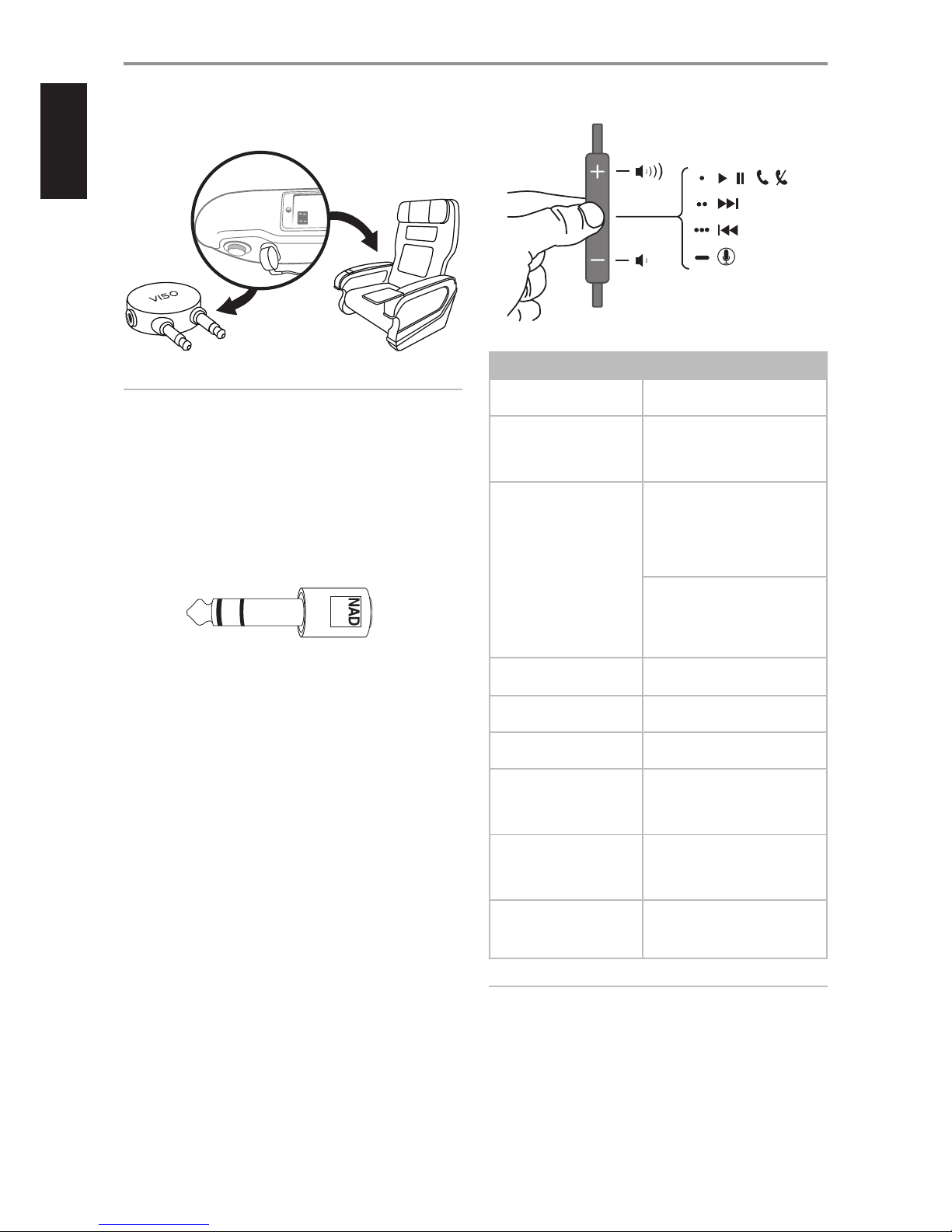
1 AIRLINE ADAPTOR
• Use the supplied dual 3.5mm airline adaptor to connect your VISO
HP20 with in-flight entertainment systems.
NOTES
• Audio output jack configurations may vary on airplanes. Airline
audio may not equal the high quality sound heard from your
home audio equipment or portable source.
• NAD Electronics does not recommend using these headphones
as aviation communication equipment as they are not engineered
for many environmental conditions common in commercial or
non-commercial aircrafts (including, but not limited to: altitude,
temperature, noise conditions, unpressurized aircraft, etc.)
resulting in possible interference to critical communications.
2 HEADPHONE ADAPTOR (3.5 mm to ¼ inch)
• Use this headphone adaptor to connect your 1/8 inch (3.5mm)
stereo plug to a 1/4 inch (6.3mm) stereo jack.
3 INLINE MICROPHONE AND REMOTE CABLE
• VISO HP20 is equipped with an inline microphone and remote
cable for use with various models of iPod and other iOS devices.
The cable is equipped with a call answer button and other phone
features for effortless switching between music listening and
talking. It also features music and video playback control for iPod,
iPhone and iPad.
• Audio is supported on all iPod models.
• The remote is supported by iPod Shuffle
(3rd generation and later).
• The remote and microphone are supported only by
- iPod nano (4th generation and later)
- iPod Classic (120GB, 160GB)
- iPod Touch (2nd generation and later)
- iPhone 3S, iPhone 4, iPhone 5, iPad and iPad mini
USING APPLE CONTROL FEATURES
FEATURE PROCEDURE
Answer or end call Press the centre button once to
answer or end a call.
Decline incoming call Press and hold the centre button
for two seconds, then release.
There will be two beeps to
indicate successful operation.
Use call waiting To switch to an incoming call and
put an in-progress call on hold,
press the centre button, and
then repeat to switch back to the
previous call and put the new call
on hold.
To switch to an incoming call and
end an in-progress call, press and
hold the centre button for two
seconds. Two beeps will indicate
successful operation.
Activate Siri or voice
control
Press and hold the centre button
for two seconds.
Play/pause song or video Press the centre button to play or
pause the song.
Skip to next/previous song
or chapter
Quickly press the centre button
twice to skip to the next song.
Scan forward through
song or video
Quickly press, then press and
hold the center button to scan
forward. Release to stop scanning
forward.
Scan backward through
song or video
Quickly press twice, then press
and hold the centre button.
Release to stop scanning
backward.
Control Volume Press the ( + ) button to increase
volume. Press the ( - ) button to
decrease volume.
NOTE
Some functions may not be applicable to your iPod or iOS device.
IDENTIFICATION OF PARTS AND ACCESSORIES
Page 5
ENGLISH
5
IN EAR MANAGEMENT
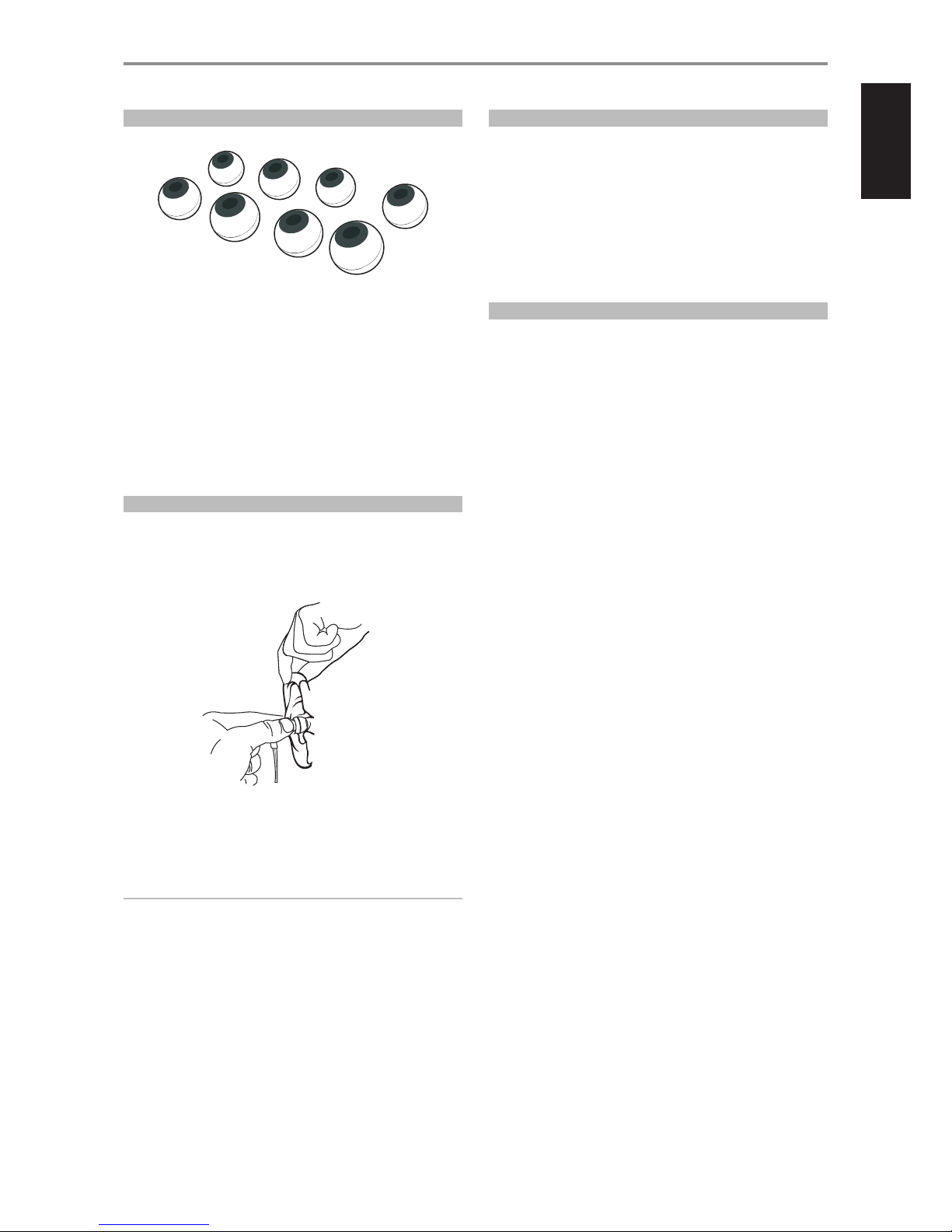
EARTIP FITTING AND SELECTION
Selecting the correct eartip for use with VISO HP20 will have a major
impact on sound quality. With a proper fit and seal, the listener will be
isolated from unwanted noise. Bass response will be more pronounced
and tonal balance more defined with a comfortable secure fit.
To find a fit for everyone, NAD supplies an accessory package filled with
various shapes and sizes of eartips for finding the perfect fit.
• From smallest to largest, test out each eartip to find the best seal
and most comfortable fit for the size and shape of your ear canal.
• Also make sure the headphones will stay in the ear and not fall out
while being active, like running or cycling.
EARTIP INSERTION AND REMOVAL
1 Holding the right in-ear monitor in your right hand, pull up and back
on the outer part of the ear to open the ear canal. Carefully insert
the right in-ear monitor (rubber tip first) to create a complete and
comfortable seal inside the ear.
2 Repeat these steps with the left in-ear monitor.
3 When done listening, slowly twist the eartip from the ear canal to
break the seal and remove the in-ear monitors.
WARNING
Do not insert the eartip deep enough to plug the ear as this could
result in permanent damage to the ear canal.
FITTING TIPS
To know whether the eartip is properly sealed within your ear, insert
the eartip into the ear canal and try listening to ambient noises with no
music playing.
• If there is a proper seal, the sound will be dull and distant.
• If the sound is clear, the eartip is not properly sealed inside the ear.
• If the sound can faintly be heard in the distance but pressure
is felt inside the ear, the eartip has been over-inserted and must
be readjusted.
PROTECTING YOUR INVESTMENT
For long lasting enjoyment of your headphones, you should respect
their limits and avoid excessive volume levels for music or movie
playback.
• Excessive volume levels can damage all headphones.
• If your headphones are pushed to excessive volume levels, they
might be driven into “clipping”, which could result in severe and/
or permanent injury.
• If using your headphones at loud levels, listen carefully for any
sign of harsh, garbled midrange and diminishing intelligibility –
and if detected, turn the volume down immediately.
Page 6

ENGLISH
6
CONDITION
POSSIBLE CAUSES POSSIBLE
SOLUTIONS
Low or no audio output. Audio source is powered off. Power on audio source.
Audio volume level is set to minimum. Set audio to medium volume level.
No connection between audio source and
headphone.
Ensure full connection between headphone and
audio source.
Audio source is muted with Apple control feature. Press center button of Apple control feature to
restore audio.
Crackling noise or intermittent
audio.
Headphone is not fully inserted or pushed home to
the audio source.
Ensure full connection between headphone and
audio source.
Connection at the audio source or headphone end is
damaged
Use new headphone.
If you require service, please visit your local authorized NAD service centre, or www.nadelectronics.com/salon for assistance.
TROUBLESHOOTING
Page 7

ENGLISH
7
Rated power 1mW
Frequency response (20 Hz – 20 kHz) ±1.5dB, -3dB at 15Hz
Sensitivity (1kHz) 100dB
Total Harmonic Distortion ≤ 1%
Impedance, passive 16 ohms
Transducer, type Dynamic driver
Transducer, size 8mm
NAD SHALL NOT BE HELD LIABLE FOR ANY TECHNICAL OR USER INTERFACE DISCREPANCIES IN THIS MANUAL. THE NAD VISO HP20 OWNER’S MANUAL
MAY BE SUBJECT TO CHANGE WITHOUT PRIOR NOTICE. CHECK OUT WWW.NADELECTRONICS.COM FOR THE LATEST VERSION OF THE NAD VISO HP20
OWNER’S MANUAL.
SPECIFICATIONS
Page 8

www.NADelectronics.com
©2014 NAD ELECTRONICS INTERNATIONAL
A DIVISION OF LENBROOK INDUSTRIES LIMITED
All rights reserved. NAD and the NAD logo are trademarks of NAD Electronics International, a division of Lenbrook Industries Limited.
No part of this publication may be reproduced, stored or transmitted in any form without the written permission of NAD Electronics International.
While every effort has been made to ensure the contents are accurate at the time of publication, features and specifications may be subject to change without prior notice.
NAD VISO HP20 OC T 2014
 Loading...