

Page 1
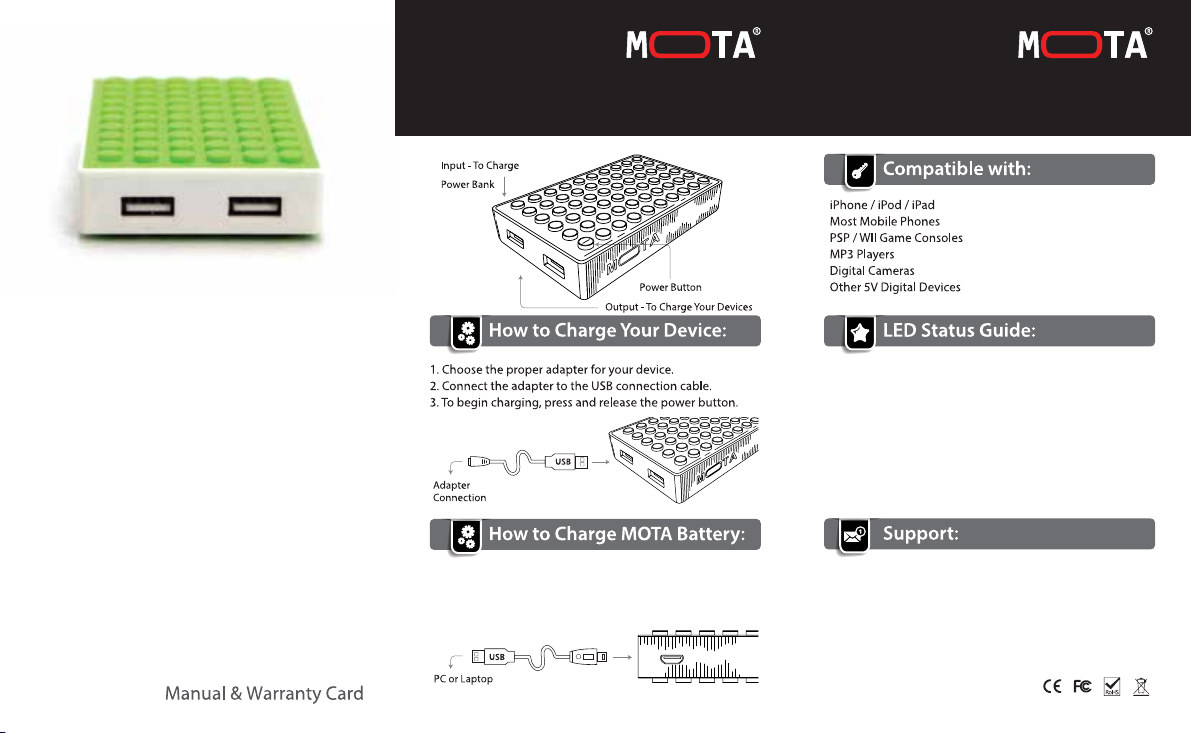
External Battery
POWER BANK Manual & Warranty Card
POWER BLOCK
LO
1.0 Amp
HI
2.1 Amp
External Battery
POWER BANK Manual & Warranty Card
POWER BLOCK
POWER BLOCK
4,000 mAh External Battery for mobile
by MOTA
1. Connect the Micro USB connection to your MOTA Battery.
2. Connect the USB connectionto your computer or wall
adapter.
To check battery level, press and release the power button.
Four Blue LEDs indicate full battery. One Blue LED indicates
low battery.
When MOTA battery is being charged, a Red LED will be
visible and current battery level is indicated by blinking
blue LED.
If you have any questions regarding your product or
troubleshooting, please contact MOTA support by visiting:
MOTA® is a trademark of UNorth® LLC. iPhone®, iPod®, iPad® are trademarks of Apple® Inc. Sony®,
PSP® are trademark of Sony Corporation. MOTA® Electronics and UNorth® are not aliated with
Apple® Inc, and Sony Corporation. All other trademarks are the property of their respective owners.
Please retain this packaging for future reference.
Copyright © 2013. UNorth LLC. All Rights Reserved.
http://www.Mota.com/support/
 Loading...