

Page 1
!
!
QUICK!START!GUIDE!
!
MIOPSMOBILE!DONGLE!KIT!
miops.com0
0
0
0
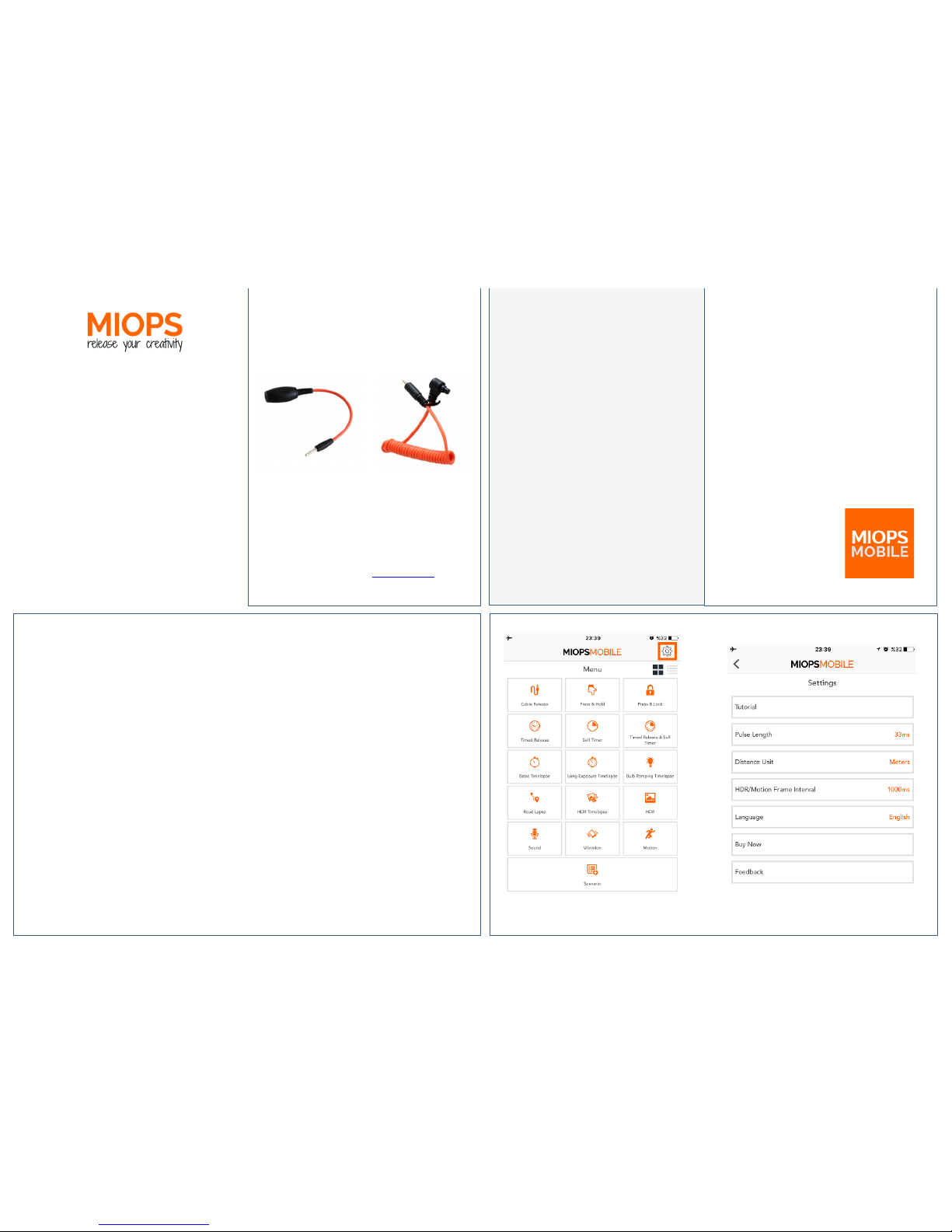
Application0Settings0
You!can!open!the!application!settings,!by!
touching!the!gear!icon!at!the!right!top!
corner!of!the!screen.!
You!can!various!settings!of!the!app!using!
this!screen.!The!changes!to!the!settings!
will!be!saved!automatically.!
The!first!setting!is!the!“Pulse!Length”.!
MIOPSMOBILE!generates!a!pulse!to!trigger!
your!camera.!You!can!set!the!length!of!the!
pulse!in!milliseconds.!
You!can!also!change!the!“Distance!Unit”!
between!Meters!and!Feet.!!
Package0Contents0
0
0
SMARTPHONE0
DONGLE0
CAMERA0
CABLE0
0
System0Requirements0
A!camera!with!!shutter!release!port!is!required.!For!a!list!of!
supported!cameras,!please!visit!www.miops.com!Your!
smartphone!must!have!MIOPS!MOBILE!app!installed.!
!
!
The!“HDR/Motion!Frame!Interval”!
determines!the!wait!time!between!each!
frame!in!HDR!and!Motion!mode.!
You!can!select!between!available!
languages!by!changing!the!“ La n g u ag e ”!
parameter.!
You!can!click!the!“Buy!Now”!button!to!
shop!on!miops.com!web!store.!
You!can!send!your!questions!and!request!
using!the!“Feedback”!button.!You!can!also!
send!a!screenshot!to!show!any!issues!you!
might!have.!
Before0You0Start0
Plug!the!MIOPS!Mobile!Dongle!to!the!
headphone!jack!of!your!smart!phone.!
Plug!the!2.5mm!end!of!the!camera!
connection!cable!to!MIOPS!Mobile!Dongle.!
Connect!the!other!end!of!the!cable!to!the!
shutter!release!port!of!your!camera.!
Turn!up!the!volume!of!your!smartphone!all!
the!way!up!to!100%!
Set!your!camera!to!MF!(Manual!Focus).!!
You!are!all!set.!
!
!
!
!
Basics0of0the0App0
You!can!install!the!MIOPSMOBILE!app!from!
AppStore!or!Google!Play!for!free.!!
The!app!requires!iOS!8!or!Android!4.3!versions!
on!your!smartphone.!!
MIOPSMOBILE!app!requires!access!to!the!
microphone,!camera!and!location!information!
of!your!smartphone.!If!you!do!not!grant!access!
to!the!app,!it!will!not!perform!properly.!
To!start!the!app!on!
your!smartphone,!
touch!MIOPSMOBILE!
icon.!
!
!
!
!
!
!
!
!
! !
Page 2
Cable0Release0Modes0
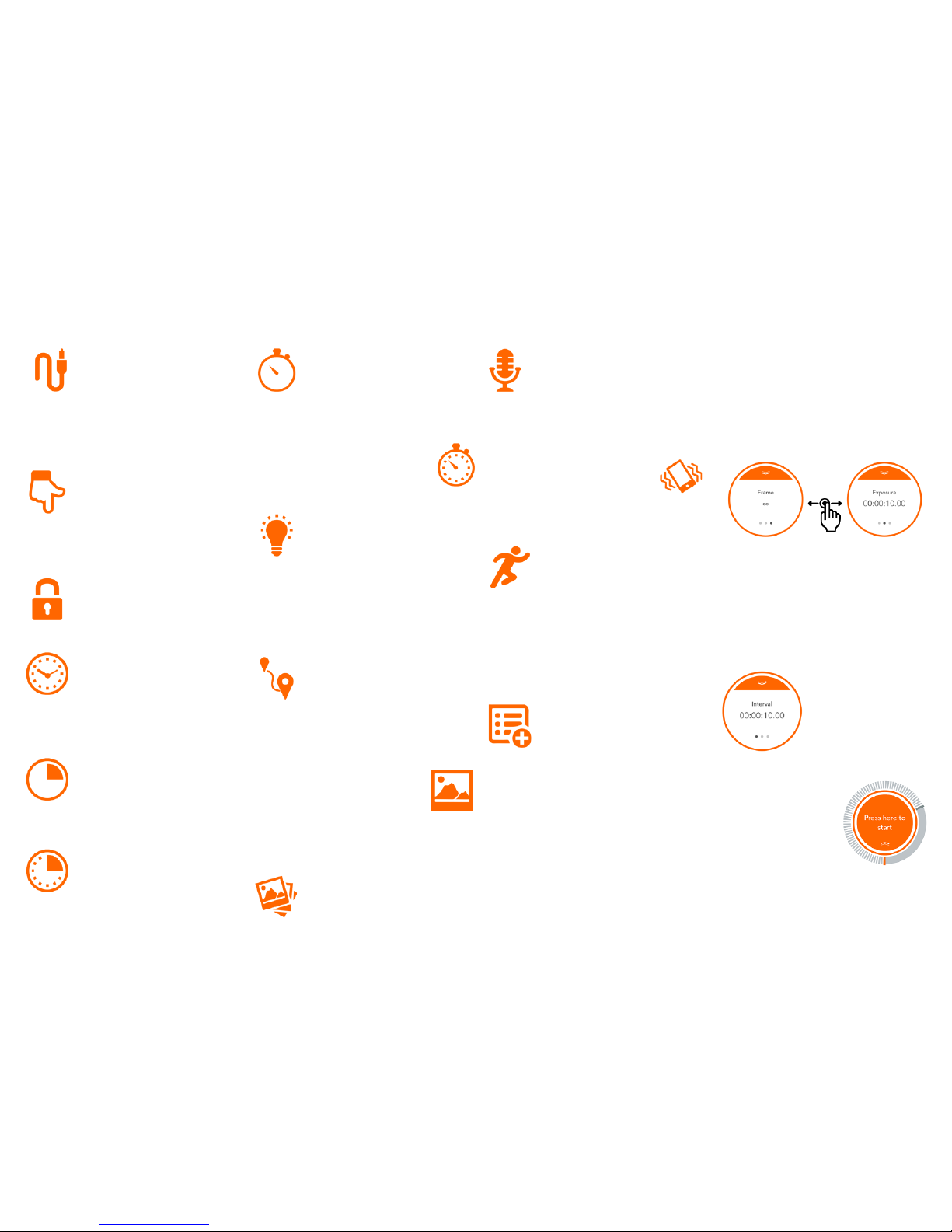
The!“Cable0Release”!mode! enables!
you! to! trigger! your! camera! in! the!
most! simple! way.! Just! touch! the!
orange! dot! on! the! screen! and! you! will! trigger!
your!camera.! This! will!have! the! same!effect!as!
you! have! pressed! the! shutter! button! of! your!
camera.!
The!“Press0&0Hold”0 mode!gives!you!
the! flexiblity! of! achieving! custom!
exposure! by! keeping! the! shutter!
open!as! long! as! you! keep! touching! the! o range!
button.!Don’t!forget!toset!your!camera!to!BULB!
mode.!
The!“Press0&0Lock”0mode!opens!the!
shutter! with! a! touch! and! keeps! it!
open!until! a!second! touch.!This! will!
save!you!from!touching!the!screen!all!the!time.!
The!“Timed0Release”0is! very!helpful!
if! you ! know ! exactly! how! long! you!
want!to!keep!the!shutter!open.!Just!
enter! the! exposure! time! and! then! pull! the!
orange!cover!down.!You!can!start!the! exposure!
by!touching!the!orange!circle.!
You! can! use! the! “Self0 Timer”0 to!
trigger! the! camera! when! the! tim er!
expires.! Enter! the! timer! duration!
and!pull!the!cover!down .!Then!start!the!orange!
dot!to!start!the!timer.!
The! “Timed0 Release0 &0 Self0 Timer”0
mode! combines! the! custom!
exposure! with! timer! option.! The!
shutter! will! stay! open! for! the! exposure! time!
when!the!timer!expires.!
Timelapse0Modes0
The! “Basic0 Timelapse”0 mode! will!
take! so! many! pictures! you! want!
with!the! set! interval!between!each!
of! them.! If! you! do! not! set! any! frame! number,!
the!timelapse!will!continue!until!you!stop!it.!
The! “Long0 Exposure0 Timelapse”0
gives!you!the!opportunirty!to!set!the!
exposure.! Again,! the! camera! must!
be!in!BULB!mode.!
The!“Bulb0 Ramping0Timelapse”0 will!
change! the! exposure! from! initial! to!
the! final! value! through! the!
timelapse!process.! The! cha nge ! in!th e! exposure!
value! will! be! a! linear! change! from! the!
beginning!to!the!end.!
Road0Lapse0Mode0
The!“Road0 Laspe”0 mode!will!trigger!
the! camera! e ach ! time! you! travel!
the! distance! you! set.! You! can!
repeat!this!for!the!frame!number!you!want.!
HDR0Modes0
We! designed! the! “HDR”0 mode,! so!
you! can! take! consequent! pictures!
with! different! exposures.! You! can!
do! this! by! setting! the! center,! EV! and! Frame!
values.! The! progress! will! be! displayed! on! the!
app!screen.!
The! “H DR0 Time lapse”0 mode! takes!
timelapse! pictures,! where! every!
picture!is!an!HDR.!
Sensor0Modes0
The! “Sound0 Mode”0 triggers! your!
camera! per! sound ! events.! You! can!
add! some! delay! and! determine! if!
you!want!continous! shooting!or!a! single!frame.!
You! can! adjust! the! thresold! value! with! dial!
around!the!orange!circle.!
You!can! use! the!“Vibration”0 mode!
to! the! same! thing! with! vibratio n.!
Whenever! your! smartphone!
detects! a! vibration,! your! camera! will! be!
triggered.!
The! “Motion”0 mode! uses! the!
camera! of! your! sm artph one! to!
detect! moving! objects.! W hen! a!
motion! is! detected,! your! camera! will! be!
detected! as! many! times! as! you! set.! You! can!
add! some! delay! and! adjust! the! sensitivity!
using!the!horizontal!bar!under!the!view!area.!
Scenario0Mode0
The! “Sce nario”0 mode! enables!you!
to! com b ine! all! of! the! modes! to!
create! your! custom! sequence! of!
events.! You! can! add! up! to! five! different!
modes! plus! the! delay! parameter! and! then!
execute!them!sequentially.! When!each! step! is!
completed,! the! next!step!will!b e! executed! to!
complete! the! scenario.! You! can! delete! any!
step!you! want!by!just! swiping! it! to! left.!It! will!
be! delted! after! you! confirm! the! operation.!
After!you! have! added!all!your! selected!steps,!
you!can!press!the! Start!button!to!let!it!run.!To!
stop! a! running! scenario,! just! press! the! Stop !
button.!
User0Menu0
The! MIOPSMOBILE! app! offers! a! clean! and!
stylish!interface! with!easy!to! use! w idgets! and!
menus.! The! modes! with! adjustable!
parameters!list!them! in!the!orange! circle.!You!
can! sw itch! between! the! parameters! by!
swiping!the!circle!to!the!right!or!left.!
!
To! change! a! parameter,! just! touch! the! value!
and! the! keyboard! will! appear.! You! can! enter!
the! value! by! using! the! keyboard.! If! there! are!
two!options!only,!they!will!toggle.!To!close!the!
keybord,! touch! somewhere! outside! of! the!
circle.!
When! you! have! set! all!
parameters,! touch! the!
top! notch! of! the! circle!
and! pull! the! curtain!
down.! This! will! reveal!
the!orange!dot!to!start.!
When! you! ready! to!
start!the! mode!running ,!
just! touch! the! orange!
circle.! You! can! monitor!
the!process!by! changing!
values!on!the!screen.!
For!the!full! version! of! the! User! Guide,! please!
visit!www.miops.com!
 Loading...