

Page 1
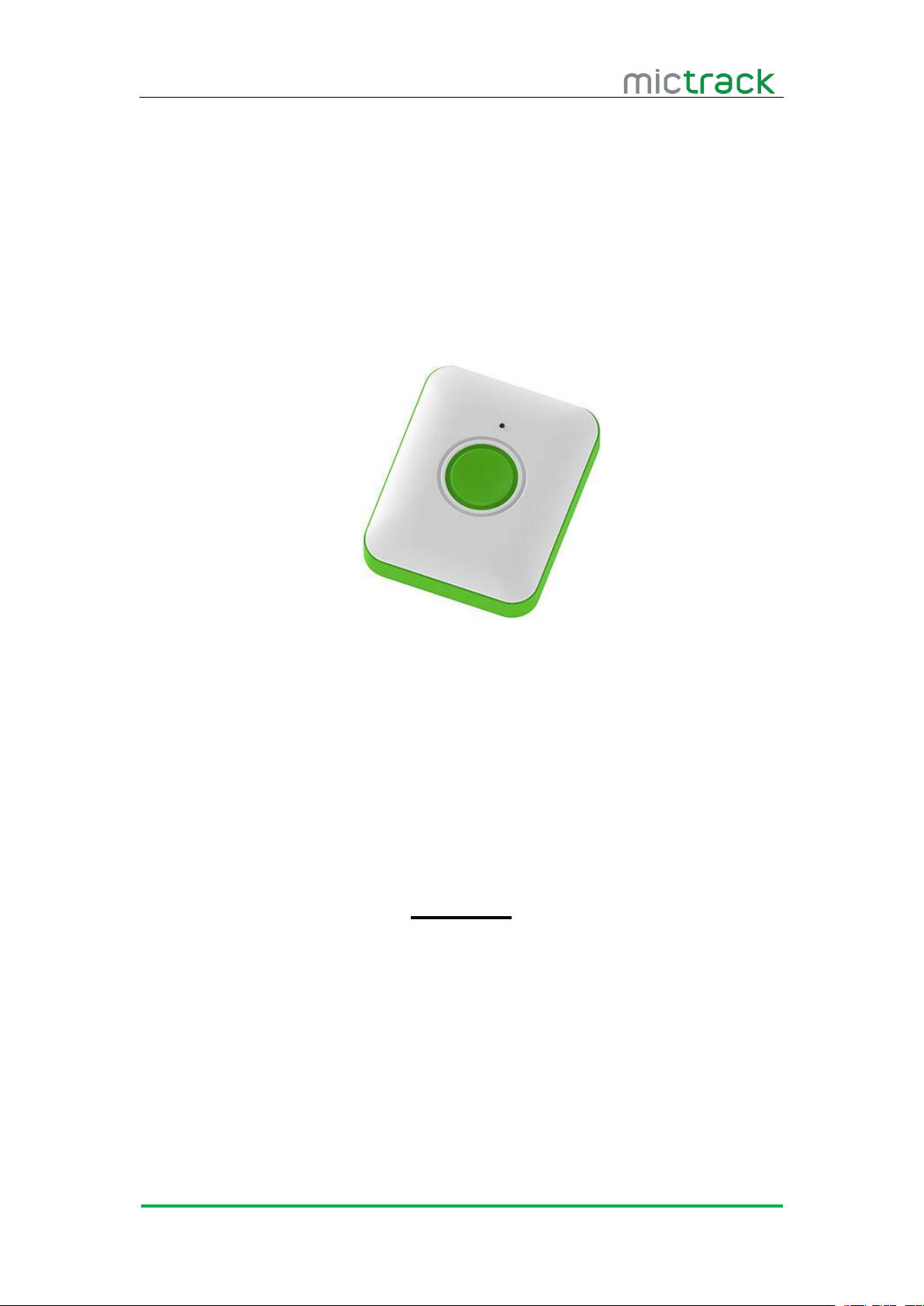
MT825 User Manual V1.0
http://www.mictrack.com
MT825 Cat M1/NB-IoT GPS Tracker
User Manual V1.0
Preface
Congratulations on choosing the Mictrack MT825 CAT M1/NB-IoT GPS tracker. This
manual shows how to easily program and setup the tracker for best results. Make sure to read
this manual carefully before using this product, so as to avoid delays or confusion with it’s
operation. Please note that specifications and instructions are subject to change without notice
to facilitate product improvement. Updates and changes will be integrated into the latest
release. The manufacturer assumes no responsibility for any errors or omissions in outdated
documents.
Page 2

MT825 User Manual V1.0
http://www.mictrack.com
Contents
1. Overview
2. Features
3. Applications................................................................................................................................. 1
4. Specifications............................................................................................................................. 1
5. MT825 interface........................................................................................................................ 2
6. Installation
6.1 SIM Card installation
6.2 LED Indications
7. Setup and Configuration......................................................................................................... 3
7.1 Set APN (Access Point Name)
7.2 Set the IP and port
7.3 Working mode
8. App & PC Tracking platform
8.1 Subscribe the server plan
8.2 App install & Login................................................................................................................ 4
8.3 PC login.................................................................................................................................... 5
.....................................................................................................................................
......................................................................................................................................
...................................................................................................................................
.....................................................................................................
...............................................................................................................
6.2.1 Green indicator................................................................................................... 3
6.2.2 RED indicator...................................................................................................... 3
..................................................................................
.......................................................................................................
.................................................................................................................
7.3.1 One day one report mode...............................................................................4
7.3.2 Deep sleep interval mode................................................................................ 4
7.3.3 GPS sleep mode................................................................................................ 4
7.3.4 GPS always on mode
....................................................................................................
.......................................................................................
.................................................................................................
1
1
3
3
3
3
3
4
4
4
4
Page 3
MT825 User Manual V1.0
http://www.mictrack.com
1
1. Overview
MT825 is a Mini waterproof GPS tracker that use the latest CAT M1 & NB-IoT technology
2. Features
CAT M1 & NB-IoT Network
Real-timing tracking
GPS+WiFi Positioning
History record check
Geo-Fence alarm
Low battery alarm
Power saving mode
PC & Mobile App tracking
Long standby time
P65 Water resistant
OTA
3. Applications
Kids & Elderly tracking
Lonely workers tracking
Pets tracking
Logistics
Asset tracking
4. Specifications
Item
Specifications
Dimension
50*40*16mm
Weight
36g
Charging mode
Magnetic charging (Micro USB inside)
Backup battery
3.7 V 680mAh
Power consumption
45uA standby current
Working temperature
-20°C to 65°C
that can provide low power consumption and optimized data transmission with low cost. The
parents or pet owners can track the unit via their smart phone even if far away. With the hybrid
positioning system GPS and WiFi allow get more precise location. It can used for
personal(kids/elderly), pets and fleet management etc.
Page 4
MT825 User Manual V1.0
http://www.mictrack.com
2
Item
Specifications
Cellular Bands
Cat M1:
LTE FDD: B1/B2/B3/B4/B5/B8/B12/B13/B18/B19/B20/B26/B28
LTE TDD: B39
NB-IoT:
LTE FDD: B1/B2/B3/B4/B5/B8/B12/B13/B18/B19/B20/B26/B28
GSM: 850/900/1800/1900Mhz
GPS
U-blox7
Tracking Sensitivity
-162 dBm
Sensor
Accelerometer
LED
RED/GREEN
SIM Card interface
PUSH Nano SIM
Waterproof
IP65
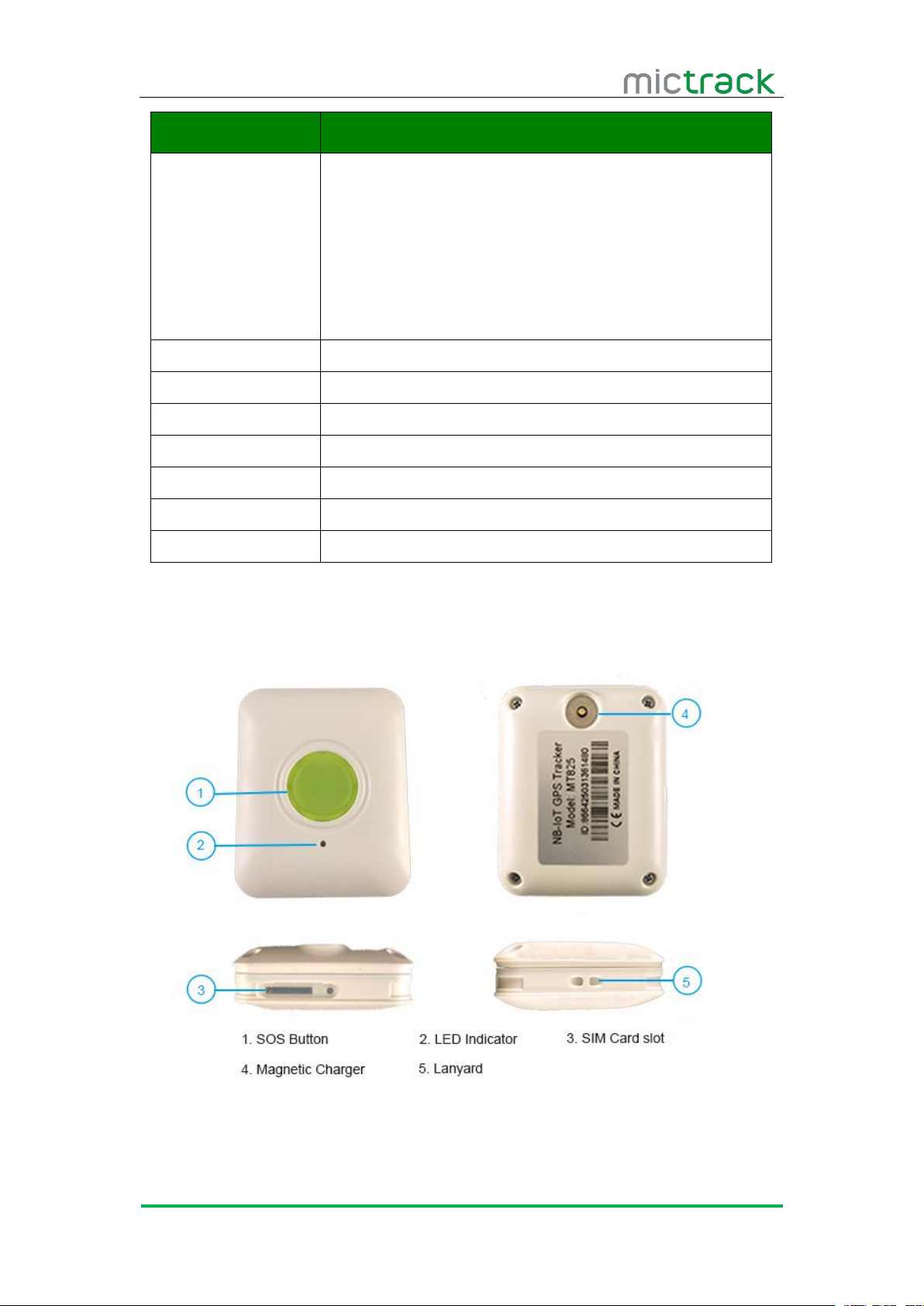
5. MT825 interface
Page 5
MT825 User Manual V1.0
http://www.mictrack.com
3
6. Installation
6.1 SIM Card installation
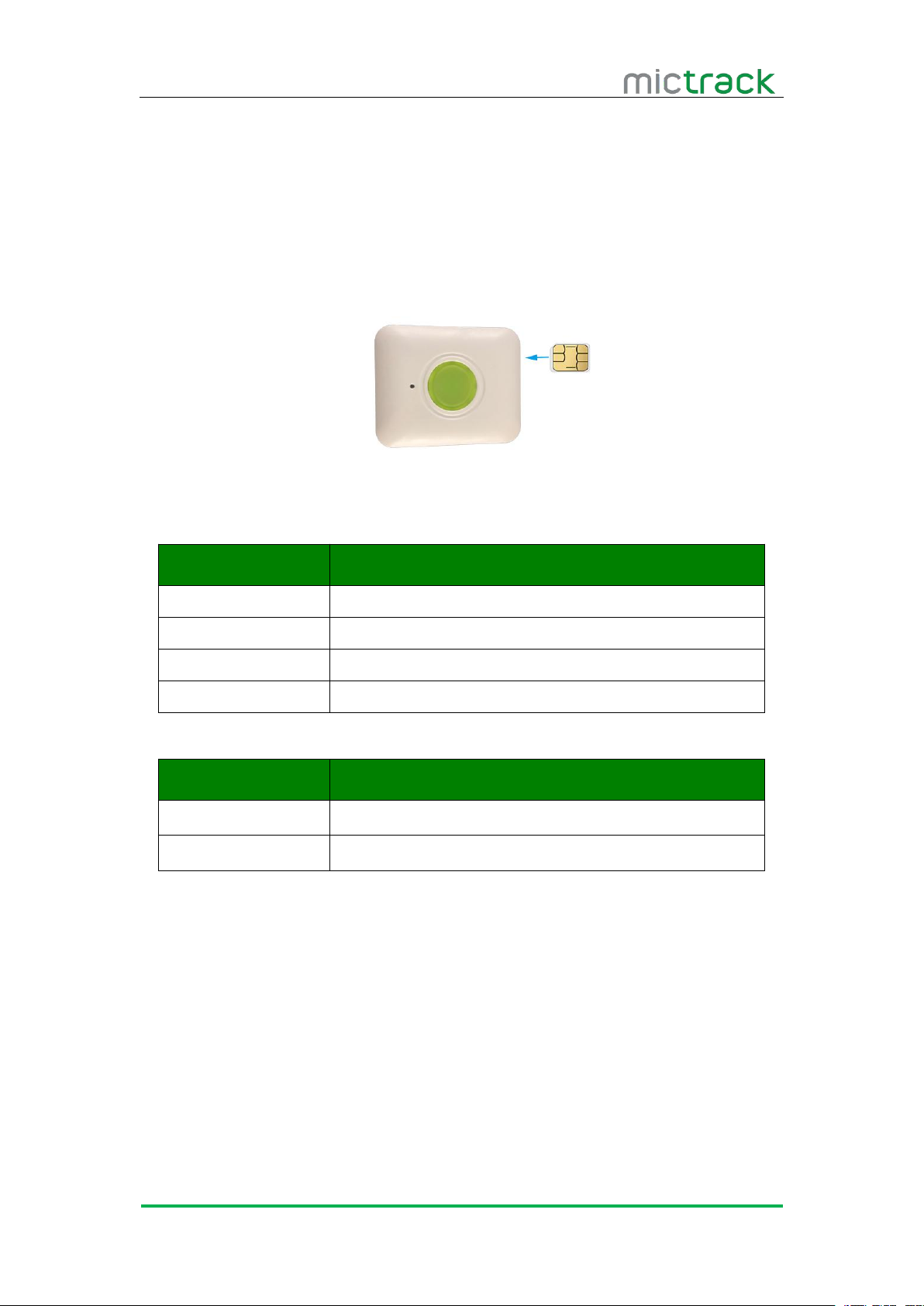
Open the waterproof rubber plug
Insert the sim card to sim card slot correctly(as following picture)
Press the SOS button to power on
After that the device will be ready.
Check the LED status until access the CAT M1 or NB-IoT network.
6.2 LED Indications
6.2.1 Green indicator
6.2.2 RED indicator
7. Setup and Configuration
7.1 Set APN (Access Point Name)
SMS Command format 1: apn,apn,,#
7.2 Set the IP and port
Status
Description
ON
In charging
OFF
No charge or full charged
Status
Description
ON
GPS & Network available
OFF
GPS & Network unavailable
Fast blinking
Network available only
Slow blinking
GPS available only
For example : apn,internet,,#
SMS Command format 2: apn,apn,username,password#
For example: apn,internet,internet,internet#
Reply: apn=Success!
SMS Command format : data,ip:port#
For example : data,112.95.164.248:7700#
Page 6

MT825 User Manual V1.0
http://www.mictrack.com
4
Reply: data=Success!
7.3 Working mode
7.3.1 One day one report mode
7.3.2 Deep sleep interval mode
7.3.3 GPS sleep mode
7.3.4 GPS always on mode
8. App & PC Tracking platform
8.1 Subscribe the server plan
Contact your sales or distributor to active your device
Subscribe the server from our official shop:
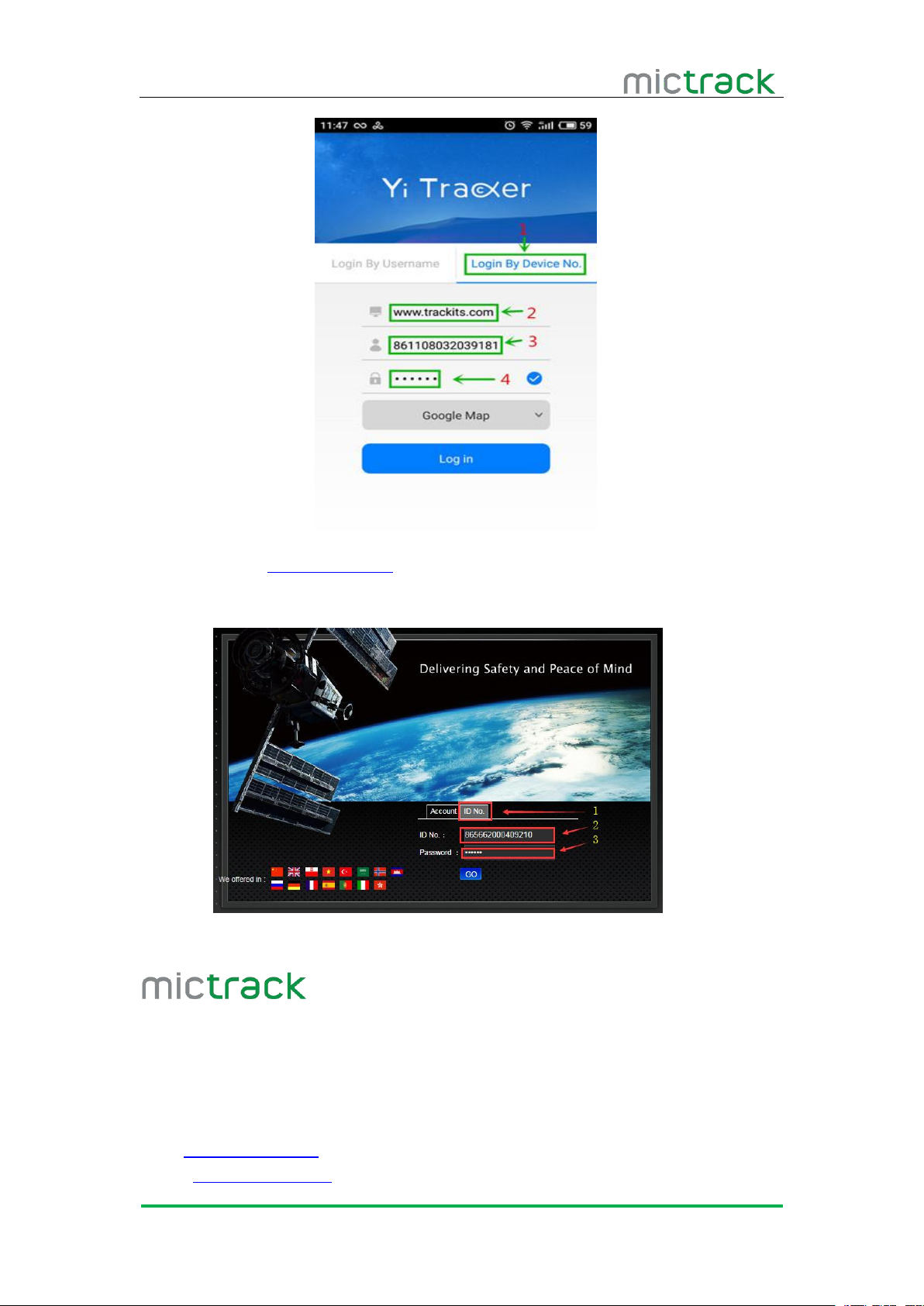
8.2 App install & Login
Search “Yi tracker” in Google Play or iOS store to download App(choose Yi
Choose the”Login by Device No.”
Input server www.trackits.com
Input your device’s ID number and password(default is 123456)
SMS Command format: mode,0,T#
For examples: mode,0,8#
Note:Device will report one data to server at 8 am every day.T is [0-23] hours.
SMS Command format: mode,1,T#
For examples: mode,1,60#
Note: The device will report to server every 60mins.
SMS Command format: Mode,5,T#
For examples: Mode,5,10#
Note:The device will report data every 10mins. T is [2-60] minutes.
SMS Command format: Mode,6,T#
For examples: Mode,6,10#
Note:The device will report data every 10s .T is [10-119] seconds.
https://www.mictrack.com/shop/gps-tracking-platform-service
tracker)
Page 7
MT825 User Manual V1.0
http://www.mictrack.com
5
8.3 PC login
Web: wewww.trackits.com
Choose “ID No.”
Input your device’s ID number and password(default is 123456)
Any questions please do not hesitate to contact us:
Shenzhen Mictrack Electronics Co.,Ltd.
Add: B305-306, Kangsheng Electronic Industrial Park, Zhonghua Rd, Longhua District,
Shenzhen, China 518131
Tel: +86-755-21014699
Fax: +86-755-21014699
Web: www.mictrack.com
Email: [email protected]
 Loading...