

Page 1
MODEL M4
Networked Multi-room Amplier
QUICK START GUIDE
Page 2
EN
Before you begin STEP 1: Unpack
DE
FR
IT
ES
NL
SV
RU
PL
ZH
The MODEL M4 is designed
to add HEOS multi-room
audio functionalit y with the
convenience of a centrally
located and rack-mountable
multi-channel amp.
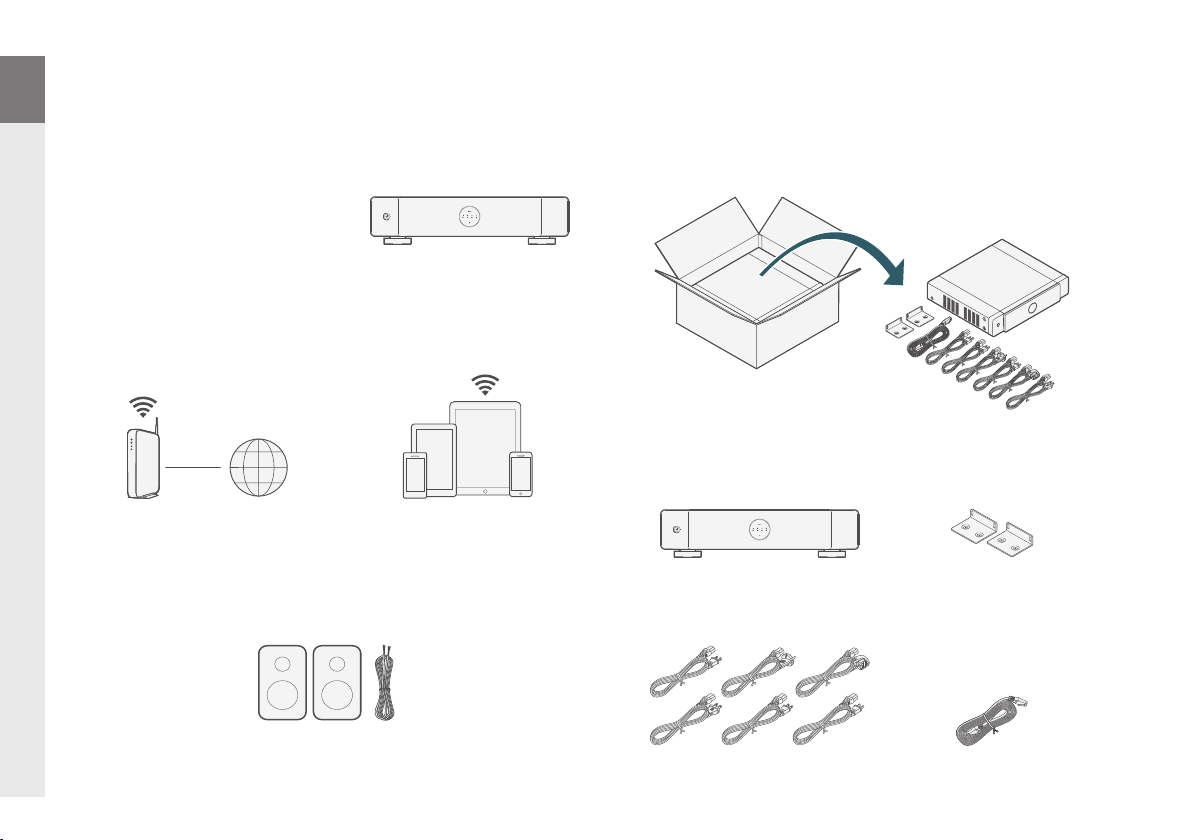
Make sure you have the following items in working order:
Network
router
Internet
Connection
Apple iOS or Android
mobile device connected
to your network
Carefully unpack your new MODEL M4.
Verify that the following items are included in the box.
MODEL M4
Rack mount brackets
JA
Speakers &
1
Speaker Wires
Power cords
Ethernet cable
Page 3
STEP 2: Place
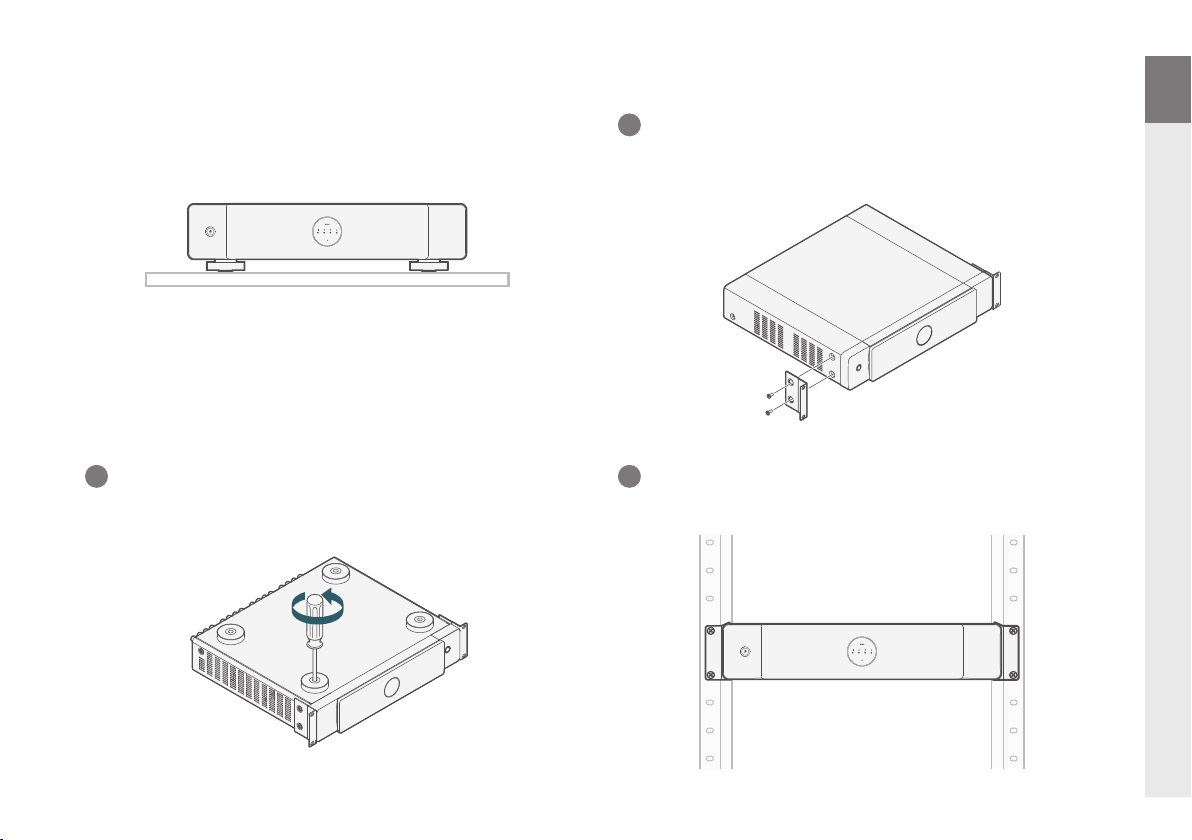
Place the MODEL M4 on a sturdy shelf.
Mount in a rack (Optional)
1
Remove the two screws on each side of MODEL M4.
Align the included rack mount brackets with the screw
holes and reattach the screws making sure they are secure.
EN
DE
FR
IT
ES
NL
2
Remove the feet on the bottom of MODEL M4.
3
Rack mount the MODEL M4 using the included rack
mount brackets.
SV
RU
PL
ZH
JA
2
Page 4
EN
STEP 3: Connect
DE
FR
IT
ES
NL
SV
RU
PL
ZH
1
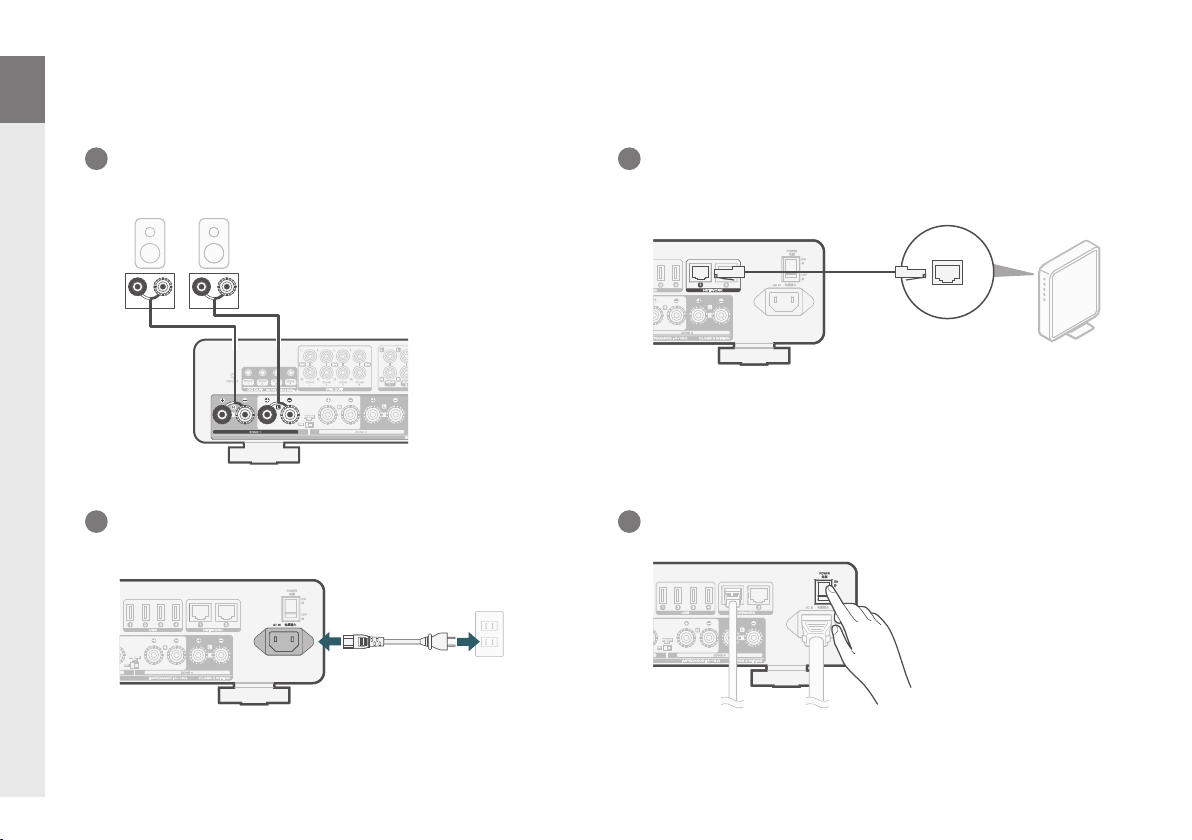
Connect up to 4 pairs of speakers.
(R)
3
Connect the power cord.
Choose proper power cord in your region.
(L)
wq
wq
2
Connect the MODEL M4 to your network using the
included Ethernet cable.
4
Turn on the power switch.
JA
3
Page 5
STEP 4: Control
STEP 5: Con gure
EN
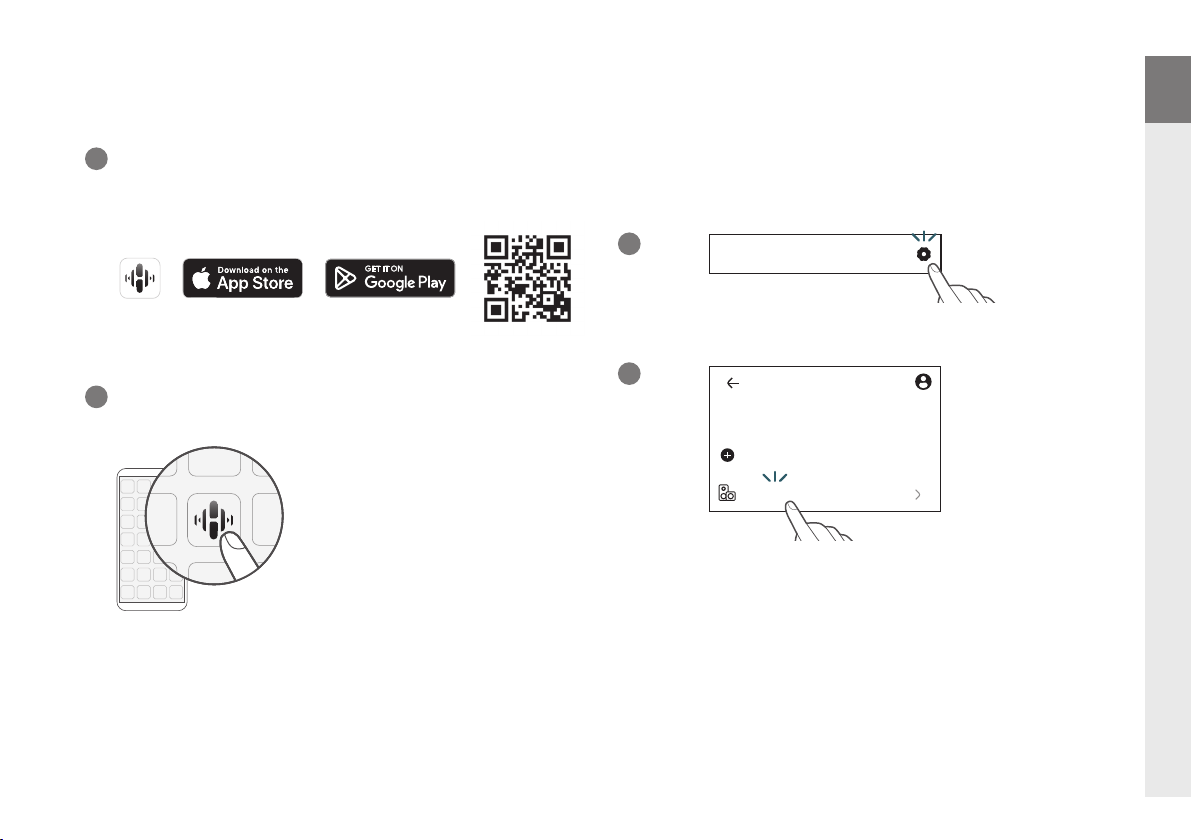
Download the HEOS app.
1
Go to the Apple App Store, Google Play or Amazon App Store and
search for “HEOS” to download and install.
2
Launch the HEOS app and follow the instructions in the app.
The MODEL M4 will appear on the Rooms Tab. Go to Settings/
My Devices to edit the default settings of your MODEL M4.
1
2
Home
Home
Settings
Add Device
My Devices
ENJOY!
DE
FR
IT
ES
NL
SV
RU
PL
ZH
JA
4
Page 6
EN
Contact Marantz
Owner’s manual
DE
FR
IT
ES
NL
SV
RU
PL
ZH
1-800-654-6633
00800-43674357
We hope you will enjoy your Marantz product for years to come. If
you ever have any question or need any support, just get in touch
via the free helpline. We are happy if you are happy.
In case you can’t reach the helpline please check the support
section on www.marantz.com for more information.
(for North America)
(for Europe)
Refer to the online manual for other functions, information and
operation procedure details.
manuals.marantz.com/MODELM4/ALL/EN/
JA
5
Page 7
Trademark information
Apple, AirPlay, iPad, iPad Air, iPad Pro, iPhone and Mac are trademarks of
Apple Inc., registered in the U.S. and other countries. The trademark “iPhone”
is used in Japan with a license from Aiphone K.K.
Use of the Works with Apple badge means that an accessory has been
designed to work specically with the technology identied in the badge and
has been certied by the developer to meet Apple performance standards.
Manufactured under license from Dolby Laboratories. Dolby, Dolby Audio,
and the double-D symbol are trademarks of Dolby Laboratories Licensing
Corporation.
App Store® is registered in the U.S. and other countries.
Google Play and the Google Play logo are trademarks of Google LLC.
Page 8

Prin ted in Japa n 5411 12101 00AS
© 2024 Mas imo. All R ights Res erved.
 Loading...