

Page 1
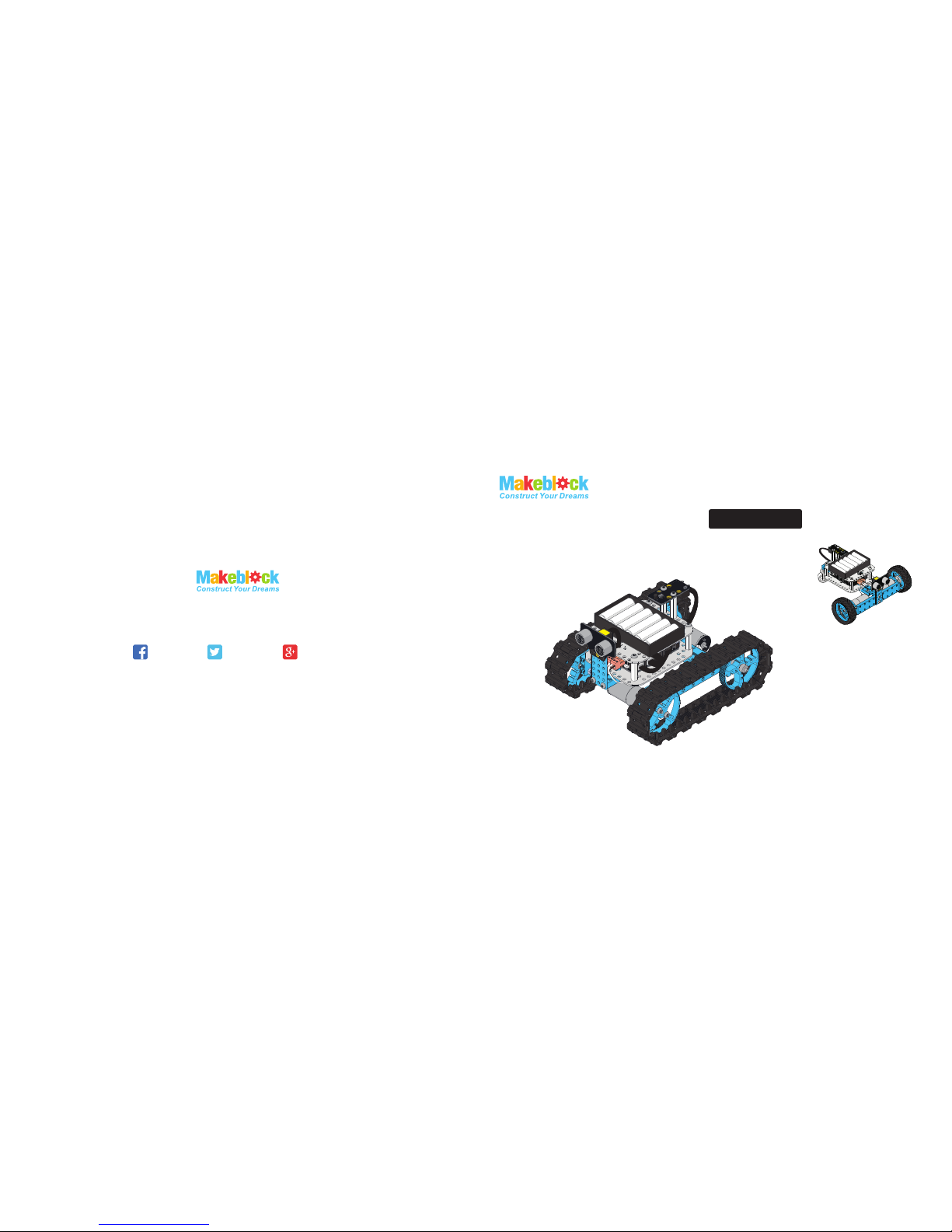
Starter Robot Kit
Robot Tank
Three-Wheeled Robot Car
IR Version
MAKER WORKS TECHNOLOGY INC
Technical support: support@makeblock.cc
www.makeblock.cc
:@Makeblock : @Makeblock
: +Makeblock
Page 2
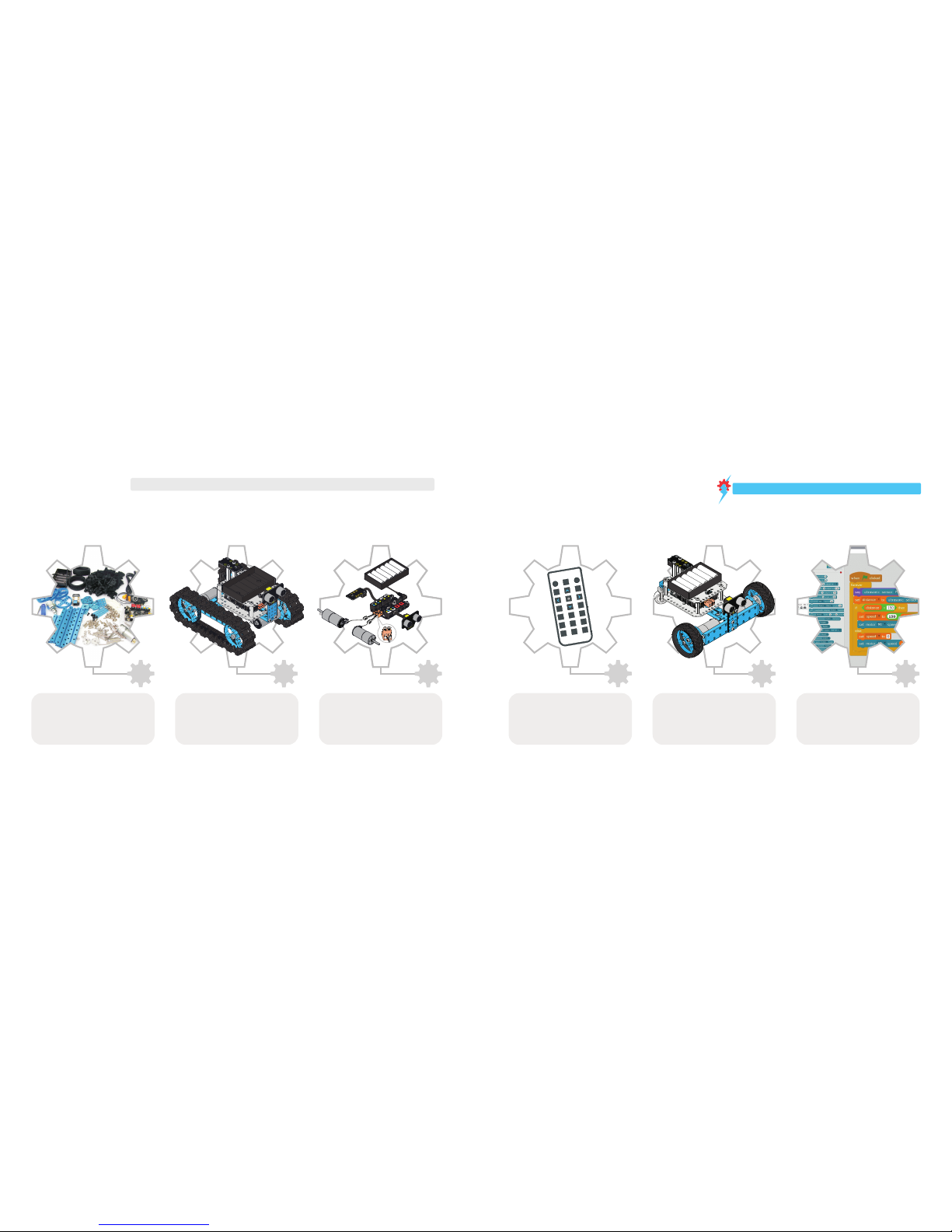
Follow our manual to build the
Three-wheeled Robot Car.
Try another style:
12
13
Build three-wheeled Robot Car Programming Guide--Further exploration
22
1
Parts List
3
Wiring
11
Check all components in parts list,
please contact Makeblock or the
distributor if any component lacked.
Build the Robot Tank
1
2
3
4
5
6
7
8
9
0
F
E
D
A
B
C
Follow our manual to build the
Robot Tank.
Do wiring. Install batteries for
your robot and remote control.
Turn on the power of your robot,
control your robot with remote
controll.Now it’s time to play your robot!
Advanced player can re-program to
the robot by mBlock or Arduino to
explore the wonderful robotic world.
Remote control
Please visit
http://learn.makeblock.cc/starter-robot-kit/
to view the build and programming guide.
Warning: Keep this kit out of the reach of small children or animals. Small parts may cause choking or serious injury if swallowed.
Quick Guide
Makeblock Starter Robot Kit contains mechanical parts and electronic modules for you to start exploring the robot world which
can be used to build a robot tank or a three-wheel robot car. It is also a great tool to learn mBlock and Scratch programming.
Page 3
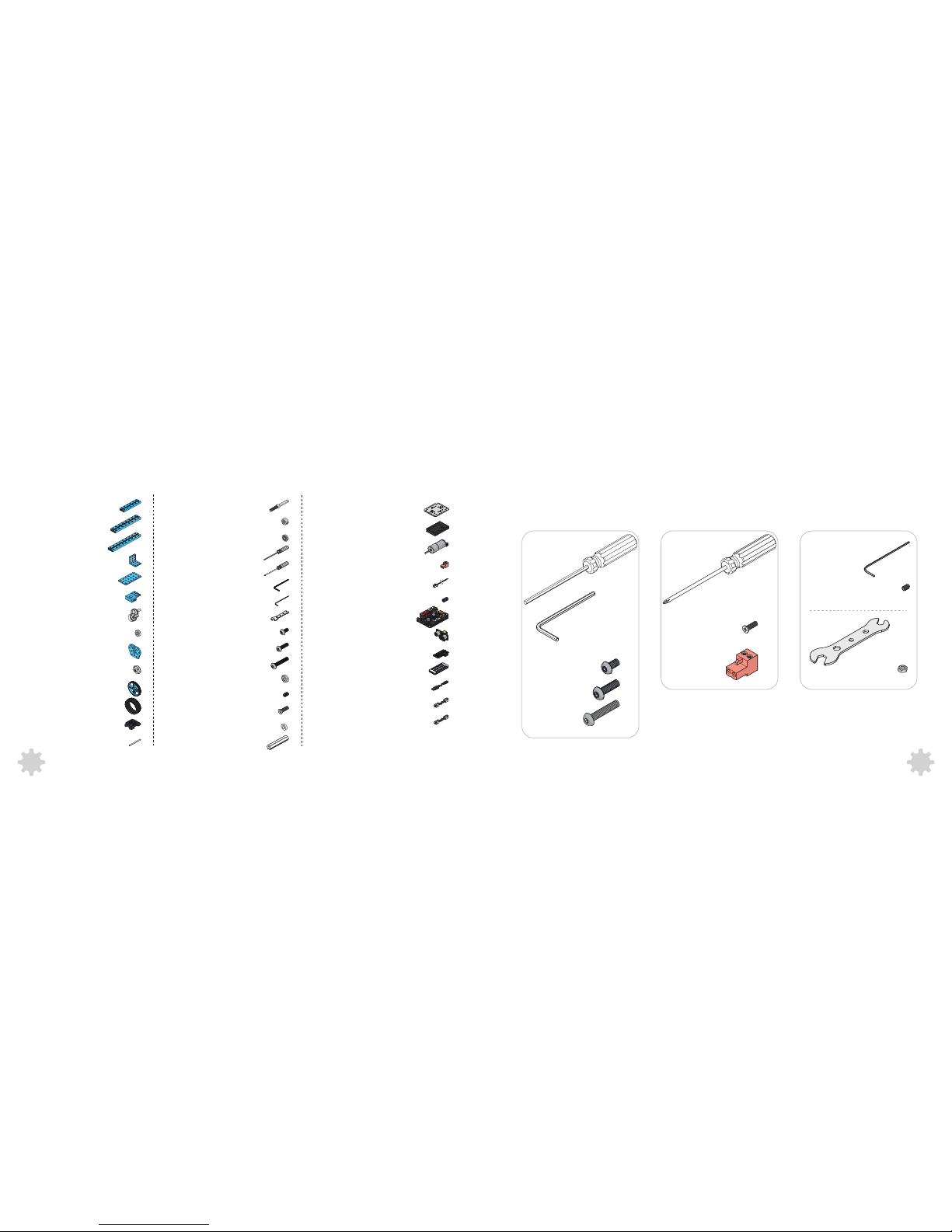
Parts List
Pictures for reference only
6× Nylon Stud M4×30
6× Plastic Ring 4×7×2mm
2× Shaft Collar 4mm
4× Flange Bearing 4×8×3mm
1× Hex Screwdriver
1× Cross Screwdriver
2× Hex Allen Key 1.5mm
1× Wrench
20× Screw M4×8
12×
Screw M4×14
12× Nut M4
1× Nut M8
4× Headless Set Screw M3×5
4× Screw M3×8
1× Beam 0824-96
1× Beam 0824-128
2× Beam 0824-144
1× Bracket 3×3
1× Plate 3×6
1× Bracket P3
1× Caster Wheel
2×
2× DC Motor-25
1× Makeblock Orion
1× Me Ultrasonic Sensor
1× Micro USB cable
1× 6P6C RJ25 Cable-20cm
1× 6P6C RJ25 Cable-35cm
2×
2×
2×
Terminal Block
Motor Cable
Ferrite Ring
2× BaseBracket
1× Battery Holder for (6) AA
2× DC Motor-25 Bracket
2× Shaft Connector 4mm
4× Timing Pulley 90T
2× Tire 68.5×22mm
36× Track
36× Track Axle
Threaded Shaft 4×39mm
Hex Allen Key 2.5mm
1×
4× Screw M4×22
1× Me Infrared Receiver Sensor
1× Me IR Remote Controller
Hex Screwdriver
Hex Allen Key 2.5mm
Screw M4×8
Screw M4×14
Screw M4×22
Screw M3×8
Terminal Block
Headless Set Screw M3×5
Wrench
Nut M4
Hex Allen Key 1.5mmCross Screwdriver
Tool Tips
2
1
Page 4
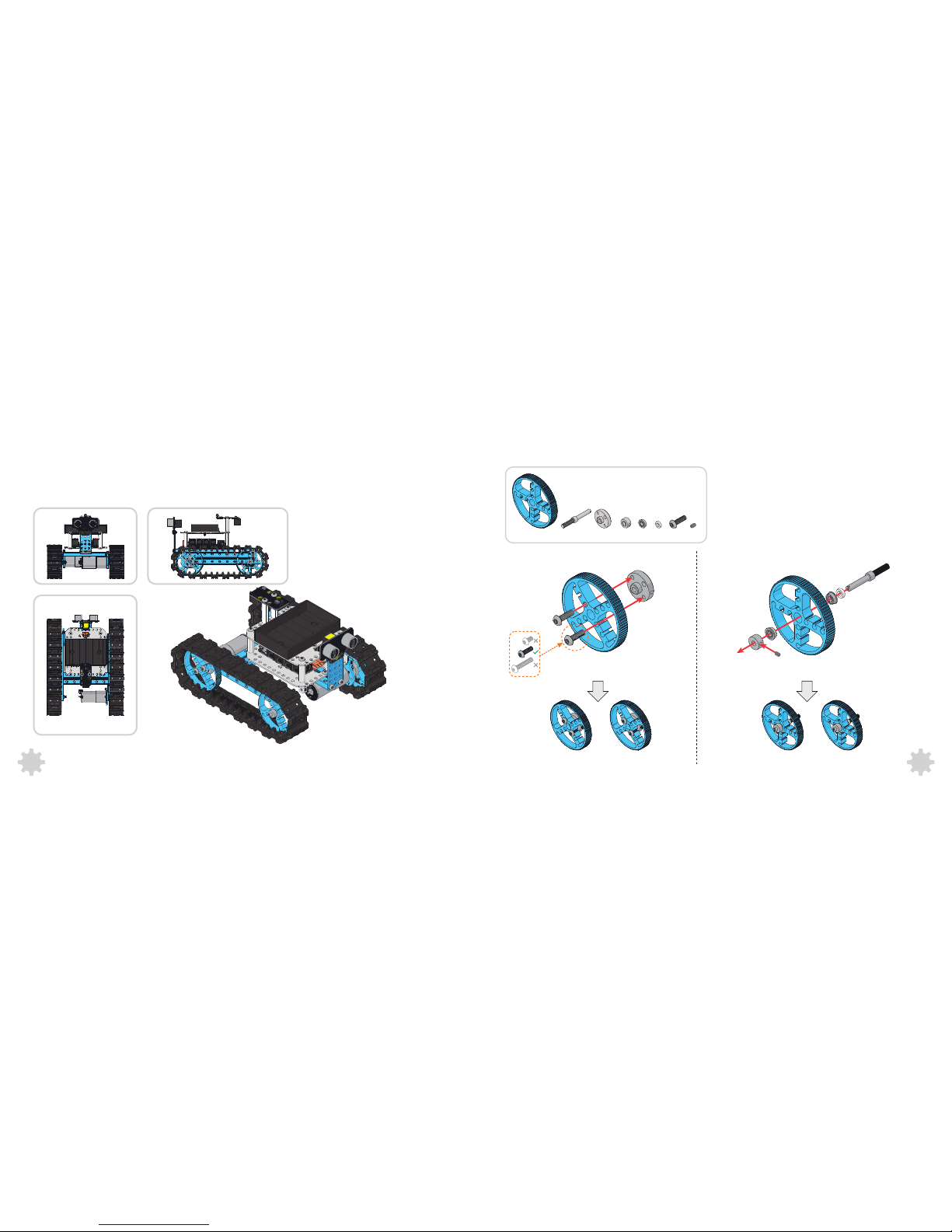
Build the Robot Tank
2× 2× 2× 4× 2× 4× 2×4×
1
2
2× Screw M4×14
4
3
Page 5
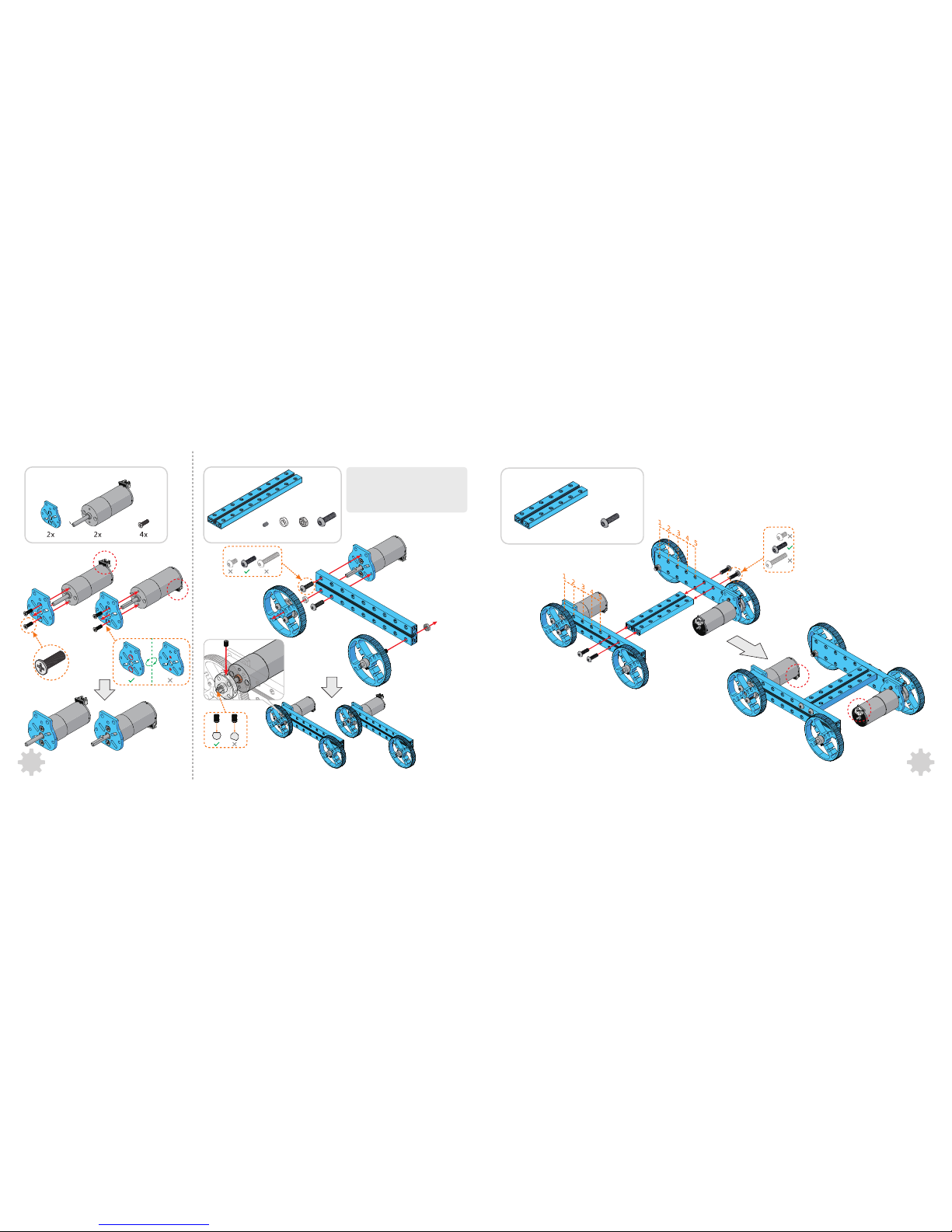
3
4
2× Screw M4×14
5
4× Screw M4×14
6
5
4×1×
2× 4×2×2×2×
Tips:Identify the right mechanical
parts from similar ones with different
hole quantity included.
Page 6

36× 36×
6
7
8
1×1× 1× 2×2× 2×
8
7
2× Screw M4×22
Page 7

4×1×
8× Screw M4×8
1×
9 10
11
1× 1× 1× 6×
4× Screw M4×8
DC Motor-25(M1)
DC Motor-25(M2)
10
9
14×2×
4× 2×
4× Screw M4×8
2× Screw M4×22
Page 8

Wiring
You may need to switch the order of two
wires to correct the rotation direction.
Me IR Remote Control(CR2025 battery,not included)
Me Infrared Receiver Sensor
Me Ultrasonic Sensor
?
DC Motor-25(M2)
DC Motor-25(M1)
Makeblock Orion
Battery Holder( 6 x AA batteries , )not included
Working with remote control
1
2
3
4
5
6
7 8 9
0
F
ED
A B C
Right
Backward
Speed
Forward
Switch mode
Left
––Construct It Once, Control It Everywhere
12
11
To reduce the electromagnetic interference, please
add ferrite ring for the wires which connected to
motors.
Remote control :
Press key D to switch modes
Manual mode :
Press direction keys for car direction and
number keys for speed.
Ultrasonic obstacle avoidance mode:
The car will run and avoid obstacle
automatically. No response when press
any keys until you switch mode.
Now it’s time to play your robot!
2×
2×
2× 2×
Page 9

14
13
1
2
2× Screw M4×14
2× 4× 2×2× 4×2×
Build three-wheeled Robot Car
Page 10

4×
4× Screw M4×8
4
16
15
3
1×2× 1×
1× 2×
4× 6×
4× Screw M4×14
2× Screw M4×22
Page 11

5
2×
2×1×61×
18
17
Page 12

8
1× 2×1×
2× Screw M4×22
7
1× 2× 2×
2× Screw M4×8
20
19
2×2×
Page 13

1× 1× 1× 6× 2× 12×
9
4× Screw M4×8
8× Screw M4×8
DC Motor-25(M2)
DC Motor-25(M1)
22
21
Please follow page 11 for wiring
and remote control.
Working with mBlock--Hack the Physical World
Programming--Further exploration
Working with Arduino IDE
Learn Programming the Fun Way--
http://learn.makeblock.cc/learning-Arduino
Down load th e libra ry zip pa ckage : https ://gi thub. com/M akeblo ck-off icial /Makeb lock-L ibrar y/ar chive /maste r.zip
Visit the following URL for more details:
Arduino is an open-source electronics prototyping platform based on flexible , easy-to-use hardware and software.The Arduino software consists of a development environment
(IDE) and the core libraries. The IDE is written in Java and based on the Processing development environment.
The Starter Robot Kit support mBlock perfectly which allow you re-
programming your robot by simply drag and joint the blocks of mBlock. No
more difficult coding.
mBlock is a free modified version of Scratch 2.0 developed by MIT Media Lab,
mBlock add some hardware-related blocks in the original Scratch, with these
blocks, users can read sensors, control motors and even a whole robot.
Besides blocks for the basic microcontroller functionalities, analog and digital
writes and reads, PWM outputs. There are also blocks for each specific
electronic modules, such as ultrasonic sensor, temperature sensor, light
sensor, DC motor driver, stepper driver, etc. With these blocks, it’s simple to
interact with many kinds of electronic modules.
Visit the following URL for more details:
http://learn.makeblock.cc/learning-scratch
Page 14

Kits on Makeblock--Further exploration
3D Printer
XY Plotter
23
Electronic modules on makeblock--Further exploration
http://learn.makeblock.cc/ultrasonic-sensor/
3
Ultrasonic module
works for measuring
distance from 3cm to
400cm.
Me Sound Sensor
can measure the
volume.It can used
in some sound
interactive
projects,such as an
voice operated
switch.
Me Temperature
Sensor is a stainless
steel tube sensor
which is used for
measuring
temperature.
Me PIR Motion
Sensor can detect
infrared ray which
derives from
animals/humans in
less than 6 meters.
Me 7-Segment
Display is a display
module with four
digit tube which can
show some data
,such as speed
,time ,score etc.
Me RGB LED
module contains
four programmable
RGB LEDs. Color
of each LED can be
set by editing
components of red,
green, and blue.
Me Joystick is
normally used to
control the move
direcion of object.
Add-on Pack for Starter Kit
see mor e on mak ebl ock pla tfo rm
 Loading...