

Page 1
Lexus Personalized Settings
Your vehicle includes a variety of electronic features that can be programmed to your
preferences. Programming of these features is performed once at no charge by your Lexus
Dealer provided you obtain the service at the 6month/5,000-mile scheduled maintenance
service.
It is also possible to customize certain vehicle features yourself using the navigation system.
Setup
MENU
Navigation
LS600h
Vehicle
Phone LEXUS
Page2
App Suite
Data Services
Settings
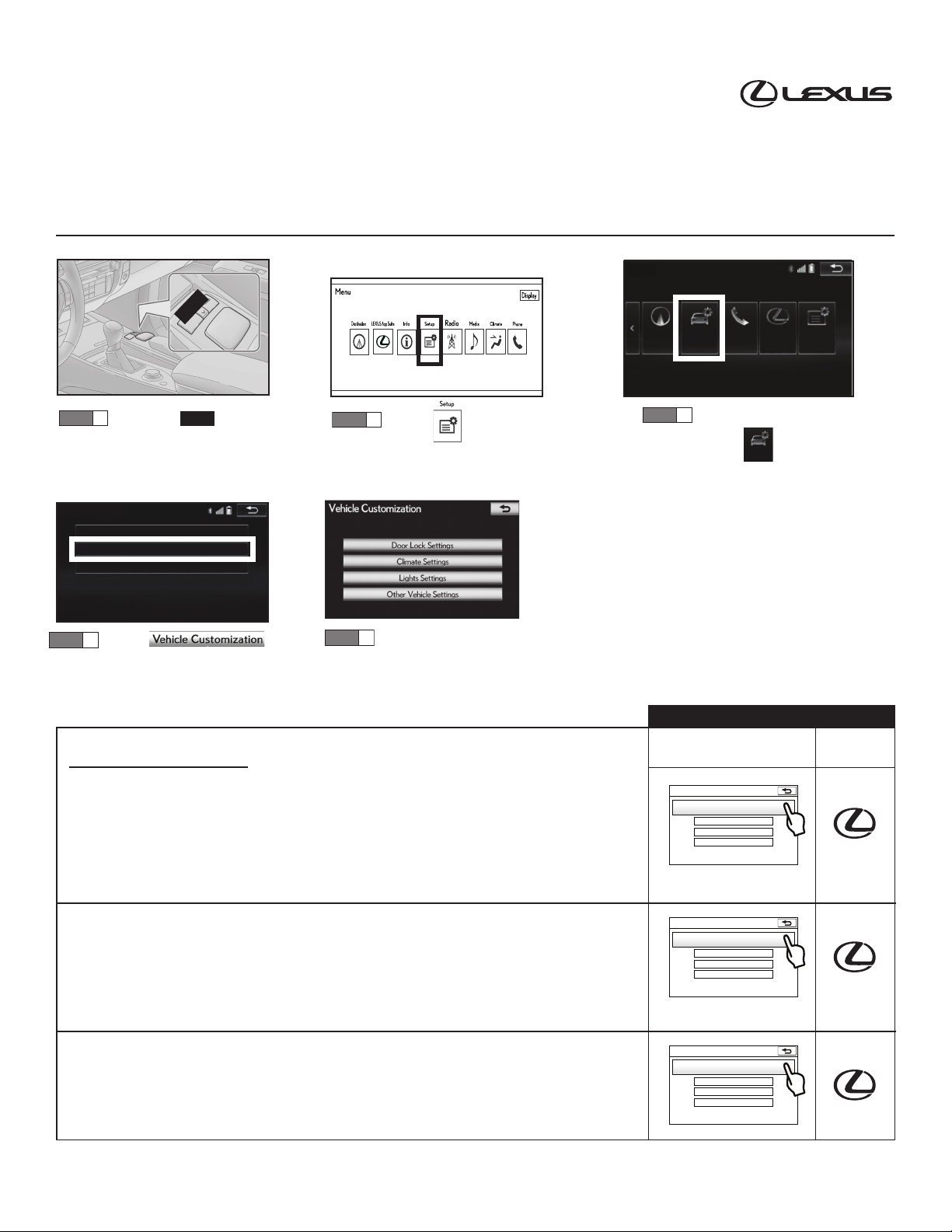
STEP 1
Press the button.
MENU
STEP 2
Select using the
Remote Touch unit and
push knob to select.
Vehicle Settings
Maintenance
Vehicle Customization
LEXUS Park Assist
Vehicle must be in “ON” mode to program
personalized settings.
Please refer to the 2015 LS 600h Quick Guide,
or Navigation Owner’s Manual for more
information on Remote Touch operations.
STEP 4
Select
and push knob to select.
STEP 5
Select category and scroll
to specific customization
setting.
Door Lock Settings
1. Automatic Door Lock
The automatic door locks can be programmed for the following:
□The doors automatically lock when the vehicle is taken out of park and placed into another
range. (Standard) = By shift from P
□The doors automatically lock when the vehicle speed is 12 mph or higher. = By speed
□The doors, if unlocked, will not automatically lock. = Off
2. Automatic Door Unlock
The automatic door locks can be programmed for the following:
□The doors automatically unlock when the vehicle is placed into park.
(Standard) = By shift to P
□All the doors automatically unlock when the driver door is opened. = By driver door
□The doors, if locked, will not automatically unlock.= Off
STEP 3
Scroll to page 2.
Select and push
Vehicle
knob to select.
Settings that can be customized by:
Using the
navigation system
Vehicle Customization
Door Lock Settings
Climate Settings
Light Settings
Other Vehicle Settings
Vehicle Customization
Door Lock Settings
Climate Settings
Light Settings
Other Vehicle Settings
Dealer
3. Remote 2-Press Unlock
When using the electronic key to unlock the doors:
□Pressing the unlock button one time will unlock all doors. = Off
□Pressing the unlock button one time unlocks the driver door, and two times unlocks all
doors. (Standard) = On
LPS options were correct at time of development. All options are subject to change without prior notice.
Vehicle Customization
Door Lock Settings
Climate Settings
Light Settings
Other Vehicle Settings
Page 2
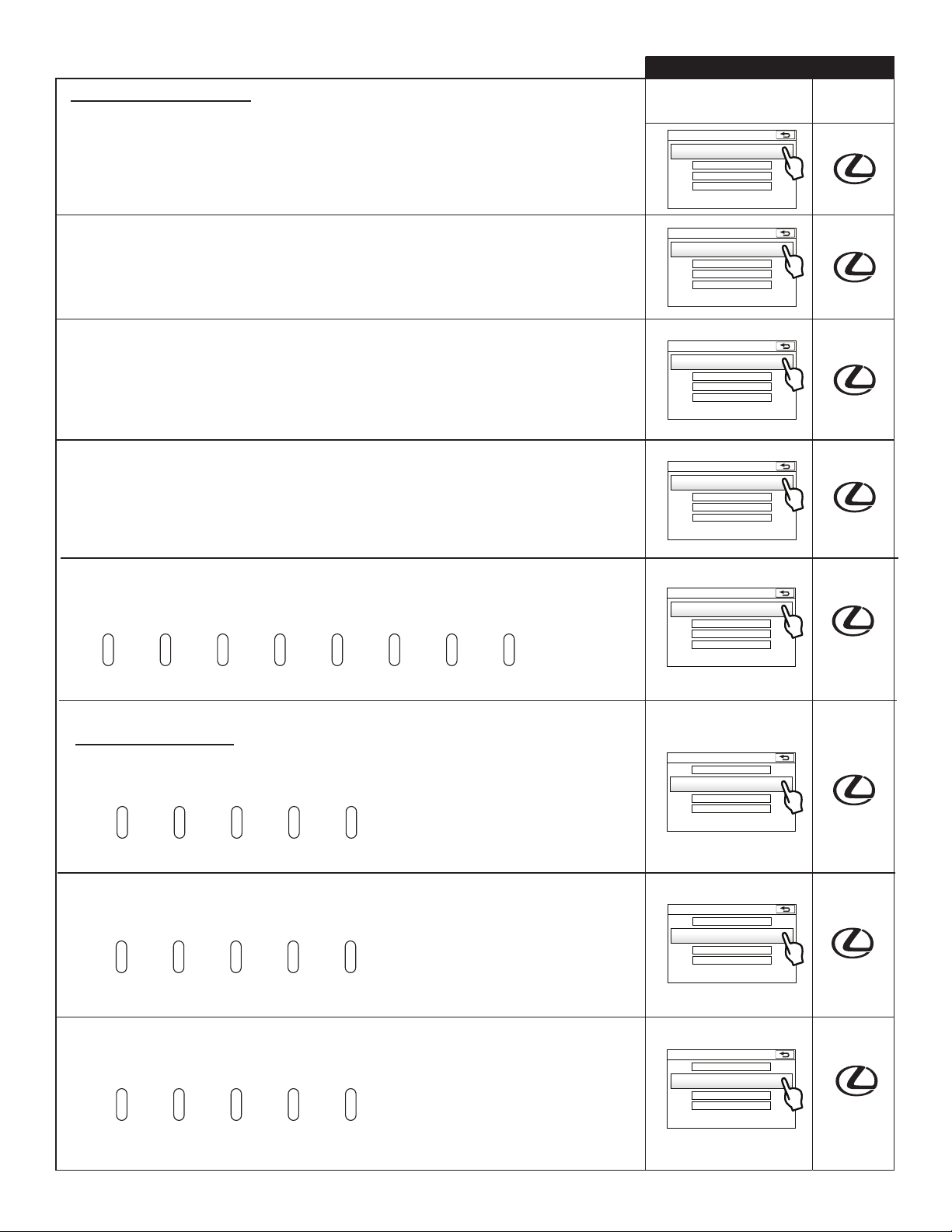
Door Lock Settings (cont’d)
4. Select Doors to Unlock
When using Smart Access to unlock the doors:
□Gripping the driver door handle will unlock the driver door. (Standard) = Driver’s door
□Gripping the driver door handle will unlock all doors.= All doors
Settings that can be customized by:
Using the
navigation system
Vehicle Customization
Door Lock Settings
Climate Settings
Light Settings
Other Vehicle Settings
Dealer
5. Access System with Elec. Key
When unlocking the doors:
□Deactivates SmartAccess, only accessible using elec. key unlock button. = Off
□Use SmartAccess (touch door handle) or remote buttons. (Standard)= On
6. Auto Relock Timer
When the unlock button on the electronic key is pressed and the doors are not opened:
□The doors will automatically re-lock in 30 seconds.
□The doors will automatically re-lock in 60 seconds. (Standard)
□The doors will automatically re-lock in 120 seconds.
7. Lock/Unlock Feedback - Lights
Using the electronic key, the following functions can be programmed:
□Press the lock/unlock button and the emergency flashers will not flash. = Off
□Press the lock/unlock button and the emergency flashers will flash. (Standard) = On
8. Lock/Unlock Feedback-Tone
When the lock button is pressed on the electronic key, the system volume can be
programmed as follows:
o volume 2volume 1 volume 3 volume 4 volume 5 volume 6
volume 7
(standard)
Vehicle Customization
Door Lock Settings
Climate Settings
Light Settings
Other Vehicle Settings
Vehicle Customization
Door Lock Settings
Climate Settings
Light Settings
Other Vehicle Settings
Vehicle Customization
Door Lock Settings
Climate Settings
Light Settings
Other Vehicle Settings
Vehicle Customization
Door Lock Settings
Climate Settings
Light Settings
Other Vehicle Settings
Climate Settings
9. Auto Seat Temp. FR L
Sensitivity level for climate controlled (a/c, heater) driver seat:
Very High Normal
10. Auto Seat Temp. FR R
Sensitivity level for climate controlled (a/c, heater) front passenger seat:
Very High Normal
11. Auto Seat Temp. RR L
Sensitivity level for climate controlled (a/c, heater) left rear seat:
Very High Normal
High Low Very Low
(Standard)
High Low Very Low
(Standard)
High Low Very Low
(Standard)
Vehicle Customization
Door Lock Settings
Climate Settings
Light Settings
Other Vehicle Settings
Vehicle Customization
Door Lock Settings
Climate Settings
Light Settings
Other Vehicle Settings
Vehicle Customization
Door Lock Settings
Climate Settings
Light Settings
Other Vehicle Settings
2
Page 3
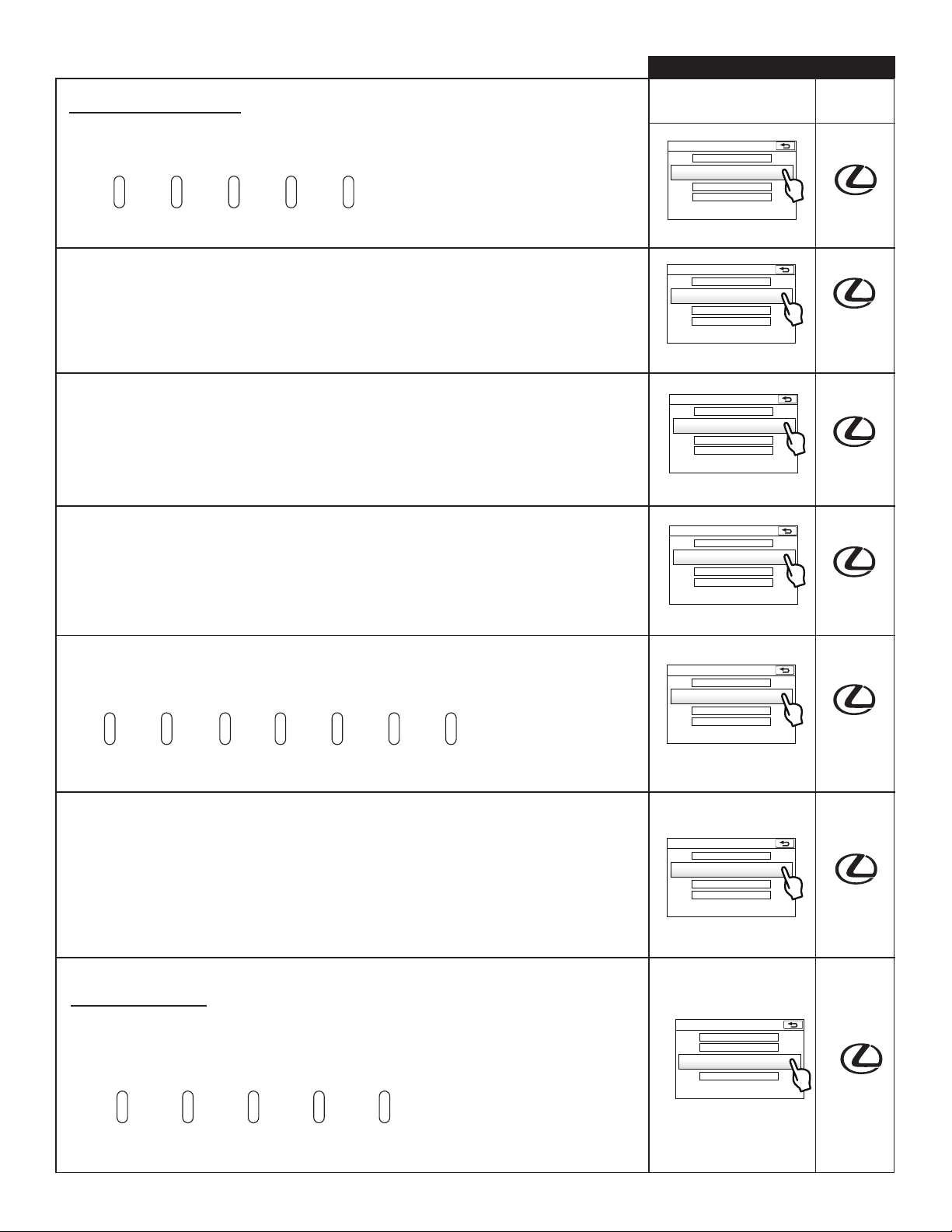
Climate Settings (cont’d)
Settings that can be customized by:
Using the
navigation system
Dealer
12. Auto Seat Temp. RR R
Sensitivity level for climate controlled (a/c, heater) right rear seat:
Very High Normal
High Low Very Low
(Standard)
13. Auto Seat RR L Default
Turns the Left Rear Seat Heater/AC to AUTO (ON), when the vehicle is started, and will
automatically adjust according to set temperature:
□OFF. (Standard)
□ON.
14. Auto Seat RR R Default
Turns the Right Rear Seat Heater/AC to AUTO (ON), when the vehicle is started, and will
automatically adjust according to set temperature:
□OFF. (Standard)
□ON.
15. Auto Heated Steering Wheel*
Operates automatically according to the outside and cabin temperature when the engine
switch is turned to IG-ON:
□ON. (Standard)
□OFF.
*if equipped.
Vehicle Customization
Door Lock Settings
Climate Settings
Light Settings
Other Vehicle Settings
Vehicle Customization
Door Lock Settings
Climate Settings
Light Settings
Other Vehicle Settings
Vehicle Customization
Door Lock Settings
Climate Settings
Light Settings
Other Vehicle Settings
Vehicle Customization
Door Lock Settings
Climate Settings
Light Settings
Other Vehicle Settings
16. Smog Sensor Sensitivity
When in AUTO recirculation mode, the sensor will determine when to switch from outside
air to recirculated air based on outside air quality:
lowest
sensitivity
sensitivity 2 sensitivity 3 sensitivity 5 sensitivity 6
normal
(standard)
highest
sensitivity
17. Auto A/C Mode
When Auto A/C is selected:
□It will automatically engage the air conditioner compressor to reach the set temperature.
(Standard) = On
□It will automatically achieve a set temperature, warm or cool, without engaging the air
conditioner compressor.* = Off
* Note: The AC compressor will be engaged when the auto AC button is pressed a second time.
Light Settings
18. Headlamps-ON Sensitivity
When driving the vehicle, the front headlights can be programmed to turn ON under darker
or lighter ambient light conditions. (Headlight switch must be in “AUTO” mode):
Vehicle Customization
Door Lock Settings
Climate Settings
Light Settings
Other Vehicle Settings
Vehicle Customization
Door Lock Settings
Climate Settings
Light Settings
Other Vehicle Settings
Vehicle Customization
Door Lock Settings
Climate Settings
Light Settings
Other Vehicle Settings
very dark dark normal
(standard)
light very light
3
Page 4
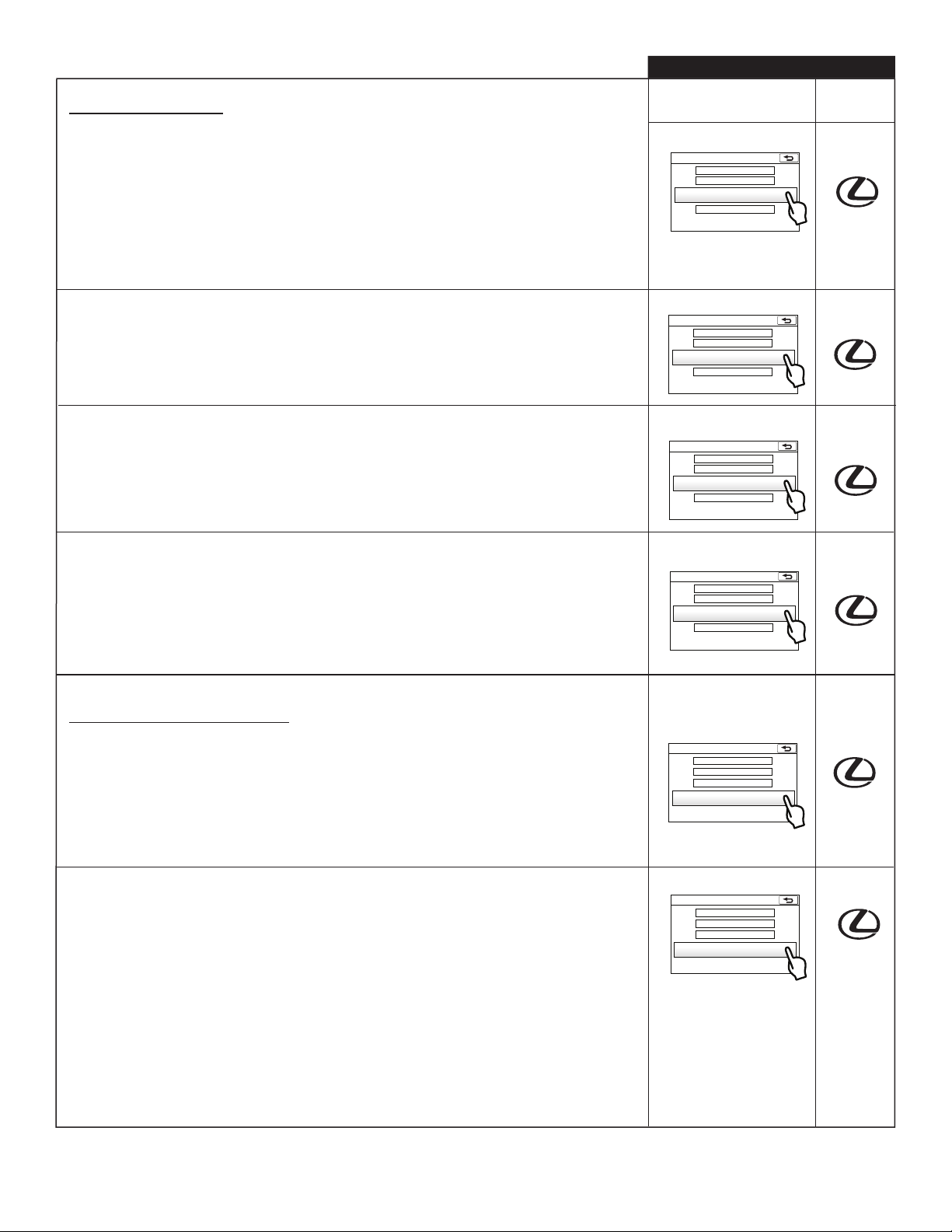
Light Settings (cont’d)
Settings that can be customized by:
Using the
navigation system
Dealer
19. Headlamps Auto-OFF Timer
After turning off the ignition and all the doors are closed, if the headlights are in the AUTO
position:
□The headlights will turn off immediately, when the vehicle is turned off and the driver door
is opened.
□The headlights will turn off in 30 seconds. (Standard)
□The headlights will turn off in 60 seconds.
□The headlights will turn off in 90 seconds.
20. Daytime Running Lights
Illumination of daytime running lights:
□OFF.
□ON. (Standard)
21. Interior Lights Off Timer
After closing the door, the interior lights can be adjusted to stay on for the following:
□15 seconds. (Standard)
□7.5 seconds.
□30 seconds.
22. Exterior Lights Off Timer
After closing the door, the exterior lights can be adjusted to stay on for the following:
□15 seconds. (Standard)
□7.5 seconds.
□30 seconds.
□0 seconds.
Vehicle Customization
Door Lock Settings
Climate Settings
Light Settings
Other Vehicle Settings
Vehicle Customization
Door Lock Settings
Climate Settings
Light Settings
Other Vehicle Settings
Vehicle Customization
Door Lock Settings
Climate Settings
Light Settings
Other Vehicle Settings
Vehicle Customization
Door Lock Settings
Climate Settings
Light Settings
Other Vehicle Settings
Other Vehicle Settings
23. Driver’s Seat Easy Exit
When the vehicle is placed in park, the ignition turned off, the driver seat can be set to
the following:
□Remain in the current position, as set by the driver. = Off
□ Automatically move away from the steering wheel partially. = Partial
□ Automatically move away from the steering wheel fully. = Full (Standard)
24. Lane Change Signal Flashes
Push the turn signal lever partway to signal a lane change, it will flash:
□OFF
□3 Times (Standard)
□5 Times
□7 Times
□9 Times
□11 Times
Vehicle Customization
Door Lock Settings
Climate Settings
Light Settings
Other Vehicle Settings
Vehicle Customization
Door Lock Settings
Climate Settings
Light Settings
Other Vehicle Settings
4
Page 5
Programmable by Dealer Only
25. Efficient Ventilation Mode
When the front defogger is activated:
□It will automatically blow air onto the windshield without engaging the air conditioner
compressor. = Off
□It will automatically engage the air conditioner compressor to blow air onto the
windshield. (Standard)= On
26. Instrument Dim. Sensitivity
Level of light required to dim the instrument panel lights:
very dark dark normal
27. Instrument Rest. Sensitivity
Level of light required to brighten the instrument panel lights:
very light light normal
(standard)
(standard)
light very light
dark very dark
Settings that can be customized by:
Using the
navigation system
Dealer
Dealer
only
Dealer
only
Dealer
only
28. Interior Light
The interior light will illuminate when POWER is switched to OFF.
□On. (Standard) = On
□Off. = Off
29. Illumination of the Interior Cabin Light when Unlocking Door
When using the electronic key or mechanical key to unlock the door, the interior cabin light
can be programmed for the following:
□The cabin light will illuminate. (Standard) = On
□The cabin light will not illuminate.= Off
30. Illumination of the Interior Cabin Light when Approaching the Vehicle
When approaching the vehicle with the electronic key, the interior cabin light can be
programmed for the following:
□The cabin light will illuminate. (Standard) = On
□The cabin light will not illuminate. = Off
31. Foot Lights
When using the electronic key to unlock the doors:
□The outer foot lights will illuminate. (Standard) = On
□The outer foot lights will not illuminate. = Off
32. Panic Mode
When pressing the panic button on the electronic key:
□The alarm will sound intermittently and the vehicle lights will flash. (Standard) = On
□The alarm will not sound and the vehicle lights will not flash. = Off
Dealer
only
Dealer
only
Dealer
only
Dealer
only
Dealer
only
33. Door Lock Buzzer
When the lock button on the electronic key is pressed and a door is not fully closed:
□The buzzer will not sound. = Off
□The buzzer will sound. (Standard) = On
Dealer
only
5
Page 6
Programmable by dealer (cont’d)
34. Open Windows with Elec. Key
When pressing the unlock button on the electronic key for 3 seconds:
□The windows will not roll down. (Standard) = Off
□All the windows will roll down. = On
35. Slide/Tilt Moonroof with Elec. Key
When option #34 is on, the moonroof can be programmed for the following:
□Slide. (Standard)
□Tilt.
36. Opening Windows using Key
When using the mechanical key to operate the windows:
□Turning the key right and holding the position for 2 seconds will not open the windows.
= Off
□Turning the key right and holding the position for 2 seconds will open the windows.
(Standard) = On
37. Slide/Tilt Moonroof using Key
When option #36 is on, the moonroof can be programmed for the following:
□Slide. (Standard)
□Tilt.
Settings that can be customized by:
Using the
navigation system
Dealer
Dealer
only
Dealer
only
Dealer
only
Dealer
only
38. Tilt Away of Steering Wheel
When the vehicle is placed in park, the ignition turned off, the steering wheel can be set to the
following:
□Automatically move up and away from the driver position setting. (Standard) = On
□Remain in the current position, as set by the driver. = Off
39. Opening the Trunk
By pressing on the trunk release button, located on the electronic key, the trunk will open. The
release button can be programmed as follows:
□Press button one time to release the trunk. (No delay)
□Press button two times to release the trunk.
□Press and hold button for 0.8 seconds to release the trunk. (Standard)
□The button can be turned off so the trunk cannot be opened using the electronic key.
40. Automatic Rear Sunshade*
The rear sunshade automatically lowers when the shift lever is shifted into reverse:
□ON. (Standard)
□ OFF
*if equipped.
41. Rear Sunshade Reverse Timer*
When the vehicle is placed into reverse, the sunshade automatically lowers in:
□0.7 seconds (Standard)
□ 1.2 seconds
□ 0.9 seconds
□ 0 seconds
*if equipped
.
Dealer
only
Dealer
only
Dealer
only
Dealer
only
Date Customer Signature
Repair Order Number ( Dealer only) Vehicle Identification Number ( Dealer only)
6
 Loading...