

Page 1
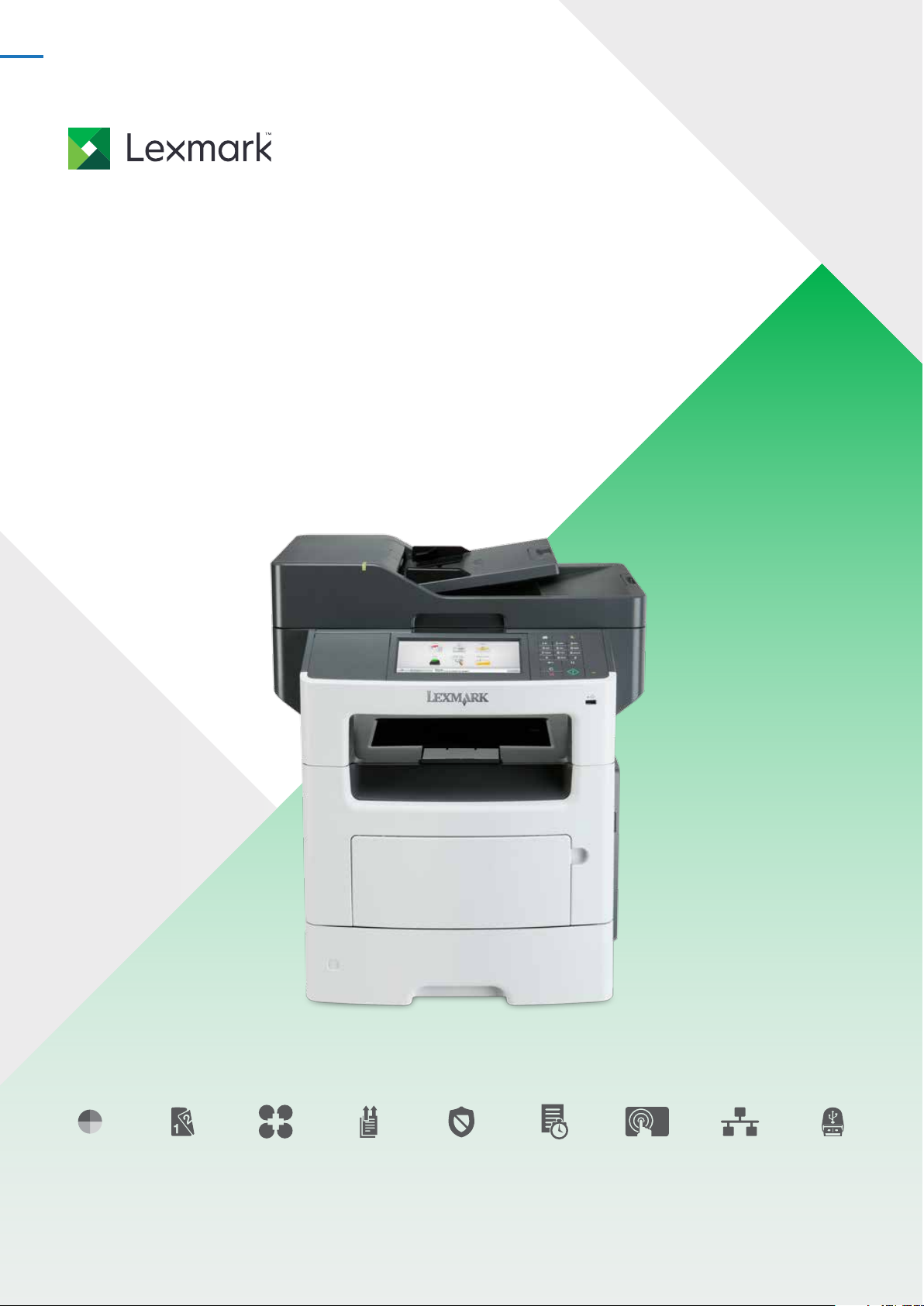
Monochrome laser multifunctionproduct
Lexmark XM1140,
XM1145 andXM3150
Powerful.Compact.
16KDO5810
XM3150
Mono Duplex printing Solutions Duplex RADF Security Up to 47 ppm 10.9 cm
(4.3-inch) or
17.8cm (7-inch)
Network Front USB
Page 2

Monochrome laser multifunctionproduct
Founded in 1991 from an IBM heritage in Lexington, Kentucky,
Lexmark is focused on delivering tailored solutions to solve
the unique challenges businesses face. Lexmark’s broad
portfolio of high-quality products, solutions and services
help improve productivity, increase efficiency and empower
employees to perform at theirbest.
Eco-responsible
Printing responsibly and reducing the impact of printing on
the environment is a win for your business and your budget.
Our goal is to design, package and deliver innovative
products and solutions that produce high-quality output with
reliable performance. And at the same time, help you minimise
the number of cartridges you use over the life of a printer and
conserve paper andenergy.
The Lexmark Cartridge Collection Programme provides a
variety of methods for free returns of your empty cartridges
to Lexmark or our collection partners. Programme availability
and details vary bycountr y.
Environmental protection is
a sharedresponsibility
Through work with industry groups, Lexmark helps guide
the formation of standards and guiding principles for
environmentalsustainability.
Our membershipsinclude:
} AeAEurope
} EcmaInternational
} Electronics Industry Citizenship Coalition(EICC)
} DIGITALEUROPE
} European Information & Communications Technology
Industry Association(EICTA)
} Information Technology Industry Council(ITI)
} Environmental LeadershipCouncil
16KDO5810
lexmark.com
2
Page 3

Monochrome laser multifunctionproduct
Powerfulperformance
The Lexmark XM1140, XM1145 and XM3150 multifunction
systems will help propel your business forward. Our solutions
are capable, eco-friendly systems that simplify processes and
help you quickly respond to changing businessneeds.
} Process even the most complex jobs utilising the 800MHz
dual-core processing power and up to 3GB ofmemory
} Get work done quickly with print and copy speeds
up to 47ppm, and produce your first page in as little
as6.5seconds
} Produce professional output with a system that delivers
consistent image quality on a diverse range ofmaterials
} Instant warm-up fuser helps reduce energy consumption
and improve time to firstpage
Businessproductivity
The Lexmark XM1140, XM1145 and XM3150 combine
exceptional multifunction performance with time-saving
applications designed to make you moreproductive.
} Save time with fast two-sided colour scanning in a single
pass and quickly convert hard-copy documents into a
digitalformat
} Advanced copy functions let you interrupt long print runs
to make a quick copy and proof the first copy set before
completing your copyjob
} Scan to multiple destinations, including scan to network,
email, FTP, fax andmore
} For higher volume print needs, optional input capacity can
be added to keep jobsmoving
} An in-line stapler option on the XM3150 will finish thejob
Easy andintuitive
The Lexmark XM1140, XM1145 and XM3150 are designed
for easy operation to allow you to stay focused on
customer engagements instead of routinemaintenance.
} The easy to navigate 10.9-cm (4.3-inch) or 17.8-cm
(7-inch) touch screen provides audible feedback to
make completing tasksintuitive
} Print and scan preview features help you select
documents or specific pages within adocument
} Extend your environmental responsibility with
energy-efficient settings such as the Sleep Button and
HibernateMode
} Manage your devices with availablesoftware
16KDO5810
lexmark.com
3
Page 4
Monochrome laser multifunctionproduct
Propel your businessforward
Our solutions are designed with your productivity in mind.
The Lexmark XM1140, XM1145 and XM3150 platform lets you
interact with business applications directly on the device
or with a server, on premise or hosted in the cloud. Reduce
unnecessary printing and simplif y work processes with
Lexmarksolutions.
Navigate toefficiency
The Lexmark colour touch screen is a key access point to
your device. The customisable 10.9-cm (4.3-inch) or 17.8-cm
(7-inch) inter face gives you the ability to preview thumbnails
of documents prior to printing, as well as change print job
settings at the device. You can even view, select and print
specific pages within a document directly from the touch
screen. Its easy-to-use, intuitive navigation provides fast
access to the functions andshortcuts.
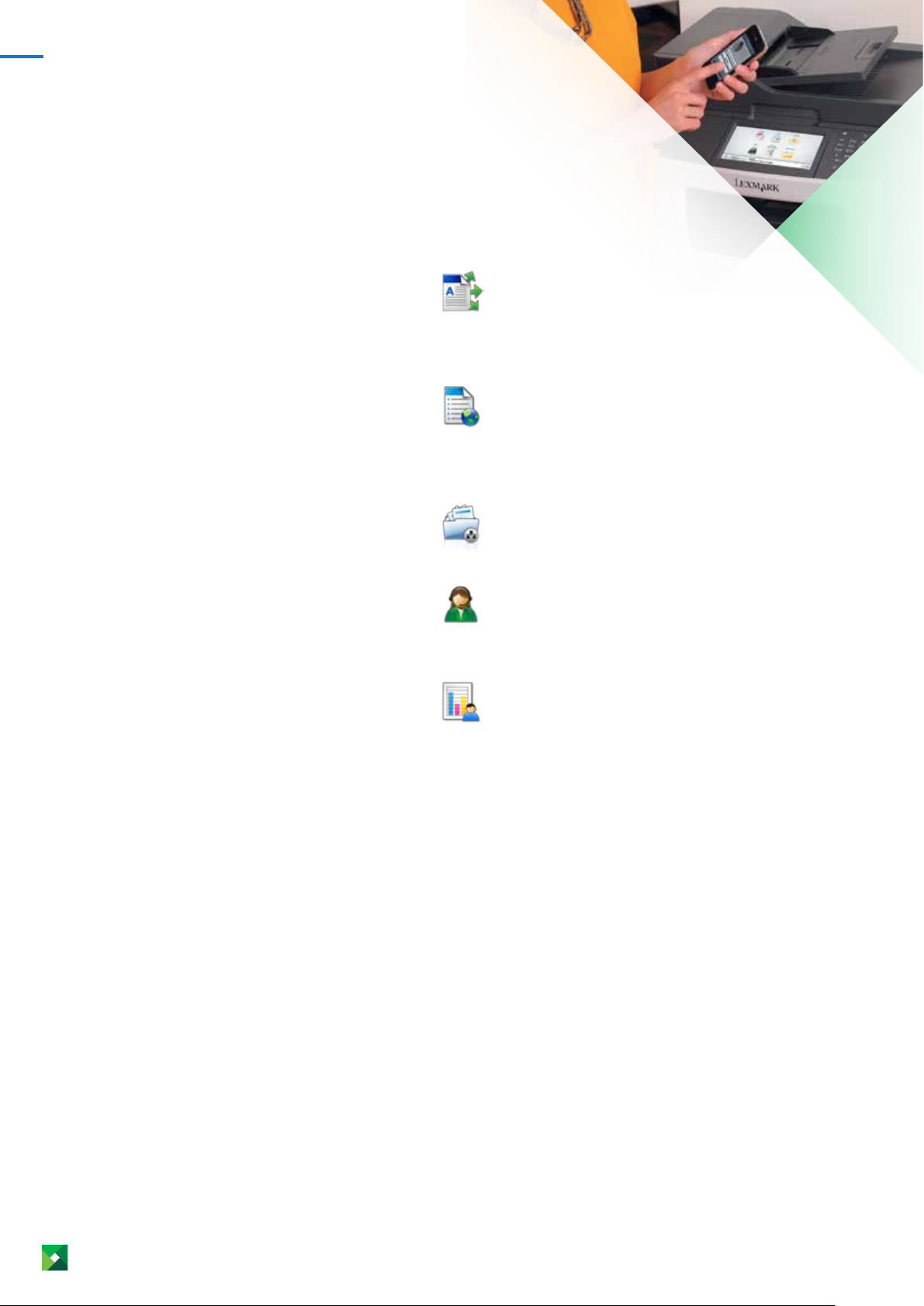
Examples of preloaded solutions on
XM1140, XM1145 and XM3150MFPs:
Multi Send
Capture and route a document to multiple
destinations simultaneously and print
a copy if you choose. Documents can
be routed to email, network folders or
FTPsites.
Forms and Favorites
Eliminate waste and inefficiencies
associated with preprinted forms. Store
frequently printed forms, marketing
materials or other documents online, then
print them ondemand.
Scan to Network Basic
Scan a hard-copy document and route the
image to one of 30 predefined or public
shared networkfolder.
Customer Support
This application provides you with an
easy way to send information about your
device to your authorised dealer or internal
helpdesk.
Device Quotas
Lexmark Device Quotas allows an
administrator to configure user level quotas
for print, scan, copy, and outboundfax.
16KDO5810
lexmark.com
4
Page 5

Monochrome laser multifunctionproduct
Professional-quality output is
only part of thestory
By leveraging our industry expertise, you can generate
efficiency and increase productivity across business
processes to gain the power you need to move ahead.
Lexmark technology solutions are tailored to your business
environment—where business interactions and decisions
arehappening.
Empower your employees with workflow solutions that refine
work processes, capture critical data and deliver information
to the right place, at the right time and in the rightformat.
Contact your Lexmark Business Solutions Dealer for specific
vertical solutions.
yourdealer.
*
Solutions are customised through
Keep sensitive information
and documentssecure
Lexmark builds network devices with security in mind
to protect your data and documents throughout your
entire workflow. Our wide range of security functions
include device management, device hardening and
deviceoperation.
Device management. Tools include administrative access
and passwords, HTTPS, SNMPv3, IP security (IPSec)
and 802.1x support to remotely monitor and manage
deviceusage.
Device hardening. Includes port filtering, TCP connection
filtering, hard disk encryption, hard disk wiping and
digitally signed firmware updates that enhance the
security of the device’s networkinterface.
Device operation. Reduce vulnerabilities with
authentication and authorisation features, address
book lookup via LDAP over SSL and device lockout for
protection of userinformation.
Lexmark has shown its strength and leadership with
respect tosecurity.
} Forming and chairing the group that created the IEEE
2600 standards for security on hard-copydevices
} Becoming the first hard-copy device manufacturer
to take a holistic approach with the National
Information Assurance Partnership (NIAP) Common
Criteriaevaluation
*Additional Lexmark solutions are available through your authorised
LexmarkPartner.
16KDO5810
lexmark.com
5
Page 6
Monochrome laser multifunctionproduct
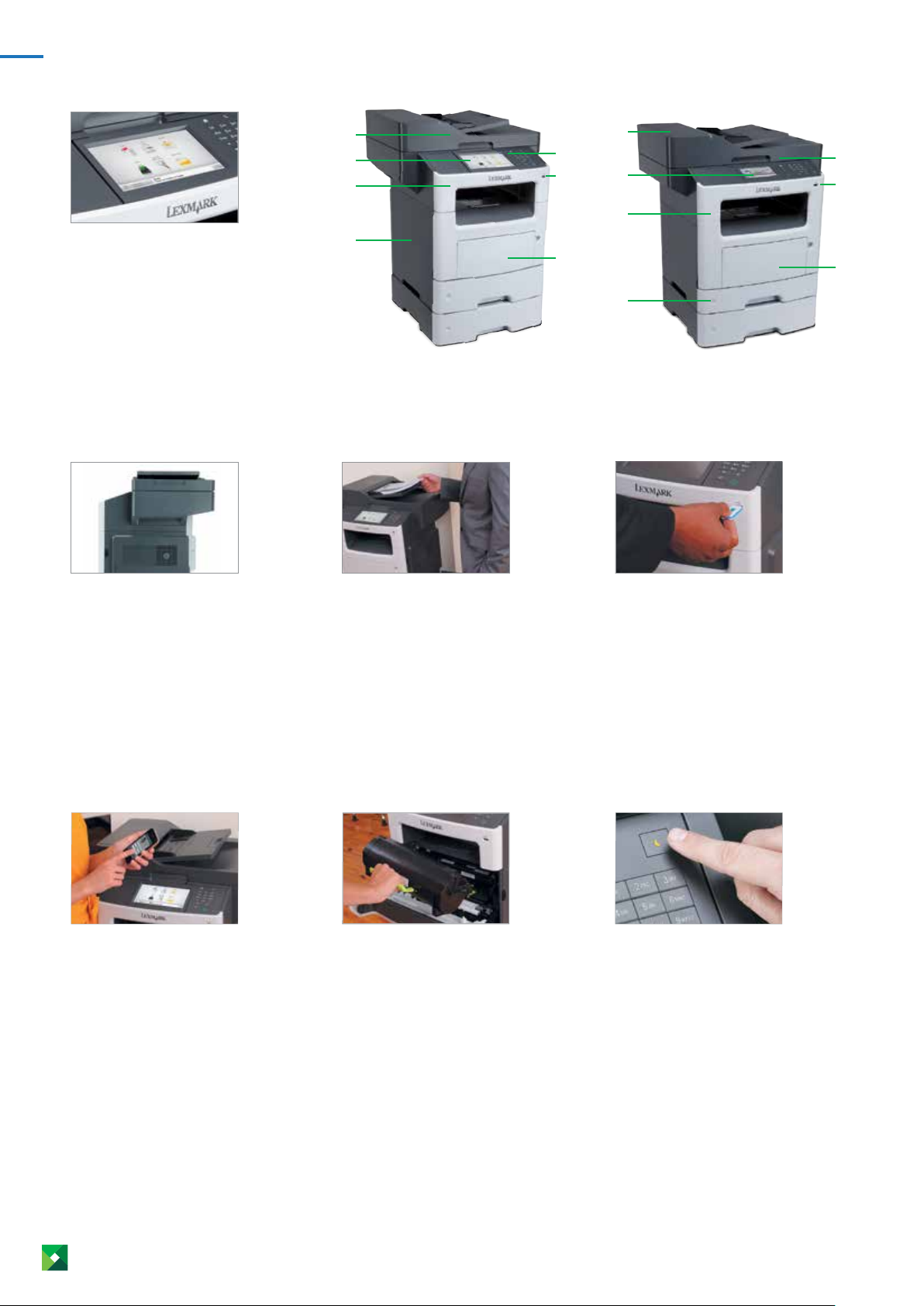
1.
Intuitive colour touchscreen
Operate your device with ease through smart
and intuitive navigation. Receive audible
feedback when you use the touchscreen.
2.
3.
1.
5.
2.
XM3150 with 17.8-cm (7-inch) colour touch
screen and additional 550-sheettray
3.
7.
4.
6.
4.
3.
1.
5.
2.
XM1140 and XM1145 with 10.9-cm
(4.3-inch) colour touch screen and
additional 550-sheettray
7.
4.
6.
Flexible mediahandling
Add additional input capacity to handle
higher volume output needs or an in-line
stapler option for the XM3150 to finish
thejob.
5.
Lexmarksolutions
Reduce unnecessary printing and simplify
work processes through solutions
applications preloaded on your device.
Choose additional Lexmark solutions to fit
your unique workflowneeds.
Automatic documentfeeder
Save time by scanning both sides of your
document with robust colour-scanning
capabilities and ultrasonic multi-feed
detection to reducejams.
6.
Lexmark’s UnisonTMToner
Advanced toner science—powerful enough
to deliver consistently outstanding image
quality, with a shake-free printsystem.
DirectUSB
The front USB port allows for convenient
walk-up preview, printing and scanning and
is compatible with most printable image
fileformats.
7.
Eco-friendlyfeatures
Easy-to-access features like Eco-Mode to
reduce paper and toner consumption, the
Sleep Button and Hibernate Mode make
it easy to print responsibly and help you
saveenergy.
16KDO5810
lexmark.com
6
Page 7
Monochrome laser multifunctionproduct
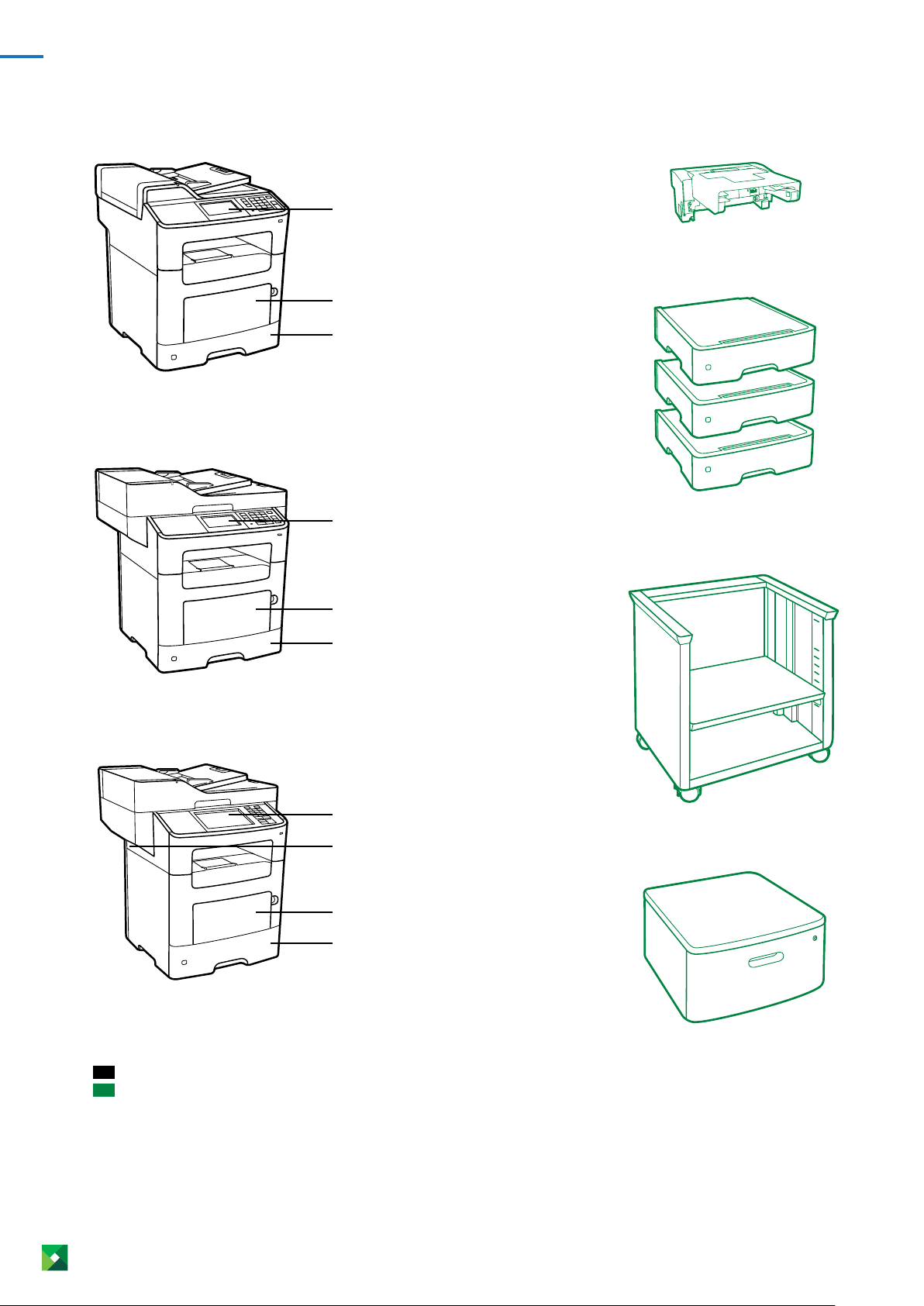
XM1140
10.9 cm (4.3-inch) touchscreen
50-sheet multipurposefeeder
250-sheetinput
XM1145
Inlinestapler
XM3150
10.9 cm (4.3-inch) touchscreen
100-sheet multipurposefeeder
250-sheetinput
17.8 cm (7-inch) touchscreen
InlineStapler
100-sheet multipurposefeeder
550-sheetinput
250-sheet tray / 550-sheettray
Adjustable printerstand
16KDO5810
Standard
Optional
The line art features the standard
set-up that can be different
permodel.
lexmark.com
Swivelcabinet
7
Page 8
Monochrome laser multifunctionproduct
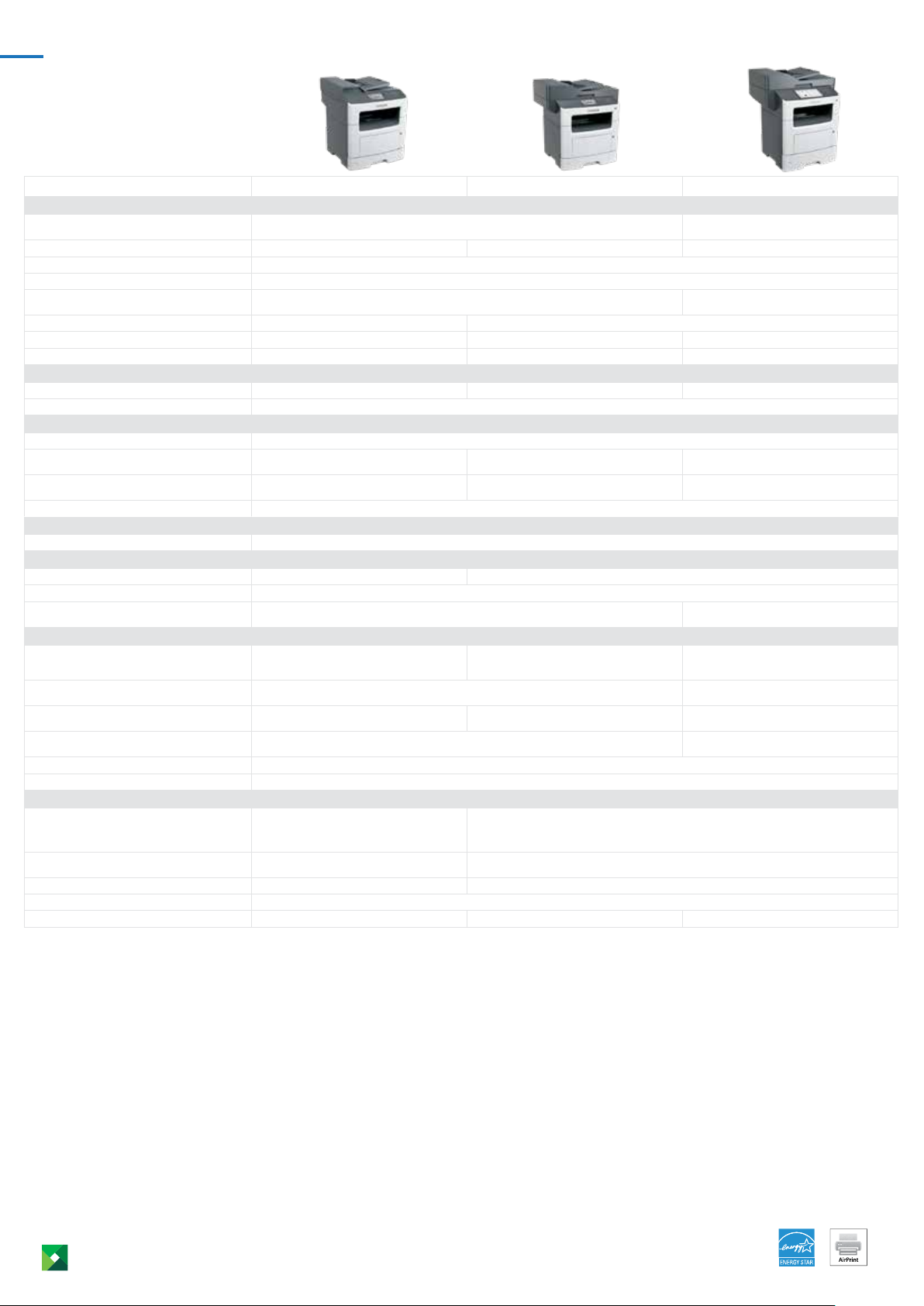
Product specifications Lexmark XM1140 Lexmark XM1145 Lexmark XM3150
Print
Display
Print Speed: Up to
Time to First Page: As fast as
Print Resolution
Memory / Processor
Hard Disk
Recommended Monthly Page Volume
Maximum Monthly Duty Cycle: Up to
6
2
3
Copy
Copy Speed: Up to
Time to First Copy: as fast as
6
Scan
Scanner Type / ADF Scan
A4/Ltr Duplex Scan Speed: Up to
A4/Ltr Simplex Scan Speed: Up to
ADF Paper Input Capacity: Up to
Fax
Modem Speed
Supplies
Laser Cartridge Yields (up to)
Imaging Unit Estimated Yield: Up to
Cartridge(s) Shipping with Product
1
7
Paper Handling
Included Paper Handling
Optional Paper Handling
Paper Input Capacity: Up to
Paper Output Capacity: Up to
Media Types Supported
Media Sizes Supported
General Information
Standard Connectivity
Optional Network Ports / Optional Local Ports
Noise Level: Operating
Specified Operating Environment
Size (mm - H x W x D) / Weight
4
Black: 18 / 19 sides per minute /
Colour: 8 / 8 sides per minute
Black: 42 / 43 sides per minute /
Colour: 19 / 20 sides per minute
10,000-page High Yield Cartridge 16,000-page Extra High Yield Cartridge
Multipurpose Feeder, 150-Sheet
Output Bin, Integrated Duplex
Standard: 300 pages 75 gsm bond /
Maximum: 850 pages 75 gsm bond
10 Envelope, 7 3/4 Envelope, 9 Envelope, A4, A5, DL Envelope, Executive, Folio, JIS-B5, Legal, Letter, Statement, Universal, Oficio, A6
USB 2.0 Specification Hi-Speed
Certified (Type B), Gigabit Ethernet
(10/100/1000), Front USB 2.0 Specification
Hi-Speed Certified port (Type A)
MarkNet N8352 802.11b/g/n Wireless Internal MarkNet N8350 802.11b/g/n Wireless / Internal RS-
Print: 55 dBA / Copy: 55 dBA / Scan: 55 dBA Print: 55 dBA / Copy: 56 dBA / Scan: 55 dBA
468 x 399 x 472 mm / 20.0 kg 502 x 489 x 452 mm / 21.8 kg 561 x 489 x 479 mm / 23.6 kg
Lexmark e-Task 4.3-inch (10.9 cm) colour touch screen Lexmark e-Task 7-inch (17.8
cm) color touch screen
Black: 38 ppm Black: 42 ppm Black: 47 ppm
Black: 6.5 seconds
Black: 1200 Image Quality, 1200 x 1200 dpi, 2400 Image Quality, 600 x 600 dpi
Standard: 512 MB / Maximum: 2560 MB / Dual Core, 800 MHz Standard: 1024 MB / Maximum:
3072 MB / Dual Core, 800 MHz
Not Available Option available
750 - 10000 pages 2000 - 12000 pages 2000 - 15000 pages
100000 pages per month 120000 pages per month 175000 pages per month
Black: 38 cpm Black: 42 cpm Black: 47 cpm
Black: 6.5 seconds
Flatbed scanner with ADF / RADF (reversing Duplex)
Black: 18 / 19 sides per minute /
Colour: 8 / 9 sides per minute
Black: 41 / 43 sides per minute /
Colour: 19 / 20 sides per minute
Black: 20 / 21 sides per minute /
Colour: 13 / 14 sides per minute
Black: 45 / 48 sides per minute /
Colour: 30 / 32 sides per minute
50 pages 75 gsm bond
ITU T.30, V.34 Half-Duplex, 33.6 Kbps
60000 pages, based on 3 average letter/A4-size pages per print job and ~ 5% coverage
5,000-page Starter Return Program Toner Cartridge 7,500-page Starter Return
250-Sheet Input, 50-Sheet
250-Sheet Input, 100-Sheet
Multipurpose Feeder, 150-Sheet
Output Bin, Integrated Duplex
250-Sheet Tray, 550-Sheet Tray, 550-Sheet Lockable Tray 250-Sheet Tray, 550-Sheet Tray,
Standard: 350 pages 75 gsm bond /
Maximum: 2000 pages 75 gsm bond
Standard: 150 pages 75 gsm bond / Maximum: 150 pages 75 gsm bond Standard: 250 pages 75 gsm bond /
Program Toner Cartridge
550-Sheet Input, 100-Sheet
Multipurpose Feeder, Integrated
Duplex, 250-Sheet Output Bin
550-Sheet Lockable Tray, Inline Stapler
Standard: 650 pages 75 gsm bond /
Maximum: 2300 pages 75 gsm bond
Maximum: 250 pages 75 gsm bond
Card Stock, Envelopes, Paper Labels, Plain Paper, Transparencies, Refer to the Card Stock & Label Guide.
One Internal Card Slot, USB 2.0 Specification Hi-Speed Certified (Type B), Gigabit
Ethernet (10/100/1000), Front USB 2.0 Specification Hi-Speed Certified port
(Type A), Rear USB 2.0 Specification Hi-Speed Certified port (Type A)
232C serial, Internal 1284-B Bidirectional Parallel
Temperature: 16 to 32°C (60 to 90°F), Humidity: 8 to 80% Relative Humidity, Altitude: 0 - 2896 Meters (9,500 Feet)
1
Average yield based on approximately 5% print coverage. 2”Recommended Monthly Page Volume” is a range of pages that helps customers evaluate Lexmark’s product offerings based on
the average number of pages customers plan to print on the device each month. Lexmark recommends that the number of pages per month be within the stated range for optimum device
performance, based on factors including: supplies replacement intervals, paper loading intervals, speed, and typical customer usage.
maximum number of pages a device could deliver in a month using a multishift operation. This metric provides a comparison of robustness in relation to other Lexmark printers and MFPs.
4
Printers are sold subject to certain license/agreement conditions. See www.lexmark.com/printerlicense for details. 5Actual Yield may vary based on other factors such as device speed, paper
size and feed orientation, toner coverage, tray source, percentage of black-only printing and average print job complexity.
and ISO/IEC 24735 respectively (ESAT). For more information see: www.lexmark.com/ISOspeeds.
7
Average standard page yield value declared in accordance with ISO/IEC19752.
6
3
”Maximum Monthly Duty Cycle” is defined as the
Print and copy speeds measured in accordance with ISO/IEC 24734
© 2015-2016 Lexmark and the Lexmark logo are trademarks of Lexmark International, Inc., registered in the United States and/or other countries. All other trademarks are the property of
their respective owners. ENERGY STAR® is a U.S. registeredmark.
16KDO5810
AirPrint and the AirPrint logo are trademarks of AppleInc.
lexmark.com
8
 Loading...