

Page 1

X264dn, X363dn, X364dn/dw,
X463de, X464de,
X466de/dte/dwe
Technical Reference
December 2009 www.lexmark.com
Lexmark and Lexmark with diamond design are trademarks of Lexmark International, Inc., registered in the United States and/or other countries.
All other trademarks are the property of their respective owners.
© 2009 Lexmark International, Inc.
All rights reserved.
740 West New Circle Road
Lexington, Kentucky 40550
Page 2

Edition notice
December 2009
The following paragraph does not apply to any country where such provisions are inconsistent with local law: LEXMARK INTERNATIONAL,
INC., PROVIDES THIS PUBLICATION “AS IS” WITHOUT WARRANTY OF ANY KIND, EITHER EXPRESS OR IMPLIED, INCLUDING, BUT NOT LIMITED TO,
THE IMPLIED WARRANTIES OF MERCHANTABILITY OR FITNESS FOR A PARTICULAR PURPOSE. Some states do not allow disclaimer of express or
implied warranties in certain transactions; therefore, this statement may not apply to you.
This publication could include technical inaccuracies or typographical errors. Changes are periodically made to the information herein; these
changes will be incorporated in later editions. Improvements or changes in the products or the programs described may be made at any time.
References in this publication to products, programs, or services do not imply that the manufacturer intends to make these available in all countries
in which it operates. Any reference to a product, program, or service is not intended to state or imply that only that product, program, or service
may be used. Any functionally equivalent product, program, or service that does not infringe any existing intellectual property right may be used
instead. Evaluation and verification of operation in conjunction with other products, programs, or services, except those expressly designated by
the manufacturer, are the user’s responsibility.
For Lexmark technical support, visit support.lexmark.com.
For information on supplies and downloads, visit www.lexmark.com.
If you don't have access to the Internet, you can contact Lexmark by mail:
Lexmark International, Inc.
Bldg 004-2/CSC
740 New Circle Road NW
Lexington, KY 40550
USA
© 2009 Lexmark International, Inc.
All rights reserved.
Trademarks
Lexmark and Lexmark with diamond design are trademarks of Lexmark International, Inc., registered in the United States and/or other countries.
PCL® is a registered trademark of the Hewlett-Packard Company.
All other trademarks are the property of their respective owners.
UNITED STATES GOVERNMENT RIGHTS
This software and any accompanying documentation provided under this agreement are commercial computer software and documentation
developed exclusively at private expense.
Page 3

Contents
Edition notice......................................................................................2
Introduction........................................................................................5
Understanding letters after model numbers...............................................................................................................5
Learning about the printer...............................................................6
Finding information about the printer...........................................................................................................................6
Printer Control Language (PCL) page formatting........................7
Printable areas.........................................................................................................................................................................7
Supported paper and envelope dimensions...............................................................................................................8
Printer Job Language (PJL).............................................................10
PJL commands information.............................................................................................................................................10
PostScript (PS) emulation...............................................................11
Paper sizes supported........................................................................................................................................................11
PostScript paper tray support.........................................................................................................................................12
PostScript envelope size support..................................................................................................................................14
PostScript envelope tray support..................................................................................................................................15
Printer specifications......................................................................17
Airflow requirement...........................................................................................................................................................17
Noise emission levels.........................................................................................................................................................17
Electrical specifications.....................................................................................................................................................18
Power requirements...........................................................................................................................................................18
Physical specifications.......................................................................................................................................................19
Clearance requirements....................................................................................................................................................19
Environmental conditions................................................................................................................................................19
Altitude specifications and atmospheric pressure..................................................................................................20
Appendix A: PCL support.................................................................21
PCL emulation commands...............................................................................................................................................21
GL/2 commands...................................................................................................................................................................27
Contents
3
Page 4

Appendix B: PJL support.................................................................31
Common variables for both printer languages........................................................................................................31
Printer-unique PJL variables for both printer languages......................................................................................33
Common variables for PCL emulation.........................................................................................................................43
Printer-unique variables for PCL emulation...............................................................................................................43
Common variables for PostScript emulation............................................................................................................44
Printer-unique variables for PostScript emulation..................................................................................................44
Printer-unique LRESOURCE variables...........................................................................................................................44
Status Readback commands...........................................................................................................................................45
USTATUS unsolicited status variables..........................................................................................................................45
PJL messages for auto-continuable conditions........................................................................................................46
PJL messages for attendance conditions....................................................................................................................52
PJL messages for paper handling..................................................................................................................................67
PJL messages for paper jams...........................................................................................................................................70
Service errors.........................................................................................................................................................................76
Device attendance messages..........................................................................................................................................77
Lexmark-unique PJL commands....................................................................................................................................77
File and device protection commands........................................................................................................................78
Appendix C: PostScript support.....................................................79
Supplemental operators...................................................................................................................................................79
Page device parameters....................................................................................................................................................82
User interpreter parameters............................................................................................................................................87
System interpreter parameters.......................................................................................................................................88
Devices supported..............................................................................................................................................................90
Device parameters..............................................................................................................................................................93
PostScript message keys commands.........................................................................................................................102
Index.................................................................................................103
Contents
4
Page 5
Introduction
Overview
This edition of the Technical Reference contains information about the following printers:
X264dn
X363dn
X364dn/dw
X463de
X464de
X466dte/dwe
Understanding letters after model numbers
Some Lexmark printers may have one or more letters after the model name to indicate printer features:
Acronym Meaning
d
e e-Task (electronic task) touch-screen interface
duplex
1
f finisher/stapler
h high-capacity drawer
m mailbox
n network
t
tt tandem tray module
w wireless
1
Duplex printing (two-sided printing) accomplished by means of an optional duplex unit or an internal duplex unit based
on the product.
2
The additional tray is part of a drawer.
additional tray
2
Introduction
5
Page 6
Learning about the printer
Finding information about the printer
Setup
Description Where to find
The Setup information gives you instructions for setting
up the printer. Follow the set of instructions for local,
network, or wireless, depending on what you need.
information
You can find the Setup information on the inside of the printer
box or on the Lexmark Web site at www.lexmark.com.
Help
Description Where to find
The Help gives you instructions for using the software. While in any Lexmark software program, click Help, Tips
Help, or Help Help Topics.
Customer support
Description Where to find (North America) Where to find (rest of world)
Telephone support Call us at
• US: 1-800-332-4120
Monday–Friday (8:00 AM–11:00 PM ET)
Saturday (Noon–6:00 PM ET)
• Canada: 1-800-539-6275
Monday–Friday (8:00 AM–11:00 PM ET)
Saturday (Noon–6:00 PM ET)
Telephone numbers and support hours vary by
country or region.
Visit our Web site at www.lexmark.com. Select
a country or region, and then select the
Customer Support link.
Note: For additional information about
contacting Lexmark, see the printed warranty
that came with your printer.
• Mexico: 001-888-377-0063
Monday–Friday (8:00 AM–8:00 PM ET)
Note: Telephone numbers and support times
may change without notice. For the most recent
telephone numbers available, see the printed
warranty statement that came with your printer.
E-mail support
For e-mail support, visit our Web site:
www.lexmark.com.
1 Click SUPPORT.
2 Click Technical Support.
3 Select your printer type.
4 Select your printer model.
5 From the Support Tools section, click e-Mail
Support.
6 Complete the form, and then click Submit
Request.
Learning about the printer
6
E-mail support varies by country or region, and
may not be available in some instances.
Visit our Web site at www.lexmark.com. Select
a country or region, and then select the
Customer Support link.
Note: For additional information about
contacting Lexmark, see the printed warranty
that came with your printer.
Page 7
Printer Control Language (PCL) page formatting
For more information on PCL, refer to the Printer Languages and Interfaces Technical Reference. It contains a complete
listing with descriptions of PCL commands.
To determine which PCL commands your printer supports, see “Appendix A: PCL support” on page 21.
Printable areas
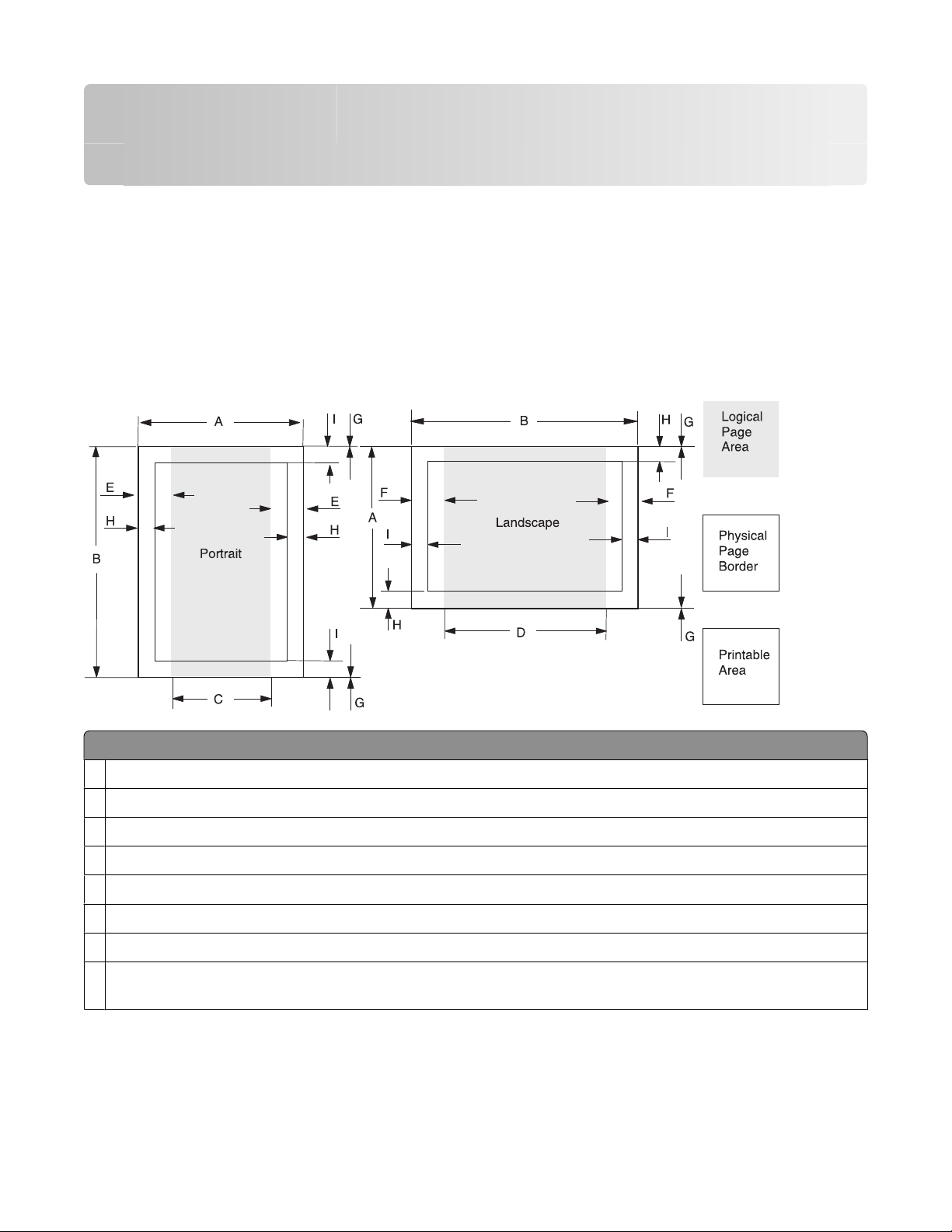
The printable areas and logical pages for PCL emulation (both portrait and landscape orientation) are illustrated
below. See the legend that follows for definitions of areas A through I.
Legend:
A Portrait physical page width and landscape physical page length
Portrait physical page length and landscape physical page width
B
C Portrait logical page width
Landscape logical page width
D
Distance between the side edge of the physical page and the logical page in portrait
E
Distance between the side edge of the physical page and the logical page in landscape
F
Distance between the top and bottom edge of the physical page and logical page
G
H Distance between the left and right edge of the physical page and the printable area in portrait, or distance between
the top and bottom edge of the physical page and printable area in landscape
Printer Control Language (PCL) page formatting
7
Page 8

Legend:
Distance between the top and bottom edge of the physical page and the printable area in portrait, or distance between
I
the left and right edge of the physical page and the printable area in landscape
Note: The tables that follow in this chapter list the page sizes and dimensions of each area labeled on the preceding
diagram for all paper and envelope sizes your printer supports.
Supported paper and envelope dimensions
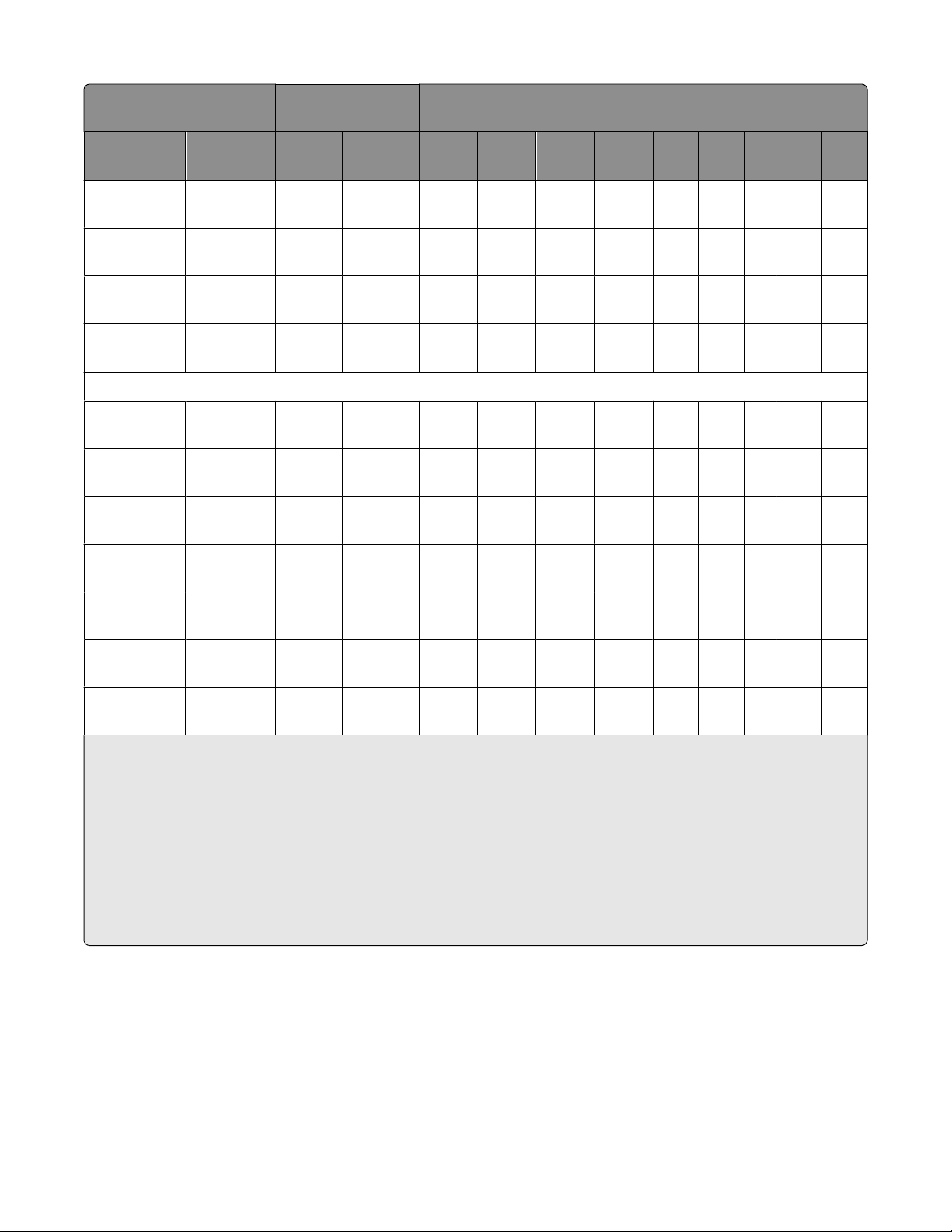
The following table lists the page sizes and print area dimensions for all supported paper and envelope sizes. For
more information about the printable areas and logical pages for PCL emulation, see “Printable areas” on page 7.
Selection Paper/envelope
dimensions
Page size
parameters
2,602 Letter 216 x
Name mm inches A B C D E F G H I
2
8.5 x 11 5100 6600 4800 6360 150 120 0 100 100
279
3,603 Legal 216 x
8.5 x 14 5100 8400 8400 8160 150 120 0 100 100
356
12,45,612 JIS B5 182 x
7.2 x 10.1 4300 6070 4000 5830 150 120 0 100 100
257
26,626 A4 (198
3
mm)
26,626 A4 (203
3
mm)
1,601 Exec 184 x
210 x
297
210 x
297
8.3 x 11.7 4960 7014 4676 6778 142 118 0 80 100
8.3 x 11.7 4960 7014 4676 6778 142 118 0 80 100
7.25 x 10.5 4350 6300 4050 6060 150 120 0 100 100
267
13,613 A5 148 x
5.83 x 8.27 3496 4960 3196 4720 142 118 0 100 100
210
Dimensions by area (pels)
Paper
1
300 Oficio
(Mexico)
1
Pel dimensions are for 600 dpi.
2
Page Size Parameters are explained in the Page Control table in the PCL chapter in the Printer Language and Interfaces
216 x
340
8.5 x 13.4 5100 8040 4800 7800 150 120 0 100 100
Technical Reference.
3
The width of the logical page for A4 paper can be changed from the printer control panel or your software application.
4
For the Universal paper size, the area dimensions are listed in pel ranges.
5
Paper ID 99 will be supported for backward compatibility with other Lexmark printers. Paper ID 99 has the same logical
paper size as ID 100 (compatible with HP LaserJet 5Si/5SiMx) but is 8 pels wider than the Lexmark 4039.
Note: The explanation of the printable area assumes the Print Area menu item is set to Normal. For more information,
see “Print Area Menu Item” in the PCL chapter in the Printer Language and Interfaces Technical Reference.
Printer Control Language (PCL) page formatting
8
Page 9
Selection Paper/envelope
dimensions
Dimensions by area (pels)
1
Page size
parameters
Name mm inches A B C D E F G H I
2
4 or 10 Folio 216 x
330
15 Statement 139.7 x
215.9
24 A6 148 x
105
101 Universal 216 x
356
90 DL 220 x
110
91 C5 229 x
162
995, 100
B5 Envelope 250 x
176
600 Other
Envelope
216 x
356
8.5 x 13 5100 7800 4800 7560 150 120 0 100 100
5.5 x 8.5 3300 5100 3000 4860 150 120 0 100 100
5.8 x 4.1 2480 3496 2199 3260 142 118 0 100 100
8.5 x 14 18005100
1800-
4
8502
1500-
4
4800
1500-
4
8262
150 120 0 100 100
4
Envelope
8.66 x 4.33 2598 5196 2314 4960 142 118 0 100 100
9.02 x 6.38 3826 5408 3542 5172 142 118 0 100 100
9.84 x 6.93 4156 5904 3872 5668 142 118 0 100 100
8.5 x 14 5100 8400 4800 8160 150 120 0 100 100
89 9 (Com 9) 225 x 98 8.875
2324 5324 2024 5084 150 120 0 100 100
x3.875
81 10 (Com 10) 241 x
9.5 x 4.125 2474 5700 2174 5460 150 120 0 100 100
105
80 7 3/4
98 x 191 3.875 x7.5 2324 4500 2024 4260 150 120 0 100 100
(Monarch)
1
Pel dimensions are for 600 dpi.
2
Page Size Parameters are explained in the Page Control table in the PCL chapter in the Printer Language and Interfaces
Technical Reference.
3
The width of the logical page for A4 paper can be changed from the printer control panel or your software application.
4
For the Universal paper size, the area dimensions are listed in pel ranges.
5
Paper ID 99 will be supported for backward compatibility with other Lexmark printers. Paper ID 99 has the same logical
paper size as ID 100 (compatible with HP LaserJet 5Si/5SiMx) but is 8 pels wider than the Lexmark 4039.
Note: The explanation of the printable area assumes the Print Area menu item is set to Normal. For more information,
see “Print Area Menu Item” in the PCL chapter in the Printer Language and Interfaces Technical Reference.
Printer Control Language (PCL) page formatting
9
Page 10

Printer Job Language (PJL)
PJL commands information
Your printer supports complete PJL commands, including certain commands that cause the printer to enter PCL
emulation, PostScript emulation, and Personal Printer Data Stream (PPDS).
For a complete listing with descriptions of PJL commands, see the Printer Languages and Interfaces Technical
Reference.
To determine which commands your printer supports, see “Appendix B: PJL support” on page 31.
Printer Job Language (PJL)
10
Page 11
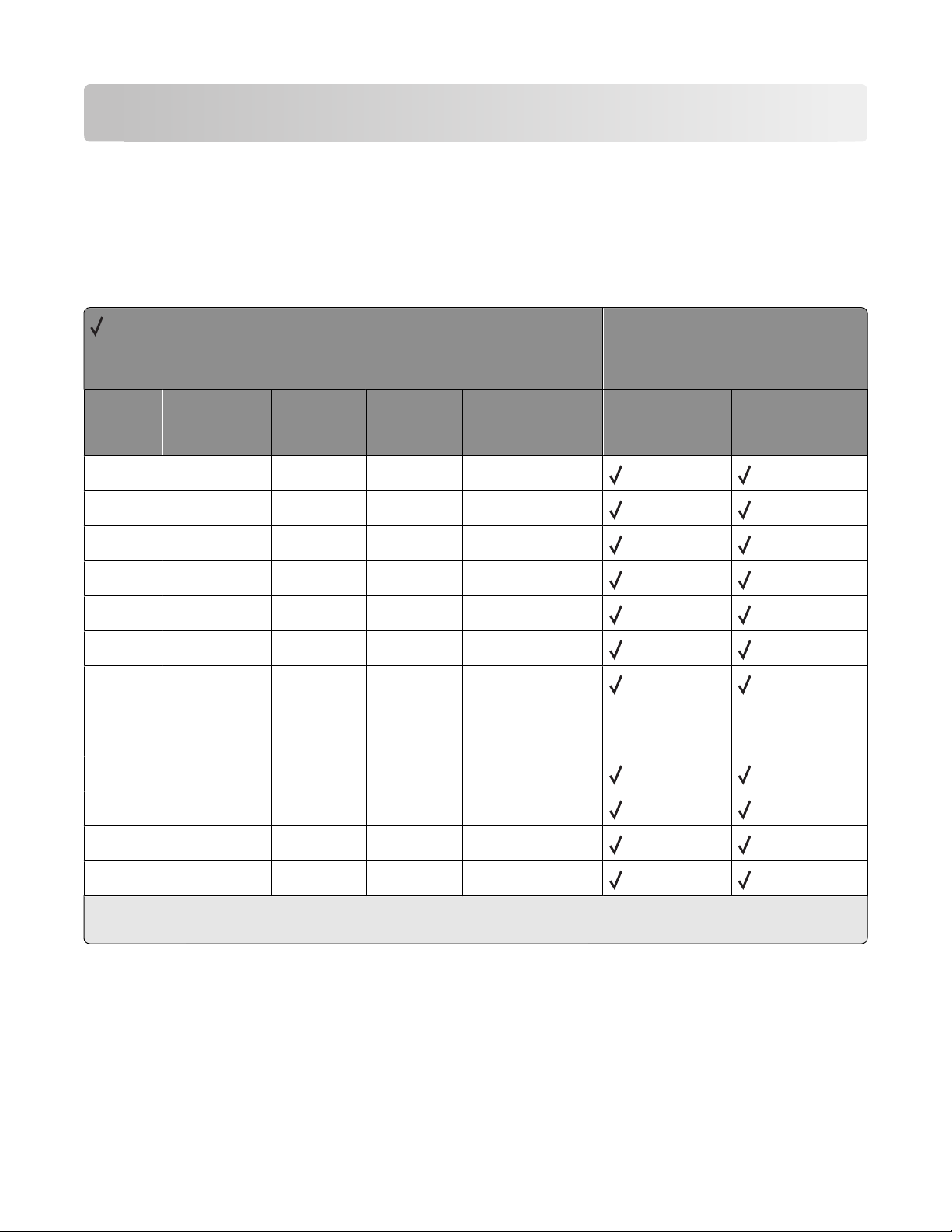
PostScript (PS) emulation
Your printer supports complete PostScript emulation supplemental operators. For full descriptions in detail for these
operators, refer to the PostScript emulation chapter in the Printer Languages and Interfaces Technical Reference.
To determine which commands your printer supports, see “Appendix C: PostScript support” on page 79.
Paper sizes supported
= Supported
X = Not supported
Paper sizes
Printer models
Size Literal name Size (mm) Size (inches) Size (points) X264dn, X363dn,
X364dn, X364dw
Letter letter 215.9 x 279.4 8.5 x 11.0 612 x 792
Legal legal 215.9 x 355.6 8.5 x 14.0 612 x 1008
JIS B5 b5* 182.0 x 257.0 7.2 x 10.1 516 x 729
A4 a4 210.0 x 297.0 8.3 x 11.7 595 x 842
Executive executive page 184.2 x 266.7 7.25 x 10.5 522 x 756
A5 a5 148.0 x 210.0 5.83 x 8.27 419 x 595
Oficio oficio 215.9 x 340.4 8.5 x 13.4 612 x 965 (Lexmark
unique size)
612 x 972 (official
PostScript size)
Folio folio 215.9 x 330.2 8.5 x 13.0 612 x 936
Statement statement 139.7 x 215.9 5.5 x 8.5 396 x 612
A6 a6 105.0 x 148.0 4.13 x 5.83 297 x 419
X463de, X464de,
X466de, X466dte,
X466dwe
Universal universal 216 x 356 8.5 x 14 612 x 1008
* This is a Japanese Industry Standard (JIS) paper size. The same named designation is used by JIS and International
Standards Organization (ISO) for different paper sizes.
PostScript (PS) emulation
11
Page 12

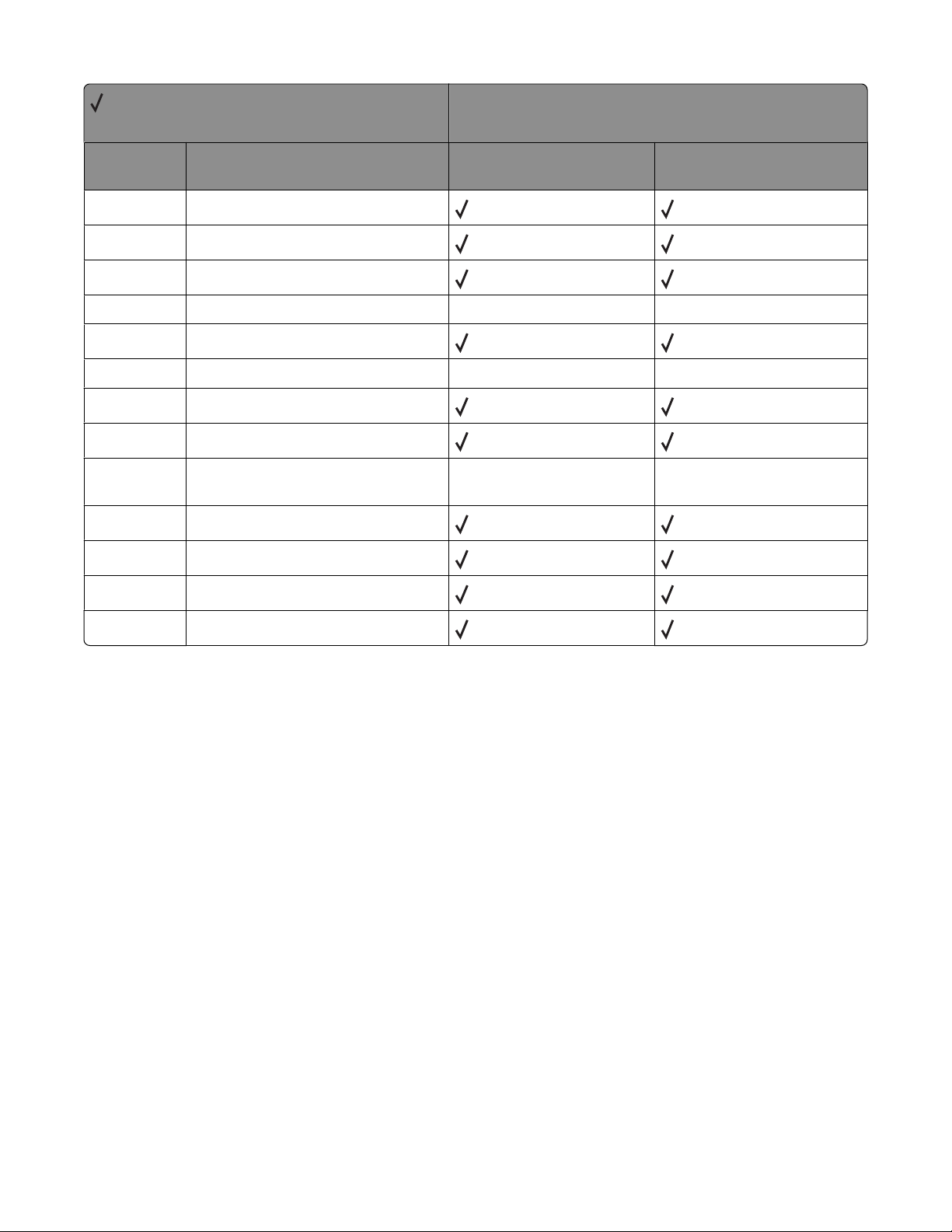
PostScript paper tray support
When the printer receives one of the operators listed in “Tray selected with tray operators” on page 12, it performs
the actions listed as follows. This paper tray selection process ends as soon as a suitable paper source is chosen and
paper is fed from this tray.
• The printer checks the value of manualfeed in statusdict and the ManualFeed page device parameter. If either
one is true, the printer sends a message to load the requested size in the manual feed tray or multipurpose feeder.
• The PageSize Policy is set to 0 by means of setpagedevice.
• The printer checks the paper size loaded in the current active source to determine if it matches the requested
size. If the sizes match, the paper is fed from the active source.
Note: The current active tray is the last source that was selected from the printer control panel or by the printer
language.
• If the requested size and the size loaded in the active source do not match, the sources are searched in the order
defined by the Priority array in the InputAttributes dictionary in the pagedevice dictionary.
• If the requested media size is not found by the previous search, the following search order is used:
– Tray 1
– Tray 2
– Tray 3
– Multipurpose Feeder
– Tray 4
– Tray 5
• If the requested size cannot be located in any automatic source, a configurationerror is issued and the job is
flushed.
For printers that support automatic duplexing:
• Automatic duplexing is not supported for custom-size paper or for envelopes in the multipurpose feeder.
Automatic duplexing is supported from the multipurpose feeder for all other papers.
• If the paper source is changed before the back side of a duplexed page prints, a blank back page prints, the paper
source changes, and the information for the back side of the page is printed on the front side of a page sent from
the new paper source.
When these operators are used, it is equivalent to executing the following PostScript emulation sequence:
<< /PageSize [x y]/ImagingBBox null /Policies << /PageSize 0>> >>
setpagedevice
where x y are the PageSize in points.
Tray selected with tray operators
= Supported
X = Not supported
Operator Tray selected (corresponding image
size is set)
11x17tray tray with 279.4 x 431.8-mm (11 x 17-in.)
paper
X264dn, X363dn, X364dn,
X364dw
X X
Printer models
X463de, X464de, X466de,
X466dte, X466dwe
a3tray tray with A3-size paper
X X
PostScript (PS) emulation
12
Page 13
= Supported
X = Not supported
Printer models
Operator Tray selected (corresponding image
size is set)
a4tray tray with A4-size paper
a5tray tray with A5-size paper
a6tray tray with A6-size paper
b4tray tray with JIS B4-size paper X X
b5tray tray with B5-size paper
customtray tray with custom-size paper
executivetray tray with executive-size paper
foliotray tray with folio-size paper
ledgertray tray with 279.4 x 431.8-mm (11 x 17-in.)
paper with landscape orientation
legaltray tray with legal-size paper
lettertray tray with letter-size paper
oficiotray tray with oficio-size paper
X264dn, X363dn, X364dn,
X364dw
X X
X X
X463de, X464de, X466de,
X466dte, X466dwe
statementtray tray with statement-size paper
PostScript (PS) emulation
13
Page 14
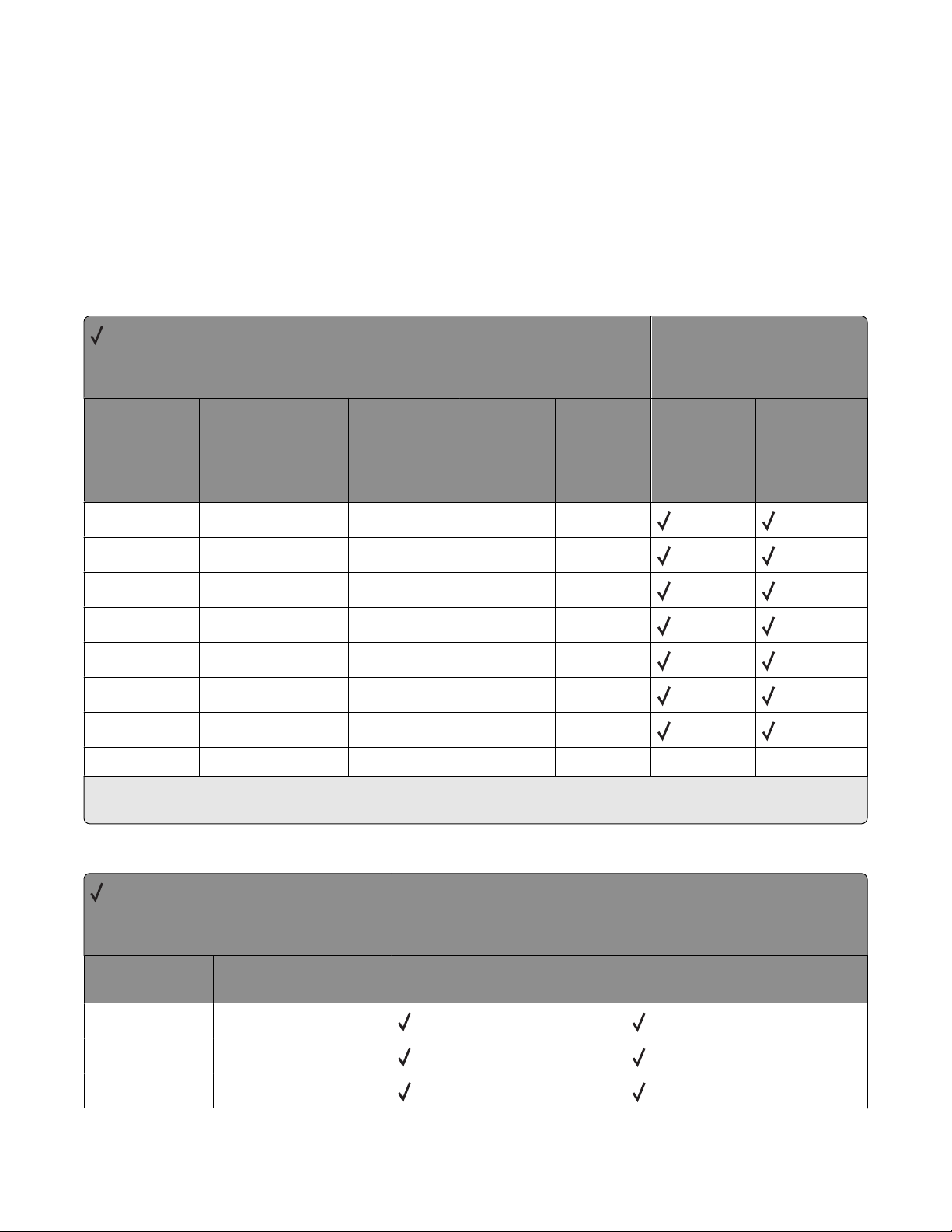
PostScript envelope size support
The literal names in “Envelope sizes supported” on page 14 are also supported as operators in userdict. These
operators change the image size, but do not change the active paper source. Therefore, when these operators are
used, part of the image may be clipped.
When these literal names are used as operators, it is equivalent to executing the following PostScript emulation
sequence. The following example uses a 3.875 x 7.5 envelope.
<</Policies <</PageSize 7>> /PageSize [279 540]>> >>setpagedevice
Envelope sizes supported
= Supported
X = Not supported
Envelope sizes
Printer models
Size name Literal name Size (mm) Size (inches) Size (points) X264dn,
X363dn,
X364dn,
X364dw
7 3/4 3.875x7.5envelope 98.4 x 190.5 3.875 x 7.5 279 x 540
Commercial 9 3.875x8.875envelope 98.4 x 225.4 3.875 x 8.875 279 x 639
Commercial 10 4.125x9.5envelope 104.8 x 241.3 4.125 x 9.5 297 x 684
International DL 110x220envelope 110 x 220 4.33 x 8.66 312 x 624
International C5 162x229envelope 162 x 229 6.38 x 9.01 459 x 649
International B5 176x250envelope 176 x 250 6.93 x 9.84 499 x 708
Other envelope otherenvelope 229.11 x 355.6 9.02 x 14 612 x 996
otherenvelope* Other 296.93 x 427.48 11.69 x 16.83 841 x 842
* For other envelopes, the page is formatted to 216 x 356 mm (8.5 x 14 in.) unless a size is specified by your software
program.
X X
X463de,
X464de,
X466de,
X466dte,
X466dwe
Literal names supported
= Supported
X = Not Supported
Literal names
Literal name Compatible literal name X264dn, X363dn, X364dn,
X364dw
monarchenvelope 3.875x7.5envelope
com10envelope 4.125x9.5envelope
dlenvelope 110x220envelope
PostScript (PS) emulation
14
Printer models
X463de, X464de, X466de,
X466dte, X466dwe
Page 15
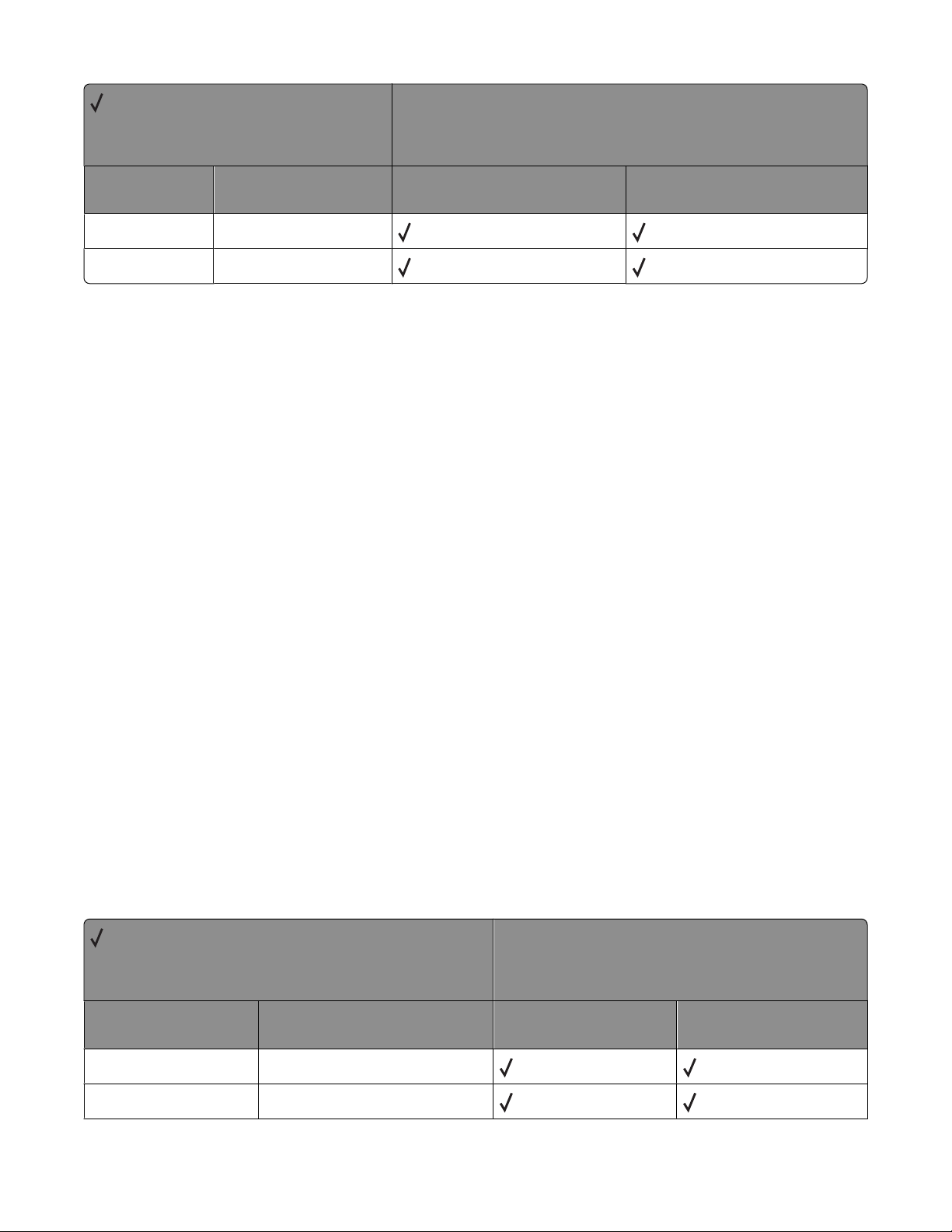
= Supported
X = Not Supported
Literal names
Printer models
Literal name Compatible literal name X264dn, X363dn, X364dn,
X364dw
c5envelope 162x229envelope
b5envelope 176x250envelope
X463de, X464de, X466de,
X466dte, X466dwe
PostScript envelope tray support
If manualfeed in statusdict and the ManualFeed page device parameter are false when the printer receives one of
the envelopetray operators listed in “Envelopetray operator selections” on page 15, then the printer:
• Sets the PageSize Policy to 0.
• Checks the active source to see if it matches the requested envelope size. If the sizes match, the envelope is fed
from the active source.
Note: The active source is the last source selected from the printer control panel or data stream.
• If the requested size and the size loaded in the active source do not match, the sources are searched in the order
defined by the Priority array in the InputAttributes dictionary in the pagedevice dictionary.
• If the requested media size is not found by the previous search, the following search order is used:
– Envelope Feeder
– Multipurpose Feeder
• If t he requested size and type are not a vailable from any automatic sourc e, you are prompted to load the re quested
envelope size and type in the manual feed source.
• If the size is still not available, a configurationerror is issued and the print job is flushed.
If manualfeed or ManualFeed is true, the printer prompts you to load the requested size manually. If no manual feed
exists on the printer, a rangecheck error message is generated
The envelope tray the printer selects when it receives an envelopetray operator is listed in “Envelopetray operator
selections” on page 15. These operators are equivalent to executing the following PostScript emulation sequence:
<</PageSize [x y] /ImagingBBox null /Policies<</PageSize 0>> >>
setpagedevice
where x y are the PageSize in points.
Envelopetray operator selections
= Supported
X = Not supported
Tray operators
Operator Tray selected (Corresponding
image size is set)
110x220envelopetray tray with 110 x 220 size envelopes
dlenvelopetray tray with 110 x 220 size envelopes
PostScript (PS) emulation
X264dn, X363dn,
X364dn, X364dw
Printer models
X463de, X464de, X466de,
X466dte, X466dwe
15
Page 16
= Supported
X = Not supported
Tray operators
Printer models
Operator Tray selected (Corresponding
image size is set)
162x229envelopetray tray with 162 x 229 size envelopes
c5envelopetray tray with 162 x 229 size envelopes
176x250envelopetray tray with 176 x 250 size envelopes
b5envelopetray tray with 176 x 250 size envelopes
3.875x7.5envelopetray tray with 3.875 x 7.5 size envelopes
monarcenvelopetray tray with 3.875 x 7.5 size envelopes
3.875x8.875envelopetray tray with 3.875 x 8.875 size
envelopes
4.125x9.5envelopetray tray with 4.125 x 9.5 size envelopes
com10envelopetray tray with 4.125 x 9.5 size envelopes
otherenvelopetray tray with other size envelopes
X264dn, X363dn,
X364dn, X364dw
X463de, X464de, X466de,
X466dte, X466dwe
PostScript (PS) emulation
16
Page 17
Printer specifications
This chapter lists printer specifications and information about hardware, environmental conditions, and power
requirements.
Airflow requirement
The room should meet ASHRAE 62—1989 standards.
Noise emission levels
The following measurements were made in accordance with ISO 7779 and reported in conformance with ISO 9296.
1-meter average sound pressure, dBA
X264dn, X363dn, X364dn, X364dw X463de, X464de, X466de, X466dte,
Status
Printing 54 53
Scanning 51 49
Copying 54 53
X466dwe
Quiet Mode printing 49 Not applicable
Standby (Idle without Power Saver) 27 22
Note: Measurements apply to 300-dpi, 600-dpi, and 1200-dpi printing.
Declared sound power level, Bels
X264dn, X363dn, X364dn, X364dw X463de, X464de, X466de, X466dte,
Status
Printing 6.7 6.8
Scanning 6.6 6.5
Copying 6.7 6.8
Quiet Mode printing 6.4 Not applicable
Standby (Idle without Power Saver) 4.1 3.7
Note: Measurements apply to 300-dpi, 600-dpi, and 1200-dpi printing.
X466dwe
Printer specifications
17
Page 18
Electrical specifications
Printer model Electrical specification
X264 MFP low voltage models* 100-110 V (Japan) at 50-60 Hz, nominal
100-127 V at 50-60 Hz, nominal
90-110 V (Japan), extreme
90 -135 V, extreme
X264 MFP high voltage models 198-254 V, extreme
220-240 V at 50-60 Hz, nominal
X360 MFP low voltage models 100-110 V (Japan) at 50-60 Hz, nominal
100-127 V at 50-60 Hz, nominal
90-110 V (Japan), extreme
90 -135 V, extreme
X360 MFP high voltage models 198-254 V, exteme
220-240 V at 50-60 Hz, nominal
X460 MFP low voltage models 90-137 V, extreme
100-127 V at 50-60 Hz, nominal
X460 MFP high voltage models 198-259 V, extreme
220-240 V at 50-60 Hz, nominal (not available in all countries)
* Using a 220–110 power converter with 110 V printer is not recommended.
Warning—Potential Damage: Lexmark recommends that you do not use voltage converters with printers.
Power requirements
This lists the nominal average power requirements (including fuser power).
Printing states X264 MFP X360 MFP X460 MFP
Average power while printing continuously
1-sided (simplex)
2-sided (duplex)
Average power while idle
Power Saver on
Ready mode
Max current while printing
100 V
120 V
230 V
440 W
275 W
14 W
20 W
8.6 A
7.6 A
3.7 A
480 W
300 W
16 W
22 W
8.6 A
7.6 A
3.7 A
540 W
340 W
25 W
45 W
8.6 A
7.6 A
3.7 A
Copying continuously
Scanning continuously
440 W
29 W
Printer specifications
18
440 W
32 W
560 W
55 W
Page 19
Physical specifications
Lexmark X264, X360, X460 dimensions
Height Width Depth Weight
X264 MFP base printer 440 mm (17.3 in.) 428 mm (16.8 in.) 405 mm (16 in.) 19.5 kg (43 lb)
X360 MFP base printer 471 mm (18.5 in.) 428 mm (16.8 in.) 405 mm (16 in.) 20 kg (44 lb)
X460 MFP base printer 546 mm (21.5 in.) 488 mm (19.2 in.) 438 mm (17.2 in.) 22.7 kg (50 lb)
Input options for Lexmark X264, X360, X460
Option name Height Width Depth Weight
250-sheet drawer 89 mm (3.5 in.) 406 mm (15.98 in.) 367 mm (14.45 in.) 2.55 kg (5.6 lb)
550-sheet drawer 130.5 mm (5.08 in.) 406 mm (15.98 in.) 387 mm (15.24 in.) 3.23 kg (7.2 lb)
Clearance requirements
Lexmark X264, X360, X460
Model Left side Right side Front Rear Top
X264 MFP 203.2 mm (8 in.) 76.19 mm (3 in.) 203.2 mm (8 in.) 304.79 mm (12 in.) 254 mm (10 in.)
X360 MFP 203.2 mm (8 in.) 76.19 mm (3 in.) 203.2 mm (8 in.) 304.79 mm (12 in.) 254 mm (10 in.)
X460 MFP 76.19 mm (3 in.) 203.2 mm (8 in.) 203.2 mm (8 in.) 304.79 mm (12 in.) 254 mm (10 in.)
Environmental conditions
Note: When shipping or storing printers, always pack the printer supplies (cartridges and photoconductors, for
example) separately.
Air temperature ranges
Printer model Operating value Shipping value Storage (unpacked)
X264dn, X363dn, X364dn, X364dw 15.6 to 32.2°C (60- 90°F) -20 to 40°C (-4 to 104°F) 0 to 40°C (32 to 104°F)
X463de, X464de, X466de, X466dte, X466dwe 15.6 to 32.2°C (60- 90°F) -20 to 40°C (-4 to 104°F) 0 to 40°C (32 to 104°F)
Humidity ranges
Printer model Operating value Shipping value Storage value
X264dn, X363dn, X364dn, X364dw 8%-80% 8%-95% 8%-80%
X463de, X464de, X466de, X466dte, X466dwe 8%-80% 8%-95% 8%-80%
Printer specifications
19
Page 20
Altitude specifications and atmospheric pressure
Altitude specifications
Altitude (above sea level)
Printer model Operating Shipping/storage
X264dn, X363dn, X364dn, X364dw 0 to 2500 M (8, 200 ft.) 0.25 atmospheric pressure ( equal to 10,300 M)
[34,000 ft.]
X463de, X464de, X466de, X466dte,
X466dwe
Atmospheric Pressure
74.6 kPa
0 to 2500 M (8, 200 ft.) 0.25 atmospheric pressure ( equal to 10,300 M)
[34,000 ft.]
Printer specifications
20
Page 21
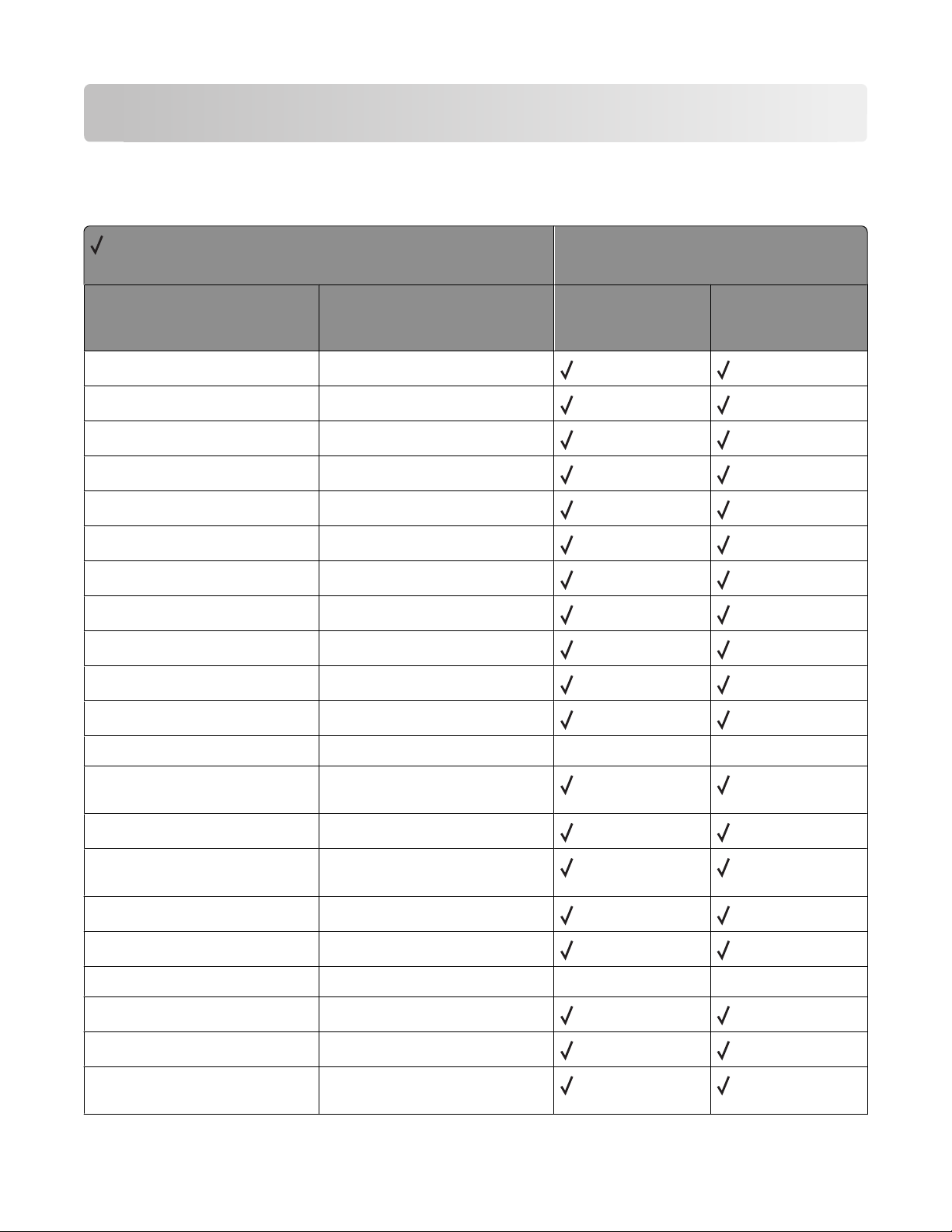
Appendix A: PCL support
PCL emulation commands
= Supported
X = Not supported
Command Function
Decimal 8 BS, Backspace
Decimal 9 HT, Horizontal Tab
Decimal 10 LF, Line Feed
Decimal 12 FF, Form Feed
Decimal 13 CR, Carrier Return
Decimal 14 SO, Select Secondary Font
Printer model
X264dn, X363dn,
X364dn, X364dw
X463de, X464de,
X466de, X466dte,
X466dwe
Decimal 15 SI, Select Primary Font
Decimal 32 SP, Space
ESC
ESC
ESC
ESC
ESC
E
Y
Z
z
&a#C
Printer Reset
Display Functions-On
Display Functions-Off
Print Test Page
Horizontal Cursor Position
(in Columns)
ESC
ESC
&a#G
&a#H
Duplex Page Side Selection
Horizontal Cursor Position
(in Decipoints)
ESC
ESC
ESC
ESC
&a#L
&a#M
&a#N
&a#P
Set Left Margin
Set Right Margin
Negative Motion
Print Direction
X X
X X
ESC
ESC
&a#R
&a#V
Vertical Cursor Position (in Rows)
Vertical Cursor Position
(in Decipoints)
Appendix A: PCL support
21
Page 22
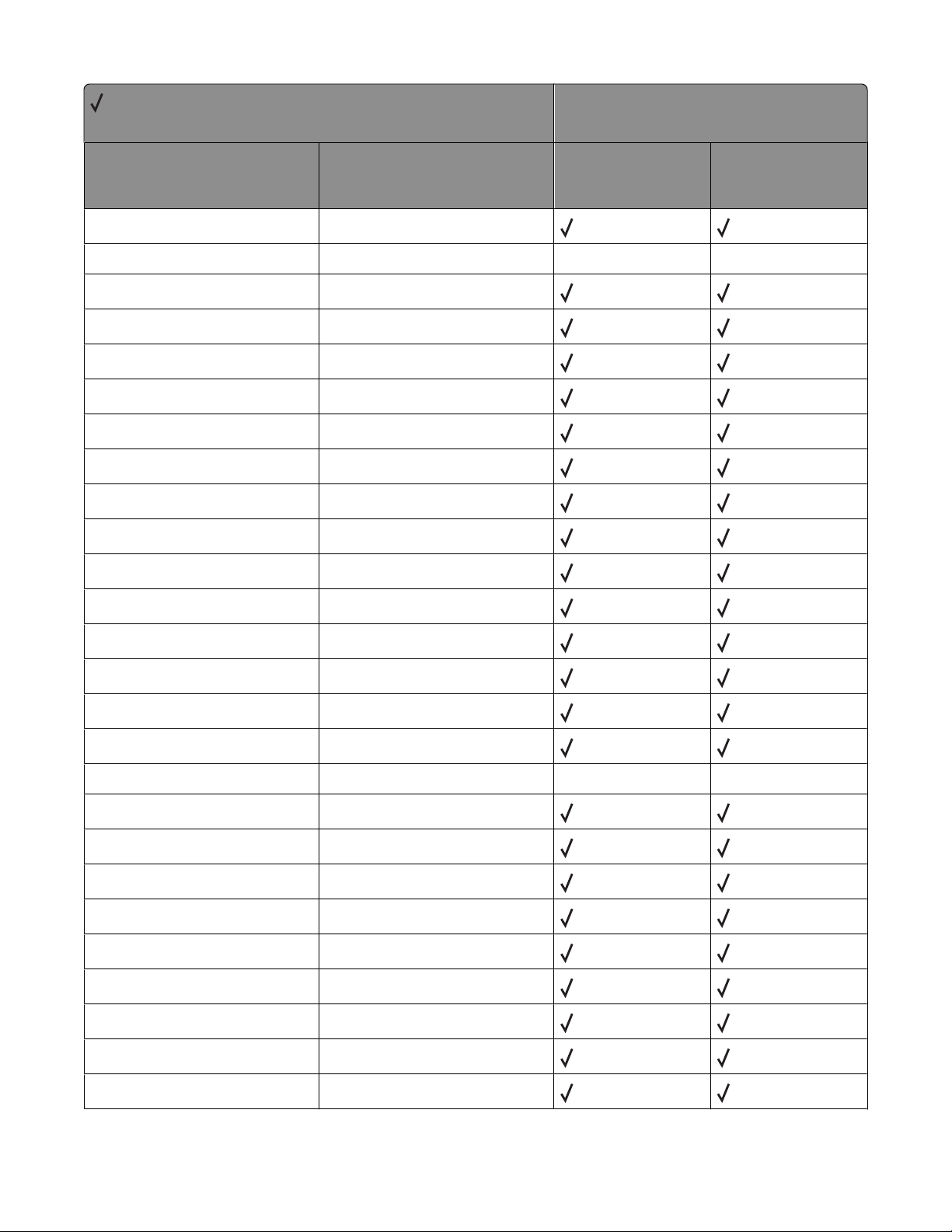
= Supported
X = Not supported
Command Function
ESC
&b#M
Monochrome Print Mode
Printer model
X264dn, X363dn,
X364dn, X364dw
X463de, X464de,
X466de, X466dte,
X466dwe
ESC
&b#W[data]
ESC
&c#T
ESC
&d@
ESC
&d#A
ESC
&d#D
ESC
&f#F
ESC
&f#G
ESC
&f#O
ESC
&f#W
ESC
&f#S
ESC
&f#X
ESC
&f#Y
ESC
&k#G
ESC
&k#H
Configuration Command
Character Text Path Direction
Underline-Disable
Number of Collated Copies
Underline-Enable
Set Universal Height
Set Universal Width
Set Universal Feed Direction
Set Universal Custom Name
Push / Pop Cursor Position
Macro Control
Set Macro ID
Set Line Termination
Set Horizontal Motion Index
X X
ESC
ESC
ESC
ESC
ESC
ESC
ESC
ESC
ESC
ESC
ESC
&k#S
&k#W
&l#A
&l#C
&l#D
&l#E
&l#F
&l#G
&l#H
&l#L
&l#O
Select Primary a nd Secondary Pi tch
Text Scale Mode
Set Page Size
Set Vertical Motion Index
Set Line Spacing
Set Top Margin
Set Text Length
Set Output Bin
Paper Source
Skip Perforation
Select Orientation
Appendix A: PCL support
22
X X
Page 23
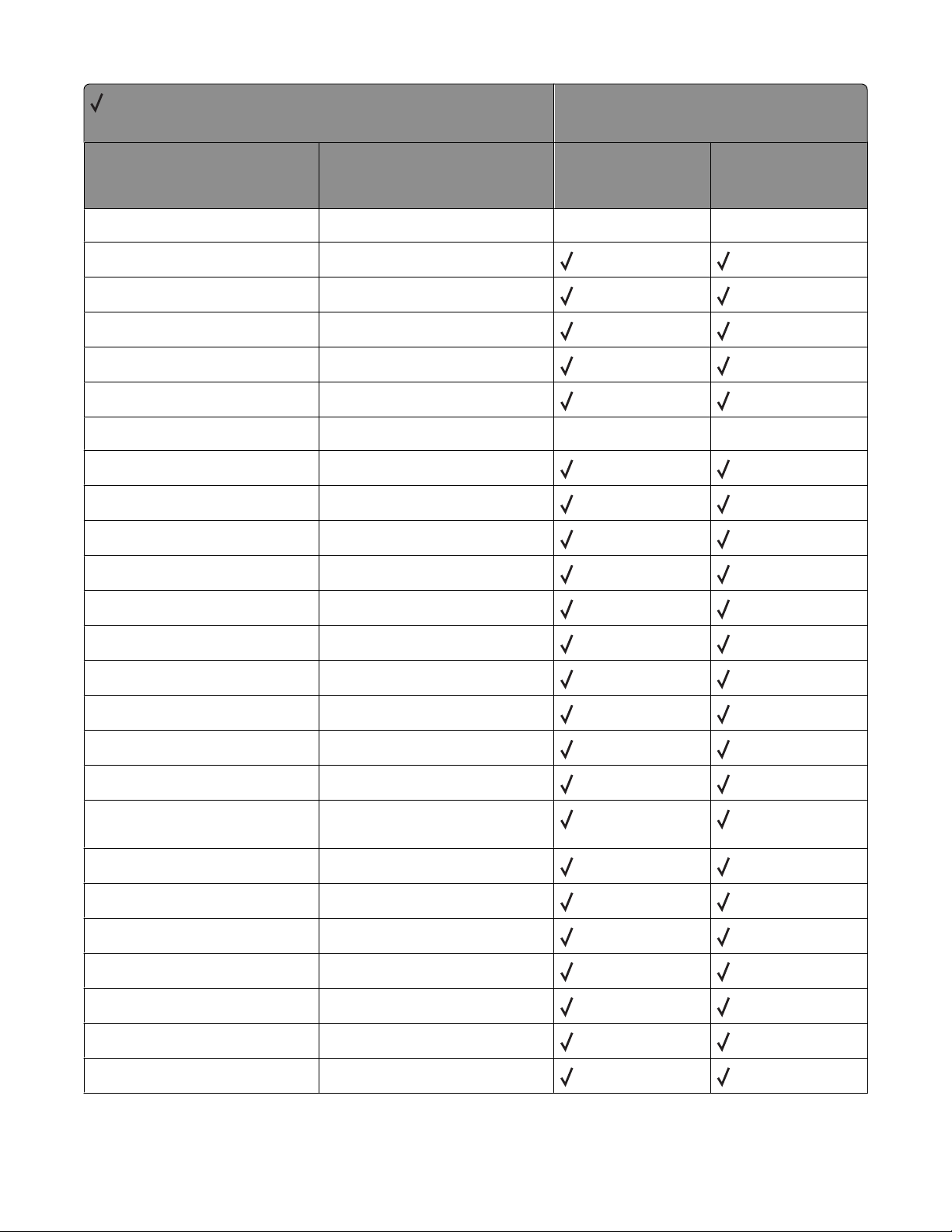
= Supported
X = Not supported
Command Function
Printer model
X264dn, X363dn,
X364dn, X364dw
X463de, X464de,
X466de, X466dte,
X466dwe
ESC
&l#M(b)
ESC
&l#P
ESC
&l#S
ESC
&l#U
ESC
&l#X
ESC
&l#Z
ESC
&l1T
ESC
&n#W [operation] [string id]
ESC
&p#C
ESC
&p#I
ESC
&p#S
ESC
&p#X[data]
ESC
&r#F
ESC
&s#C
Paper Type X X
Set Page Length
Simplex/Duplex Print
Long-Edge Offset Registration
Number of Copies
Short-Edge Offset Registration
Job Separation X X
Alphanumeric ID
Palette Control
Palette Control ID
Select Palette
Transparent Print Data
Flush All Pages
End-Of-Line Text Wrap
ESC
&t#P
ESC
&u#D
ESC
(#
ESC
(#X
ESC
(3@
ESC
(f#W[data]
ESC
(s#B
ESC
(s#H
ESC
(s#P
ESC
(s#S
ESC
(s#T
Text Parsing Method
Unit of Measure
Primary Font Symbol Set
Select Primary Download Font (by
Font ID)
Select Default Primary Font
Define Symbol Set
Primary Font Stroke Weight
Primary Font Pitch
Primary Font Spacing
Primary Font Style
Primary Font Typeface Selection
Appendix A: PCL support
23
Page 24
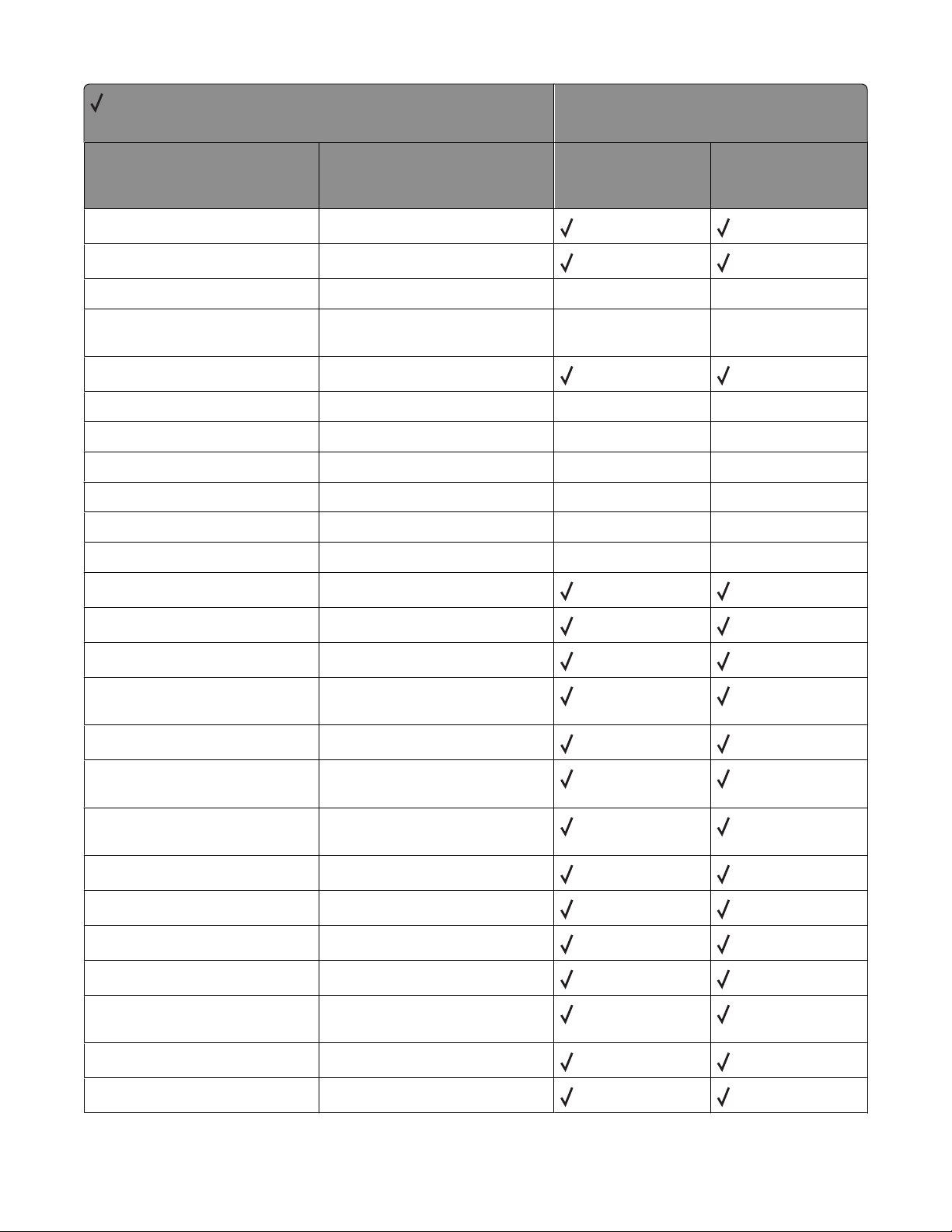
= Supported
X = Not supported
Command Function
ESC
(s#V
Primary Font Height (Point Size)
Printer model
X264dn, X363dn,
X364dn, X364dw
X463de, X464de,
X466de, X466dte,
X466dwe
ESC
(s#W[data]
ESC
)#
ESC
)#X
ESC
)3@
ESC
)s#B
ESC
)s#H
ESC
)s#P
ESC
)s#S
ESC
)s#T
ESC
)s#V
ESC
)s#W[data]
ESC
*b#M
ESC
*b#V[data]
ESC
*b#W[data]
ESC
*b#Y
Load Character
Secondary Font Symbol Set
Select Secondary Download Font
X X
X X
(by Font ID)
Select Default Secondary Font
Secondary Font Stroke Weight
Secondary Font Pitch
Secondary Font Spacing
X X
X X
X X
Secondary Font Style X X
Secondary Font Typeface Selection
Secondary Font Height (Point Size)
X X
X X
Load Font Header
Set Raster Compression Mode
Transfer Raster Data (by Plane)
Transfer Raster Data
(by Row / Block)
Y Offset
ESC
ESC
ESC
ESC
ESC
ESC
ESC
ESC
ESC
*c#A
*c#B
*c#D
*c#E
*c#F
*c#G
*c#H
*c#K
*c#L
Horizontal Rectangle Size
(in PCL Units)
Vertical Rectangle Size
(in PCL Units)
Set Font ID
Set Character Code
Font Control
Area Fill ID
Horizontal Rectangle Size
(in Decipoints)
GL/2 Horizontal Plot Size (in Inches)
GL/2 Vertical Plot Size (in Inches)
Appendix A: PCL support
24
Page 25
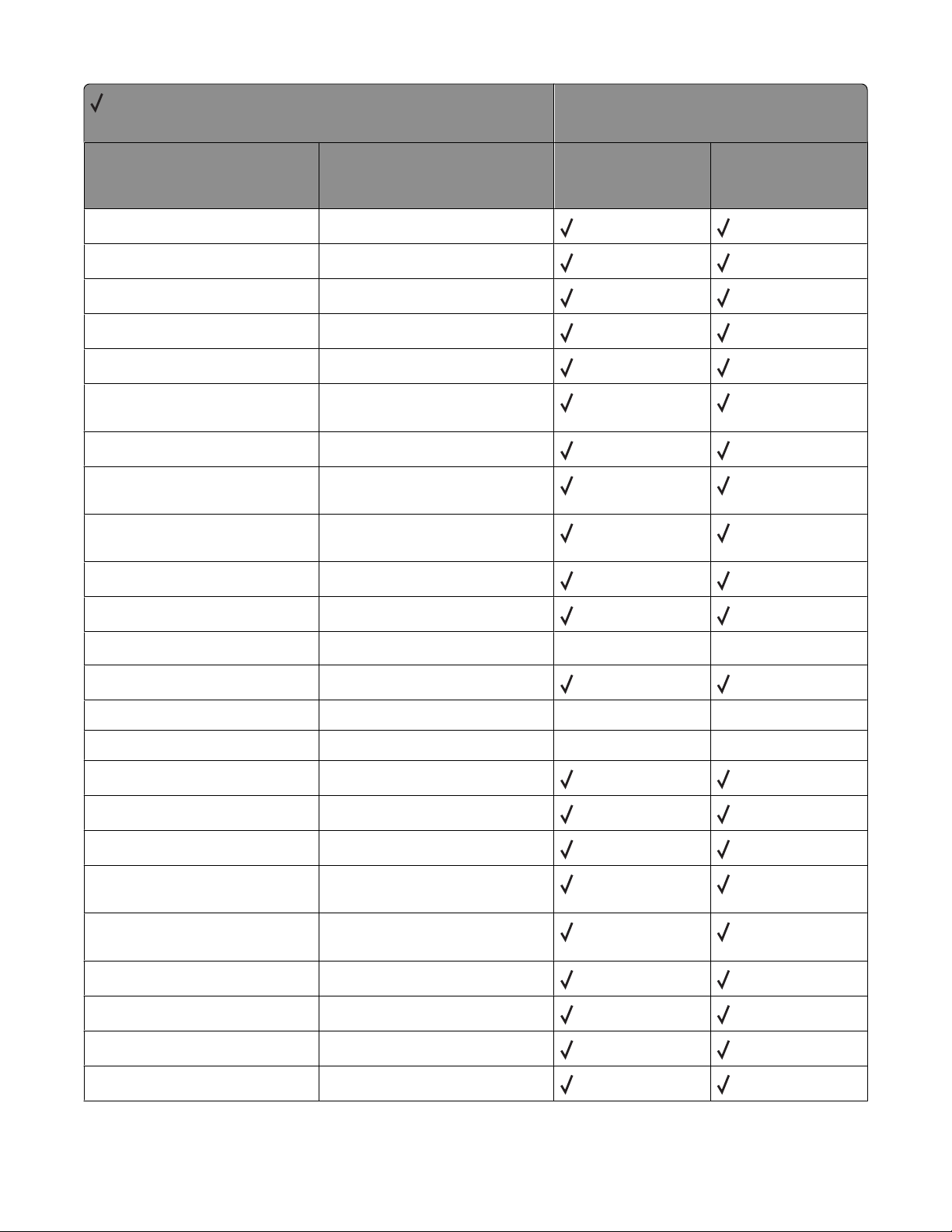
= Supported
X = Not supported
Command Function
ESC
*c#P
Fill Rectangular Area
Printer model
X264dn, X363dn,
X364dn, X364dw
X463de, X464de,
X466de, X466dte,
X466dwe
ESC
*c#Q
ESC
*c#R
ESC
*c#S
ESC
*c0T
ESC
*c#V
ESC
*c#W[data]
ESC
*c#X
ESC
*c#Y
ESC
*l#O
ESC
*l#R
ESC
*l#W[data]
ESC
*m#W[data]
Pattern Control
Symbol Set ID Code
Symbol Set Control
Set Picture Frame Anchor Point
Vertical Rectangle Size
(in Decipoints)
User-Defined Pattern
Picture Frame Horizontal Size
(in Decipoints)
Picture Frame Vertical Size
(in Decipoints)
Logical Operation
Pixel Placement
Color Lookup Tables
Download Dither Matrix
X X
ESC
*o#M(b)
ESC
*o#Q
ESC
*o#W[data]
ESC
*p#P
ESC
*p#R
ESC
*p#X
ESC
*p#Y
ESC
*r#A
ESC
*r#F
ESC
*r#S
ESC
*r#T
Print Quality
Mechanical Print Quality
Driver Configuration Command
Push / Pop Palette
Set Pattern Reference Point
Horizontal Cursor Position
(in PCL Units)
Vertical Cursor Position
(in PCL Units)
Start Raster Graphics
Raster Graphics Presentation Mode
Raster Width (Source)
Raster Height (Source)
Appendix A: PCL support
X X
X X
25
Page 26
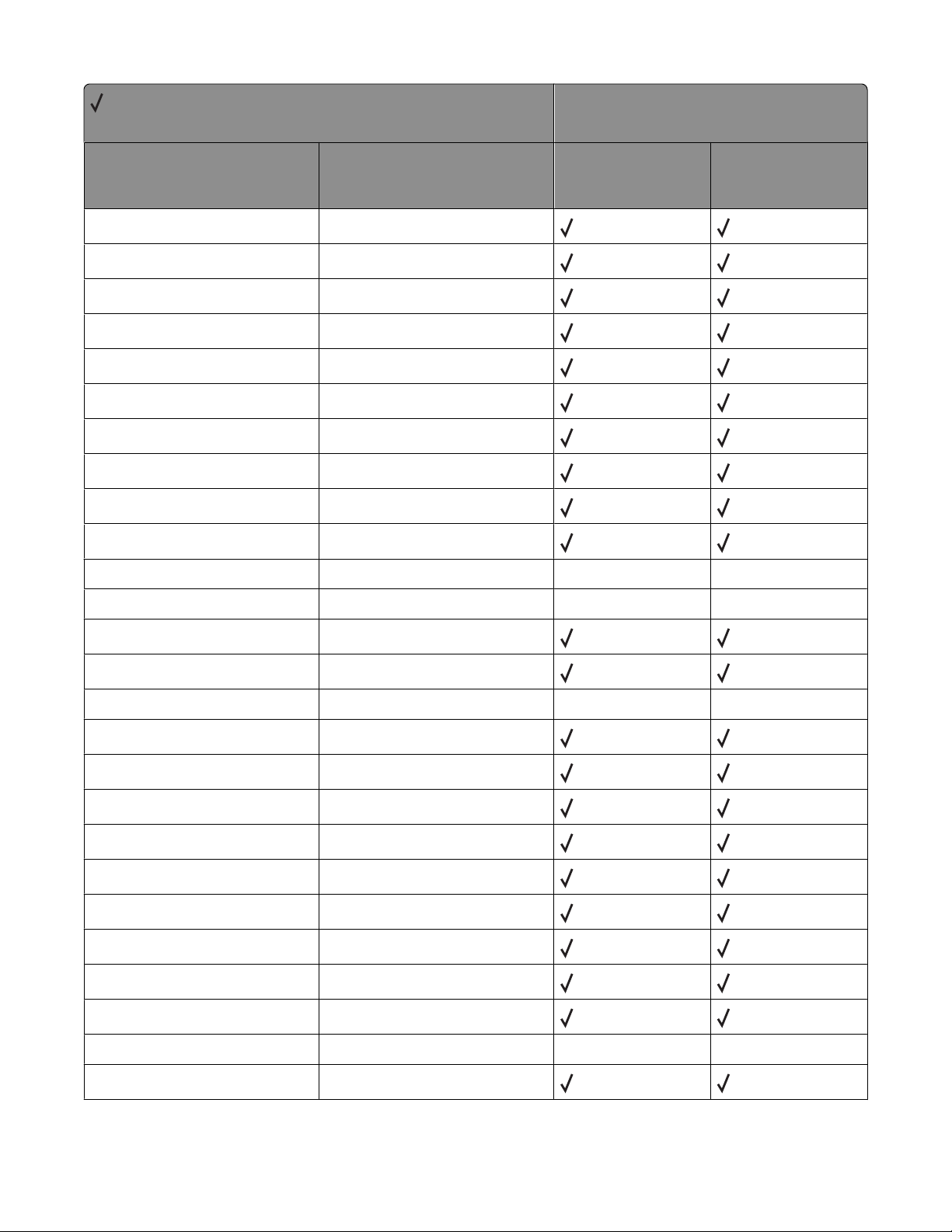
= Supported
X = Not supported
Command Function
ESC
*r#U
Simple Color
Printer model
X264dn, X363dn,
X364dn, X364dw
X463de, X464de,
X466de, X466dte,
X466dwe
ESC
ESC
ESC
ESC
ESC
ESC
ESC
ESC
ESC
ESC
ESC
ESC
ESC
ESC
ESC
*rB
*rC
*s#I
*s1M
*s#T
*s#U
*s#X
*t#H
*t#I
*t#J
*t#K
*t#R
*t#V
*g#W
*v#A
End Raster Graphics (Version B)
End Raster Graphics (Version C)
Inquire Status Readback Entity
Free Space
Set Status Readback Location Type
Set Status Readback Location Unit
Echo
Raster Width Destination
Gamma Correction
Render Algorithm X X
Scale Algorithm
X X
Raster Resolution
Raster Height Destination
Set Raster Configuration X X
Color Component One
ESC
*v#B
ESC
*v#C
ESC
*v#I
ESC
*v#N
ESC
*v#O
ESC
*v#S
ESC
*v#T
ESC
*v#W[data]
ESC
*i#W[data]
ESC
9
Color Component Two
Color Component Three
Assign Color Index
Source Transparency Mode
Pattern Transparency Mode
Foreground Color
Select Current Pattern
Configure Image Data
Viewing Illuminant X X
Clear Horizontal Margins
Appendix A: PCL support
26
Page 27
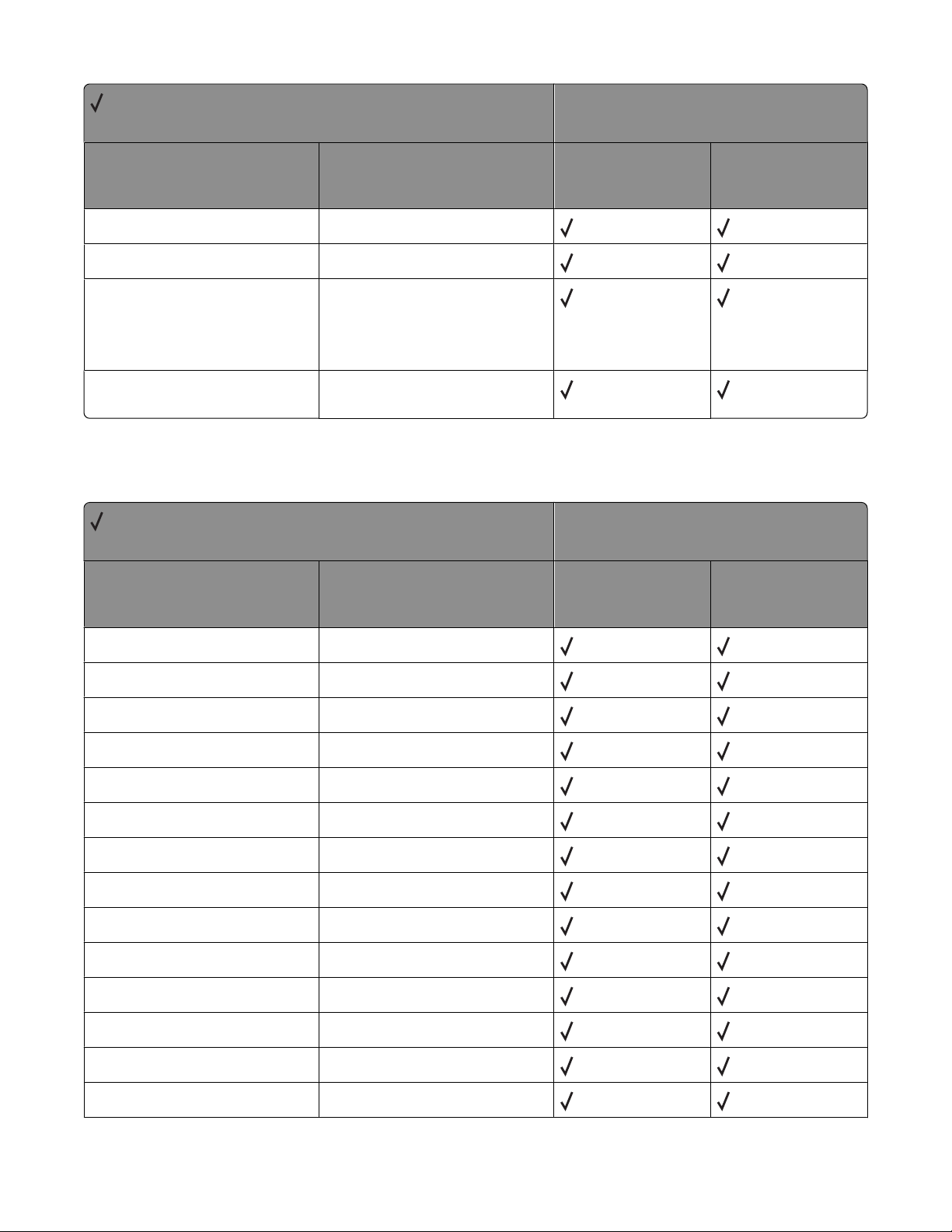
= Supported
X = Not supported
Command Function
ESC
=
Half Line-Feed
Printer model
X264dn, X363dn,
X364dn, X364dw
X463de, X464de,
X466de, X466dte,
X466dwe
ESC
ESC
ESC
%#A
%#B
12345X
%
Enter PCL Emulation
Enter GL/2 Language
Note: The values of -1, 2, and 3 are
not supported by any of the
printers included in this document.
Universal Exit Language (UEL) /
Start of PJL
GL/2 commands
= Supported
X = Not supported
Command Function
AA Arc Absolute
AC Anchor Corner
Printer model
X264dn, X363dn,
X364dn, X364dw
X463de, X464de,
X466de, X466dte,
X466dwe
AD Define Alternate Font
AR Arc Relative
AT Arc Absolute Three Point
BR Bezier Relative
BZ Bezier Absolute
CF Character Fill
CI Circle
CO Comment
CP Character Plot
CR Set Color Range
DF Default
DI Absolute Direction
Appendix A: PCL support
27
Page 28
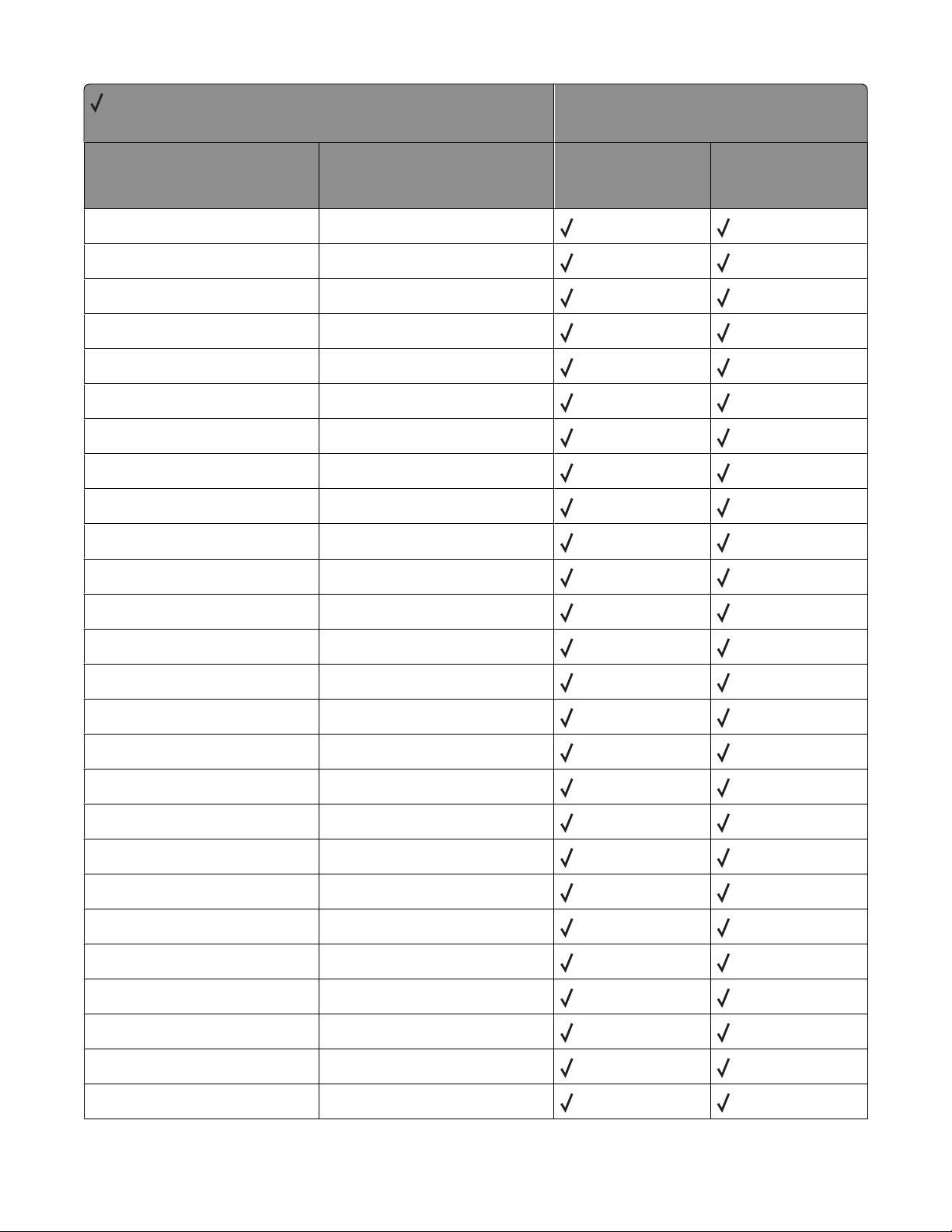
= Supported
X = Not supported
Command Function
DR Relative Direction
DT Define Label Terminator
DV Define Variable Text Path
EA Edge Rectangle Absolute
EP Edge Polygon
ER Edge Rectangle Relative
ES Extra Space
EW Edge Wedge
FI Primary Font
FN Secondary Font
Printer model
X264dn, X363dn,
X364dn, X364dw
X463de, X464de,
X466de, X466dte,
X466dwe
FP Fill Polygon, Odd/Even
FP Fill Polygon, Non-Zero Winding
FT Fill Type
FT Fill Type - 22
FT Fill Type - 9
IN Initialize
IP Input P1 and P2
IR Input Relative P1 and P2
IW Input Window
LA Line Attributes
LB Label, Default Terminator = '03'x
LO Label Origin
LO Uses PCL Label Origin
LT Line Type
MC Logical Operation
NP Number of Pens
Appendix A: PCL support
28
Page 29
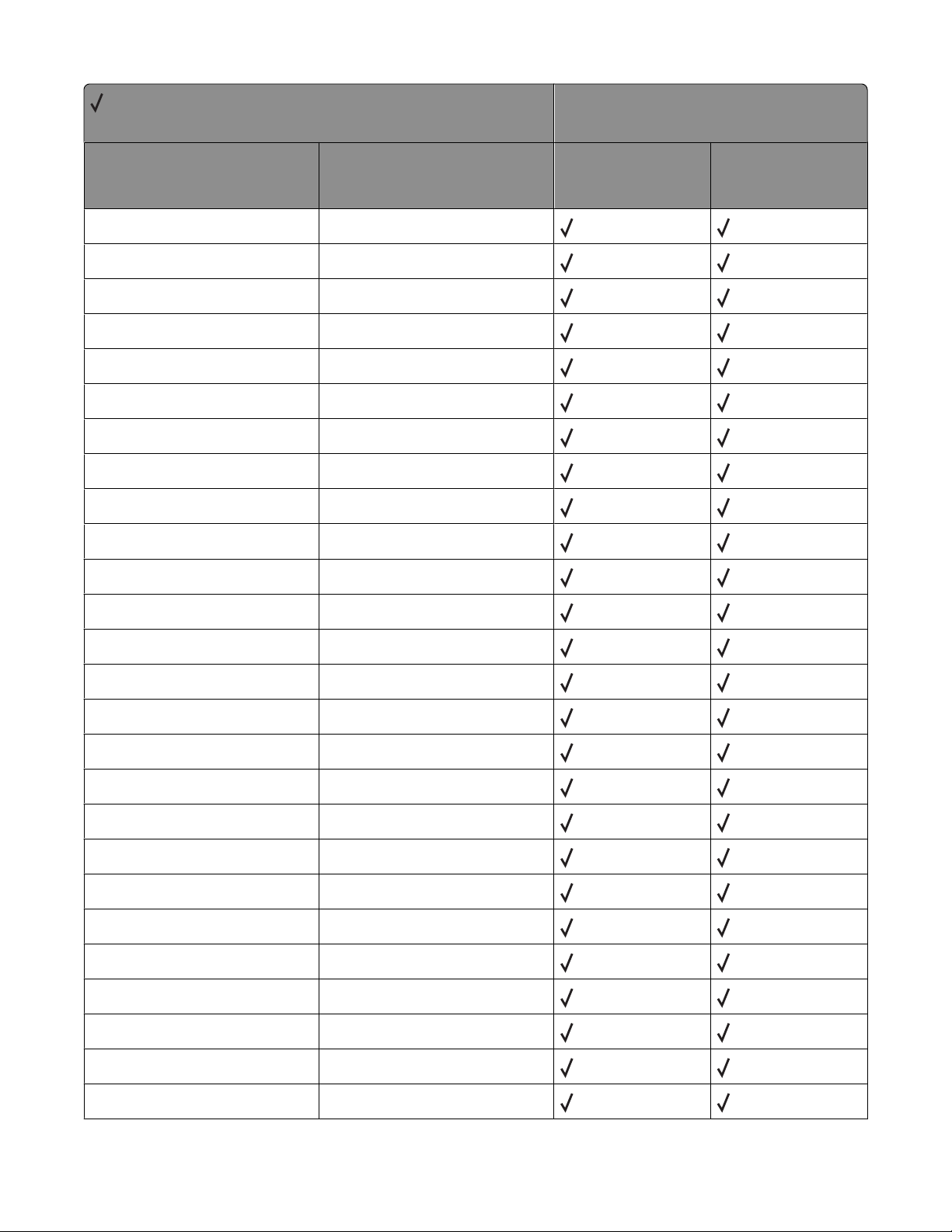
= Supported
X = Not supported
Command Function
PA Plot Absolute
PC Set Pen Color
PD Pen Down
PE Polyline Encoded
PM Polygon Mode
PP Pixel Placement
PR Plot Relative
PU Pen Up
PW Pen Width
RA Fill Rectangle Absolute
Printer model
X264dn, X363dn,
X364dn, X364dw
X463de, X464de,
X466de, X466dte,
X466dwe
RF Define Raster Fill
RO Rotate Coordinate System
RR Fill Rectangle Relative
RT Arc Relative Three Point
SA Select Alternate Font
SB Scalable/Bitmapped Fonts
SC Scale
SD Define Standard Font
SI Absolute Character Size
SL Character Slant
SM Symbol Mode
SP Select Pen
SR Relative Character Size
SS Select Standard Font
SV Screened Vectors
SV Screened Vectors - 9, level
Appendix A: PCL support
29
Page 30
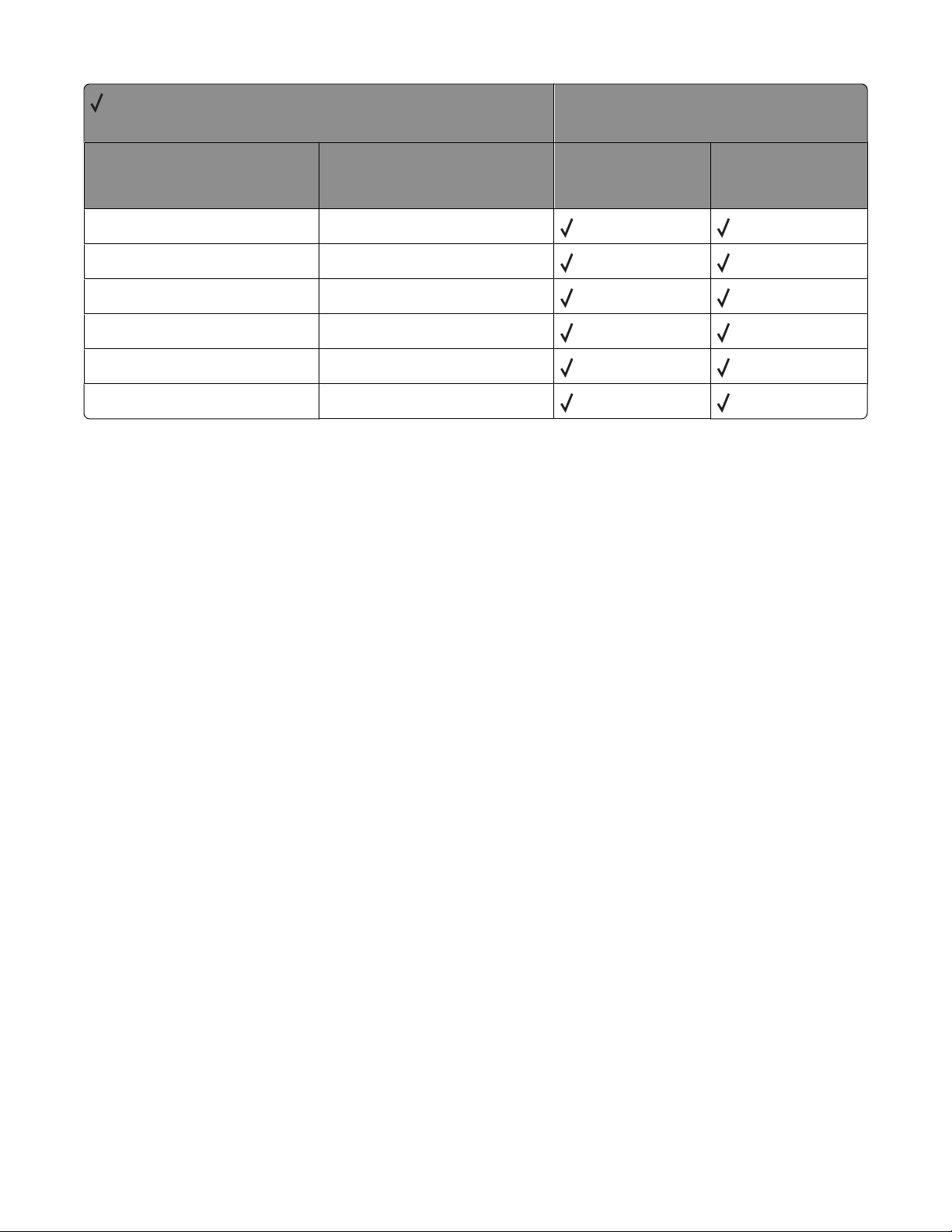
= Supported
X = Not supported
Command Function
TD Transparent Data
TM Threshold Matrix
TR Transparency Mode
UL User Defined Line
WG Wedge Fill
WU Pen Width Units
Printer model
X264dn, X363dn,
X364dn, X364dw
X463de, X464de,
X466de, X466dte,
X466dwe
Appendix A: PCL support
30
Page 31
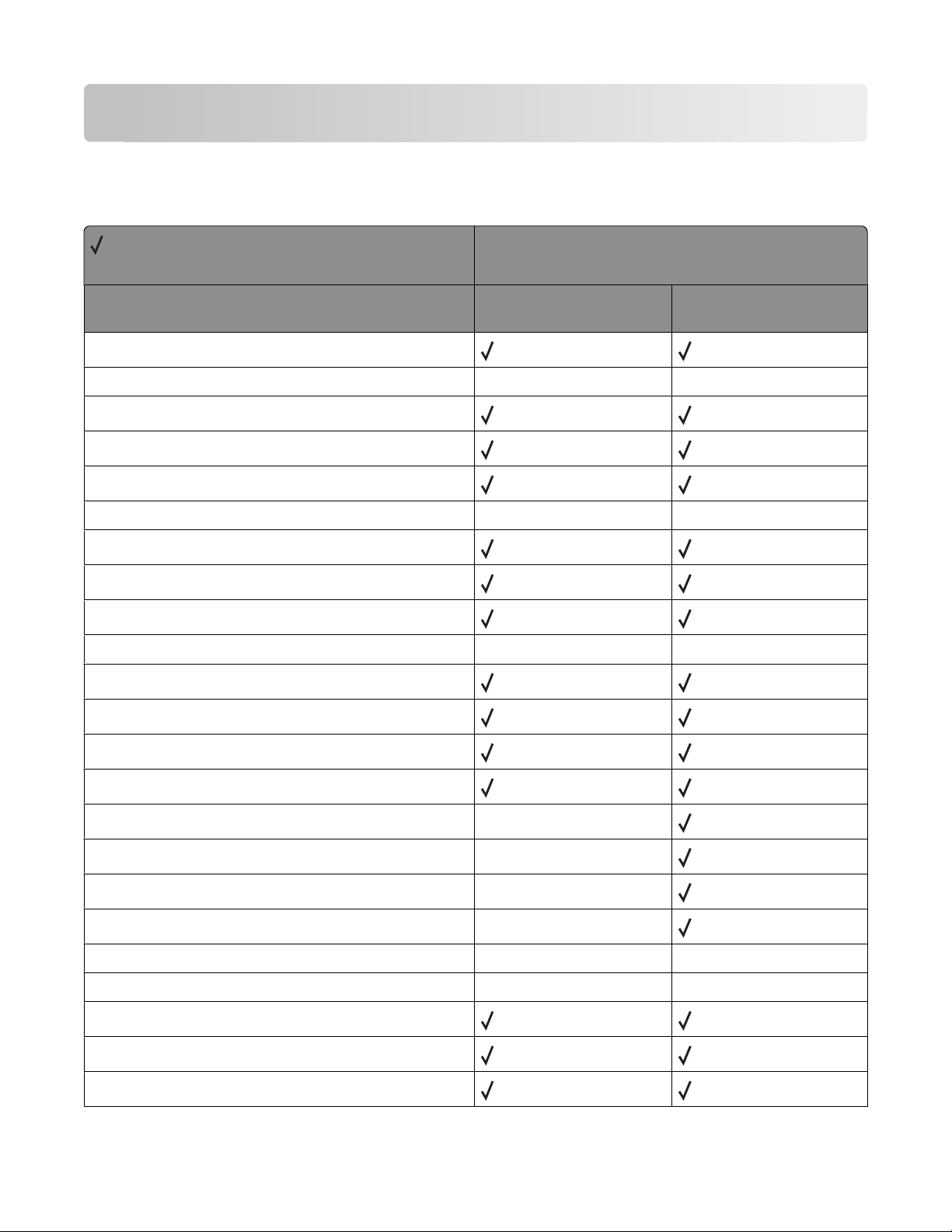
Appendix B: PJL support
Common variables for both printer languages
= Supported
X = Not supported
Printer model
X264dn, X363dn, X364dn,
Variable name
AUTOCONT
AUTOSELECT X X
BINDING
BITSPERPIXEL
CLEARABLEWARNINGS
CONTEXTSWITCH X X
COPIES
CPLOCK
DENSITY
DISKLOCK X X
DUPLEX
ECONOMODE
FORMATTERNUMBER
X364dw
X463de, X464de, X466de,
X466dte, X466dwe
FORMLINES
HELDJOBTIMEOUT
HOLD
HOLDKEY X
HOLDTYPE X
IMAGEADAPT
INTRAY1
INTRAY2
INTRAY3
INTRAY4
Appendix B: PJL support
31
X
X
X X
X X
Page 32
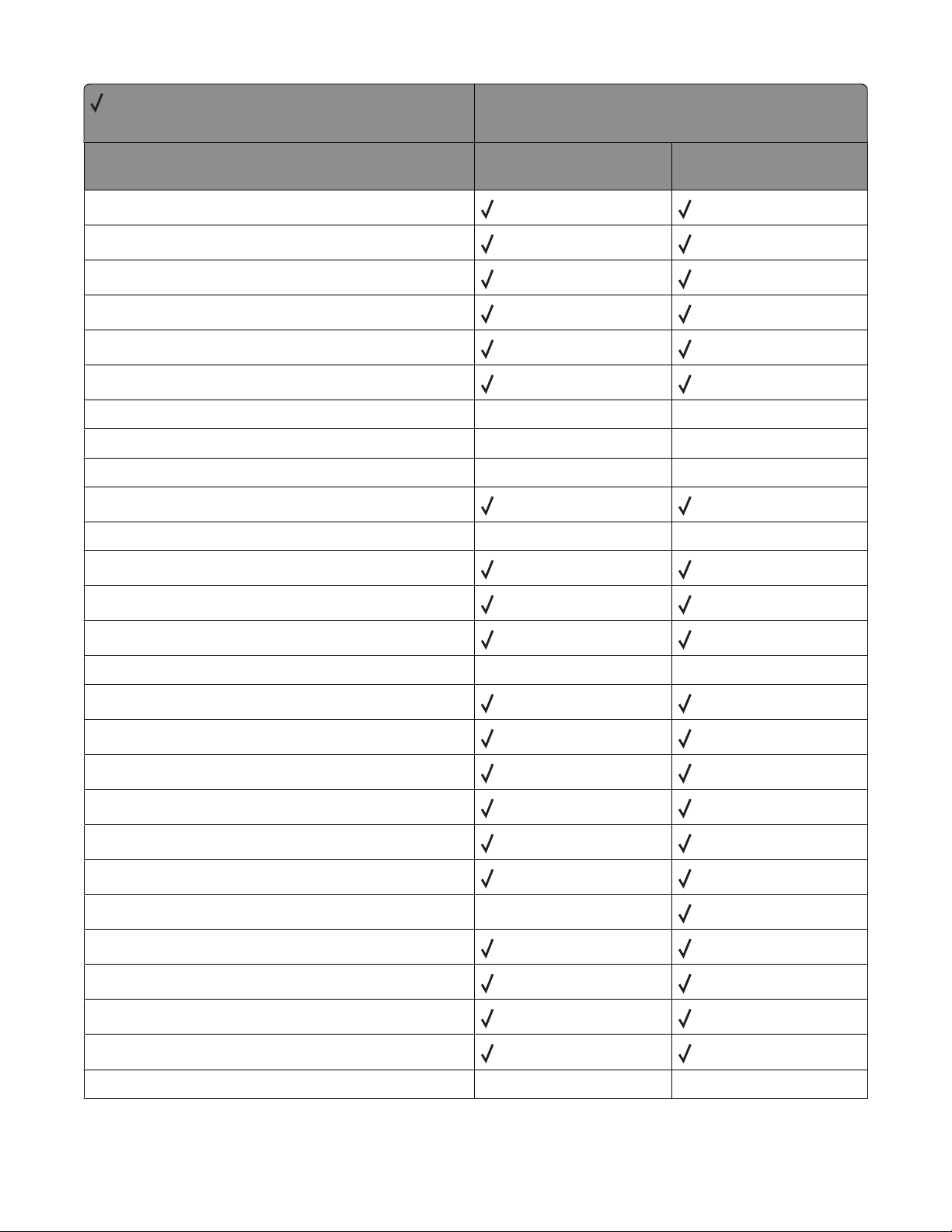
= Supported
X = Not supported
Printer model
Variable name
INTRAY5
INTRAY1SIZE
INTRAY2SIZE
INTRAY3SIZE
INTRAY4SIZE
INTRAY5SIZE
IOBUFFER
IOSIZE
JOBATTR
JOBNAME
JOBOFFSET
LANG
LOWTONER
X264dn, X363dn, X364dn,
X364dw
X X
X X
X X
X X
X463de, X464de, X466de,
X466dte, X466dwe
MANUALFEED
MEDIASOURCE
MEDIATYPE
MPTRAY
ORIENTATION
OUTBIN
PAGEPROTECT
PAPER
PARALLEL
PASSWORD
PERSONALITY
POWERSAVE
POWERSAVETIME
PRINTQUALITY
X X
X
X X
Appendix B: PJL support
32
Page 33
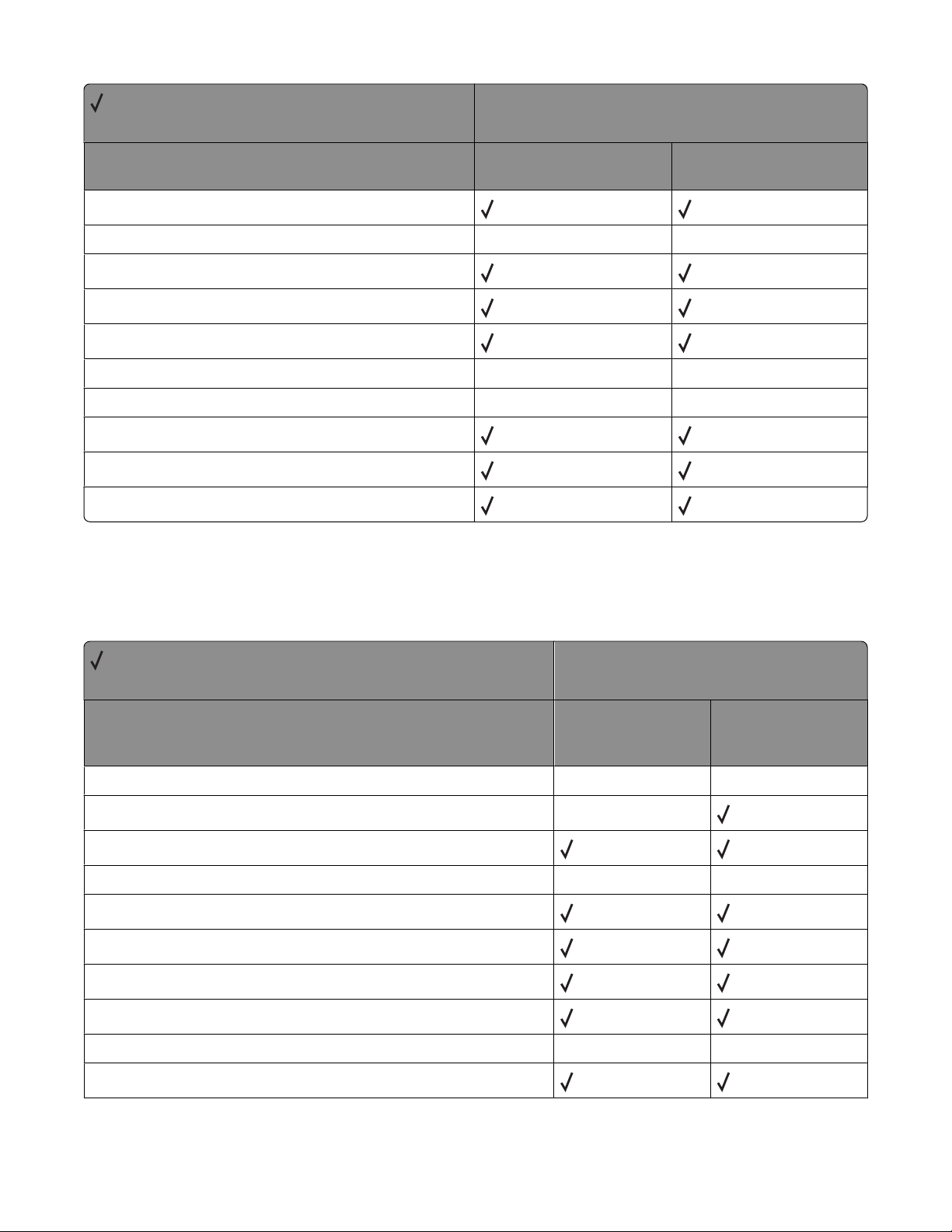
= Supported
X = Not supported
Printer model
Variable name
QTY
RENDERMODE
REPRINT
RESOLUTION
RESOURCESAVE
RESOURCESAVESIZE
RET
TIMEOUT
USERNAME
WIDEA4
X264dn, X363dn, X364dn,
X364dw
X X
X X
X X
X463de, X464de, X466de,
X466dte, X466dwe
Printer-unique PJL variables for both printer languages
= Supported
X = Not supported
X264dn, X363dn,
Variable name
LACTIVEBINRESET X X
LADVANCEDSTATUS
LALARMCONTROL
LASSIGNFEEDER X X
LAUTOCRLF
LAUTOLFCR
LBAYERSCREENLIMIT
LBLANKPAGES
LBONDLENGTH
X364dn, X364dw
X
X X
Printer model
X463de, X464de,
X466de, X466dte,
X466dwe
LBONDLOADING
Appendix B: PJL support
33
Page 34
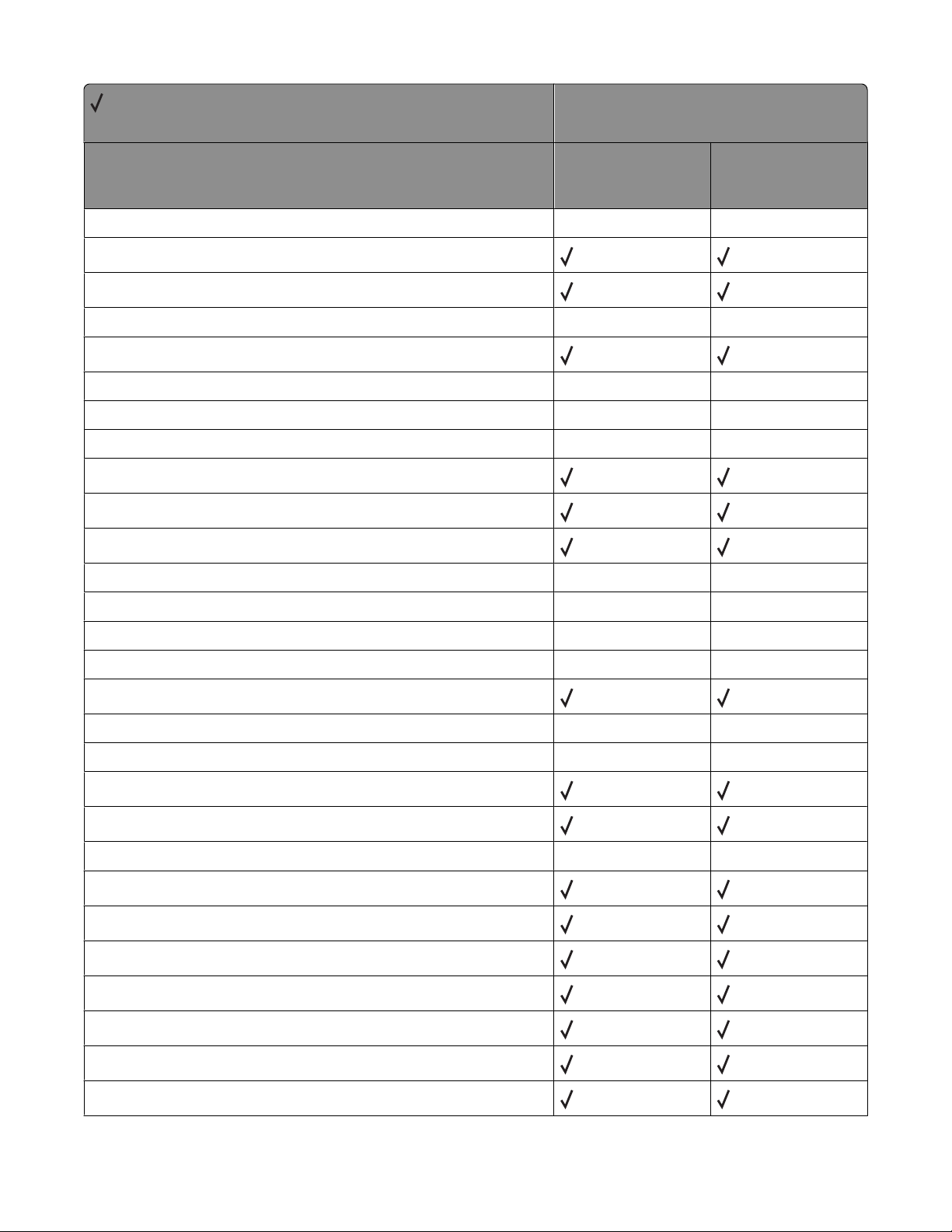
= Supported
X = Not supported
X264dn, X363dn,
Variable name
LBONDOUTBIN X X
LBONDTEXTURE
LBONDWEIGHT
LBWLOCK X X
LCANCEL
X364dn, X364dw
Printer model
X463de, X464de,
X466de, X466dte,
X466dwe
LCARDSTOCKLENGTH
LCARDSTOCKLOADING
LCARDSTOCKOUTBIN X X
LCARDSTOCKTEXTURE
LCARDSTOCKWEIGHT
LCOLLATION
LCOLORBALANCEBLACK X X
LCOLORBALANCECYAN
LCOLORBALANCEMAGENTA
LCOLORBALANCEYELLOW
LCOLORCORRECTION
LCOLORSAVER
LCOLORTRAPPING X X
LCOLOREDLENGTH
LCOLOREDLOADING
X X
X X
X X
X X
X X
X X
LCOLOREDOUTBIN X X
LCOLOREDTEXTURE
LCOLOREDWEIGHT
LCOLORMODEL
LCUSTOMPAPERUNITS
LCUSTOMPAPERWIDTH
LCUSTOMPAPERHEIGHT
LCUSTOMPAPERFEED
Appendix B: PJL support
34
Page 35
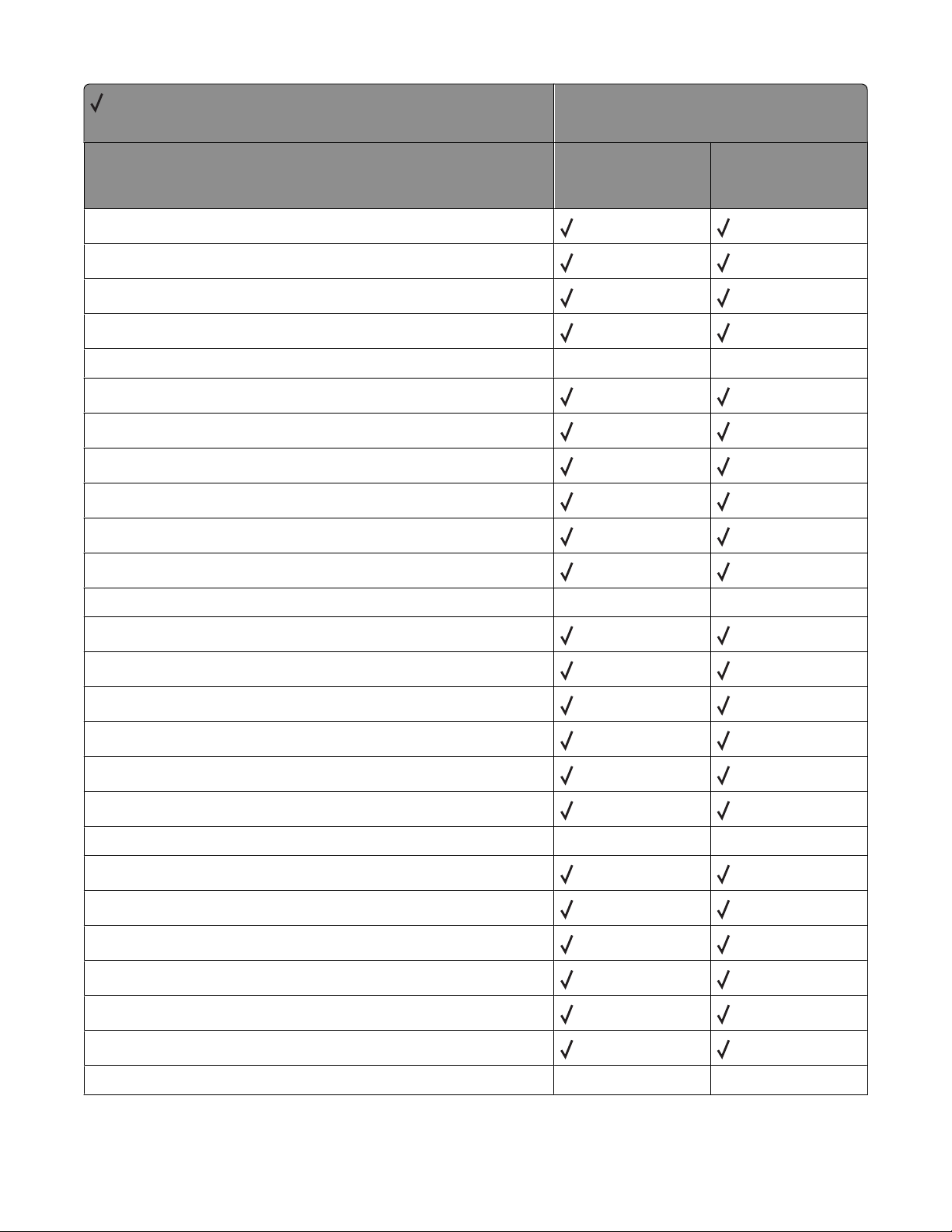
= Supported
X = Not supported
X264dn, X363dn,
Variable name
LCUSTOMTYPE1LENGTH
LCUSTOMTYPE1LOADING
LCUSTOMTYPE1MEDIA
LCUSTOMTYPE1NAME
LCUSTOMTYPE1OUTBIN X X
LCUSTOMTYPE1TEXTURE
LCUSTOMTYPE1WEIGHT
LCUSTOMTYPE2LENGTH
LCUSTOMTYPE2LOADING
LCUSTOMTYPE2MEDIA
X364dn, X364dw
Printer model
X463de, X464de,
X466de, X466dte,
X466dwe
LCUSTOMTYPE2NAME
LCUSTOMTYPE2OUTBIN
LCUSTOMTYPE2TEXTURE
LCUSTOMTYPE2WEIGHT
LCUSTOMTYPE3LENGTH
LCUSTOMTYPE3LOADING
LCUSTOMTYPE3MEDIA
LCUSTOMTYPE3NAME
LCUSTOMTYPE3OUTBIN
LCUSTOMTYPE3TEXTURE
LCUSTOMTYPE3WEIGHT
LCUSTOMTYPE4LENGTH
LCUSTOMTYPE4LOADING
LCUSTOMTYPE4MEDIA
X X
X X
LCUSTOMTYPE4NAME
LCUSTOMTYPE4OUTBIN X X
Appendix B: PJL support
35
Page 36
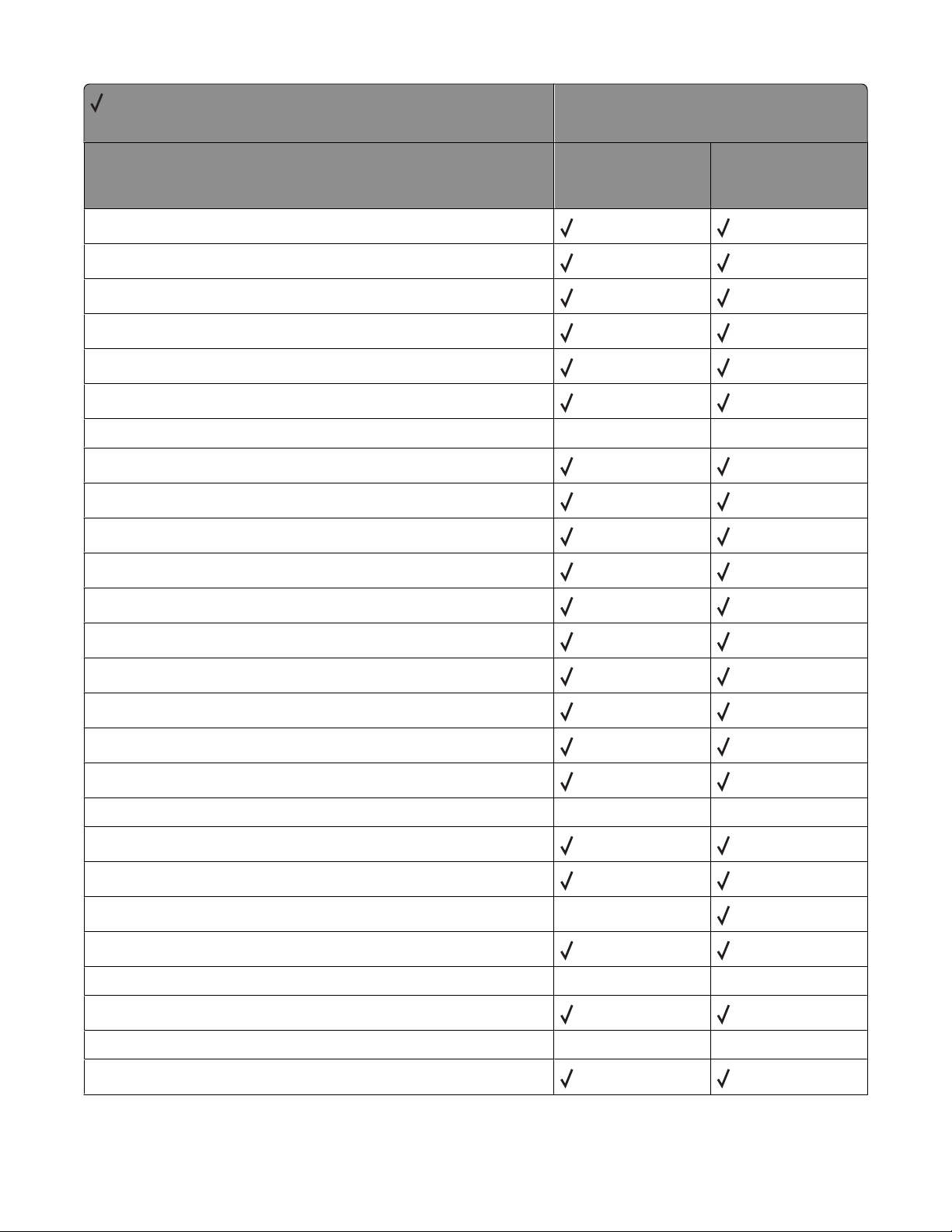
= Supported
X = Not supported
Variable name
LCUSTOMTYPE4TEXTURE
LCUSTOMTYPE4WEIGHT
LCUSTOMTYPE5LENGTH
LCUSTOMTYPE5LOADING
LCUSTOMTYPE5MEDIA
LCUSTOMTYPE5NAME
Printer model
X264dn, X363dn,
X364dn, X364dw
X463de, X464de,
X466de, X466dte,
X466dwe
LCUSTOMTYPE5OUTBIN
LCUSTOMTYPE5TEXTURE
LCUSTOMTYPE5WEIGHT
LCUSTOMTYPE6LENGTH
LCUSTOMTYPE6LOADING
LCUSTOMTYPE6MEDIA
LCUSTOMTYPE6NAME
LCUSTOMTYPE6OUTBIN
LCUSTOMTYPE6TEXTURE
LCUSTOMTYPE6WEIGHT
LDOWNLOADTARGET
LDRYTIMEDELAY
LDUPLEXLEFTMARGINOFFSET
LDUPLEXTOPMARGINOFFSET
X X
X X
LDUPLICATEHELDJOBS
LECOMODE
LENVELOPEENHANCE X X
LENVELOPELENGTH
LENVELOPEOUTBIN X X
LENVELOPETEXTURE
X
Appendix B: PJL support
36
Page 37
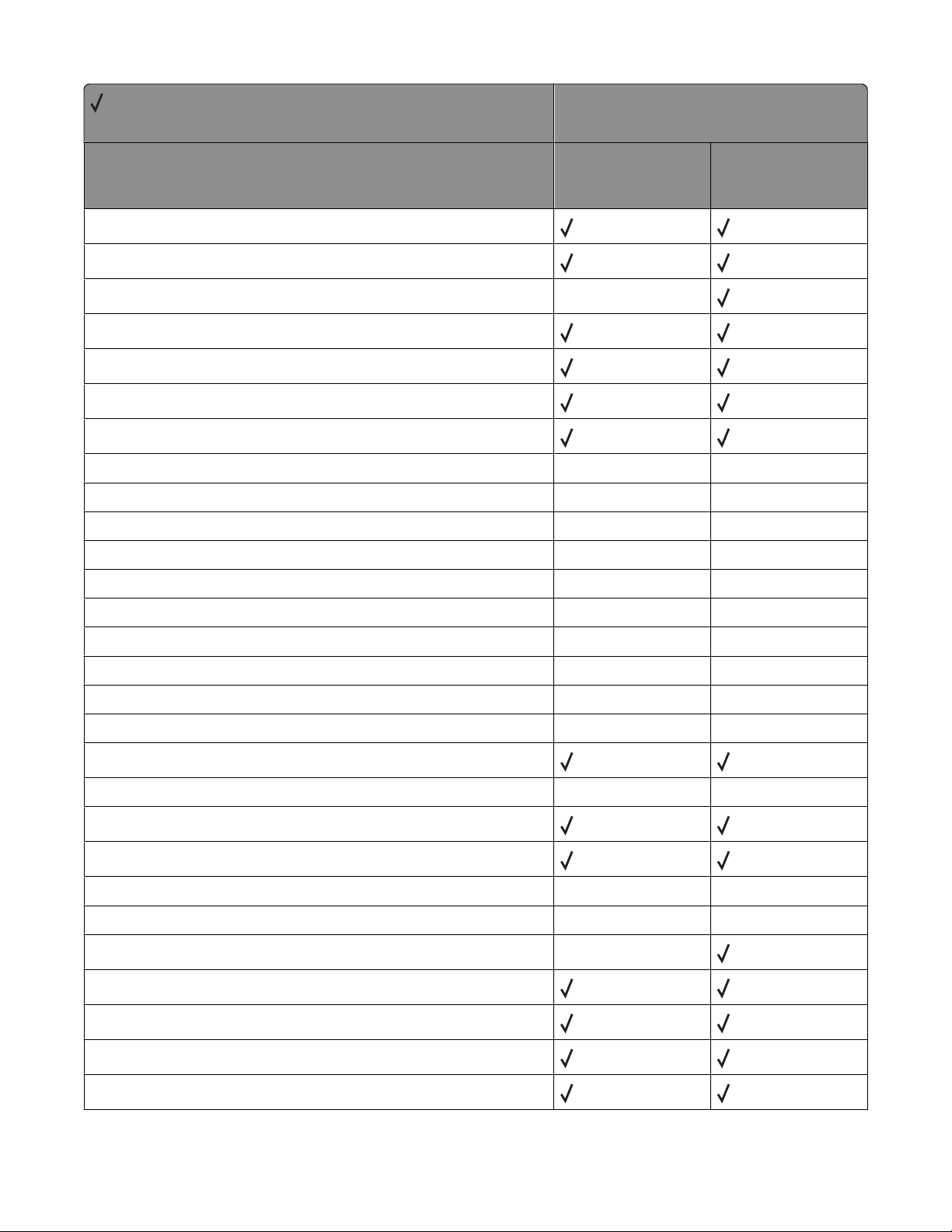
= Supported
X = Not supported
Variable name
LENVELOPEWEIGHT
LESCCHAR
Printer model
X264dn, X363dn,
X364dn, X364dw
X463de, X464de,
X466de, X466dte,
X466dwe
LFAXJOBWAITFORTONER
LFAXRESOLUTION
LFAXREDIAL
LFAXREDIALFREQUENCY
LFAXTRANSMISSIONLOG
LFEEDERPAPERTYPE
LGLOSSYLOADING X X
LGLOSSYOUTBIN
LGLOSSYOUTPUTBIN X X
LGLOSSYTEXTURE
LGLOSSYWEIGHT
LHEAVYGLOSSYLOADING
LHEAVYGLOSSYOUTBIN
LHEAVYGLOSSYTEXTURE X X
LHEAVYGLOSSYWEIGHT
X
X X
X X
X X
X X
X X
X X
X X
LHEAVYPAPERLOADING
LHEAVYPAPEROUTBIN
LHEAVYPAPERTEXTURE
LHEAVYPAPERWEIGHT
LHOLEPUNCHALARM
LHOLEPUNCHMODE
LHONORINIT
LIMAGEBRIGHTNESS
LIMAGECONTRAST
LIMAGEENHANCE
LIMAGEENHANCETYPE
X X
X X
X X
X
Appendix B: PJL support
37
Page 38
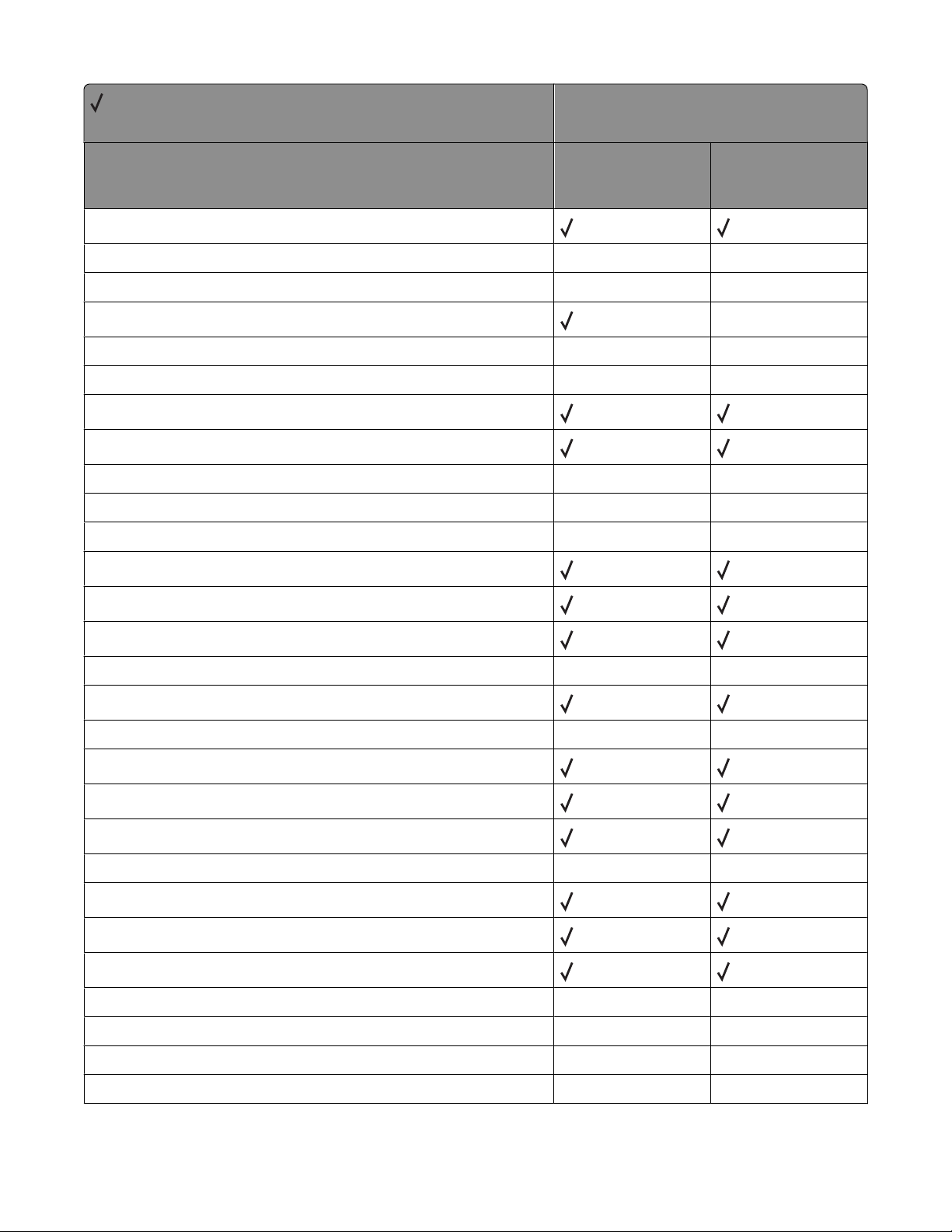
= Supported
X = Not supported
Variable name
LIMAGEORIENTATION
Printer model
X264dn, X363dn,
X364dn, X364dw
X463de, X464de,
X466de, X466dte,
X466dwe
LIMAGESATURATION
LIMAGESMOOTHING X X
LINFEEDER
LINFEEDERSIZE
LINKALERT X X
LINMPFEEDERSIZE
LJAMRECOVERY
LLABELSLENGTH X X
LLABELSLOADING
LLABELSOUTBIN
LLABELSTEXTURE
LLABELSWEIGHT
LLEFTMARGINOFFSET
LLETTERHEADLENGTH
LLETTERHEADLOADING
X X
X X
X X
X X
X X
X
LLETTERHEADOUTBIN
LLETTERHEADTEXTURE
LLETTERHEADWEIGHT
LLIGHTPAPERLOADING
LLIGHTPAPEROUTBIN
LLIGHTPAPERTEXTURE
LLIGHTPAPERWEIGHT
LLINEDETAIL
LMANUALCOLORRGBTEXT
LMANUALCOLORRGBGRAPHICS X X
LMANUALCOLORRGBIMAGE
LMANUALCOLORCMYKTEXT X X
X X
X X
X X
X X
Appendix B: PJL support
38
Page 39
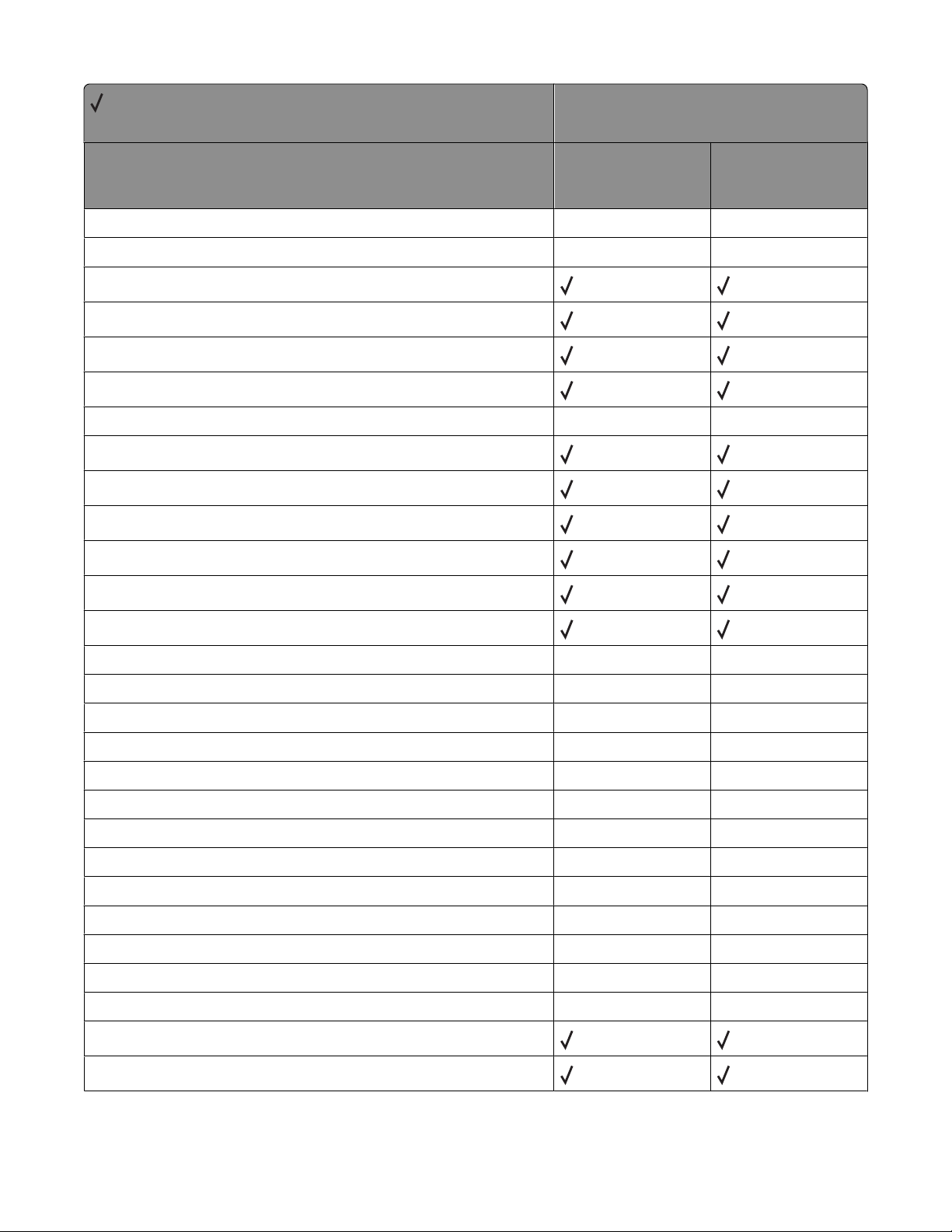
= Supported
X = Not supported
X264dn, X363dn,
Variable name
LMANUALCOLORCMYKGRAPHICS X X
X364dn, X364dw
Printer model
X463de, X464de,
X466de, X466dte,
X466dwe
LMANUALCOLORCMYKIMAGE
LMANUALENVELOPESIZE
LMANUALENVELOPETYPE
LMANUALPAPERSIZE
LMANUALPAPERTYPE
LMAXSTATUSMSG X X
LMPFEEDERPAPERTYPE
LMULTIPAGEBORDER
LMULTIPAGEORDER
LMULTIPAGEPRINT
LMULTIPAGEVIEW
LNPAP
LOPTIONALOUTBIN1NAME
LOPTIONALOUTBIN2NAME
X X
X X
X X
LOPTIONALOUTBIN3NAME
LOPTIONALOUTBIN4NAME
LOPTIONALOUTBIN5NAME X X
LOPTIONALOUTBIN6NAME
LOPTIONALOUTBIN7NAME X X
LOPTIONALOUTBIN8NAME
LOPTIONALOUTBIN9NAME
LOPTIONALOUTBIN10NAME
LOUTBINCONFIG
LOVERFLOWOUTBIN X X
LOVERFLOWTIMER
LPAGECOUNT
LPAGEMODE
X X
X X
X X
X X
X X
X X
X X
X X
Appendix B: PJL support
39
Page 40
= Supported
X = Not supported
Variable name
LPAPERSOURCE
Printer model
X264dn, X363dn,
X364dn, X364dw
X463de, X464de,
X466de, X466dte,
X466dwe
LPICTUREGRADE
LPLAINLENGTH X X
LPLAINOUTBIN
LPLAINTEXTURE
LPLAINWEIGHT
LPOWERSAVER
LPPDS
LPPDSFORMLINES
LPPDSLINESPERINCH
LPREPRINTEDLENGTH
LPREPRINTEDLOADING
LPREPRINTEDOUTBIN
LPREPRINTEDTEXTURE
LPREPRINTEDWEIGHT
X X
X X
X X
LPRINTBUFFER
LPRINTHEADIDLETIME
LPRINTERUSAGE
LPRINTMENUSBUTTON
LPRINTQUALITY
LPUNCH X X
LQUIETMODE
LREAROUTBINNAME
LRECYCLEDLOADING
LRECYCLEDOUTBIN
LRECYCLEDMEDIA
LRECYCLEDTEXTURE
X X
X X
X X
X X
X X
X X
Appendix B: PJL support
40
Page 41
= Supported
X = Not supported
Variable name
LRECYCLEDWEIGHT
Printer model
X264dn, X363dn,
X364dn, X364dw
X463de, X464de,
X466de, X466dte,
X466dwe
LREPEATPRINTLIMIT
LRESET X
LRESOURCESAVE
LRIGHTMARGINOFFSET
LROUGHENVELOPELOADING
LROUGHENVELOPEOUTBIN X X
LROUGHENVELOPETEXTURE
LROUGHENVELOPEWEIGHT
LROUGHPAPERLOADING X X
LROUGHPAPEROUTBIN
LROUGHPAPERTEXTURE
LROUGHPAPERWEIGHT
LSCREENING
LSEPARATORSHEETS
X X
X X
X X
X X
LSEPARATORSOURCE
LSMALLFONTENHANCER
LSSGALVO
LSTANDARDOUTBINNAME
LSTAPLE
LSTAPLESEMPTYALARM X X
LSTAPLETESTBIN
LSTAPLETESTSOURCE X X
LSTROKEWIDTH
LSUBSTITUTESIZE
LTOPBINROTATE
LTOPMARGINOFFSET
LTRANSPARENCYLENGTH X X
X X
X X
X X
X X
X
X X
Appendix B: PJL support
41
Page 42
= Supported
X = Not supported
X264dn, X363dn,
Variable name
LTRANSPARENCYOUTBIN X X
LTRANSPARENCYTEXTURE
LTRANSPARENCYWEIGHT
LTRAY1AUTOSIZE X
X364dn, X364dw
Printer model
X463de, X464de,
X466de, X466dte,
X466dwe
LTRAY2AUTOSIZE
LTRAY3AUTOSIZE
LTRAY1PAPERTYPE
LTRAY2PAPERTYPE
LTRAY3PAPERTYPE
LTRAY4PAPERTYPE
LTRAY5PAPERTYPE
LTRAY1RENUMBER
LTRAY1SENSEDTYPEPAPER
LTRAY1SENSEDTYPETRANSPARENCY
LTRAY2SENSEDTYPEPAPER X X
LTRAY2SENSEDTYPETRANSPARENCY
LTRAY3SENSEDTYPEPAPER X X
LTRAY3SENSEDTYPETRANSPARENCY
X
X
X X
X X
X X
X X
LTRAY4SENSEDTYPEPAPER
LTRAY4SENSEDTYPETRANSPARENCY
LTYPE1FONTS
LUSDEFAULTS
LVINYLLABELSLOADING
LVINYLLABELSOUTBIN
LVINYLLABELSTEXTURE
LVINYLLABELSWEIGHT
LWRITECOVERAGE
X X
X X
X X
X X
X X
X X
Appendix B: PJL support
42
Page 43
Common variables for PCL emulation
= Supported
X = Not supported
Variable name
FONTNUMBER
FONTSOURCE
PITCH
PTSIZE
SYMSET
X264dn, X363dn,
X364dn, X364dw
Printer model
X463de, X464de,
X466de, X466dte,
X466dwe
Printer-unique variables for PCL emulation
= Supported
X = Not supported
Printer model
X264dn, X363dn,
Variable name
LA4WIDTH
LASSIGNFEEDER X X
LASSIGNMANUALENVELOPE
LASSIGNMANUALPAPER
LASSIGNMPFEEDER
LASSIGNTRAY1
LASSIGNTRAY2
LASSIGNTRAY3
LASSIGNTRAY4
LASSIGNTRAY5
LBITMAPROUNDING
LCOLOREXTENSIONS
X364dn, X364dw
X463de, X464de,
X466de, X466dte,
X466dwe
LFONTCOMPATIBILITY
Appendix B: PJL support
43
Page 44
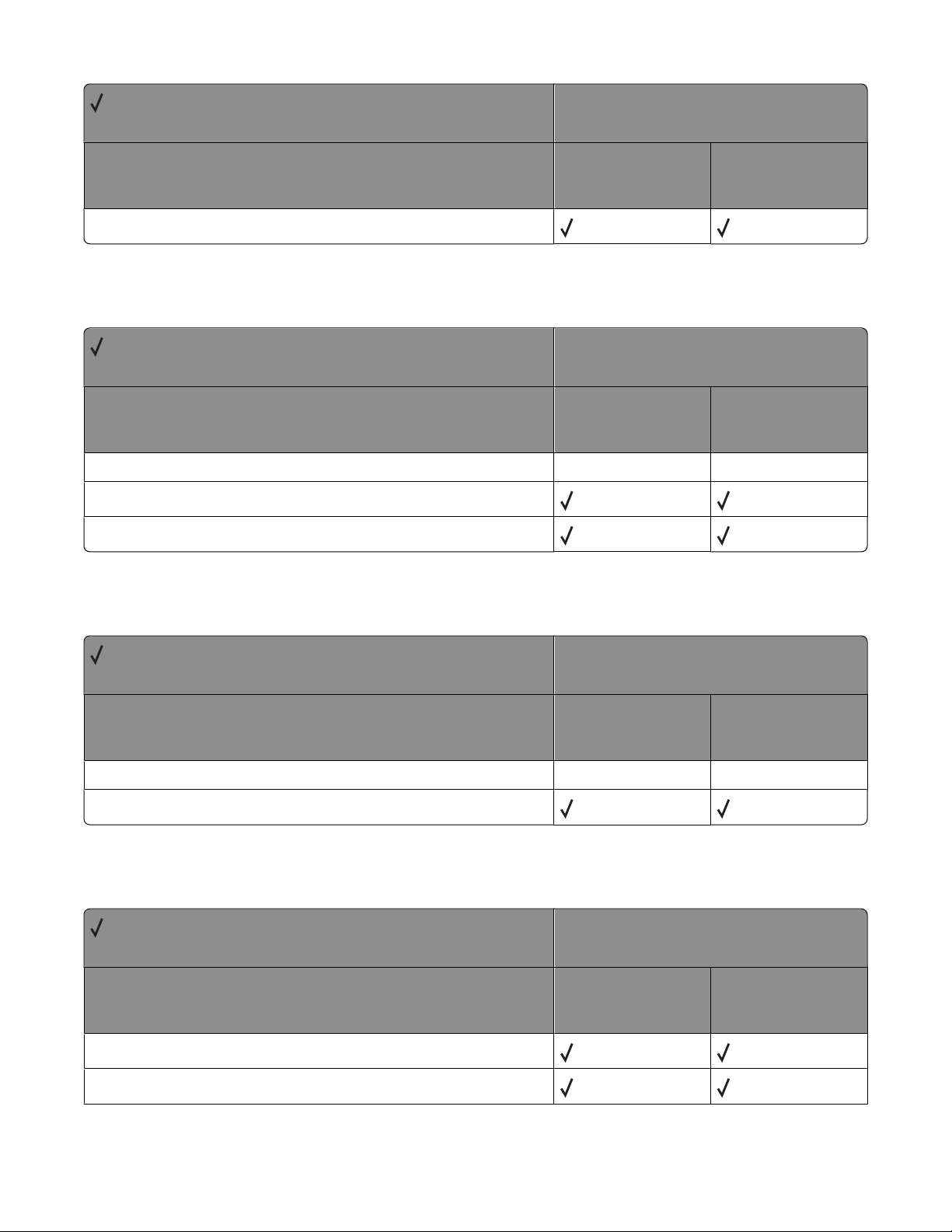
= Supported
X = Not supported
Variable name
LFONTPRIORITY
X264dn, X363dn,
X364dn, X364dw
Printer model
X463de, X464de,
X466de, X466dte,
X466dwe
Common variables for PostScript emulation
= Supported
X = Not supported
X264dn, X363dn,
Variable name
ADOBEMBT X X
JAMRECOVERY
PRTPSERRS
X364dn, X364dw
Printer model
X463de, X464de,
X466de, X466dte,
X466dwe
Printer-unique variables for PostScript emulation
= Supported
X = Not supported
Variable name
LPICTUREGRADE
LPSFONTPRIORITY
X264dn, X363dn,
X364dn, X364dw
X X
Printer model
X463de, X464de,
X466de, X466dte,
X466dwe
Printer-unique LRESOURCE variables
= Supported
X = Not supported
Variable name
LDESCRIPTION
X264dn, X363dn,
X364dn, X364dw
Printer model
X463de, X464de,
X466de, X466dte,
X466dwe
LRWLOCK
Appendix B: PJL support
44
Page 45
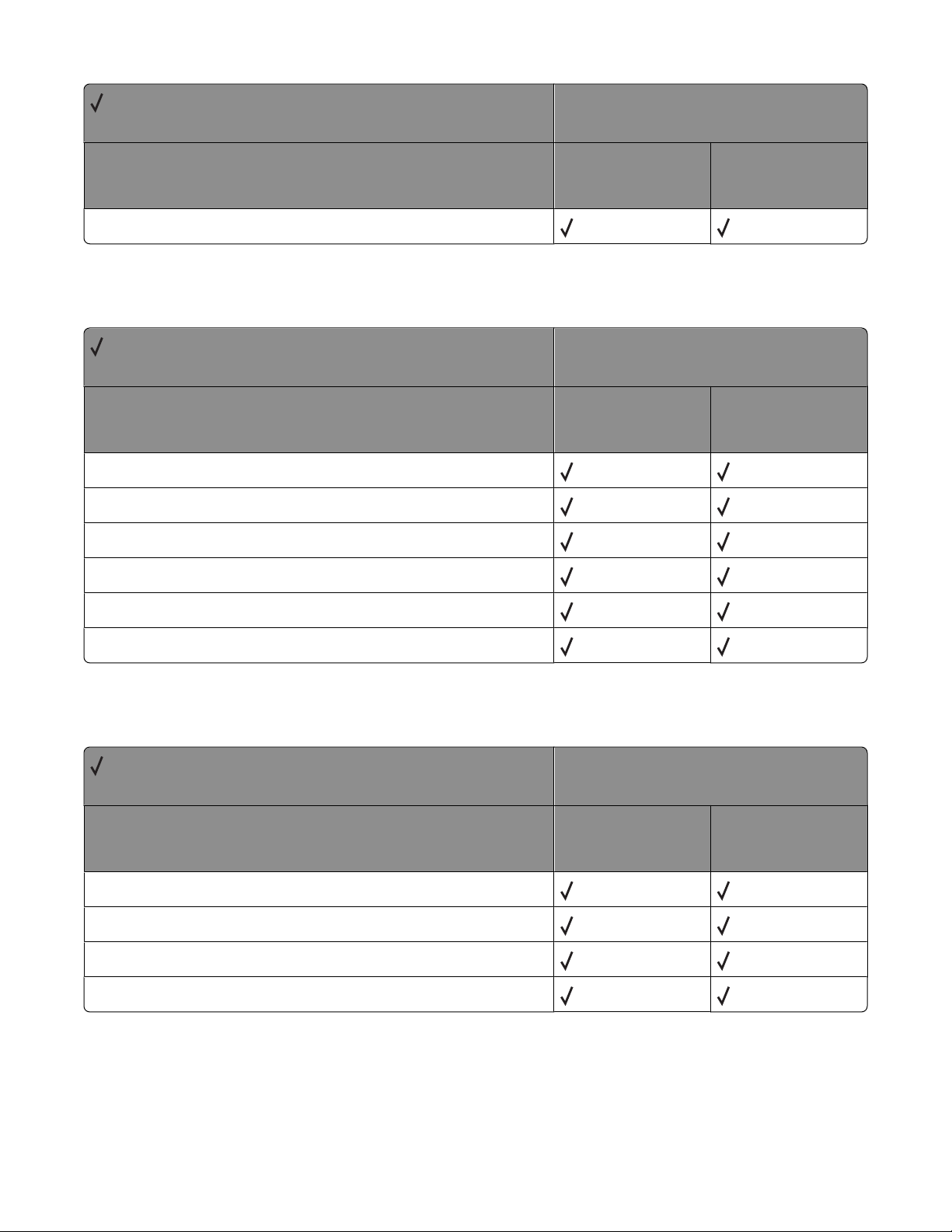
= Supported
X = Not supported
Variable name
LWLOCK
Status Readback commands
= Supported
X = Not supported
Variable name
Dinquire
Echo
Info
Printer model
X264dn, X363dn,
X364dn, X364dw
Printer model
X264dn, X363dn,
X364dn, X364dw
X463de, X464de,
X466de, X466dte,
X466dwe
X463de, X464de,
X466de, X466dte,
X466dwe
Inquire
Ustatus
Ustatusoff
USTATUS unsolicited status variables
= Supported
X = Not supported
X264dn, X363dn,
Variable name
DEVICE
JOB
PAGE
TIMED
X364dn, X364dw
Printer model
X463de, X464de,
X466de, X466dte,
X466dwe
Appendix B: PJL support
45
Page 46
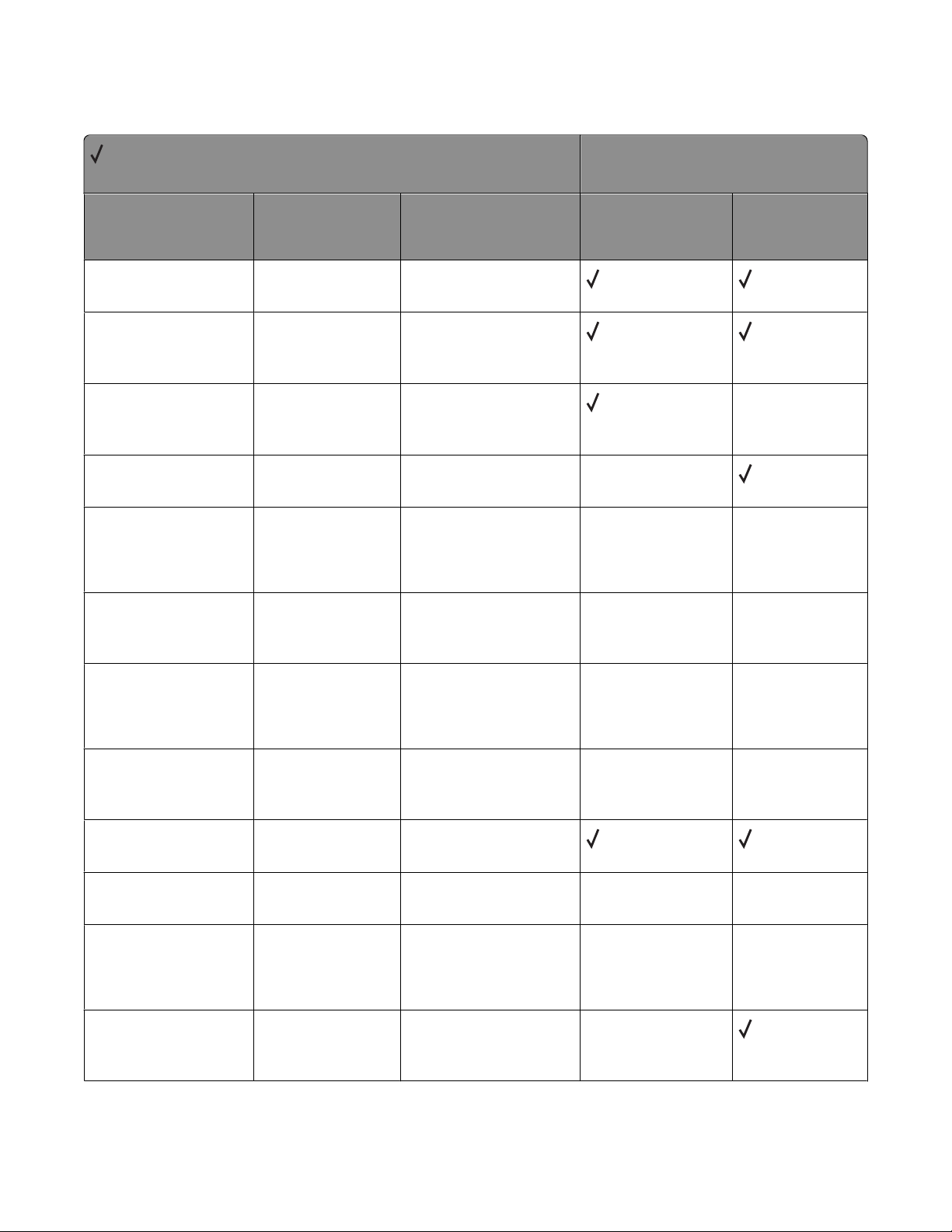
PJL messages for auto-continuable conditions
= Supported
X = Not supported
Message Status code Return string
X264dn, X363dn,
X364dn, X364dw
Printer model
X463de, X464de,
X466de, X466dte,
X466dwe
Intervention Required -
PPDS Font Error
Intervention Required -
Insufficient Collation
Area
Intervention Required -
Insufficient Defragment
Memory
Intervention Required -
Insufficient Memory
Intervention Required -
Insufficient Memory
Intervention Required -
Insufficient Defragment
Memory
Intervention Required -
Insufficient Defragment
Memory
30014
30016
30016
30016
30016
30016
30016
50 PPDS Font Error
37 Insufficient
Collation Area
37 Insufficient
Defrag Memory
37 Insufficient
Memory
37 Insufficient
memory for Flash
Memory Defragment
operation
37 Insufficient
memory, some Held
Jobs were deleted
37 Insufficient
memory, some Held
Jobs will not be
restored
X
X
X X
X X
X X
Intervention Required -
Insufficient Collation
Area
Intervention Required -
Memory Full
Intervention Required -
Configuration Change
Intervention Required -
Configuration Change
Intervention Required -
Held Jobs May Not Be
Restored
30016
30016
30016
30016
30016
37 Insufficient
memory to collate
job
38 Memory Full
57 Configuration
Change
57 Configuration
change, some held
jobs were not
restored
Held Jobs May Not
Be Restored
Appendix B: PJL support
46
X X
X X
X X
X
Page 47
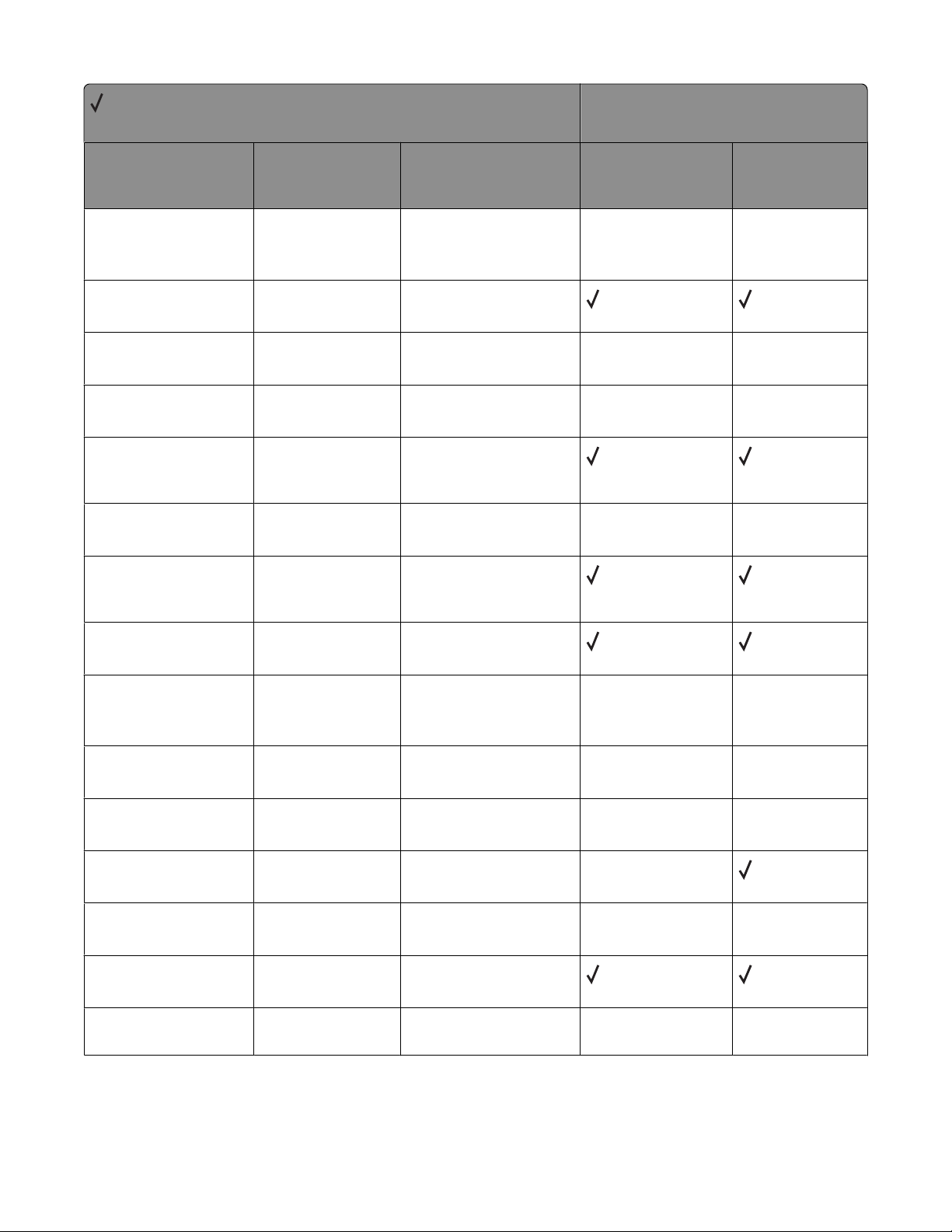
= Supported
X = Not supported
Message Status code Return string
Printer model
X264dn, X363dn,
X364dn, X364dw
X463de, X464de,
X466de, X466dte,
X466dwe
Intervention Required -
Held Jobs May Not Be
Restored
Intervention Required -
Complex Page
Intervention Required -
Parallel Error
Intervention Required -
Serial Option Error
Intervention Required -
Network Software Error
Intervention Required -
Standard Serial Error
Intervention Required -
Network Software Error
Intervention Required -
Network Software Error
30016
30017
30018
30018
30018
30018
30018
30018
Some held jobs
were not restored
39 Complex Page
54 Parallel Error
54 Serial option
<slot #> error
54 Standard
Network Software
Error
54 Standard Serial
Error
54 Standard
network software
error
54 Std Network
Software Error
X X
X X
X X
X X
Intervention Required -
Standard Serial Fax
Connection Lost
Intervention Required -
Parallel Port Disabled
Intervention Required -
Parallel Port Error
Intervention Required -
Serial Option Disabled
Intervention Required -
Standard Serial Disabled
Intervention Required -
Standard USB Disabled
Intervention Required Std Parallel Port Disabled
30018
30018
30018
30018
30018
30018
30018
54 Std Ser Fax
Connection Lost
56 Parallel Port
Disabled
56 Parallel Port
[x] Disabled
56 Serial <slot #>
Port Disabled
56 Standard Serial
Disabled
56 Standard USB
port disabled
56 Std Parallel
Port Disabled
X X
X X
X X
X
X X
X X
Appendix B: PJL support
47
Page 48
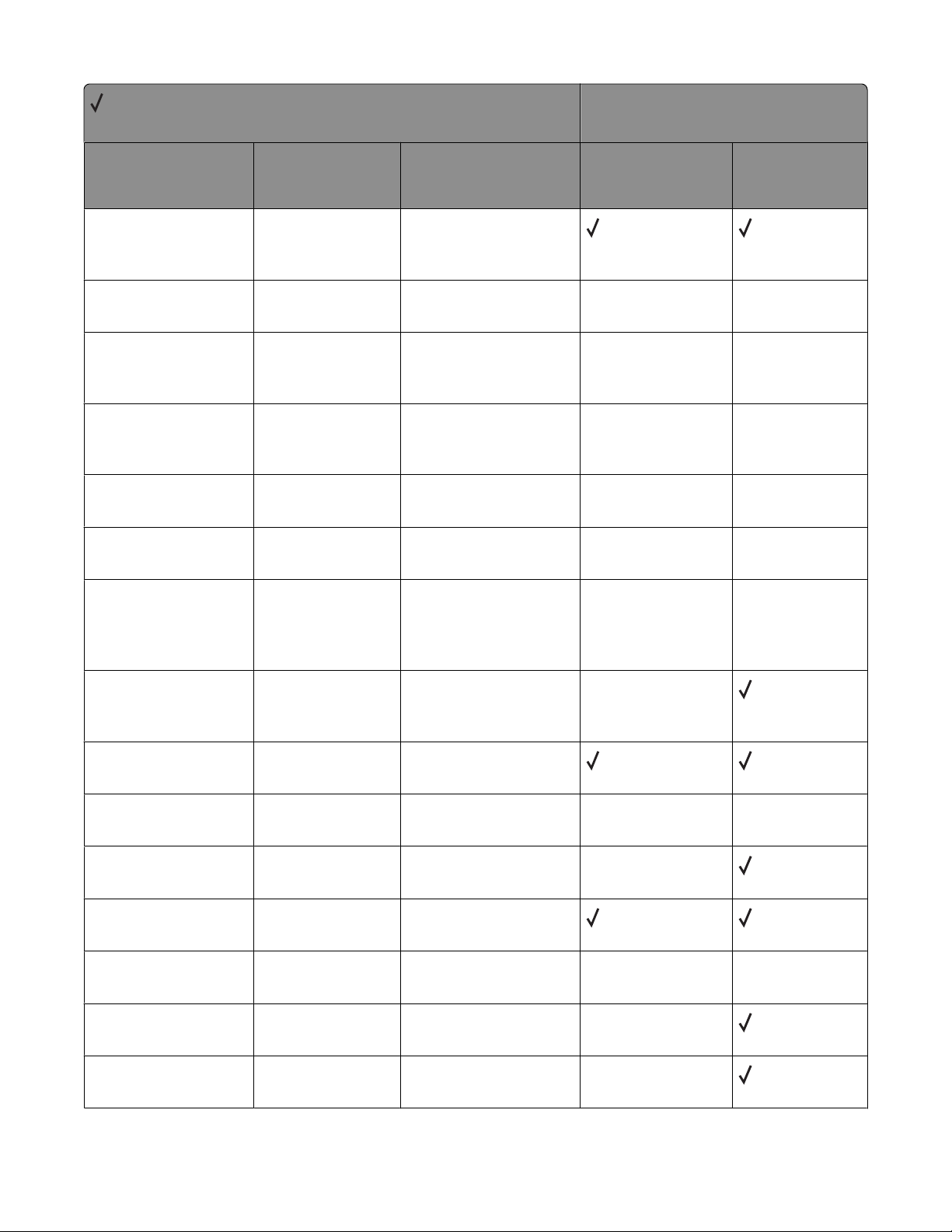
= Supported
X = Not supported
Message Status code Return string
Printer model
X264dn, X363dn,
X364dn, X364dw
X463de, X464de,
X466de, X466dte,
X466dwe
Intervention Required -
Resource Save Off
Deficient Memory
Intervention Required -
Insufficient Fax Buffer
Intervention Required -
Std Par ENA Connection
Lost
Intervention Required -
Standard Parallel Port
Disabled
Intervention Required -
Std Parallel Port Disabled
Intervention Required -
Resolution Reduced
Intervention Required -
Print Jobs on Disk
Request
30019
30026
30027
30027
30027
30029
30031
35 Res Save Off
Deficient Memory
55 Insufficient
Fax Buffer
54 Std Par ENA
Connection Lost
56 Standard
Parallel Port
Disabled
56 Std Parallel
Port Disabled
36 Resolution
Reduced
Print Jobs on
Disk? or
Print Jobs on
Disk. Go/Stop?
X X
X X
X X
X X
X X
X X
Intervention Required -
Restore Held Jobs.
Go/Stop?
Intervention Required -
Short Paper
Intervention Required -
Flash Full
Intervention Required -
Disk Full
Intervention Required -
Defective Flash
Intervention Required -
Unformatted Flash
Intervention Required -
Defective Disk
Intervention Required -
Unformatted Disk
30031
30034
30035
30035
30036
30036
30036
30036
Restore Held Jobs.
Go/Stop?
34 Short Paper
52 Flash Full
62 Disk Full
51 Defective Flash
53 Unformatted
Flash
61 Defective Disk
63 Unformatted
Disk
X
X X
X
X X
X
X
Appendix B: PJL support
48
Page 49
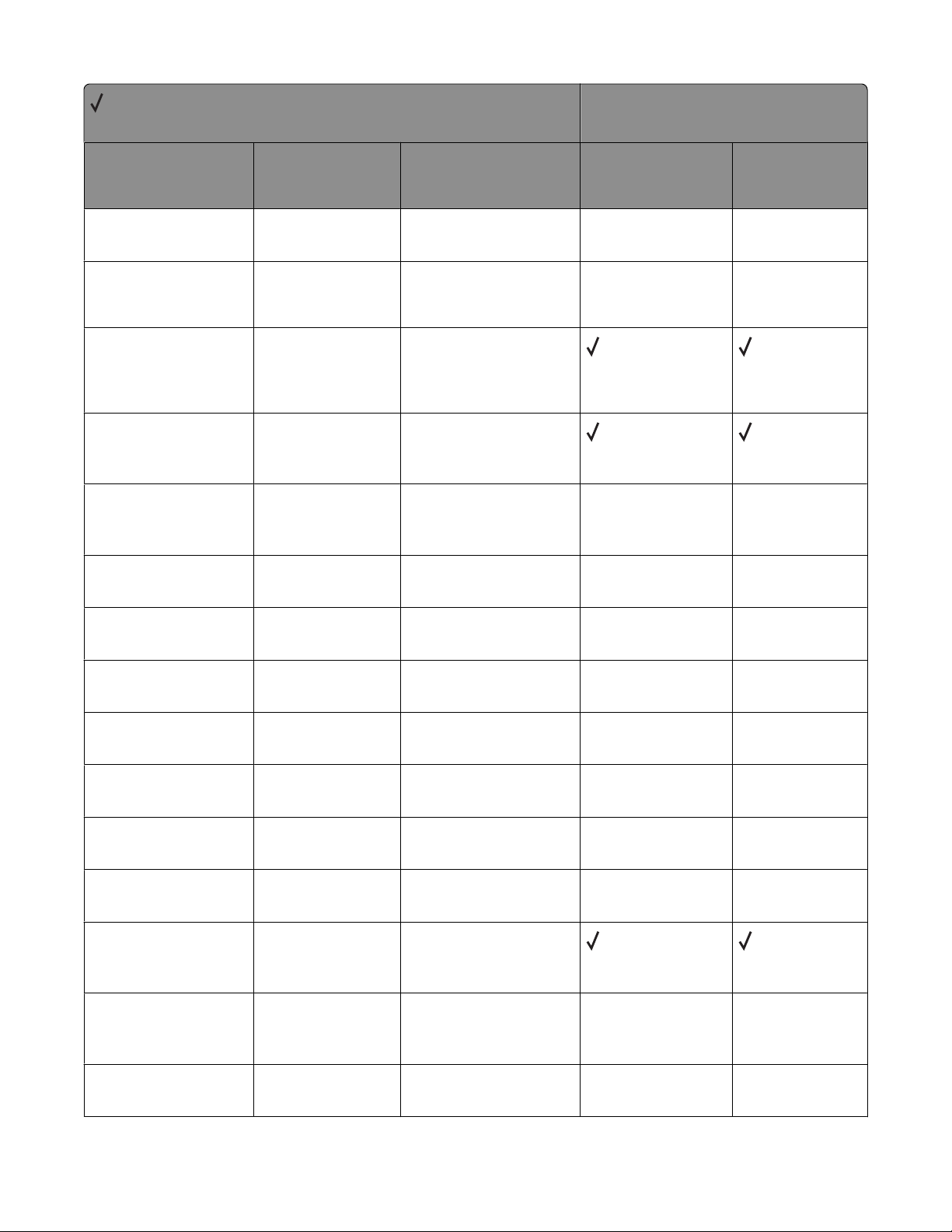
= Supported
X = Not supported
Message Status code Return string
Printer model
X264dn, X363dn,
X364dn, X364dw
X463de, X464de,
X466de, X466dte,
X466dwe
Intervention Required -
Scheduled Maintenance
Intervention Required -
Scheduled Maintenance
Intervention Required -
Insufficient Memory
Intervention Required -
Resource Save Off
Deficient Memory
Intervention Required -
Insufficient Collation
Area
Intervention Required -
Service Required
Intervention Required -
Empty Box M
30075
30075
30076
30076
30076
30095
30107
80 Scheduled
Maintenance
80 Scheduled
maintenance ADF
kit
35 Insufficient
memory to support
Resource Save
feature
35 Res Save Off
Deficient Memory
37 Insufficient
Collation Area
36 Printer service
required
Empty Box M
X X
X X
X X
X X
X X
Intervention Required -
Empty Hole Punch Box
Intervention Required -
Insert Box M
Intervention Required -
Insert Staple Cartridge
Intervention Required -
Insert Stapler
Intervention Required -
Priming Failed
Intervention Required -
Network <x> Software
Error
Intervention Required -
Serial <x> Fax
Connection Lost
Intervention Required -
Serial Option <x> Error
30107
30107
30107
30107
30107
30112
30112
30112
Empty Hole Punch
Box
Insert Box M
Insert staple
cartridge
Insert Stapler
Priming Failed,
Retry. Go/Stop?
54 Network <x>
Software Error
54 Ser <x> Fax
Connection Lost
54 Serial
Option <x> Error
X X
X X
X X
X X
X X
X X
X X
Appendix B: PJL support
49
Page 50
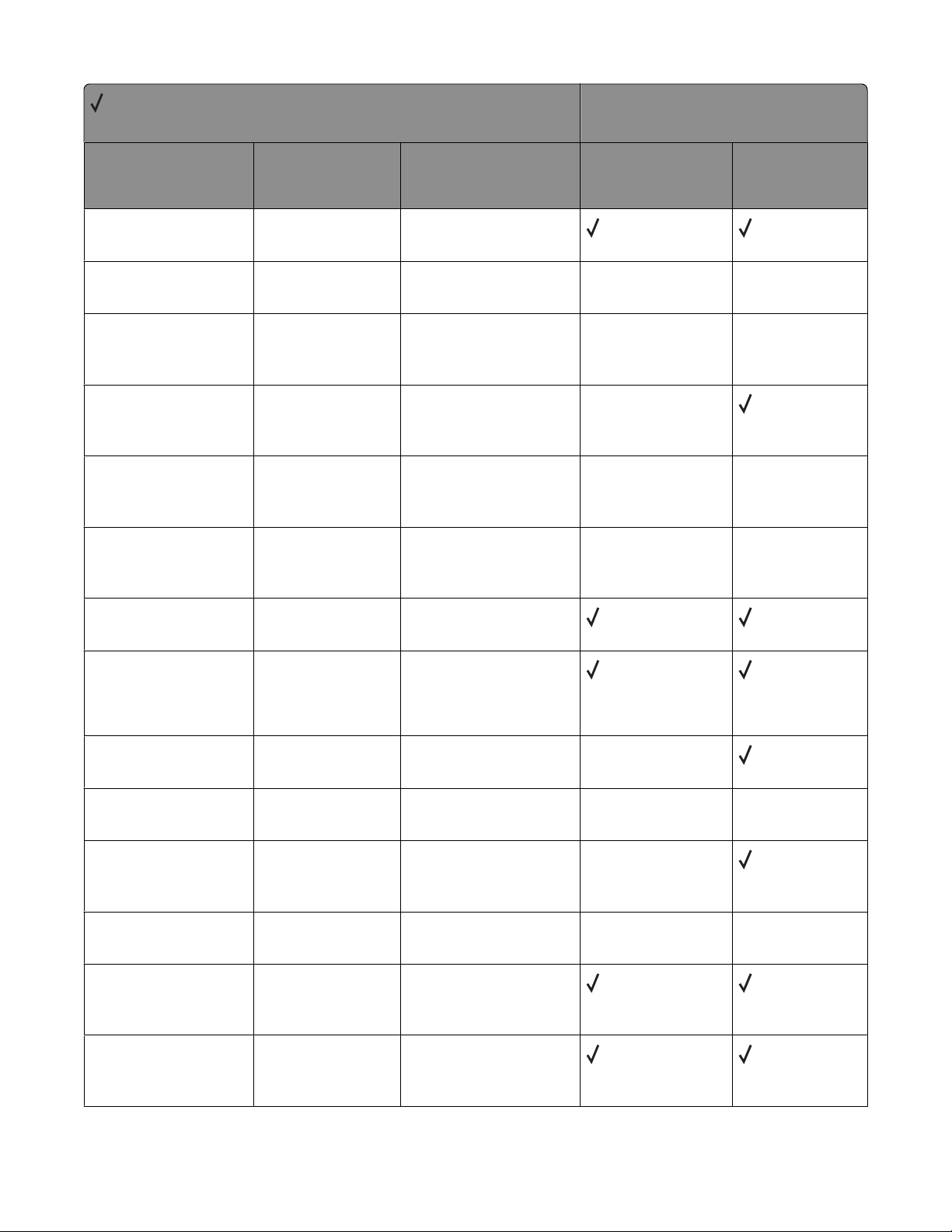
= Supported
X = Not supported
Message Status code Return string
Printer model
X264dn, X363dn,
X364dn, X364dw
X463de, X464de,
X466de, X466dte,
X466dwe
Intervention Required -
Serial Port <x> Disabled
Intervention Required -
USB Port Disabled
Intervention Required -
Parallel <x> ENA
Connection Lost
Intervention Required -
Parallel <x> Port
Disabled
Intervention Required -
Disk Operation Failed
Faxes on Disk
Intervention Required -
Disk Operation Failed
Jobs on Disk
Intervention Required -
Flash Full
Intervention Required -
Flash Full
30112
30112
30113
30113
32001
32001
32002
32002
56 Serial Port <x>
Disabled
56 USB Port <x>
Disabled
54 Par <x> ENA
Connection Lost
56 Parallel
Port <x> Disabled
Operation Failed
Faxes on Disk
Operation Failed
Jobs on Disk
52 Flash Full
52 Not enough free
space in flash
memory for
resources
X X
X X
X
X X
X X
Intervention Required -
Disk Full
Intervention required -
Disk Corrupted
Intervention required -
Disk Corrupted.
Reformat?
Intervention Required -
Too Many Bins Attached
Intervention Required -
Too Many Flash Options
Installed
Intervention Required -
Too Many Flash Options
Installed
32002
32015
32015
32030
32030
32030
62 Disk full
Disk corrupted
Disk Corrupted.
Reformat?
58 Too many bins
attached
58 Too Many Flash
Options
58 Too many flash
options installed
Appendix B: PJL support
50
X
X X
X
X X
Page 51
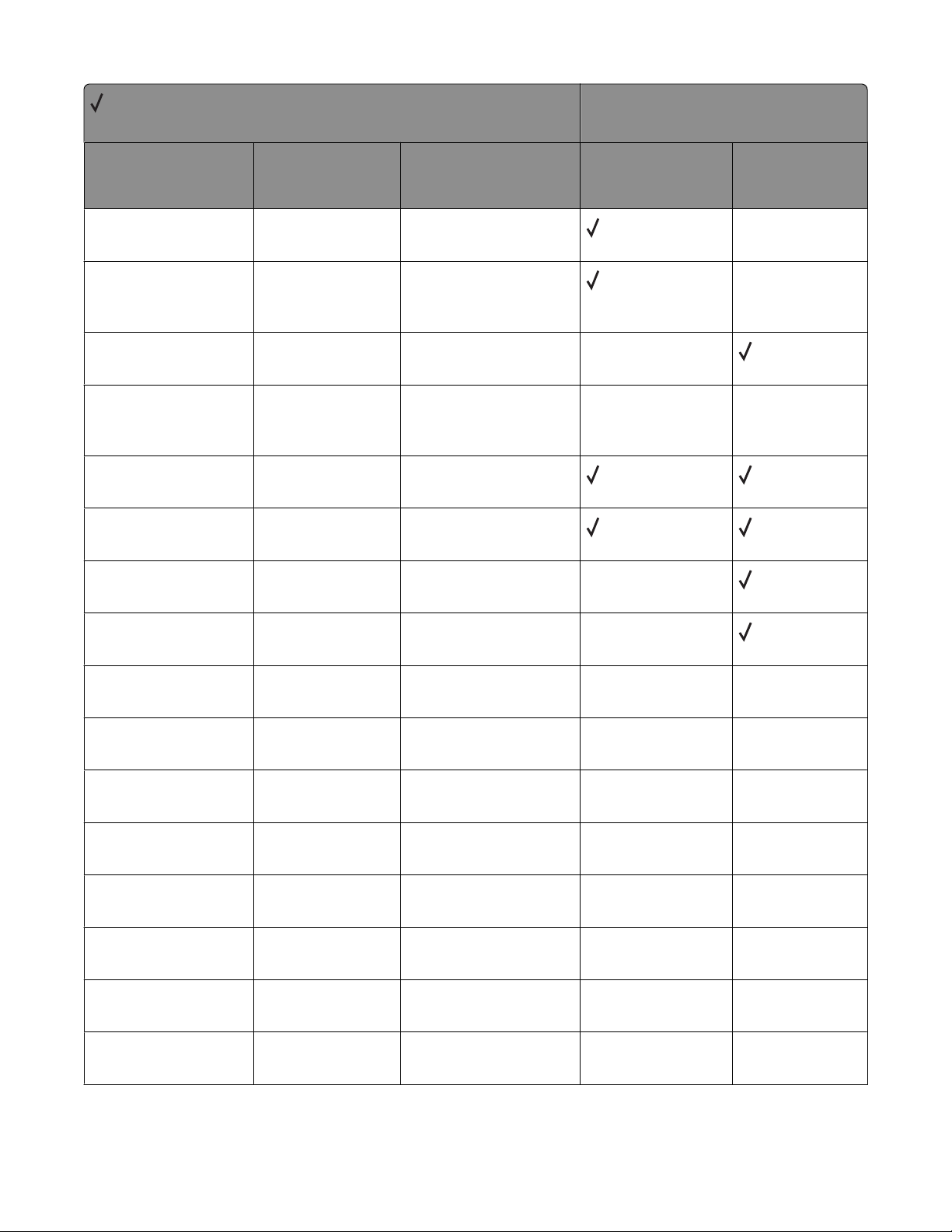
= Supported
X = Not supported
Message Status code Return string
Printer model
X264dn, X363dn,
X364dn, X364dw
X463de, X464de,
X466de, X466dte,
X466dwe
Intervention Required -
Unformatted Flash
Intervention Required -
Unformatted Flash
Detected
Intervention Required -
Unformatted Disk
Intervention Required -
Unsupported Disk
Format
Intervention Required -
Defective Flash
Intervention Required -
Defective Flash
Intervention Required -
Defective Disk
Intervention Required -
Defective Disk
32052
32052
32052
32052
32056
32056
32056
32056
53 Unformatted
Flash
53 Unformatted
flash detected
63 Unformatted
disk
64 Unsupported
Disk Format
51 Defective Flash
51 Defective flash
detected
61 Defective Disk
61 Remove
defective disk
X
X
X
X X
X
X
Intervention Required -
Scheduled Maintenance
Intervention Required -
Scheduled Maintenance
Intervention Required -
Belt Exhausted
Intervention Required -
Belt Life Warning
Intervention Required -
Fuser/Belt Exhausted
Intervention Required -
Fuser/Belt Life Warning
Intervention Required -
Fuser Exhausted
Intervention Required -
Fuser Life Warning
35075
35075
40038
40038
40038
40038
40038
40038
80 Scheduled
Maintenance
81 Scheduled
Maintenance
80 Belt Exhausted
80 Belt Life
Warning
80 Fuser/Belt
Exhausted
80 Fuser/Belt Life
Warning
80 Fuser Exhausted
80 Fuser Life
Warning
X X
X X
X X
X X
X X
X X
X X
X X
Appendix B: PJL support
51
Page 52
= Supported
X = Not supported
Message Status code Return string
Printer model
X264dn, X363dn,
X364dn, X364dw
X463de, X464de,
X466de, X466dte,
X466dwe
Intervention Required -
Fuser Maintenance
Intervention Required -
ITU Maintenance
40038
40038
80 Fuser
Maintenance
83 ITU Maintenance
X X
X X
PJL messages for attendance conditions
= Supported
X = Not supported
Message Status code Return string
Intervention Required -
Too Many Bins Attached
Intervention Required -
Too Many Flash Options
Installed
32030
32030
58 Too many bins
attached
58 Too many flash
options installed
X264dn, X363dn,
X364dn, X364dw
X X
Printer model
X463de, X 464de,
X466de,
X466dte,
X466dwe
Intervention Required -
Remove Defective Disk
Intervention Required -
Insert Hole Punch Box
Intervention Required -
Insert PC Cartridge
Intervention Required -
30 CMYK* Print Unit
Missing
Intervention Required -
30 Coating Roll Missing
Intervention Required -
Remove Originals from
Scanner ADF
* This message contains a subset of letters CMYK, where CMYK denotes Cyan, Magenta, Yellow, and Black cartridges,
respectively.
32056
40010
40010
40010 30 CMYK* Print
40010
40019
61 Remove
defective disk
Insert Hole Punch
Box
Insert PC
Cartridge
Unit Missing
30 Coating Roll
Missing
Remove originals
from the scanner
automatic document
feeder
X
X X
X X
X X
X X
Appendix B: PJL support
52
Page 53
= Supported
X = Not supported
Message Status code Return string
Printer model
X264dn, X363dn,
X364dn, X364dw
X463de, X 464de,
X466de,
X466dte,
X466dwe
Intervention Required -
Install MICR cartridge
Intervention Required -
Cartridge Life Expired
Intervention Required -
Cartridge Life Warning
Intervention Required -
Change Cartridge Invalid
Refill
Intervention Required -
Close Cover <c>
Intervention Required -
Printer Cover Open
Intervention Required -
Close Toner Box Cover
Intervention Required -
Close Deflector G
Intervention Required -
Close Door <d>
40020
40021
40021
40021
40021
40021
40021
40021
40021
Install MICR
cartridge
Cartridge Life
Expired CMYK*
Cartridge Life
Warning CMYK*
Change Cartridge
Invalid Refill
Close Cover <c>
Close Cover
Close Cover
Close Deflector G
Close Door <d>
X X
X X
X X
X X
X X
X X
X X
X X
X X
Intervention Required -
Close Door Insert
Cartridge
Intervention Required -
Close Finisher Door
Intervention Required -
Close Finisher Side Door
Intervention Required -
Close Finisher Top Cover
Intervention Required -
Close Front Door
Intervention Required -
Close Side Door
* This message contains a subset of letters CMYK, where CMYK denotes Cyan, Magenta, Yellow, and Black cartridges,
respectively.
40021
40021
40021
40021
40021
40021
Close door or
insert cartridge
Close Finisher
Door
Close Finisher
Side Door
Close Finisher Top
Cover
Close Front Door
Close Side Door
X X
X X
X X
X X
X X
Appendix B: PJL support
53
Page 54
= Supported
X = Not supported
Message Status code Return string
Printer model
X264dn, X363dn,
X364dn, X364dw
X463de, X 464de,
X466de,
X466dte,
X466dwe
Intervention Required -
Close Surface
Intervention Required -
Close Cover
Intervention Required -
Close Cover and Door
Intervention Required -
Close Door
Intervention Required -
Close Tray <x> Top Cover
Intervention Required -
Printer Upper Door Open
Intervention Required -
Insert Print Cartridge
Intervention Required -
Open Cover
40021
40021
40021
40021
40021
40021
40021
40021
Close surface H
Close top access
cover
Close top access
cover and front
door
Close <tray> door
Close Tray <x> Top
Cover
Cover Open, Close
Top Covers, Close
Door, or Insert
Cartridge
Insert Print
Cartridge
Open Cover
X X
X
X
X X
X X
X X
X X
X X
Intervention Required -
Open Rear Door
Intervention Required -
Invalid Refill
Intervention Required -
Defective Ink Cartridge
Intervention Required -
Defective Print Cartridge
Intervention Required -
Missing Cartridge
Intervention Required -
Missing Printhead
* This message contains a subset of letters CMYK, where CMYK denotes Cyan, Magenta, Yellow, and Black cartridges,
respectively.
40021
40021
40021
40021
40021
40021
Open Rear Door
30 Invalid Refill
Change Cartridge
31 Defective
Cartridge CMYK*
31 Defective Print
Cartridge
31 Missing
Cartridge CMYK*
31 Missing
Printhead
X X
X X
X X
X X
X X
Appendix B: PJL support
54
Page 55
= Supported
X = Not supported
Message Status code Return string
Printer model
X264dn, X363dn,
X364dn, X364dw
X463de, X 464de,
X466de,
X466dte,
X466dwe
Intervention Required -
Defective Print Cartridge
Intervention Required -
Invalid Refill
Intervention Required -
Defective Print Cartridge
Intervention Required -
Defective Print Cartridge
Intervention Required -
Unsupported Cartridge
Intervention Required -
Unsupported CMYK*
Cartridge
Intervention Required -
Unsupported Print
Cartridge
40021
40021
40021
40021
40021
40021
40021
31 Replace
defective
cartridge
31.yy Invalid
refill, change
cartridge
31.yy Replace
defective
cartridge
31.yy Replace
defective print
cartridge
32 Unsupported
Cartridge
32 Unsupported
CMYK* Cartridge
32 Unsupported
Print Cartridge
X X
X X
X X
X X
X X
X X
X X
Intervention Required -
Unsupported Printhead
Intervention Required -
Unsupported Cartridge
Intervention Required -
Tray Size Sense Error
Intervention Required -
Open Bin Exit Tray
Intervention Required -
Cartridge Region
Mismatch
Intervention Required -
Paper Jam
* This message contains a subset of letters CMYK, where CMYK denotes Cyan, Magenta, Yellow, and Black cartridges,
respectively.
40021
40021
40021
40021
40021
40022
32 Unsupported
Printhead
32.yy Cartridge
part number
unsupported by
device
40 Tray <x> Size
Sense Error
41 Open Bin 1 Exit
Tray
42.xy Cartridge
region mismatch
2xx Paper Jam
X X
X X
X X
X X
X X
Appendix B: PJL support
55
Page 56
= Supported
X = Not supported
Message Status code Return string
Printer model
X264dn, X363dn,
X364dn, X364dw
X463de, X 464de,
X466de,
X466dte,
X466dwe
Intervention Required -
Waste Toner Box Missing
Intervention Required -
Check Tray Connection
Intervention Required -
Install Tray <x> or Cancel
Job
Intervention Required -
Install Tray <x> or Cancel
Job
Intervention Required -
Install Envelope Feeder
Intervention Required -
Install Env Feeder or
Cancel Job
Intervention Required -
Reattach Envelope
Feeder
40025
40027
40027
40027
40028
40028
40028
82.yy Waste toner
box missing
Check tray
<source #>
connection
Install Tray <x>
Install Tray <x>
or Cancel Job
Install envelope
feeder
Install Env Feed
or Cancel Job
Reattach Envelope
Feeder
X X
X X
X X
X X
X X
X X
X X
Intervention Required -
Reattach MP Feeder
Intervention Required -
Check Finisher
Installation
Intervention Required -
Check Mailbox
Installation
Intervention Required -
Install Bin <x> or Cancel
Job
Intervention Required -
Reattach Bin
Intervention Required -
Reattach Bins
* This message contains a subset of letters CMYK, where CMYK denotes Cyan, Magenta, Yellow, and Black cartridges,
respectively.
40028
40029
40029
40029
40029
40029
Reattach MP Feeder
Check Finisher
Installation
Check Mailbox
Installation
Install Bin <x> or
Cancel Job
Reattach bin <x>
Reattach Bins <bin
#x—bin #y>
X X
X X
X X
X X
X X
X X
Appendix B: PJL support
56
Page 57
= Supported
X = Not supported
Message Status code Return string
Printer model
X264dn, X363dn,
X364dn, X364dw
X463de, X 464de,
X466de,
X466dte,
X466dwe
Intervention Required Reattach Output Bin
Intervention Required -
Tray Config Error
Intervention Required -
Input Config Error
Intervention Required -
Too Many Bins Attached
Intervention Required -
Too Many Disks Installed
Intervention Required -
Too Many Trays Attached
Intervention Required -
Too Many Disks Installed
Intervention Required -
PerfectFinish Missing
Intervention Required -
PerfectFinish Empty
40029
40030
40030
40030
40030
40030
40036
40037
40037
Reattach Output
Bin <bin #>
33 Tray <x> Config
Error
58 Input config
error
58 Too Many Bins
Attached
58 Too many disks
installed
58 Too many trays
attached
58 Too Many Disks
Installed
31 PerfectFinish
Missing
87 PerfectFinish
Empty
X X
X X
X X
X X
X X
X X
X X
X X
Intervention Required -
Replace Oil Coating Roll
Intervention Required -
Replace PC Kit
Intervention Required -
Replace PC Kit To
Continue
Intervention Required -
Replace Toner Cartridge
Intervention Required -
Replace Toner Cartridge
To Continue
Intervention Required -
84 All Photo Devs
Exhausted
* This message contains a subset of letters CMYK, where CMYK denotes Cyan, Magenta, Yellow, and Black cartridges,
respectively.
40038
40038
40038
40038
40038
40038
Replace Oil
Coating Roll
Replace PC Kit
Replace PC Kit To
Continue
Replace Toner
Cartridge
Replace Toner To
Continue
84 All Photo Devs
Exhausted
X X
X X
X X
X X
X X
Appendix B: PJL support
57
Page 58
= Supported
X = Not supported
Message Status code Return string
Printer model
X264dn, X363dn,
X364dn, X364dw
X463de, X 464de,
X466de,
X466dte,
X466dwe
Intervention Required -
84 Black Photo Dev
Exhausted
Intervention Required -
84 Black Photo Dev Life
Warning
Intervention Required -
84 Color Photo Dev Life
Warning
Intervention Required -
Cartridge Low
Intervention Required -
Toner Low
Intervention Required -
Cartridge Low
Intervention Required -
Toner Low
Intervention Required -
Toner Low
40038
40038
40038
40038
40038
40038
40038
40038
84 Black Photo Dev
Exhausted
84 Black Photo Dev
Life Warning
84 Color Photo Dev
Life Warning
88 Cartridge Low
88 Cartridge low
88 Cartridge
Low <CMYK>
88 Toner is low
88 Toner Low
X X
X X
X X
X X
X X
X X
X X
* This message contains a subset of letters CMYK, where CMYK denotes Cyan, Magenta, Yellow, and Black cartridges,
respectively.
Appendix B: PJL support
58
Page 59
= Supported
X = Not supported
Message Status code Return string
Printer model
X264dn, X363dn,
X364dn, X364dw
X463de, X 464de,
X466de,
X466dte,
X466dwe
Intervention Required -
Toner Low
Intervention Required -
Cartridge Nearly Low
40038
40038
88 Yellow Toner
Low
88 Magenta Toner
Low
88 Cyan Toner Low
88 Black Toner Low
88 Color Print
Cartridge Low
88 Black Print
Cartridge Low
88 Photo Print
Cartridge Low
88 Yellow Toner
Empty
88 Magenta Toner
Empty
88 Cyan Toner
Empty
88 Black Toner
Empty
88.yy Cartridge
nearly low
X X
X X
X X
X X
Intervention Required -
Cartridge Empty
Intervention Required -
Load Staples
Intervention Required -
Priming Failed. Retry?
Intervention Required -
OPMSG
Intervention Required -
STMSG
Intervention Required -
Replace Fuser
* This message contains a subset of letters CMYK, where CMYK denotes Cyan, Magenta, Yellow, and Black cartridges,
respectively.
40039
40040
40041
40048 OPMSG message
40049 STMSG message X X
40050
89 Cartridge
Empty <CMYK>
Load Staples
Priming Failed.
Retry?
Replace Fuser
X X
X X
X X
X X
X X
Appendix B: PJL support
59
Page 60
= Supported
X = Not supported
Message Status code Return string
Printer model
X264dn, X363dn,
X364dn, X364dw
X463de, X 464de,
X466de,
X466dte,
X466dwe
Intervention Required -
Replace Transfer Kit
Intervention Required -
Incompatible Bin <x>
Intervention Required -
Incompatible Bin <x>
Intervention Required -
Incompatible Duplex
Intervention Required -
Incompatible Duplex
Intervention Required -
Incompatible Tray <x>
Intervention Required -
Incompatible Tray <x>
Intervention Required -
Incompatible Envelope
Feeder
Intervention Required -
Incompatible Envelope
Feeder
40050
40087
40087
40088
40088
40089
40089
40090
40090
Replace Transfer
Kit
59 Incompatible
Bin <x>
59 Incompatible
output bin <x>
59 Incompatible
Duplex
59 Incompatible
duplex
59 Incompatible
Tray <x>
59 Incompatible
tray <x>
59 Incompatible
Envelope Feeder
59 Incompatible
envelope feeder
X X
X X
X X
X X
X X
X
X X
X X
X X
Intervention Required -
Check Duplex
Connection
Intervention Required -
Check Duplex
Connection
Intervention Required -
Install Duplex or Cancel
Job
Intervention Required -
Install Duplex or Cancel
Job
* This message contains a subset of letters CMYK, where CMYK denotes Cyan, Magenta, Yellow, and Black cartridges,
respectively.
40095
40095
40095
40095
Check Duplex
Connection
Check duplex
connection
Install Duplex or
Cancel Job
Install duplex
X X
X X
X X
X X
Appendix B: PJL support
60
Page 61
= Supported
X = Not supported
Message Status code Return string
Printer model
X264dn, X363dn,
X364dn, X364dw
X463de, X 464de,
X466de,
X466dte,
X466dwe
Intervention Required -
Duplex Cover Open
Intervention Required -
Insert Duplex Option
Intervention Required -
Load Staples
Intervention Required -
Insert Hole Punch Box
Intervention Required -
Replace Color PC Units
Intervention Required -
Replace Photoconductor
Intervention Required -
Replace Waste Toner Box
Intervention Required -
Waste Toner Box Nearly
Full
40096
40096
40101
40107
40129
40129
40141
40141
Close Duplex Door
Insert Duplex
Option
Load Staples
Insert the hole
punch box
84 Replace color
PC Units
84.yy Replace
<color>
photoconductor
82.yy Replace
waste toner box
82.yy Waste toner
box nearly full
X X
X X
X X
X X
X X
X X
X X
X X
Intervention Required -
Transfer Module Missing
Intervention Required -
Cartridge Low
Intervention Required -
Cartridge Nearly Low
Intervention Required -
Replace Cartridge
Intervention Required -
Cartridge Low
Intervention Required -
Cartridge Nearly Low
* This message contains a subset of letters CMYK, where CMYK denotes Cyan, Magenta, Yellow, and Black cartridges,
respectively.
40143
40200
40200
40200
40201
40201
83.yy Transfer
module missing
88.yy black
cartridge low
88.1x black
cartridge nearly
low
88.2x Replace
black cartridge
88.yy cyan
cartridge low
88.1x cyan
cartridge nearly
low
X
X X
X X
X X
X X
Appendix B: PJL support
61
Page 62
= Supported
X = Not supported
Message Status code Return string
Printer model
X264dn, X363dn,
X364dn, X364dw
X463de, X 464de,
X466de,
X466dte,
X466dwe
Intervention Required -
Replace Cartridge
Intervention Required -
Cartridge Low
Intervention Required -
Cartridge Nearly Low
Intervention Required -
Replace Cartridge
Intervention Required -
Cartridge Low
Intervention Required -
Cartridge Nearly Low
Intervention Required -
Replace Cartridge
Black PC Unit Life
Warning
Intervention Required -
Unsupported PC Unit
40201
40202
40202
40202
40203
40203
40203
40204
40204
88.2x Replace cyan
cartridge
88.yy magenta
cartridge low
88.1x magenta
cartridge nearly
low
88.2x Replace
magenta cartridge
88.yy yellow
cartridge low
88.1x yellow
cartridge nearly
low
88.2x Replace
yellow cartridge
84 Black pc unit
life warning
84 unsupported
[color] pc unit
X X
X X
X X
X X
X X
X X
X X
X X
X X
Intervention Required -
Color PC Units Life
Warning
Intervention Required -
PC Kit Life Warning
Intervention Required -
Photoconductor Low
Intervention Required -
Photoconductor Low
Intervention Required -
Photoconductor Nearly
Low
* This message contains a subset of letters CMYK, where CMYK denotes Cyan, Magenta, Yellow, and Black cartridges,
respectively.
40204
40204
40204
40204
40204
84.yy Color PC
Unit Life warning
84 PC kit life
warning
84.yy <color>
photoconductor low
84 Photoconductor
low
84.yy [color]
photoconductor
nearly low
X X
X X
X X
X X
Appendix B: PJL support
62
Page 63
= Supported
X = Not supported
Message Status code Return string
Printer model
X264dn, X363dn,
X364dn, X364dw
X463de, X 464de,
X466de,
X466dte,
X466dwe
Intervention Required -
Transfer Module Life
Warning
Intervention Required -
Transfer Module Near
Life Warning
Intervention Required -
Fuser Life Warning
Intervention Required -
Fuser Life Warning
Intervention Required -
Fuser Near Life Warning
Intervention Required -
Replace Toner
Intervention Required -
Replace Toner
Intervention Required -
Replace Toner
40215
40215
40216
40216
40216
40300
40301
40302
83.yy Transfer
module life
warning
83.yy Transfer
module near life
warning
87 Fuser Life
Warning
80.yy Fuser life
warning
80.yy Fuser near
life warning
88 Replace black
toner
88 Replace cyan
toner
88 Replace magenta
toner
X X
X X
X X
X X
X X
X X
X X
X X
Intervention Required -
Replace Toner
Intervention Required -
Replace PC Kit
Intervention Required -
Replace Photoconductor
Intervention Required -
84 Replace Black PC Unit
Intervention Required -
Cartridge Part Number
Unsupported
Intervention Required -
Replace unsupported
cartridge
* This message contains a subset of letters CMYK, where CMYK denotes Cyan, Magenta, Yellow, and Black cartridges,
respectively.
40303
40304
40304
40305
40309
40309
88 Replace yellow
toner
84 Replace PC Kit
84 Replace
photoconductor
84 Replace black
PC Unit
32.yy black
cartridge part
number unsupported
by device
32.yy Replace
unsupported black
cartridge
X X
X X
X X
X X
X X
Appendix B: PJL support
63
Page 64
= Supported
X = Not supported
Message Status code Return string
Printer model
X264dn, X363dn,
X364dn, X364dw
X463de, X 464de,
X466de,
X466dte,
X466dwe
Intervention Required -
Invalid Refill, Change
Cartridge
Intervention Required -
Cartridge Part Number
Unsupported
Intervention Required -
Replace unsupported
cartridge
Intervention Required -
Invalid Refill, Change
Cartridge
Intervention Required -
Cartridge Part Number
Unsupported
Intervention Required -
Replace unsupported
cartridge
40309
40310
40310
40310
40311
40311
40 black invalid
refill, change
cartridge
32.yy cyan
cartridge part
number unsupported
by device
32.yy Replace
unsupported cyan
cartridge
40 cyan invalid
refill, change
cartridge
32.yy magenta
cartridge part
number unsupported
by device
32.yy Replace
unsupported
magenta cartridge
X X
X X
X X
X X
X X
X X
Intervention Required -
Invalid Refill, Change
Cartridge
Intervention Required -
Cartridge Part Number
Unsupported
Intervention Required -
Replace unsupported
cartridge
Intervention Required -
Invalid Refill, Change
Cartridge
* This message contains a subset of letters CMYK, where CMYK denotes Cyan, Magenta, Yellow, and Black cartridges,
respectively.
40311
40312
40312
40312
40 magenta invalid
refill, change
cartridge
32.yy yellow
cartridge part
number unsupported
by device
32.yy Replace
unsupported yellow
cartridge
40 yellow invalid
refill, change
cartridge
X X
X X
X X
X X
Appendix B: PJL support
64
Page 65
= Supported
X = Not supported
Message Status code Return string
Printer model
X264dn, X363dn,
X364dn, X364dw
X463de, X 464de,
X466de,
X466dte,
X466dwe
Intervention Required -
Scheduled Maintenance
Intervention Required -
Replace Transfer Module
Intervention Required -
Replace Fuser
Intervention Required -
Replace Fuser
Intervention Required -
Scheduled Maintenance
Intervention Required -
Replace Cartridge
Intervention Required -
Insert Photoconductor
40315
40315
40316
40316
40316
40400
40404
80 Scheduled
maintenance [x]
Note: [x] indicates 600k
kit.
83.yy Replace
transfer module
80.yy Replace
fuser
87.yy Replace
fuser
80 Scheduled
maintenance [x]
Note: [x] indicates 100k
kit.
31.yy Replace
defective or
missing cartridge
84 Insert
photoconductor
X X
X X
X X
X X
X X
X X
Intervention Required - 40404
Intervention Required -
<Color> PC Unit Missing
Intervention Required -
<Color>
Photoconductor Missing
Intervention Required -
<Color> PC Unit Missing
Intervention Required -
<Color>
Photoconductor Missing
Intervention Required -
<Color> PC Unit Missing
* This message contains a subset of letters CMYK, where CMYK denotes Cyan, Magenta, Yellow, and Black cartridges,
respectively.
40405
40405
40406
40406
40407
84 Photoconductor
abnormal
84.41 Black PC
Unit missing
84.41 Black
photoconductor
missing
84.41 Cyan PC Unit
missing
84.41 Cyan
photoconductor
missing
84.41 Magenta PC
Unit missing
X X
X X
X X
X X
X X
X X
Appendix B: PJL support
65
Page 66
= Supported
X = Not supported
Message Status code Return string
Printer model
X264dn, X363dn,
X364dn, X364dw
X463de, X 464de,
X466de,
X466dte,
X466dwe
Intervention Required -
<Color>
Photoconductor Missing
Intervention Required -
<Color> PC Unit Missing
Intervention Required -
<Color>
Photoconductor Missing
Intervention Required -
Toner Cartridge Missing
Intervention Required -
Defective Cartridge
Intervention Required -
Missing or Defective
Cartridge
Intervention Required -
Toner Cartridge Missing
Intervention Required -
Defective Cartridge
40407
40408
40408
40409
40409
40409
40410
40410
84.41 Magenta
photoconductor
missing
84.41 Yellow PC
Unit missing
84.41 Yellow
photoconductor
missing
30.yy Black toner
cartridge missing
31.yy Defective
black cartridge
31.41 Missing or
defective black
cartridge
30.yy Cyan toner
cartridge missing
31.yy Defective
cyan cartridge
X X
X X
X X
X X
X X
X X
X X
X X
Intervention Required -
Missing or Defective
Cartridge
Intervention Required -
Toner Cartridge Missing
Intervention Required -
Defective Cartridge
Intervention Required -
Missing or Defective
Cartridge
Intervention Required -
Toner Cartridge Missing
Intervention Required -
Defective Cartridge
* This message contains a subset of letters CMYK, where CMYK denotes Cyan, Magenta, Yellow, and Black cartridges,
respectively.
40410
40411
40411
40411
40412
40412
31.41 Missing or
defective cyan
cartridge
30.yy Magenta
toner cartridge
missing
31.yy Defective
magenta cartridge
31.41 Missing or
defective magenta
cartridge
30.yy Yellow toner
cartridge missing
31.yy Defective
yellow cartridge
X X
X X
X X
X X
X X
X X
Appendix B: PJL support
66
Page 67
= Supported
X = Not supported
Message Status code Return string
Printer model
X264dn, X363dn,
X364dn, X364dw
X463de, X 464de,
X466de,
X466dte,
X466dwe
Intervention Required -
Missing or Defective
Cartridge
Intervention Required -
Fuser Missing
Intervention Required -
Fuser Missing
* This message contains a subset of letters CMYK, where CMYK denotes Cyan, Magenta, Yellow, and Black cartridges,
respectively.
40412
40416
40416
31.41 Missing or
defective yellow
cartridge
80.yy Fuser
missing
87.yy Fuser
missing
X X
X X
X X
PJL messages for paper handling
= Supported
X = Not supported
Message Status code Return string
Intervention Required -
Tray <x> Empty
11xyy
Tray <source #>
Empty
X264dn, X363dn,
X364dn, X364dw
X X
Printer model
X463de, X464de,
X466de, X466dte,
X466dwe
Intervention Required -
Tray <x> Missing
Intervention Required -
Bin <x> Full
Intervention Required -
Wrong Paper Size in
Tray <x>
Intervention Required -
Wrong Paper Size
Manual Feed
Intervention Required -
Remove Paper All Output
Bins
Intervention Required -
Remove Paper From All
Bins
12x01
15ww1
30034
30034
40019
40019
Tray <source #>
Missing
Bin <Bin #> Full
34 Wrong Paper
Size in Tray <x>
34 Wrong Paper
Size Manual Feed
Remove Paper All
Output Bins
Remove paper from
all bins
Appendix B: PJL support
67
X X
X X
X X
X X
X X
X X
Page 68
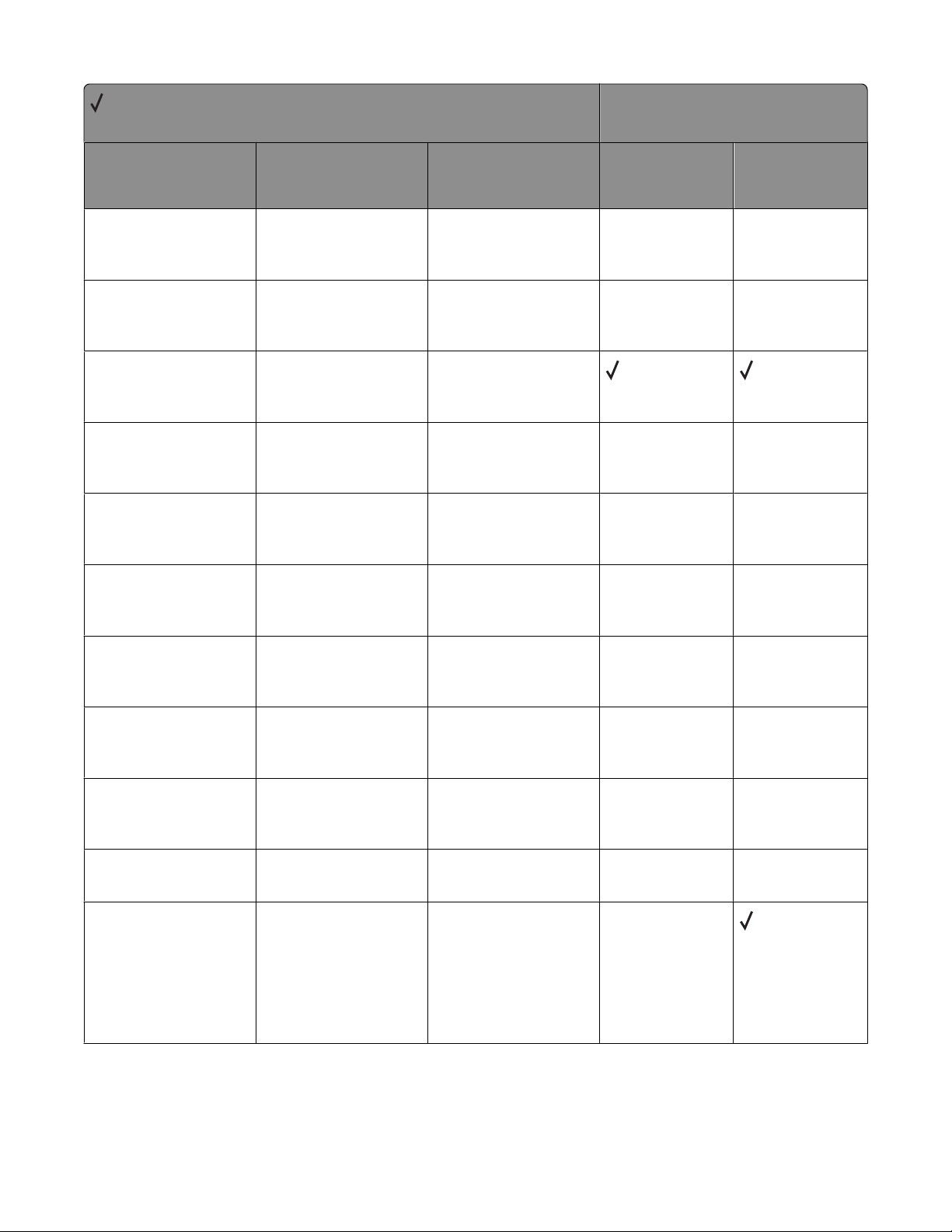
= Supported
X = Not supported
Message Status code Return string
Printer model
X264dn, X363dn,
X364dn, X364dw
X463de, X464de,
X466de, X466dte,
X466dwe
Intervention Required -
Remove Paper From
<bin #>
Intervention Required -
Remove Paper <linked
set bin name>
Intervention Required -
Remove Paper From
Standard Output Bin
Intervention Required -
Remove Paper <linked
set bin name>
Intervention Required -
Remove Paper Outbin
<bin #>
Intervention Required -
Remove Paper Standard
Bin
Intervention Required -
Photoconductor
Exposure Warning
40019
40019
40019
40019
40019
40019
40025
Remove paper from
bin <bin #>
Remove paper
from <linked set
bin name>
Remove paper from
standard output
bin
Remove
Paper <linked set
bin name>
Remove Paper
Output Bin
<bin #>
Remove Paper
Standard Bin
Photoconductor
exposure warning
X X
X X
X X
X X
X X
X X
Intervention Required -
Check <Source>
Orientation or Guides
Intervention Required -
Check <Source> Paper
Guide
Intervention Required -
Incorrect Media
Intervention Required -
Change Request
4100x
4100x
41xy
41xyy
Check <source>
orientation or
guides
Check <source>
Paper Guide
Paper changes
needed
Change <source>
<Custom Type
Name>
<Custom String>
<size>
<type><size>
Appendix B: PJL support
X X
X X
X X
X
68
Page 69
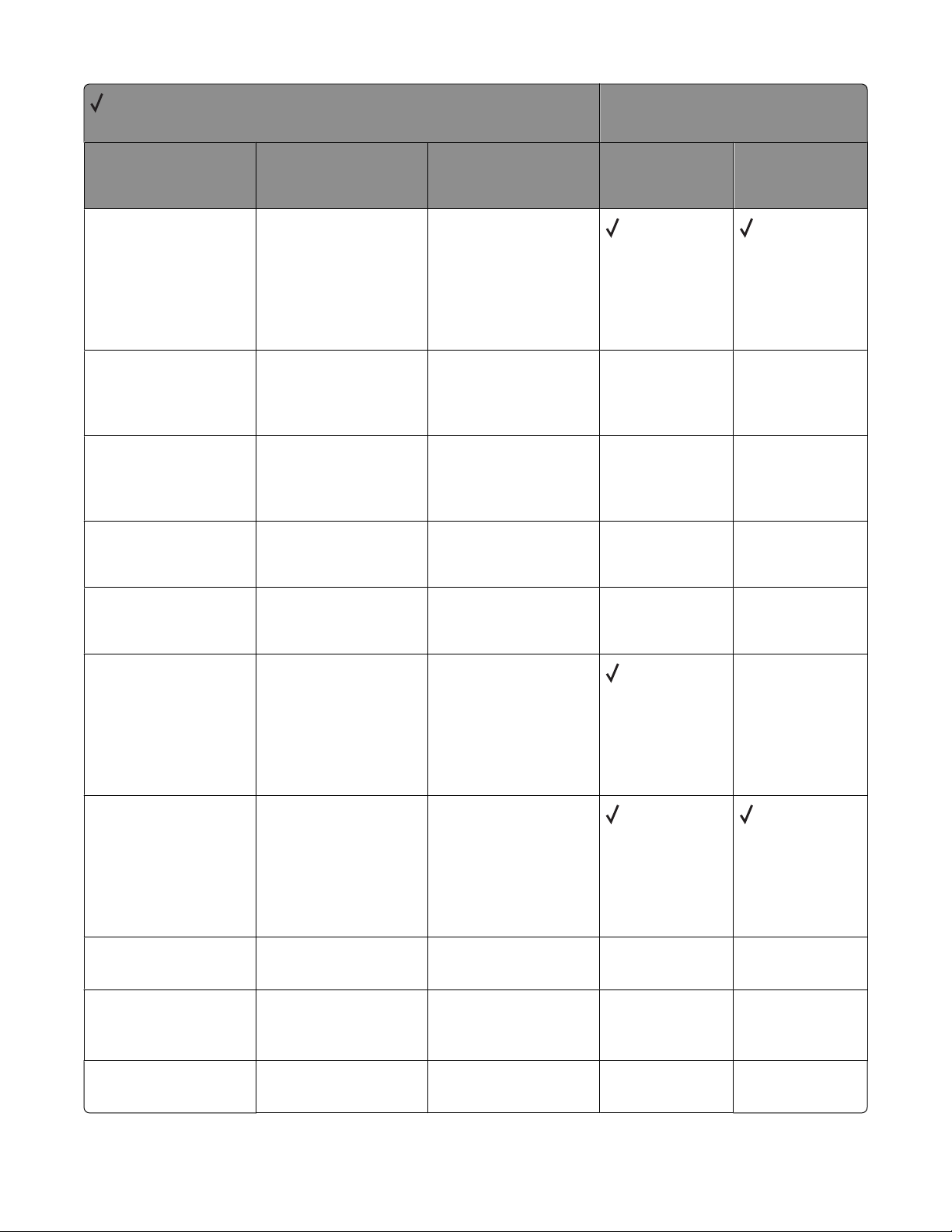
= Supported
X = Not supported
Message Status code Return string
Printer model
X264dn, X363dn,
X364dn, X364dw
X463de, X464de,
X466de, X466dte,
X466dwe
Intervention Required -
Load Manual Request
Intervention Required -
Load Manual Request
Intervention Required -
Load Manual Request
Intervention Required -
Load Manual Request
Intervention Required -
Load Manual Request
Intervention Required -
Load Request
41xxy
41xxy
41xxy
41xxy
41xxy
41xyy
Load Manual
<Custom Type
Name>
<Custom String>
<size>
<type><size>
Load Manual
Feeder
with <Custom Type
Name>
Load Manual
Feeder
with <Custom
String>
Load Manual
Feeder
with <size>
Load Manual
Feeder
with <type><size>
Load <source>
<Custom Type
Name>
<Custom String>
<size>
<type><size>
X X
X X
X X
X X
X
Intervention Required -
Load Request
Intervention Required -
Incorrect Media
Intervention Required -
Insert Duplex Pages &
Press Go.
Intervention Required -
Insert Tray Request
41xyy
41xyy
412yy
4300x
Load <source>
with <Custom Type
Name>
<Custom String>
with <size>
with <type><size>
34 Incorrect
Media
Insert Duplex
Pages & Press Go.
Insert Tray <x>
Appendix B: PJL support
69
X X
X X
X X
Page 70
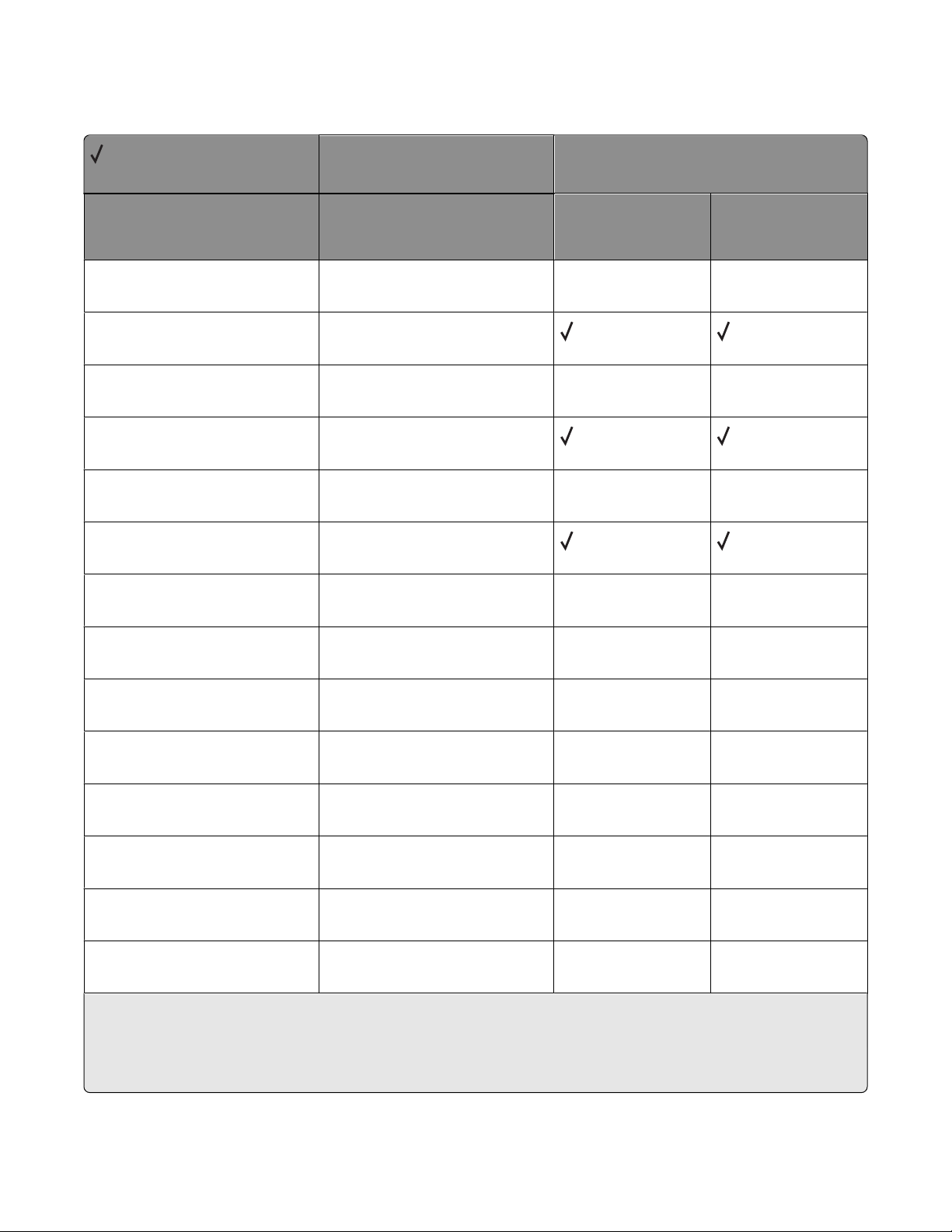
PJL messages for paper jams
= Supported
X = Not supported
Message Status code
Printer model
X264dn, X363dn,
X364dn, X364dw
X463de, X464de,
X466de, X466dte,
X466dwe
Intervention Required -
Paper Jam
Intervention Required -
Paper Jam
Intervention Required -
Paper Jam
Intervention Required -
Paper Jam
Intervention Required -
Paper Jam
Intervention Required -
Paper Jam
Intervention Required -
Paper Jam
Intervention Required -
Paper Jam
Intervention Required -
Paper Jam
4200x X X
4200z
4201x
4201z
4202x
4202z
4203x X X
4203z
4204x X X
X X
X X
X X
Intervention Required -
Paper Jam
Intervention Required -
Paper Jam
Intervention Required -
Paper Jam
Intervention Required -
Paper Jam
Intervention Required -
Paper Jam
w indicates this message includes a letter indicating a door or cover that needs to be opened.
x represents the number of jammed pages in the printer.
y represents the tray number.
z represents the bin number.
4205x
4206x
4207x X X
4208x
4209x
X X
X X
X X
X X
Appendix B: PJL support
70
Page 71
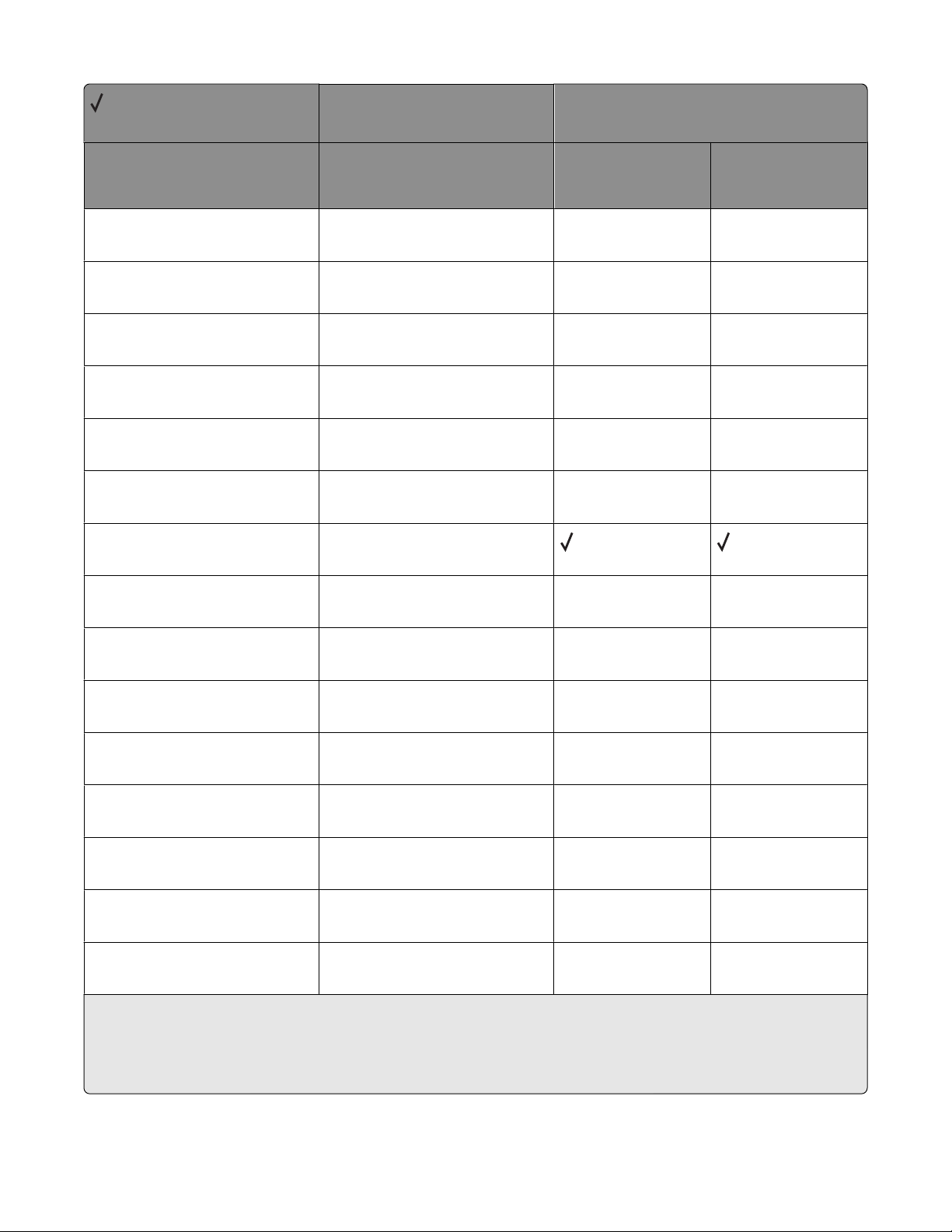
= Supported
X = Not supported
Message Status code
Printer model
X264dn, X363dn,
X364dn, X364dw
X463de, X464de,
X466de, X466dte,
X466dwe
Intervention Required -
Paper Jam
Intervention Required -
Paper Jam
Intervention Required -
Paper Jam
Intervention Required -
Paper Jam
Intervention Required -
Paper Jam
Intervention Required -
Paper Jam
Intervention Required -
Paper Jam
Intervention Required -
Paper Jam
Intervention Required -
Paper Jam
4210x X X
4211x
4220x
4221x X X
4222x
4230x
4230z
4231x
4231z X X
X X
X X
X X
X X
X X
Intervention Required -
Paper Jam
Intervention Required -
Paper Jam
Intervention Required -
Paper Jam
Intervention Required -
Paper Jam
Intervention Required -
Paper Jam
Intervention Required -
Paper Jam
w indicates this message includes a letter indicating a door or cover that needs to be opened.
x represents the number of jammed pages in the printer.
y represents the tray number.
z represents the bin number.
4232x
4233x
4234 X X
424yx
424xz
4241wy X X
X X
X X
X X
X X
Appendix B: PJL support
71
Page 72
= Supported
X = Not supported
Message Status code
Printer model
X264dn, X363dn,
X364dn, X364dw
X463de, X464de,
X466de, X466dte,
X466dwe
Intervention Required -
Paper Jam
Intervention Required -
Paper Jam
Intervention Required -
Paper Jam
Intervention Required -
Paper Jam
Intervention Required -
Paper Jam
Intervention Required -
Paper Jam
Intervention Required -
Paper Jam
Intervention Required -
Paper Jam
Intervention Required -
Paper Jam
4241z X X
4242wy
4242z
4243w X X
4243z
4244wy
4244z X X
4245w
4246w X X
X X
X X
X X
X X
X X
Intervention Required -
Paper Jam
Intervention Required -
Paper Jam
Intervention Required -
Paper Jam
Intervention Required -
Paper Jam
Intervention Required -
Paper Jam
Intervention Required -
Paper Jam
w indicates this message includes a letter indicating a door or cover that needs to be opened.
x represents the number of jammed pages in the printer.
y represents the tray number.
z represents the bin number.
4247wy
4248w
4249w X X
4250w
4250x
4250z
X X
X X
X X
X X
Appendix B: PJL support
72
Page 73
= Supported
X = Not supported
Message Status code
Printer model
X264dn, X363dn,
X364dn, X364dw
X463de, X464de,
X466de, X466dte,
X466dwe
Intervention Required -
Paper Jam
Intervention Required -
Paper Jam
Intervention Required -
Paper Jam
Intervention Required -
Paper Jam
Intervention Required -
Paper Jam
Intervention Required -
Paper Jam
Intervention Required -
Paper Jam
Intervention Required -
Paper Jam
Intervention Required -
Paper Jam
4251wy X X
4251x
4252w
4253w X X
4254wy
4255
4256w X X
4257w
4258w X X
X X
X X
X X
X X
X X
Intervention Required -
Paper Jam
Intervention Required -
Paper Jam
Intervention Required -
Paper Jam
Intervention Required -
Paper Jam
Intervention Required -
Paper Jam
Intervention Required -
Paper Jam
w indicates this message includes a letter indicating a door or cover that needs to be opened.
x represents the number of jammed pages in the printer.
y represents the tray number.
z represents the bin number.
4259wy
4260w
4260x X X
4260z
4261w
4261x X X
X X
X X
X X
X X
Appendix B: PJL support
73
Page 74
= Supported
X = Not supported
Message Status code
Printer model
X264dn, X363dn,
X364dn, X364dw
X463de, X464de,
X466de, X466dte,
X466dwe
Intervention Required -
Paper Jam
Intervention Required -
Paper Jam
Intervention Required -
Paper Jam
Intervention Required -
Paper Jam
Intervention Required -
Paper Jam
Intervention Required -
Paper Jam
Intervention Required -
Paper Jam
Intervention Required -
Paper Jam
Intervention Required -
Paper Jam
427xz X X
427zx
4271
4271z X X
4272
4272z
4273 X X
4280w
4280x X X
X X
X X
X X
X X
X X
Intervention Required -
Paper Jam
Intervention Required -
Paper Jam
Intervention Required -
Paper Jam
Intervention Required -
Paper Jam
Intervention Required -
Paper Jam
Intervention Required -
Paper Jam
w indicates this message includes a letter indicating a door or cover that needs to be opened.
x represents the number of jammed pages in the printer.
y represents the tray number.
z represents the bin number.
4280z
4281w
4281x X X
4281z
4282w
4282x X X
X X
X X
X X
X X
Appendix B: PJL support
74
Page 75
= Supported
X = Not supported
Message Status code
Printer model
X264dn, X363dn,
X364dn, X364dw
X463de, X464de,
X466de, X466dte,
X466dwe
Intervention Required -
Paper Jam
Intervention Required -
Paper Jam
Intervention Required -
Paper Jam
Intervention Required -
Paper Jam
Intervention Required -
Paper Jam
Intervention Required -
Paper Jam
Intervention Required -
Paper Jam
Intervention Required -
Paper Jam
Intervention Required -
Paper Jam
4282z X X
4283w
4283x
4283z X X
4284w
4284x
4284z X X
4285w
4285z X X
X X
X X
X X
X X
X X
Intervention Required -
Paper Jam
Intervention Required -
Paper Jam
Intervention Required -
Paper Jam
Intervention Required -
Paper Jam
Intervention Required -
Paper Jam
Intervention Required -
Paper Jam
w indicates this message includes a letter indicating a door or cover that needs to be opened.
x represents the number of jammed pages in the printer.
y represents the tray number.
z represents the bin number.
4286w
4286z
4287 X X
4287z
4288
4288z X X
X X
X X
X X
X X
Appendix B: PJL support
75
Page 76
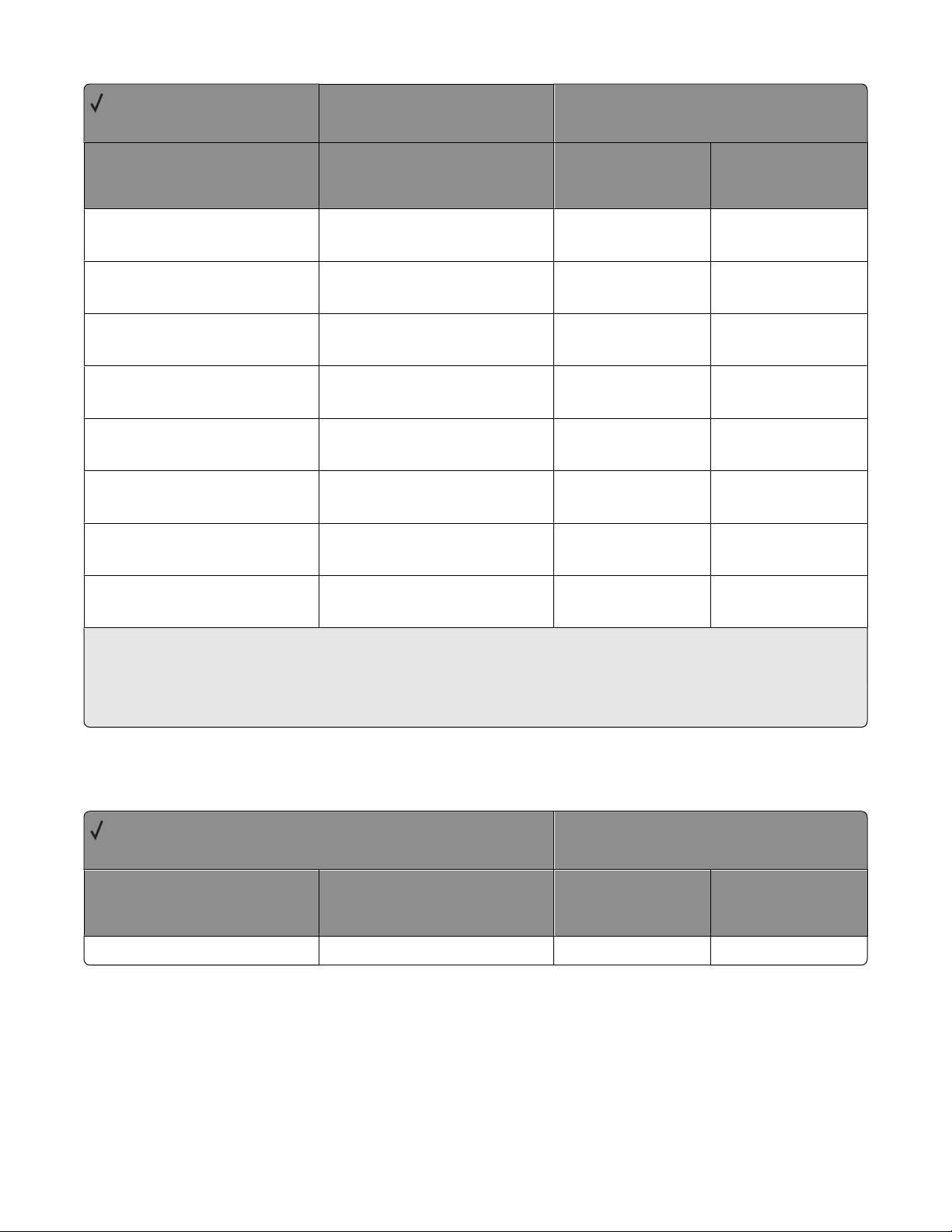
= Supported
X = Not supported
Message Status code
Printer model
X264dn, X363dn,
X364dn, X364dw
X463de, X464de,
X466de, X466dte,
X466dwe
Intervention Required -
Paper Jam
Intervention Required -
Paper Jam
Intervention Required -
Paper Jam
Intervention Required -
Paper Jam
Intervention Required -
Paper Jam
Intervention Required -
Paper Jam
Intervention Required -
Paper Jam
Intervention Required -
Paper Jam
w indicates this message includes a letter indicating a door or cover that needs to be opened.
x represents the number of jammed pages in the printer.
y represents the tray number.
z represents the bin number.
4289 X X
4289z
4290
4291 X X
4292
4293
4294 X X
4295
X X
X X
X X
X X
X X
Service errors
= Supported
X = Not supported
Message Error code
ALL SERVICE MESSAGES 50000
X264dn, X363dn,
X364dn, X364dw
X X
Appendix B: PJL support
76
Printer model
X463de, X464de,
X466de, X466dte,
X466dwe
Page 77
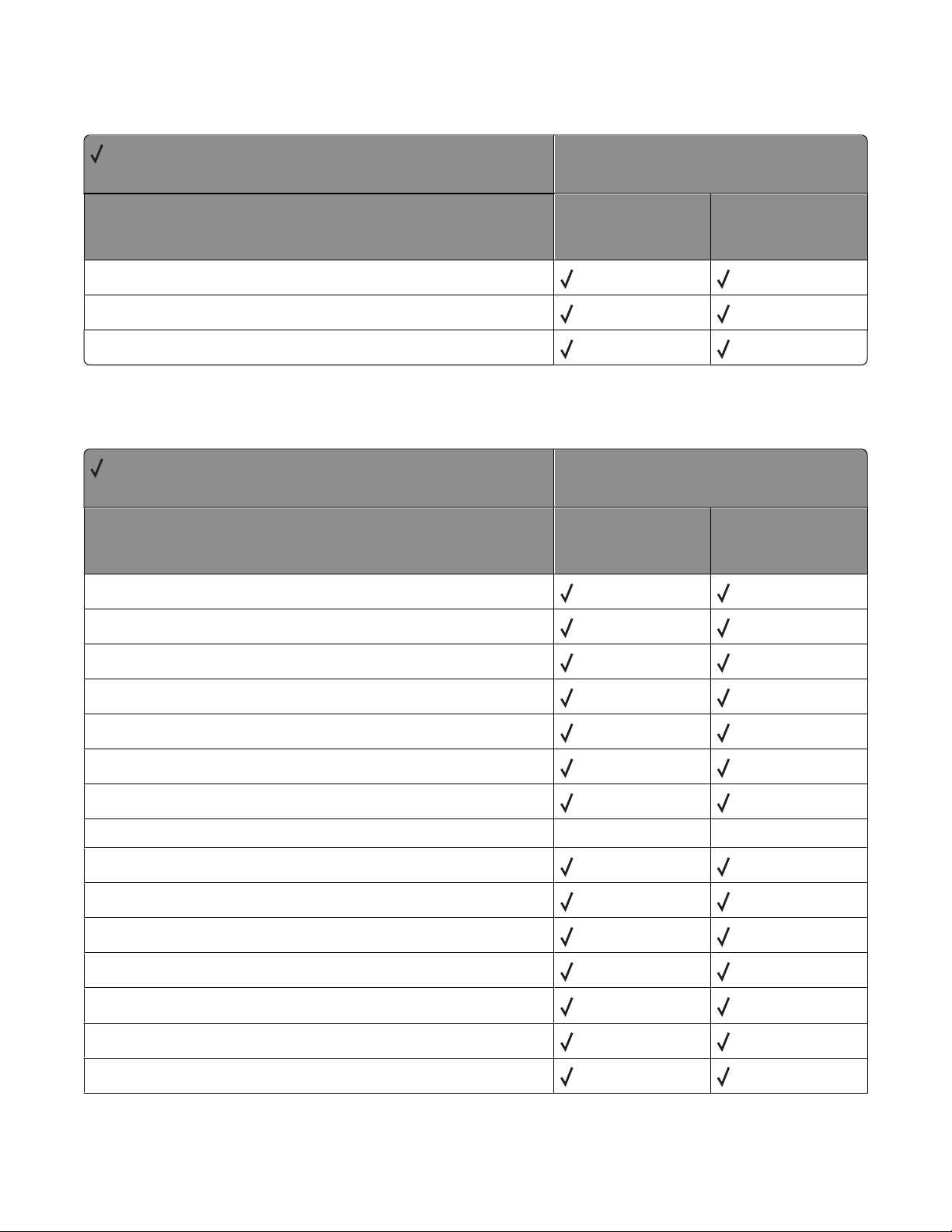
Device attendance messages
= Supported
X = Not supported
Message
OPMSG
RDYMSG
STMSG
Lexmark-unique PJL commands
= Supported
X = Not supported
Command
Printer model
X264dn, X363dn,
X364dn, X364dw
Printer model
X264dn, X363dn,
X364dn, X364dw
X463de, X464de,
X466de, X466dte,
X466dwe
X463de, X464de,
X466de, X466dte,
X466dwe
LBEEP
LCLOSEFILE
LDEFRAG
LDELETEFILE
LDOWNLOADTARGET
LENGINEPRT
LESCAPECHAR
LFAX PHONENUMBER
LFORMAT
LINITIALIZEPRINTER
LOPENFILE
LPORTROTATE
LPRINT testpage
LPRINTDIRECTORY
X X
LPRINTMENUS
Appendix B: PJL support
77
Page 78
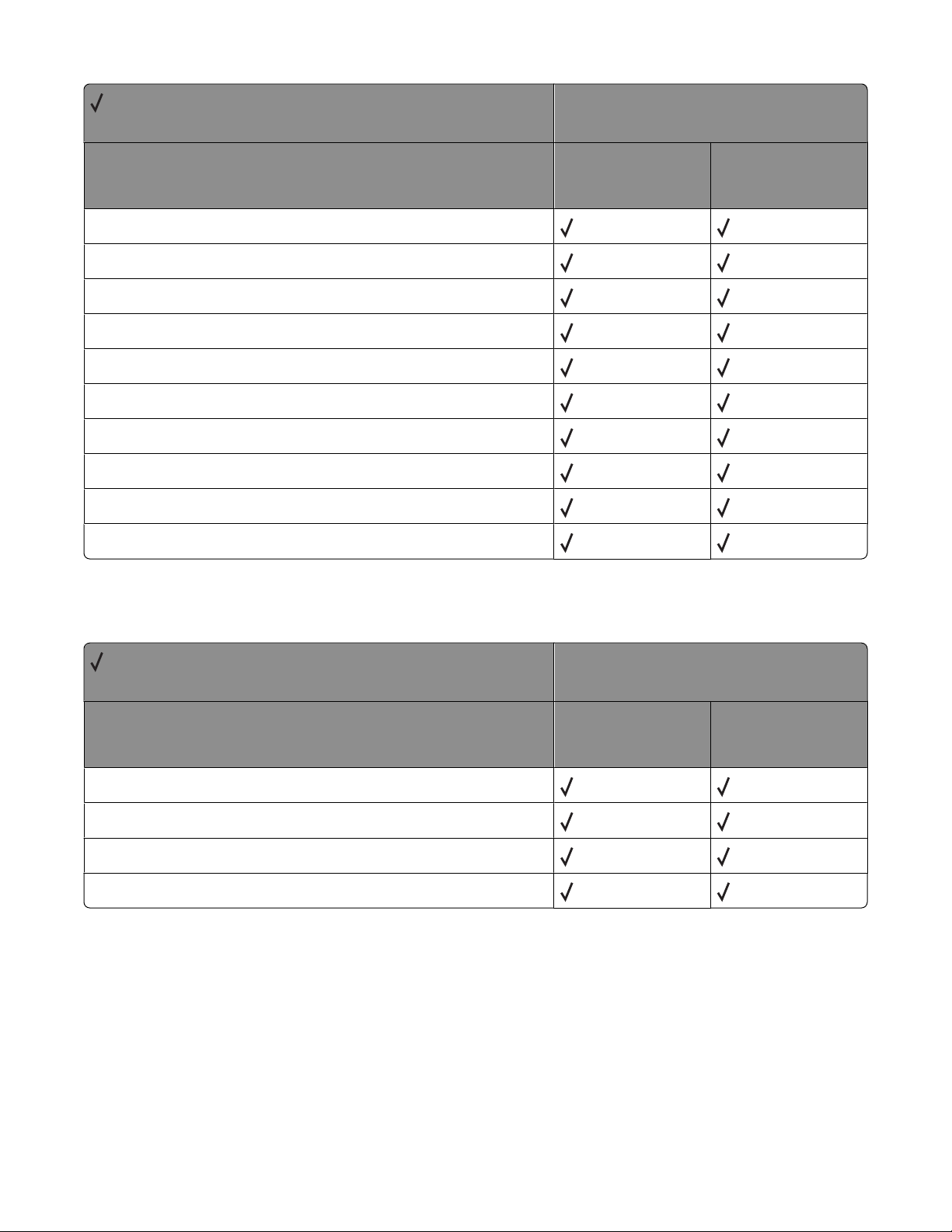
= Supported
X = Not supported
Command
LPRINTPCLFONTS
LPRINTPSFONTS
LPRINTTESTPAGE
LPRINTDIAG1TEST
LPRINTDIAG2TEST
LPRINTDIAG3TEST
LREADFILE
LRENAMEFILE
LRUNFILE
LWRITEFILE
Printer model
X264dn, X363dn,
X364dn, X364dw
X463de, X464de,
X466de, X466dte,
X466dwe
File and device protection commands
= Supported
X = Not supported
X264dn, X363dn,
Command
LBYPASSPASSWORD KEY
LDECLARE LRESOURCE
LDELETEPASSWORD
LQUERYSEED
X364dn, X364dw
Printer model
X463de, X464de,
X466de, X466dte,
X466dwe
Appendix B: PJL support
78
Page 79
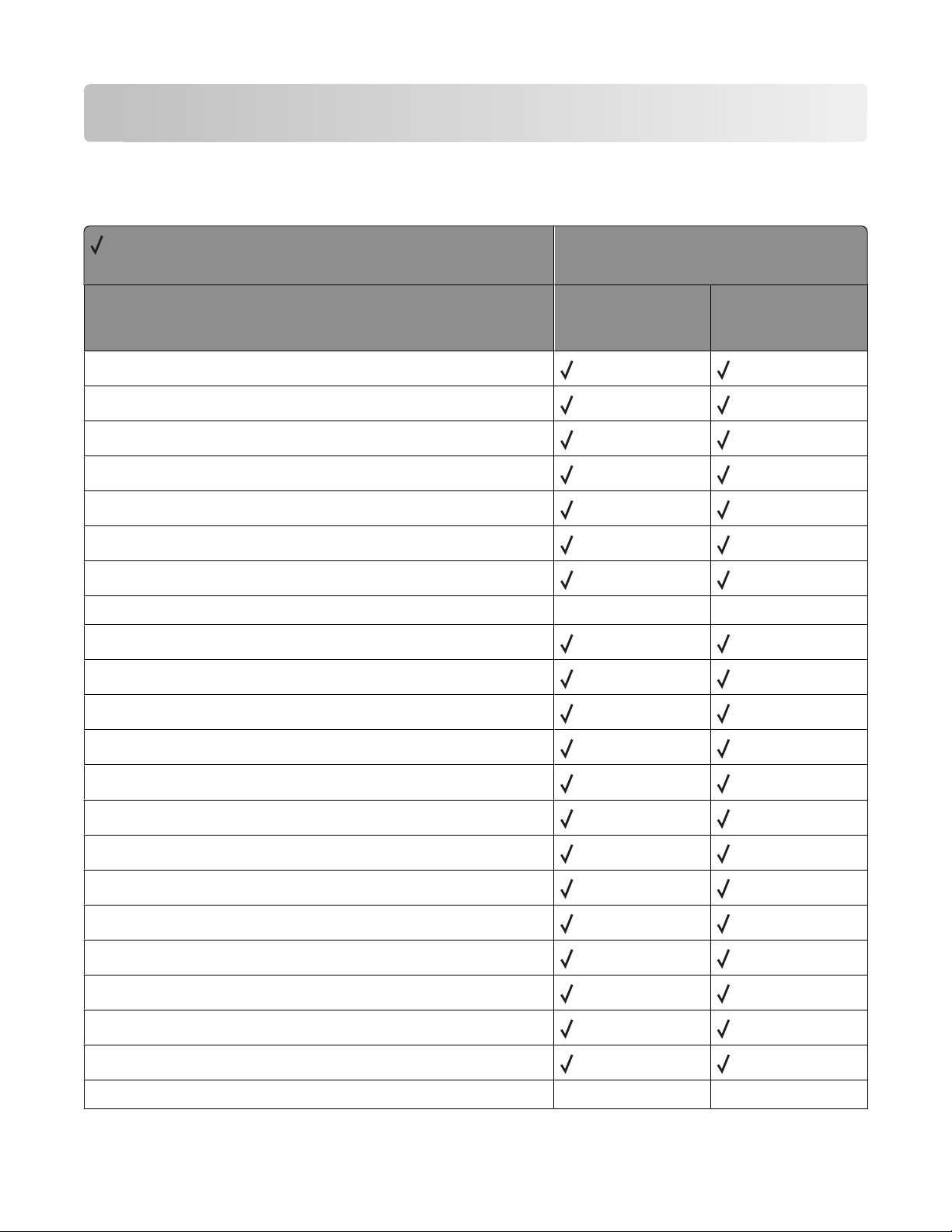
Appendix C: PostScript support
Supplemental operators
= Supported
X = Not supported
X264dn, X363dn,
Operator name
appletalktype
buildtime
byteorder
checkpassword
currentfilenameextend
currentmanualduplexmode
X364dn, X364dw
Printer model
X463de, X464de,
X466de, X466dte,
X466dwe
currentuniversalsize
defaulttimeouts
deletefile
devcontrol
devdismount
devforall
devformat
devmount
devstatus
diskonline
diskstatus
displayoperatormsg
doidlefonts
dojamrecovery
X X
doprinterrors
doret
X X
Appendix C: PostScript support
79
Page 80
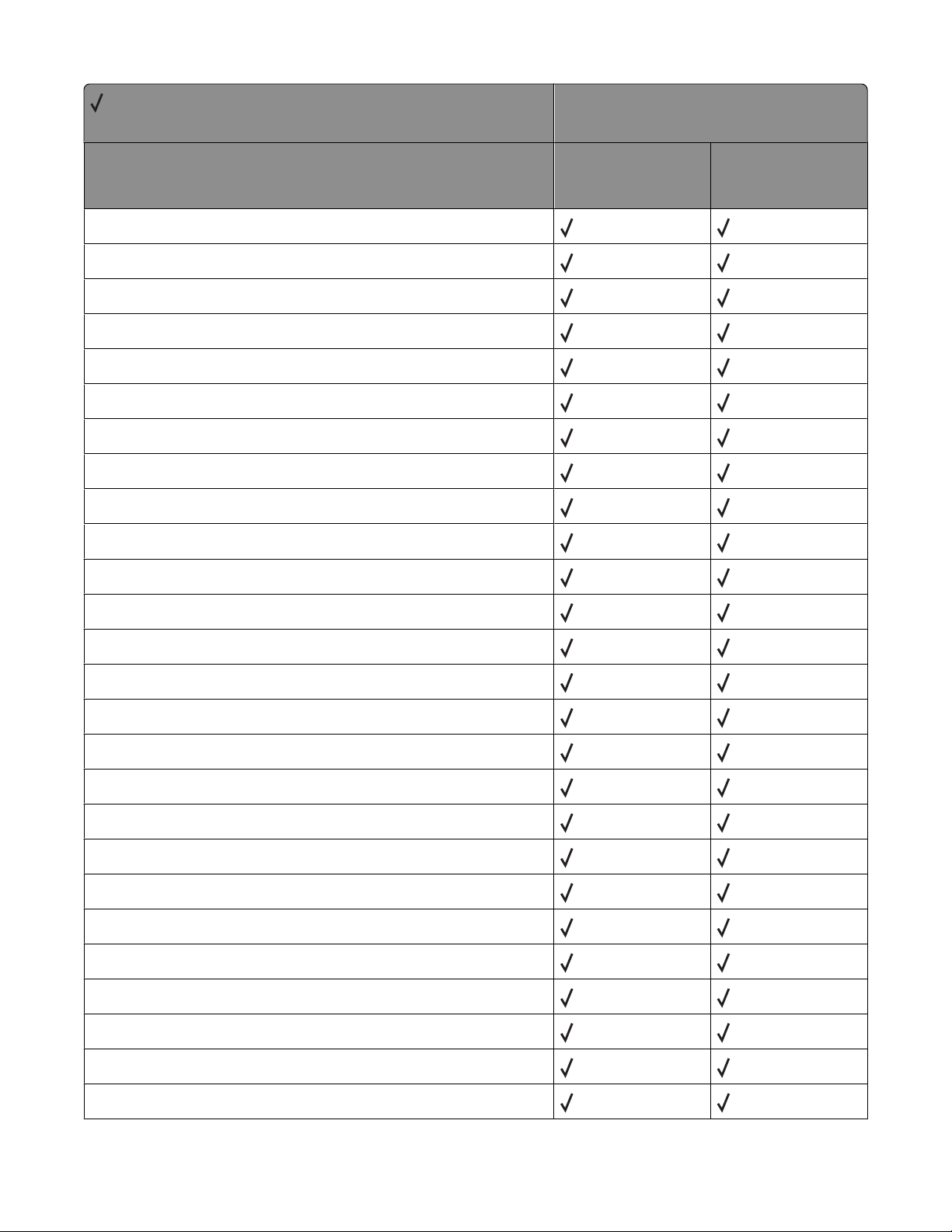
= Supported
X = Not supported
Operator name
dostartpage
dosysstart
duplexer
duplexmode
enginesync
file
filenameforall
fileposition
firstside
fontnonzerowinding
Printer model
X264dn, X363dn,
X364dn, X364dw
X463de, X464de,
X466de, X466dte,
X466dwe
hardwareiomode
idlefonts
ignoresize
initializedisk
jobname
jobsource
jobtimeout
manualfeed
manualfeedtimeout
newsheet
pagecount
pagesprinted
papertray
printername
product
PS2fonts
Appendix C: PostScript support
80
Page 81
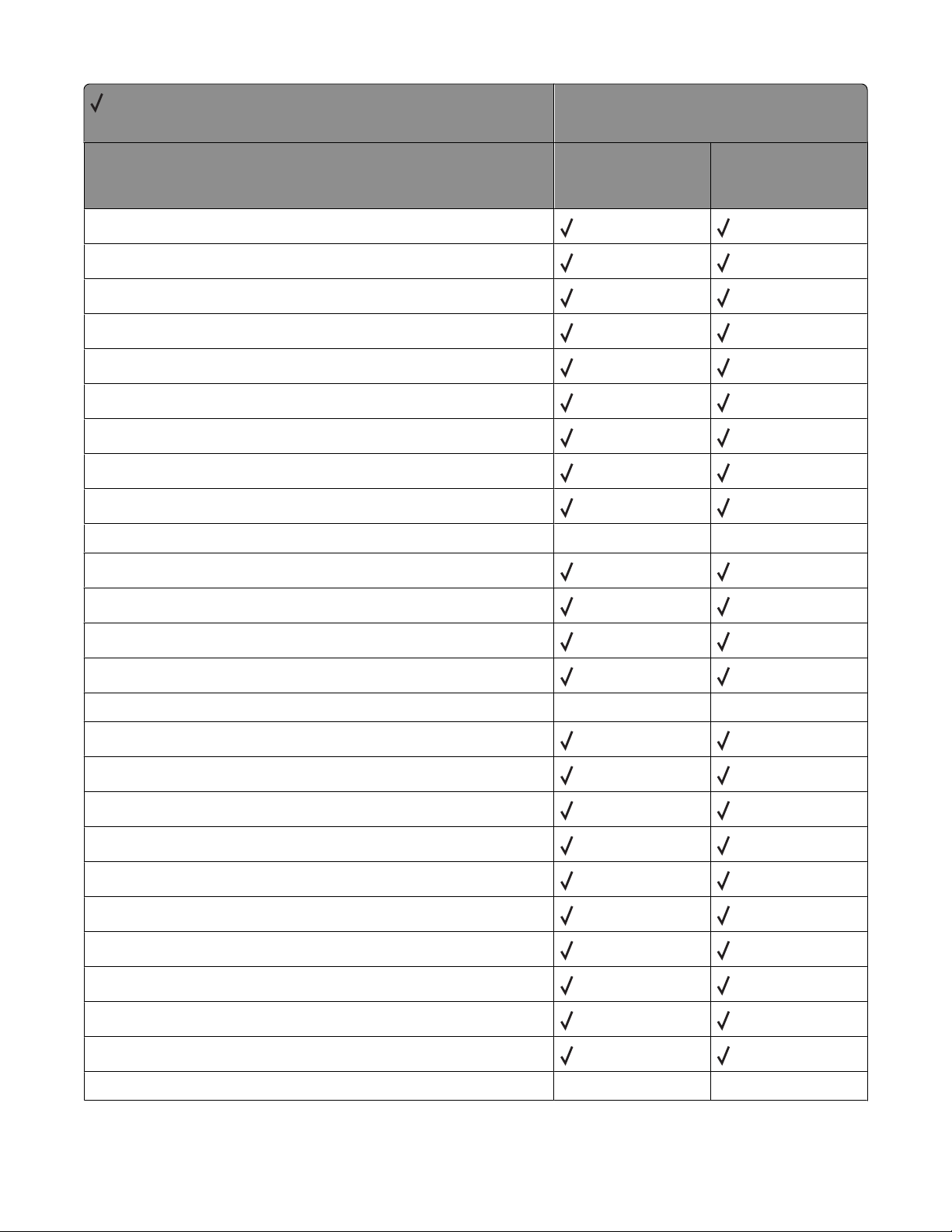
= Supported
X = Not supported
Operator name
PS3fonts
quiet
ramsize
realformat
renamefile
resolution
revision
sccbatch
sccinteractive
Printer model
X264dn, X363dn,
X364dn, X364dw
X463de, X464de,
X466de, X466dte,
X466dwe
setcoverpage
setdefaulttimeouts
setdoidlefonts
setdojamrecovery
setdoprinterrors
setdoret
setdostartpage
setdosysstart
setduplexmode
setenginesync
setethernetaddress
setfilenameextend
setfileposition
sethardwareiomode
X X
X X
setidlefonts
setignoresize
setjobtimeout
X X
Appendix C: PostScript support
81
Page 82
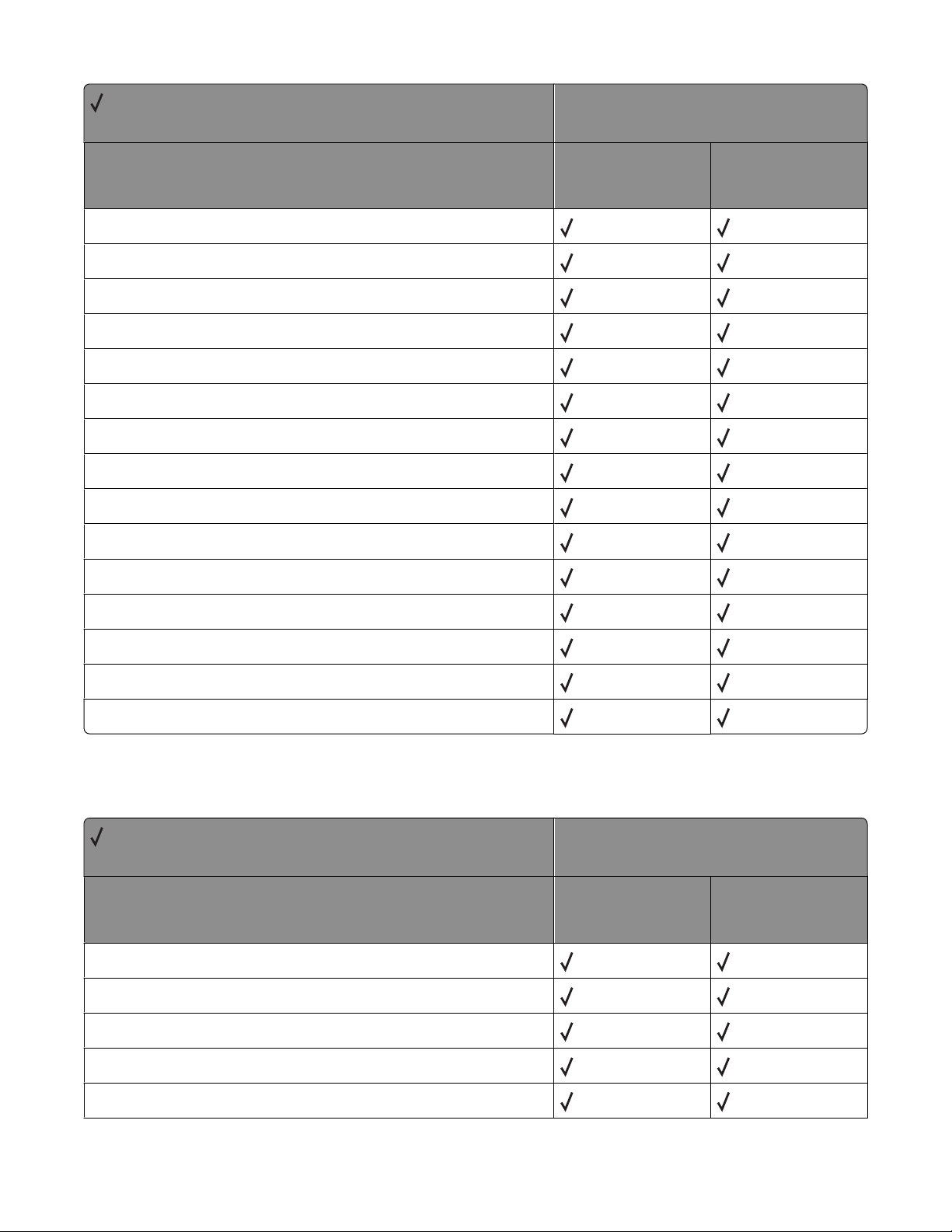
= Supported
X = Not supported
Operator name
setmanualduplexmode
setpapertray
setprintername
setquiet
setresolution
setsccbatch
setsccinteractive
setsoftwareiomode
settumble
setuniversalsize
Printer model
X264dn, X363dn,
X364dn, X364dw
X463de, X464de,
X466de, X466dte,
X466dwe
setuserdiskpercent
softwareiomode
tumble
userdiskpercent
waittimeout
Page device parameters
= Supported
X = Not supported
Key
BeginPage
Collate
Printer model
X264dn, X363dn,
X364dn, X364dw
X463de, X464de,
X466de, X466dte,
X466dwe
DeferredMediaSelection
DeviceRenderingInfo
• AutoMediaType
Appendix C: PostScript support
82
Page 83
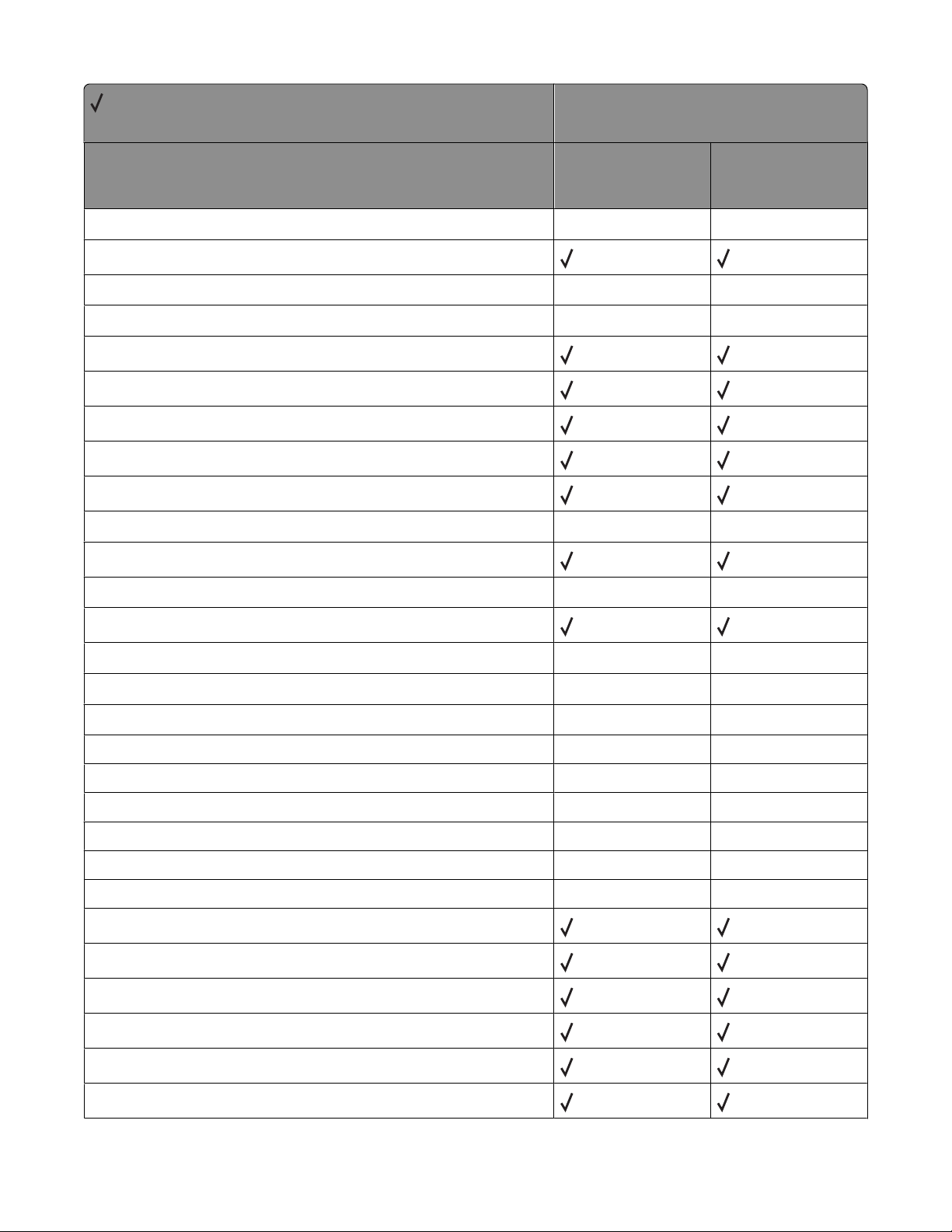
= Supported
X = Not supported
Key
Printer model
X264dn, X363dn,
X364dn, X364dw
X463de, X464de,
X466de, X466dte,
X466dwe
• ColorBalance
• ColorCorrection
• ColorSaver
• DefaultPoliciesPageSize
• EdgeToEdge
• ImageBrightness
• ImageContrast
• ImageEnhancement
• ImageEnhancementType
• ImageSaturation
• LineDetail
• ManualColor
• PrintDarkness
• PictureGrade
X X
X X
X X
X X
X X
X X
• PrintQuality
• Screening
- ColorGrade X X
- IET
- IETImagesOnly X X
- IETPictureGrade
- None X X
- PictureGrade
X X
X X
X X
X X
X X
• SubstituteSize
• TonerSaver
• Type
Duplex
EndPage
ExitJamRecovery
Appendix C: PostScript support
83
Page 84
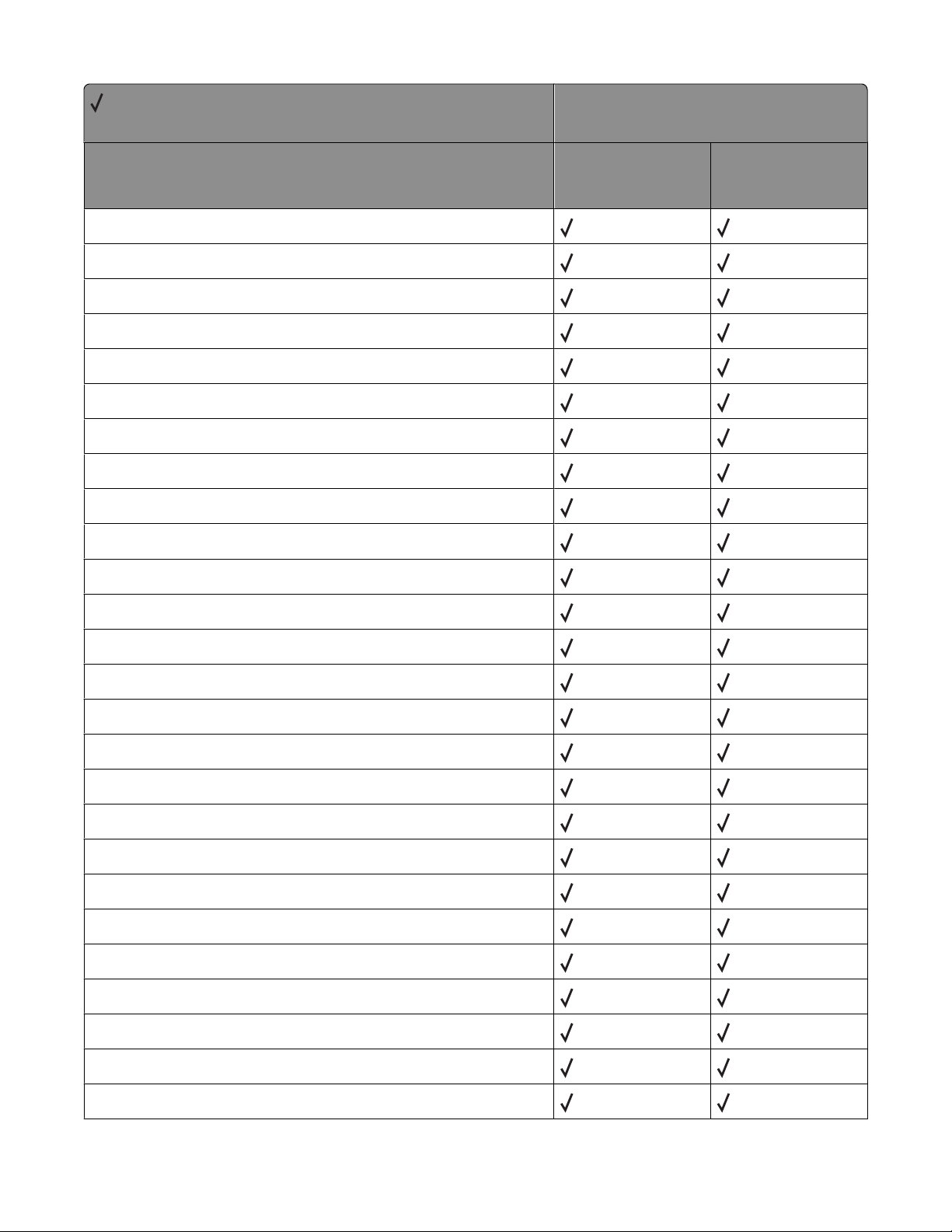
= Supported
X = Not supported
Key
HWResolution
ImagingBBox
InputAttributes
• 0 - Tray 1
• 1 - Tray 2
• 2 - Envelope Feeder
• 3 - Tray 3
• 4 - Multipurpose Feeder
• 5 - Tray 4
• 6 - Tray 5
Printer model
X264dn, X363dn,
X364dn, X364dw
X463de, X464de,
X466de, X466dte,
X466dwe
- InputLocation
- MatchAll
- MediaColor
- MediaType
- MediaWeight
- PageSize
• Mode
• Priority
Install
Jog
ManualFeed
ManualFeedTimeout
MediaColor
MediaPosition
MediaType
MediaWeight
Appendix C: PostScript support
84
Page 85
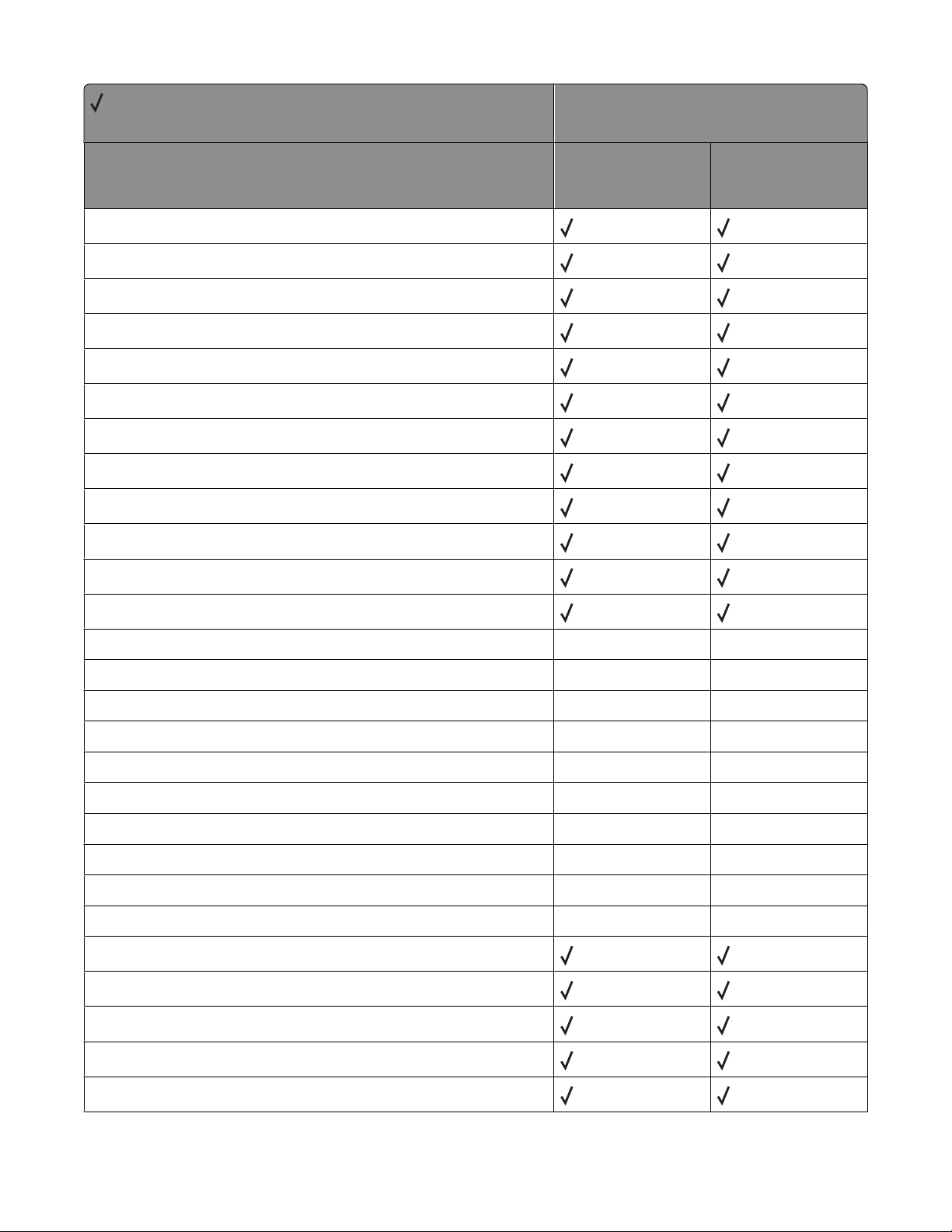
= Supported
X = Not supported
Key
NumCopies
Nup
NupDetails
• Border
• Columns
• LandscapeOverride
• Order
• Orientation
• Rows
• Type
Printer model
X264dn, X363dn,
X364dn, X364dw
X463de, X464de,
X466de, X466dte,
X466dwe
OutputAttributes
• 0 - Standard Bin
• 1 - Optional Bin 1
• 2 - Optional Bin 2
• 3 - Optional Bin 3
• 4 - Optional Bin 4
• 5 - Optional Bin 5
• 6 - Optional Bin 6
• 7 - Optional Bin 7
• 8 - Optional Bin 8
• 9 - Optional Bin 9
• 10 - Optional Bin 10
- OutputLocation
- OutputType
- Priority
X X
X X
X X
X X
X X
X X
X X
X X
X X
X X
OutputPage
OutputType
Appendix C: PostScript support
85
Page 86
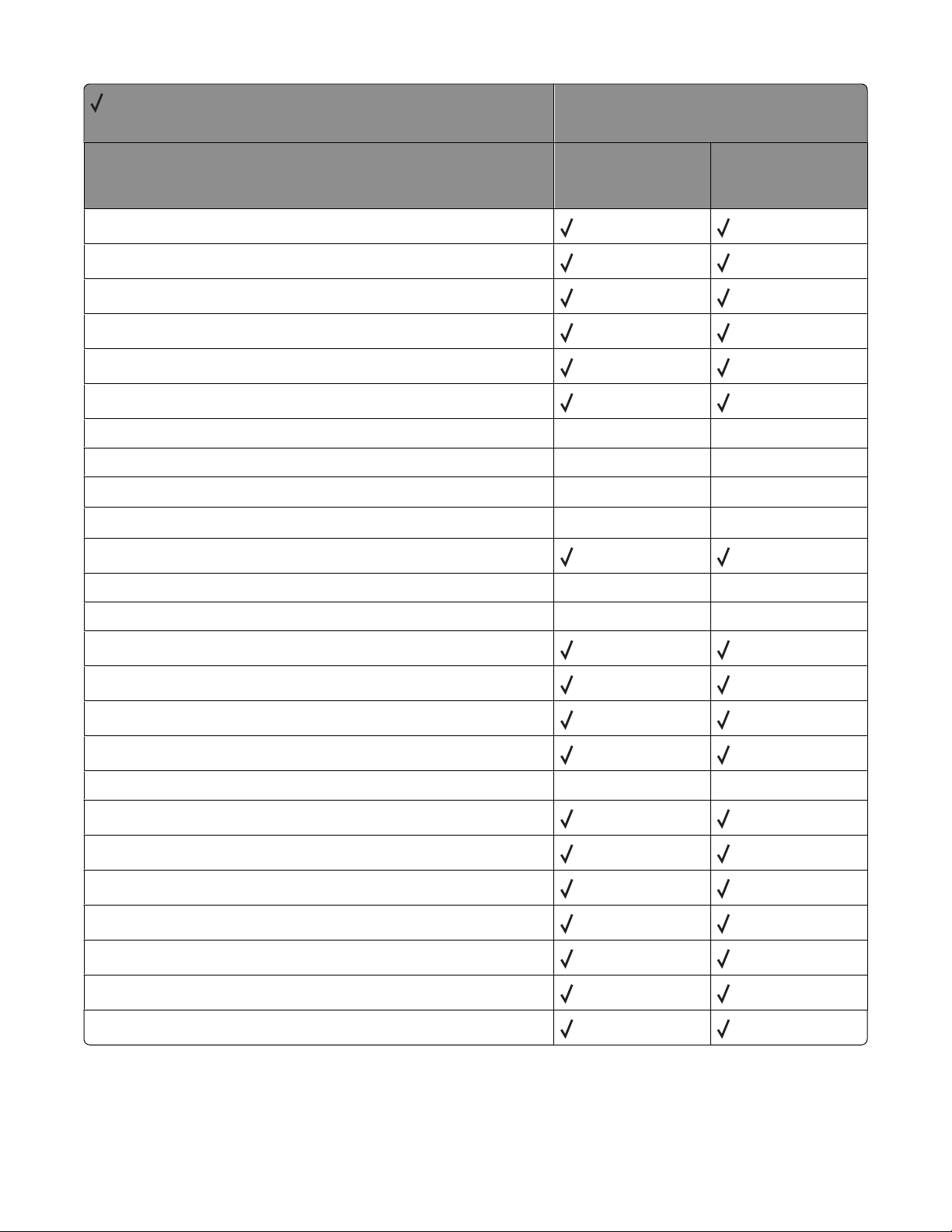
= Supported
X = Not supported
Key
PageDeviceName
PageSize
Policies
• PolicyNotFound
• PolicyReport
• PageSize
Printer model
X264dn, X363dn,
X364dn, X364dw
X463de, X464de,
X466de, X466dte,
X466dwe
PostRenderingEnhance
PostRenderingEnhanceDetails X X
• REValue
• Type
PowerSave
ProcessColorModel
Punch
SlipSheet
SlipSheetDetails
X X
X X
X X
X X
X X
• SlipSheetSource
• Type
Staple
TraySwitch
Tumble
X X
UniversalDetails
• Orientation
• PageSize
• Prompt
• Type
Appendix C: PostScript support
86
Page 87
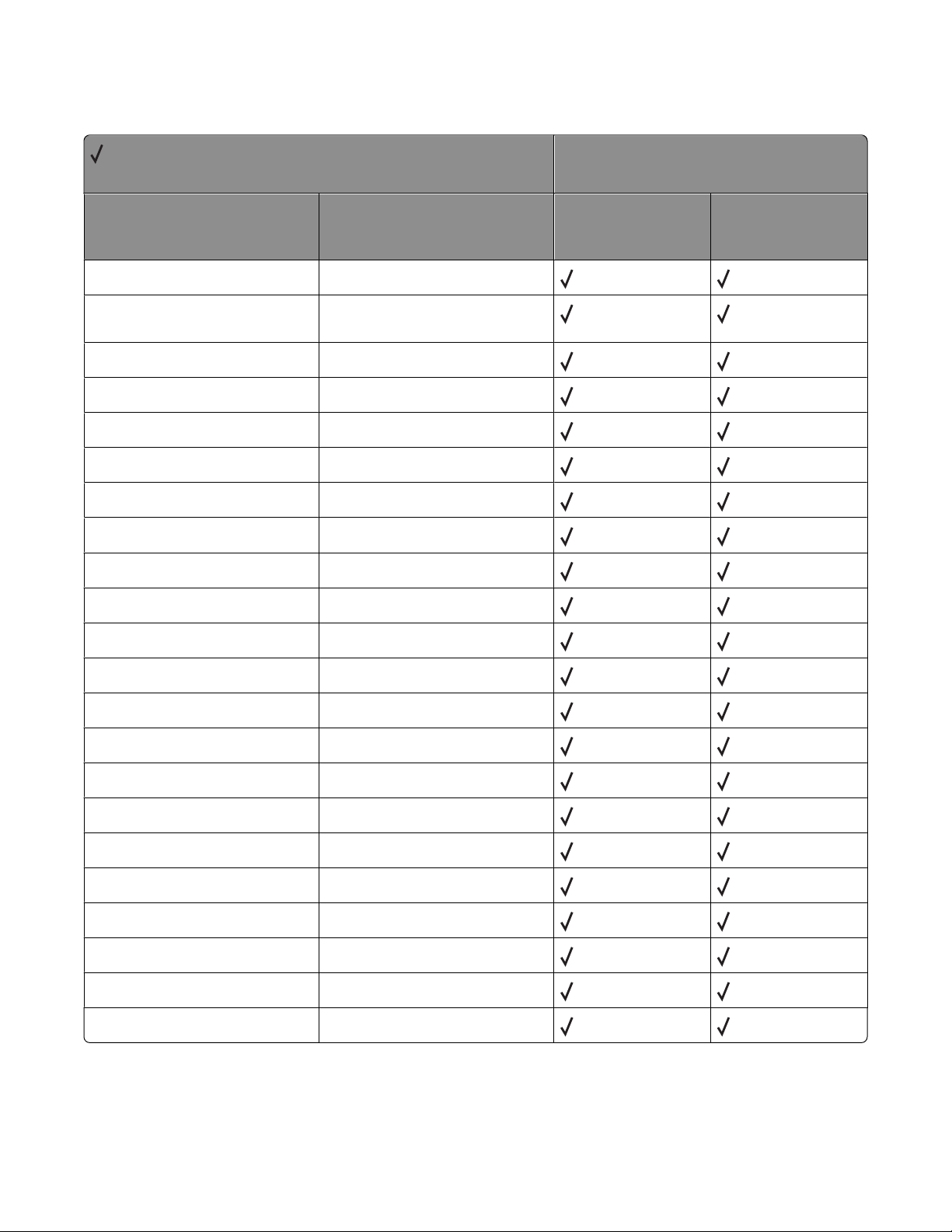
User interpreter parameters
= Supported
X = Not supported
Key Default
AccurateScreens false
CollatedCopies Collation - Collated Copies (QTY)
value
HalftoneMode 0
IdiomRecognition true
JobName ( )
JobTimeout JobTimeout system parameter
MaxDictStack 255
MaxExecStack 10015
Printer model
X264dn, X363dn,
X364dn, X364dw
X463de, X464de,
X466de, X466dte,
X466dwe
MaxFontItem 12500
MaxFormItem 100000
MaxLocalVM 2147483647
MaxOpStack 100000
MaxPatternItem 20000
MaxScreenItem 48000
MaxSuperScreen 1024
MaxUPathItem 5000
MinFontCompress 2147483647
PageCount 0
UseOldcopypage false
VMReclaim 0
VMThreshold 25000 per MB of RAM
WaitTimeout WaitTimeout system parameter
Appendix C: PostScript support
87
Page 88
System interpreter parameters
= Supported
X = Not supported
Printer model
Key
BuildTime
ByteOrder
CurDisplayList
CurFontCache
CurFormCache
CurInputDevice
CurOutlineCache
CurOutputDevice
CurPatternCache
CurScreenStorage
CurSourceList
T650n/dn/dtn,
T652n/dn/dtn,
T654n/dn/dtn
X651 MFP, X652 MFP,
X654 MFP, X656 MFP,
X658 MFP
CurUPathCache
DisableFastProcs
DoPrintErrors
DoStartPage
EnableExtraFonts
EngineBoot
EngineCode
EngineSpeed
EnvironmentSave
FactoryDefaults
FatalErrorAddress
FontResourceDir
FontVersion
Appendix C: PostScript support
88
Page 89
= Supported
X = Not supported
Printer model
Key
GenericResourceDir
GenericResourcePathSep
InstalledRam
JobTimeout
languagelevel
MaxDisplayList
MaxDisplayAndSourceList
MaxFontCache
MaxFormCache
MaxImageBuffer
MaxOutlineCache
T650n/dn/dtn,
T652n/dn/dtn,
T654n/dn/dtn
X651 MFP, X652 MFP,
X654 MFP, X656 MFP,
X658 MFP
MaxPatternCache
MaxPermanentVM
MaxRasterMemory
MaxScreenStorage
MaxSourceList
MaxUPathCache
PageCount
PanelCode
PrinterCode
PrinterName
RamSize
RealFormat
Revision
SearchBuiltinFontsFirst
SerialNumber
Appendix C: PostScript support
89
Page 90
= Supported
X = Not supported
Printer model
Key
StartJobPassword
StartupMode
StaticRamSize
SystemParamsPassword
UseOldcopypage
UseOldfonts
ValidNV
WaitTimeout
Devices supported
= Supported
X = Not supported
T650n/dn/dtn,
T652n/dn/dtn,
T654n/dn/dtn
X651 MFP, X652 MFP,
X654 MFP, X656 MFP,
X658 MFP
Printer model
Device
%AppSocketA%
%AppSocketB%
%AppSocketC%
%AppSocketD%
%EthernetPhysicalA%
%EthernetPhysicalB%
%EthernetPhysicalC%
%EthernetPhysicalD%
%EtherTalkA%
%EtherTalkB%
%EtherTalkC%
X264dn, X363dn,
X364dn, X364dw
X463de, X464de,
X466de, X466dte,
X466dwe
%EtherTalkD%
Appendix C: PostScript support
90
Page 91
= Supported
X = Not supported
Device
%IP_A%
%IP_B%
%IP_C%
%IP_D%
%IR_A%
%IR_B%
%IR_C%
%IR_D%
%LexLinkA%
%LexLinkB%
Printer model
X264dn, X363dn,
X364dn, X364dw
X463de, X464de,
X466de, X466dte,
X466dwe
%LexLinkC%
%LexLinkD%
%LocalTalkA%
%LocalTalkB%
%LocalTalkC%
%LocalTalkD%
%LPR_A%
%LPR_B%
%LPR_C%
%LPR_D%
%ParallelA%
%ParallelB%
%ParallelC%
%ParallelD%
%PrintServerA%
%PrintServerB%
Appendix C: PostScript support
91
Page 92
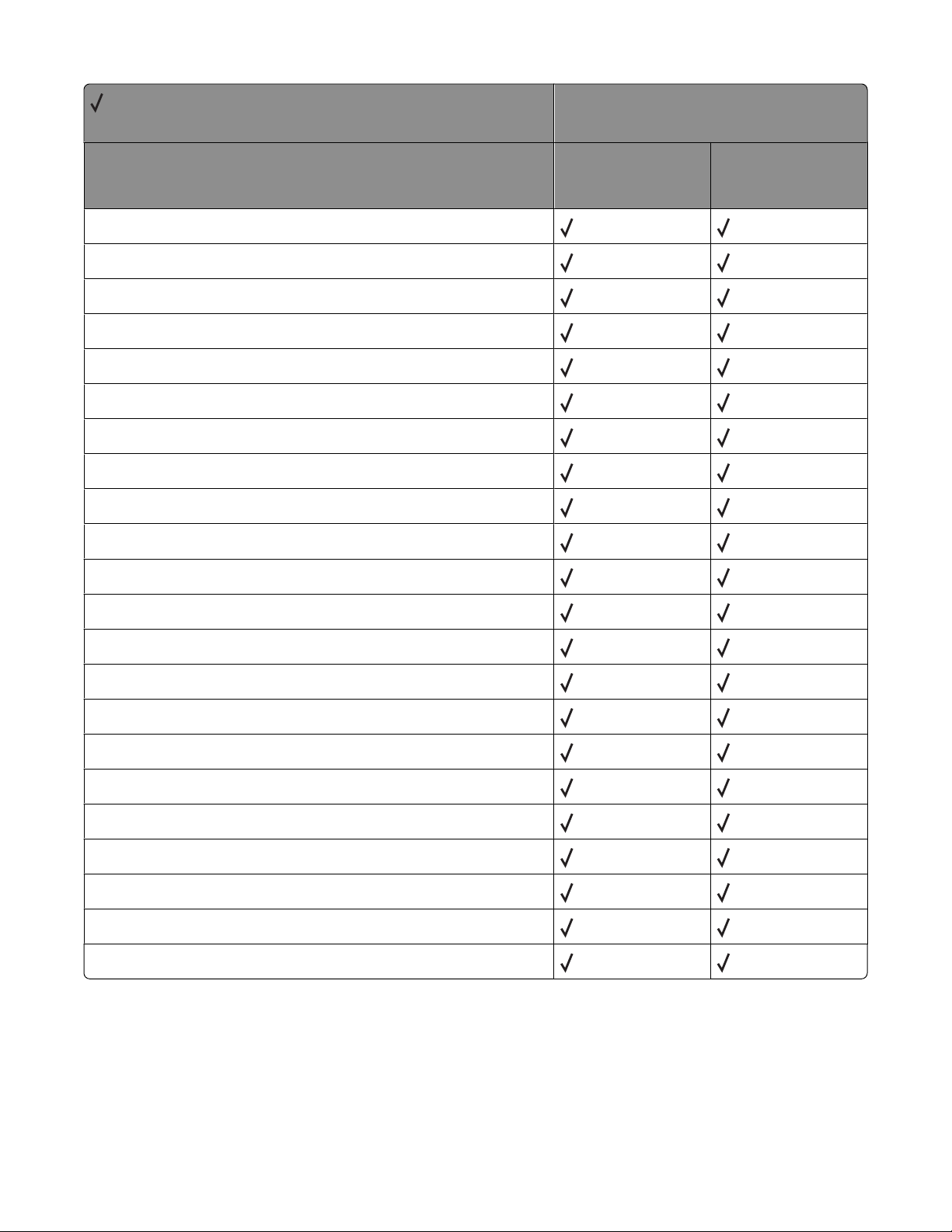
= Supported
X = Not supported
Device
%PrintServerC%
%PrintServerD%
%RemotePrinterA%
%RemotePrinterB%
%RemotePrinterC%
%RemotePrinterD%
%SerialA%
%SerialB%
%SerialC%
%SerialD%
Printer model
X264dn, X363dn,
X364dn, X364dw
X463de, X464de,
X466de, X466dte,
X466dwe
%TokenRingPhysicalA%
%TokenRingPhysicalB%
%TokenRingPhysicalC%
%TokenRingPhysicalD%
%TokenTalkA%
%TokenTalkB%
%TokenTalkC%
%TokenTalkD%
%USB_A%
%USB_B%
%USB_C%
%USB_D%
Appendix C: PostScript support
92
Page 93
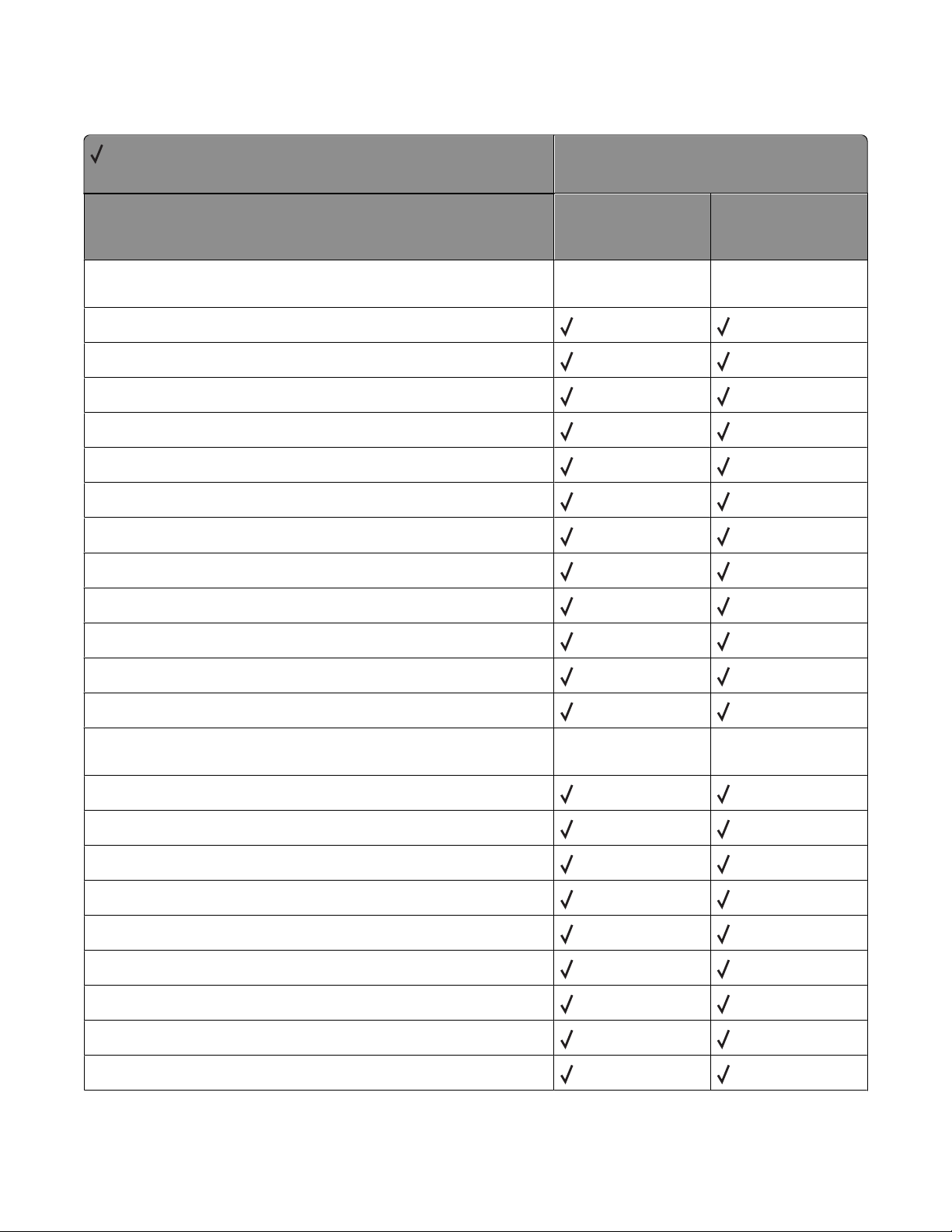
Device parameters
= Supported
X = Not supported
Key
Device Parameters for the Communication Device %Parallel%,
%ParallelA%, %ParallelB%, %ParallelC%, %ParallelD%
DelayedOutputClose
Enabled
Filtering
Handshake
HasNames
Interpreter
On
Printer model
X264dn, X363dn,
X364dn, X364dw
X463de, X464de,
X466de, X466dte,
X466dwe
OutputDevice
PCLSmartSwitch
PortLocation
PSSmartSwitch
Type
Device Parameters for the Communication Device %Serial%,
%SerialA%, %SerialB%, %SerialC%, %SerialD%
Baud
CheckParity
DataBits
DelayedOutputClose
Enabled
Filtering
FlowControl
HasNames
HonorDSR
Appendix C: PostScript support
93
Page 94
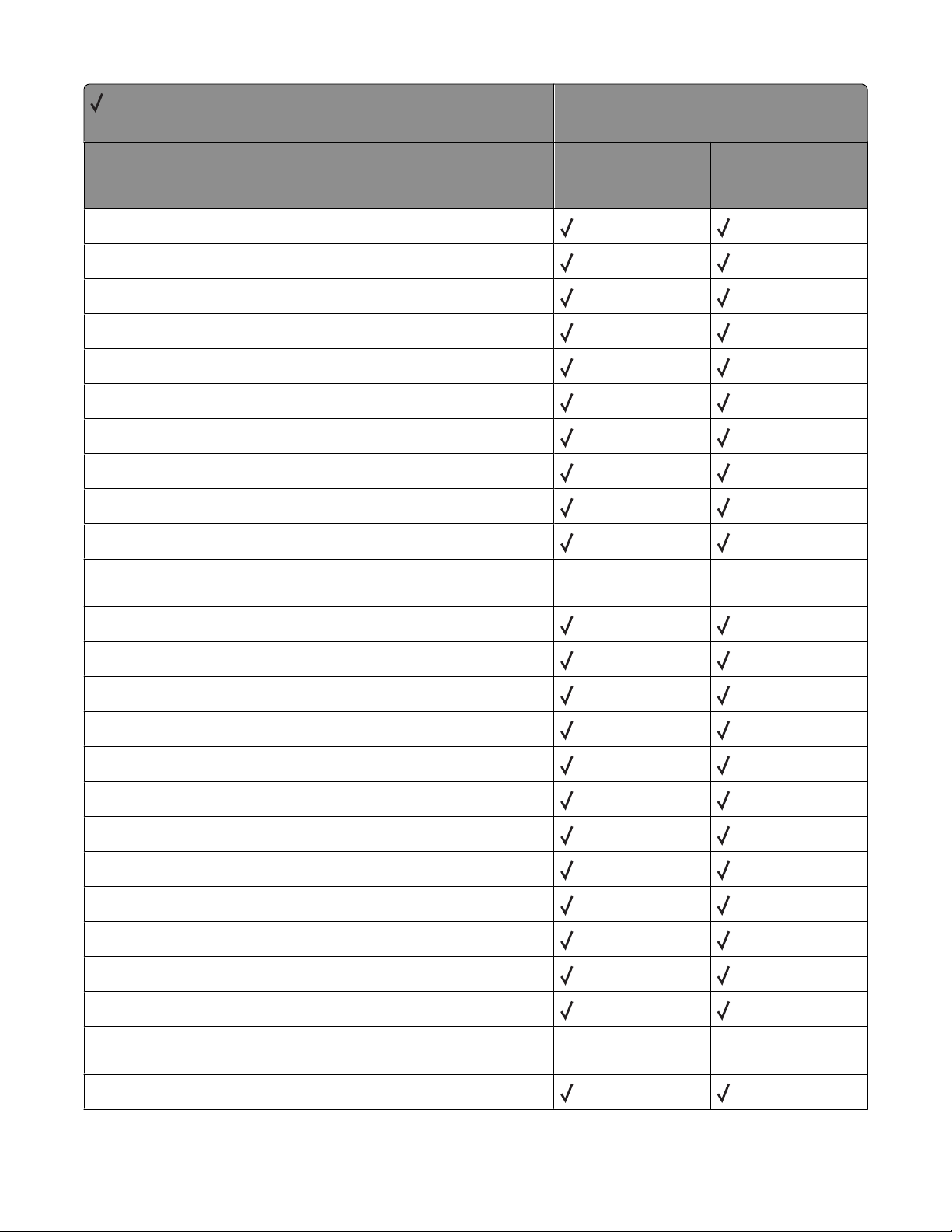
= Supported
X = Not supported
Key
Interpreter
On
Parity
PCLSmartSwitch
PortLocation
PSSmartSwitch
RobustXon
SerialMode
StopBits
Type
Printer model
X264dn, X363dn,
X364dn, X364dw
X463de, X464de,
X466de, X466dte,
X466dwe
Device Parameters for the Communication Device %LocalTalk%,
%LocalTalkA%, %LocalTalkB%, %LocalTalkC%, %LocalTalkD%
DelayedOutputClose
Enabled
Filtering
HasNames
Interpreter
LocalTalkType
NodeID
On
PCLSmartSwitch
PortLocation
PSSmartSwitch
Type
Device Parameters for the Communication Device %EtherTalk%,
%EtherTalkA%, %EtherTalkB%, %EtherTalkC%, %EtherTalkD%
DelayedOutputClose
Appendix C: PostScript support
94
Page 95
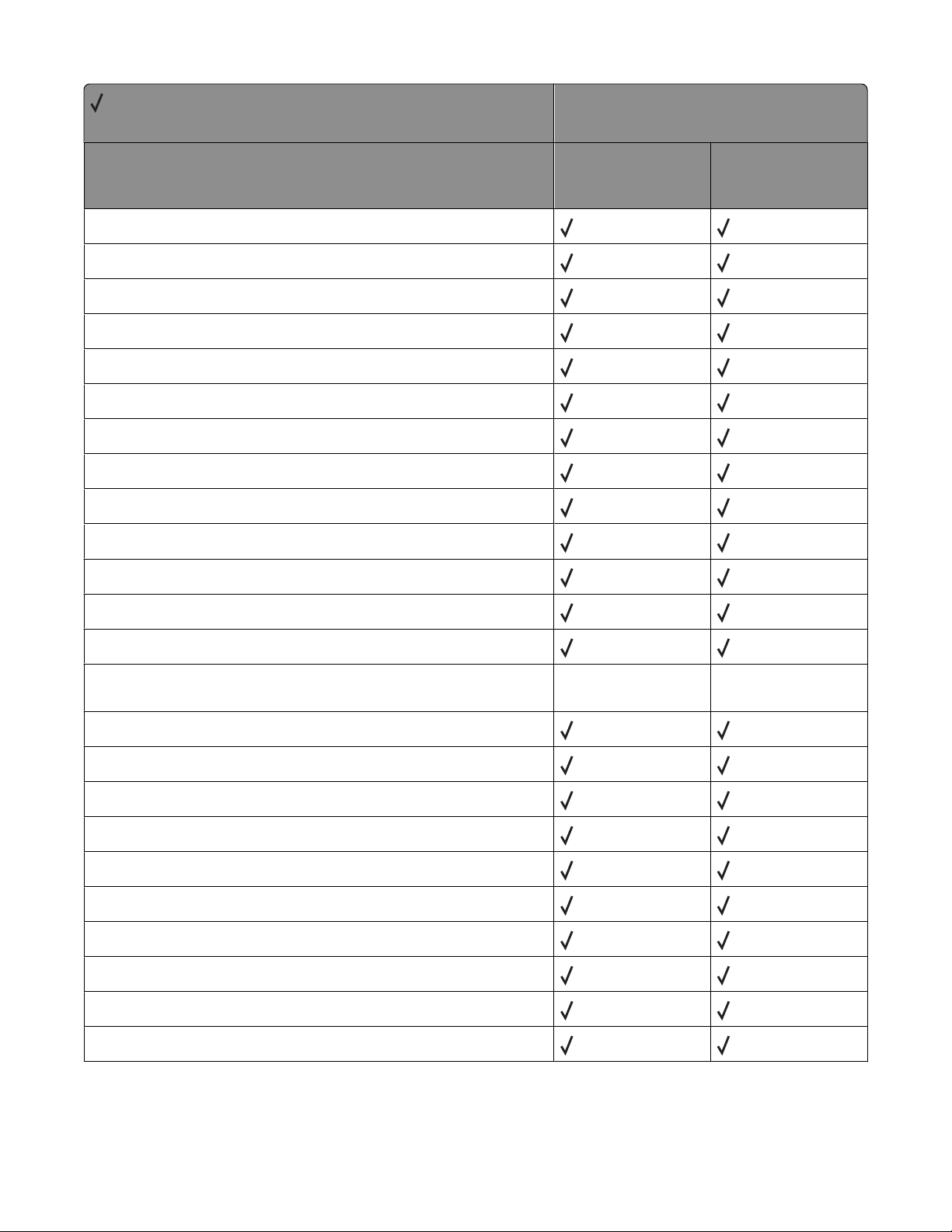
= Supported
X = Not supported
Key
Enabled
EthernetAddress
EtherTalkType
EtherTalkZone
Filtering
HasNames
Interpreter
NodeID
On
PCLSmartSwitch
Printer model
X264dn, X363dn,
X364dn, X364dw
X463de, X464de,
X466de, X466dte,
X466dwe
PortLocation
PSSmartSwitch
Type
Device Parameters for the Communication Device %IR%, %IR_A%,
%IR_B%, %IR_C%, %IR_D%
DelayedOutputClose
Enabled
Filtering
HasNames
Interpreter
On
PCLSmartSwitch
PortLocation
PSSmartSwitch
Type
Appendix C: PostScript support
95
Page 96
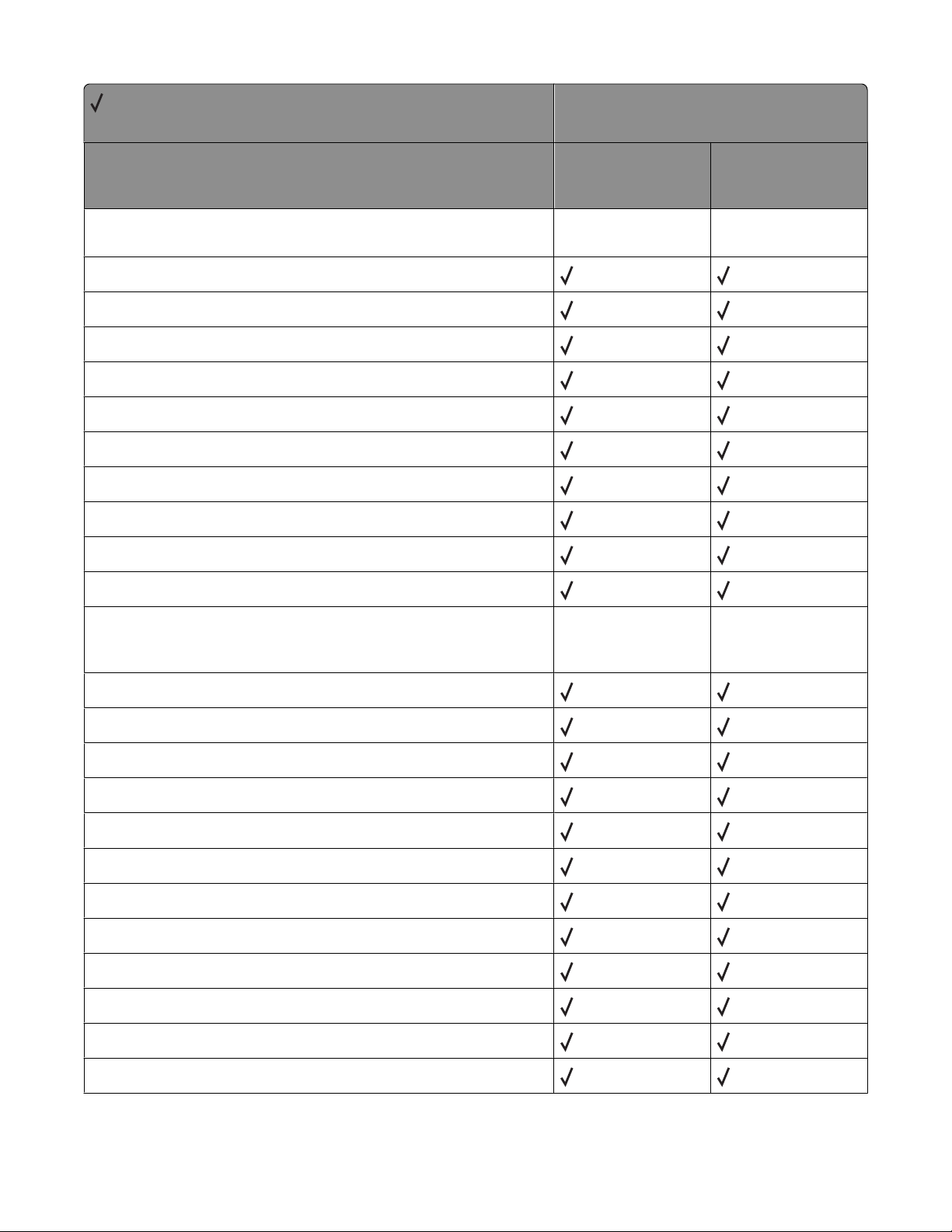
= Supported
X = Not supported
Key
Device Parameters for the Communication Device %USB%,
%USB_A%, %USB_B%, %USB_C%, %USB_D%
DelayedOutputClose
Enabled
Filtering
HasNames
Interpreter
On
PCLSmartSwitch
PortLocation
PSSmartSwitch
Printer model
X264dn, X363dn,
X364dn, X364dw
X463de, X464de,
X466de, X466dte,
X466dwe
Type
Device Parameters for the Communication Device %TokenTalk%,
%TokenTalkA%, %TokenTalkB%, %TokenTalkC%,
%TokenTalkD%
Address
Bridging
DelayedOutputClose
Enabled
Filtering
HasNames
Interpreter
NodeID
On
PCLSmartSwitch
PortLocation
PSSmartSwitch
Appendix C: PostScript support
96
Page 97
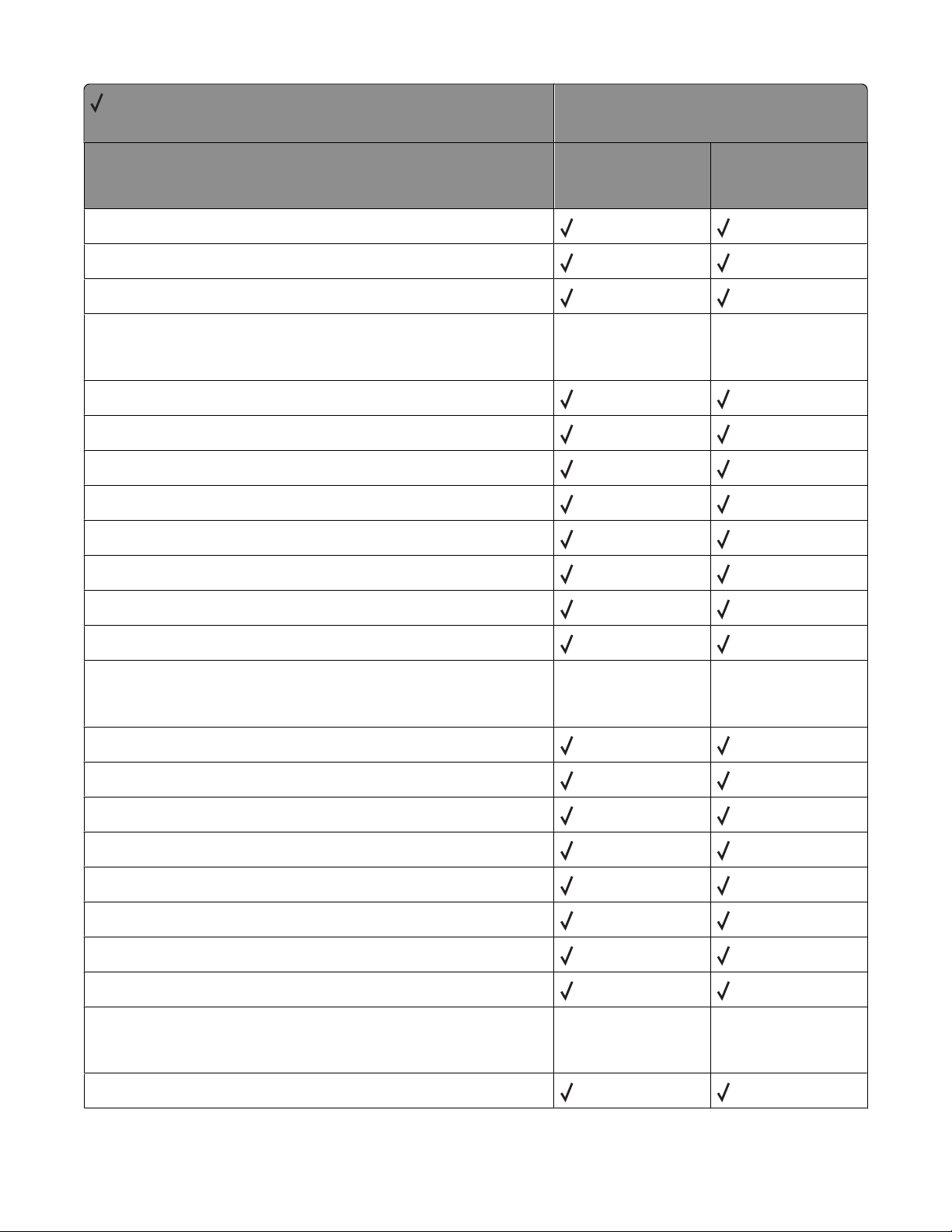
= Supported
X = Not supported
Key
TokenTalkType
Type
Zone
Device Parameters for the Communication Device %AppSocket%,
%AppSocketA%, %AppSocketB%, %AppSocketC%,
%AppSocketD%
DelayedOutputClose
Enabled
Filtering
HasNames
Interpreter
Printer model
X264dn, X363dn,
X364dn, X364dw
X463de, X464de,
X466de, X466dte,
X466dwe
On
PortLocation
Type
Device Parameters for the Communication Device
%RemotePrinter%, %RemotePrinterA%, %RemotePrinterB%,
%RemotePrinterC%, %RemotePrinterD%
DelayedOutputClose
Enabled
Filtering
HasNames
Interpreter
On
PortLocation
Type
Device Parameters for the Communication Device %PrintServer%,
PrintServerA%, PrintServerB%, %PrintServerC%,
%PrintServerD%
DelayedOutputClose
Appendix C: PostScript support
97
Page 98
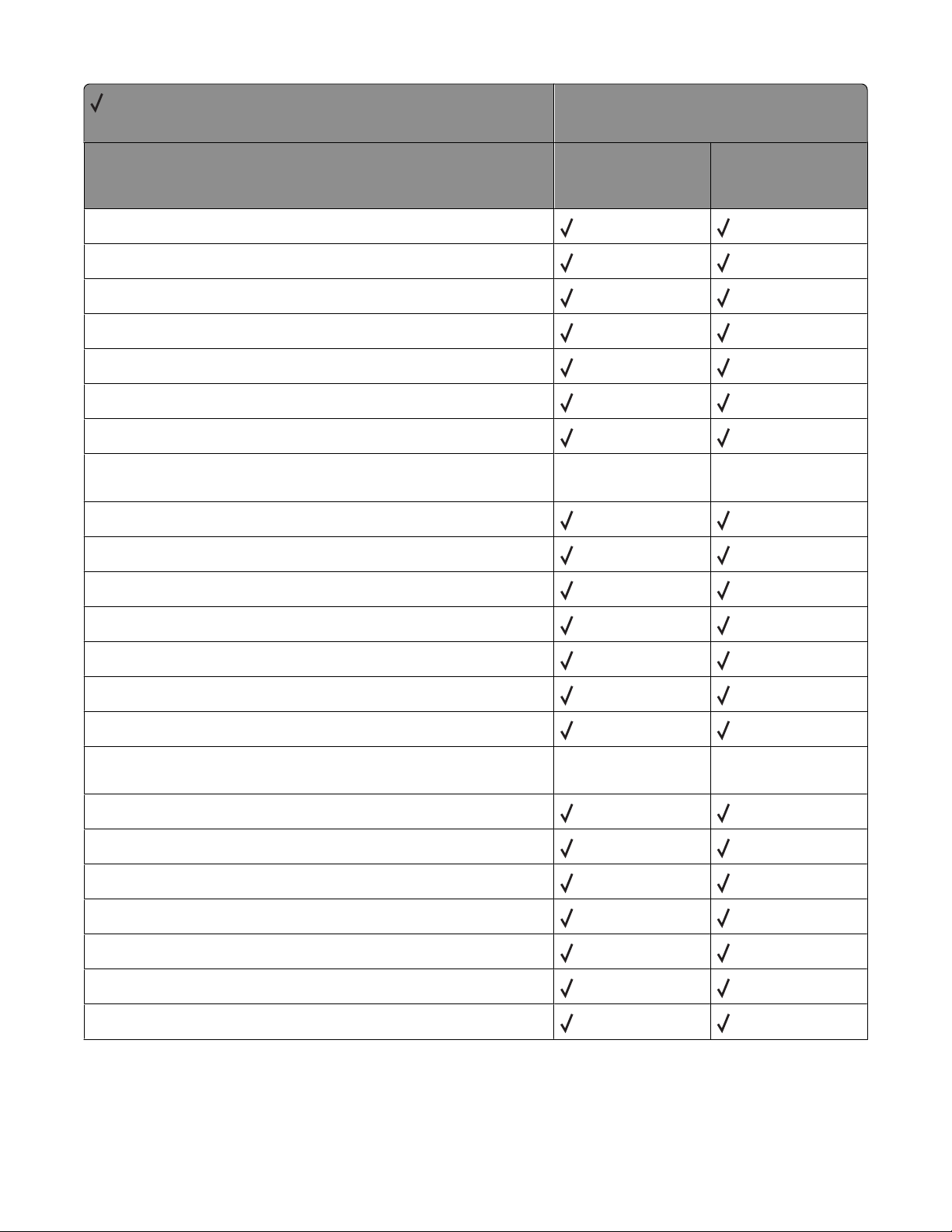
= Supported
X = Not supported
Key
Enabled
Filtering
HasNames
Interpreter
On
PortLocation
Type
Device Parameters for the Communication Device %LPR%,
%LPR_A%, %LPR_B%, %LPR_C%, %LPR_D%
Enabled
Filtering
Printer model
X264dn, X363dn,
X364dn, X364dw
X463de, X464de,
X466de, X466dte,
X466dwe
HasNames
Interpreter
On
PortLocation
Type
Device Parameters for the Communication Device %LexLink%,
%LexLinkA%, %LexLinkB%, %LexLinkC%, %LexLinkD%
DelayedOutputClose
Enabled
HasNames
Interpreter
On
PortLocation
Type
Appendix C: PostScript support
98
Page 99
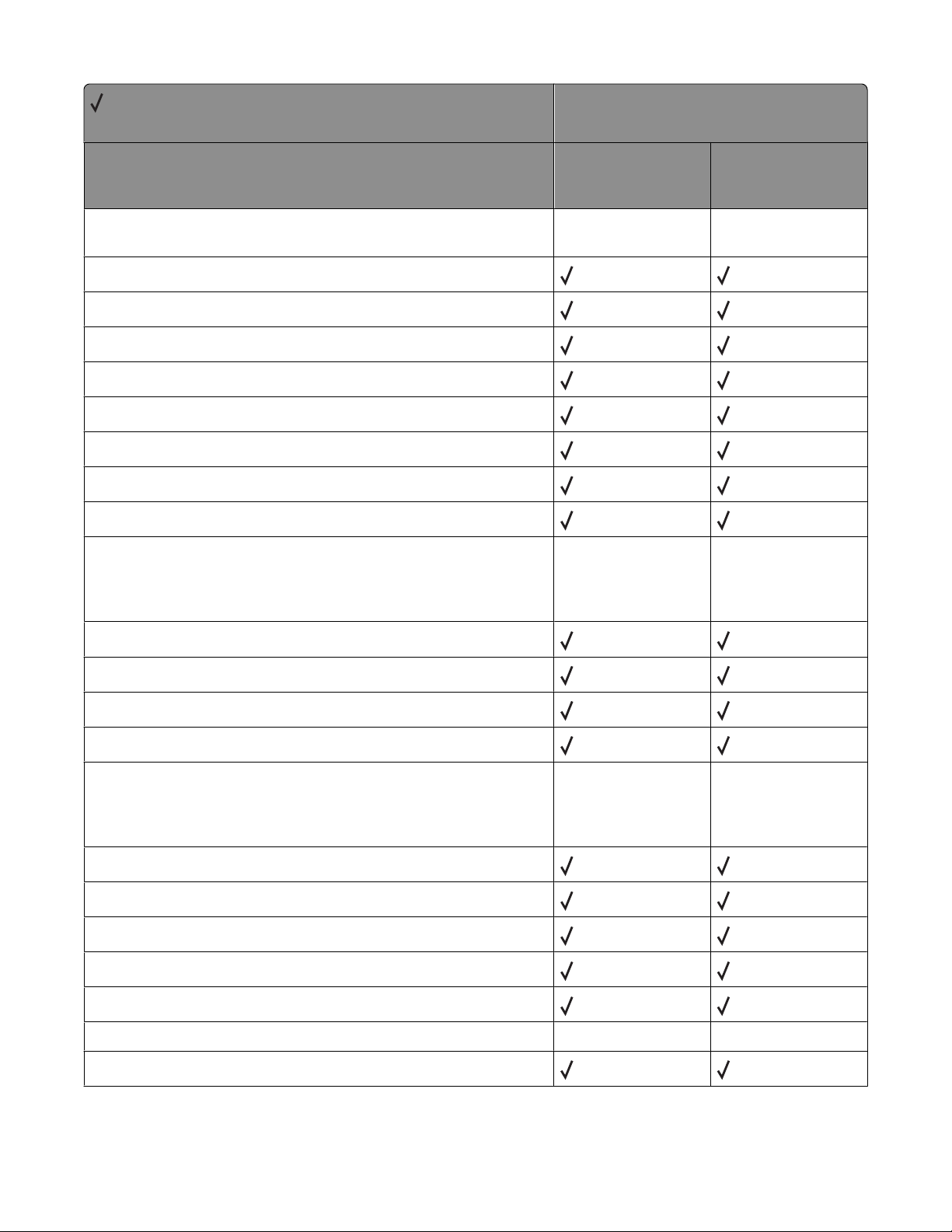
= Supported
X = Not supported
Key
Device Parameters for the Communication Device %IP%, %IP_A%,
%IP_B%, %IP_C%, %IP_D%
GatewayAddress
IPAddress
IPAddressDynamic
NetworkMask
On
Physical
PortLocation
Type
Device Parameters for the Communication Device
%EthernetPhysical%, %EthernetPhysicalA%,
%EthernetPhysicalB%, %EthernetPhysicalC%,
%EthernetPhysicalD%
Printer model
X264dn, X363dn,
X364dn, X364dw
X463de, X464de,
X466de, X466dte,
X466dwe
EthernetAddress
On
PortLocation
Type
Device Parameters for the Communication Device
%TokenRingPhysical%, %TokenRingPhysicalA%,
%TokenRingPhysicalB%, %TokenRingPhysicalC%,
%TokenRingPhysicalD%
Address
On
PortLocation
Speed
Type
Device Parameters for the Parameters Device %Engine%
BSizeStandard
Appendix C: PostScript support
99
Page 100
= Supported
X = Not supported
Key
Darkness
PageCount
TimeToStandby
Type
Device Parameters for the Parameters Device %Console%
Language
Type
Device Parameters for the Parameters Device %Calendar%,
%CalendarA%, %CalendarB%, %CalendarC%, %CalendarD%
Day
Hour
Printer model
X264dn, X363dn,
X364dn, X364dw
X463de, X464de,
X466de, X466dte,
X466dwe
Minute
Month
Running
Second
Type
Year
DateTime
DayOfWeekLong
DayOfWeekNum
DayOfWeekShort
Device Parameters for the Parameters Device %disk1%
BlockSize
Free
HasNames
InitializeAction
Appendix C: PostScript support
100
 Loading...