

Page 1
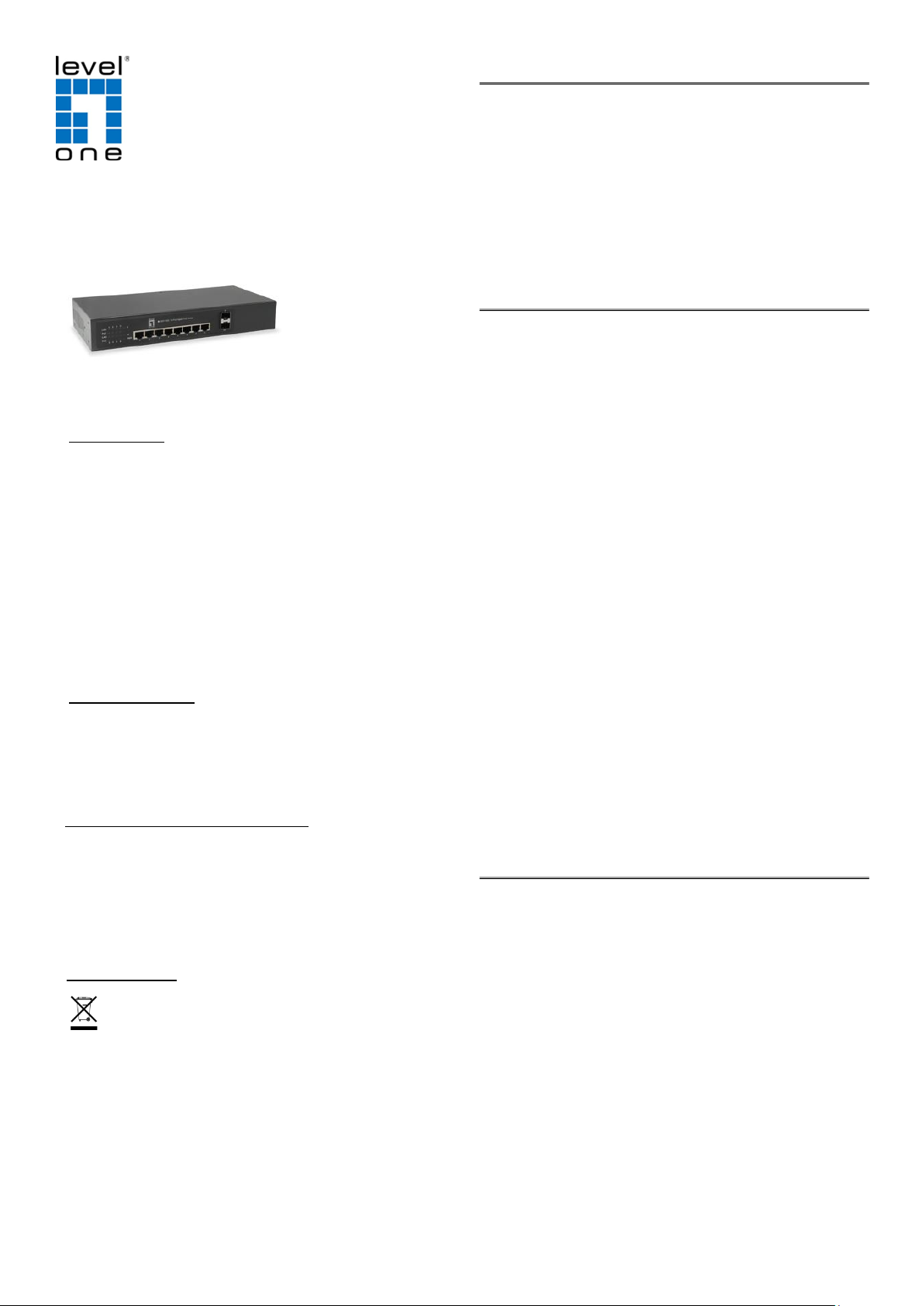
GEP-1022
10-Port Gigabit PoE Switch,
8 PoE Outputs, 2 x SFP
User’s Manual
FCC Warning
This device has been tested and found to comply with limits
for a Class A digital device, pursuant to Part 15 of FCC
Rules. These limits are designed to provide reasonable
protection against harmful interference when the
equipment is operated in a commercial environment.
This equipment generates and radiates radio frequency
energy and, if not installed and used in accordance with
the user’s manual, it may cause interference in which case
users will be required to correct interference at their own
expenses.
CE Mark Warning
This is a Class A product. In a domestic environment, this
product may cause radio interference in which case the
user may be required to take adequate measures.
Energy Saving Note of the Device
This power required devi ce doesn ’t support Standby
mode operation. For energy saving, please remove the
power cable to disconnect the device from the power
circuit. Without removing power cable, the device will
consume power from the power source.
WEEE Warning
Package Contents
Thank you for purchasing our GEP-1022 PoE Switch.
Before installation, please check the contents of your
package for the following parts:
1. GEP-1022 x 1
2. User’s Manual x 1
3. Power Cord x 1
4. Rubber Feet x 4
Product Introduction
The GEP-1022 is a 8-Port 10/100/1000Mbps ports
IEEE802.3af/at Power over Ethernet + 2-Port
1000Mbps SFP Interface with inner power system.
Following the IEEE 802.3at/af standard makes the
GEP-1022 able to deliver Gigabit speed data and up to
30 watts of power per port to 8 PoE powered devices
(PDs) with a combined power output budget 60/85/115
watts.
The two mini-GBIC slots built in the GEP-1022 are
compatible with the 1000BASE-SX/LX SFP (Small
Form-factor Pluggable) fiber transceiver, uplinked to
backbone switch and monitoring center in long distance.
The distance can be extended from 550 meters (multimode fiber) to 120 kilometers (depends on the
specification of fiber transceiver). They are well suited
for applications within the enterprise data centers and
distributions
GEP-1022 offers 8 PoE interface that is ideal for small
business and workgroups requiring deploying the PoE for
the wireless AP, IP-based surveillance camera or IP
phones in any places easily, efficiently and cost-effectively.
Key Features
。Complies with IEEE 802.3, 10BASE-T, IEEE 802.3u,
100BASE-TX, IEEE802.3ab, 1000BASE-T, IEEE
802.3z, 1000BASE-SX/LX, IEEE 802.3az Energy
Efficient Ethernet
。Complies with IEEE802.3af/at Standard
。8-Port supports Power over Ethernet (Port 1~8)
。Built-in two 1000BASE-SX/LX mini-GBIC slots
(Port 9~10)
。Supports PoE power up to 30 watts for each PoE port
。Internal Power 65/90/120Watts
。Auto-detection and protection of non-standard PoE
device
。Over Current Protection / Over Temperature Protection /
Over Voltage Protection
。Remote power feeding up to 100meters
。Made of metal and desktop size
To avoid the potential effects on the environment and
human health as a result of the presence of
hazardous substances in electrical and electronic
equipment, end users of electrical and electronic
equipment should understand the meaning of
crossed-out wheeled bin symbol. Do not dispose of
WEEE as unsorted municipal waste; WEEE has to
be collected separately.
Page 2
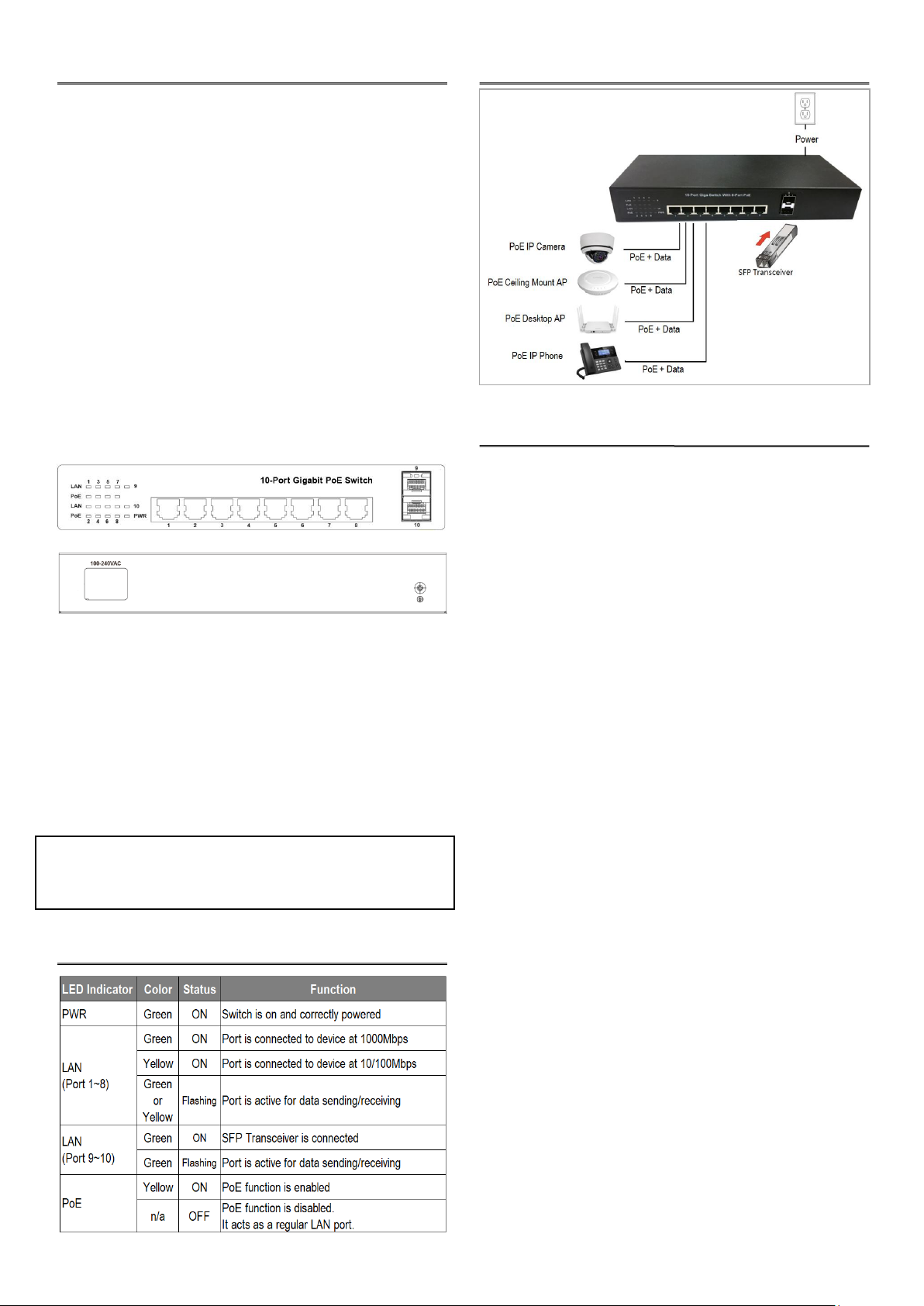
Hardware Installation
1. Plug the included power cord into device and the
other end into an electrical socket. Then, “PWR” LED
is on.
2. Connect your IEEE802.3af/at compliant Powered
Devices (PD) to port 1 to 8 and the Switch will
automatically supply power through these ports.
Now, “LAN” and “PoE” LED indicator are on.
Note: If you connect a legacy device that is not PoE compatible,
the Switch will not deliver power to the legacy device. This feature
allows you to freely and safely mix legacy and PoE compatible
devices on your network
3. Ensure Powered device is on. If not, please make
sure all Ethernet cables are connected correctly and
tightly.
Front Panel
Rear Panel
Grounding (Recommended)
GEP-1022 provides ancillary grounding to enhance ESD
protection.
1. Loosen the ground screw and secure a ground wire
(not included) to the grounding point.
2. Secure the other end of the ground wire to a grounding
block or other grounded structure.
LED Indicators
Application Diagram
Product Specification
Standard IEEE 802.3 10Base-T
IEEE802.3u100Base-TX / 100Base-FX
IEEE 802.3ab/z 1000Base-T/ -SX/LX
IEEE 802.3az Energy Efficient Ethernet
IEEE 802.3x flow control and back pressure
IEEE 802.3af Power over Ethernet
IEEE 802.3at Power over Ethernet Plus
Copper Ports 8 10/100/1000BASE-T RJ45,
auto-MDI/MDI-X
SFP Interface 2 x 1000BASE-SX/LX
Switch Architecture Store-and Forward
Switch Fabric 20Gbps / no-blocking
Address Table 8K entries,
Automatic source address learning
Share Data Buffer 128KB
Flow Control IEEE 802.3x pause frame for full-duplex
Back pressure for half-duplex
Jumbo Frame 9K bytes
Filtering/Forwarding Rates 10Mbps port-14,880pps
100Mbps port-148,800pps
1000Mbps port-1,488,000pps
PoE Standard IEEE 802.3af Power over Ethernet
IEEE 802.3at Power over Ethernet Plus
PoE Power Supply Type End-span
PoE Power Output Per Port 56V DC, Max. 30 watts
Power Pin Assignment 1/2(+), 3/6(-)
PoE Power Budget 60/85/115 watts
LED Indicators PWR / LAN 1~10 / PoE 1~8
Dimension (W x H x D) 280x122x43mm
Power Requirement 100~240V AC, 50/60Hz
Certification FCC/CE
Operating Environment Operating temperature: 0 – 40°C
Storage temperature: -20 – 70°C
Humidity: 20 – 95% non-condensing
Note: The device is a power-required device, meaning it won’t work
till it is powered. If your networks should be active all the time, please
consider using UPS (Uninterrupted Power Supply) for your device. It
will prevent you from network data loss or network downtime. In
some areas, installing a surge suppression device may also help to
protect your GEP-1022 from being damaged by unregulated surge or
current to the GEP-1022.
❖SFP Transceiver installation: The SFP transceivers are
hot-pluggable and hot-swappable. You can plug in and out the
transceiver to/from any SFP port without power down.
 Loading...