

Page 1
XpressNet Phone Adapter 1
The XPA provides an interface
between any device that can generate
DMTF tones (such as a cordless
phone) and an XpressNet. This
operating manual describes the
operation and use of the XPA. Please
read it carefully before connecting and
using the XPA.
XPA
XpressNET Phone Adaptor
Art. No. 23200
Revised June 2002
Page 2
Xpressnet Phone Adaptor 2
Welcome!
We would like to congratulate you on your acquisition of the
Digital plus by Lenz
®
XPA (XpressNet Phone Adaptor) and hope
you will enjoy this new form of model railroad control. If after
reading this operating manual you have unanswered questions,
please contact your dealer or the Lenz Agency at:
Lenz Agency of North America
PO Box 143
Chelmsford, MA 01824
Do you have everything?
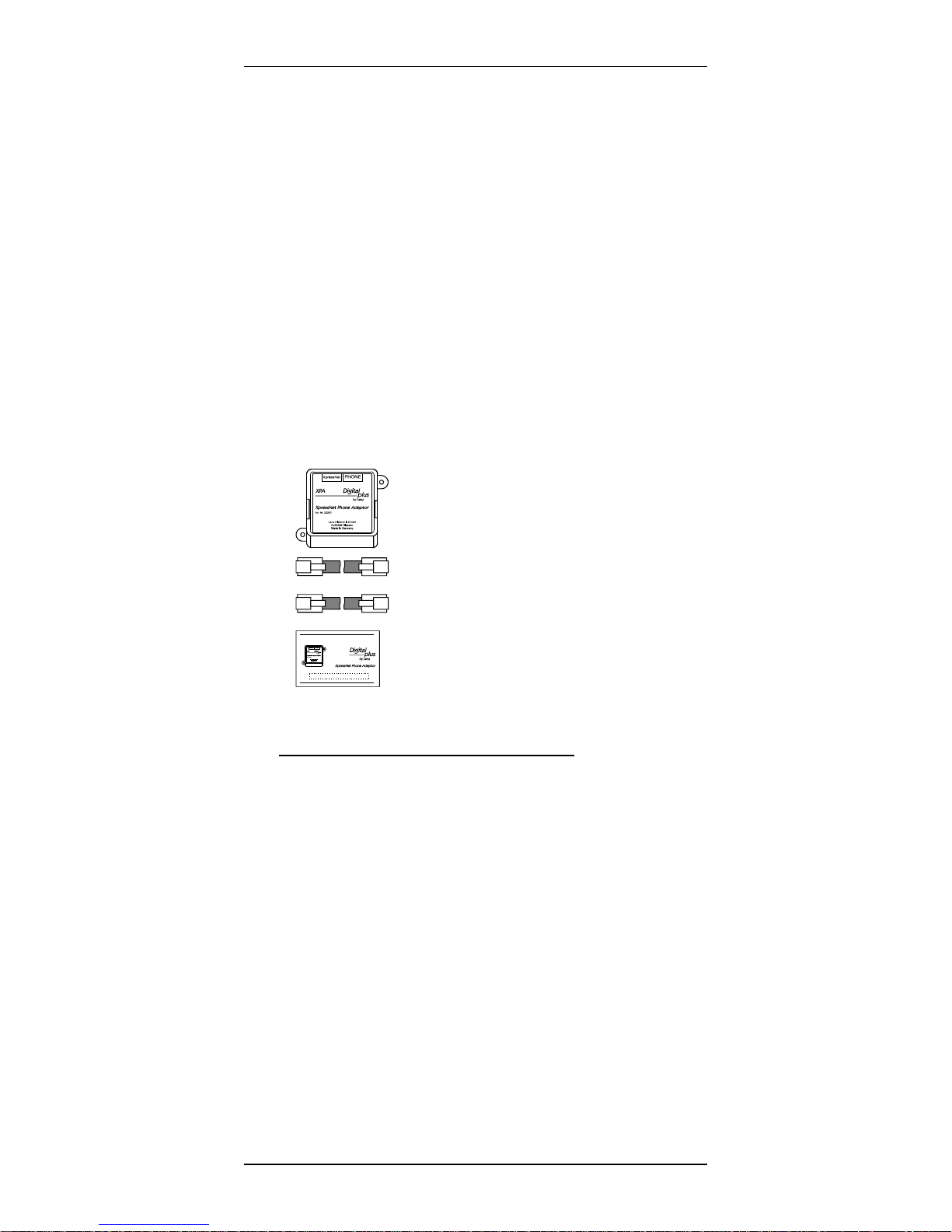
Please check to ensure that all the components have been
delivered:
XPA
Telephone – connecting cable
Connecting cable for XpressNet
(these two cables are identical)
Operating manual (this booklet)
If an item is missing, please contact your retailer to have the
missing item replaced.
1 Important information, please read first!
Your XPA is a component of your Digital plus by Lenz
®
system
and was submitted to intensive testing before delivery. Lenz
Elektronik GmbH guarantees fault-free operation if you follow the
advice given below:
The XPA is authorized for operation only with a system that fully
supports XpressNet such as any Digital plus by Lenz
®
system.
The second port of the XPA can be connected to any standard
phone that is capable of tone dialing. Any use other than the one
described in this operating manual is not permitted and all
guarantees become void if the XPA is used in an inappropriate
way.
2
Page 3
XpressNet Phone Adapter 3
“
Do not connect the XPA to any other device. Even if other devices
use the same connectors, you must not operate the XPA with
those devices. The fact that the connectors are similar does not
mean they will work, even if you are dealing with other model
railroad control systems.
Do not expose the XPA to moisture or direct sunlight.
2 Features of the XpressNet Phone Adaptor
The XPA enables the wireless control of your model railroad. You
can use any cordless telephone with your XPA that is capable of
tone dialing. To use the XPA, the telephone must be set to tone
dialing. The range is determined by the telephone you are using
and not by the XPA. While the cordless phone is connected to the
XPA, it cannot be connected to the telephone system or be used
for making telephone calls. The display of your phone (if
applicable) is not used by the XPA.
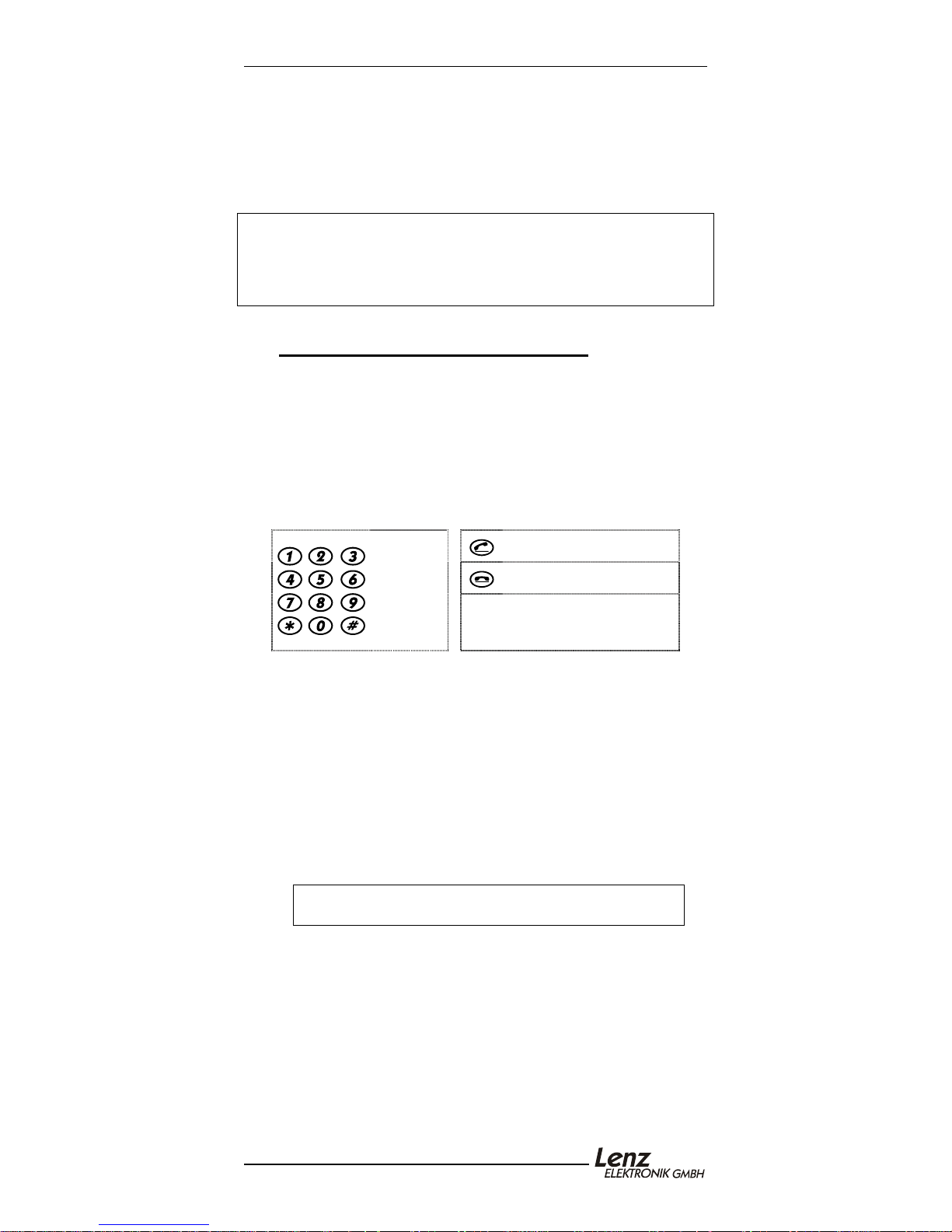
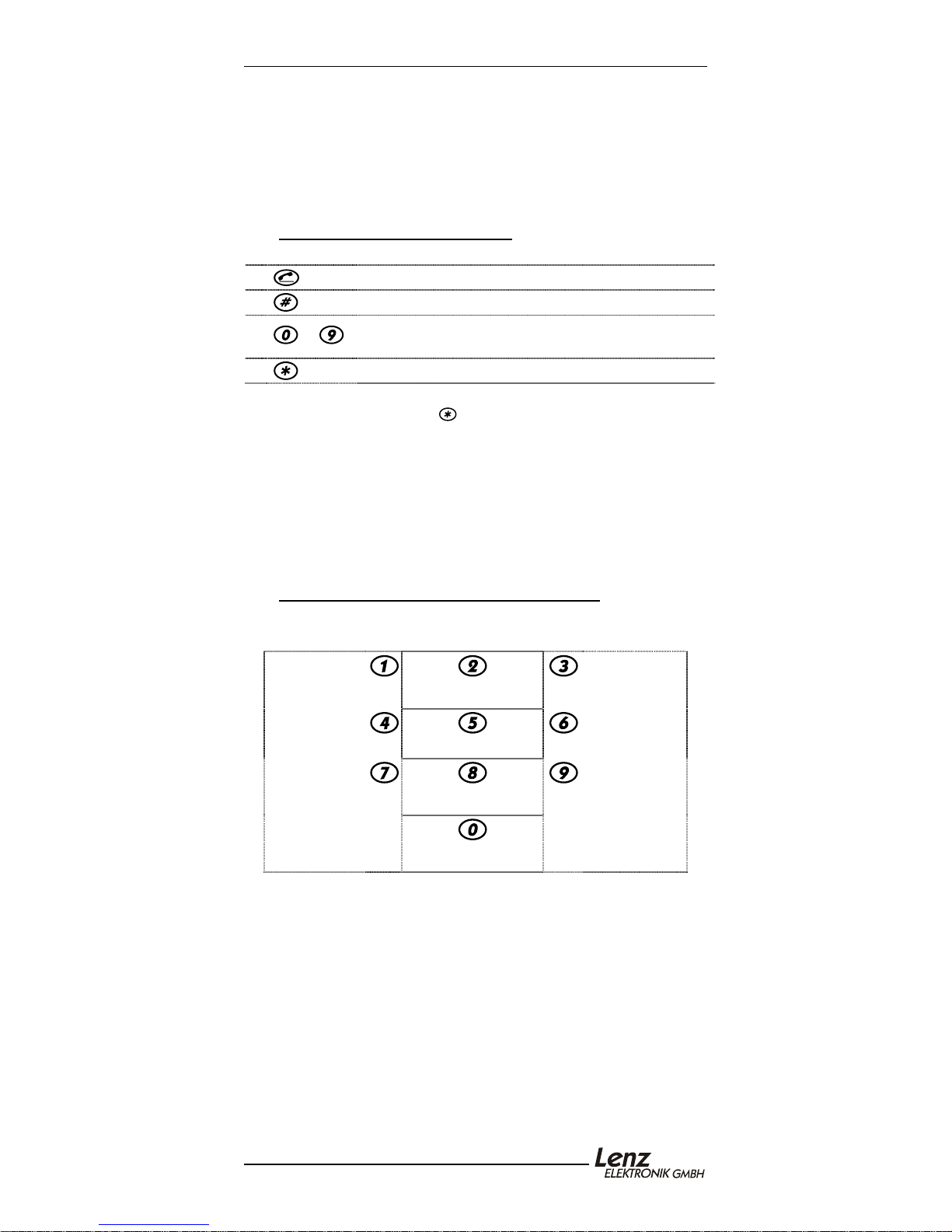
The following keys of the phone are used:
Key " On/Talk/Answer
Number
keys,
Pound
and Star
key
Key "Off/Hang Up“
Some telephones use the
same key for answering
and hanging up.
With XPA you can:
Address and control 9999 DCC locomotives. Address 0 is
used to control one conventional locomotive.
Control 9 functions in locomotive decoders.
Control multi-units (consists) which were assembled with a
different XpressNet device.
Switch 1024 turnouts and signals.
Carry out device settings.
Macros is supported by the selected phone.
The XPA can be connected to the following components of the
Digital plus by Lenz
Note: The XPA requires a Digital plus command
The XPA cannot be used with devices which use an older
software version. If your system has an older version, contact your
dealer for an upgrade for your system.
®
system: LZ100; SET02; SET03; compact
station software version of 3.0 or greater.
Page 4
Xpressnet Phone Adaptor 4
3 Connection
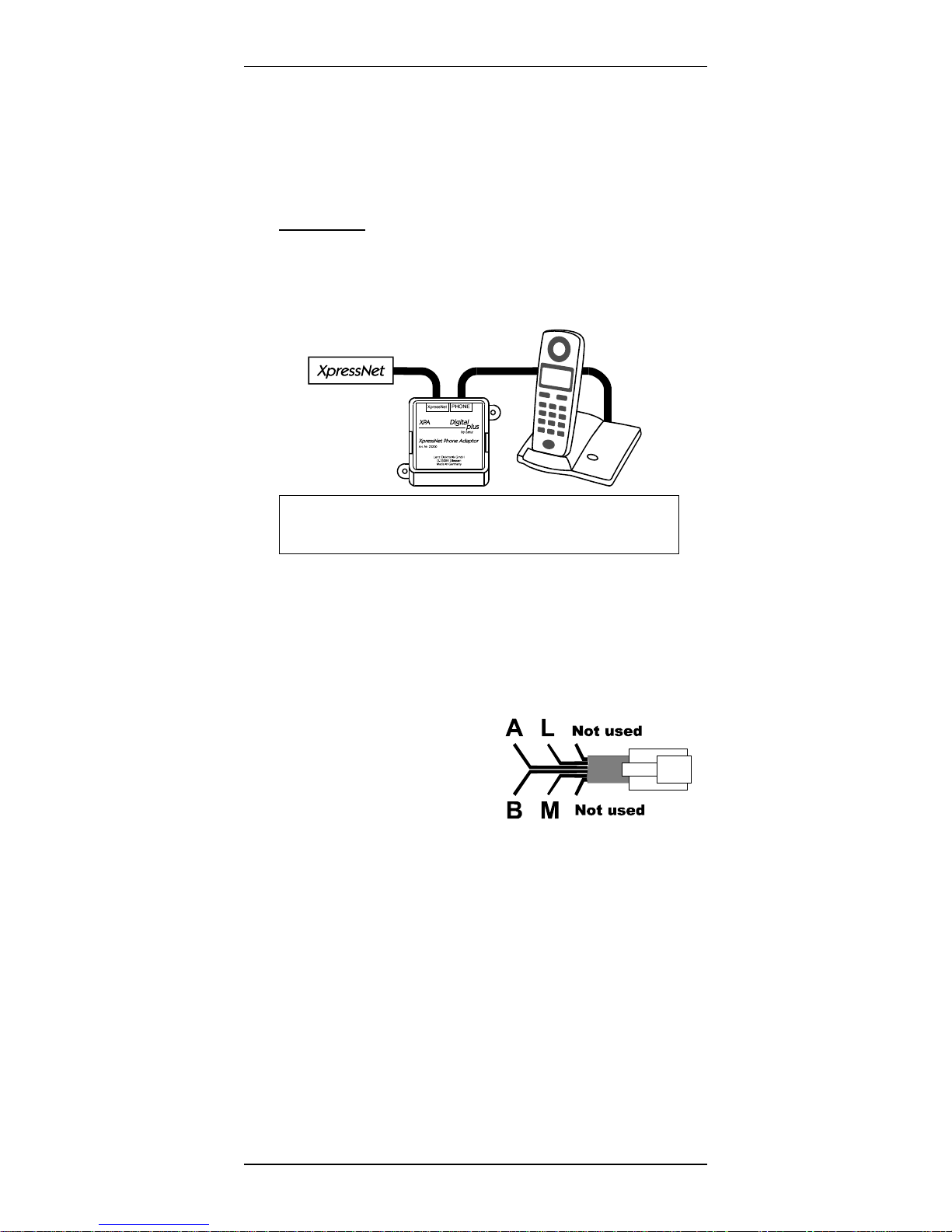
First connect your cordless telephone to the XPA. Connect the
socket labeled "PHONE" of the XPA with the base station of your
phone. To do so, use one of the cables enclosed with the XPA or
the phone cable which is normally used for connecting the phone
to the telephone network.
NOTE: Use only the supplied cable for connecting
the XPA to the XpressNet. Standard telephone
cables will not work for this purpose.
Connect the XPA to the XpressNet using the second cable
provided. Plug one end into the socket labeled "XpressNet" on the
XPA and connect the other end to one of the RJ11 ports on a
Lenz LA152 XpressNet Adapter, an Atlas Connector Panel #322,
an XpressNet Tee connector or directly into the XpressNet port on
the pack of an Atlas Commander. If you do not have an available
RJ11 port, you can connect the XPA with the screw terminals
LMAB of an LZ100, or wire it directly to the XpressNet. To do this
cut the connector off one end of
one of the cables and connect the
cable conductors with the terminals
of the LZ100 or of your XpressNet.
The pin assignment is shown in the
illustration to the right.
The XpressNet address
To ensure the exchange of information with the command station
is problem-free, each device connected to the XpressNet must
have its own unique device address. From the factory the XPA is
set to address 01. If you are already operating another XpressNet
device with this address, you will have to assign a different,
unused address to your XPA. You will find information on setting
an XpressNet address in the “Device Settings” section found later
in this manual.
4
Page 5
XpressNet Phone Adapter 5
4 Selecting a locomotive address
To set a locomotive address, follow these simple steps:
1
2
3
.
...
Press "Talk or “Phone On” key (turn on phone).
Press the "Pound" key.
Enter the locomotive address using the number
keys on your phone.
Press the "Star" key.
The numbers that you typed in during step 3 is used as the
locomotive address. Press
to indicate the end of entering the
address, you now control that locomotive.
The permitted range of addresses is 0 to 9999 or the range
allowed by the command station whichever is less.
After answering the phone, the XPA automatically uses the
locomotive address which was selected last.
If you wish to select a different address after having controlled a
locomotive, you do not have to hang up the phone. Simply start
again with Step 2 to enter a new address.
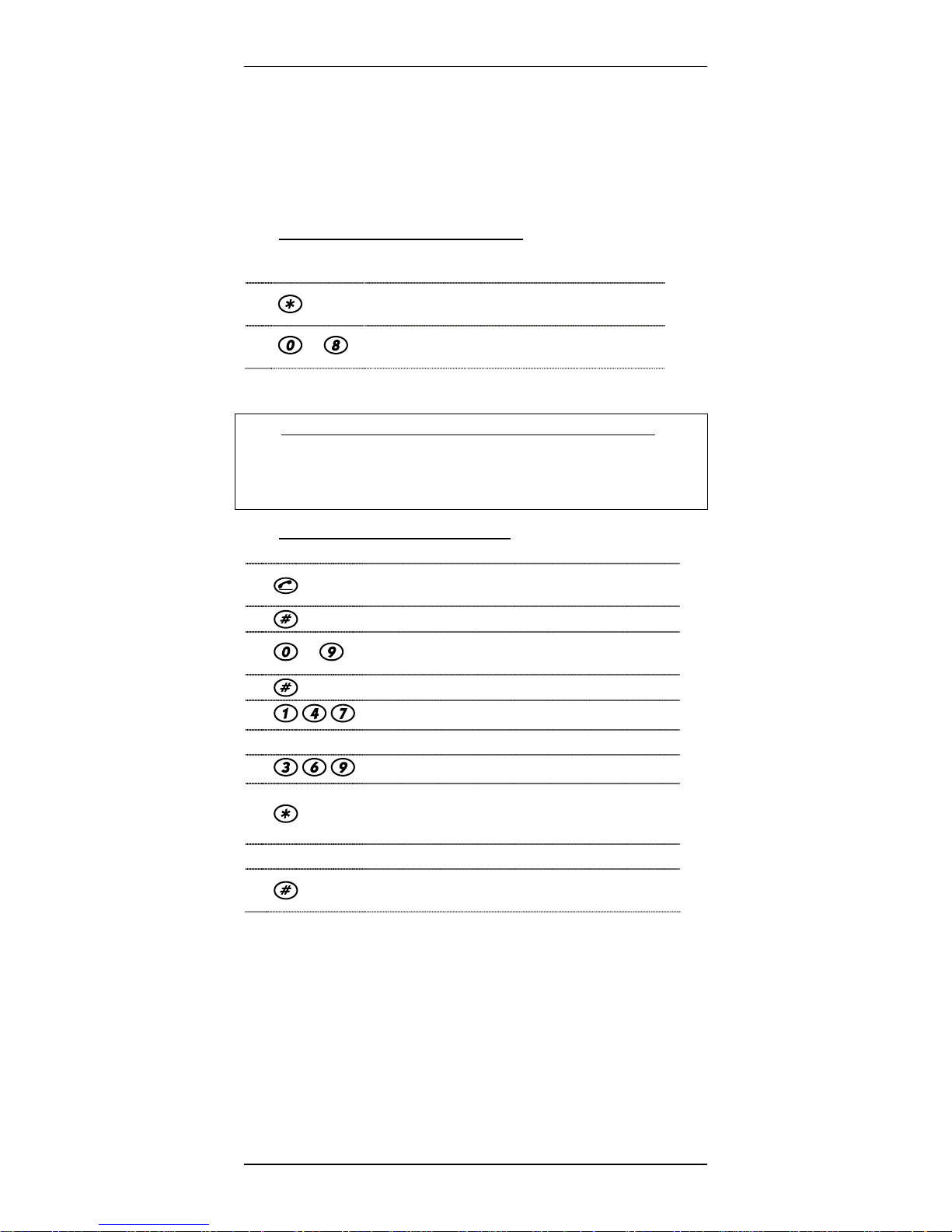
5 Controlling locomotive speed and direction
After you have selected a locomotive address, you can control the
locomotive with these keys:
Reduce speed
by single steps
Reduce speed
by medium
steps
Reduce speed
by large steps
Switch direction to
Set speed to 0
Switch direction to
Emergency stop or
emergency shutdown
"forward"
"backward"
Increase speed
by single steps
Increase speed
by medium steps
Increase speed
by large steps
Press key 5 to set the speed to "0". The locomotive stops using
the deceleration CV values set in the decoder.
The keys 2 and 8 switch the direction only if the speed has
previously been set to "0". If the speed is not zero when the
direction key is pressed the speed is set to "0". The direction will
then be changed the next time the direction key is pressed.
Page 6
Xpressnet Phone Adaptor 6
6 Controlling locomotive functions
While operating the locomotive, you can control the locomotive
functions by pressing the following keys:
1.
2.
...
press the "Star" key to tell the XPA you
wish to control a function.
enter the number of the desired function
to turn the function on or off.
Pressing a function the first time turns the function on, pressing
the function a second time turns the function off.
) Note: using the XPA with the LZ100 command station:
If one of the functions F1 to F8 is set to momentary
operation, the function is activated for a settable period of
time after the key has been pressed or until another key is
pressed. The duration of this time is set in "Device settings".
7 Switching turnouts and signals
To select a turnout address, follow these simple steps:
.
2
3
4
5
...
, ,
Press the "Talk/Phone On" key (turn on the
phone) if the XPA is not already on.
Press the "Pound" key.
Enter the turnout address. The permitted
range is 1 to 1024.
Press the "Pound" key.
Switch turnout to diverge "-".
or
, ,
Switch turnout to straight "+".
Press the "Star" key to return to locomotive
6
control mode using the last address that
was being controlled.
or
Press the "Pound" key to select a new
turnout address (then continue with Step 3)
While switching turnouts, pressing “0“ will continue to trigger an
emergency stop or emergency shutdown.
6
Page 7
XpressNet Phone Adapter 7
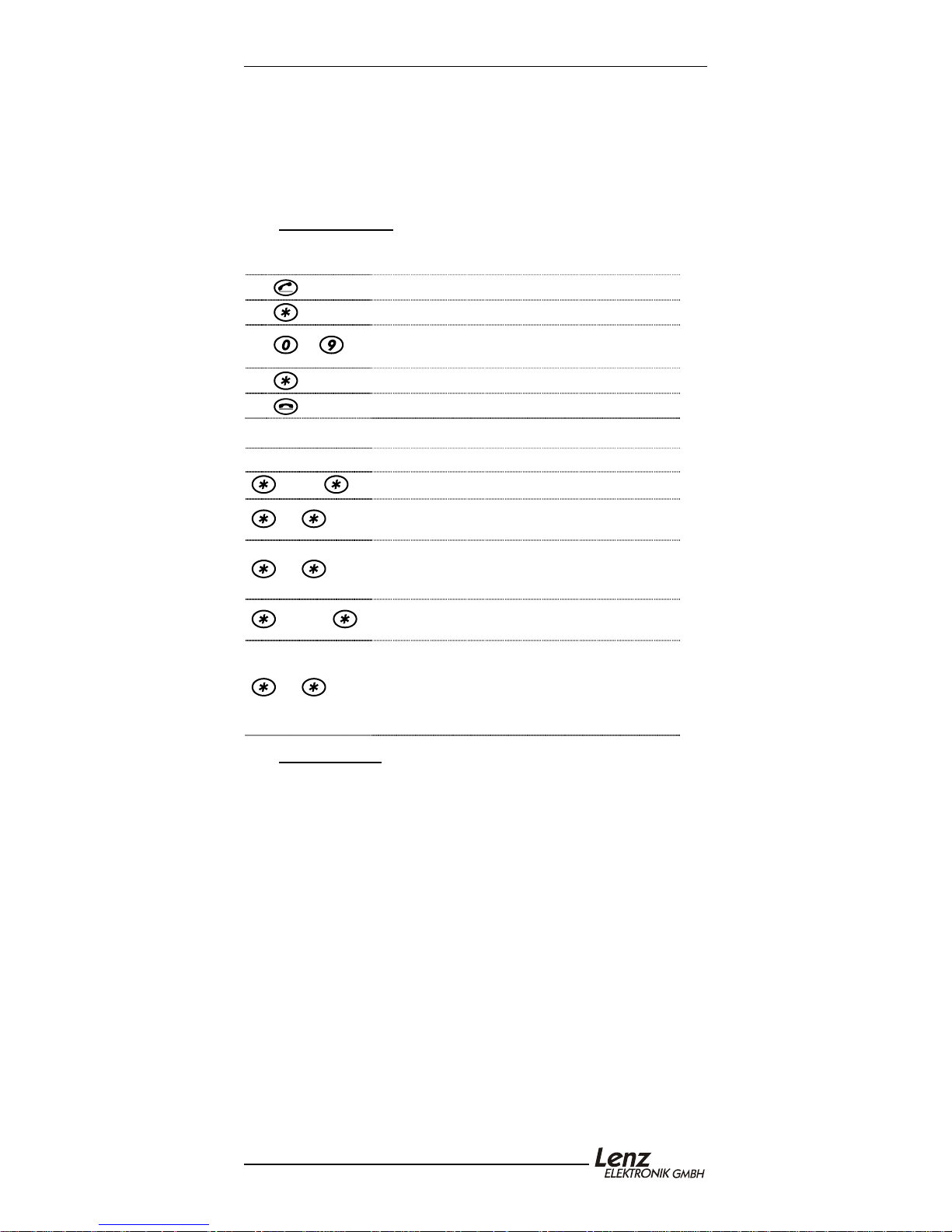
8 Device settings
Device settings can only be carried out immediately after
answering the phone. Use the following procedure:
1
2
3
4
5
...
Press the "Talk/Phone On" key
Press the "Star" key.
Enter the number for the desired setting
(see below).
Press the "Star" key.
Press "Talk/Phone Off" key to complete
The following settings can be changed using this procedure:
Number Setting
1 - 31
40
New XpressNet address.
Key "0" triggers an emergency off
(voltage on the track is switched off).
Key "0" triggers an emergency stop
41
(locomotives are stopped, voltage on the
track remains switched on).
50 - 60
Sets the duration of a momentary function
from approx. 0.2 to 2 sec.
Resets the XPA to factory default settings:
XpressNet address: 1
99
Default locomotive address: 3
Key "0": Set to Emergency stop
Time for momentary function: 50
9 Audio signals
After answering the phone you can hear the following signals:
Low/High tone: You can enter a locomotive address, a
turnout address or enter a device setting.
Busy Signal: You cannot send commands to the
command station. The cause is probably a
wrong XpressNet connection or the device
is not addressed by the command station.
Ensure that the XPA’s XpressNet address
is valid for the command station.
Short deep
tone:
An entry (command) cannot be
understood. Example: selecting a 4-digit
locomotive address using the "compact".
Page 8
Xpressnet Phone Adaptor 8
10 North American Warranty
Lenz GmbH does everything it can do to ensure that its products are free from
defects and will operate for the life of your model railroad equipment. From time to
time even the best engineered products fail either due to a faulty part or from
accidental mistakes in installation. To protect your investment in Digital plus
products, Lenz GmbH offers a very aggressive 10 year Limited Warranty.
This warranty is not valid if the user has altered, intentionally misused the Digital
Plus product, or removed the product's protection, for example the heat shrink from
decoders and other devices. In this case a service charge will be applied for all
repairs or replacements. Should the user desire to alter a Digital Plus Product, they
should contact Lenz GmbH for prior authorization.
Year One: A full repair or replacement will be provided to the original purchaser for
any item that that has failed due to manufacturer defects or failures caused by
accidental user installation problems. Should the item no longer be produced and
the item is not repairable, a similar item will be substituted at the manufacturer’s
discretion. The user must pay for shipping to an authorized Lenz GmbH warranty
center.
Year 2 and 3: A full replacement for any item will be provided that has failed due
to manufacturer defects. If the failure was caused by accidental user installation or
use, a minimal service charge may be imposed. Should the item no longer be
produced and the item is not repairable, a similar item will be substituted at the
manufacturer’s discretion. The user must pay shipping to and from the authorized
Lenz GmbH warranty center during this portion of the warranty period.
Year 4-10: A minimal service charge will be placed on each item that has failed
due to manufacturer defects and/or accidental user installation problems. Should
the item no longer be produced and the item is not repairable, a similar item will be
substituted at the manufacturer’s discretion. The user must pay shipping to and
from the authorized Lenz GmbH warranty center during this portion of the warranty
period.
Please contact your dealer or authorized Lenz GmbH warranty center for specific
instructions and current service charges prior to returning any equipment for repair.
Hüttenbergstraße 29
35398 Gießen, Germany
Hotline: 06403 900 133
Fax: 06403 900155
[email protected]
This equipment complies with Part 15 of FCC Rules. Operation is
subject to the following two conditions: (1) this device may not cause
harmful interference, and (2) this device must accept any interference received,
including interference that may cause undesired operation.
Please save this manual for future reference!
© 2002 Lenz GmbH, All Rights Reserved
8
http://www.lenz.com
http://www.digital-plus.de
Lenz Agency of North America
PO Box 143
Chelmsford, MA 01824
ph: 978 250 1494
fax: 978 455 LENZ
[email protected]
 Loading...