

Page 1

INSTALLATION &
OPERATIONS
MANUAL
IR Touch Pad Controller
Page 2
MODEL G41
IR TOUCH PAD CONTROLLER CONFIGURATION MANUAL
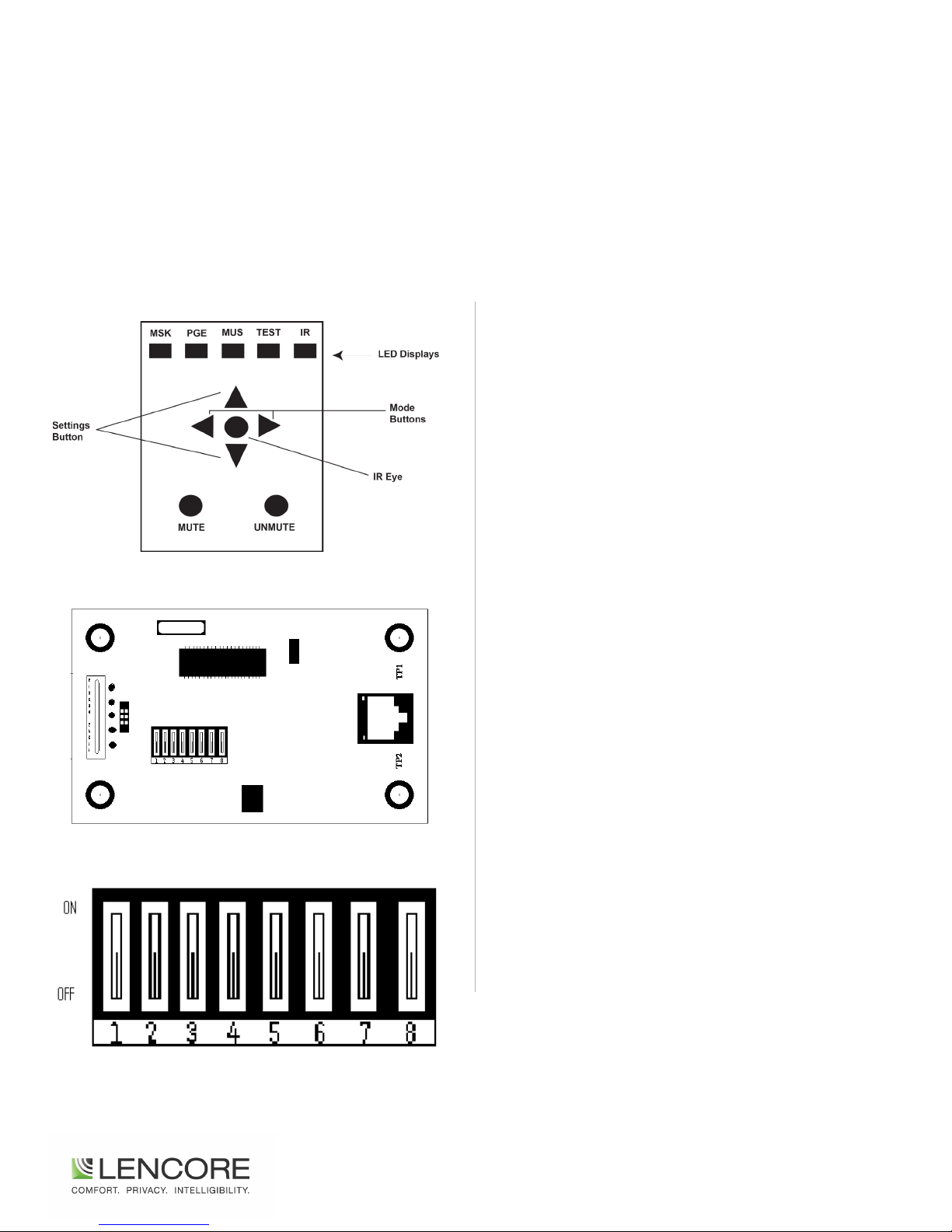
Front of Wall Plate
Back of Wall Plate (board turned right 90°)
The IR Touch Pad Controller comes with all dip switches in the down
position by default.
This default setting will allow the IR Touch pad controller to be used
with the IR Hub model G482 out of the box. If you do not have the
IR Hub model G482 you can connect the IR touch pad directly to an
OP. This will require configuration.
PROGRAMMING THE IR TOUCH PAD
CONTROLLER:
The configuration of the IR touch pad controller is done thru dip
switches located on the back side of the board. (See diagram
above)
The list below shows all possible configurations for the IR touch
pad. Configurations will allow you to: control individual channels
such as channel A, B, C, D (individually) or All channels, also config-
ure whether or not the switch (buttons) on the front panel of the IR
touch pad are active or not and if the IR sensor is active or not.
To configure dip switches: locate the back of the IR touch pad and
turn board to the right 90o. The RJ45 connector receptacle will now
be oriented towards the right. The small pins numbered 1-8 will
now be in the middle left of the board. Thee small pins can be set to
either “UP” or “DOWN” which can be done with a small screwdriver.
Exploded View: Dip Switches (on board turned right 90°)
Use the list below to find what dip switches need to be changes
for your particular install.
*IR touch pad can control one individual channel or all channels.
2
Page 3
IR TOUCH PAD CONTROLLER CONFIGURATION MANUAL
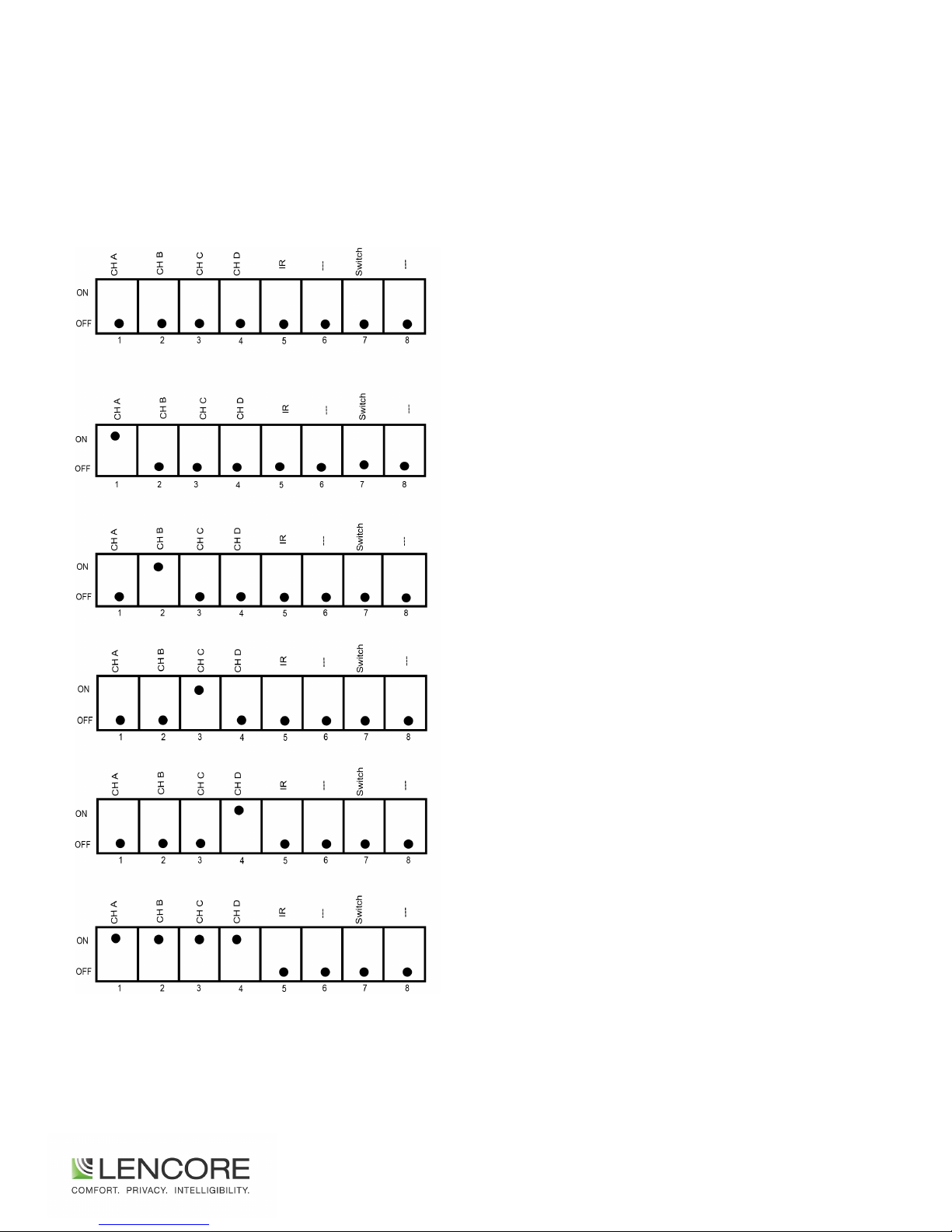
The IR Touch pad, without a Hub, can be configured to control a single channel or all 4 channels not a combination of channels.
*
Hub Position
- Use this position when using an IR Hub
- All DOWN
Channel A Only
- No Hub, Direct to OP-IR Port
- #1 UP- All else DOWN
Channel B Only
- No Hub, Direct to OP-IR Port
- #2 UP- All else DOWN
Channel C Only
- No Hub, Direct to OP-IR Port
- #3 UP-All else DOWN
Channel D Only
- No Hub, Direct to OP-IR Port
- #4 UP- All else DOWN
Ch A,B,C,D = ON
- No Hub, Direct to OP-IR Port
- #1,2,3,4 = UP
3
Page 4

The information contained herein is proprietary to Lencore Acoustics Corp. and copyright protected. No part of this manual can
be copied, used or distributed without prior authorization from Lencore Acoustics Corp. ©Copyright 2016 REV5000-16-10
Lencore Acoustics Corp.
1 Crossways Park Drive West
Woodbury, NY 11797
516-682-9292
www.lencore.com
 Loading...