

Page 1
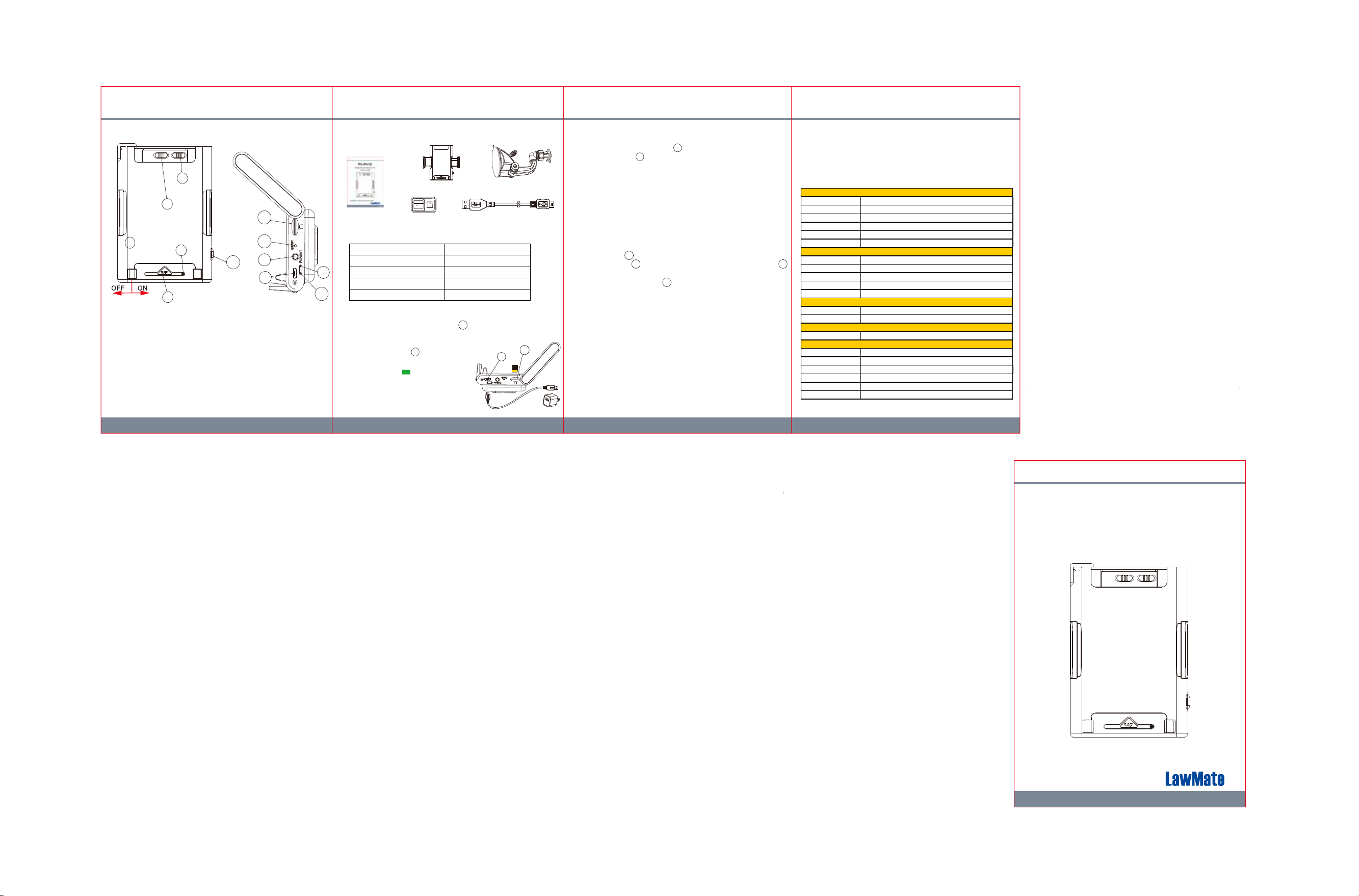
1. Name and Parts
Recording time 16Omin @ 1920x1080 resoultion ( 16GB SD card )
Storage & I/O
Misc.
Power
Built-in Camera Module
Video Spec.
M/C OFF/IN
4
5
1
1. Power Switch
2. IR LED
3. Camera Lens
4. IR LED Switch
5. Continuous Rec/
Motion Detection Rec
6. Memory Card Slot
7. Reset Button
8. Format Button
3
2
6
7
12
8
9
10
11
9. USB Port
10
. Charging(Green)LED
Power(Blue)LED
11. Rec(Red)LED
12. Holding Grip Release Button
2. Package Content
Phone Holder(No Recorder)
Lock
4GB
Adapter
User Manual
LED Indicators
3.
Blinking Red LED
Solid Green LED
Solid Blue LED
Memory Card
LED Indicators
Solid Red LED
Device Status
Recording on
Memory Card Full
Device Charging
Power On
4. Battery Charging
Plug the micro USB end of cable into and plug the
other end to an USB charger.
After charging is complete, insert
the memory card into . Then the device will
be ready for further operations.
● Solid green LED - charging.
● Green LED goes off - fully charged.
Note: Device cannot be powered on, if no
memory card is inserted.
6
9
(2)(1)
Suction Mount
USB Cable
6
9
5. Format Memory Card
1. Insert the memory card into .
2. Press & hold on while the power is on.
3. The device will be off automatically when the memory card is
formatted successfully.
8
6
6. Operation
1. Power on: Slide “Power Switch” to the right to turn on.
2. Recording: After device is on, it will start recording
automatically.
3. Power off: Slide “Power Switch” to the left to turn off.
4. Reset: When the device functions abnormally,
press .
5. IR LED: Switch to “ON” to turn on the IR LED and switch
to “OFF” to turn off the IR LED.
6. Recording mode: Switch to “M” for motion detection mode
and “C” for continuous recording mode.
7
4
5
7. Download Videos and Photos from DVR
1. Video and photo files are stored in the memory card.
2. There are two ways to download video/photo files.
2.1 Using memory card reader to download video/photo files.
2.2 With the device powered on and memory card inserted,
connect the device to PC by USB connection. It will be
recognized by PC as an external drive for user to
download the video recordings and photo files.
(3) (4)
8. Others
Please be noted that when you enable the IR LED, the image
color will turn black and white immediately.
9. Specification
Built-in image sensor 1/3" progressive CMOS sensor
Sensor resolution 2304x1536
Sensor sensitivity 3.3 Lux @ F 2.0 (IR OFF)
Lens F/No. F 3.2
Focal Length 4mm
Angle of View 66°
Algorithm H.264
4
File Format MOV
Video recording mode Manual
Recoreding Capability 1920x1080
Frame rate Up to 30 fps
Memory type Micro SD Card ( Support SDHC max=32GB)
Data interface Mini USB 2.0
Date/Time Table YYYY/MM/DD, HH:MM:SS
Power Input DC 5V
Power Consuption 350mA-380mA(IR OFF)(IR ON+330mA)
Charging Time 120 min(800mA)
Battery Input D C 3.7V / 1350 mA high polymers battery(XK384085)
Battery Lifetime Continune recording 180min(IR OFF)/90min(IR ON)
PV-PH10
1080p Phone Holder DVR
Quick Guide
M/C OFF/IN
LawMate, innovation never stops
V1.0
V1.1
®
 Loading...