

Page 1
LawMate,Innovation never stops
Official distributor for Lawmate international law enforcement & security products
Web: www.lawmatequebec.com
Address: 10440 Ave Henault, Montreal. Quebec, Canada
®
Email: [email protected]
Tel: 1-888-779-8766
Page 2
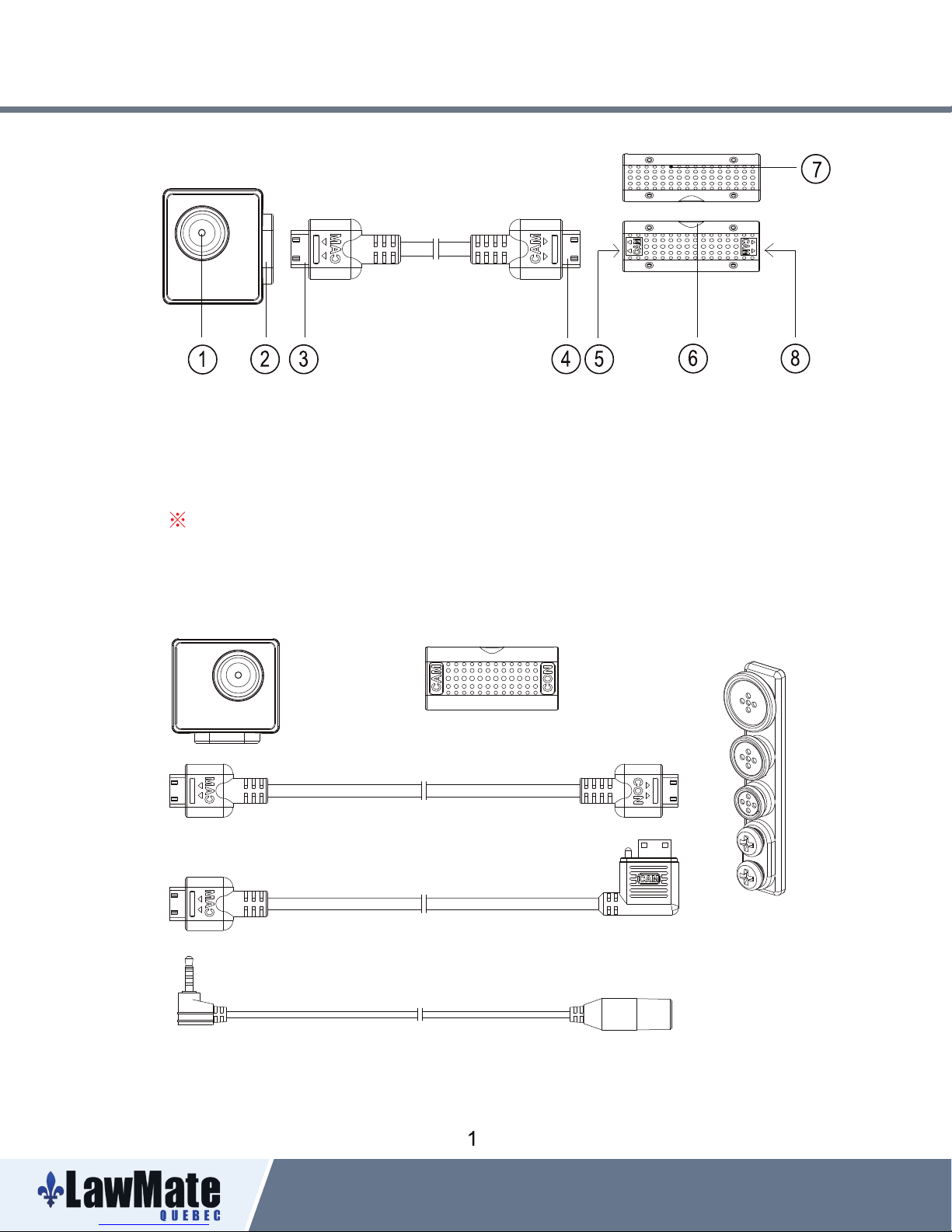
1. Names and Parts
1. Camera Lens
2. Cable Socket
3. Cable Jack
4. Cable Jack
5. Cable Socket
6. External Mic Port
7. Microphone Box
8. Cable Socket
No microphones are available for USA market.
2. Package Content
3MP Digital Cam Microphone Box Lens Covert Cap
Cam to Mic Box Cable
(Button & Screw)
DVR to Mic Box Cable
Official distributor for Lawmate international law enforcement & security products
Web: www.lawmatequebec.com
Address: 10440 Ave Henault, Montreal. Quebec, Canada
Exteral Microphone
Email: [email protected]
Tel: 1-888-779-8766
Page 3
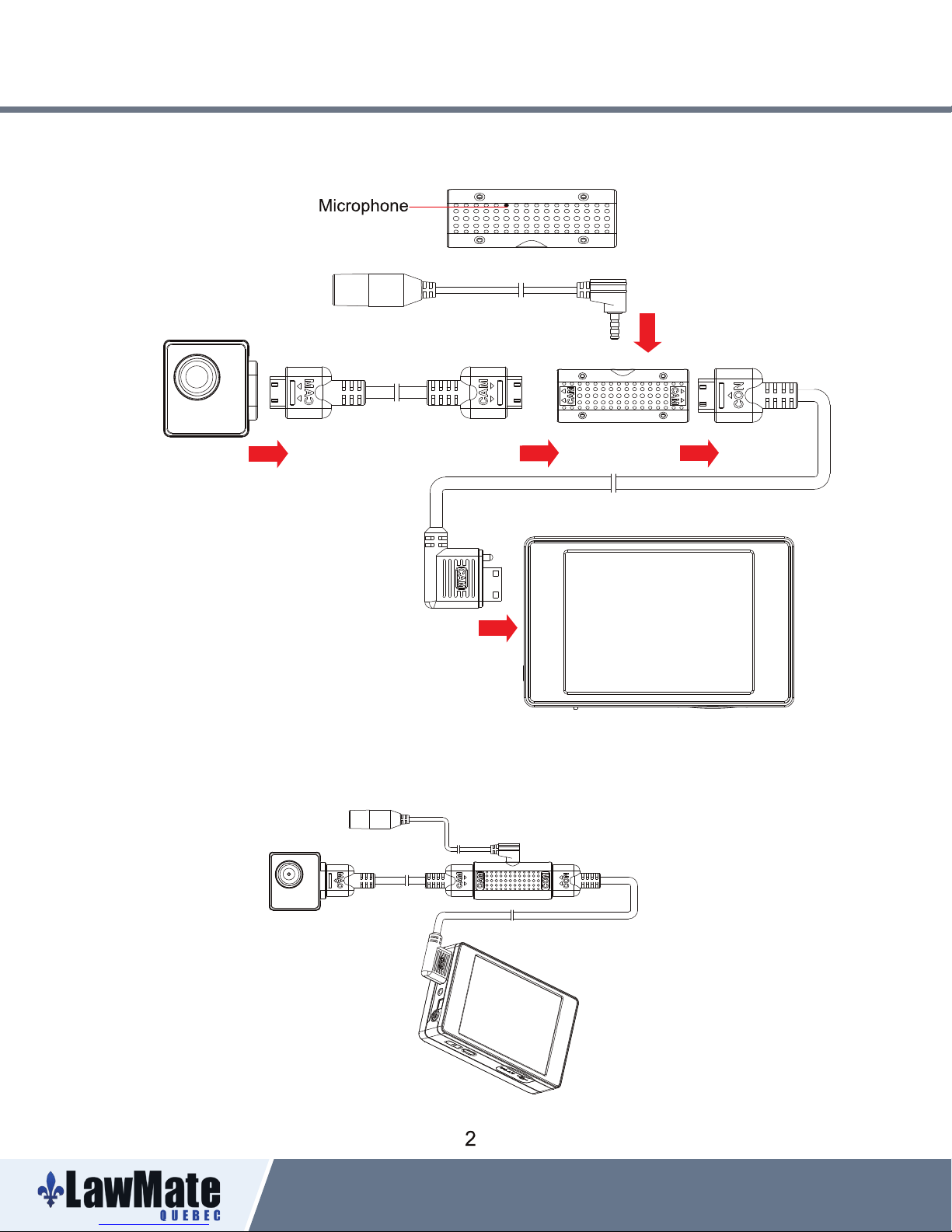
3. Camera Setup Illustration
External Microphone
Camera
1. Connect one end of the Cam to
Mic Box Cable to camera head
and the other end to Mic Box.
2. Connect one end of the DVR to Mic
Box cable to Mic Box and the other end
to a LawMate DVR (Supported models are :
PV-500EVO2,PV-1000Touch,PV-1000Touch5)
3. Depending on the recording environment,
plug in external microphone to the socket
on side of the Mic Box.
Connection of all Components
Mic box
PV-500EVO2
Official distributor for Lawmate international law enforcement & security products
Web: www.lawmatequebec.com
Address: 10440 Ave Henault, Montreal. Quebec, Canada
Email: [email protected]
Tel: 1-888-779-8766
Page 4
CMD-BU13LX is NOT compatible with PV-500EVO but PV-500EVO2.
Official distributor for Lawmate international law enforcement & security products
Web: www.lawmatequebec.com
Address: 10440 Ave Henault, Montreal. Quebec, Canada
Email: [email protected]
Tel: 1-888-779-8766
 Loading...