

Page 1
Active Products - Switches
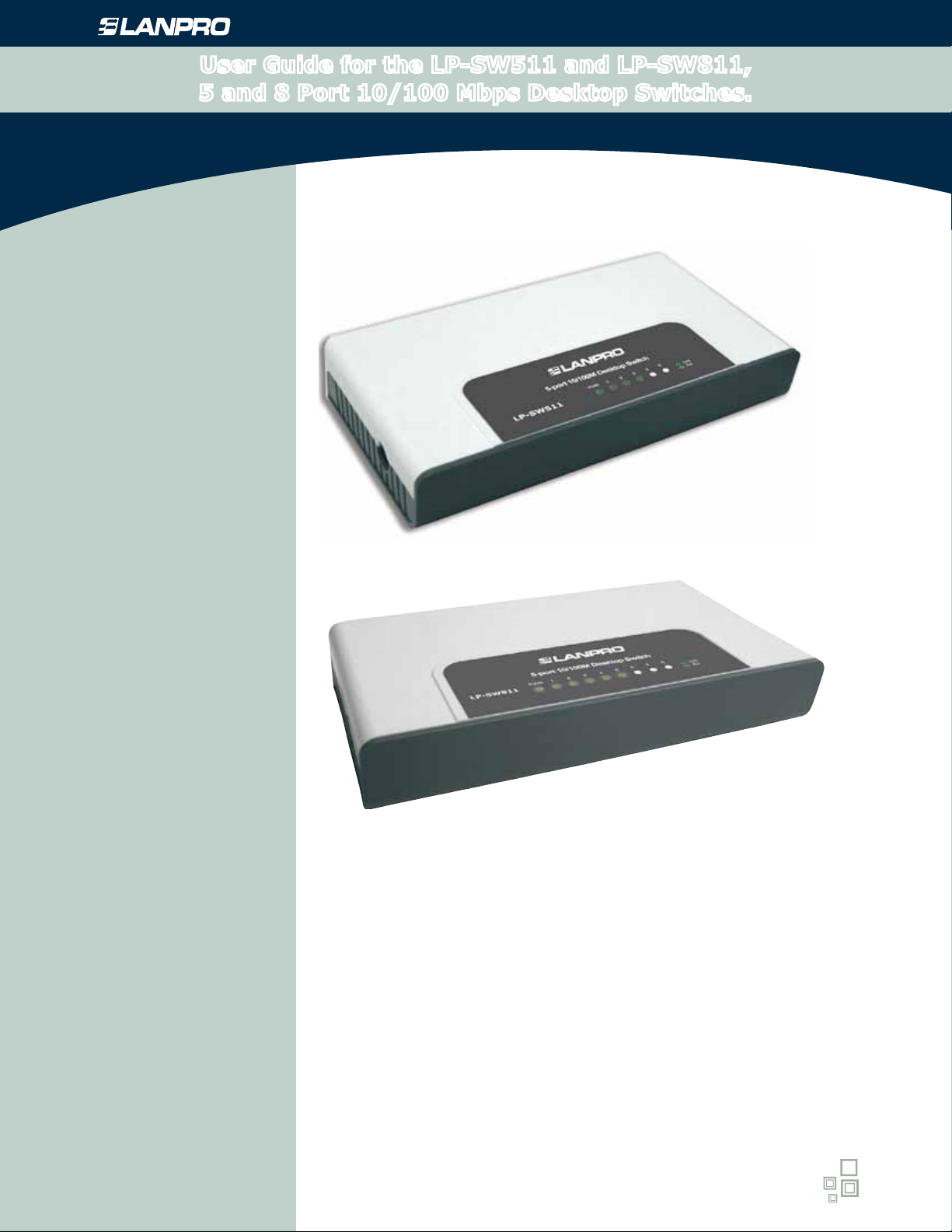
User Guide for the LP-SW511 and LP-SW811,
5 and 8 Port 10/100 Mbps Desktop Switches.
LPSWX11_UG_ENB01W
User Guide for the
LP-SW511 and LP-SW811,
5 and 8 Port 10/100 Mbps Desktop Switches.
www.lanpro.com
Page 2

Active Products - Switches - User Guide for the LP-SW511 and LP-SW811, 5 and 8 Port
COPYRIGHT & TRADEMARKS
Specications are subject to change without notice. is a registered trademark of LanPro Inc. Other brands and product names are
trademarks or registered trademarks of their respective holders.
No part of the specications may be reproduced in any form or by any means or used to make any derivative such as translation,
transformation, or adaptation without permission from Lanpro Inc. Copyright © 2008. All rights reserved.
http://www.lanpro.com
FCC STATEMENT
This equipment has been tested and found to comply with the limits for a Class B digital device, pursuant to part 15 of the
FCC Rules. These limits are designed to provide reasonable protection against harmful interference in a residential installation.
This equipment generates, uses and can radiate radio frequency energy and, if not installed and used in accordance with the
instructions, may cause harmful interference to radio communications. However, there is no guarantee that interference will not
occur in a particular installation. If this equipment does cause harmful interference to radio or television reception, which can be
determined by turning the equipment off and on, the user is encouraged to try to correct the interference by one or more of the
following measures:
• Reorient or relocate the receiving antenna.
• Increase the separation between the equipment and receiver.
• Connect the equipment into an outlet on a circuit different from that to which the receiver is connected.
• Consult the dealer or an experienced radio/ TV technician for help.
10/100 Mbps Desktop Switches.
This device complies with part 15 of the FCC Rules. Operation is subject to the following two conditions:
1) This device may not cause harmful interference.
2) This device must accept any interference received, including interference that may cause undesired operation.
Any changes or modications not expressly approved by the party responsible for compliance could void the user’s authority to
operate the equipment.
CE Mark Warning
This is a class B product. In a domestic environment, this product may cause radio interference, in which case the user may be
required to take adequate measures.
SAFETY NOTICES
Cautions:
Do not use this product near water, for example, in a wet basement or near a swimming pool.
Avoid using this product during an electrical storm. There may be a remote risk of electric shock from lightning.
Package Contents
The following items should be found in your box:
• One LP-SW511 or LP-SW811 Switch
• One Power Adapter
• This User Guide
Note:
Make sure that the box contains the above items. If any of the listed items are damaged or missing, please contact with your
distributor.
2
www.lanpro.com
Page 3

Active Products - Switches - User Guide for the LP-SW511 and LP-SW811, 5 and 8 Port
Table of Contents
1.- Chapter 1: Introduction of the product......................................................................4
1.1 Overview of the Product ......................................................................................4
1.2 Convention...............................................................................................................4
1.3 Features...............................................................................................................4
2.- Chapter 2. Installation...............................................................................................4
2.1 Mounting the Switch on a Desk...........................................................................4
2.2 Power On.............................................................................................................4
3.- Chapter 3. Identifying External Components.............................................................5
10/100 Mbps Desktop Switches.
3.1 Front Panel..........................................................................................................5
3.2 Rear Panel ..........................................................................................................5
4.- Appendix A: Specications......................................................................................5,6
5.- Appendix B: Troubleshooting.....................................................................................6
3
www.lanpro.com
Page 4
Active Products - Switches - User Guide for the LP-SW511 and LP-SW811, 5 and 8 Port
Chapter 1. Introduction of the Product
1
10/100 Mbps Desktop Switches.
Thank you for choosing the LP-SW511 or the LP-SW811 10/100 Mbps Desktop Switch.
1.1 Overview of the Product
LP-SW511 or the LP-SW811 10/100 Mbps Desktop Switch provides 5/8 10/100 Mbps Auto-Negotiation RJ45 ports.
All ports support Auto MDI/MDIX function, eliminating the need for crossover cables or Uplink ports. The Switch is
Plug-and-Play and each port can be used as general ports or Uplink ports and can be simply plugged into a server, a
hub, a switch or a router and so on, using straight cable or crossover cable.
The LP-SW511 or the LP-SW811 10/100 Mbps Desktop Switch provides you with a low cost, easy-to-use, highperformance, seamless and standard upgrade to improve your old network to a 100 Mbps network. It will boost your
network performance up to full duplex data transfer. Its wire-speed switching that forwards packets can be as fast as
the speed that your network delivers those packets to them.
1.2 Convention
The Switch or LP-SW511 or the LP-SW811 mentioned in this User Guide stands for LP-SW511 or the LP-SW811
10/100 Mbps Desktop Switch without any other explanation.
Note:
The two devices of LP-SW511 or the LP-SW811 are sharing this User Guide.
For simplicity, we will take the LP-SW811 as the example throughout this Guide.
The differences between them are:
LP-SW511 Switch has 5 x 10/100 Mbps Auto-Negotiation RJ45 ports.
LP-SW811 Switch has 8 x 10/100 Mbps Auto-Negotiation RJ45 ports.
1.3 Features
Complies with IEEE 802.3, IEEE 802.3u standards.
5/8 10/100 Mbps Auto-Negotiation RJ45 ports supporting Auto-MDI/MDIX.
Supports IEEE802.3x ow control for Full Duplex mode and backpressure for Half Duplex mode. Supports MAC
address auto-learning and auto-aging.
LED indicators for monitoring power, link, activity 2.
Plastic case, desktop or wall-mounting design.
External Power Adapter supply.
Chapter 2. Installation
2
2.1 Mounting the Switch on a Desk
To install the Switch, please follow the steps:
1
You can place the Switch on a at desk.
2
Please inspect the Power Adapter carefully and make sure that it is properly connected to a power source.
3
Ensure adequate ventilation space around the switch for dissipating heat and air.
Note:
Please avoid any heavy thing placed on the switch.
2.2 Power On
Powering on the Switch, it will automatically initialize and its LED indicators will respond as follows:
1
All of the Link/Act LED indicators will ash momentarily, which represents a resetting of the system.
2
The Power LED indicator will light all the time.
Note:
If the LED indicators don’t respond as described above, please check the power supply and its connection.
4
www.lanpro.com
Page 5
Active Products - Switches - User Guide for the LP-SW511 and LP-SW811, 5 and 8 Port
Chapter 3. Identifying External Components
3
This Chapter describes the front panel, rear panel and LED indicators of the Switch.
3.1 Front Panel
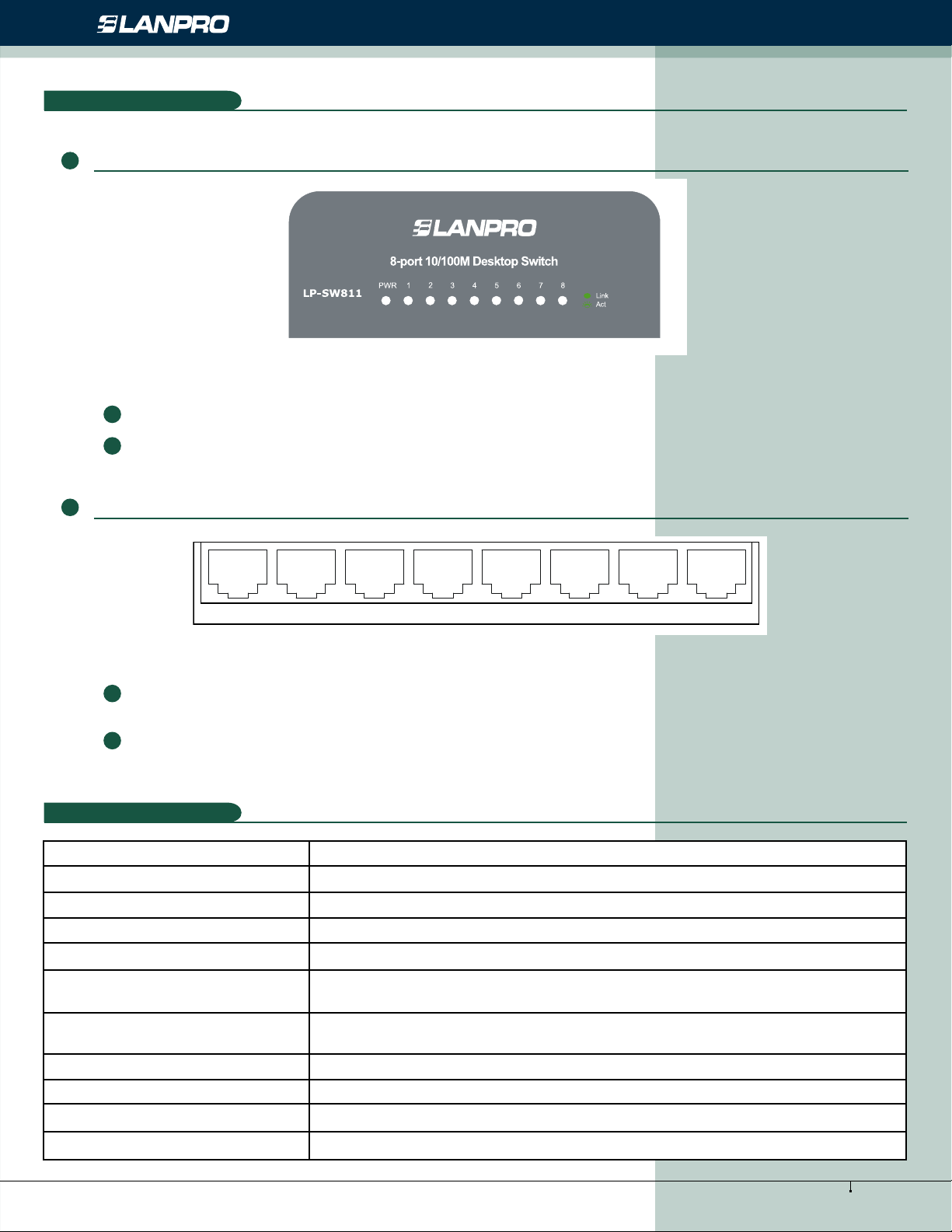
Figure 3-1 The LP-SW811 Switch Rear Panel. The Switch’s LEDs are located on the front panel.
Power LED: This indicator will light up when the Switch powers on.
LEDs (1-8): One LED indicator will light green when a device is connected to the corresponding port. It ashes
when data is being transmitted or received on the connection.
10/100 Mbps Desktop Switches.
3.2 Rear Panel
12345678
Figure 3-2 The LP-SW811 Switch Rear Panel. The following parts are located on the rear panel:
Power: The Power socket is where you will connect the power adapter. Please use the power adapter provided
with this LP-SW811.
Port (1-8): The LP-SW811 Switch is equipped with 8x10/100 Mbps Auto-Negociation RJ45 ports where you
will connect your network devices. The working status can be indicated by the corresponding LEDs on the front
panel.
Appendix A: Specications
4
Standards IEEE802.3 10BASE-T, IEEE802.3u 100BASE-TX
Topology Star
Protocol CSMA/CD
Ethernet: 10 Mbps (Half Duplex), 20 Mbps (Full Duplex)
Data Transfer Rate Fast Ethernet: 100 Mbps (Half Duplex), 200 Mbps (Full Duplex)
10Base-T UTP category 3, 4, 5 cable (maximum 100m) EIA/TIA-568
100Ω STP (maximum 100m) Network Media (Cable)
100Base-TX UTP category 5, 5e cable (maximum 100m)
EIA/TIA-568 100Ω STP (maximum 100m)
Number of Ports 5/8 10/100 Mbps Auto-Negotiation RJ45 ports
LED indicators Power, 10/100 Mbps Link/Act
Transfer Method Store-and-Forward
MAC Address Learning Automatically learning, automatically aging
5
www.lanpro.com
Page 6
Active Products - Switches - User Guide for the LP-SW511 and LP-SW811, 5 and 8 Port
10Base-T 14880pps/Port
Frame Filter Rate 100Base-Tx: 148800pps/Port
10Base-T: 14880pps/Port
Frame Forward Rate 100Base-Tx: 148800pps/Port
Environmental and Physical
Operating Temperature 0 0ºC ~40ºC (32ºF~104ºF )
Storage Temperature -40ºC ~70ºC (-40ºF ~158ºF)
Operating Humidity 10%~90% non-condensing
Storage Humidity 5%~90% non-condensing
Appendix B: Troubleshooting
5
10/100 Mbps Desktop Switches.
1. The Power LED is not lit
Check to see if the power cord is connected to the Switch properly, and make sure the power source is ON.
2. The Link/Act LED is not lit when a device is connected to the corresponding port
Check to see if the cable connectors are rmly plugged into the Switch and the device, and verify the connected device
is turned on and working well. Make sure the cable is not longer than 100 meters (328 feet).
6
www.lanpro.com
 Loading...