

Page 1

Page 2
WELCOME
Page 3
INTRODUCTION
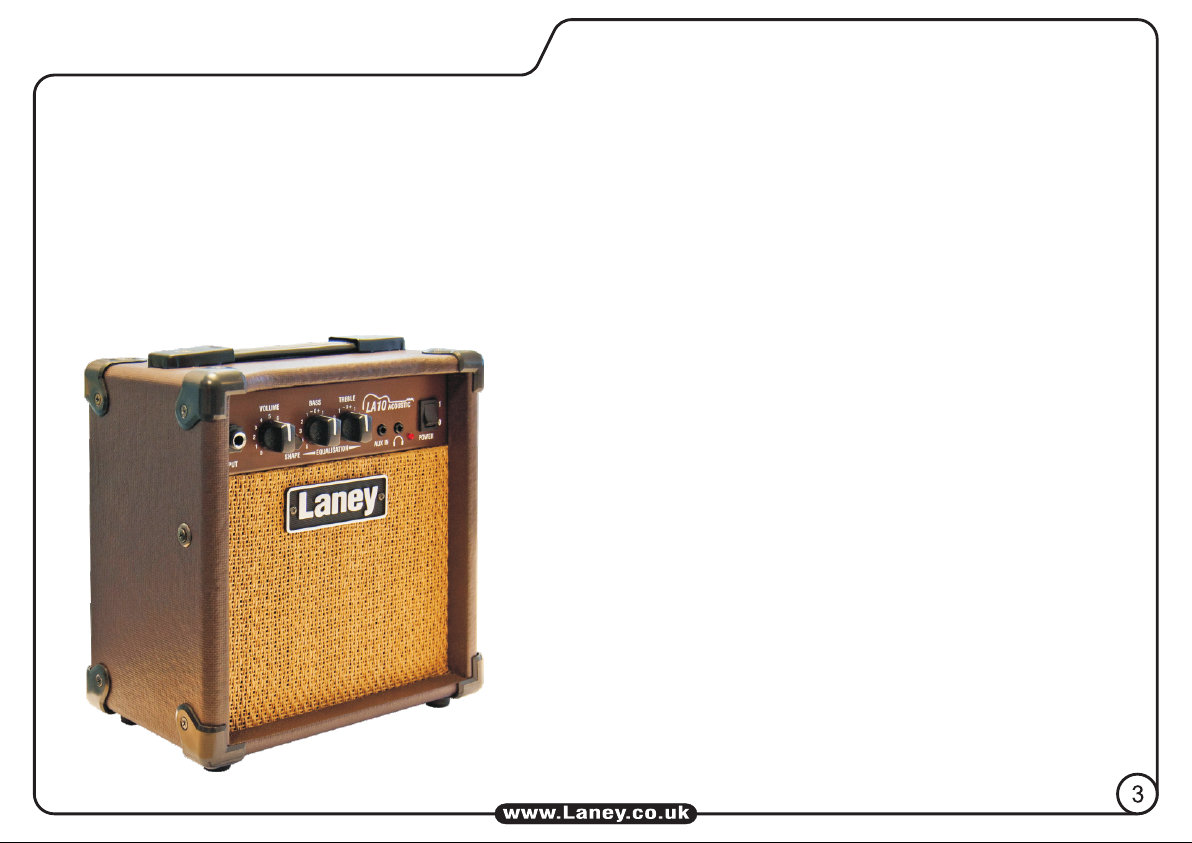
The LA10 offers great acoustic tones from a compact and portable amplifier.
The 10-Watt LA10 is capable of producing some bold, natural uncoloured acoustic guitar tones.
Housing a big sounding 5” driver and 2 band EQ the LA10 produces a acoustically pure tone capable of
reproducing the natural timbre of your instrument. Engaging the on board SHAPE switch allows you to
kick in a little extra high mid boost when a brighter more
extended top end is called for.
Plugging in some headphones means you can play
whenever you like, whatever time of the day or night and
if you connect an external device to the AUX IN socket
you can jam along with your favourite players!
Finished in a range of natural browns and creams, the
LA10 is a great addition to the LA range.
All the features & controls are covered over the next few
pages, please take the time to read this manual fully as it
will allow you to get the very best from your amplifier,
read on, play and enjoy…
Page 4

FRONT PANEL CONTROLS
Input: This socket should be used for connecting your instrument to the amplifier. Only use a good
quality screened cable.
Volume: Sets the overall listening level of the amplifier.
Shape: Engages an EQ circuit to give a brighter more extended top end.
EQ Controls: Traditional Bass & Treble passive tone controls. Passive controls have the advantage of
always sounding musical at any of their settings, due to their unique interactive nature. This gives the player
a more natural set of tools to shape their ideal sound. Set these midway at (0) as a good starting point.
Aux In: A 3.5mm Stereo line input for connection of a CD or MP3 player as a backing track. Control the
level of the input using the volume control on your CD/MP3 player.
Phones: 3.5mm stereo jack socket for connecting headphones and when connected, the internal
loudspeaker is automatically switched off.
Power LED: This will illuminate when the power switch is operated, indicating the presence of mains
power within the amplifier.
Power Switch: Mains power switch for the unit.
4
Page 5

L ZB 1 2 3 4
Information area relating to the
amplifier: Supply Voltage, Model,
Serial Number, etc.
A built in mains lead is provided
to connect to your power
source. Make sure the specified
voltage is correct for your
country!
REAR PANEL
(ALWAYS SWITCH OFF AND DISCONNECT THE POWER CORD WHEN NOT IN USE)
5
Page 6

CONNECTIONS
Options
Guitar
CD/MP3
Headphones
General Notes
Amplifier connection: In order to avoid damage, it is advisable to establish and follow a pattern
for turning on and off your equipment. With all system parts connected, turn on source equipment,
MP3/CD players, etc. BEFORE turning on your guitar amplifier. Similarly when turning off your
system always turn down the Volume controls on your guitar amplifier and then turn off its power
before turning off other equipment.
Cables:
Only use a good quality screened cable to connect your instrument to the amplifier.
Servicing: The user should not attempt to service these products. Refer all servicing to qualified
service personnel.
6
Page 7

SPECIFICATIONS
This product conforms to the requirements of the
following European Regulations, Directives & Rules:
CE Mark (93/68/EEC),
Low Voltage (72/23/EEC),
EMC (2004/108/EEC),
RoHS (2011/65/EU),
WEEE (EU2002/96/EC).
In order to reduce environmental damage, at the
end of its useful life, this product must not be
disposed off along with normal household waste to
landfill sites. It mist be taken to an
approved recycling centre according
to the recommendations of the
WEEE (Waste Electrical And
Electronic Equipment) Directive
applicable in your country.
In the interest of continued development, Laney
reserves the right to amend product specification
without prior notification.
Supply Voltage (Factory Preset) ~100V, ~120V, (~220V, > ~240V) 50/60Hz
Power Consumption 15W
Output Power Rating 10W
Loudspeaker 5” Custom Designed Driver
Features Input Skt (6.3 Jack)
Shape EQ Circuit
Bass
Treble
Aux In (3.5 Stereo Jack)
Headphone Skt (3.5 Stereo Jack)
Master Volume
Size 245*216*146 (H*W*D)
Unit Weight 2.6Kg
Packing Weight 3.2Kg
BLOCK DIAGRAM
INTERNAL
LOUDSPEAKER
GUITAR INPUT
AUX IN
ON/OFF
SHAPE
BASS
SECTION
TREBLE
MASTER VOLUME
EQ
HEADPHONES
7
Page 8

 Loading...