

Page 1
Smart Programmer -
User Manual
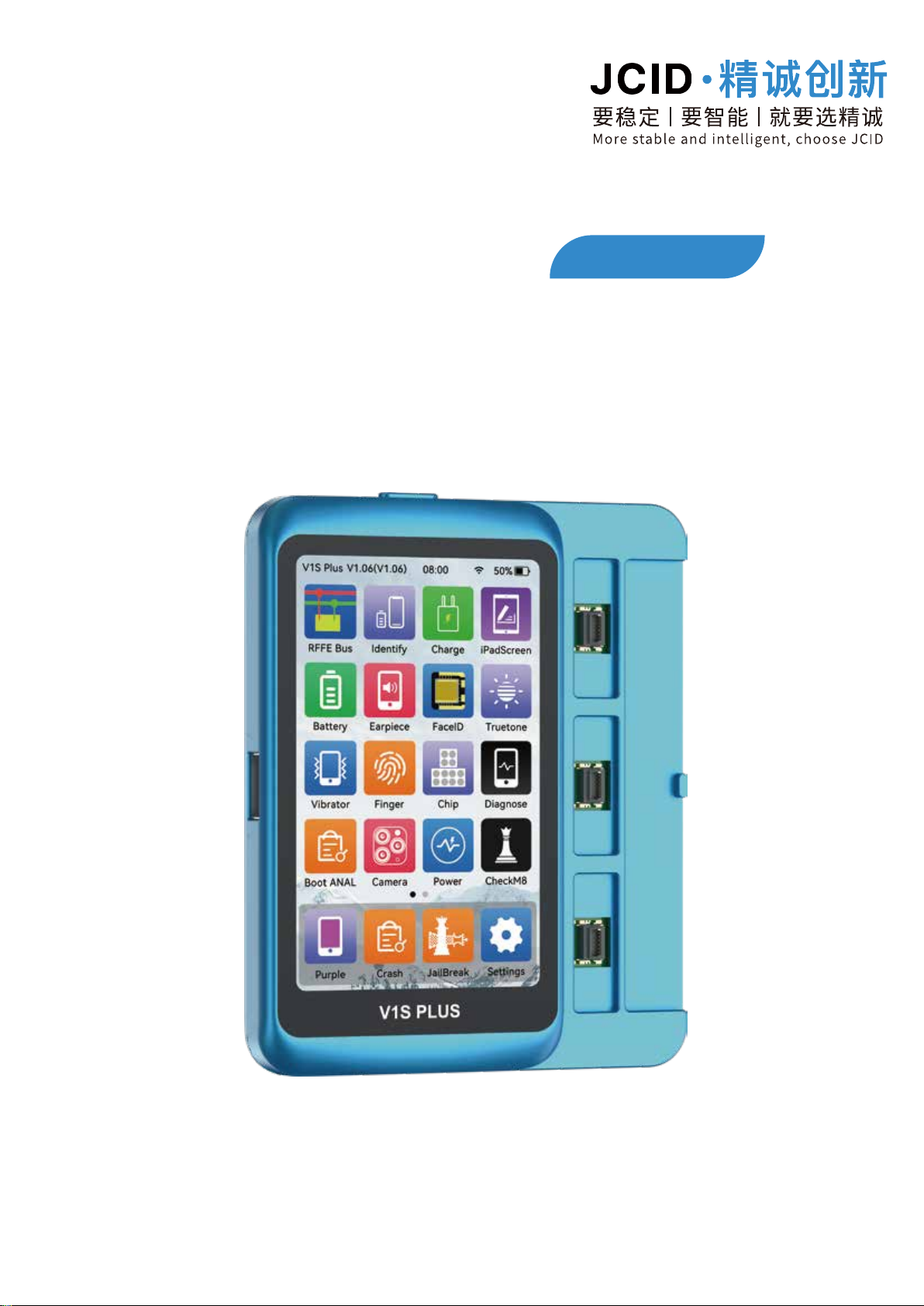
V1S PLUS
Please read the user manual carefully before use
Page 2

V1S PLUS User Manual
Product Features
1
4.0 inch full-touch HD display screen.
8GB large memory and powerful CPU.
Online/offline dual operation mode.
Support to read and write the screen/battery/Taptic
code of iOS devices.
Support functional adaptors reading,
writing and expansion
Support non-removal purple screen reading
and writing
Support RFFE bus analysis
Support one-key repair of true tone/light sensing/
battery failure
Support baseband/logic chip reading and writing
01
Page 3
V1S PLUS User Manual
2
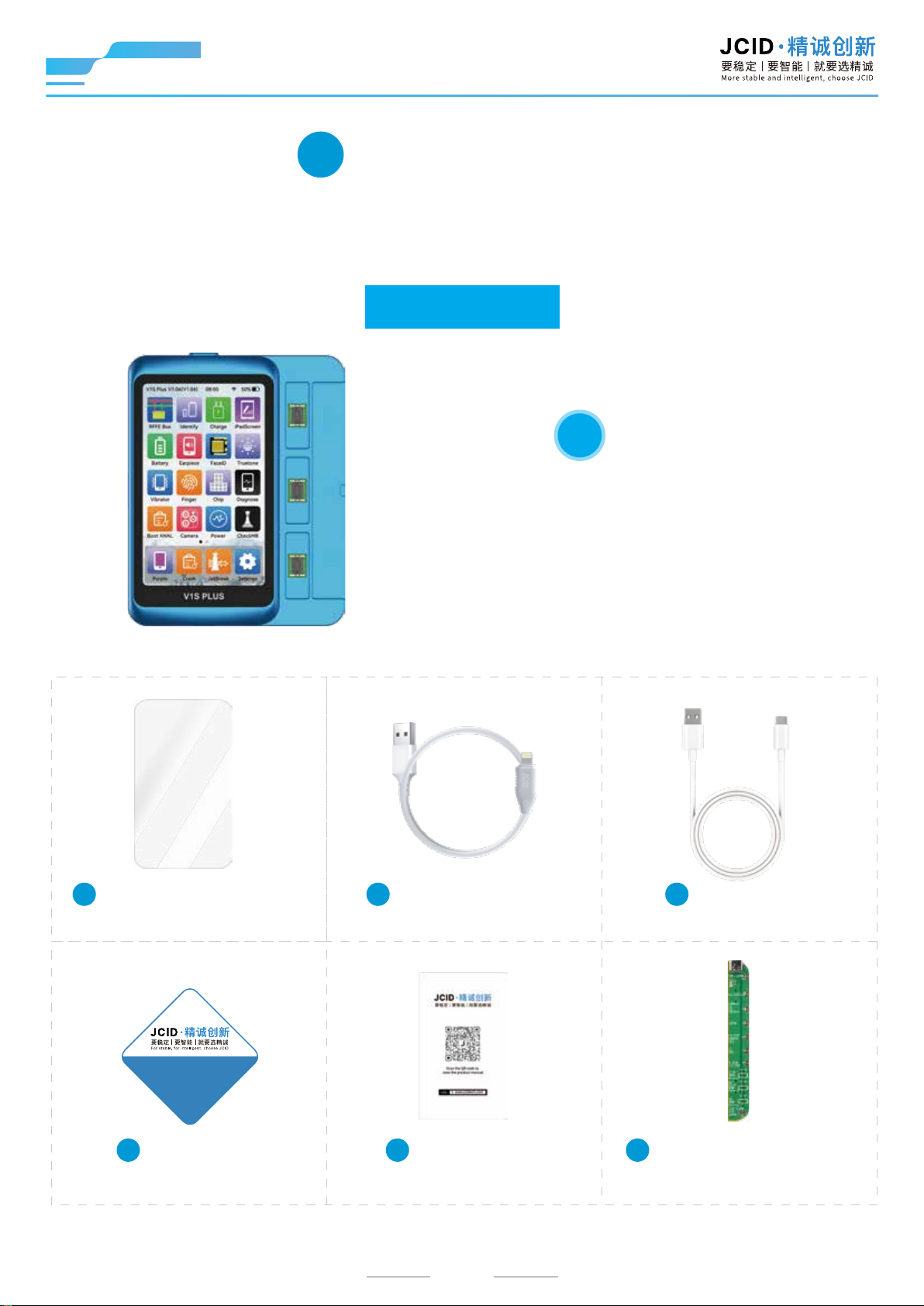
List of Packing
Smart Programmer - V1S PLUS includes the
following accessories:
Basic Edition
1
Smart Programmer - V1S PLUS
Host *1
2
Tempered glass screen
protector *1
3 4
USB 3.0 engineering
cable *1
合格证
Certificate
5 6 7
Certificate *1
User manual
card *1
02
Type-C data
cable *1
8-15PM Battery Read
And Write Adaptor *1
Page 4
V1S PLUS User Manual
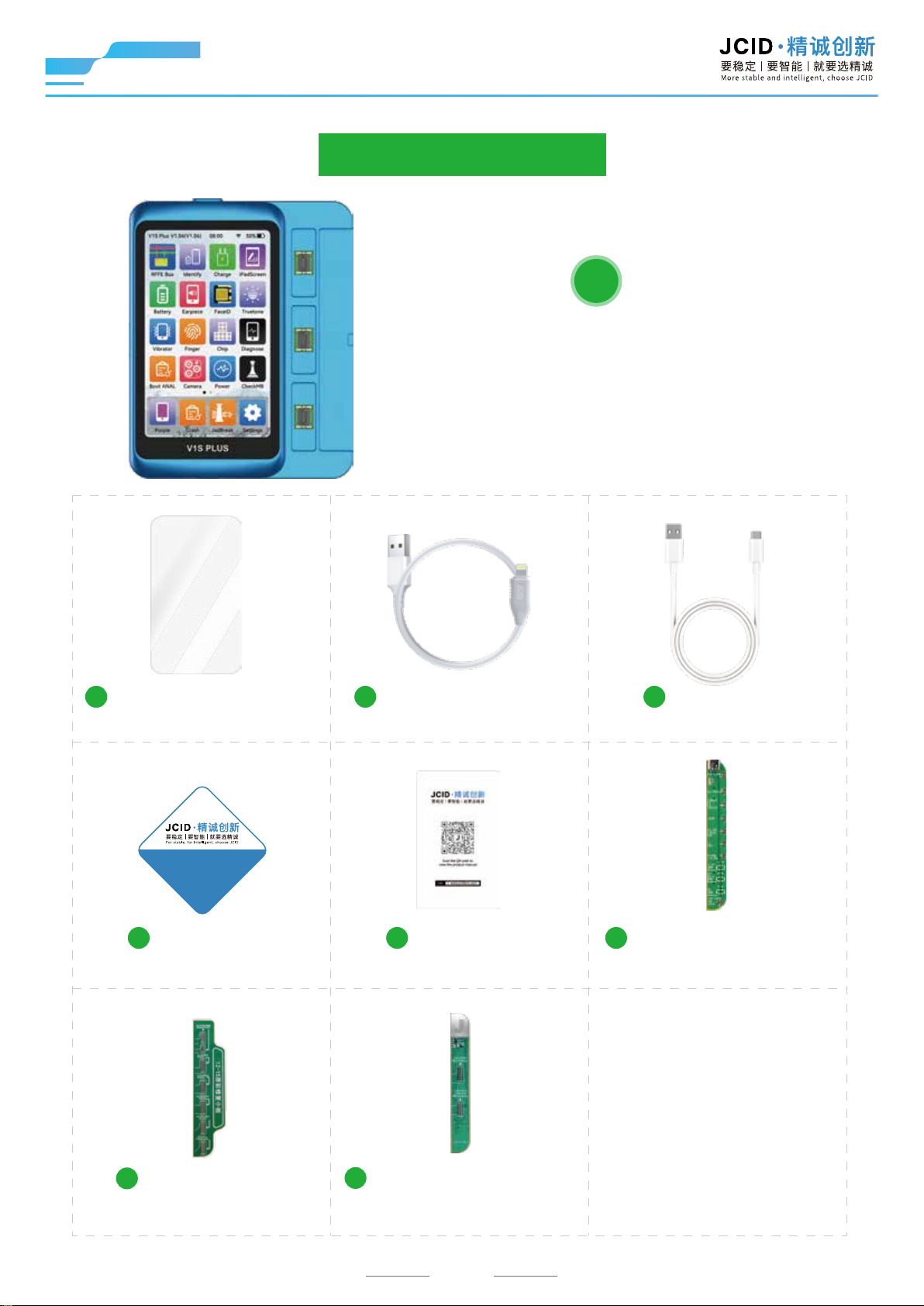
Professional Edition
1
Smart Programmer - V1S PLUS
Host *1
2
Tempered glass screen
protector *1
合格证
Certificate
5
Certificate *1 User manual
3 4
USB 3.0 engineering
cable *1
6
card *1
7
8-15PM Battery Read
And Write Adaptor *1
Type-C data
cable *1
8
12-15 True Tone
Repair Adaptor *1
9
13-15 Pro Series True
Tone Repair Adaptor *1
03
Page 5
V1S PLUS User Manual
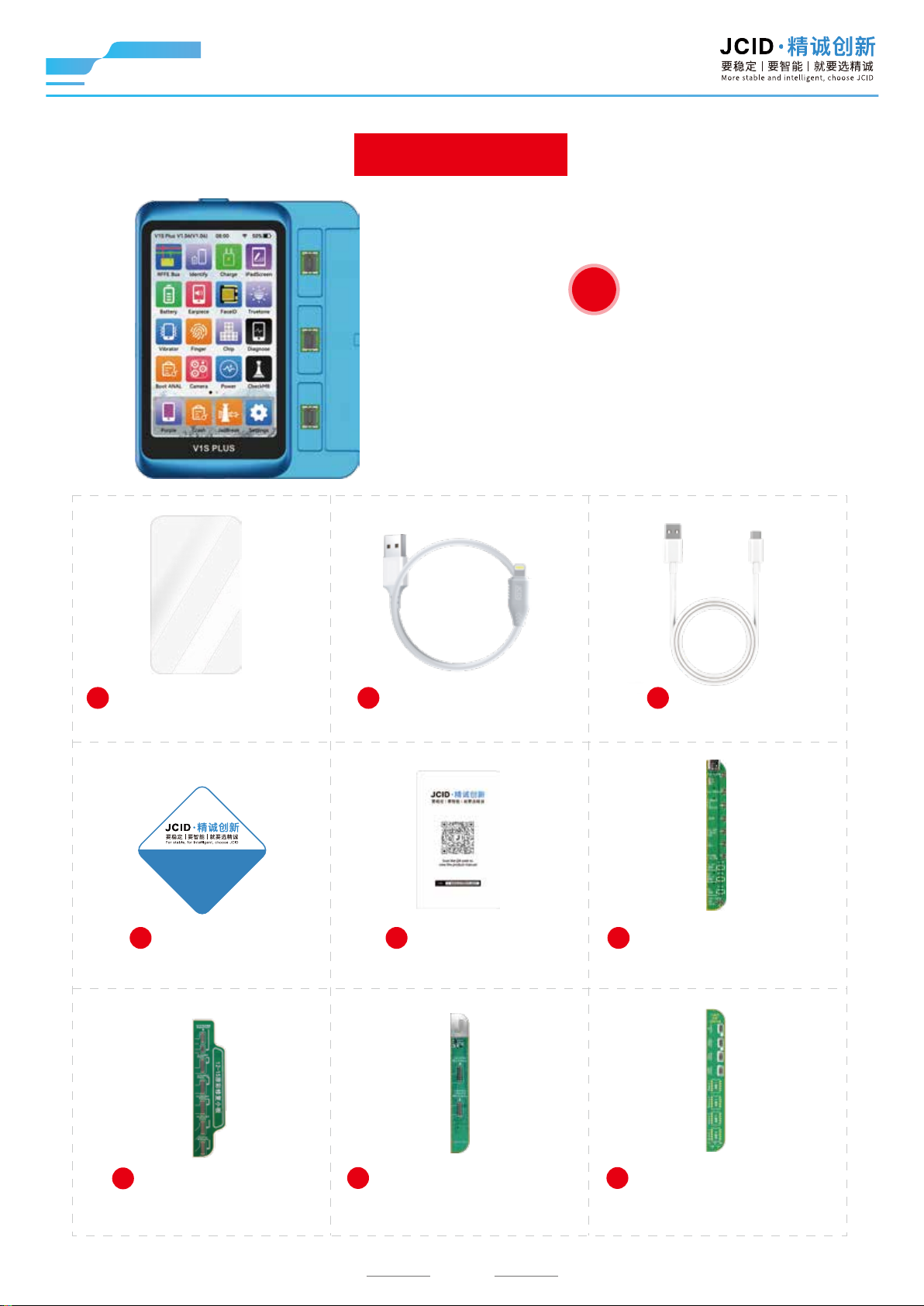
Master Edition
1
Smart Programmer - V1S PLUS
Host *1
2
Tempered glass screen
protector *1
合格证
Certificate
5
Certificate *1 User manual
3 4
USB 3.0 engineering
cable *1
6
card *1
7
8-15PM Battery Read
And Write Adaptor *1
Type-C data
cable *1
8
12-15 True Tone
Repair Adaptor *1
9
13-15 Pro Series True
Tone Repair Adaptor *1
04
10
15 Series Rear Camera
R&W Adaptor *1
Page 6

V1S PLUS User Manual
11
X-15PM Face ID Activation/
R&W Adaptor
(No External Power) *1
12
14-15 Series Distance
Photosensitive FPC
Repair Adaptor *1
05
Page 7
V1S PLUS User Manual
3
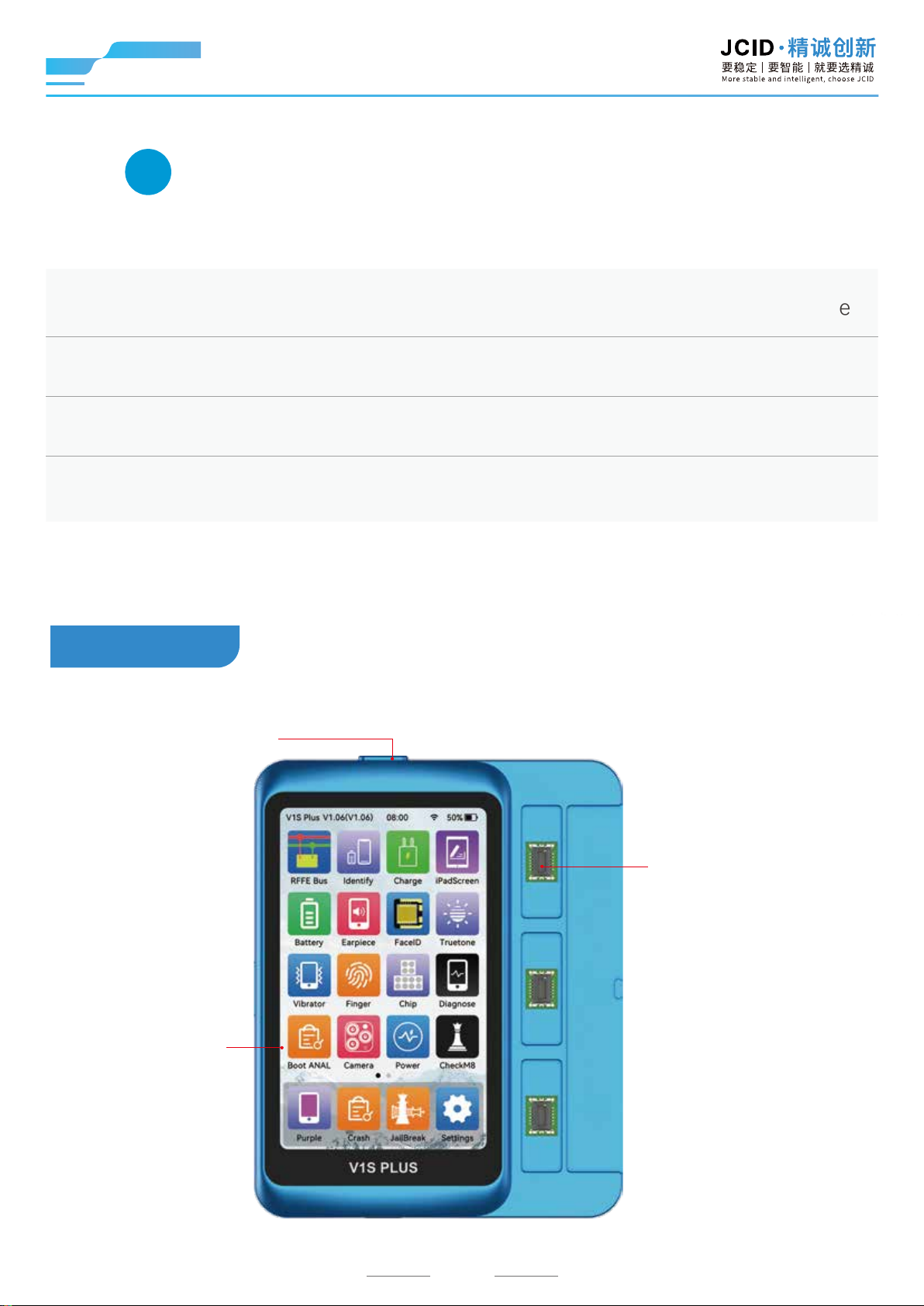
Product Parameters & Introduction
Product name: JCID Smart Programmer - V1S PLUS
Brand: JCID· 精诚创新
Applicable models: iOS devices
* Above data is proved by JCID lab
Dimensions: 94.1mm*117.85mm*16.30mm
Front side
Power switch
Color: Blue
4 inch HD display
Adaptor pinboard
06
Page 8
V1S PLUS User Manual
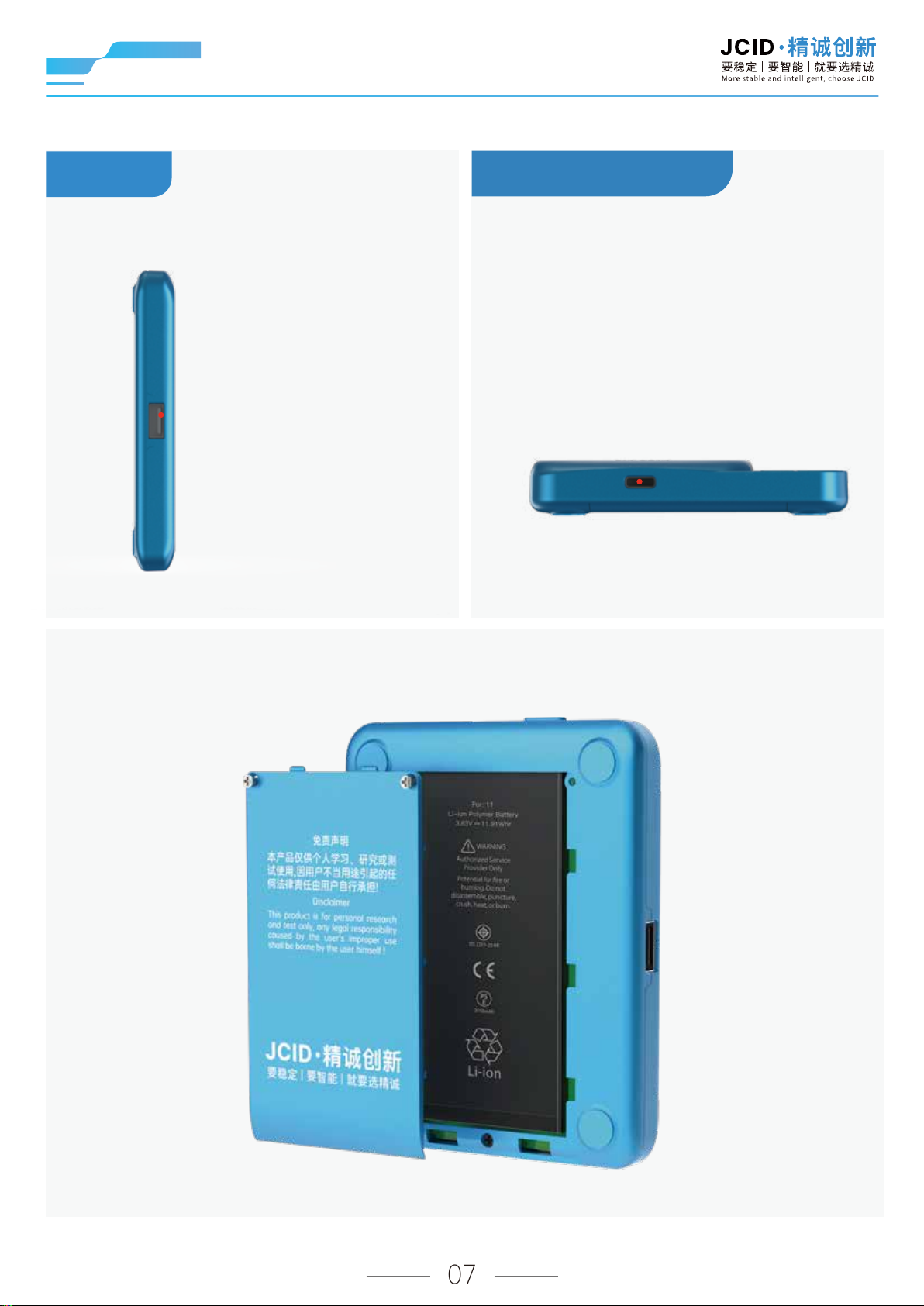
Profile
Product bottom
Type-C charging interface
USB interface
The back cover can be removed. Install with an iPhone 11 battery.
07
Page 9
V1S PLUS User Manual
4
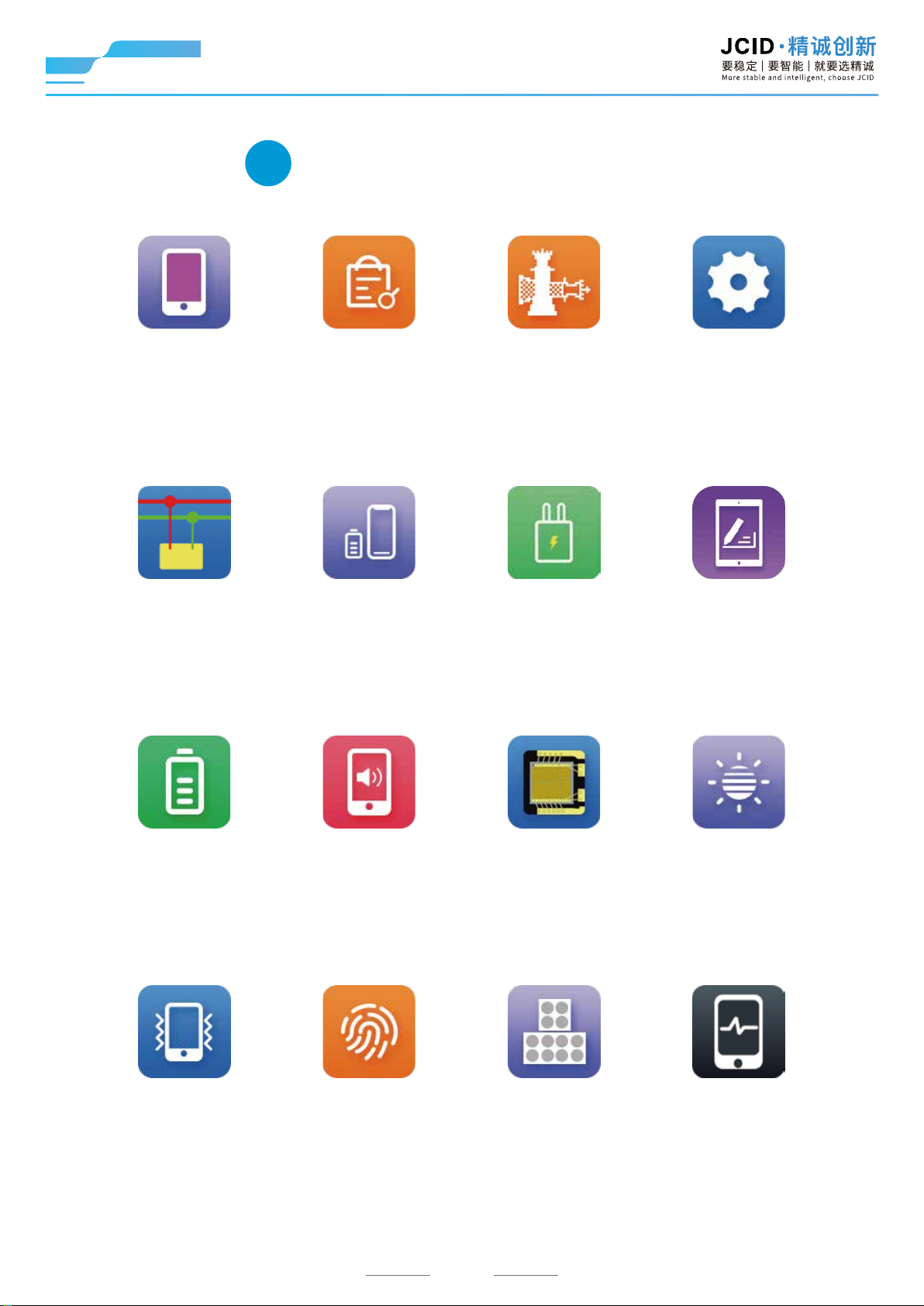
Functional Interfaces
Purple screen SettingsJailbreak Crash analysis
Enter into purple screen
mode/read / write/ revise
SYSCFG data without
tearing down the phone.
Support to check crash
analysis results
of mobile phone.
RFFE bus iPad screenFast chargerComponents test
Detect signal failure
points
Unbind the original
parts and write
into new parts
Using third-party software to
unlock system permissions
and obtain factory codes
without tearing down the phone.
Detect the supported
protocols of the fast
charger and whether
it's genuine or not.
Including WiFi, bluetooth,
language, buzzer, brightness,
auto shutdown,
standby settings and etc.
Read iPad LCD code, solve
problems of screen code match
and inability to draw diagonal
straight lines with Pencil
Battery True toneFace IDReceiver
Support to repair, revise,
read, write and copy battery
SYSCFG data, supports
cycle counts clear.
Support to repair face ID
the original receiver FPC
Vibration Official diagnostics ChipFingerprint
Support to read and
write the vibration code
Support to read and write
the fingerprint serial number
and true tone without
Support face ID data read
and write, fix the “Face ID”
malfunction.
Support to read and
write the chip data
08
Fix screen true tone
problem
Detect whether the phone's
functions are normal or
not through Apple's
diagnostic mechanism.
Page 10
V1S PLUS User Manual
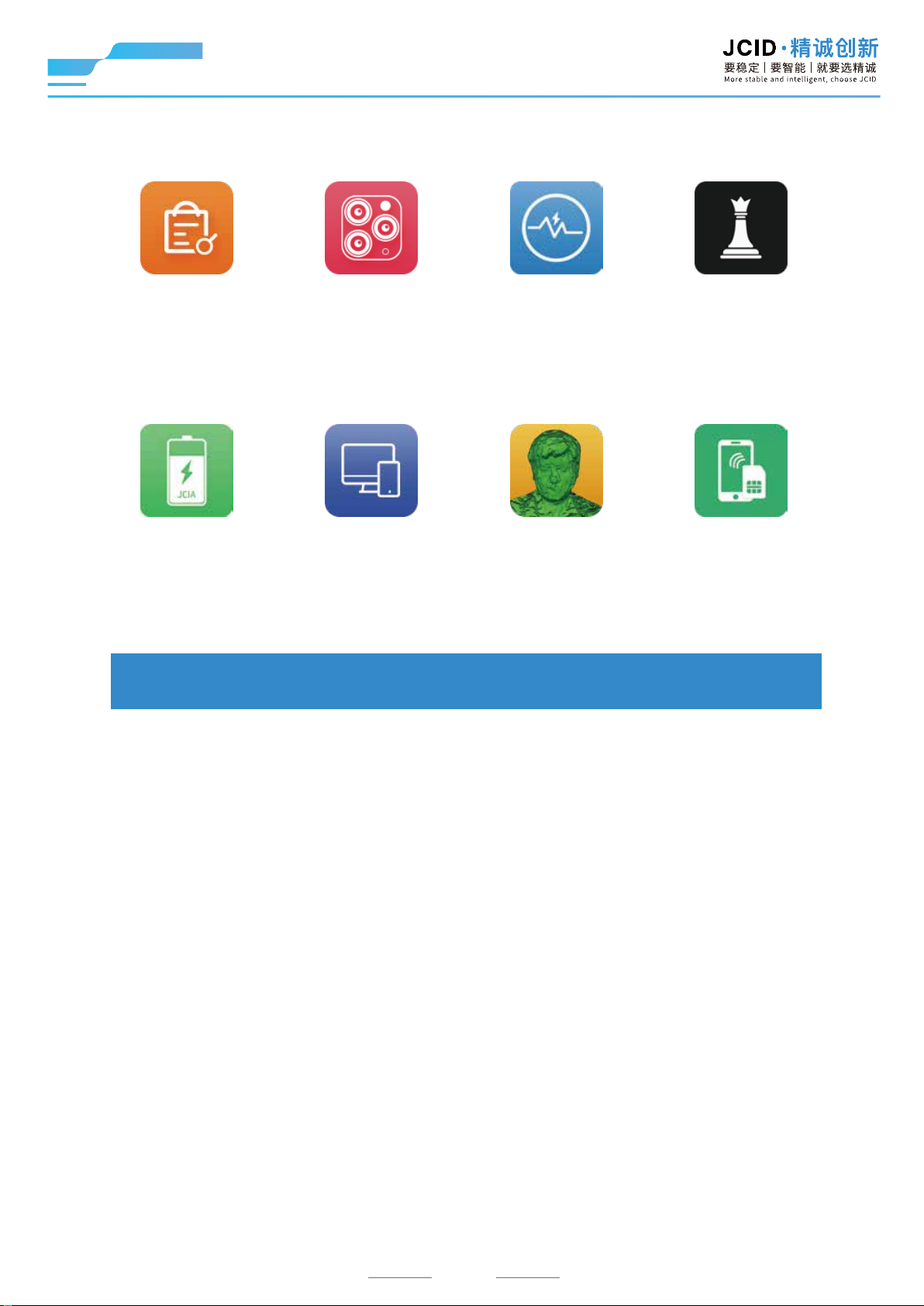
Boot analysis Non-removal
Read the boot log and
analyze the reasons for
the white apple restart
issues such as pop ups and
out of focus caused by non
Camera
Support to read, write and
burn camera code, solve
original camera.
Power dissipation
analysis
Check the power dissipation
of the phone in airplane mode,
and determine if there
is any leakage.
unbind
Using JCID software to
unlock system permissions
and obtain factory codes
without tearing down
the phone.
JCID battery SIM detectionFace ID alignmentConnect to computer
Read and write JCID
battery data
Guide users on how to
connect V1SPlus to
a computer
Automatically install EM3D
alignment software for
mobile phones.
Detect SIM card holder
diode value quickly
without disassembly
Support unlimited functional APP expansion...
09
Page 11
V1S PLUS User Manual
5
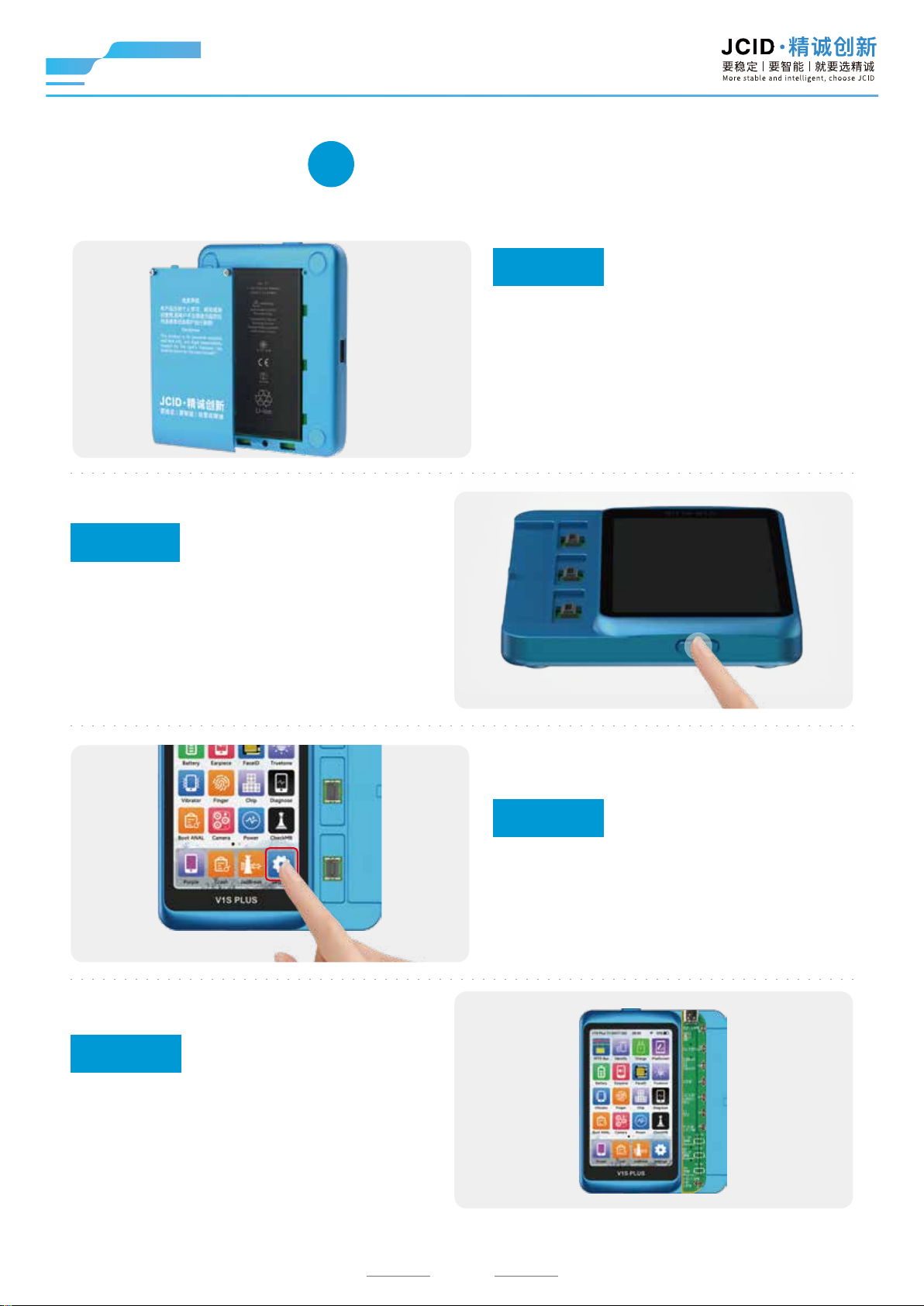
Step 2
Boot up
Short press the power switch,
start operating until the screen
lights up and jump to the main
interface.
Preparations
Step 1
Install battery
Note: Must install the battery! The
operation will be more stable, some
third-party batteries may not be
compatible, try to replace with the
original battery.
Step 4
Connect adaptor
Buckle the adaptor into the
connection socket of V1S Plus
according to the indicated direction.
Step 3
Set WIFI
Click settings, enter the settings
interface and connect to WiFi.
10
Page 12
V1S PLUS User Manual
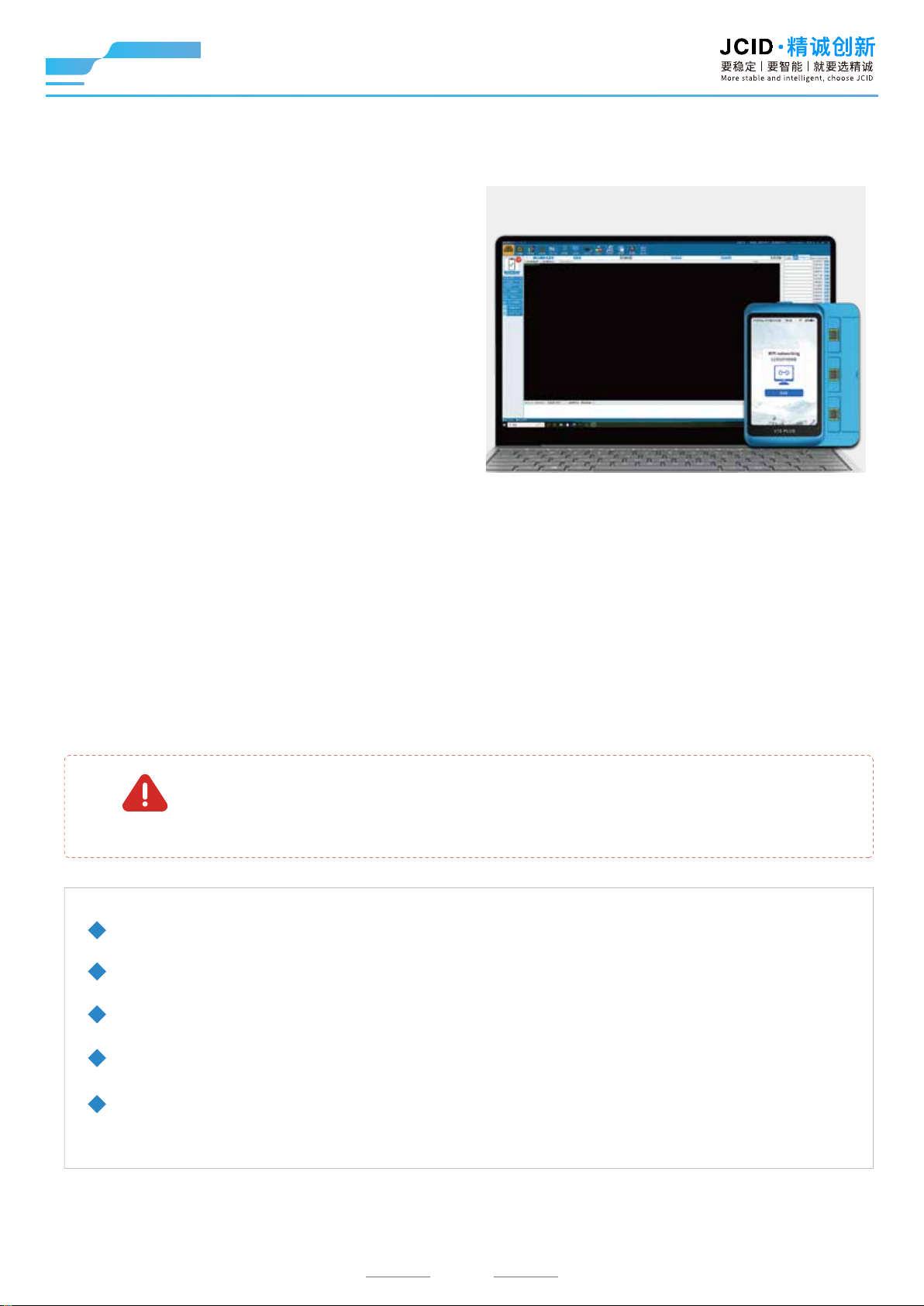
Connect to JCID
Repair through WiFi
To connect to JCID Repair platform, a data
cable is required for the first time. Afterwards,
with the same network, there is no need to
connect to JCID Repair platform through a data
cable. Humanized design, convenient for
users to use in different scenarios.
(Backup, write and modify in a simple way)
Precautions
Failure to follow the instructions may result in device
WARNING
This product is not waterproof, please keep it dry;
Do not disassemble this product or replace accessories;
Do not throw or beat this product seriously;
Please place in a dry environment when it’s not in use for a long time;
This product is only for personal research, analysis and testing, the company
does not assume any responsibility if beyond the use scope.
damage or other injuries.
11
Page 13
V1S PLUS User Manual
After-sales Tech Suppo
Scan the QR code through WhatsApp to add official
technicians, one-to-one guidance, enjoy the VIP service.
Technicians will reply and solve your problem as soon as possible.
JCID-Gem JCID-Gary
After-sales Seice
Warranty regulations
This product is guaranteed for one year from the date of purchase
(subject to the purchase certificate).
The warranty service is only valid under normal use. Any man-made damage, such as
the use of inappropriate accessories, failure to use in accordance with the instructions,
damage caused by non official maintenance, wrong use or negligence, the warranty
service will be invalid immediately.
JCID company has the final right to interpret the above regulations.
12
Page 14

Shenzhen JC Innovation Device Co., Ltd.
Hotline:(+86)400-175-8688
Ocial website:www.jcidevice.com
Address:Room 403, 4F, Building 2, IOT Industrial Park, 4012 Wuhe Blvd,
Bantian Street, Longgang District, Shenzhen
 Loading...