

Page 1

JANOME ELECTRO PRESS
JP-1504 JP-3004 JP-5004
JPH-104 JPH-204 JPH-504 JPH-1004
JPH-1504 JPH-3004 JPH-5004
JPU-104 JPU-204 JPU-504 JPU-1004
JPU-1504 JPU-3004 JPU-5004 JPU-8004
JP-104 JP-204 JP-504 JP-1004
For Your Safety
Thank you for purchasing the Electro Press.
*Read this manual thoroughly in order to properly use this machine.
Be sure to read “For Your Safety” before you use the machine. It will
protect you from possible danger during operation.
*After having read this manual, keep it in a handy place so that you or the
operator can refer to it whenever necessary.
Page 2
(
(
FOR YOUR SAFETY
This volume contains particularly important instructions and notices for safe and proper use of this
machine. Please read it thoroughly and be sure to follow the instructions and notices.
Instructions for your safety are also included in each operation manual. Please refer to these during
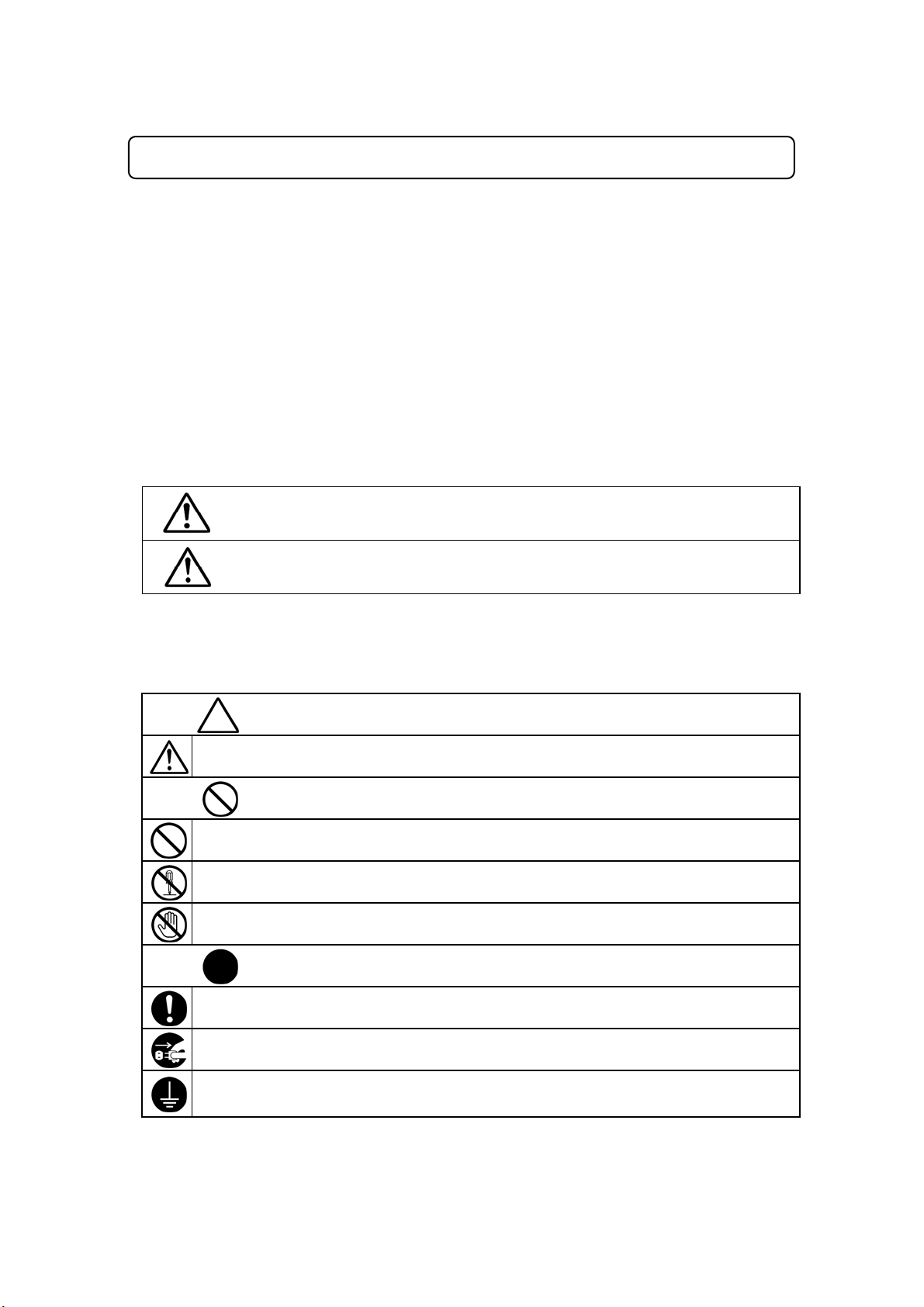
Warning
Caution
The “Warning” symbols indicate the possibility of death or
serious injury.
The “Caution” symbols indicate the possibility of accidental injury
or damage to property.
actual operation.
V ariou s symb ols are used in th is manual. Plea se re a d th e follow ing ex plana tion of wha t ea ch sy mbo l
stands for .
z Symbols indicating the possible extent of damage or injury
These symbols indicate the extent of damage or injury that can occur when the machine is
handled incorrectly or instr uctions a re n ot followed .
z Symbols indicating hazard-type and hazard evasion method
The following symbols illustrate instructions you must follow.
Indicates what kind of safety measure should be taken.
Take care.
Indicates prohibition.
Never do this. (general prohibition)
Do not disassemble, modify or repair.
Do not touch.
Indicates that the action must be taken.
Be sure to follow instructions.
Be sure to unplug the power supply from wall outle t.
Be sure to check grounding.
General caution)
contact prohibition)
For Your Safety Electro Press JP Series 41
Page 3

Caution
When the electro press is being operated or adjusted, keep the operation manuals in a
handy place so that you or the operator can refer to them whenever necessary.
Safety precautions should not necessarily be limited only to those prescribed in the
operation manuals. Please consider any possible dangers that may exist in your
specific operating environment and take the appropriate precautionary measures against
these.
1. INSTALLATION
1.1 Securing the press environment
Always use a safeguard.
A person putting his hand inside the machine’s working area may be injured.
Install an interlock as a safeguard that triggers an emergency stop when activated.
Use the I/O-S connector included in the package.
For details, please see the operation manual <Setup>.
<Example of the Area Sensor>
Area Sensor
Area Sensor Controller
I/O-S
Connection
For Your Safety Electro Press JP Series 4 2
Page 4
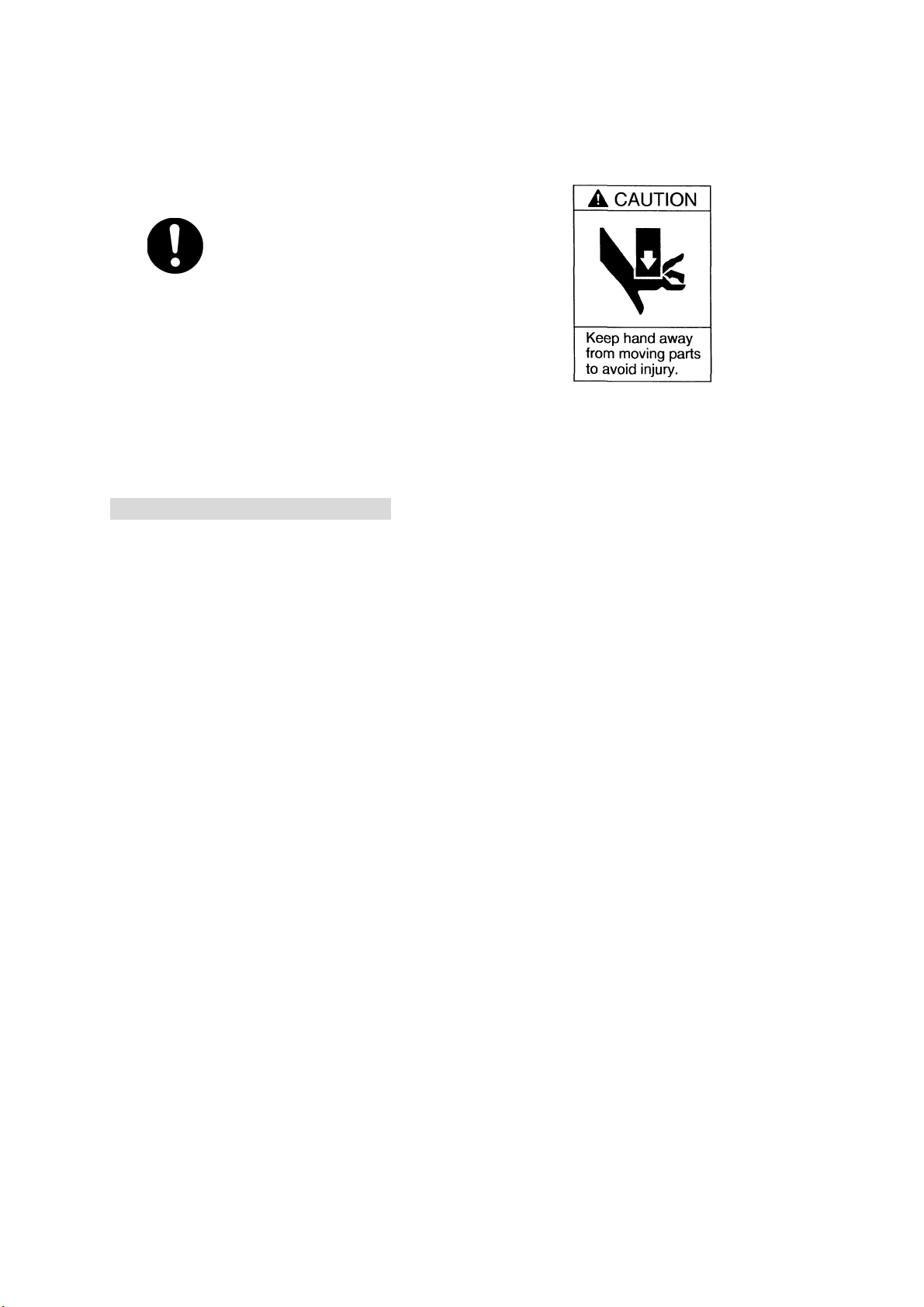
Be sure to attach this sticker in plain view.
1.2 Notices regarding installation
・ Place the machine on a suitable flat surface that can support its
weight. Be sure to leave a space greater than 30cm between the back
of the control box equipped with a cooling fan and the wall. Do not
cover the cooling fan vent on the top of a stand-alone or head type press.
An insufficient or unstable area can cause the machine to fall, overturn,
breakdown, or overheat.
・ Do not use the machine near inflammable or corrosive gas. If
leaked gas accumulates around the machine, it can cause fire or
explosion.
・ Place the machine in a well-ventilated area for the health and safety
of the operator.
・ Use the machine in an environment that is not dusty or damp.
・ Use the machine in an environment between 0 to 40 degrees
centigrade with humidity of 20 to 95 percent without condensation.
Use outside these conditions may result in malfunction.
IP Protection Rating is “IP40.”
・ Avoid using any equipment emitting electric noise nearby. Electric
noise can cause the machine to break down.
For Your Safety Electro Press JP Series 4 3
Page 5

・ Use the machine in an environment where it is not exposed to direct
sunlight. Direct sunlight may cause malfunction or defect.
・ Attach the eyebolt and use a crane to transport the machine.
・ Be sure to remove the eyebolt after installing the machine.
After removing the eyebolt, tighten the screw provided (JP/JPH-104 and
204, JPU-104 to 1504) or attach the rubber cap provided (JP/JPH-504,
1004) to the eyebolt fixing hole.
・ Immobilize the machine’s parts when you transport the machine.
Failure to do so may result in injury or breakdown of the machine.
・ Ensure the machine is not exposed to hard shocks during
transportation or installation. This could result in breakdown of the
machine.
・ Make sure the machine is properly grounded. The earth should be
connected as a Type D installation. (under 100 Ω or less installation
resistance) Insufficient grounding can cause electric shock, fire or
malfunction.
・ Be sure to shut off the power supply before plugging in the power
cord.
・ Plug the power cord into the wall outlet firmly.
Incomplete insertion into the wall outlet causes the plug to become hot
and can cause fire. Check that the plug is not covered with dust before
plugging it.
・ Be sure to use the press at the rated voltage specified on the
nameplate. Failure to do so may cause electric shock or fire.
・ Connect all connecting cables to the machine firmly and correctly.
Failure to do so may result in malfunction of the machine.
・
Turn off the machine before inserting and removing cables. Failure
to do so may result in electric shock, fire, or the malfunction of the
machine. IP Protection Rating is IP40.
For Your Safety Electro Press JP Series 4 4
Page 6

・ Do not disassemble or modify the machine. This can cause electric
shock or malfunction of the machine.
・ Place the control box on a flat surface more than 80 cm above the floor so
that it is easier to operate.
・ Place the machine at a height suitable for the operator.
・ The installation mount should be steel. For the stand-alone type, it
should be able to support the machine’s weight. For the head and
unit types, it is able to support the machine’s weight and pressing
capacity.
・ Make sure the jig is firmly attached. A loose jig may result in injury or
breakdown of the machine.
・ Install the emergency stop switch within reach of the operator while
teaching and running the machine. Failure to do so may cause
danger because the machine cannot be stopped immediately and safely.
For Your Safety Electro Press JP Series 4 5
Page 7
2. WORKING ENVIRONMENT
2.1 Operation inside the safeguard
・ When putting your hand inside the safeguard, be sure to turn off the motor
power to the machine by enabling the emergency stop device and follow
the safety precautions below.
・ Place a “Do Not Operate” sign on the start switches.
・ When an operator has to put his hand inside the machine’s working area
assign someone to monitor the press. If any danger arises, activate the
emergency stop immediately. Also, prevent anyone other than the
operator from going near the electro press.
・ When using the JOG function keep your attention on the ram movement.
2.2 Working regulations
・ Establish “Working regulations” for teaching and maintenance that
ensure the operator’s safety while working inside the machine’s operating
area
・ Working regulations should address issues such as machine control and
signs between operators.
・ When creating the “Working regulations”, seek advice from related
operators and specialists in work safety, and revise them regularly.
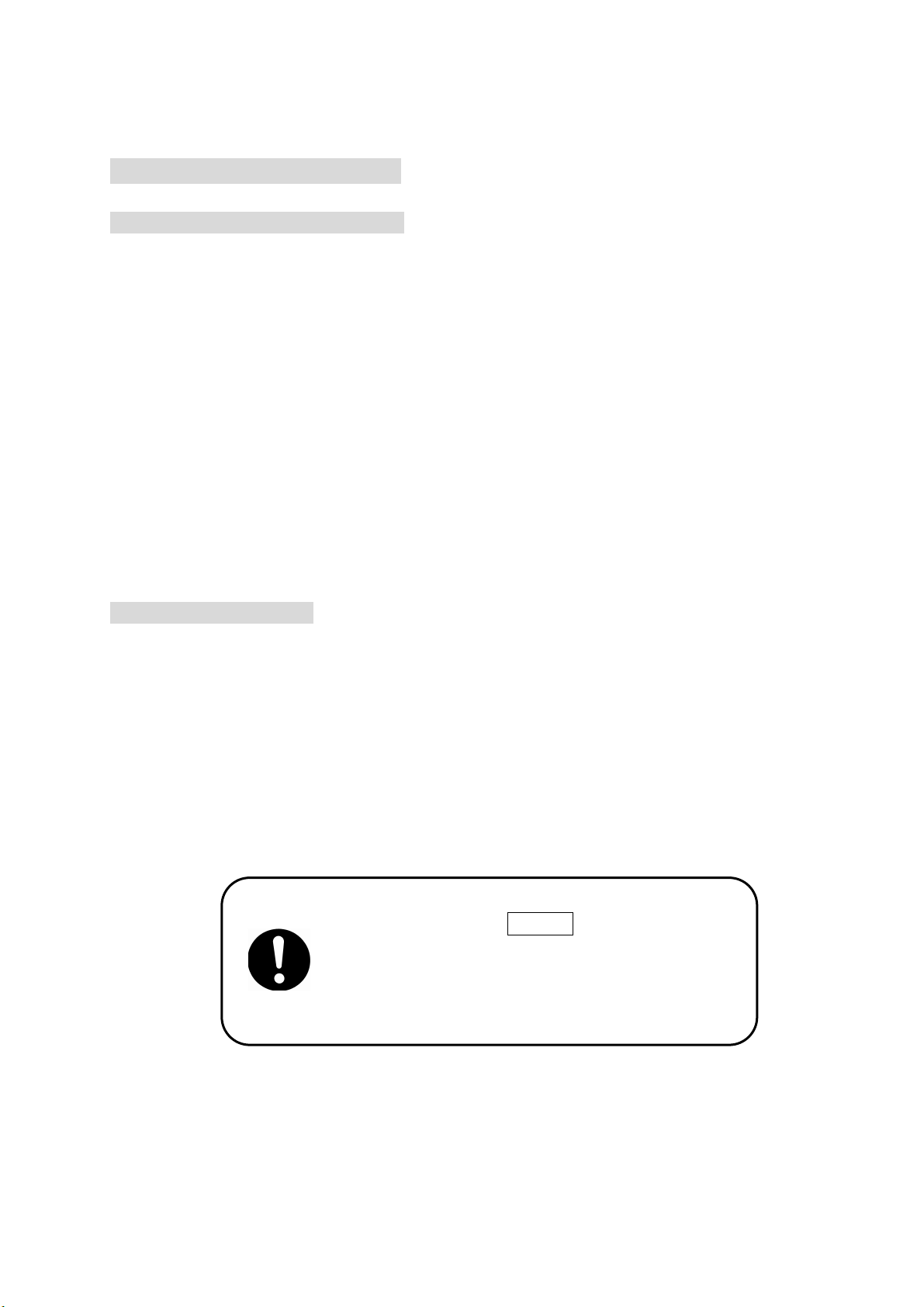
Be sure to press the SAVE key to save data
whenever it is added or modified.
Otherwise changes will not be saved if the
power to the electro press is cut off.
For Your Safety Electro Press JP Series 4 6
Page 8

3. TRIAL OPERATION AND AUTOMATIC OPERATION
Please check the following before trial operation or automatic operation of the electro
press:
・ That no obstacle is inside or around the electro press working area.
・ That the teaching pendant and tools are in place.
・ That no error is indicated on the machine or it’s peripheral devices.
・ That the safeguards such as emergency stop of the interlock are working
properly.
If an error occurs in the machine or it’s peripheral devices and an operator has to put his
hand inside the safeguard:
・ Stop running the machine by pressing the emergency stop switch, place a
“Do Not Operate” sign on the start switches to prevent anyone other than
the operator from operating the machine.
4. DAILY CHECK AND ROUTINE INSPECTION
・ Be sure to implement daily checks and routine inspections. Confirm there is no
error in the machine or peripheral devices. Record this information and archive it
for at least 3 years.
For Your Safety Electro Press JP Series 4 7
Page 9

JANOME Sewing Machine Co., Ltd.
Industrial Automation Systems Division
Zip Code: 193-0941
1463 Hazama-cho, Hachioji-shi, Tokyo, Japan
Tel: +81-426-61-6301
Fax: +81-426-61-6302
The specifications of the machine or the contents of this manual may be modified
without prior notice to improve its quality.
No part of this manual may be reproduced in any form, including photocopying,
reprinting, or translation to another language, without the prior written consent of
JANOME.
* The “Electro Press” is a product name of JANOME.
©2004, JANOME Sewing Machine Co., Ltd., All rights reserved.
891801108 as of 07/2005
16 September, 2005
 Loading...