

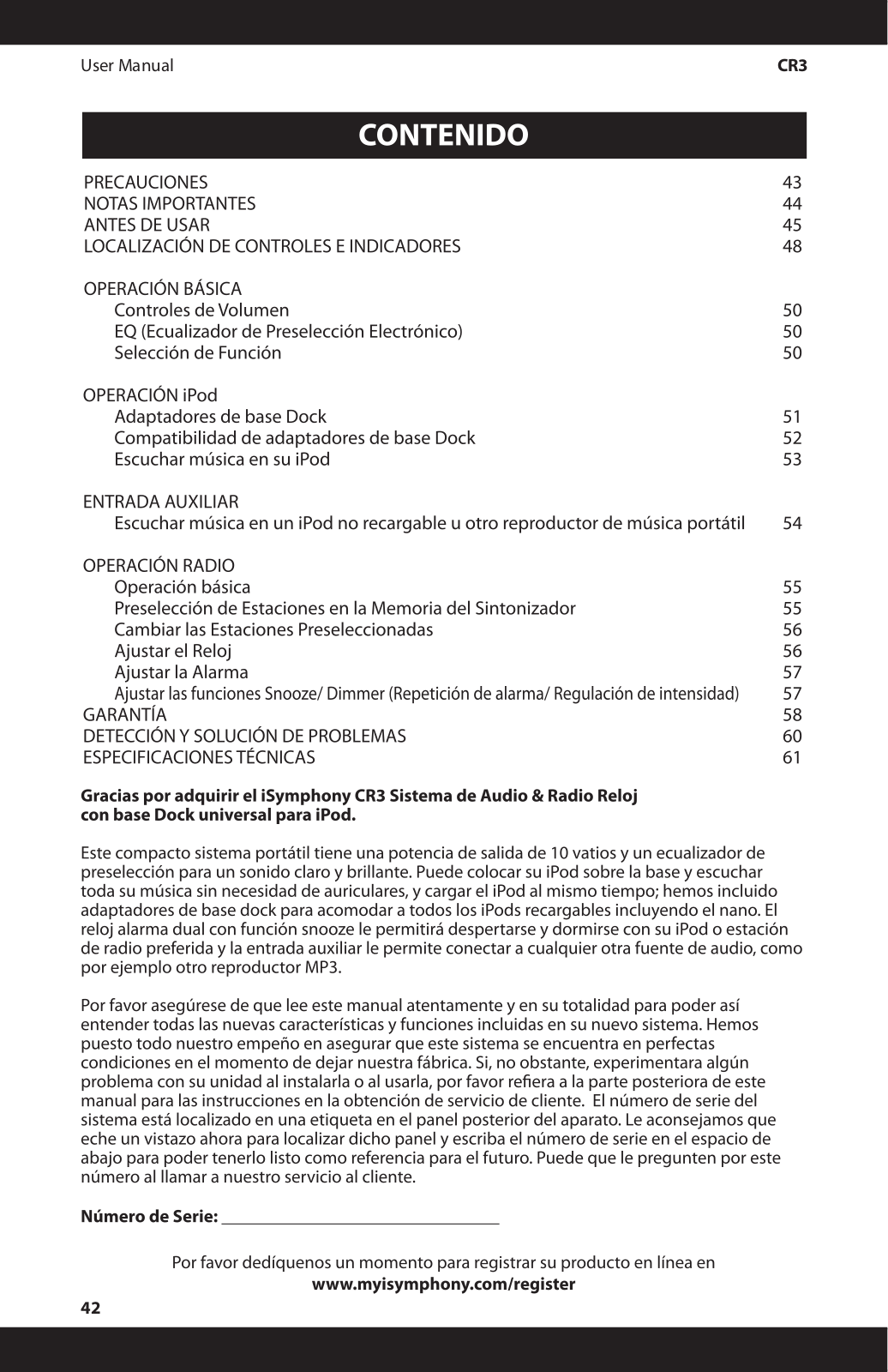
- Output Power: 10 Watts
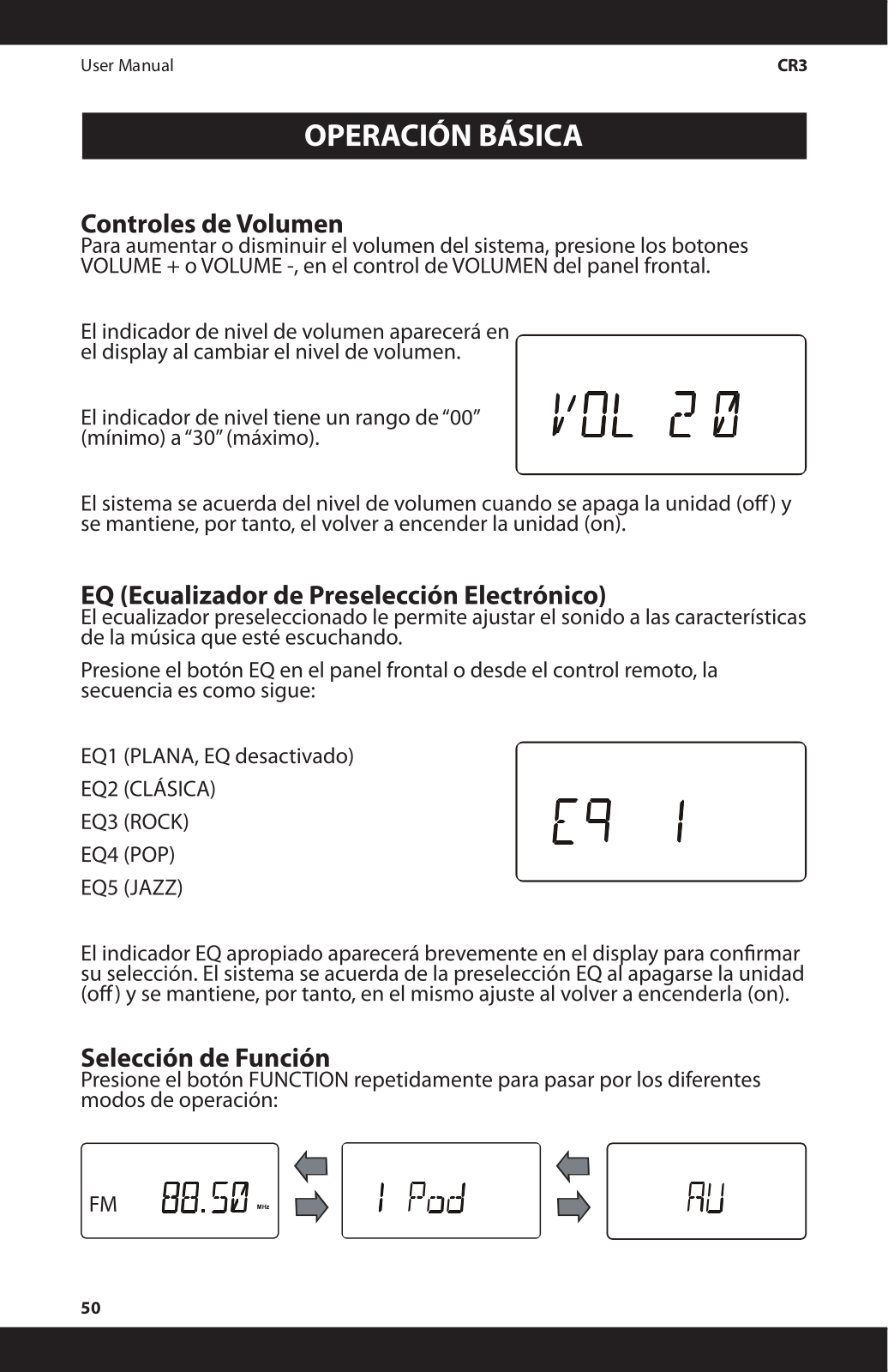
- Built-in Preset Equalizer: Various types of music are supported
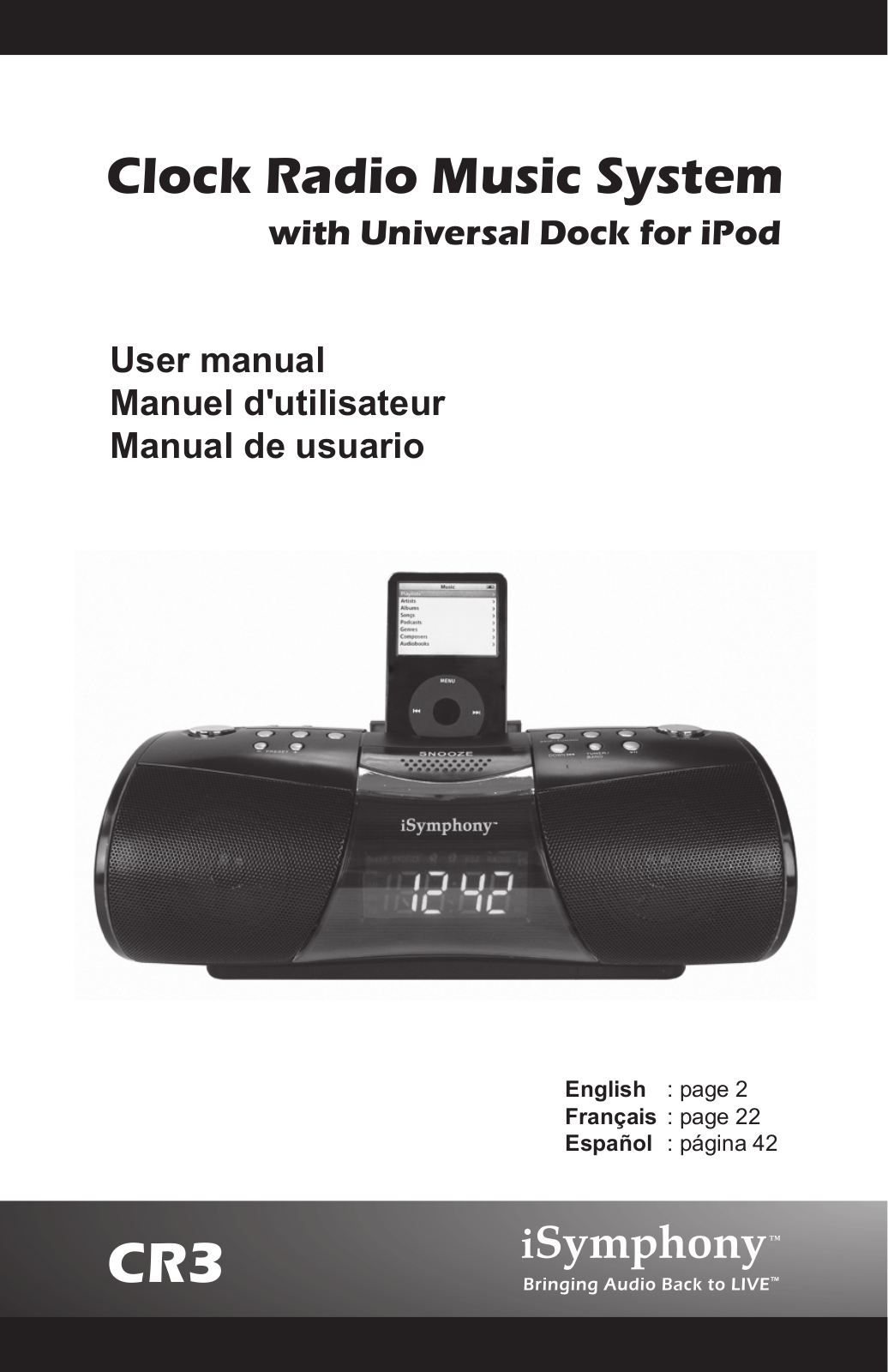
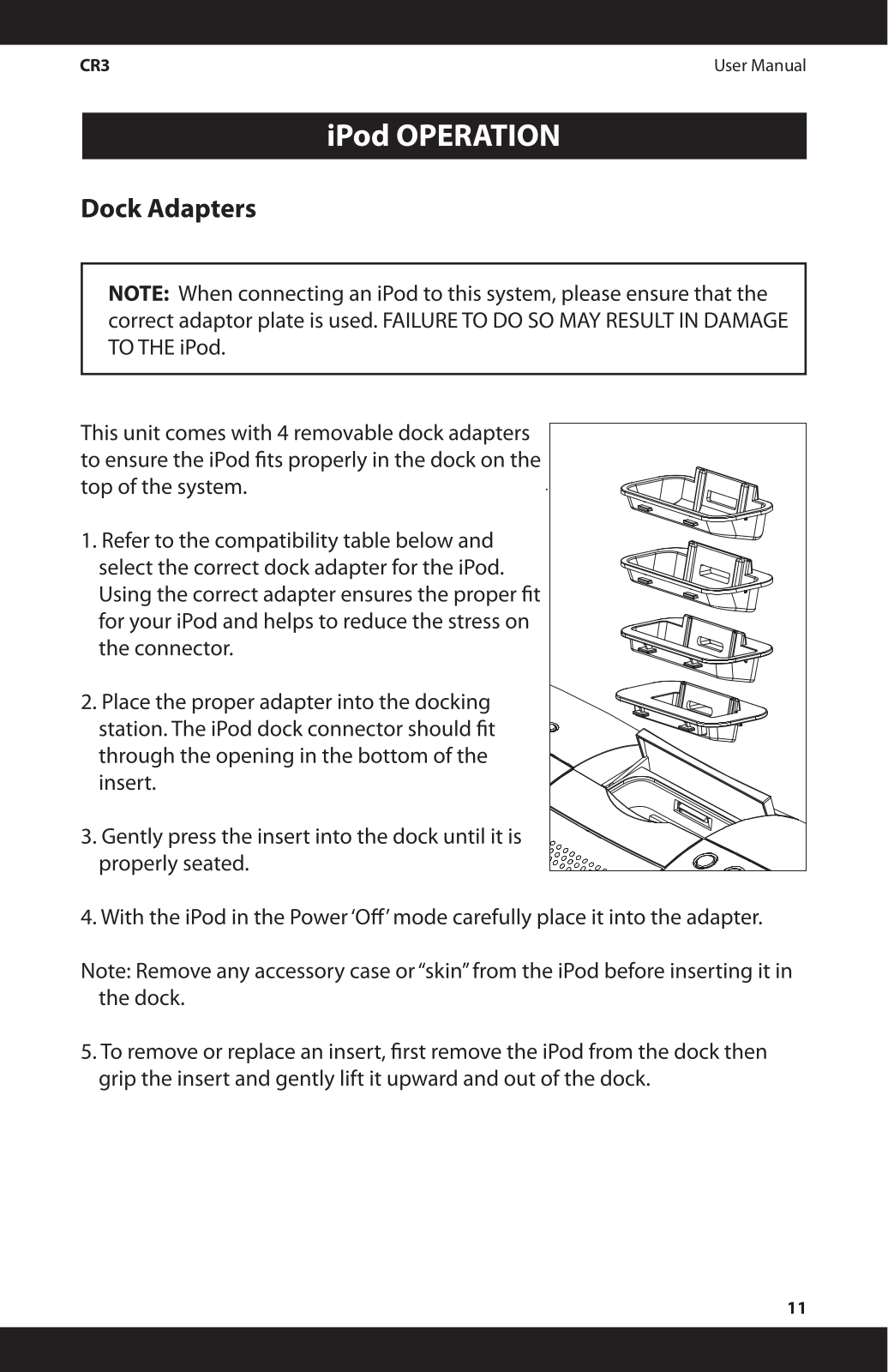
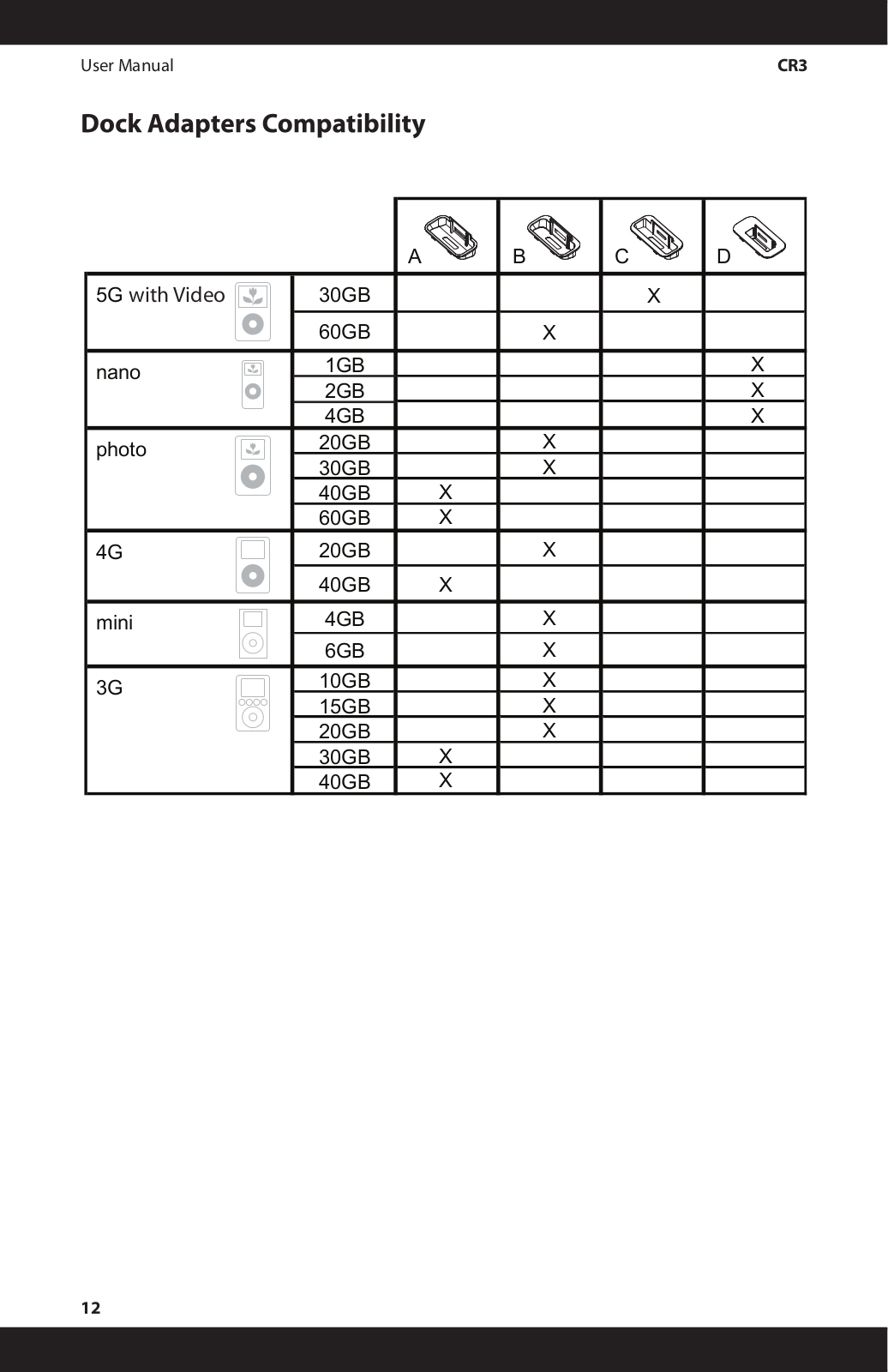
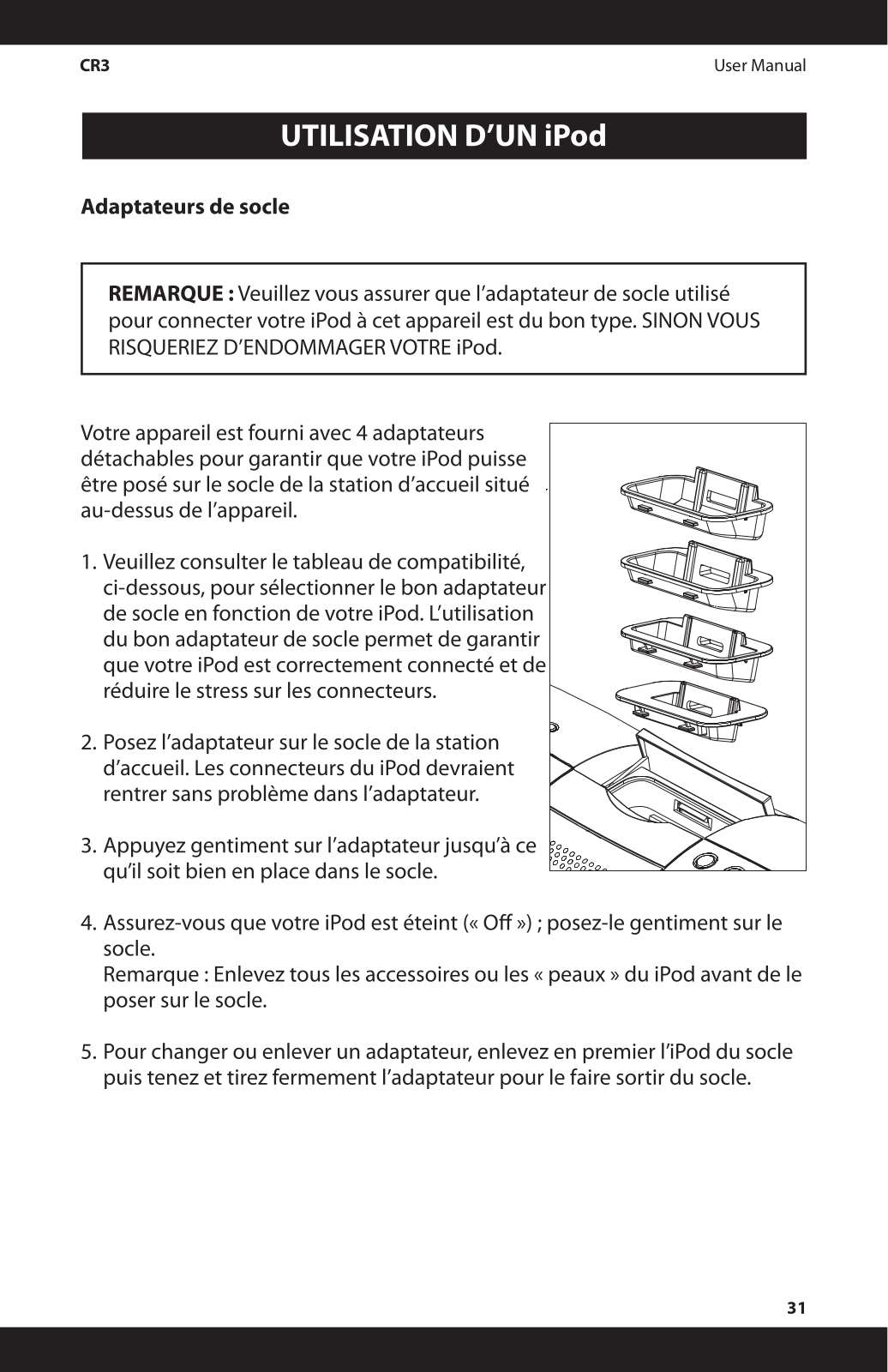
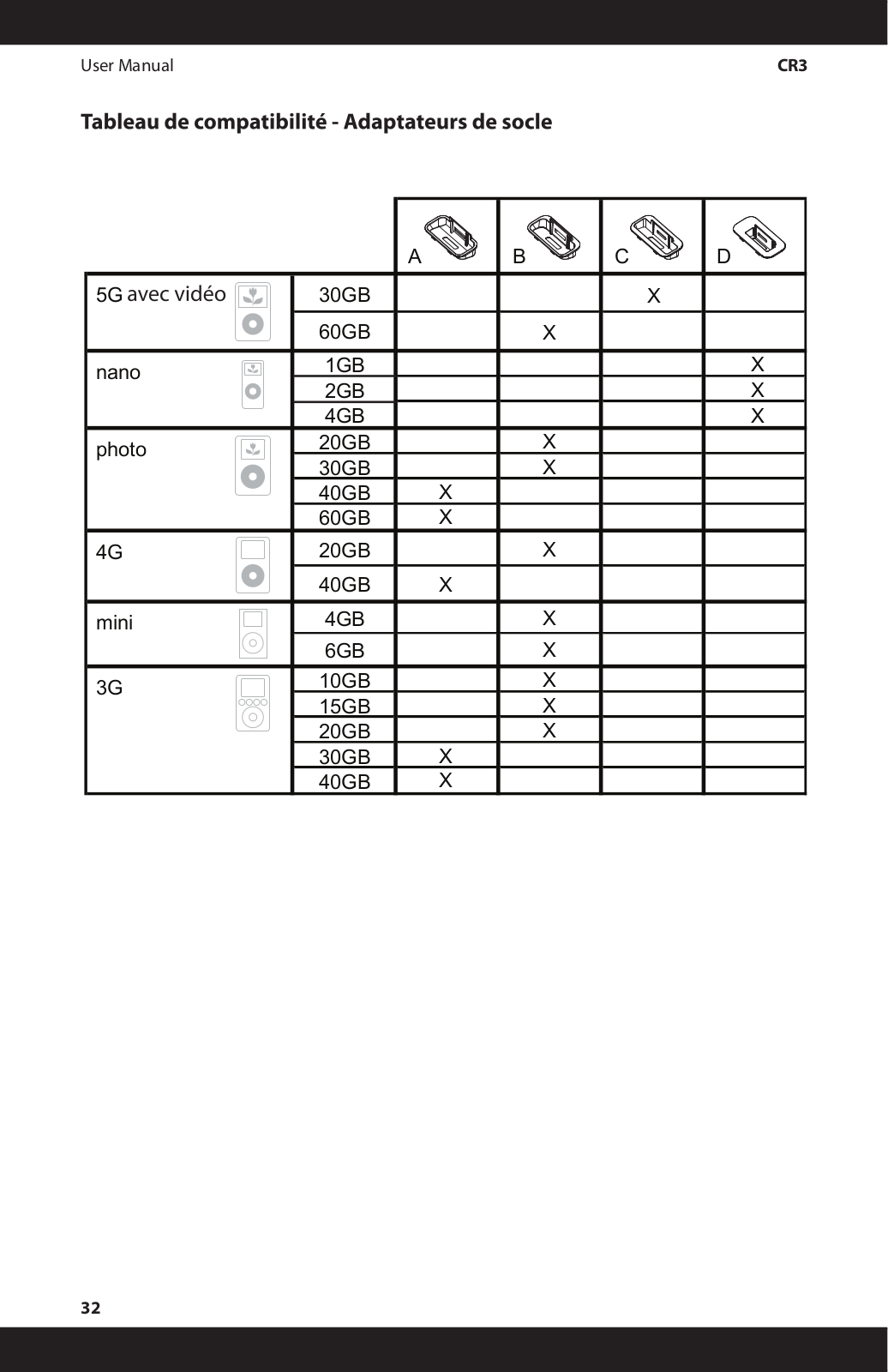
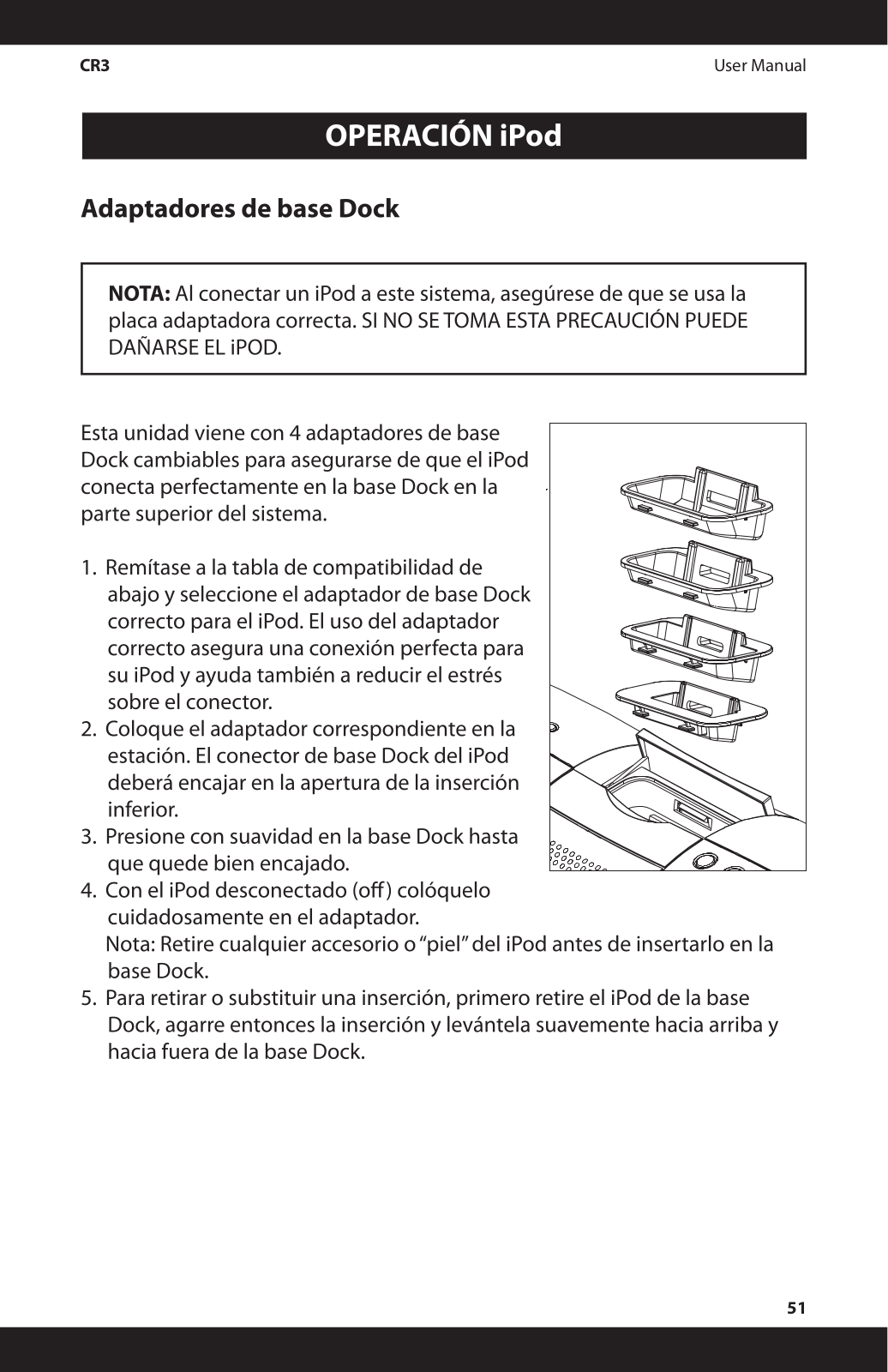
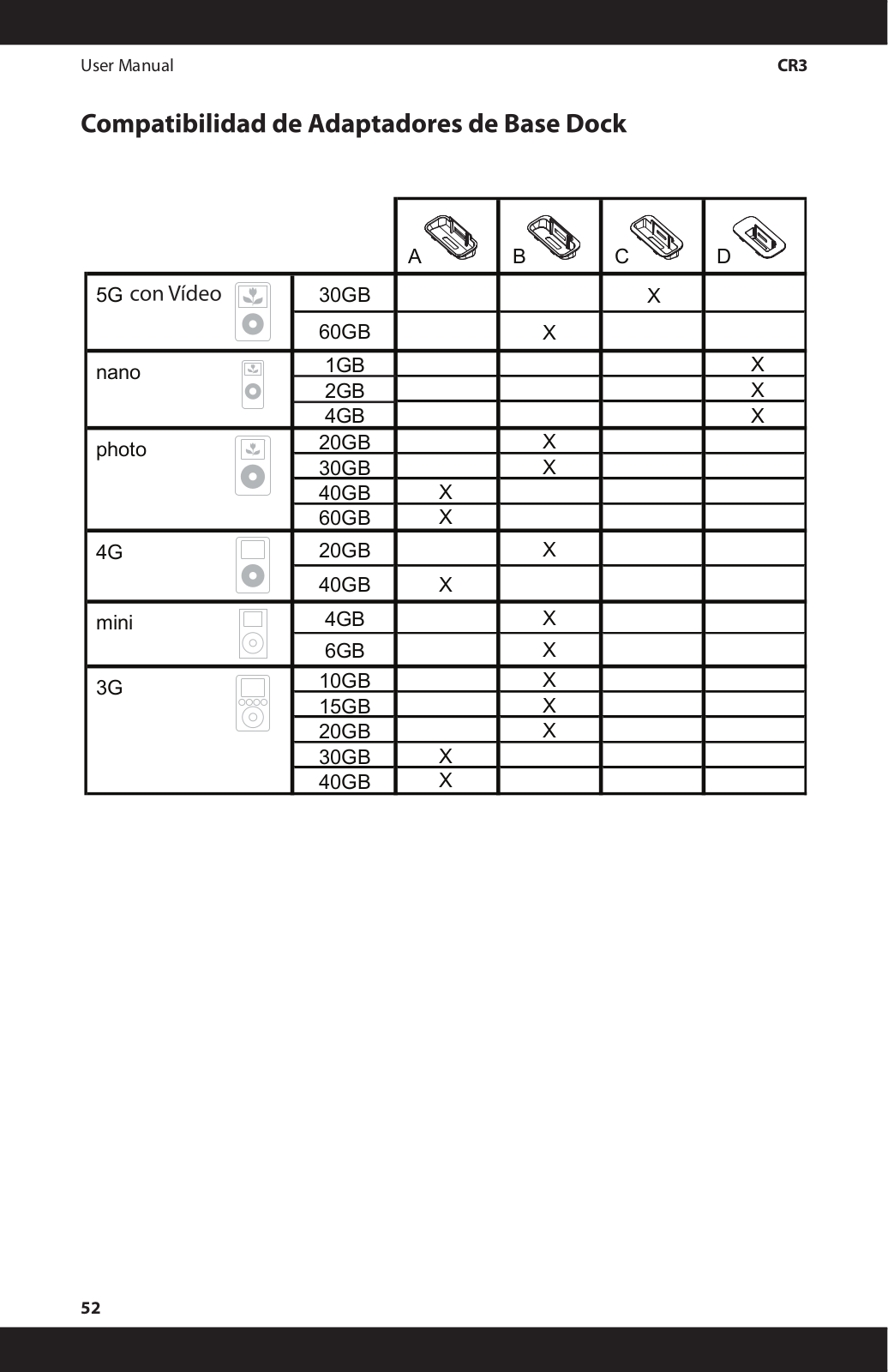
- Dock Compatibility: Removable dock adapters supporting several iPod models including the nano
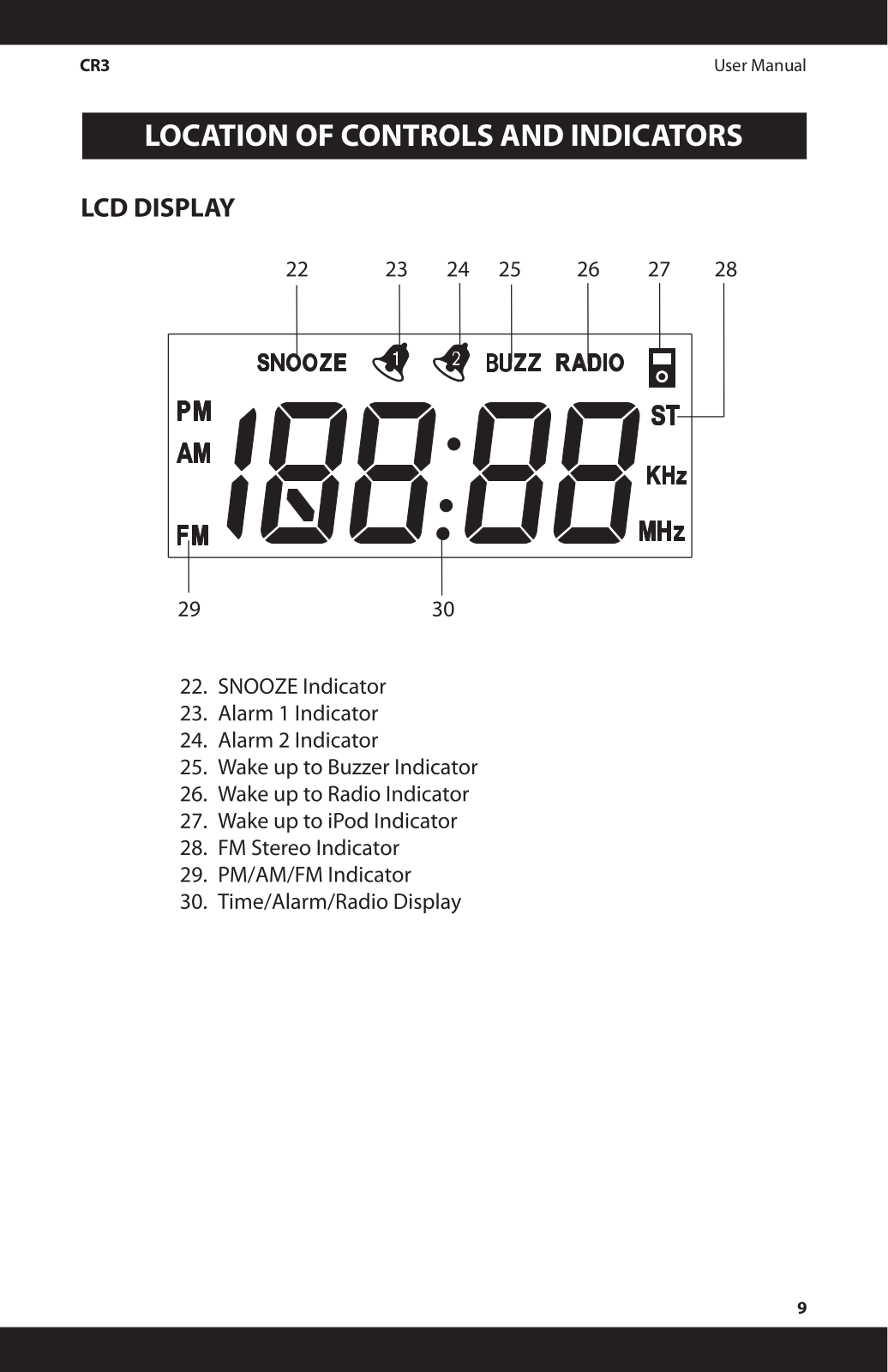
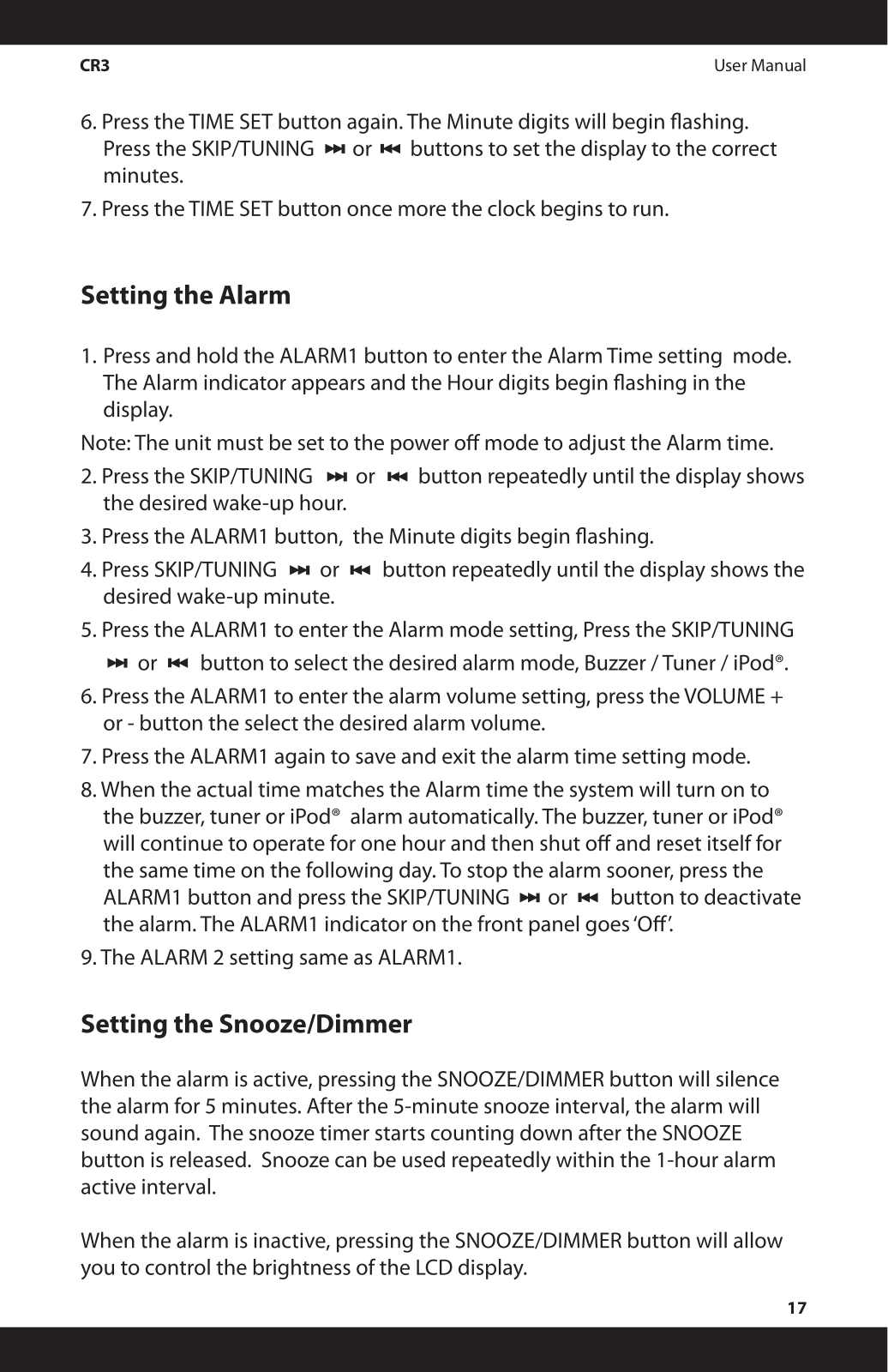
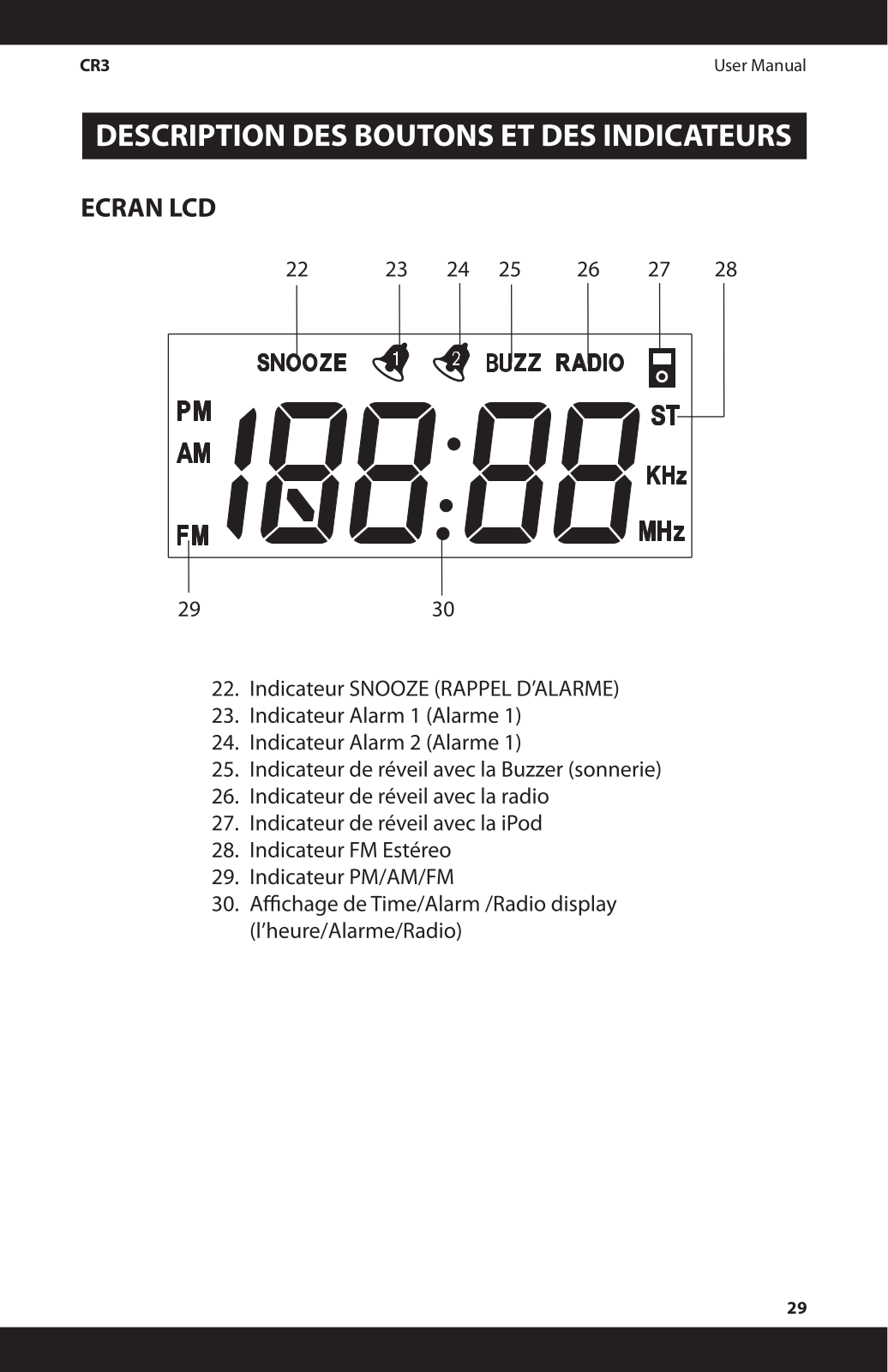
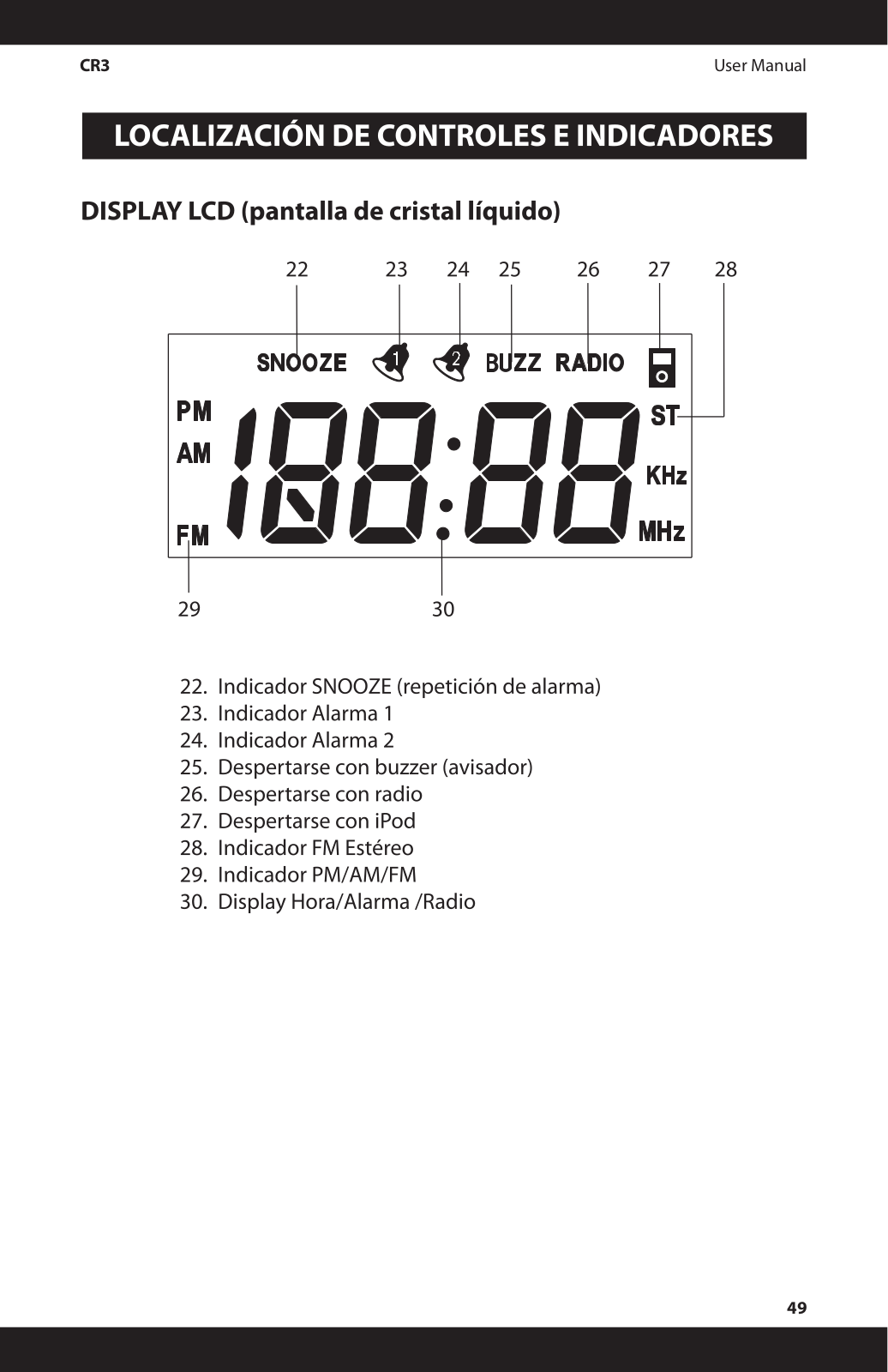
- Alarm Function: Double alarm system is incorporated with a snooze button.
- Auxiliary Input: Allows linking of external devices like MP3 etc.
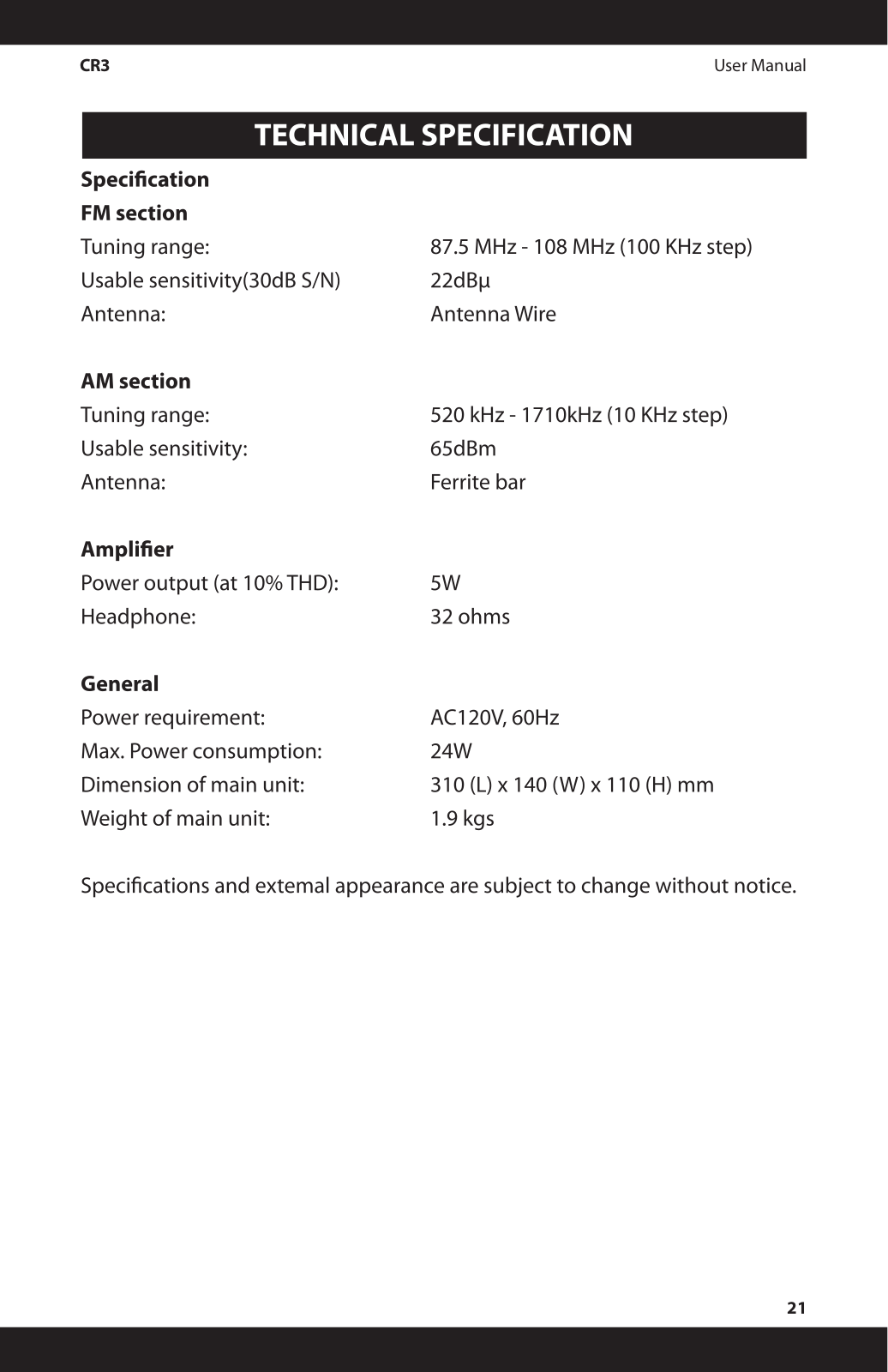
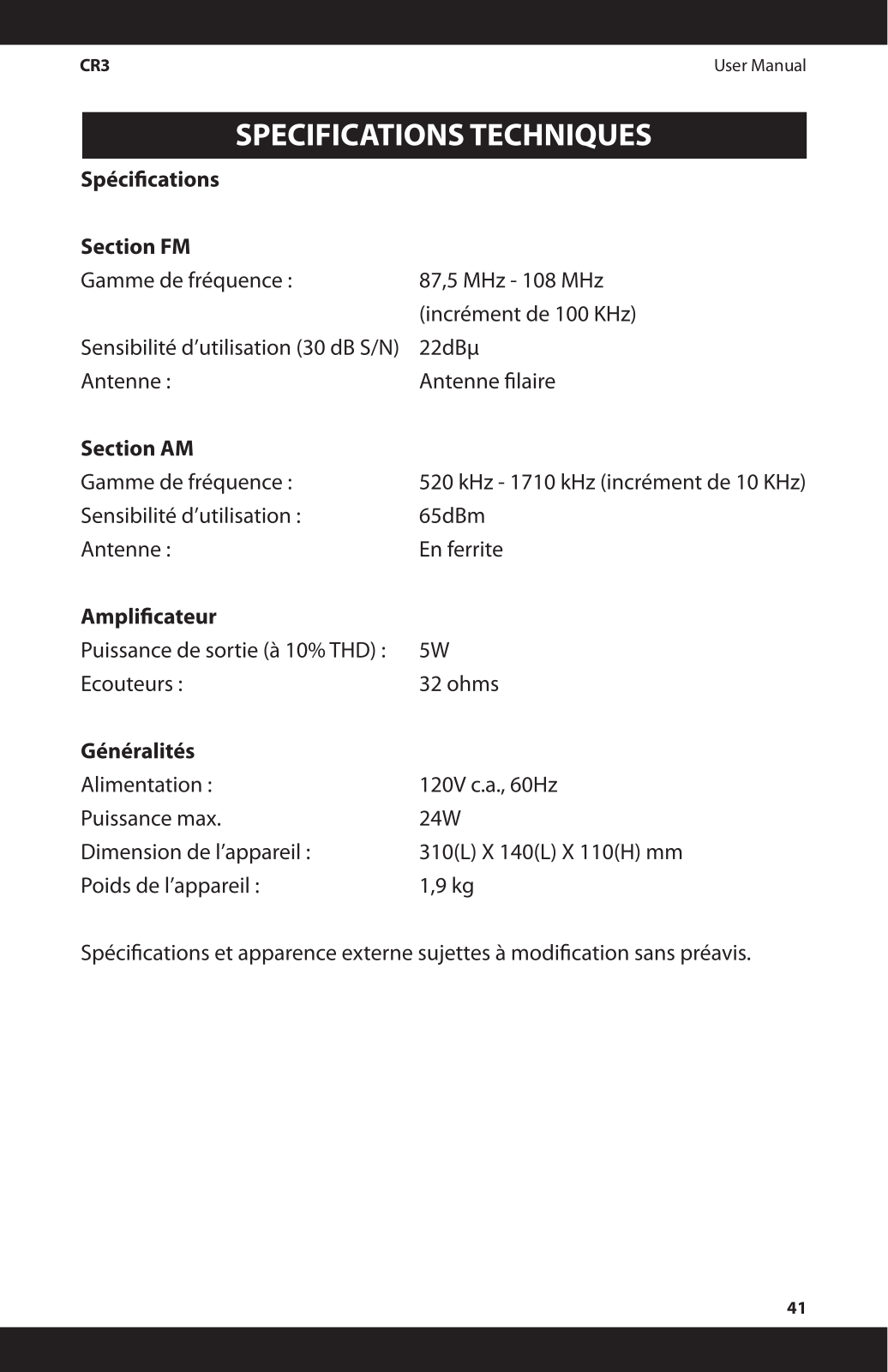
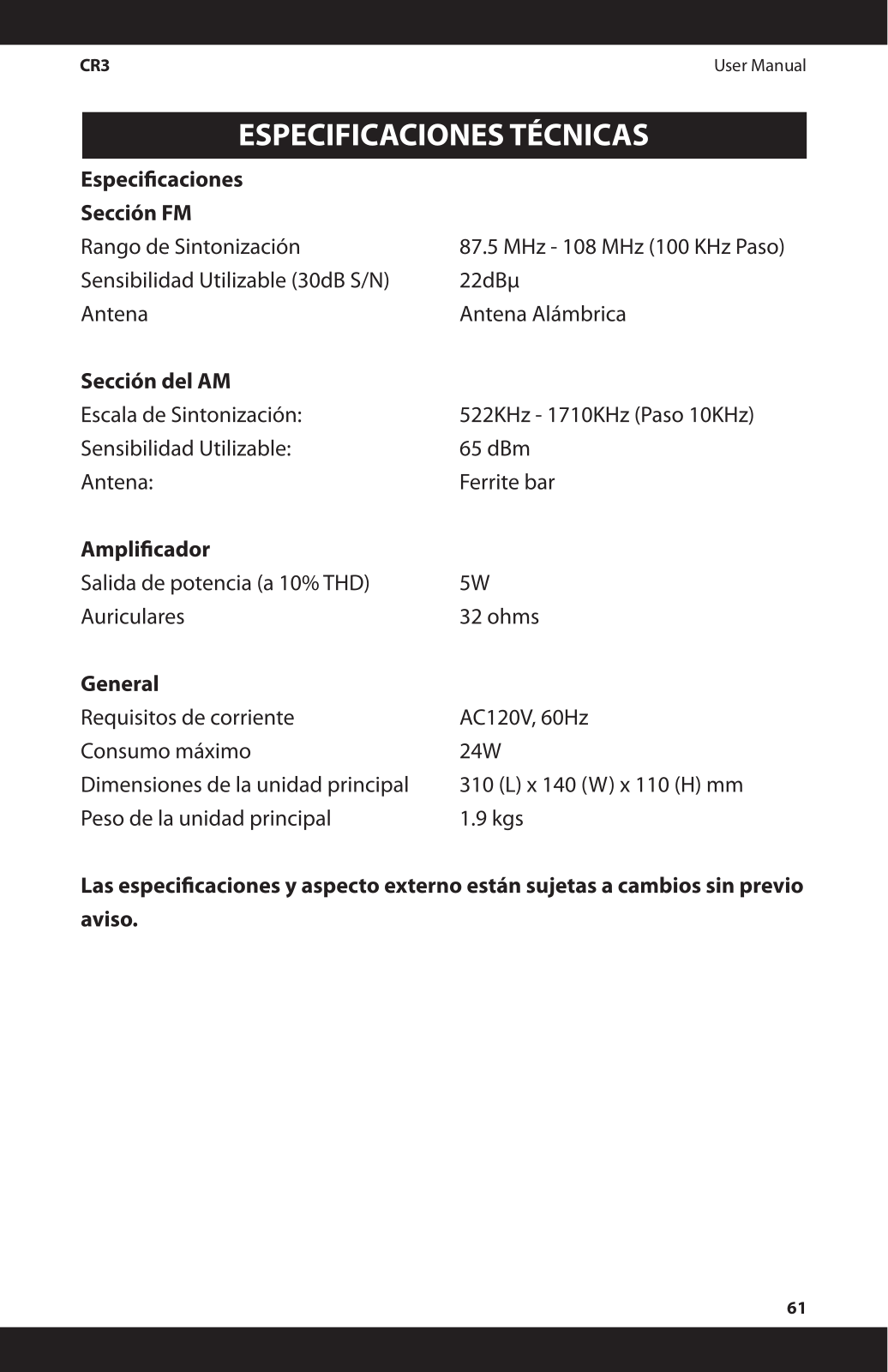
- FM Tuner:
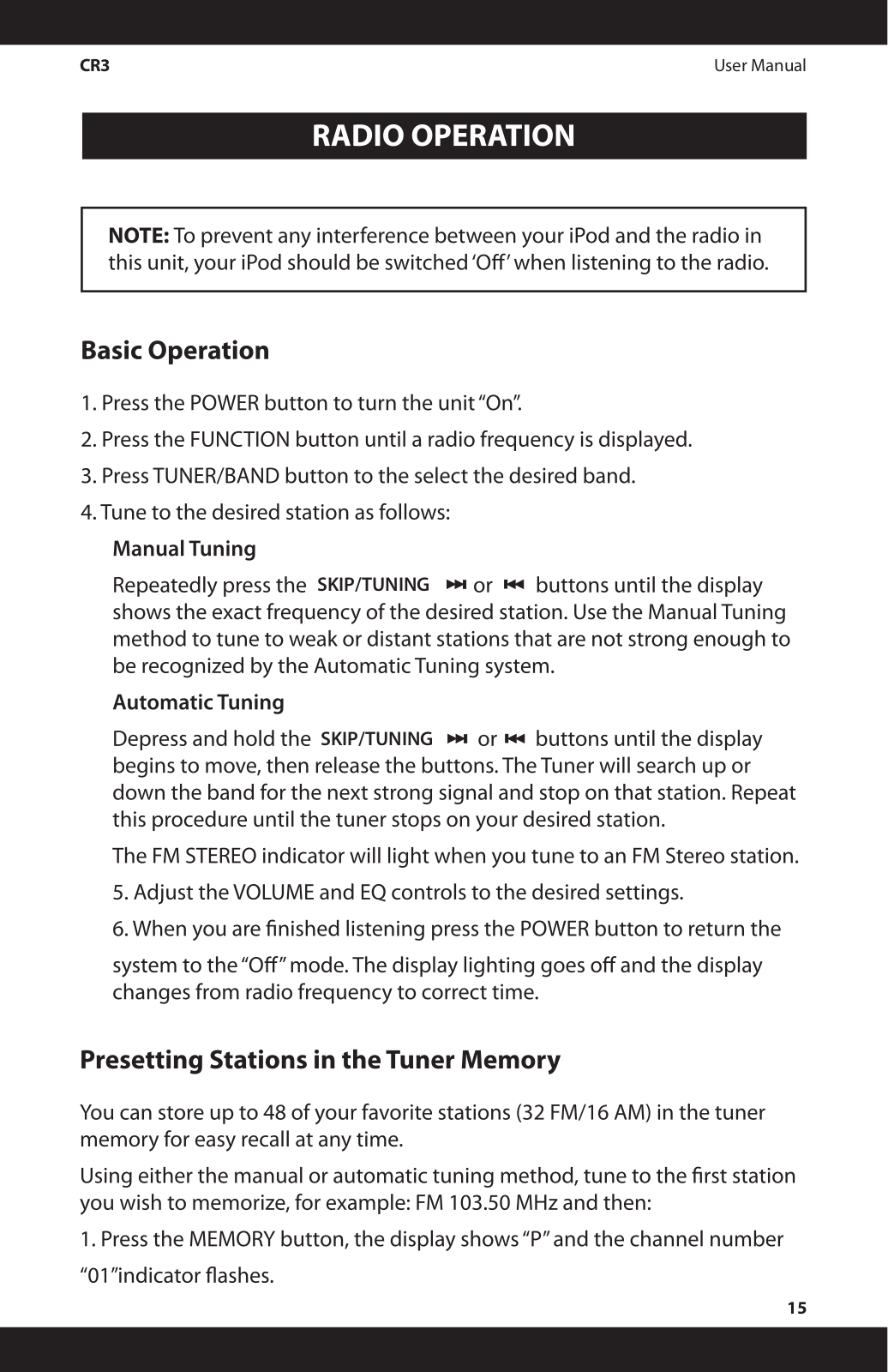
- Tuning Range: 87.5 Mhz – 108 Mhz in a steps of 100 kHz
- Usable Sensitivity: 22 dBu
- Antenna: Wire antenna
- AM Tuner:
- Tuning Range: 520 kHz – 1710 kHz in steps of 10 kHz
- Usable Sensitivity: 65 dBm
- Antenna: Ferrite bar
- Amplifier:
- Power Output: 5W at 10% THD
- Headphone Output: 32 ohm
- Power Requirements:
- Input: AC 120V, 60Hz
- Max Power Consumption 24W
- Dimensions of Main Unit: 310 L x 140 W x 110 H mm
- Weight of the Main Unit: 1.9 kg
Q: What type of iPOD can be used with the docking station?
A: Different models of iPod are supported by the docking station. This model comes with four removable dock adapters to allow better accommodation.
Q: Is it possible to connect the device to non-docking iPods?
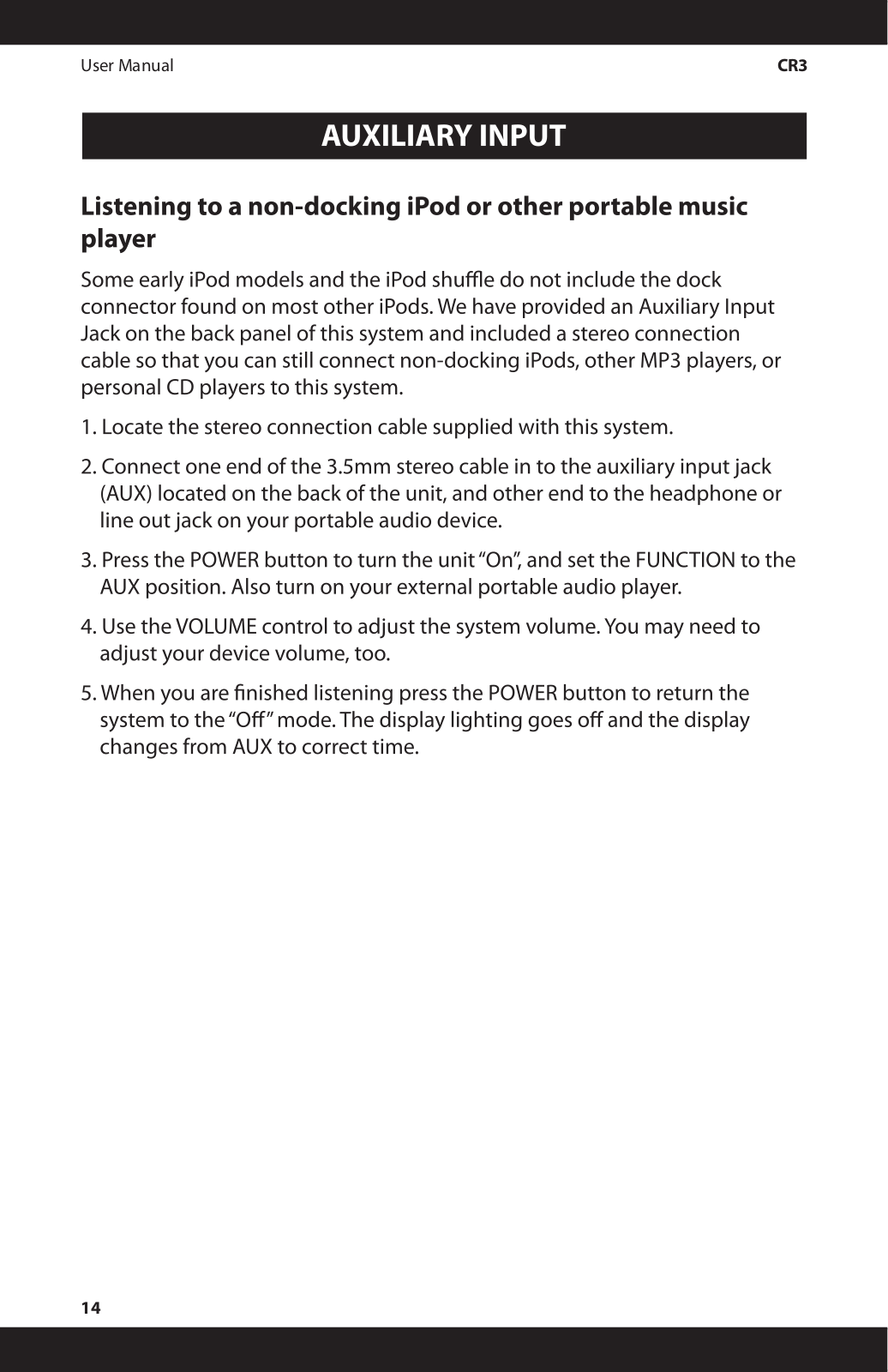
A: Aldo the device was created to be used with docking iPods only, it has an auxiliary input jack that can be used to connect non-docking iPods and other portable audio devices.
Q: Can you guide how to put on the alarm on the clock radio?
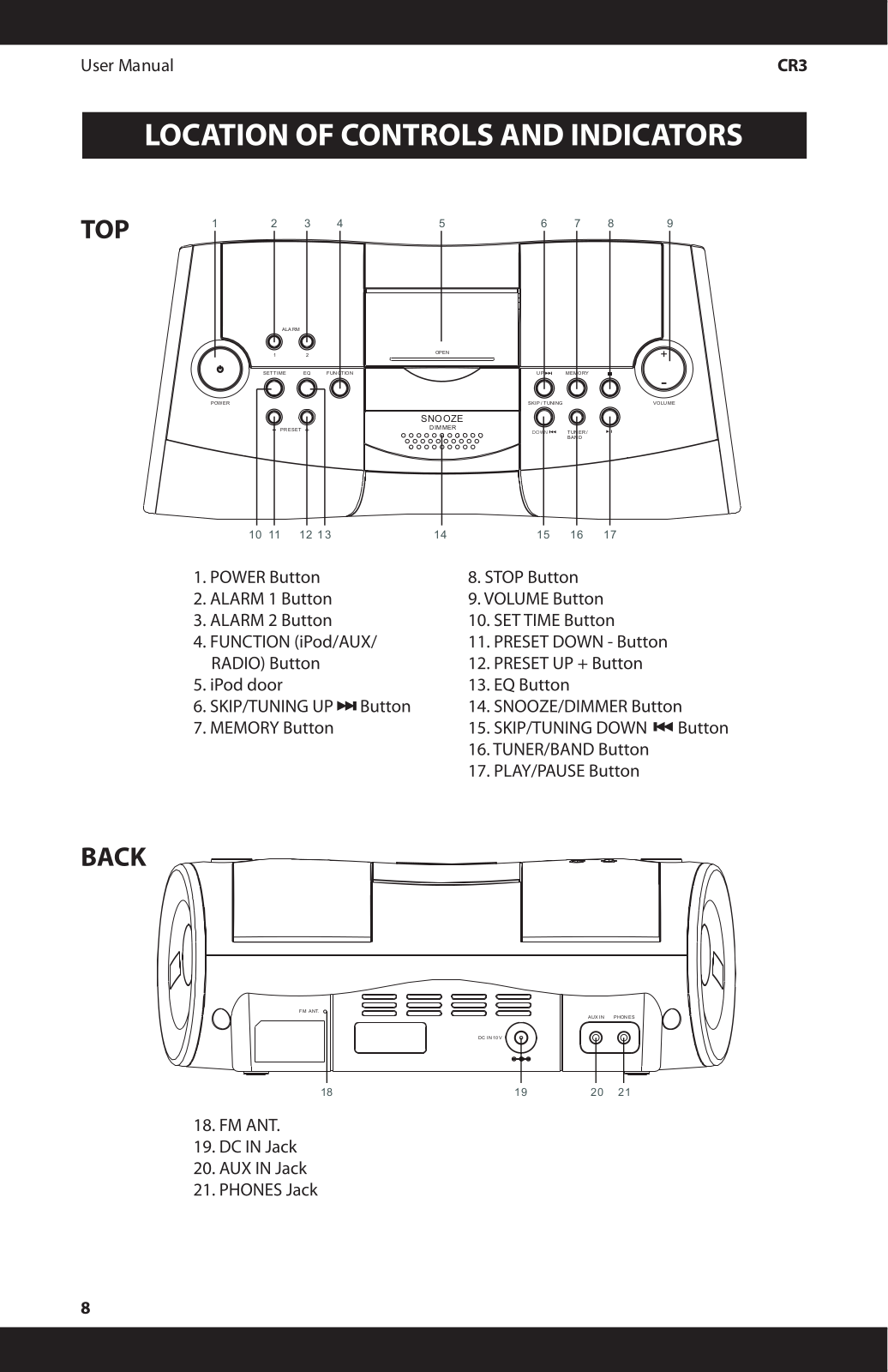
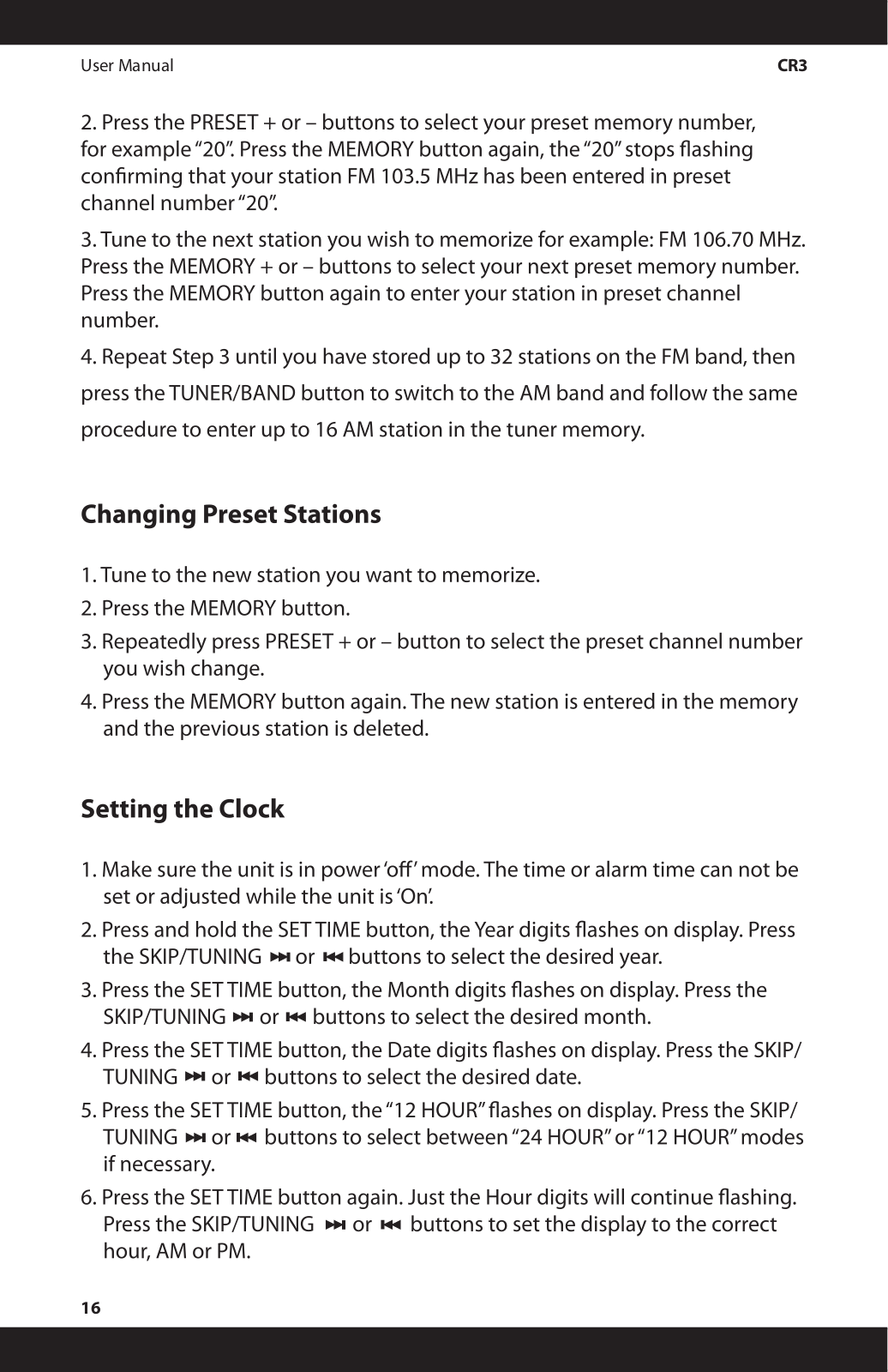
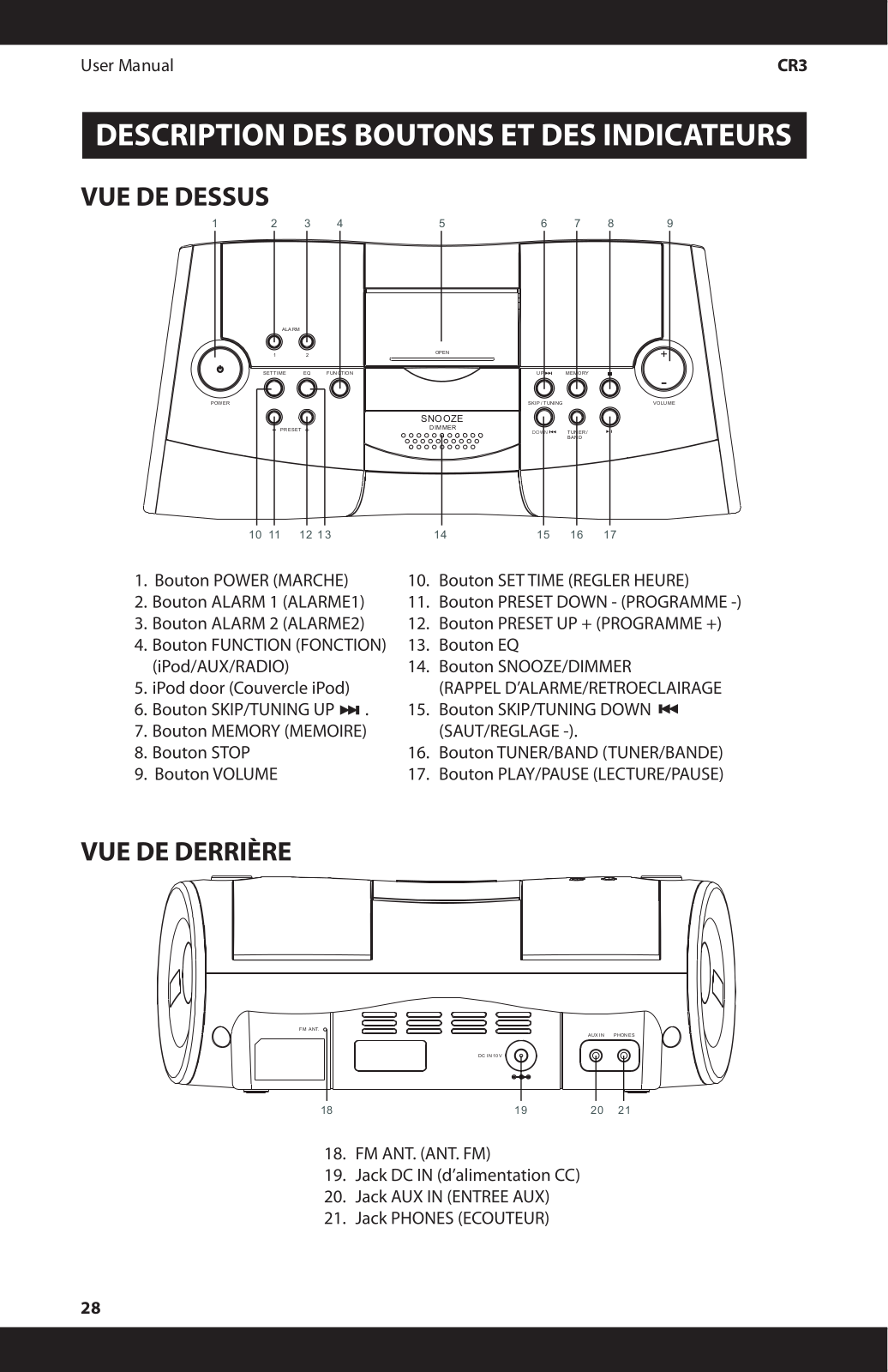
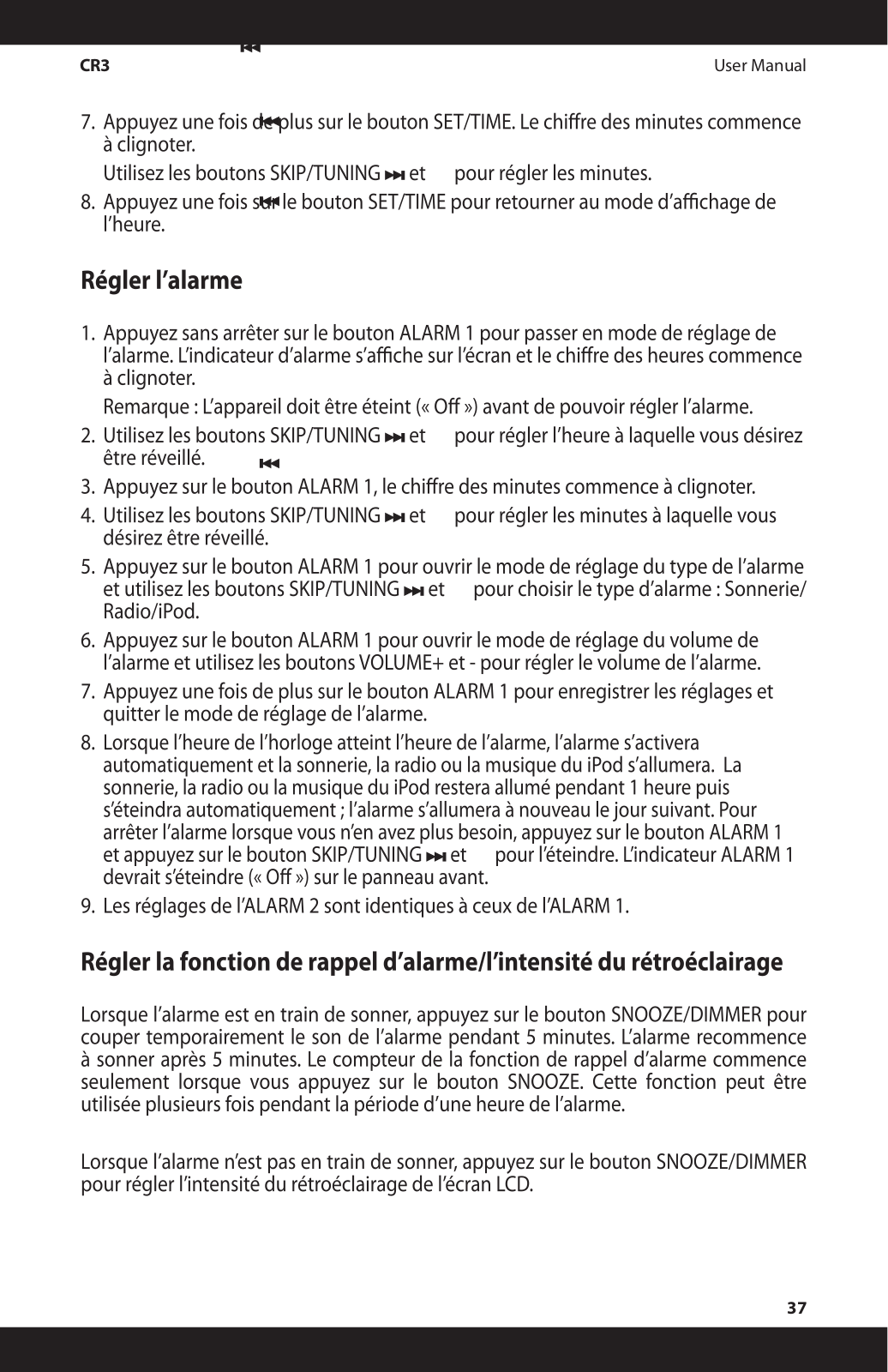
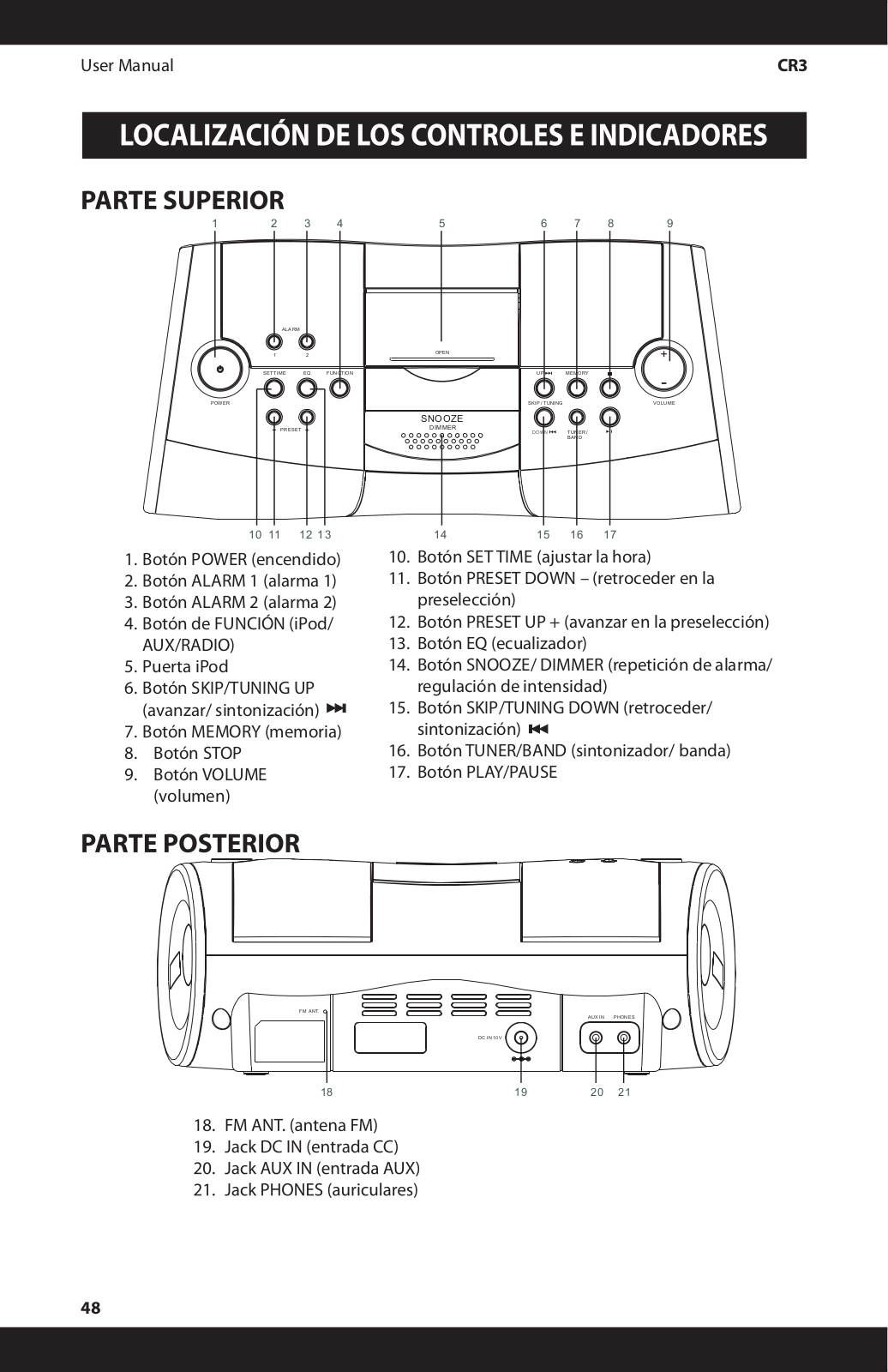
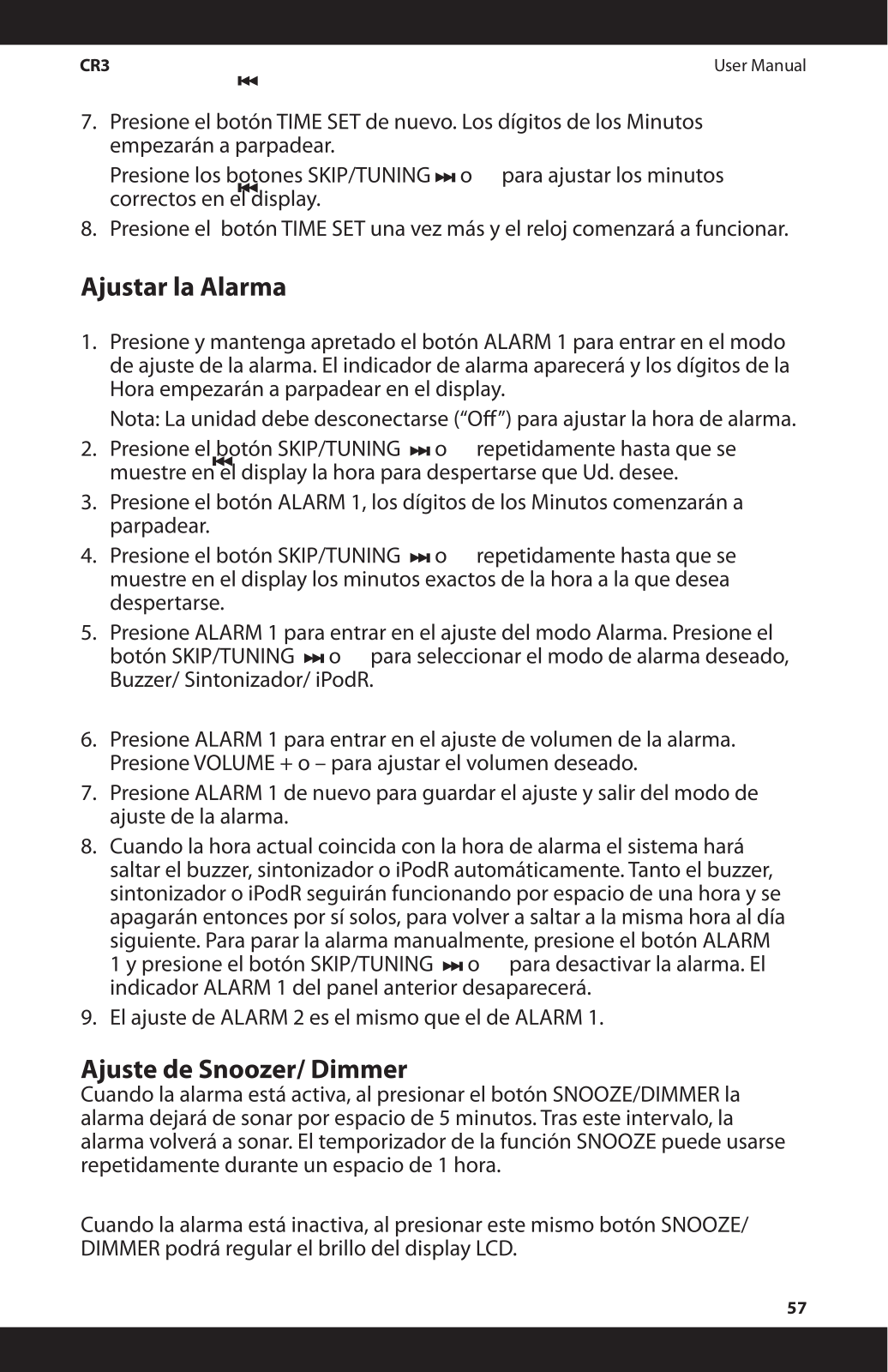
A: In order to change how to set the alarm, you first press and hold the ALARM 1 button in order to enter the Alarm Time setting mode and walk you through instructions on how to set the desired wake-up time and select the alarm source ie: buzzer, tuner or iPod.
Q: I need clarification on what the EQ button does?
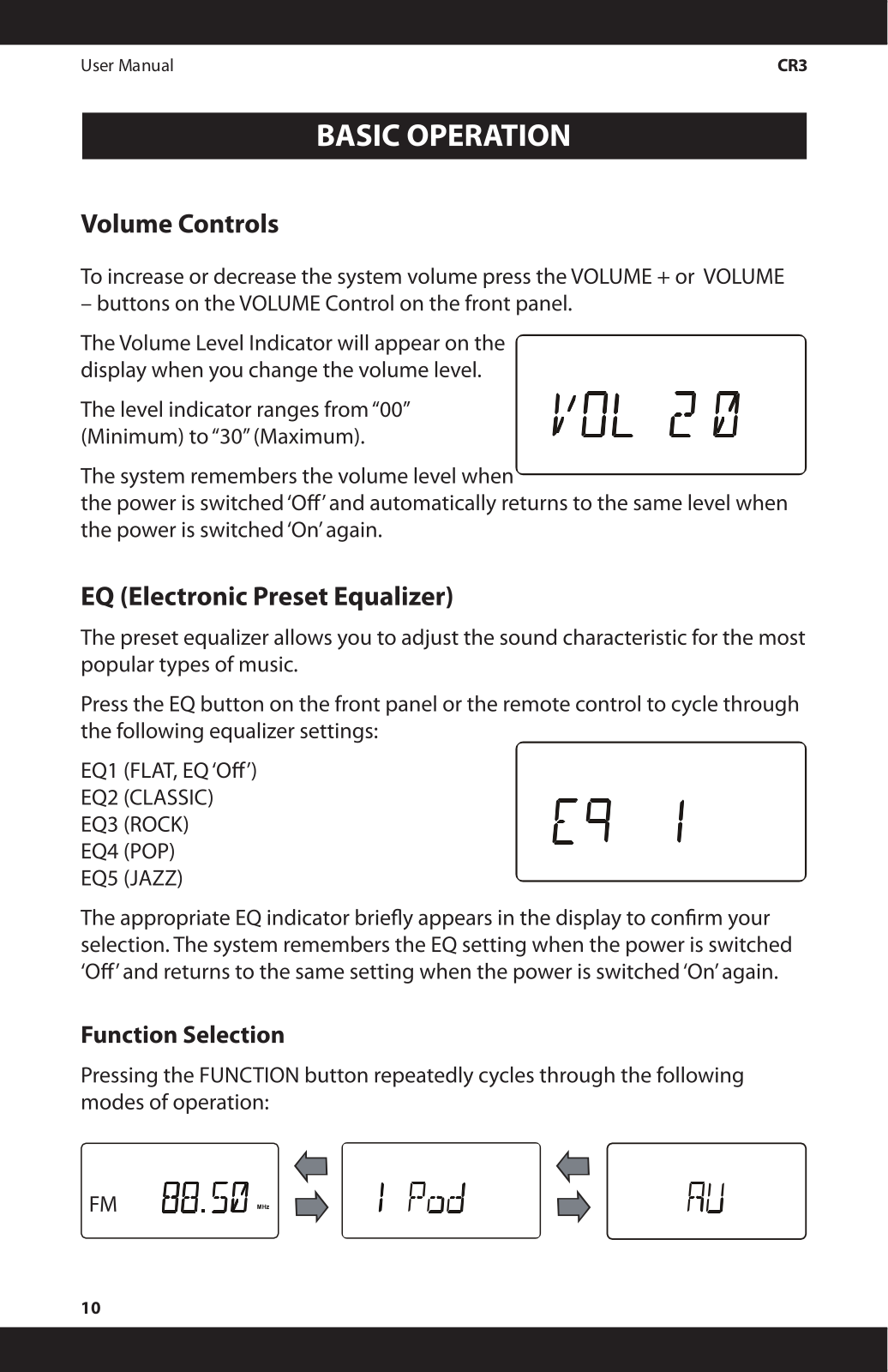
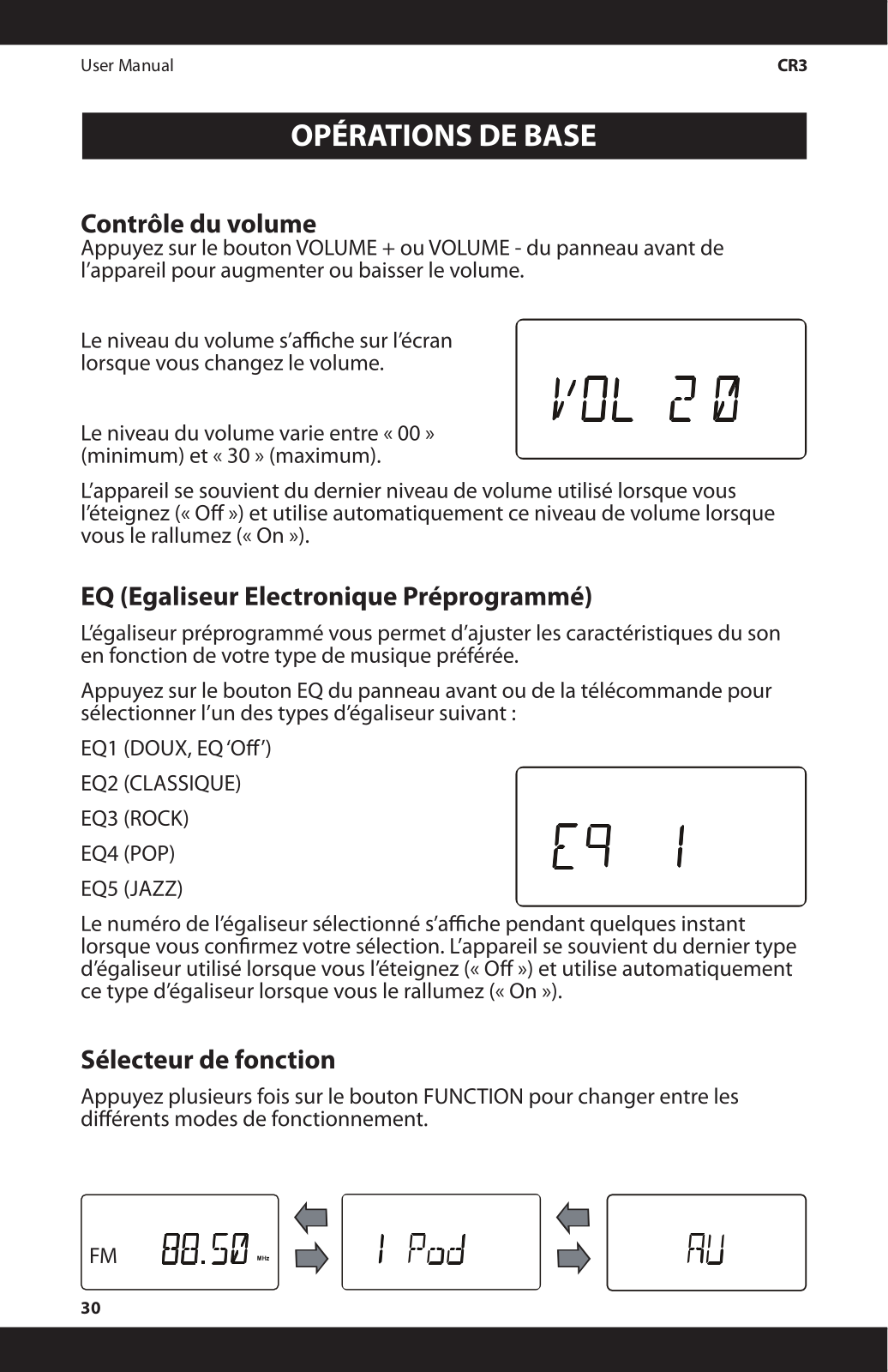
A: The EQ button allows you to change through preset equalizer settings that is meant for different genres of music which includes (Eq: Flat, Classic, Rock, Pop, Jazz)
Q: How to go about turning my volume up or down?
A: The volume can be adjusted by pushing the VOLUME + or VOLUME - buttons located on the front panel. The volume level can be seen on the screen.
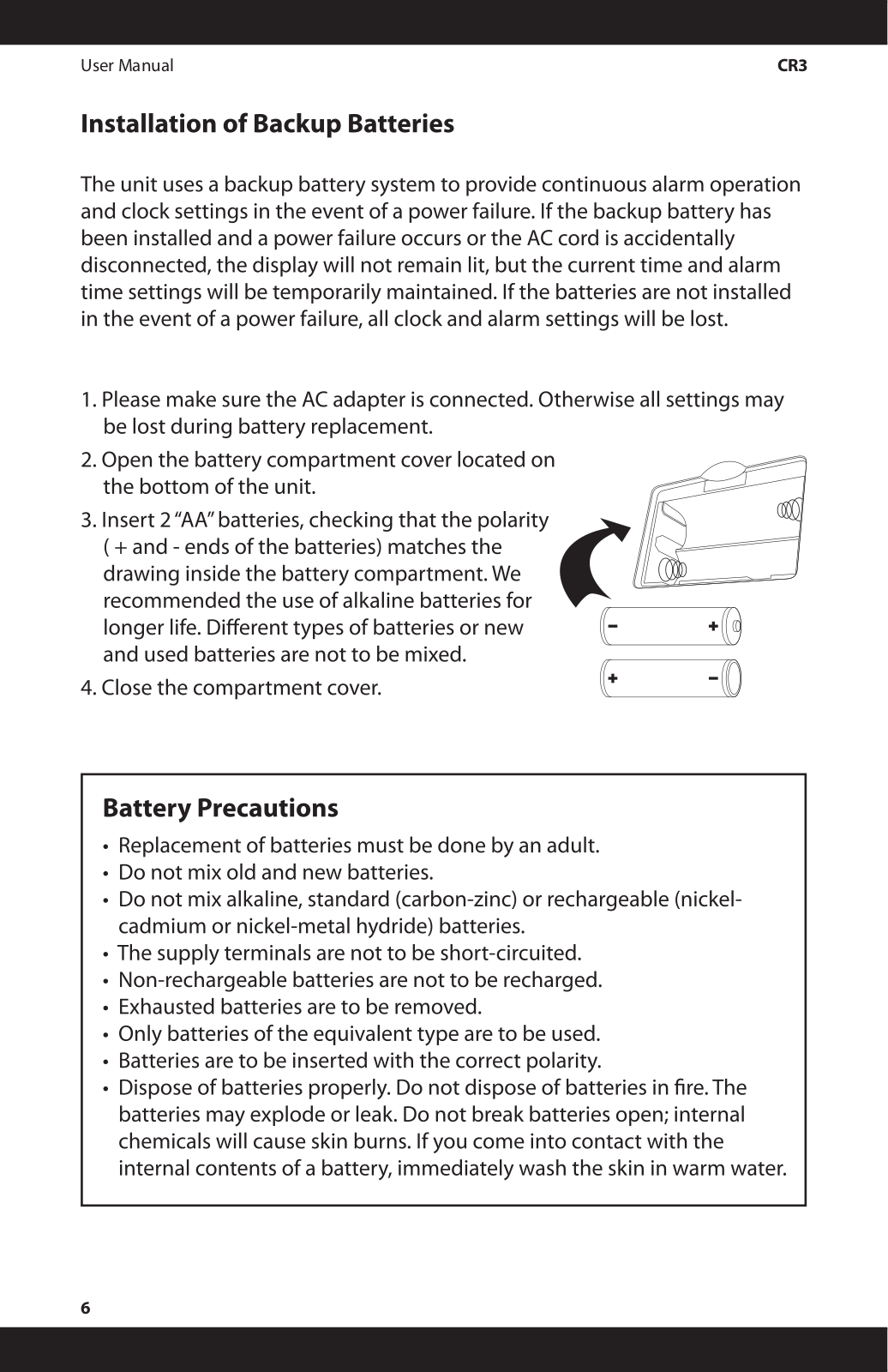
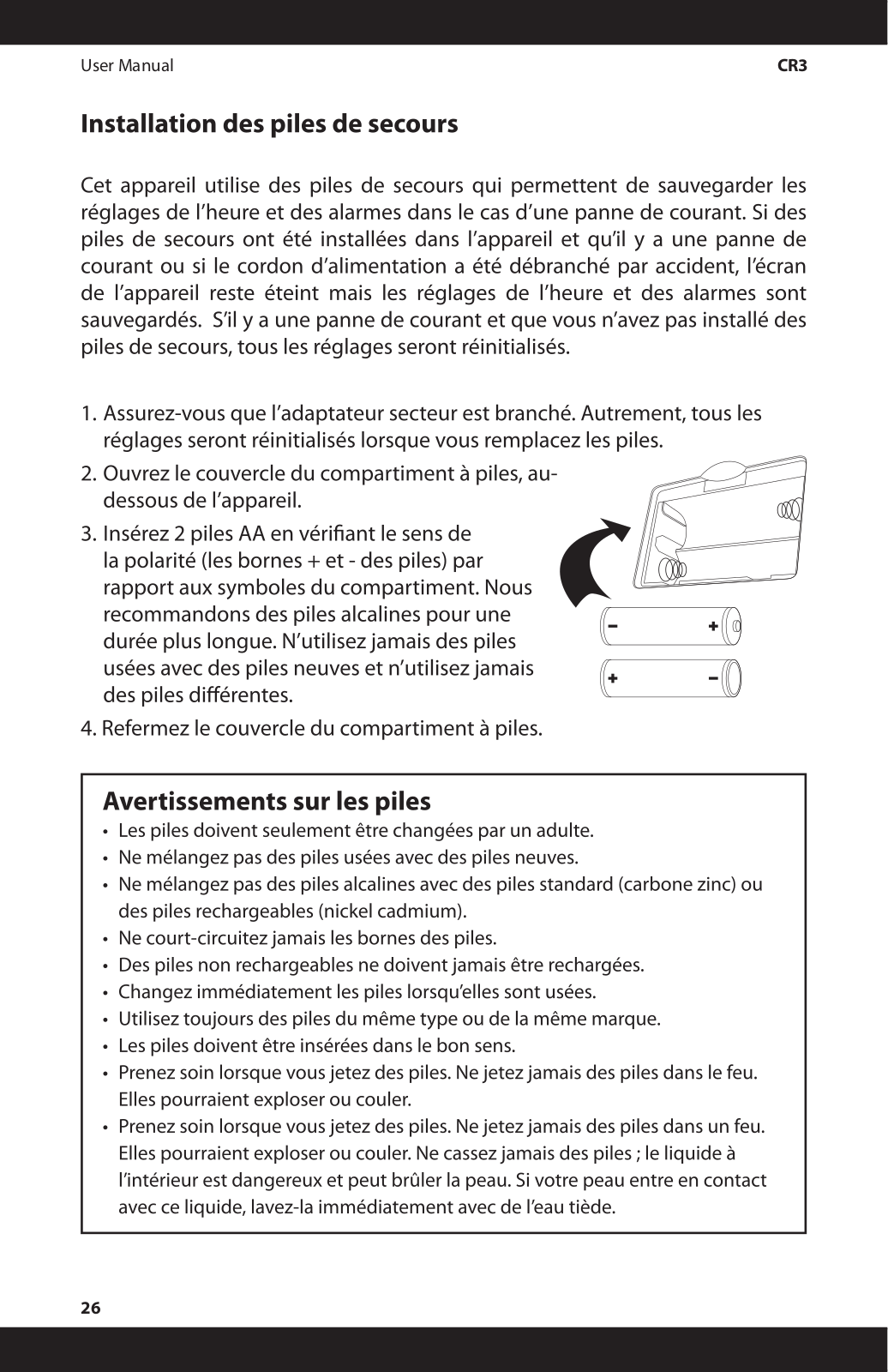
Q: If I am to suffer a power failure do you think my clock settings will be erased?
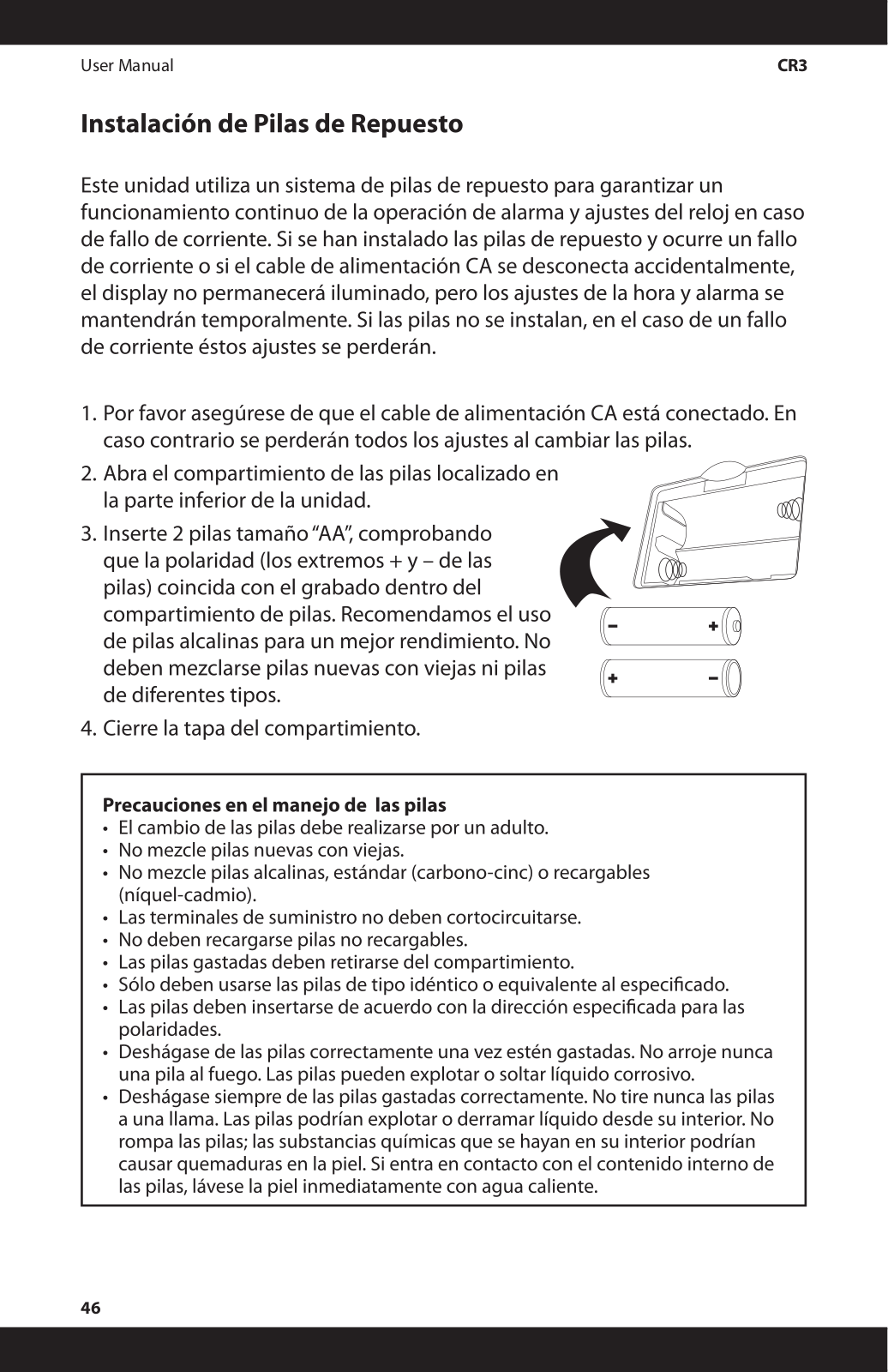
A: Yes, the clock settings would still be maintained as long as backup batteries are installed. But if there are no batteries installed, then all the settings will be wiped out.
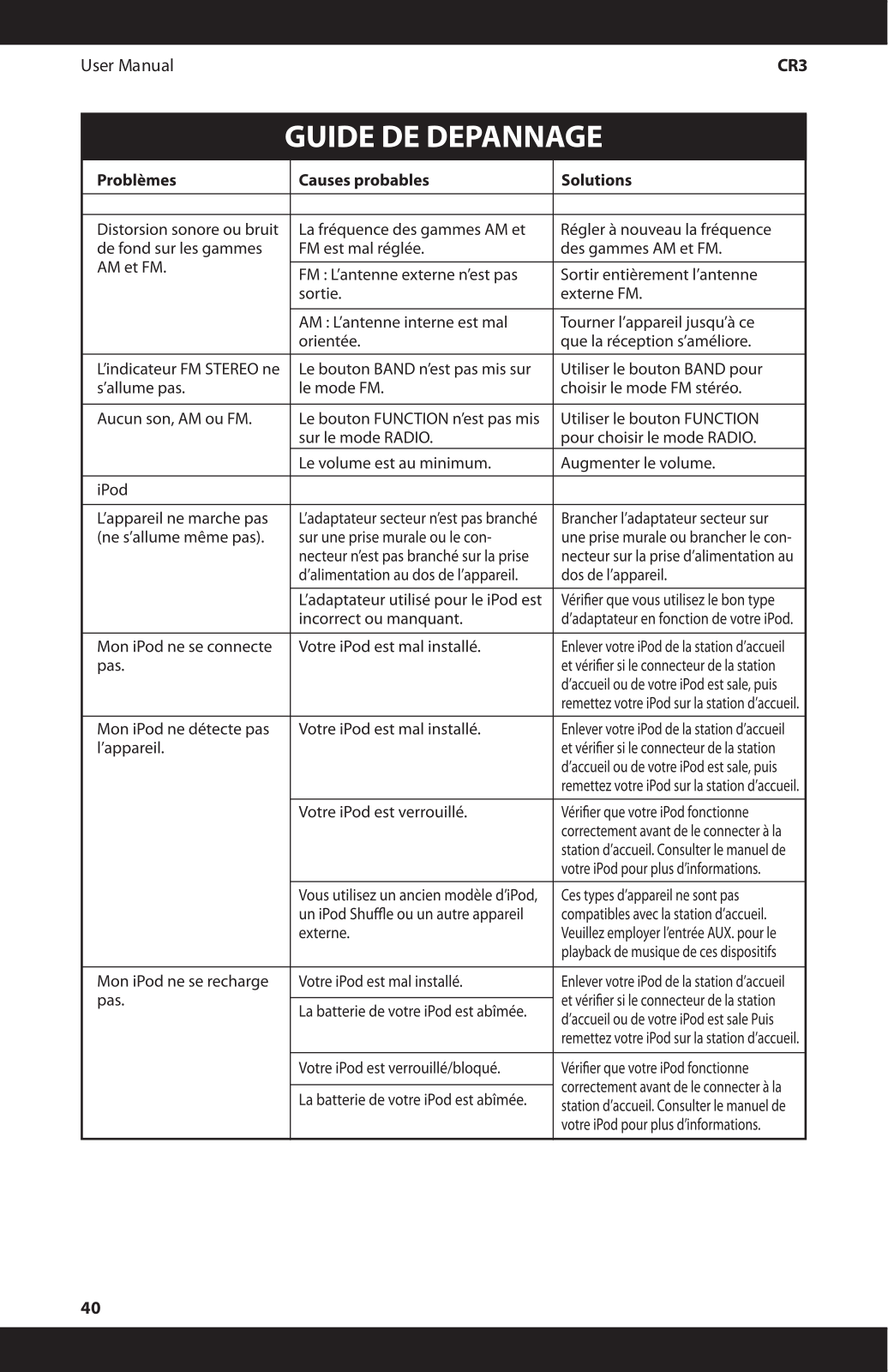
Q: What can I do in case the iPod refuses to charge?
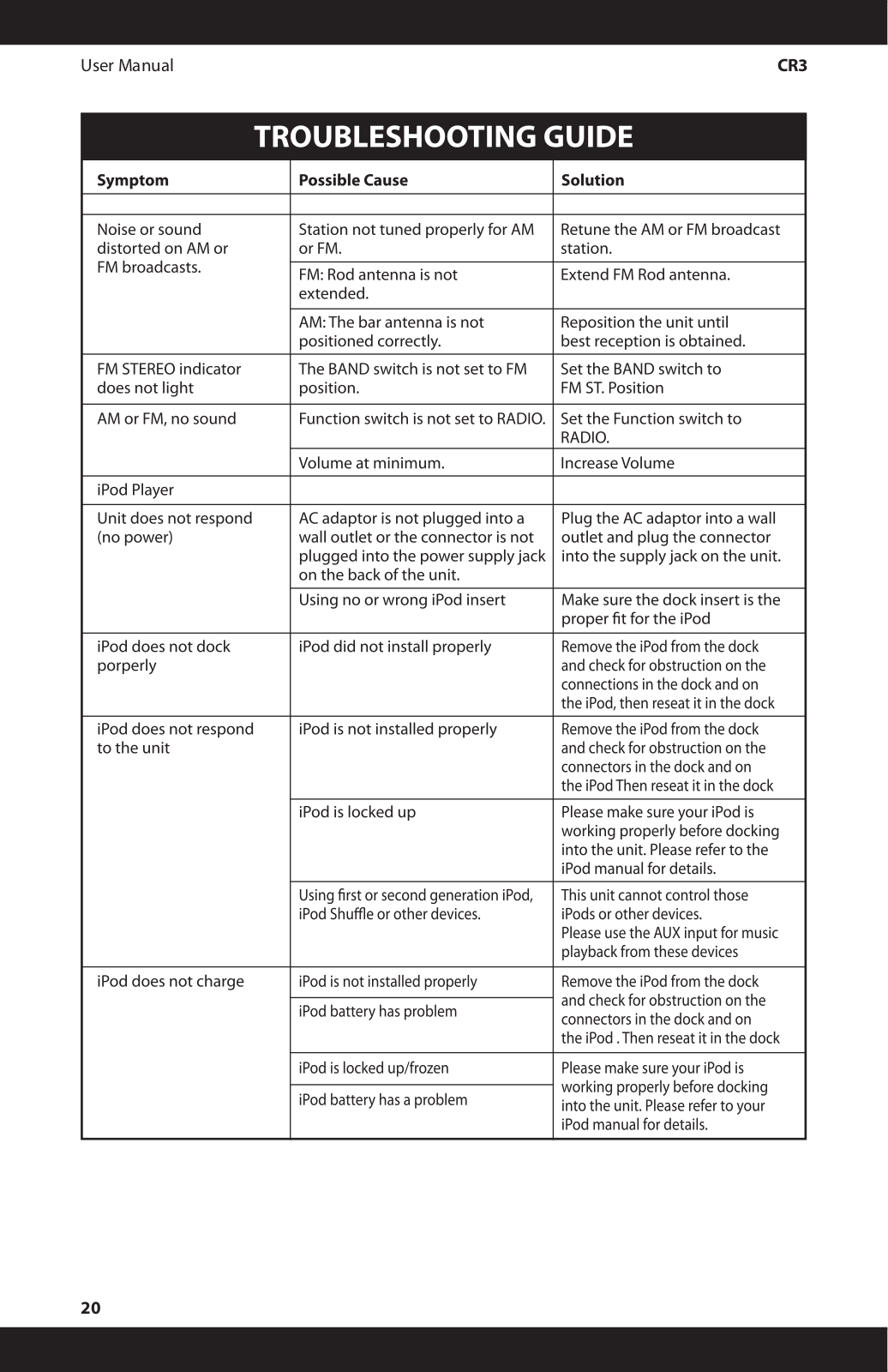
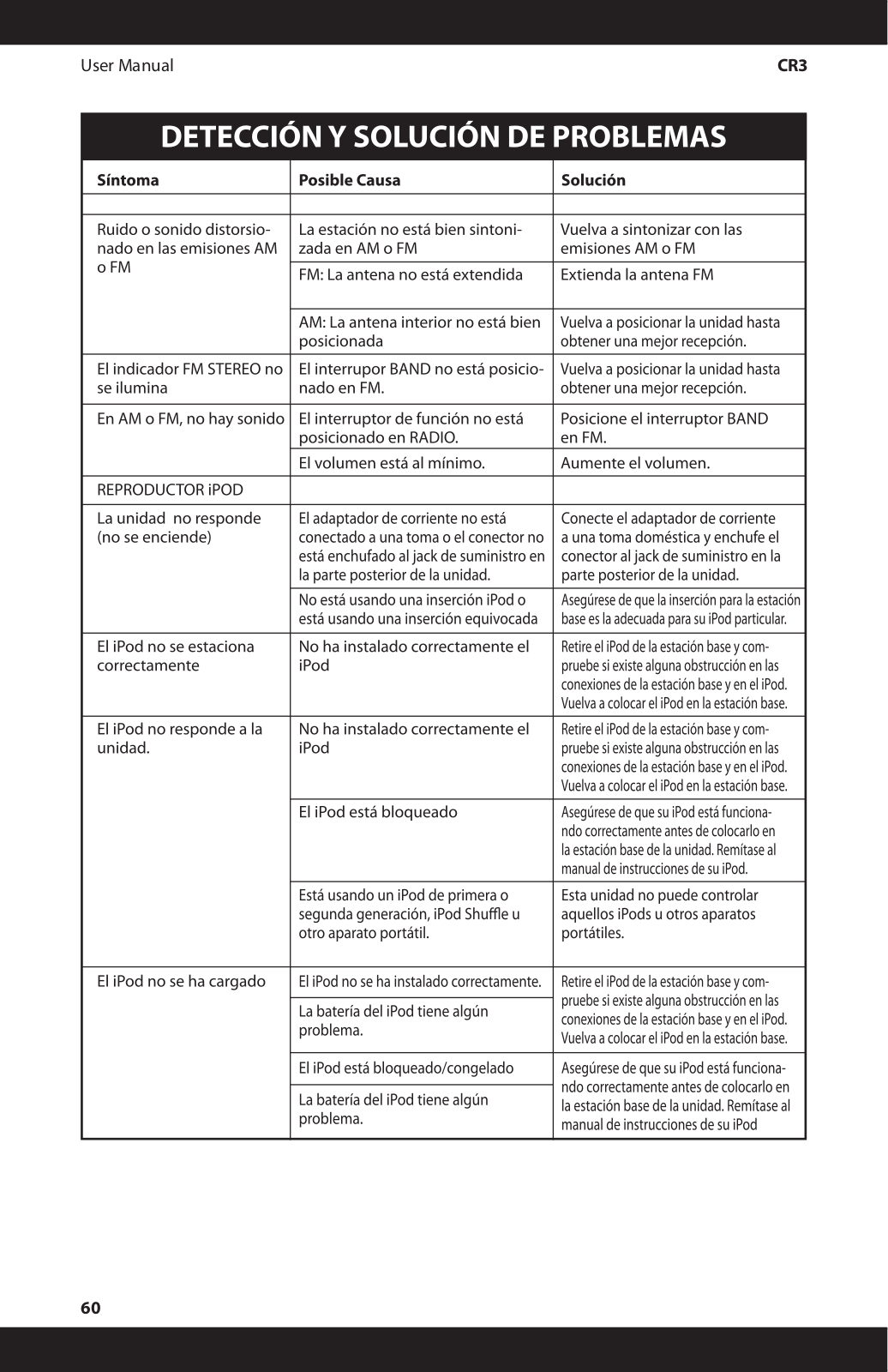
A: First consider the fact that the iPod might not be correctly seated into the dock. Check for if the dock connector is blocked and season the iPod battery to see if it is in good health.
 Loading...