

Page 1
Hi,
I'm Aura
Air Mini
User Manual
Page 2
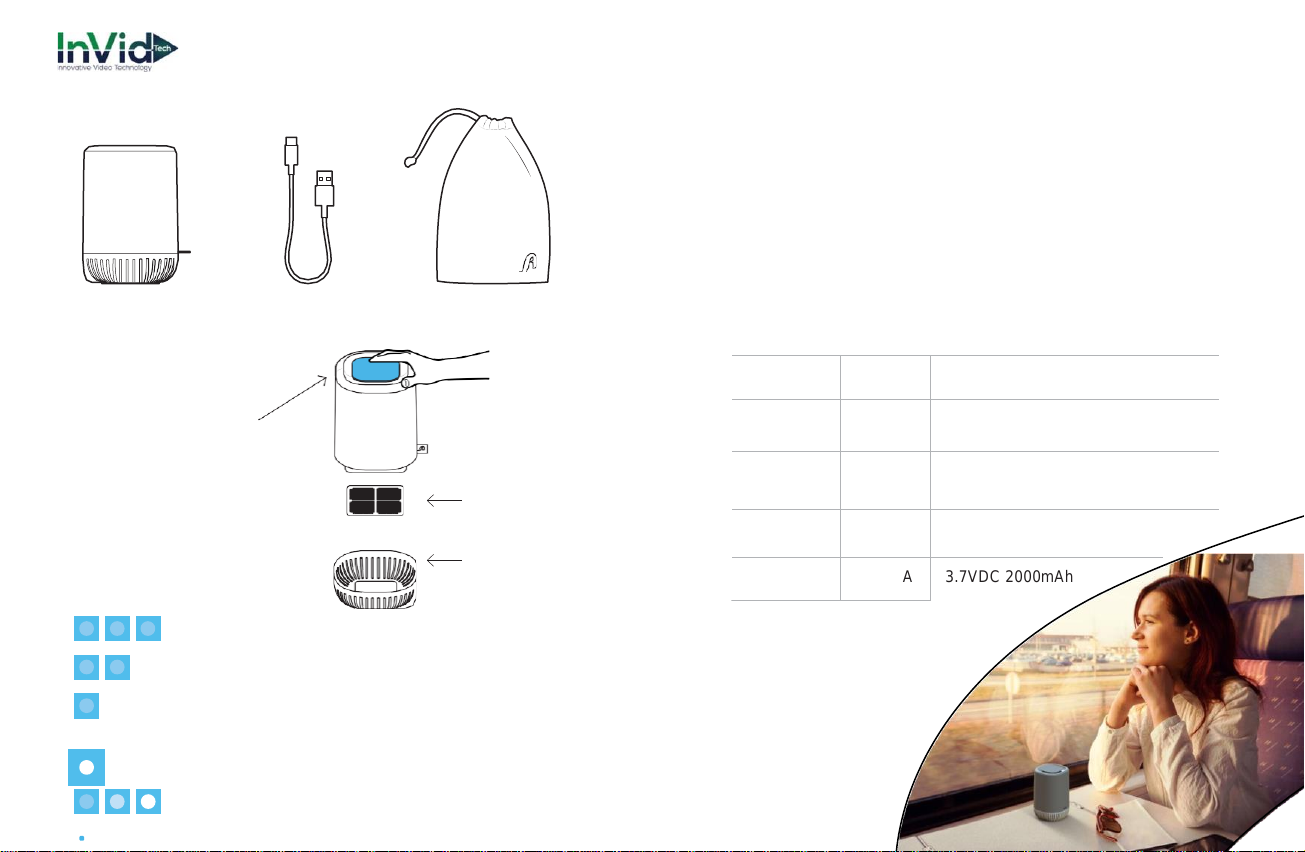
What's inside the box?
Pre-Filter Cleaning
1.
Unplug Aura Air Mini from any power sources.
2.
Detach Bottom Cover.
3.
Take out the Pre-filter.
4.
Wash the Pre-filter with water (no chemicals).
5.
Dry the Pre-filter before placing it back.
Aura Air Mini USB Cable Case
Device Activation
Press the top button
for 3 seconds
Pre-filter
Specifications
LED Indication:
Fully charged
70% Battery Life
30% Battery Life
Bottom Cover
Blinking: Critical Battery Level
Sequenced Blinking:
Charging
Turn device on to display accurate battery levels
Supply
VDC, A
5.0 VDC 0.5A
Temperature
°C / °F
Operational: -0°C - 40°C, 32°F - 104°F
Storage: -40°C - 85°C, -104°F -185°F
Size
mm
115mm/80mm/80mm
4.5 inch/3 inch/3inch
Operating
Humidity
% 15-90%
Battery
VDC, A
3.7VDC 2000mAh
Page 3

General Instructions
WARNING: Read all safety information and operating
instructions before using Aura Air Mini to avoid injury. Failure
to follow these safety instructions could result in personal
injury or damage to the Aura Air Mini or other property.
Important Safety Instructions
1.
WARNING: Extreme caution is required during the
installation, operation, cleaning and maintenance of the
Product by or around children under age 12 or anyone
with reduced physical, sensory or mental capabilities, and
whenever the Product is left operating and unattended
by an adult. Children should be supervised to ensure that
they do not play with the Product, its parts and packaging
material.
2.
Read, keep and follow these instructions.
3.
Do not use this apparatus near water.
4.
Do not block any ventilation openings.
5.
Install in accordance with the manufacturer’s instructions.
6.
Do not use near any heat sources such as radiators, heat
registers, stoves, or other apparatus that produce heat.
7.
Refer all servicing to qualified service personnel. Servicing
is required when the apparatus has been damaged in any
way, liquid has been spilled or objects have fallen into the
apparatus, the apparatus has been exposed to rain or
moisture, does not operate normally, or has been dropped.
Location
Do not operate Aura Air Mini outdoors. The Aura Air Mini unit
is designed for indoor use only.
Aura Air Mini temperature is 0°- 40° C.
WARNING: Aura Air Mini contains a battery. Do not expose
Aura Air Mini to excessive heat such as sunshine, fire or
other equivalent.
Repairing
WARNING: Do not attempt to open Aura Air Mini or
disassemble it by yourself. Disassembly is not covered by
the limited warranty. No user-serviceable parts inside.
Handling
Your Aura Air Mini may be damaged by improper storage
or handling. Be careful not to drop Aura Air Mini when
transporting it.
Operating Environment
Aura Air Mini works best in ambient temperatures between
0°- 40° C and can be stored at temperatures between 40°- 85° C.
Page 4
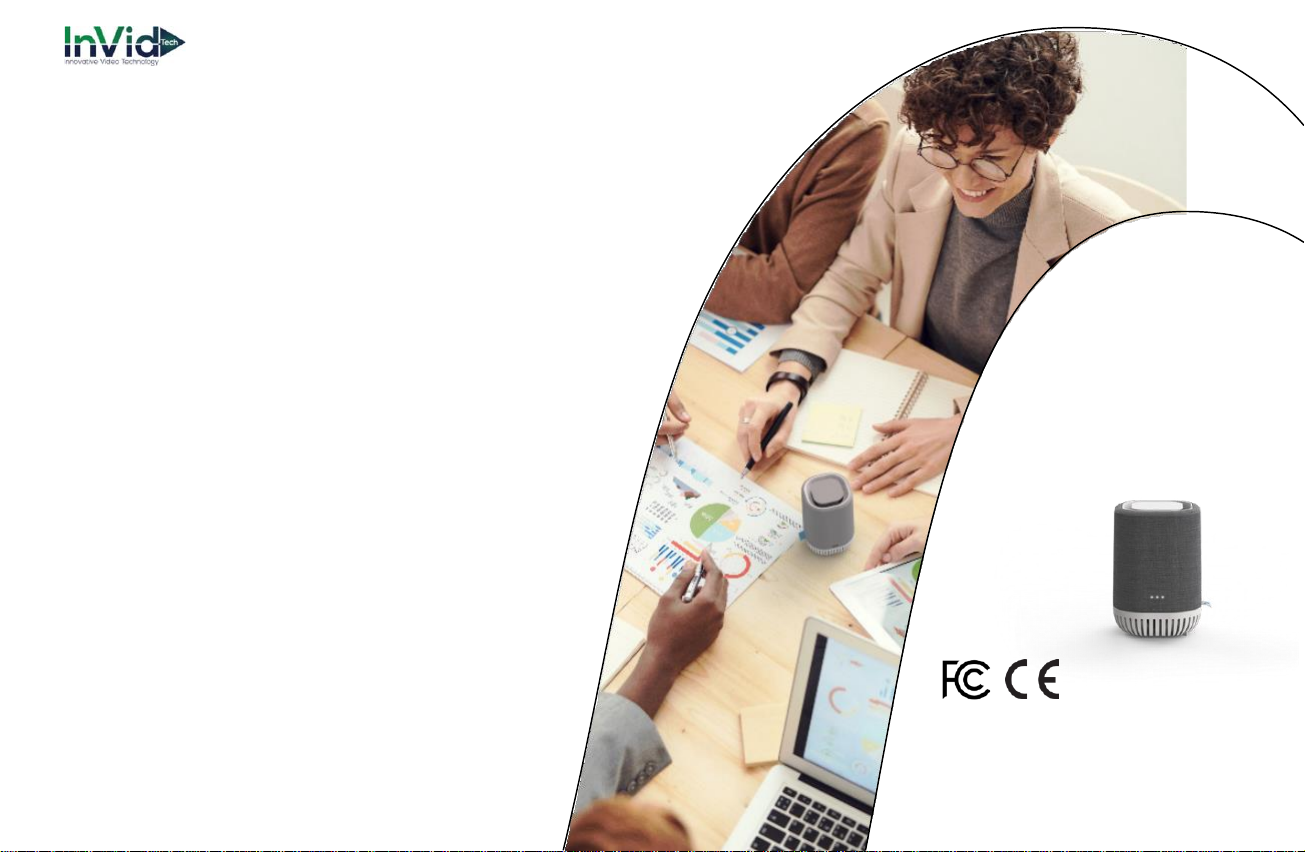
Charging
Charge Aura Air Mini with the included USB cable, or with
other third-party USB cable with C-type USB connector at
one end. When you use a power adapter to charge Aura
Air Mini, make sure the charging cable is fully inserted into
the power adaptor before you plug the adapter into the
power outlet.
Warranty
The manufacturer’s warranty is one year from the date of
purchasing.
See the website www.auraair.io for details.
Make sure to carefully follow the instructions for installation and calibration, or you may damage the product.
Aura Smart Air Ltd. reserves all rights to this document and
the information contained herein. Products, names, logos
and designs described herein may in whole or in part be
subject to intellectual property rights. The information
contained herein is provided “as is”. No warranty of any kind,
either express or implied, is made in relation to the accuracy,
reliability, fitness for a particular purpose or content of this
document. This document may be revised by Aura at any
time. For most recent documents, please visit:
www.auraair.io
Certifications
Copyright © 2020 - Aura Smart Air LTD.
All rights reserved.
Page 5

www.invidtech.com
[email protected] | 631-388-5700
 Loading...