

Page 1

Warranty
Contact Information
For Warranty Information and the most up-to-date version of this
User’s Guide, go to: www.iLiveElectronics.com
Email Support: [email protected]
Email Parts: [email protected]
Phone Support: 1-888-999-4215
Website: www.iLiveElectronics.com
Page 2

Warnings and Precautions
• WARNING: To prevent re or shock hazards, do not expose this unit to rain or moisture.
• WARNING: Do not place the unit on top of any soft, porous, or
sensitive surfaces to avoid damaging the surface. Use a protective
barrier between the unit and surface to protect the surface.
• WARNING : Where the mains plug or appliance coupler is used as the
disconnect device, such disconnect device shall remain readily operable.
• Note : This device uses an internal rechargeable lithium-ion battery that should
last the lifetime of the device. If you suspect your battery may be dead after
several attempts to charge, please contact 1-888-999-4215 for support.
• Never disassemble the unit or attempt to remove the battery as
that could cause leakage of an electrolytic substance.
Page 3

Pairing a Bluetooth Device
1. Turn on the unit using the Power switch. The Pairing/
Line In Indicator will ash blue quickly.
2. Press and hold the Pair button until a beep sounds.
When pairing, remain within 3 feet of the unit.
3. Using the native controls on your Bluetooth device,
select the “ISB212” in your Bluetooth settings to pair.
If your device requests a password, enter the default password “ 0 0 0 0 ”. Refer to the user’s
manual for your specic device for instructions on pairing and connecting Bluetooth devices.
4. When successfully paired and connected, the Pairing Indicator
will display a solid blue light and a beep will sound from the unit.
After initial pairing, the unit will stay paired unless unpaired manually by the user.
Page 4

Playing Audio Wirelessly
1. Follow the instructions for Pairing a Bluetooth Device.
2. Use the native controls on the connected
Bluetooth device to select a track.
3. To play, pause or skip the selected track, use the
native controls on the connected Bluetooth device
or press the Play/Pause button on the unit.
4. Audio played through the connected Bluetooth
device will now be heard through the speakers.
5. Press and hold the Vol+/Vol- buttons to adjust the volume.
Page 5

Using the 3.5mm Audio Input
1. Plug one end of a 3.5 mm audio input cable (not
included) into the 3.5 mm Audio Input on the unit.
The Pairing/Line In Indicator will display a green light.
2. Plug the other end of the cable into the audio output/
headphone output on an MP3 Player or other audio source.
3. Turn on the unit using the Power switch.
4. Audio played through the connected device
will now be heard through the speakers.
Note: Any audio being played through a connected Bluetooth Device
will cease once the 3.5mm Audio source is connected.
Page 6
USER’S GUIDE
V: 633-02
For the most up-to-date version of this User’s Guide,
go to www.iLiveElectronics.com
ISB212
Portable Wireless Speaker
Page 7
To download this User’s Guide in English, Spanish, or French, or to get answers to
frequently asked questions, visit the support section at www.iLiveElectronics.com
Para descargar este Manual del Usuario en inglés, español y francés, o para
obtener respuestas a preguntas frecuentes, visite la sección de apoyo en www.
iLiveElectronics.com
Pour télécharger ce guide de l’utilisateur en anglais, espagnol ou français, ou pour
obtenir des réponses à des questions fréquemment posées, consultez la rubrique
d’assistance sur www.iLiveElectronics.com
International Support
Page 8

Features
• Built-in Bluetooth speaker
• 3.5mm audio input
• DC battery power: built-in rechargeable lithium ion battery
• Battery life: ~2 hours
• Wireless range: 33 feet
• Can be paired up to 6 mobile or audio players
Included
• Mini USB to USB charging cable
Page 9
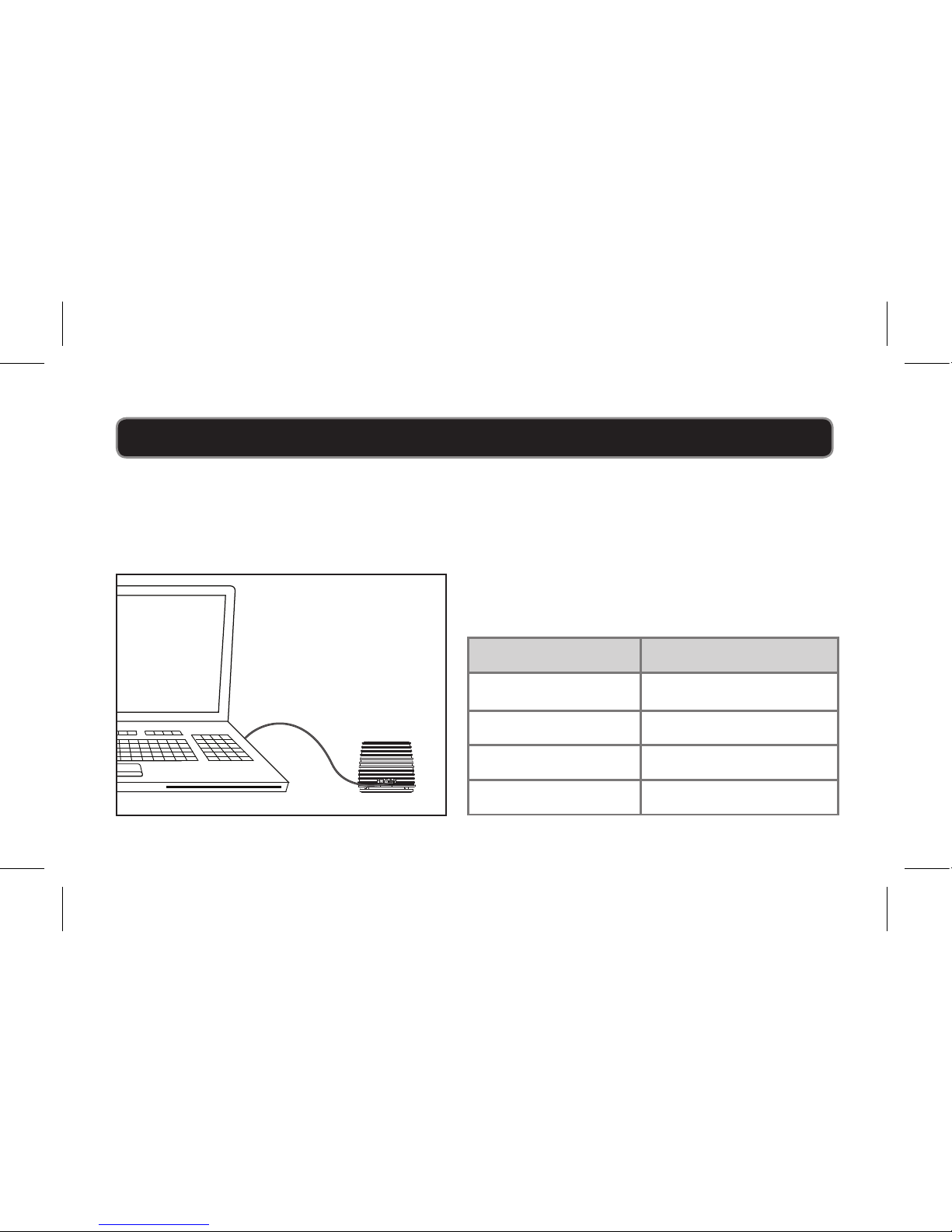
Power
USB Power
Requires a Mini USB to USB cable (included).
Note: PC must not be in sleep mode.
LINE IN
DC INBATT. LOW
Status Indicator
Power O No light
Charging Red light
Fully Charged Green light
Low battery Flashing red light
Page 10
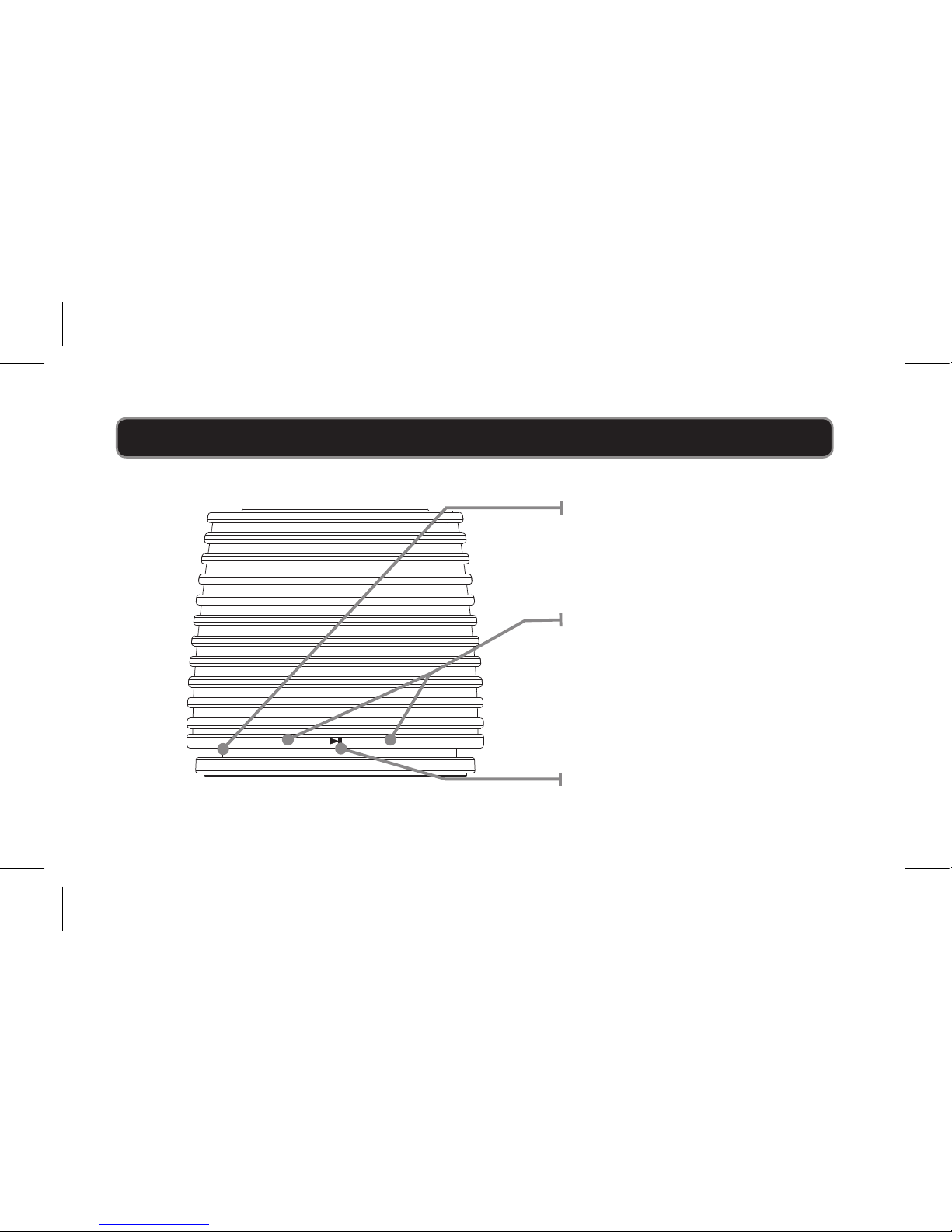
Introduction
–
+
LINE IN / PAIR
Pairing/Line In
Indicator
Volume
Press and hold to
increase or decrease
the volume.
Play/Pause
Press to play or pause.
Page 11
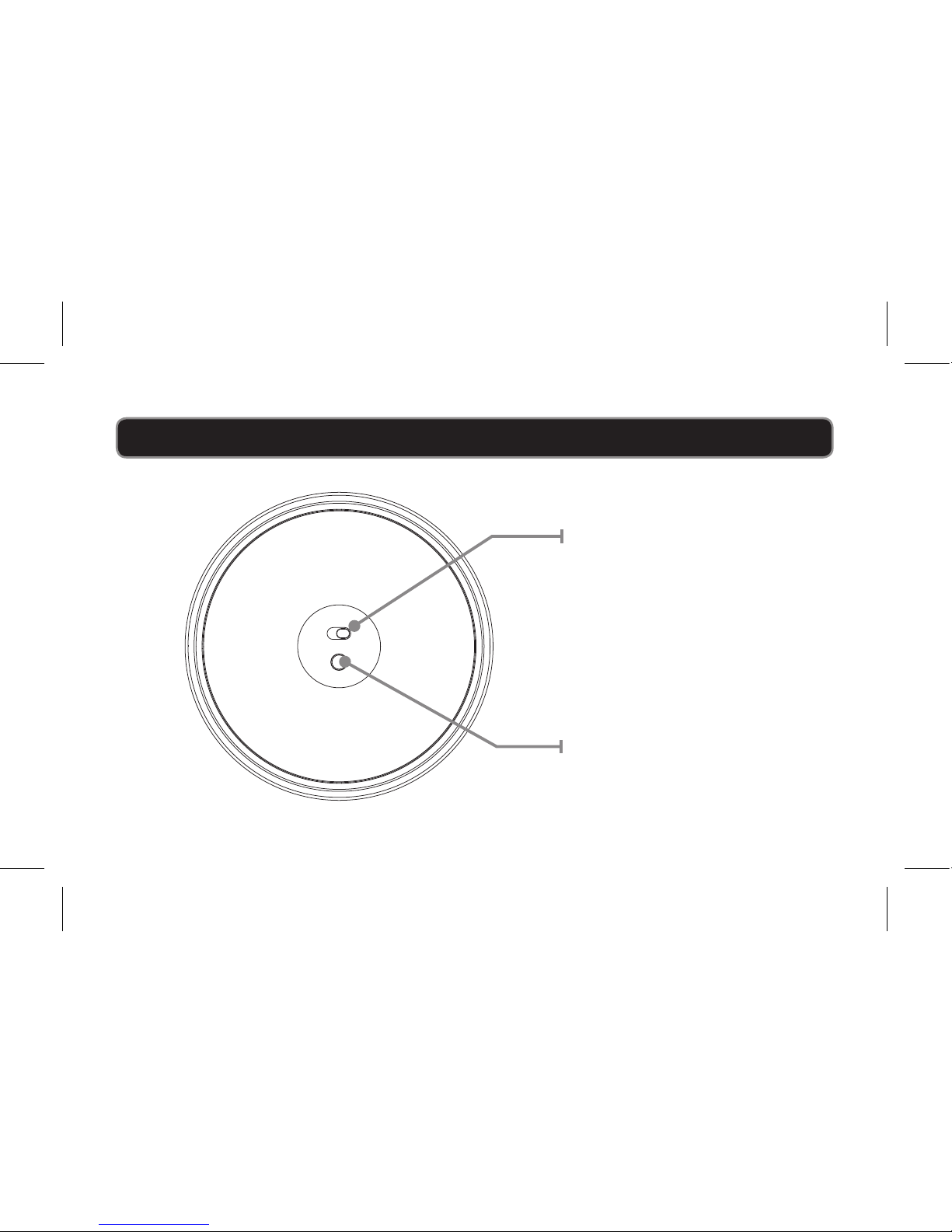
POWER
ON OFF
PAIR
Power
Adjust the switch to
turn the unit on or o.
Always be sure to switch
to the OFF position
when not in use.
Pair
Press and hold to
begin connecting a
Bluetooth device.
Introduction
Page 12
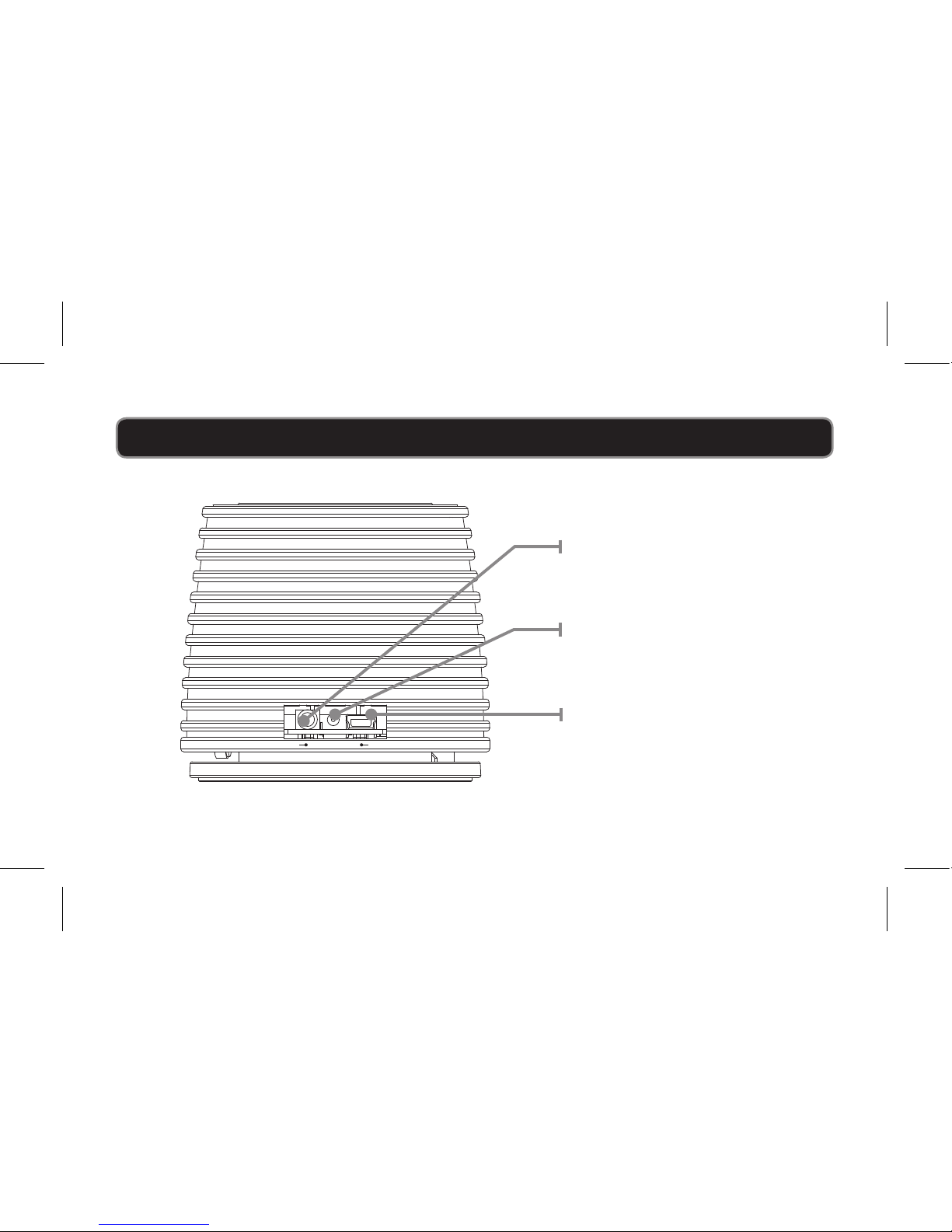
LINE IN
DC INBATT. LOW
Line Input
Charging Indicator
Mini USB
Charging Port
Introduction
 Loading...