

Page 1
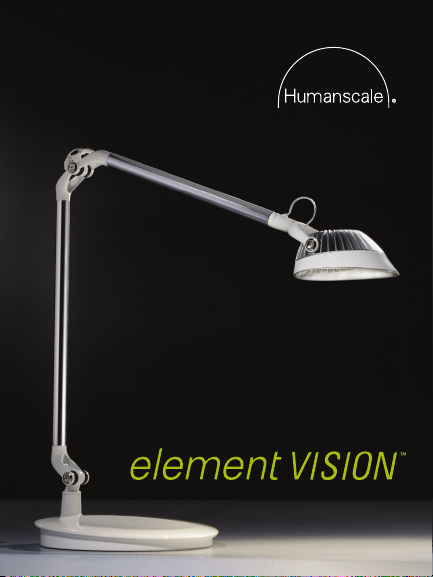
LED Task Light
Page 2

Page 3

Element Vision is a revolution in LED task lighting.
Using advanced MCX LED Technology™, Element
Vision offers warm, brilliant illumination. For ultimate
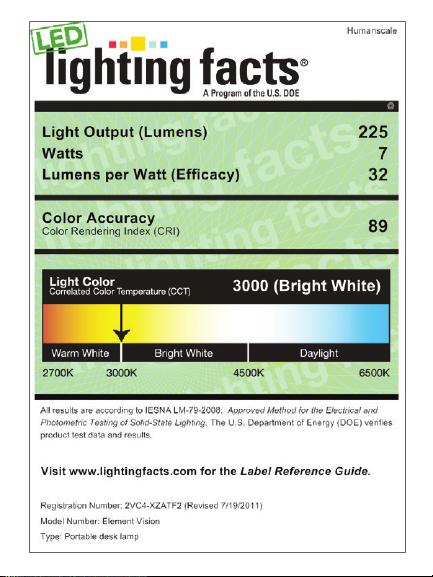
personalization, it provides seven levels of brightness.
Element Vision’s unique design maximizes light
output, and challenges the iconic light bulb form with a
groundbreaking new aesthetic.
And Element Vision wouldn’t be a true Humanscale task
light if it wasn’t sophisticated. Equipped with a passive
infrared occupancy sensor, Element Vision shuts off or
turns on when you leave or enter the area. So, it’s not
only beautiful, but smart, too.
We hope you enjoy Element Vision as much as we do.
Page 4
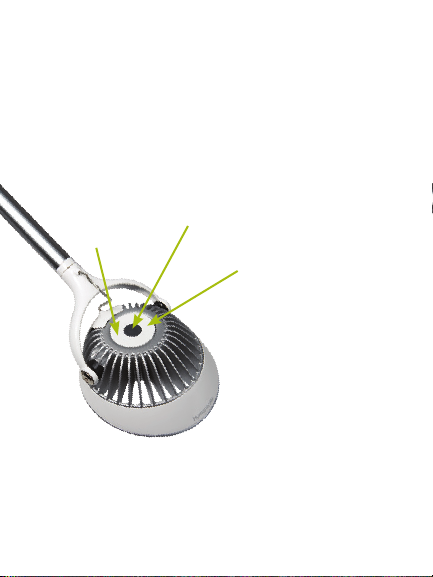
Placement & Adjustment
Element Vision is adjusted by simply moving the head to
the desired position. The arm is designed to adjust easily
without friction knobs. Position Element Vision on the
side of the work surface opposite your writing hand and
tilt the head to direct light across your viewing area. This
will reduce direct glare, reflected glare and shadows.
Decrease
Light Output
Turn On-Off
Light Output
Increase
Built for Years of Use
Element Vision is rated for 50,000 hours of use, or 25
years in most single-shift work environments.
Page 5

Occupancy Sensor Instructions
Element Vision is equipped with a passive infrared (PIR)
occupancy sensor that automatically turns the light on
when it detects motion, and off (after 10 minutes) when
it doesn’t.
Press the power button once to turn on the light. A lit
power button indicates that the occupancy sensor is on.
To disable the occupancy sensor, press and hold the
power button for approximately five seconds until the
power button light flashes three times. An unlit power
button indicates that the occupancy sensor is disabled.
To reactivate the occupancy sensor, press the power
button for approximately five seconds until it is lit.
Cleaning Instructions
Use a soft cloth to clean or dust the lamp.
For heavy dirt or residue, use a soft cloth lightly
dampened with soap and water or another mild cleanser.
Warning: Do not use alcohol, abrasives or harsh solvents.
Page 6
Page 7

WARRANTY
The following Warranty is in lieu
of all other warranties, express
or implied, including, but not
limited to, the implied warranty
of merchantability and fitness
for a particular purpose.
Humanscale warrants on
Element Vision:
5 years: all components
This Warranty is applicable to
the initial purchaser only and is
non-transferable. Humanscale
warrants that, at the time
of customer’s acceptance,
the product will be in good
working order and will be
free from defects in materials
and workmanship. This does
not apply to normal wear and
tear or damage caused by
accident, neglect, misuse,
or improper installation or
operation. Humanscale will
not be responsible for damage
due to service, maintenance,
modifications or tampering
Contact Humanscale Customer Service at 800-400-0625 for
more information.
by anyone other than a
Humanscale-authorized
representative.
In the event a product is
defective and Humanscale
receives written notice
of the defect within
the Warranty period,
Humanscale, at its option,
will either repair or replace
the defective product. This
Warranty does not cover
damage caused by a carrier,
or transportation of the
product from one location
to another, or alterations
made by owner.
Limitation of Liability
In no event will Humanscale
be liable to purchasers
for any special, collateral,
incidental or consequential
damages, however caused,
whether by Humanscale’s
negligence or otherwise.
Page 8

Element Vision and
the Environment
Element Vision is among the most sustainable task
lights on the market today. Thanks to groundbreaking
MCX LED Technology, it has a compact profile, consumes
very little power, can be customized and has an
extraordinarily long life. Beyond using seven watts of
power, Element Vision has energy-saving features including
an intuitive dimmer control for adjustable light intensity and
a passive infrared (PIR) occupancy sensor that turns the
unit off when the user leaves the area.
Humanscale. Human-kind. Earth-friendly.
HSEVHT0813
 Loading...