

Page 1
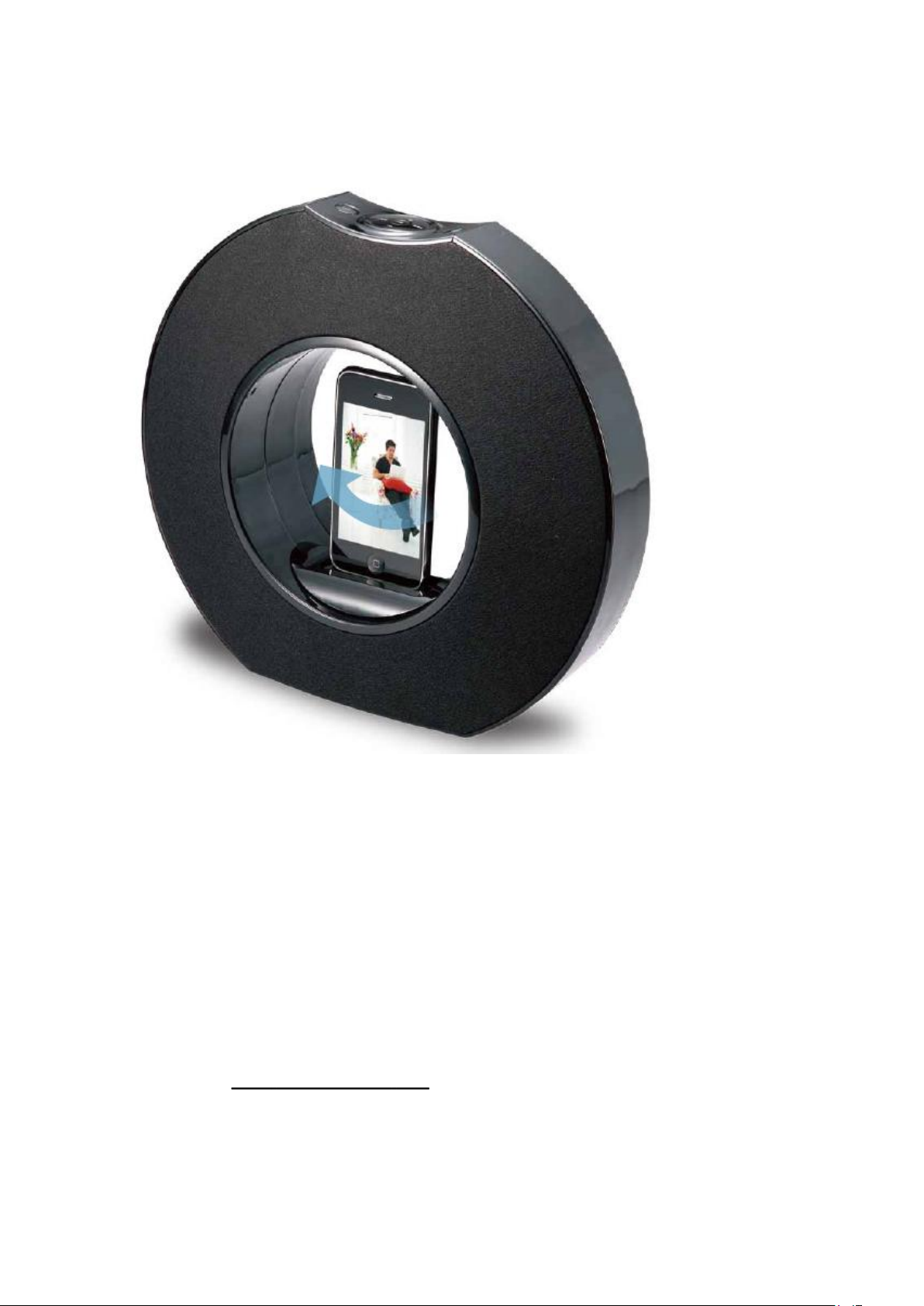
High Fidelity Cinema Dock
For iPhone & iPod
HS-IPSP1001
Thank you for your purchase of this Hip Street speaker dock and we hope you enjoy using it. Please
visit our website at www.hipstreetonline.com.
Please ensure that you fully read and understand the information within this instruction manual
prior to using your product. It is advised that you keep this instruction manual in a safe place for
future reference. We sincerely hope that this high quality product offers you endless hours of
Page 2
entertainment.
Play and charge you iPhone or iPod and enjoy your favorite tunes or videos in cinematic
landscape or portrait positions. Automatically rotate your viewing position with a touch of a
button from the remote control or unit with its unique motorized inner bezel. This unit also
has an audio line in jack with cable included to connect any other portable music player with a
3.5mm headphone jack.
Before setting up the unit, check that the following items are
included in the box:
1.
Rotating speaker system
2.
AC power adaptor
3.
3.5mm audio line in cable
4.
5 x various iPod & iPhone cradles
5.
Remote control
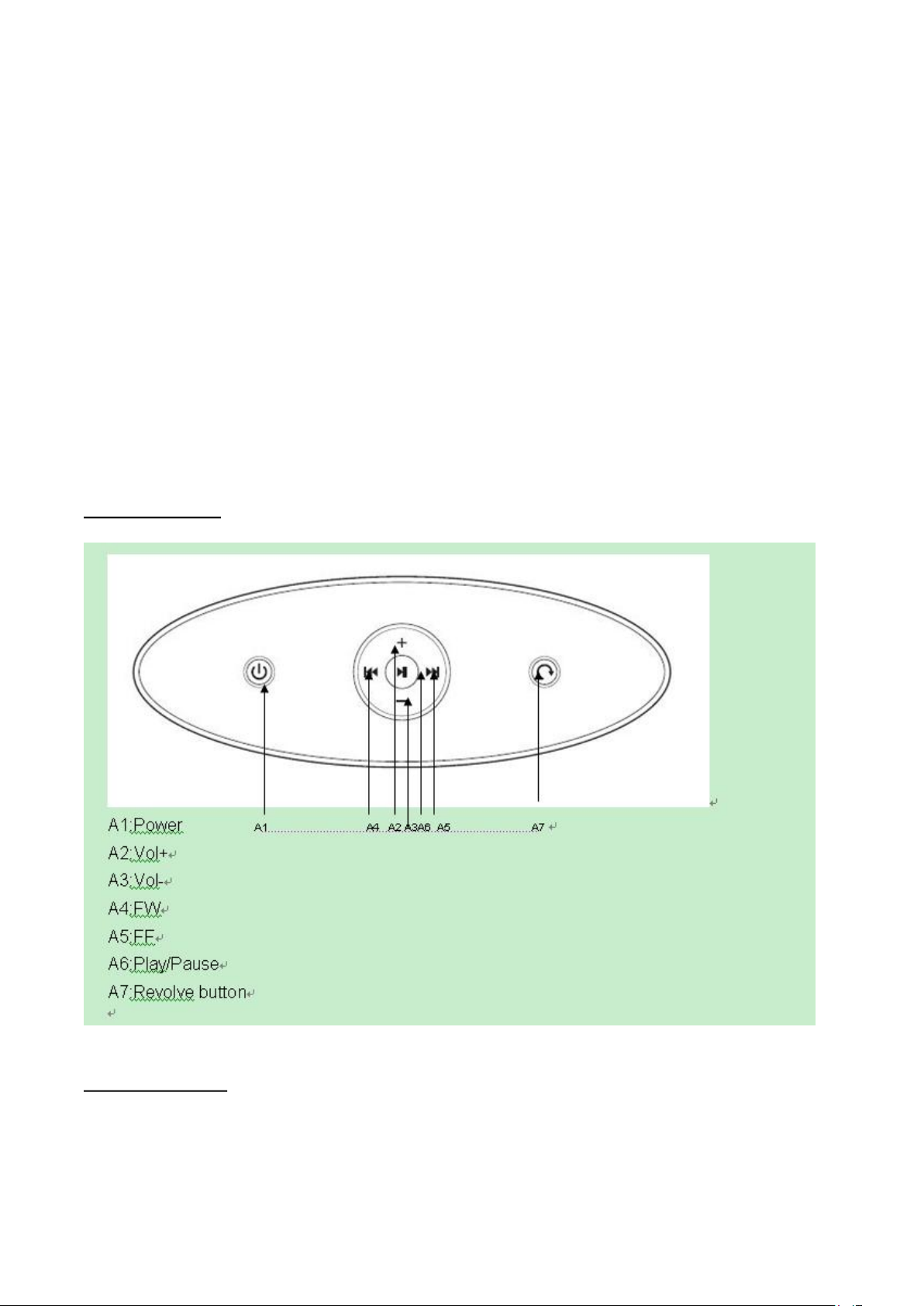
Product Top View
Product Rear View
Page 3
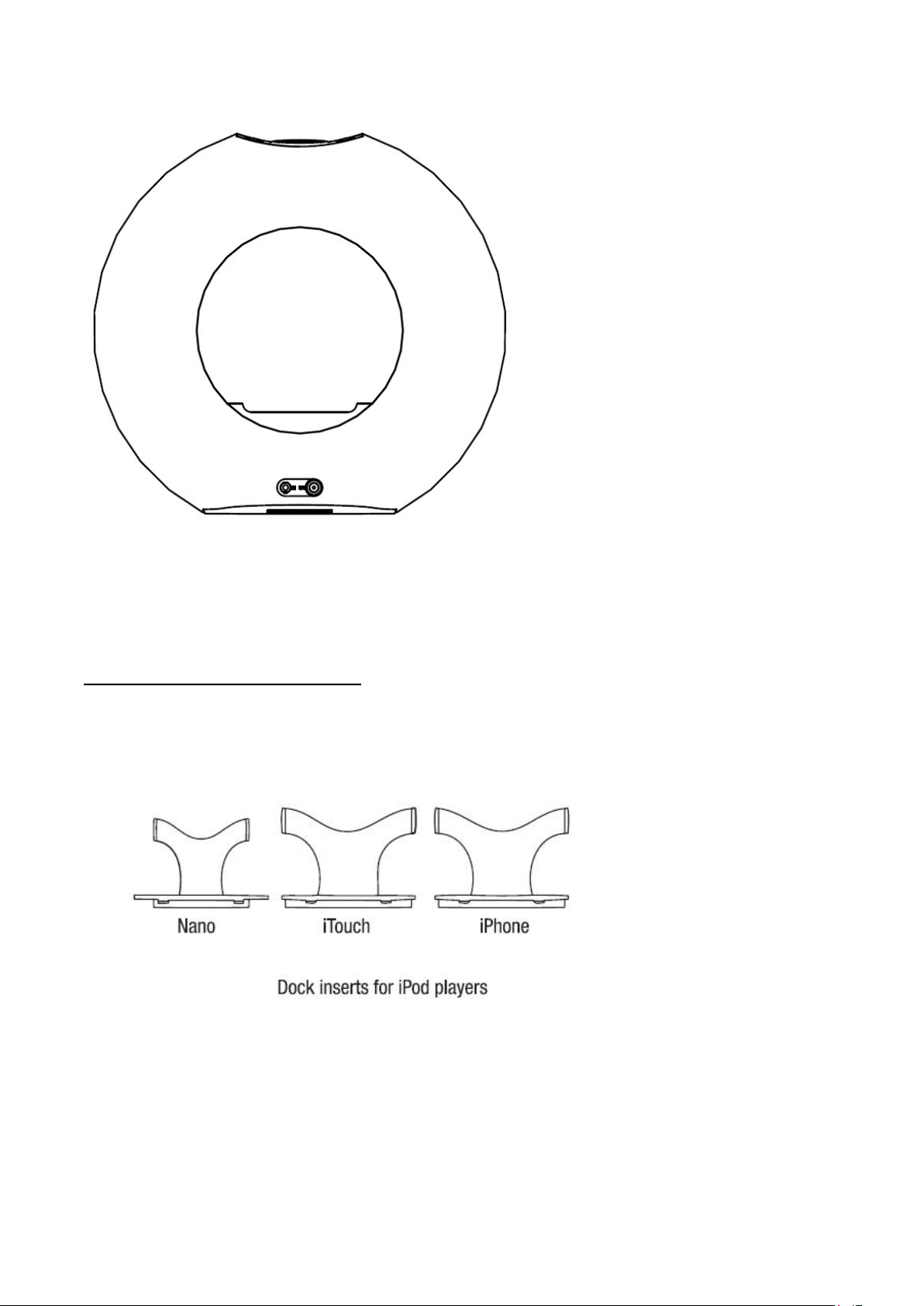
B1 B2
B1: AUX jack
B2: DC jack
Listening music from iPod or iPhone
1.
Press the Power button to turn the speaker unit on.
2.
Select the appropriate dock insert (below) for your device, fit the device carefully into the dock.
** Note: Do not force the device. Carefully slide the device over the dock connector to avoid any
damages.
3.
Press the PLAY/PAUSE button to pause or resume playback.
4.
Press the “+” or “-“ button to adjust the volume.
5.
Press the “<<” or “>>” button to skip to the next or previous file.
6.
Turn speaker unit off by pressing POWER button.
Watching videos from iPod Touch or iPhone:
Page 4

1.
Turn the speaker unit on.
2.
Carefully fit the iPod Touch or iPhone into the dock through the cradle.
3.
Press the PLAY/PAUSE button to pause or resume playback.
4.
Press the “+” or “-“ to adjust volume.
5.
Press the “<<” or “>>”button to skip to the next or previous file.
6.
Press the REVOLVE button on the top control panel to rotate the viewing angle.
Using the remote control:
Your speaker comes with a remote control with the same function buttons as the unit. It is also has
menu and enter buttons to accessing the iPod or iPhone menus.
The remote control is provided with a battery that will need replacing over time. The battery
compartment can be accessed from the back side of the remote control. Please note to replace the
battery with the same size (CR2025).
Playing music via aux in:
1. This speaker unit can also play music via aux in (audio in).
2. Turn on the power and use the aux cable (3.5mm to 3.5mm audio cable) provided to plug one
end into the speaker unit on the back and plug the other end into any portable audio device
with a 3.5mm headphone jack. (These audio devices can be MP3 players, smartphones, cell
phones, portable CD players or radios, etc.)
Need assistance? Please call us!
If you encounter any difficulties with this product, please visit our website at
www.hipstreetonline.com and review our support section or call us. Our representatives are ready
to help you with any questions about your product. We can guide you through connections, firsttime use, or any of the features. Just give us a call or send us an email.
Customer & Technical Support: 1-888-4KOBIAN or 1-888-456-2426
Monday through Friday: 8:30am – 5:00pm EST
Email: [email protected]
We want you to start enjoying your product right away!
 Loading...