

Page 1
QUICK START GUIDE
FULL MANUAL ON HDANYWHERE.COM/SUPPORT
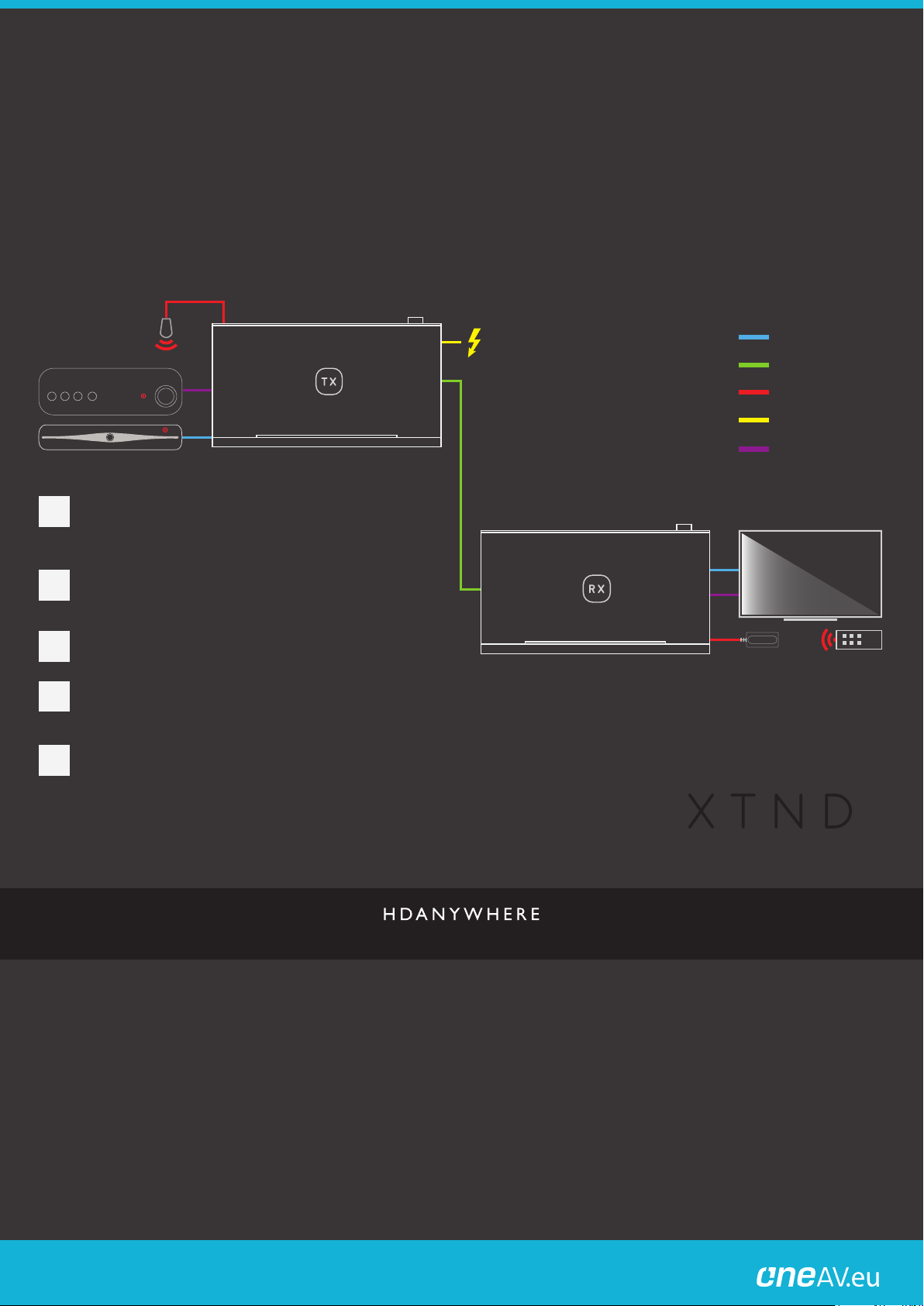
Connect a HDMI source (e.g Satellite/Cable TV, Apple TV,
1
Xbox etc) to the “HDMI IN” of the XTND transmitter (labelled
TX) using a HDMI cable. Source devices that exceed the
supported bandwidth will be scaled.
Connect a Cat6 cable between the “HDBASET” port of the
2
XTND transmitter (TX) and the “HDBASET” port of the XTND
receiver (labelled RX).
Connect a display to the “HDMI OUT” of the XTND receiver
3
(RX) using a HDMI cable
HDMI CABLE
CAT6 CABLE
INFRARED (IR) CABLE
POWER
OPTICAL
Power on the XTND Extender by connecting the supplied 24V
4
power supply to the XTND (TX). XTND will turn on and a
picture will display after several seconds.
To control your HDMI source from your display location
5
connect the IR TX to the “IR (OUT)” port on the XTND
transmitter (TX). Ensure that the IR TX is positioned over the
IR window on your source device.
Connect the IR RX to the “IR (IN)” port on the XTND receiver
(RX). Ensure that the IR RX is in-line-of-sight of your source
device remote control.
HDMI EXTENDER
Distribution:
PureLink GmbH Available from B2B Online Portal
Page 2
IN THE BOX
FULL MANUAL ON HDANYWHERE.COM/SUPPORT
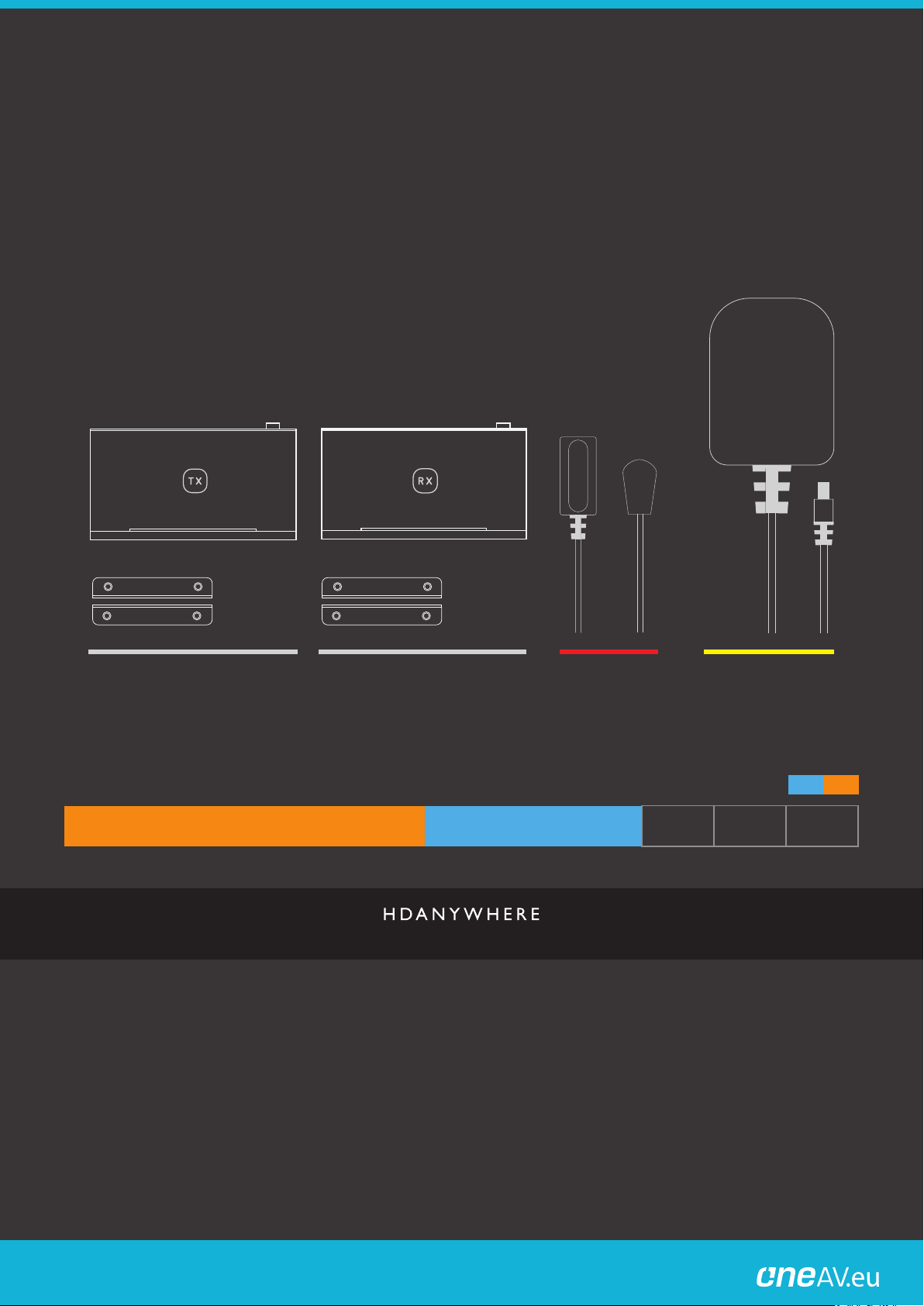
1x 24V 1A PSU
1x XTND TRANSMITTER (TX)
4x MOUNTING WINGS
INSTALL AT SOURCE LOCATION
1x XTND RECEIVER (RX)
INSTALL AT DISPLAY LOCATION POWER
CAT6 RESOLUTION/DISTANCE GUIDE
0m
0ft
10m
32ft
20m
65ft
30m
98ft
40m
131ft
50m
164ft
2x IR RX
INFRARED (IR) CABLE
60m
197ft
70m
230ft
2x IR TX
80m
262ft
90m
295ft
HD
UHD
100m
328ft
Distribution:
PureLink GmbH Available from B2B Online Portal
 Loading...