

Page 1
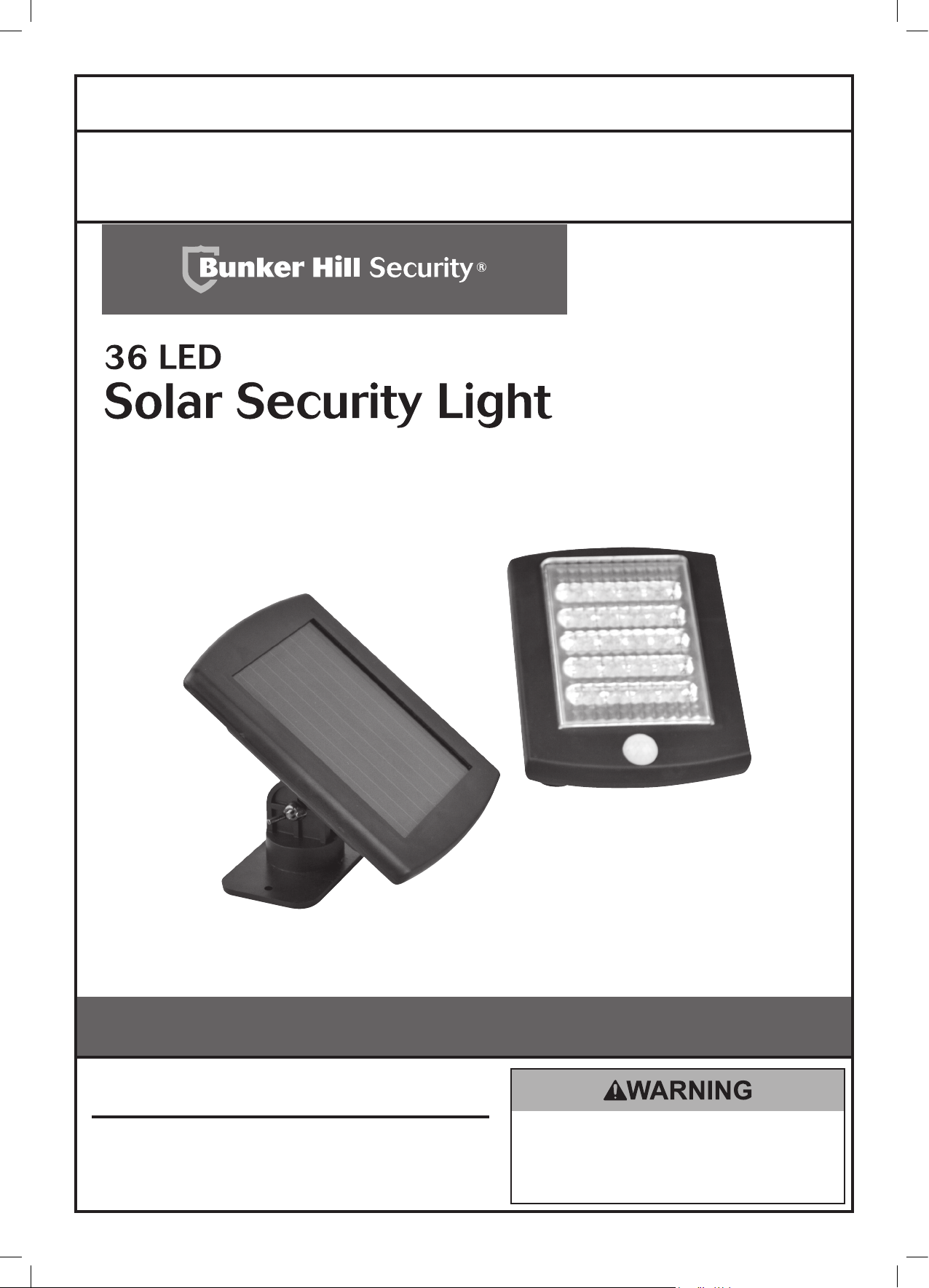
Owner’s Manual & Safety Instructions
Save This Manual Keep this manual for the safety warnings and precautions, assembly, operating,
inspection, maintenance and cleaning procedures. Write the product’s serial number in the back of the manual
near the assembly diagram (or month and year of purchase if product has no number). Keep this manual and
the receipt in a safe and dry place for future reference.
ITEM 69644
Visit our website at: http://www.harborfreight.com
Email our technical support at: tech@harborfreight.com
When unpacking, make sure that the product is intact
and undamaged. If any parts are missing or broken,
please call 1-800-444-3353 as soon as possible.
Copyright© 2012 by Harbor Freight Tools®. All rights reserved.
No portion of this manual or any artwork contained herein may be reproduced in
any shape or form without the express written consent of Harbor Freight Tools.
Diagrams within this manual may not be drawn proportionally. Due to continuing
improvements, actual product may differ slightly from the product described herein.
Tools required for assembly and service may not be included.
Read this material before using this product.
Failure to do so can result in serious injury.
SAVE THIS MANUAL.
Page 2
Table of Contents
Safety ......................................................... 2
Specifications ............................................. 4
Setup .......................................................... 4
SAFETY OPERATION MAINTENANCESETUP
Operation .................................................... 5
This is the safety alert symbol. It is used to alert you to potential personal injury hazards.
Maintenance ............................................... 6
Parts List and Diagram ............................... 7
Warranty ..................................................... 8
WARNING SYMBOLS AND DEFINITIONS
Obey all safety messages that follow this symbol to avoid possible injury or death.
Indicates a hazardous situation which, if not avoided,
will result in death or serious injury.
Indicates a hazardous situation which, if not avoided,
could result in death or serious injury.
Indicates a hazardous situation which, if not avoided,
could result in minor or moderate injury.
Addresses practices not related to personal injury.
IMPORTANT SAFETY INFORMATION
Read all safety warnings and instructions.
Failure to follow the warnings and instructions may result in electric shock, fire and/or serious injury.
Save all warnings and instructions for future reference.
1. Keep installation area clean.
Cluttered areas invite accidents.
2. Observe installation area conditions.
Keep work area well lit during installation.
3. Check for damaged parts.
Before using any product, any part that appears
damaged should be carefully checked to determine
that it will operate properly and perform its intended
function. Check for any broken or damaged
parts and any other conditions that may affect its
operation. Replace or repair damaged or worn
parts immediately. Do not use the Security Light
if any switch does not turn on and off properly.
4. Replacement parts and accessories.
When servicing, use only identical replacement parts.
Use of any other parts will void the warranty.
5. Check hardware and assembled parts
after assembling. All connections should
be tight and hardware tightened.
6. Keep children away. Mount the Light,
Solar Panel, and Cord out of children’s reach.
7. Dress properly. Protective, electrically
non-conductive clothes and nonskid
footwear are recommended when working
with the Solar Powered Security Light.
Wear restrictive hair covering to contain long hair.
Page 2 For technical questions, please call 1-800-444-3353. Item 69644
Page 3
8. Use eye protection. Wear ANSI-approved impact
safety goggles when setting up this product.
9. Maintain products with care. Keep the
Solar Powered Security Light clean for better and
safer performance. Inspect the Light periodically.
If damaged, have it repaired by a qualified technician.
10. Do not overreach. Keep proper footing and
balance at all times. If a ladder is to be used during
installation, it should be supported by an assistant.
11. Do not set up the Solar Powered Security Light
if under the influence of alcohol or drugs. Read
warning labels on prescriptions to determine if your
judgement or reflexes are impaired while taking
drugs. If there is any doubt, do not set up the Light.
Lithium Battery Safety Warnings
LITHIUM BATTERIES STORE A
LARGE AMOUNT OF ENERGY
AND WILL VENT FIRE OR
EXPLODE IF MISTREATED:
12. Have your product serviced by a qualified
repair person using only identical
replacement parts. This will ensure that
the safety of the product is maintained.
13. WARNING: Handling the cord on this product’s
Charger will expose you to lead, a chemical
known to the State of California to cause cancer,
and birth defects or other reproductive harm.
Wash hands after handling.
(California Health & Safety Code § 25249.5, et seq.)
14. The warnings, precautions, and instructions
discussed in this instruction manual cannot
cover all possible conditions and situations
that may occur. It must be understood by the
operator that common sense and caution are
factors which cannot be built into this product,
but must be supplied by the operator.
1. Keep Battery dry.
2. DO NOT DO ANY OF THE FOLLOWING
TO THE BATTERY:
a. Open,
b. Drop,
c. Short-circuit,
d. Puncture,
e. Incinerate, or
f. Expose to temperatures greater than 140°F.
3. Charge Battery only according to instructions.
SAFETYOPERATIONMAINTENANCE SETUP
4. Do not use or charge battery if damaged.
SAVE THESE INSTRUCTIONS.
Page 3For technical questions, please call 1-800-444-3353.Item 69644
Page 4

Specifications
Lamp 36 LED lamps with reflective intensifier
Battery Pack 3.2V, 600mAh, Li-ion
SAFETY OPERATION MAINTENANCESETUP
Solar Panel 4" x 3" Amorphous Silicon
Detects Motion Up to 20'
Range of Motion Up to 120°
Delay Time 30 Seconds
Setup - Before Use:
Read the ENTIRE IMPORTANT SAFETY INFORMATION section at the beginning of this
manual including all text under subheadings therein before set up or use of this product.
Note: For additional information regarding the parts listed in the following pages,
refer to Parts List and Diagram on page 7.
Installation
1. Decide where you want to place the Lamp and
the Solar Panel. The Solar Panel is equipped
with a 16 ft. connecting wire, so the Lamp and
Solar Panel can be installed up to 16 ft. apart.
Set the Solar Panel in a location that receives full,
direct sunlight, a minimum of eight hours a day.
Angle the solar panel slightly toward
the south (northern hemisphere).
2. Mount the Solar Panel:
a. Place the Solar Panel in the desired location,
adjusting the unit to best fit the surface.
b. Mark the hole locations of the Base,
then set the Solar Panel aside.
c. Check that the marked areas are clear of
obstacles such as cables and electrical lines.
Drill holes for the enclosed Screws
and Anchor Sleeves.
d. Insert the Anchor Sleeves then secure the
Solar Panel in place with the Screws.
3. Mount the Lamp:
a. Locate the unit six to eight feet above ground
on a solid surface capable of supporting the
Lamp and secure enough so that it will not
move when exposed to vibrations or wind.
The unit must be high enough to allow for
motion detection and light distribution.
b. Mark the hole locations of the
Mounting Bracket, then set the Lamp aside.
c. Check that the marked areas are clear of
obstacles such as cables and electrical lines.
Drill holes for the enclosed Screws
and Anchor Sleeves.
d. Insert the Anchor Sleeves then secure
the Lamp in place with the screws.
Figure A
Carefully route the Power Cord of the
4.
Solar Panel to the Lamp and plug it into
the Outlet on the back of the Lamp.
Initial Battery Charging
Before the Security Light can operate properly,
the batteries need to be fully charged.
To charge the batteries:
Page 4 For technical questions, please call 1-800-444-3353. Item 69644
1. Turn OFF the Power Switch.
The battery will recharge without turning on
the light while the Power Switch is off.
2. Allow the battery to charge for 8 hours of full sunlight.
Page 5

Functions
Lamp
Solar Panel
Wing Nut
Mounting
Hole
Operation
Read the ENTIRE IMPORTANT SAFETY INFORMATION section at the beginning of this
manual including all text under subheadings therein before set up or use of this product.
1. Move the Power Switch to “ON” to
activate the Solar Security Light.
Back of Lamp
SAFETYOPERATIONMAINTENANCE SETUP
Power Switch Outlet
Figure B
Base
4. The lamp should brighten temporarily
when motion is detected.
2. The Light will automatically turn
ON dimly during the night.
3. Test the Light by walking or driving
into the protected area.
5. If the Lamp does not brighten, relocation or aiming
adjustment, or more charging time will be required.
Page 5For technical questions, please call 1-800-444-3353.Item 69644
Page 6

Maintenance and Servicing
Procedures not specifically explained in this manual must
be performed only by a qualified technician.
SAFETY OPERATION MAINTENANCESETUP
TO PREVENT SERIOUS INJURY FROM TOOL FAILURE:
Do not use damaged equipment. If abnormal noise or vibration
occurs, have the problem corrected before further use.
Cleaning, Maintenance, and Lubrication
1. BEFORE EACH USE, inspect the general
condition of the tool. Check for:
• leaking, swollen, or cracked battery,
• loose hardware,
• misalignment or binding of parts,
• cracked or broken parts, and
• any other condition that may
affect its safe operation.
2. AFTER USE, wipe external surfaces
of the tool with clean cloth.
3. Change the battery as needed.
a. Turn the Power Switch off and
Unplug the Solar Panel Cable.
b. Unthread the Wing Nut and Bolt Set and
remove the Lamp or Solar Panel.
c. Unthread the six screws on the back of
the unit and remove the back cover.
d. Remove the old battery and replace
with the same type of battery paying
attention to the polarity (±) orientation.
e. Replace the back cover and
secure with the six screws.
f. Remount the Unit and plug the Solar
Panel Cable into the outlet.
g. Keep the Power Switch off and allow the
battery to charge for 8 hours of full sunlight.
h. Turn on the Power Switch.
Troubleshooting
Problem Possible Causes Likely Solutions
Light won’t
turn on.
Light turns on
during day.
Light flashes
on and off with
clicking sounds.
Light stays
bright.
Light brightens
and darkens
continuously.
1. Power is not on.
2. Cable connection is loose.
3. Battery pack not fully charged.
Light is positioned in
a dark location.
1. Low battery.
2. Battery needs replacing.
Frequent changes in
heat being detected.
1. Changes in heat are being
detected from a fixed heat
source or moving object.
2. Sudden temperature change
due to storms or high winds.
1. Check that Power Switch is set to ON.
2. Plug in firmly at back of Battery Housing.
3. Keep solar panel clean. Allow to charge in full
sunlight for 8 hours with the Power Switch OFF.
Move light to a location that is lit during the day.
1. With Switch set to “OFF”, allow to charge in full
sunlight for 8 hours before further use.
2. Replace battery pack.
Check sensing area for possible heat sources
such as air vents, vehicles or objects in wind.
Reposition the Motion Detector Light if needed.
1. Check sensing area for possible heat sources
such as air vents, vehicles or objects in wind.
Reposition the Motion Detector Light.
2. Turn Power Switch “OFF” until storm passes.
Mount in a sheltered location.
Follow all safety precautions whenever diagnosing or servicing the tool.
Disconnect Battery Pack and Charger power supply before service.
Page 6 For technical questions, please call 1-800-444-3353. Item 69644
Page 7

Parts List and Diagram
PLEASE READ THE FOLLOWING CAREFULLY
THE MANUFACTURER AND/OR DISTRIBUTOR HAS PROVIDED THE PARTS LIST AND ASSEMBLY DIAGRAM
IN THIS MANUAL AS A REFERENCE TOOL ONLY. NEITHER THE MANUFACTURER OR DISTRIBUTOR
MAKES ANY REPRESENTATION OR WARRANTY OF ANY KIND TO THE BUYER THAT HE OR SHE IS
QUALIFIED TO MAKE ANY REPAIRS TO THE PRODUCT, OR THAT HE OR SHE IS QUALIFIED TO REPLACE
ANY PARTS OF THE PRODUCT. IN FACT, THE MANUFACTURER AND/OR DISTRIBUTOR EXPRESSLY
STATES THAT ALL REPAIRS AND PARTS REPLACEMENTS SHOULD BE UNDERTAKEN BY CERTIFIED AND
LICENSED TECHNICIANS, AND NOT BY THE BUYER. THE BUYER ASSUMES ALL RISK AND LIABILITY
ARISING OUT OF HIS OR HER REPAIRS TO THE ORIGINAL PRODUCT OR REPLACEMENT PARTS
THERETO, OR ARISING OUT OF HIS OR HER INSTALLATION OF REPLACEMENT PARTS THERETO.
SAFETYOPERATIONMAINTENANCE SETUP
Part Description Qty
1 Lamp 1
2 Solar Panel 1
3 Mounting Bracket 2
4 Adjustable Hinge 2
5 Wing Nut and Bolt set 2
7
6
4
5
Part Description Qty
6 Screw 4
7 Anchor Sleeve 4
8 Power Cord (not shown) 1
1
3
Record Product’s Serial Number Here:
Note: If product has no serial number, record month and year of purchase instead.
Note: Some parts are listed and shown for illustration purposes only,
and are not available individually as replacement parts.
2
Page 7For technical questions, please call 1-800-444-3353.Item 69644
Page 8

Limited 90 Day Warranty
Harbor Freight Tools Co. makes every effort to assure that its products meet high quality and durability standards,
and warrants to the original purchaser that this product is free from defects in materials and workmanship for the
period of 90 days from the date of purchase. This warranty does not apply to damage due directly or indirectly,
to misuse, abuse, negligence or accidents, repairs or alterations outside our facilities, criminal activity, improper
installation, normal wear and tear, or to lack of maintenance. We shall in no event be liable for death, injuries
to persons or property, or for incidental, contingent, special or consequential damages arising from the use of
our product. Some states do not allow the exclusion or limitation of incidental or consequential damages, so the
above limitation of exclusion may not apply to you. THIS WARRANTY IS EXPRESSLY IN LIEU OF ALL OTHER
WARRANTIES, EXPRESS OR IMPLIED, INCLUDING THE WARRANTIES OF MERCHANTABILITY AND FITNESS.
To take advantage of this warranty, the product or part must be returned to us with transportation charges
prepaid. Proof of purchase date and an explanation of the complaint must accompany the merchandise.
If our inspection verifies the defect, we will either repair or replace the product at our election or we may
elect to refund the purchase price if we cannot readily and quickly provide you with a replacement. We will
return repaired products at our expense, but if we determine there is no defect, or that the defect resulted
from causes not within the scope of our warranty, then you must bear the cost of returning the product.
This warranty gives you specific legal rights and you may also have other rights which vary from state to state.
3491 Mission Oaks Blvd. • PO Box 6009 • Camarillo, CA 93011 • (800) 444-3353
 Loading...