

Page 1
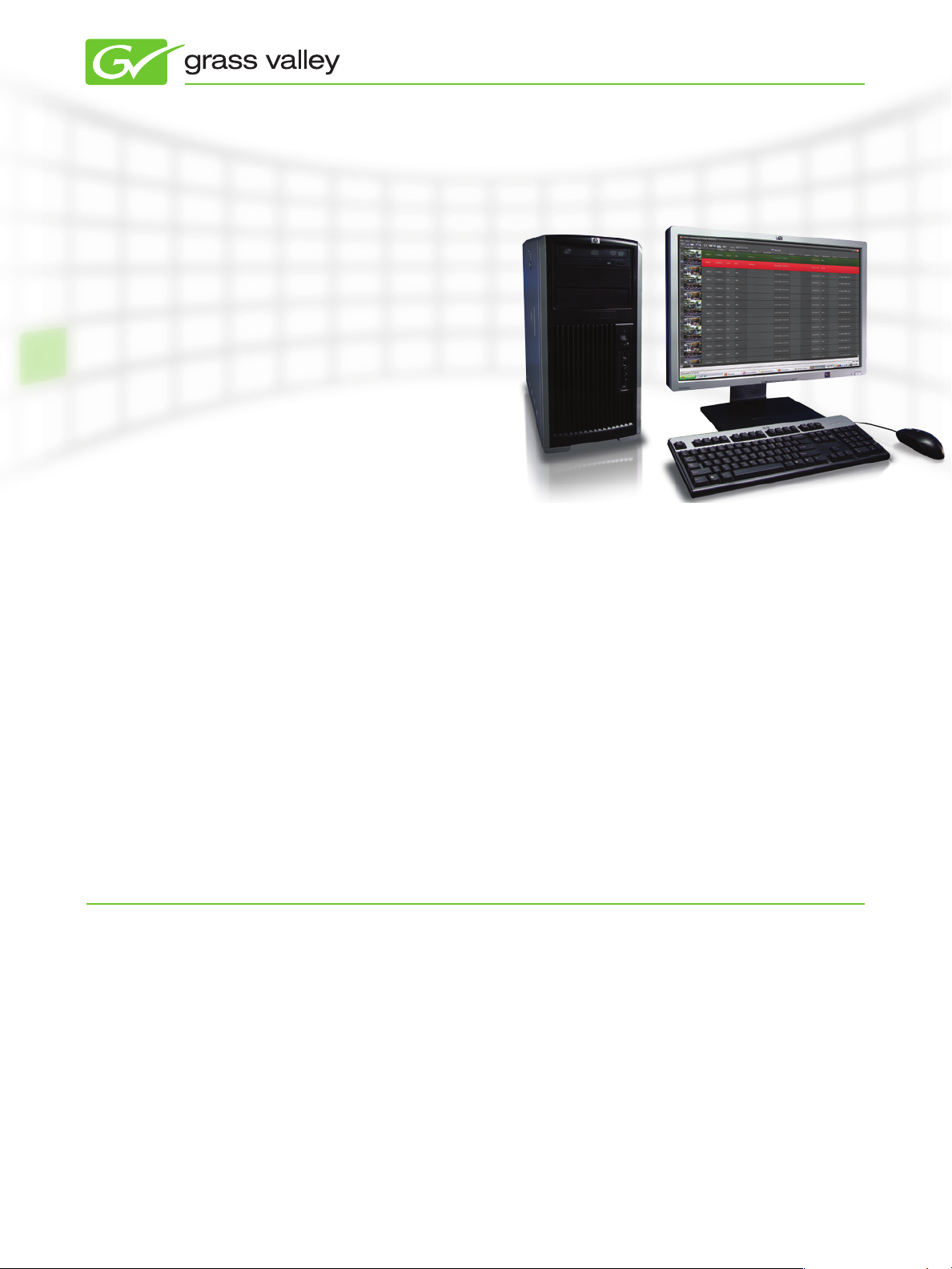
Aurora Ingest 7
I NGEST M A N AGEME N T FOR S H A R E D
PRODU C T I O N SYS T E M S RU N N I N G
WINDOWS 7/XP
Aurora Ingest is a high-availability
scheduling system that fit the needs
of the largest tapeless production
environments.
PRODUCT DATA SHEET
The Grass Valley™ Aurora™ Ingest
system offers highly coordinated ingest
management for the K2 media server/
media client platform, including the K2
Summit™ production client. Designed for
workflow efficiency and flexibility, the
solution is highly configurable, ranging
from simple single workstations for
small operations to fully networked,
high-availability scheduling systems that
fit the needs of the largest tapeless
production environments running 24
hours a day, 7 days a week.
Highly Integrated Server Ingest
The Aurora Ingest system’s integrated
capabilities deliver the workflow
efficiencies that television studio
production environments demand.
KEY FEATURES
Control multiple channels of ingest •
for K2 or M-Series™
Manual or automatic port assignment•
Mirrored record on backup channels•
Supports Encore•
Jupiter™ and Acappella™ router
control systems
Controls video, audio, RS-422 router •
levels
Networked (LAN) ingest scheduling •
client
Support for VizuAll’s ScheduAll •
application for two-way scheduling of
incoming feeds
™
, Series 7000,
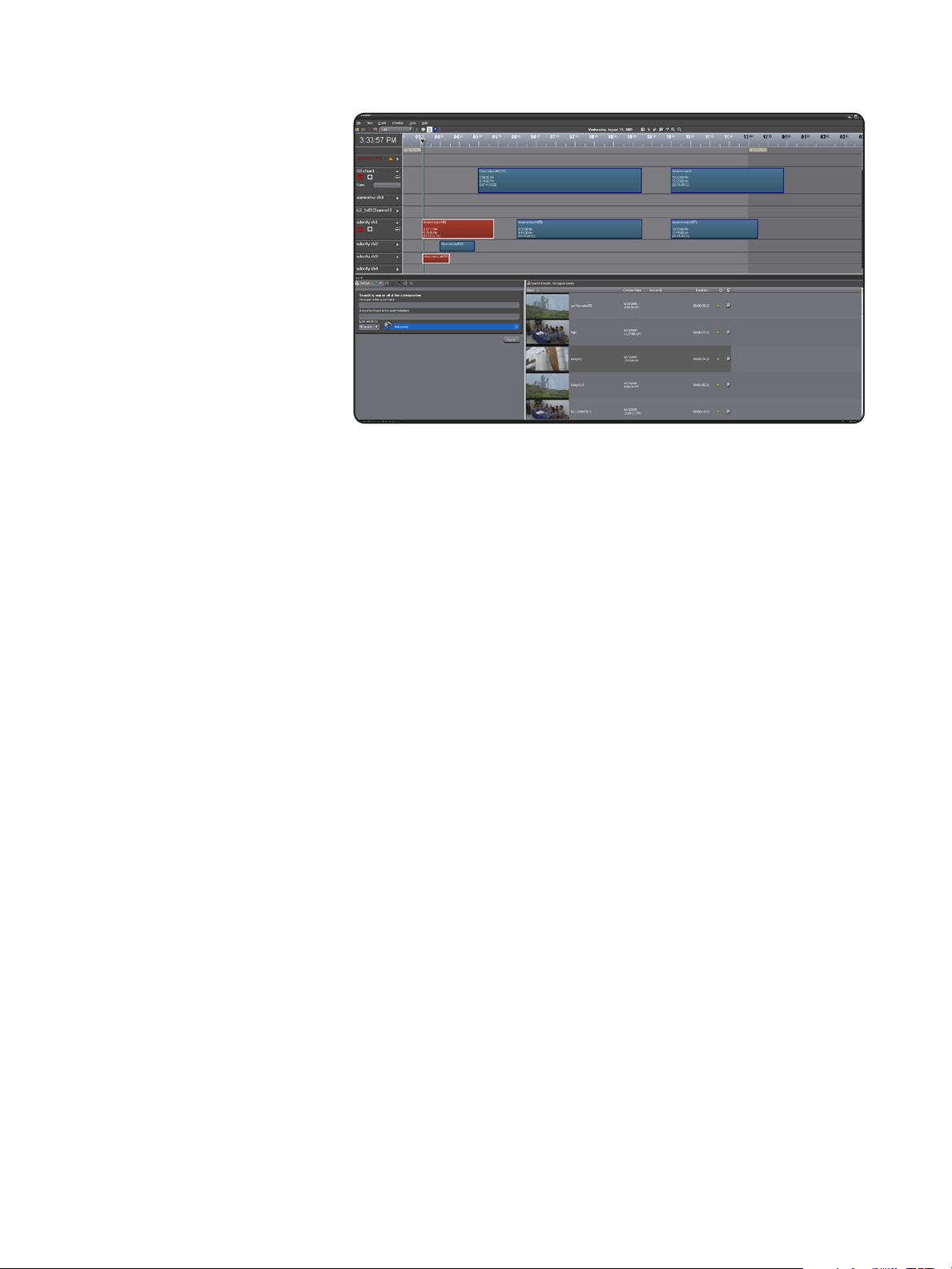
With its intuitive user interface, the
Aurora Ingest system lets ingest
operators or non-technical staff
control large numbers of K2 channels
using manual or automatic channel
assignment. Scheduling records can be
done via the Aurora Ingest Scheduler, or
through new integration with VizuAll’s
ScheduAll application, which allows
operators to manage feeds through a
single user interface.
The Aurora Ingest system also offers a
unique removable-media interface (RMI)
option that lets users pull media directly
from the Grass Valley Infinity™ Series
as well as Panasonic P2, Sony XDCAM,
and Sony XDCAM EX. Media can be
previewed and trimmed prior to import.
Single and recurring event schedules •
up to one year in advance
Schedule ingest from ENPS •
newsroom computer system
Integrated with CompuSat satellite •
dish management system
Ingest directly to Aurora Playout •
placeholders for direct play to air
Unique removable media interface •
for central ingest of:
Infinity media files —
P2 and XDCAM media files, —
including XDCAM EX
In addition, multiple removable media
assets can be imported as a single
clip within the system. This reduces
database and bin clutter. With the K2
BaseCamp Express option, metadata can
be automatically harvested from external
files through RMI using metadata
mapping tools.
New to 7.0
With version 7.0, RMI can now be
configured to import directly to a K2-only
environment, which is perfect for use in
EDIUS® or Final Cut Pro direct SANattached editing.
Preview and trim removable media •
assets before ingest
Multi-tape batch capture capability•
Ingest as tape — ingest multiple •
clips as one asset while preserving
individual elements
Simultaneously controls eight VTRs •
from a single workstation
Runs on standard PCs•
High-availability, fault-tolerant •
configurations available
www.grassvalley.com
Page 2
PRODUCT DATA SHEET
For videotape ingest, you can use
the Aurora Ingest system as a central
workst ation to control up to eight VTRs
at one time, or use any number of single
VTR workstations to record media
into the system. Operators can create
multiple tape batch capture lists that can
be saved, exported, or used immediately
for recording. You can even record entire
tapes, discontinuous timecode and all,
as one single asset in the system. For
discontinuous timecode areas, keywords
will be automatically entered into the
system so operators can quickly jump
to specific sections of the tape record
(requires K2 BaseCamp Express option).
Adding K2 BaseCamp Express, Aurora’s
content management system, enables
entering of descriptive metadata for
scheduled events, even before material
exists—saving time and enabling
production teams to discover relevant
media that will soon be ingested and
useful for their story.
If breaking news demands it, the Aurora
Ingest solution allows you to bypass
the editing process altogether: you can
link incoming content to Aurora Playout
placeholders and be on the air within
seconds after recording begins.
Aurora Ingest Centralized Ingest
NRCS Integration
The Aurora Ingest system is the first
solution to enable server recordings to
be scheduled from within a newsroom
computer system. ENPS newsroom
users can send ingest schedules to the
Aurora Ingest platform in exactly the
same way that producers send playout
rundowns to playback systems.
Standards-Based PC Configuration
The Aurora Ingest solution runs on a
standard PC. This reliance on standardsbased technologies allows broadcasters
to leverage the cost efficiencies of
rapidly evolving technologies. This
approach makes upgrades easier too,
typically involving a simple software
upgrade or board swap.
www.grassvalley.com
Page 3
PRODUCT DATA SHEET
K2 BASECAmp ExpRESS – INTEGRATING AURORA SYSTEm AppLICATIONS
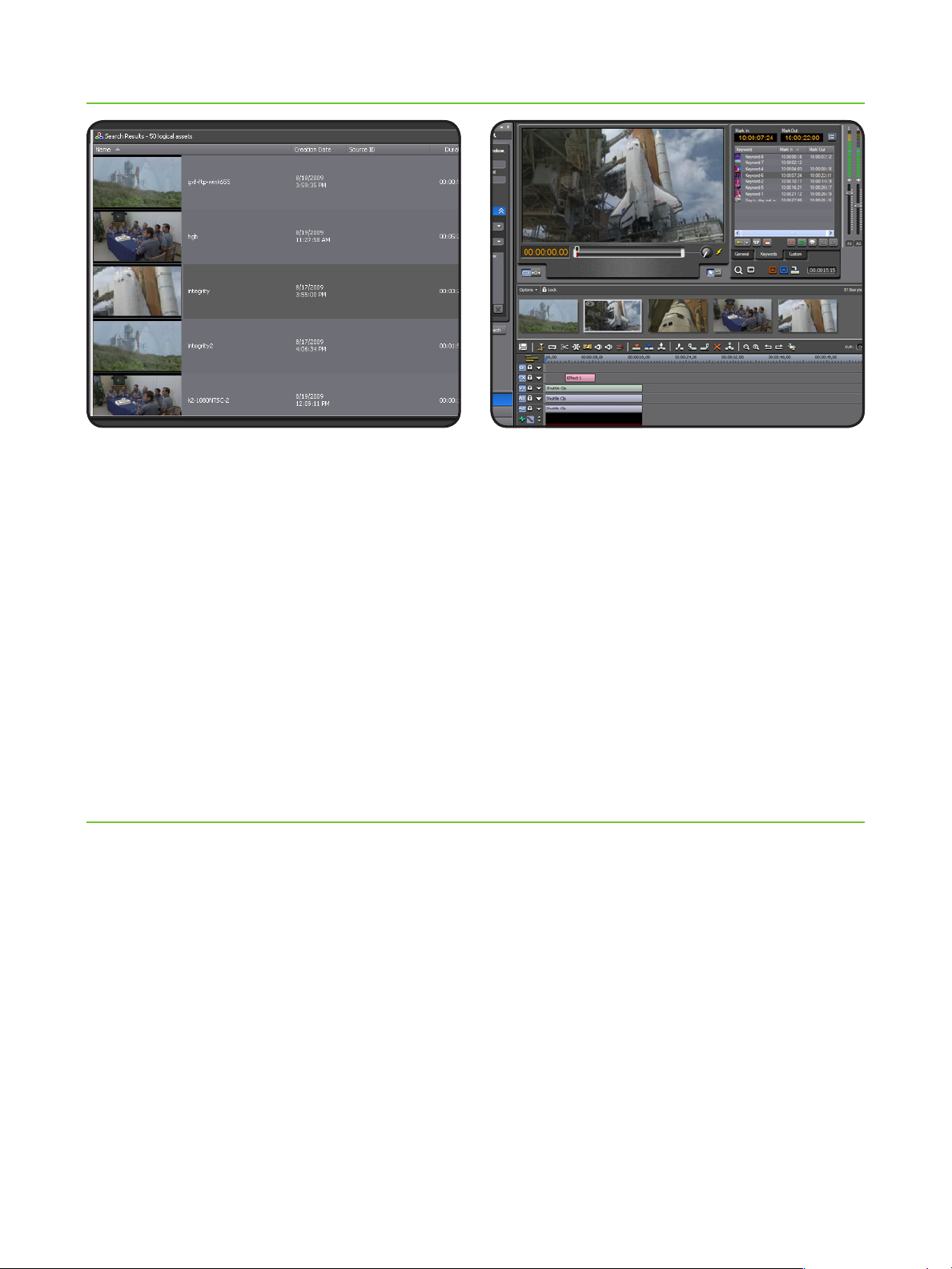
When the K2 BaseCamp Express
content management module is added to
the Aurora system, Ingest, Edit, and
Playout will all have access to the
same media search and metadata
management tools previously only
available within Aurora Browse.
K2 BaseCamp Express lets you
add general and custom metadata
and has expanded sortable results,
collections, dynamic keyword marking,
and integrated on-the-fly logging
functionality.
The expanded results window, with
dynamically positioned columns, enables
you to choose what metadata is shown
in sortable results. Each user can
customize their view using the column
picker to show technical, general, or
custom metadata when viewing search
results.
Enhanced Search –• use filters for
flexible and efficient searches
Explore View –• explore devices or
on-line folders directly without using
search tools. If you know where the
media is, just go there. You can see
both shared storage and inventory
from standalone ingest and playout
servers
Transfer Tool –• now integrated into
the K2 BaseCamp Express Explore
View tools, allows you to drag and
drop files and monitor transfer
progress between devices
Collections –• a virtual folder
workspace allows you to create
public or private folders so that you
and others can contribute references
to the media. Some of the uses for
Collections include selecting clips for
projects, selecting clips to be archived
or restored, and requests for the
media manager, all without actually
moving or duplicating media.
Keywords – • mark keyframe locators
and keywords with in/out points and a
description to identify selected media
for use directly in editing
Scene Detection –• the K2 BaseCamp
Express scene detection engine scans
for visual changes in the picture to
make review of media faster
Pinnable Windows –• the K2
BaseCamp Express panels are now
pinnable and relocatable so you can
customize and resize K2 BaseCamp
Express tools within the application
Custom Metadata –• create and
search metadata fields including
variable- and unlimited-sized text
fields, date, pick list, and numbers
Page 4

PRODUCT DATA SHEET
ORdERING INFORmATIONSpECIFICATIONS
Ingest Management for K2, Profile,
M-Series
Encore, Series 7000, Jupiter, and •
Acappella router control
Controls audio, video, timecode, and •
RS-422 router levels
CompuSat satellite dish management •
interface
MOS newsroom computer system •
scheduling interface (requires Aurora
Playout)
ENPS assignment grid schedule •
integration
ScheduAll integration for two-way •
feed scheduling
Hardware Requirements
Minimum Specifications
Processor: Intel Core 2 Dual Core
2.3 GHz
Memory: 1 GB
Graphics: Integrated or discrete
graphics w/128 MB of memory and
support for Direct3D 9 and Shader
Model 3.0
System drive: 80 GB 7200 RPM SATA
Optical drive: CD/DVD
Network: Gigabit Ethernet (2)
OS: Windows XP Pro 32 SP3
Recommended Specifications
Processor: Intel Core 2 Dual Core
2.3 GHz
Memory: 2 GB
Graphics: Discrete graphics w/128 MB
of dedicated memory and support for
Direct3D 9 and Shader Model 3.0
System drive: 80 GB 7200 RPM SATA
Optical drive: CD/DVD
Network: Gigabit Ethernet (2)
OS: Windows 7 (32/64-bit) or Windows
XP Professional SP3 (32-bit)
Notes: It is the customer’s responsibility
to insure that the system has sufficient
number and type of expansion slots to
meet the intended use.
AURORA-IN-WS and AURORA-IN-VTR
require one free PCI slot for video
capture board and one free PCI slot for
Comtrol 422 board.
Playout requires one free PCI slot for
each Comtrol 422 and Seachange GPIO
board.
Please contact your authorized Grass Valley representative.
www.grassvalley.com/sales
CUSTOmER SUppORT & SERvICES
Our customer support and services offerings ensure optimal system performance and maximize uptime. These services include call centers staffed around the clock, commissioning,
professional training courses, and technical maintenance programs and service agreements.
www.grassvalley.com/support
© Copyright 2011 Grass Valley USA, LLC. All rights reserved. EDIUS is a registered trademark and Grass Valley, Acappella, Aurora, Encore, Infinity, Jupiter, K2
Summit, and M-Series are trademarks of GVBB Holdings S.a.r.l. All other tradenames referenced are service marks, trademarks, or registered trademarks of
their respective companies. Specifications subject to change without notice. SDP-4009D-2
 Loading...