

Page 1
StarSign
USB Token
Reference Manual
Edition 07.2005
®
Bio Token 3.0
Page 2

ID No. 30016576
© Copyright 2005 by
Giesecke & Devrient GmbH
Prinzregentenstr. 159
Postfach 80 07 29
D-81607 München
This document as well as the information or material contained is copyrighted. Any use not explicitly permitted by copyright law requires prior consent of Giesecke & Devrient GmbH. This applies to any reproduction, revision, translation, storage on microfilm as well as its import and processing in electronical
systems, in particular.
Subject to technical changes.
Page 3
© Copyright 2005 by Giesecke & Devrient GmbH - Germany – Prinzregentenstr. 159, P.O. Box 80 07 29,
D-81607 München
© 2005 Giesecke & Devrient GmbH. All rights reserved
The names of the other products mentioned are trademarks of their respective owners.
This hardware key is in compliance with the following test specification:
CEI EN 61000-4-2; CEI EN 61000-4-3; CISPR22
as required by:
CEI EN 61000-6-1, CEI EN 61000-6-2, CEI EN 61000-6-3, CEI EN 61000-6-4
which are specified for the following test:
• “ESD Immunity test”
• “Radiated radio-frequency and electromagnetic field immunity test”
• “Radiated Emission Verification”
In compliance with the “Essential Requisites” for the EMC Directive 89/336/EEC.
FCC ID: TIJ-BIOTOKEN
Giesecke & Devrient GmbH
StarSign® Bio Token 3.0
Supply: 5V DC
Absorption: 150 mA
This device complies with Part 15 of the FCC Rules. Operation is subject to the following two conditions: (1)
this device may not cause harmful interference, and (2) this device must accept any interference received,
including interference that may cause undesired operation.
IMPORTANT REMARKS
Due to the limited space on the product shell, all FCC certification references are on this technical manual.
Changes or modifications not expressly approved by the party responsible for compliance could void the
user’s authority to operate the equipment.
Page 4

Contents
About StarSign Bio Token 3.0 ..............................................................................................1
About the Document........................................................................................................... 2
1Basics 3
1.1 General Introduction to Biometrics.............................................................................4
1.2 Biometrics, Smart Cards and Tokens ..........................................................................5
1.3 LED Status ...................... ....................................... ... ... ....................................... ... ... . 6
2 Command Reference 9
2.1 ENROLL FINGERPRINT......................... .... ... ... ... .... ...................................... .... ... ... ... .. 10
2.2 VERIFY FINGERPRINT. ...................................... .... ... ... ... ....................................... ... .. 12
2.3 VERSION INFO.............................. ... ... .... ... ....................................... ... ... ... .... ...........14
Appendix 15
A Overview of Status Bytes.......................................................................................... 16
B Technical Specifications............................................................................................18
C Reference Literature........................ ... .... ...................................... .... ... ... ... ...............19
D Glossary................................................................................................................... 20
Contents
Index ...............................................................................................................................23
Reference Manual StarSign® Bio Token 3.0/Edition 07.2005
ID No. 30016576
Page 5

Contents
Reference Manual StarSign® Bio Token 3.0/Edition 07.2005
ID No. 30016576
Page 6

About StarSign Bio Token 3.0
About StarSign Bio Token 3.0
Characteristics
Features
StarSign Bio Token 3.0 is a USB-PKI token based on the STARCOS 3.0 operating system. The token comprises a fingerprint sensor and on-token
fingerprint verification functionality. The biometric data never leaves the
token.
StarSign Bio Token 3.0 is supported by StarSign middleware and can
therefore be used for all public key applications supporting MS CAPI
(CSP) or PKCS#11.
Fingerprint verification can be used instead of – or in addition to – PIN
verification, granting a higher user convenience and a real tie between
user and token. This is particularly of interest in applications that require
non-repudiation.
Features of StarSign Bio Token 3.0 include:
– Based on STARCOS 3.0 operating system
– On-token sensor, image processing and biometric verification (on-
card matching)
– Supported by StarSign middleware; use with all public key applica-
tions supporting MS CAPI (CSP) or PKCS#11
– Security system according to 7816-4; secure writing and messaging
– Cryptographic authentication and key management
– Encryption
– Symmetric encryption: DES, 3DES
– Asymmetric encryption: RSA-CRT with up to 2048 bits
– Support of up to 4 logical channels
– Biometric enrollment and verification functionality
– LED status indication
Related Standards
Reference Manual StarSign® Bio Token 3.0/Edition 07.2005
ID No. 30016576
StarSign Bio Token 3.0 adheres to the following standards:
– ISO/IEC 7816-3
– ISO/IEC 7816-4
– ISO/IEC 19794-2
More information on the relevant standards may be found in the appendix (see ’C Reference Literature’ on page 19).
1 of 33
Page 7
About the Document
About the Document
Target Group
Required Knowledge
Notation
This manual addresses developers and specialists of smart card applications.
In order to use StarSign Bio Token 3.0, you should be familiar with:
– Smart card hardware/software
– Related ISO/IEC standards
– Experience in biometric user authentication and cryptographic ser-
vices
This document assumes that you have a basic understanding of Microsoft Windows terminology and actions. Should you feel that this is
not the case, it is suggested that you refer to your Windows manuals
first.
In order to facilitate access to required information and to provide quick
orientation, the following graphical aids and notations have been used:
This convention Indicates
Italic Operating system command or
mode
Notes comprise hints and recommendations useful when working with
StarSign Bio Token 3.0.
Please read warnings carefully - they are specified to prevent severe malfunctions and loss of data!
The header page of each ch apter features an overview of the topics covered in the chapter. All technical terms and abbreviations used are explained in a glossary at the end of the manual.
2 of 33 Reference Manual StarSign® Bio Token 3.0/Edition 07.2005
ID No. 30016576
Page 8

1Basics
This chapter provides you with background information on StarSig n B io
Token 3.0.
Basics
Contents
1.1 General Introduction to Biometrics............................................ 4
1.2 Biometrics, Smart Cards and Tokens.......................................... 5
1.3 LED Status................................................................................. 6
Reference Manual StarSign® Bio Token 3.0/Edition 07.2005 3 of 33
ID No. 30016576
Page 9

Basics
General Introduction to Biometrics
1.1 General Introduction to Biometrics
Scope
Biometrics and other
Types of User
Authentication
Enrollment and
Verification
Biometrics is the science of measuring physical or behavioral characteristics unique to an individual such as face, voice or fingerprint to verify a
person's identity. Biometric characteristics can be described as something we are.
Unlike user authentication based on something the user know s, such as
a PIN or password, or something he or sh e has, e.g. a smart card or ot her
token, biometric systems work by relying on a biometric characteristic something that is both unique and inseparably tied to the person. While
PINs, passwords and keys can be forgotten, lost, lent or stolen, biometrics cannot. The user himself becomes the means of identification, the biological password.
Biometric user authentication can elevate overall system security and enhance ease of use, as users no longer have to remember PINs and passwords.
Before biometric authentication can be used to verify the identity of a
user, a biometric enrollment has to be performed beforehand. This
means that the characteristic data of the biometric trait has to be captured and saved as a reference in a s eparate process in advance to verification. During verification, the characteristic data of the biometric trait is
captured again and compared to the previously stored reference data. If
both data sets coincide to a sufficient level, access is granted.
Biometric Error Rates
Fingerprint
Verification
In contrast to a PIN or password comparison, two different photos or
characteristic data sets captured of the same biometric trait will always
differ a bit due to positioning, background lighting, etc. Thus, biometric
comparison returns a figure which represents a level of coincidence, i.e.
the probability that two presented data sets belong to the same person.
Depending on a threshold value, access is granted or denied. As a consequence, a slight possibility remains that an unauthorized user be
granted access to a protected system or that a legitimate user will be denied access. The threshold value responsible for the error rates can be set
by the system administrator. These error rates are characteristic for all biometric systems and are called false acceptance rates (FAR) and false rejection rates (FRR).
Fingerprint verification is not only the most prominent but also one of
the most secure and well-understood biometric measures. Software converts the image of a fingerprint into digital form and extracts a set of
characteristics, i.e. a template, unique to the user's fingerprint. The characteristic information from one fingerpr int contains up t o 60 key po ints.
Crucial key points where finger-ridges end or split up are local features
called minutiae. They provide unique, identifiable information.
4 of 33 Reference Manual StarSign® Bio Token 3.0/Edition 07.2005
ID No. 30016576
Page 10

Biometrics, Smart Cards and Tokens
1.2 Biometrics, Smart Cards and Tokens
Basics
On-Card Matching
Access Rules
Applications
In on-card matching biometric templates, i.e. data sets, are compared
with a previously stored biometric reference template in the smart card
processor itself. This happens in full analogy to the PIN verification where
the entered PIN is sent to the smart card processor and compared oncard with a previously stored PIN. The advantage of this method is that
the reference template is stored exclusively in the secure smart card processor environment, reliably protecting sensitive personal data against
unauthorized access.
An individual access rule is assigned to each elementary file on the smart
card processor. As a consequence, elementary files can be accessed
(read/write/update) by cryptographic authentication, PIN verification, biometric authentication or a combination of all three.
The paramount application for biometrics in combination with cards and
tokens is the use in public key infrastructures, where biometric user authentication can be used to enable the cryptographic functions or services offered by the smart card processor. Thus, for example, StarSign
Bio Token can be used as a secure signature creating device, that can be
legally tied to the token holder with on-card fingerprint verification.
Reference Manual StarSign® Bio Token 3.0/Edition 07.2005 5 of 33
ID No. 30016576
Page 11
Basics
LED Status
1.3 LED Status
LED Arrangement
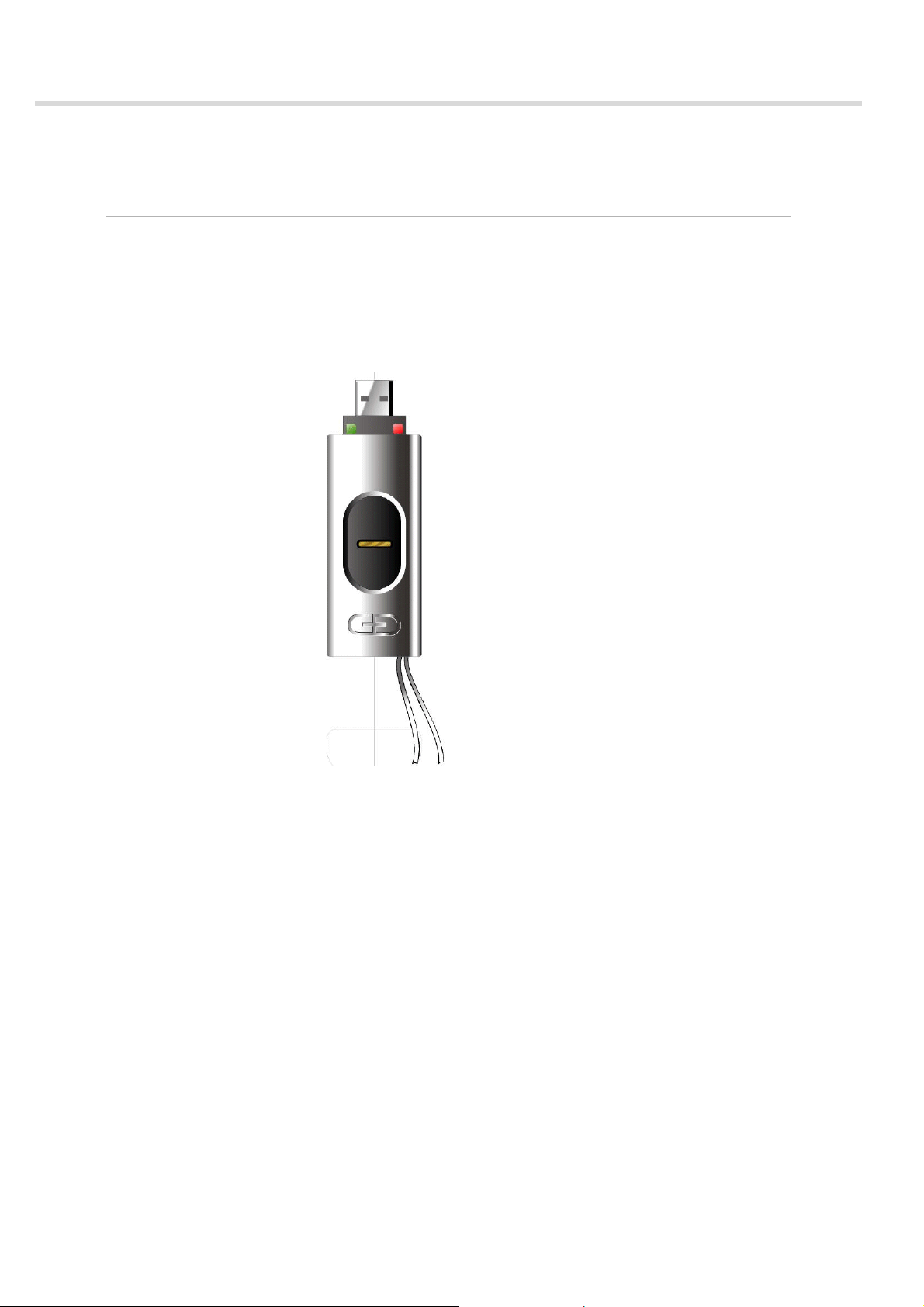
StarSign Bio Token 3.0 contains two bicolor LEDs on the top side for visually signalizing its current status and operation to the user:
– Left LED
Illuminates in either green or yellow
– Right LED
Illuminates in either red or yellow
Fig. 1 Arrangement of the LEDs
6 of 33 Reference Manual StarSign® Bio Token 3.0/Edition 07.2005
ID No. 30016576
Page 12

Basics
LED Status
LED Status/Mode
The LED states listed in the table signalize the current status and operation to the user:
Status/Mode LED indication Description
Idle Green and red LEDs flash Waiting for command
Place finger Left yellow LED blinks Wait for finger
Busy Red LED blinks quickly StarSign Bio Token 3.0 is
busy
Success Green LED illuminated Enrollment/verification suc-
cessful
Reject Red LED illuminated Enrollment/verification
failed
Boot Green and red LED illumi-
Booting device
nated
TEST mode Both yellow LEDs flash Allow diagnostic com-
mands
ADMIN mode Left yellow LED flashes,
red LED illuminated
Firmware update
Fig. 2 LED status/mode
Both yellow LEDs illuminated
Allows parameter configuration and firmware update
Signal firmware update status
Reference Manual StarSign® Bio Token 3.0/Edition 07.2005 7 of 33
ID No. 30016576
Page 13

Basics
LED Status
8 of 33 Reference Manual StarSign® Bio Token 3.0/Edition 07.2005
ID No. 30016576
Page 14

Command Reference
2Command
Reference
This chapter describes the StarSign Bio Token 3.0 command set. The
commands are listed in alphabetical order.
Contents
2.1 ENROLL FINGERPRINT.............................................................. 10
2.2 VERIFY FINGERPRINT............................................................... 12
2.3 VERSION INFO......................................................................... 14
Reference Manual StarSign® Bio Token 3.0/Edition 07.2005 9 of 33
ID No. 30016576
Page 15
Command Reference
ENROLL FINGERPRINT
2.1 ENROLL FINGERPRINT
Scope
Command
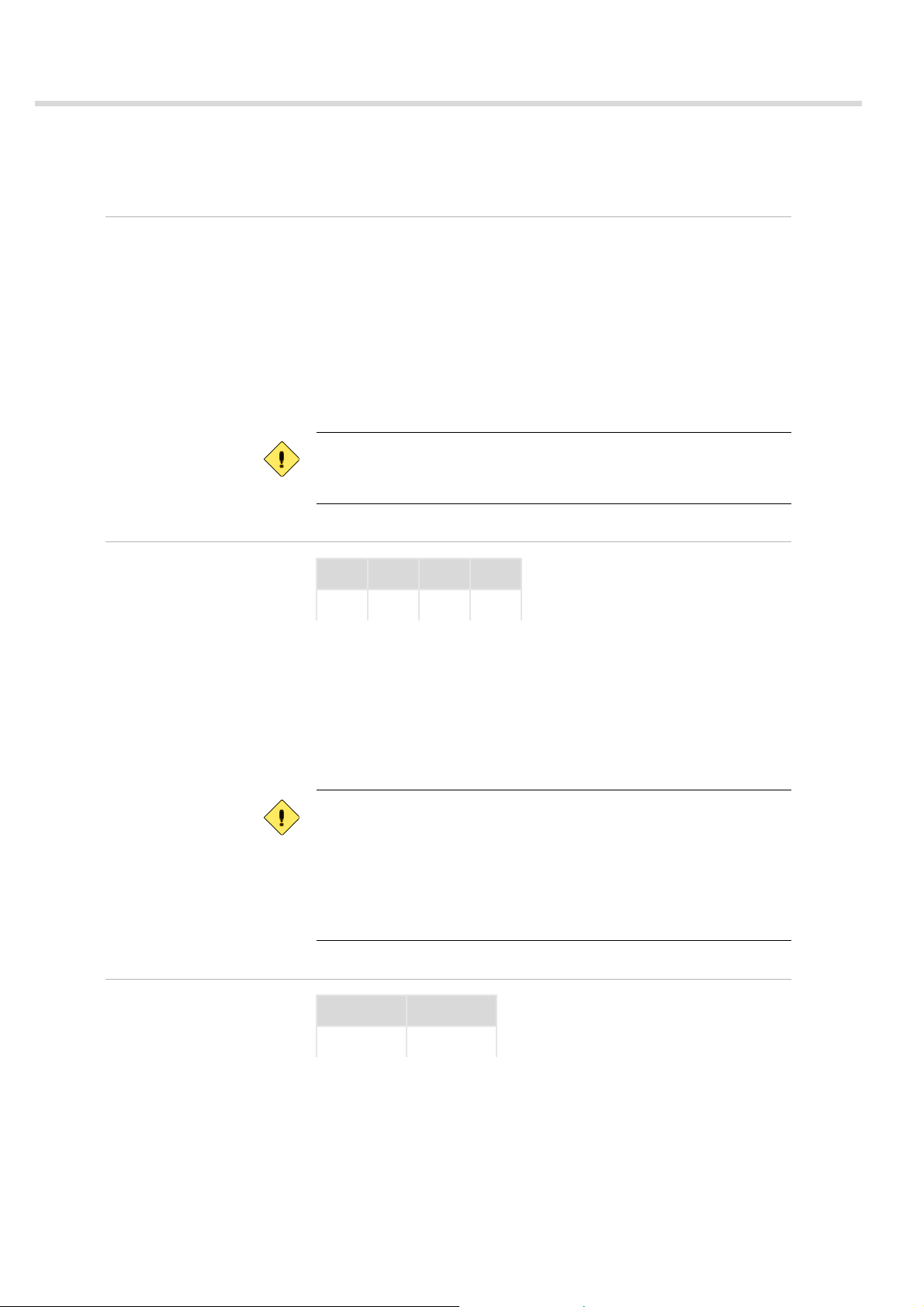
ENROLL FINGERPRINT is used to collect a reference data set from the user
and store it in the smart card processor.
The command performs the following:
– Scans an image
– Generates a template
– Transmits the template to the smart card processor, where it is stored
via the UPDATE BINARY command
In order to enhance the quality of the reference template, two or more
templates can be merged to one large template.
Before carrying out this command you must create a file for the reference data on the smart card operating system. For details see STARCOS
3.0 reference manual edition 06/2005 or later.
CLA INS P1 P2
’A0’ '10' ’00’
P2 Specifies the merge parameter. Several templates can be merged into
one large template before sending the master template to the smart card
processor.
’00’
Final enroll command
’01’
Non-final enroll command
Non-final enroll commands grab images, but extracted characteristic features are stored in the internal RAM of StarSi gn Bio Token 3.0 and not on
the smart card processor.
The final enroll command grabs a final image, extracts features, assembles or merges these features with the features in the internal RAM of
StarSign Bio Token 3.0 and finally stores them on the smart card processor.
Response
SW1 SW2
'90' '00'
10 of 33 Reference Manual StarSign® Bio Token 3.0/Edition 07.2005
ID No. 30016576
Page 16

Command Reference
ENROLL FINGERPRINT
Status Bytes
This command may return one of the following status bytes.
Code Description
'90 00' Successful operation
'65 81' Memory failure
'69 82' Security status no t satisfied
'69 86' Command not allowed (no current EF)
'6A 84' Not enough memory space in the file
'A7 00' General ARM7 error
'A7 01' Unknown instruction
'A7 02' Length error
'A7 11' Timeout error
'A7 12' Sweep too slow
'A7 13' Sweep too fast
'A7 14' Sweep not straight
'A7 15' Sweep too short
'A7 16' Too many defect lines on sensor
'A7 17' Image quality too bad
'A7 18' Too few features
'A7 19' Merge failed
'A7 1A' Try again error
'A7 1B' Resync error
'A7 1C' Maximum number of merges exceeded
'A7 81' Invalid parameter
Reference Manual StarSign® Bio Token 3.0/Edition 07.2005 11 of 33
ID No. 30016576
Page 17
Command Reference
VERIFY FINGERPRINT
2.2 VERIFY FINGERPRINT
Scope
Command
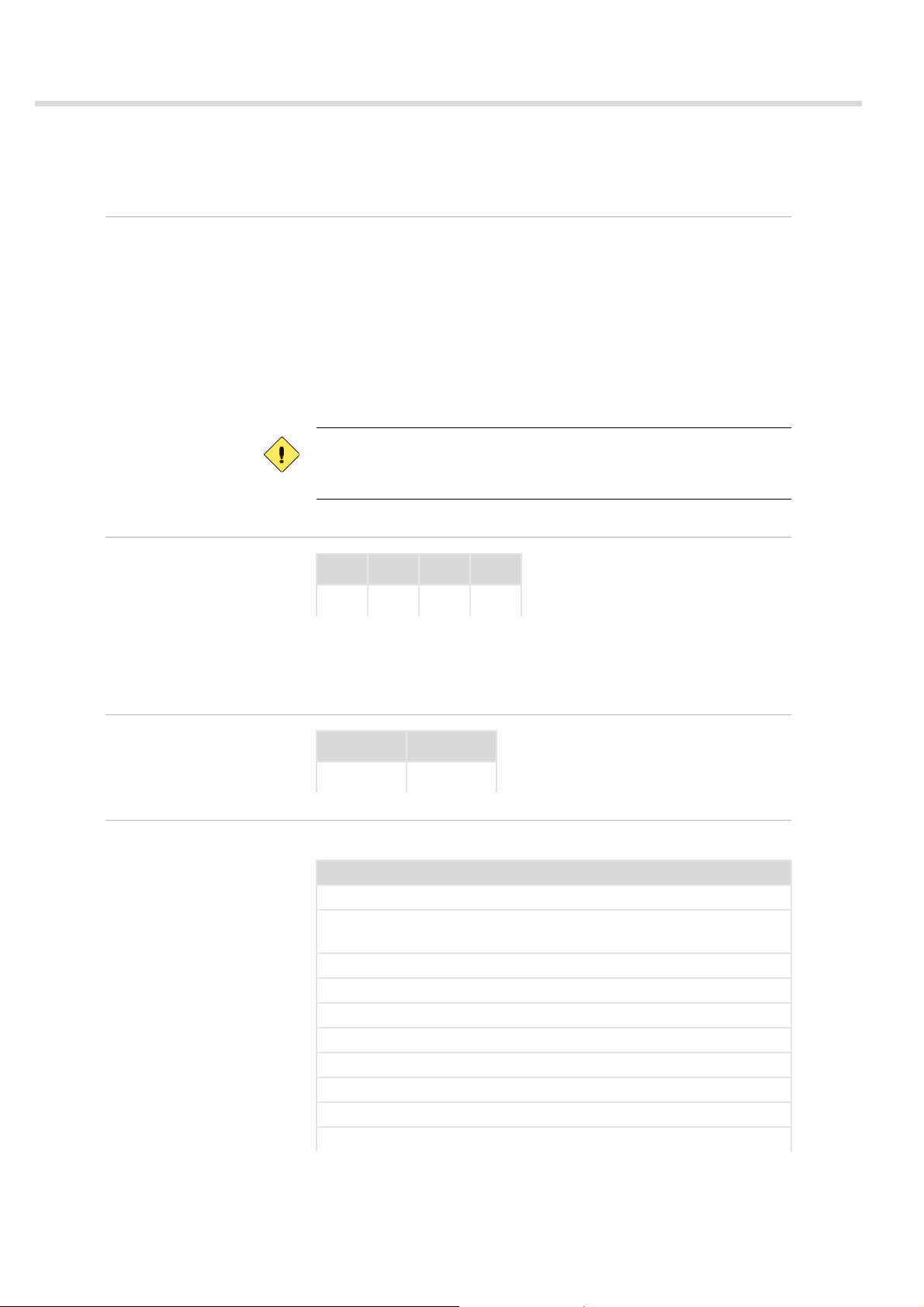
VERIFY FINGERPRINT is used to verify a user’s fingerprint. It initiates fingerprint image acquisition, processing and feature extraction.
The features are sent to the smart card processor for on-card verification
and the outcome is reported in the response APDU to the host.
The command performs the following:
– Scans an image
– Generates a template and transmits it to the smart card proc esso r,
where it is compared with the reference template (see ’2.1 ENROLL
FINGERPRINT’ on page 10) via the VERIFY command.
Biometric threshold, retry counter and access rules have to be configured
in the file system of STARCOS. For details see STARCOS 3.0 reference
manual edition 06/2005 or later.
CLA INS P1 P2
’A0’ '20' ’00’
P2 Specifies the Key Identifier (KID) used to reference the biometric data
stored in the smart card processor during the enrollment phase (see ’2.1
ENROLL FINGERPRINT’ on page 10).
Response
Status Bytes
SW1 SW2
’90’ ’00’
This command may return one of the following status bytes.
Code Description
'90 00' Successful operation
'63 Cx' Verifcation failed (x represents the number of remaining re-
tries)
'64 00' File or data missing; enrollment file corrupt
'69 82' Security status not satisfied
'69 83' Authentication method blocked
'69 85' Conditions of use not satisfied
'6A 82' Application or file not found
'6A 88' Referenced data not found
'A7 00' General ARM7 error
'A7 01' Unknown instruction
12 of 33 Reference Manual StarSign® Bio Token 3.0/Edition 07.2005
ID No. 30016576
Page 18

Code Description
'A7 02' Length error
'A7 20' General verify fingerprint error
'A7 11' Timeout error
'A7 12' Sweep too slow
'A7 13' Sweep too fast
'A7 14' Sweep not straight
'A7 15' Sweep too short
'A7 16' Too many defect lines on sensor
'A7 17' Image quality too bad
'A7 18' Too few features
'A7 1A' Try again error
'A7 1B' Resync error
'A7 81' Invalid parameter
Command Reference
VERIFY FINGERPRINT
Reference Manual StarSign® Bio Token 3.0/Edition 07.2005 13 of 33
ID No. 30016576
Page 19

Command Reference
VERSION INFO
2.3 VERSION INFO
Scope
Command
Response
VERSION INFO is used to request public information on StarSign Bio Token 3.0 from the host.
Parameter P2 of the command APDU specifies the item tag of the version
information to be retrieved. The response data returns the requested version information.
CLA INS P1 P2 L
’A0’ '8A' ’00’
P2 Specifies the item tag of the version information
’01’
StarSign Bio Token 3.0 firmware version, build date an d tim e
’02’
Key info: CRC of currently valid authentication key
L
Specifies the expected length: ’00’ <= length <= ’80’
e
’00’
Returns the maximum available data
DATA SW1 SW2
e
Status Bytes
Response
string
This command may return one of the following status bytes.
Code Description
'90 00' Successful operation
'A7 00' General ARM7 error
'A7 01' Unknown instruction
'A7 02' Length error
'A7 81' Invalid parameter
'A7 8A' General version info error
’90’ ’00’
14 of 33 Reference Manual StarSign® Bio Token 3.0/Edition 07.2005
ID No. 30016576
Page 20

Appendix
The appendix contains additional information on StarSign Bio Token 3.0.
Appendix
Contents
A Overview of Status Bytes......................................................... 16
B Technical Specifications...................... ..................................... 18
C Reference Literature................................................................ 19
D Glossary.................................................................................. 20
Index ............................................................................................... 23
Reference Manual StarSign® Bio Token 3.0/Edition 07.2005 15 of 33
ID No. 30016576
Page 21

Appendix
Overview of Status Bytes
A Overview of Status Bytes
Return Codes
For error codes not defined in the following see the STARCOS 3.0 reference manual.
The following error codes are defined.
Status
Bytes
’63 Cx’ Counter provided by ’X’
’64 00’ State of non-volatile
’65 81’ Memory failure
’69 82’ Security status not satis-
’69 85’ Conditions of use not sat-
’69 86’ Command not allowed
’6A 84’ Not enough memory
’A7 00’ SW_ARM7 General error
’A7 01’ SW_UNKNOWN_INSTRUCTION Unknown instruction
’A7 02’ SW_LENGTH_ERROR Length error
’A7 10’ SW_ENROLL_FP General enroll fingerprint
’A7 11’ SW_TIMEOUT Timeout error
’A7 12’ SW_SWEEP_TOO_SLOW Sweep too slow
’A7 13’ SW_SWEEP_TOO_FAST Sweep too fast
’A7 14’ SW_SWEEP_NOT_STRAIGHT Sweep not straight
’A7 15’ SW_SWEEP_TOO_SHORT Sweep too short
’A7 16’ SW_SENSOR_DEFECT Too many defect lines on
’A7 17’ SW_IMG_QUALITY_TOO_BAD Image quality too bad
’A7 18’ SW_TOO_FEW_FEATURES Too few features
’A7 19’ SW_MERGE_FAILED Merge failed
’A7 1A’ SW_TRY_AGAIN Try again error
Error code Description
(valued from 0 to 15); exact meaning depending
on the command
memory unchanged
(SW2 = ’00’, other values
are RFU)
fied
isfied
(no current EF)
space in the file
error
sensor
16 of 33 Reference Manual StarSign® Bio Token 3.0/Edition 07.2005
ID No. 30016576
Page 22

Appendix
Overview of Status Bytes
Status
Error code Description
Bytes
’A7 1B’ SW_IO_ERROR Resync error
’A7 1C’ SW_MAX_MERGE Maximum number of
merges exceeded
’A7 20’ SW_VERIFY_FP General verify fingerprint
error
’A7 30’ SW_SCAN_IMAGE General scan image error
’A7 40’ SW_GET_LINE General get line error
’A7 41’ SW_LINEINDEX_OUT_OF_RANGE Line index out of range
’A7 42’ SW_IMGDATA_NOT_AVAILABLE Image data not available
’A7 80’ SW_DIAGNOSTICS General diagnostics error
’A7 81’ SW_INVALID_PARAMETER Invalid parameter
’A7 82’ SW_CHANGE_MODE General change mode er-
ror
’A7 83’ SW_AUTHENTICATION_FAILED Authentication failed
’A7 84’ SW_GET_CHALLENGE_FAILED General get challenge er-
ror
’A7 85’ SW_INVALID_VALUE Invalid value
’A7 86’ SW_SET_PARAMETER_FAILED General set parameter er-
ror
’A7 87’ SW_CONDITION Conditions of use not sat-
isfied
’A7 88’ SW_GET_PARAMETER_FAILED General get parameter
error
’A7 8A’ SW_VERSION_INFO_FAILED General version info error
’A7 8C’ SW_SYSTEM_CONTROL_FAILED General system control
error
’A7 93’ SW_KEY_BLOCKED Authentication blocked,
KFPC expired
Reference Manual StarSign® Bio Token 3.0/Edition 07.2005 17 of 33
ID No. 30016576
Page 23

Appendix
Technical Specifications
B Technical Specifications
Scope
Token Housing
Power Consumption
Interfaces
Sensor
Operating System
This section lists the technical specifications of StarSign Bio Token 3. 0
StarSign Bio Token 3.0 housing has the following characteristics.
– dimensions closed: 80 x 33 x 17 mm
– dimensions open: 107 x 33 x 17 mm
– mechanism to protect sensor and USB interface from wear
100 mA
StarSign Bio Token 3.0 supports the following interfaces:
– USB 1.1
– PKCS#11 (with middleware)
– MS CAPI 1.0 (CSP) (with middleware)
Atmel swipe sensor
StarSign Bio Token 3.0 uses the following operating system with lis ted
characteristics.
– STARCOS 3.0
– 72 kB EEPROM
– symmetric encryption: DES, 3DES
– asymmetric encryption: RSA-CRT with up to 2048 bits
– security system in accordance with ISO 7816-4
– up to 8 DF levels
– up to 4 logical channels
– secure write
– secure messaging
– memory management
– several authentication options
System Requirements
StarSign Bio Token 3.0 has the following system requirem en ts.
– IBM PC with Pentium 90 MHz processor or higher
– 32 MB RAM for Windows 2000, 2003 and XP
– free USB port
18 of 33 Reference Manual StarSign® Bio Token 3.0/Edition 07.2005
ID No. 30016576
Page 24

C Reference Literature
Appendix
Reference Literature
ISO
ISO/IEC 7816-3
Information technology -- Identification cards -- Integrated circuit(s)
cards with contacts -- Part 3: Electronic signals and transmission protocols
ISO/IEC, 1997
ISO/IEC 7816-4
Information technology -- Identification cards -- Integrated circuit(s)
cards with contacts -- Part 4: Interindustry commands for interchange
ISO/IEC, 1995
ISO/IEC FDIS 19794-2
Information technology - Biometric data interchange formats - Part 2:
Finger minutiae data
ISO/IEC, 2005
Reference Manual StarSign® Bio Token 3.0/Edition 07.2005 19 of 33
ID No. 30016576
Page 25

Appendix
Glossary
DGlossary
3DES
The Triple-DES algorithm is a modified DES encryption. It consists of
calling the DES algorithm three times in succession, with alternating
encryption and decryption. If the same key is used for all three DES
calls, the Triple-DES encryption corresponds to a normal DES encryption. However, if two or three different keys are used, Triple-DES encryption is significantly stronger than a single DES encryption.
CAPI
Crypto API
CRC
Cyclic Redundancy Check
A simple and widely used form of EDC (Error Detection Code) for the
protection of data. The CRC must be computed using an initial value
and a divider polynomial before it can be used.
CSP
Cryptographic Service Provider
Cryptographic support for Microsoft and other CryptoAPI products
DES
Data Encryption Standard
A standard cryptographic algorithm specified as DEA in ISO 873-1.
An algorithm for symmetric cryptography. Now used as 'triple DES' in
EMV operations (e.g., ARQC generation) where data is encrypted using the first half of a double length key, is dec rypted using the second
half, then re-encrypted using the first half again.
EF
Elementary File
EFs represent the actual data storage in the file tree of a smart card.
EFs contain one of the following internal file structures: Transparent,
Linear Fixed, Linear Variable or Cyclic.
FAR
False Acceptance Rate
Due to the nature of biometrics there is a slight possibility that an unauthorized user is granted access to a system protected by biometrics.
FRR
False Rejection Rate
Due to the nature of biometrics there is a slight possibility that a legitimate user is denied access to a system protected by biometrics.
KID
Key IDentifier
PKCS
Public Key Cryptography Standards
PKI
Public Key Infrastructure
A series of procedures established by a Certification Authority for the
generation, signing, distribution and revocation of the keys used in
an asymmetric cryptography scheme.
RFU
20 of 33 Reference Manual StarSign® Bio Token 3.0/Edition 07.2005
ID No. 30016576
Page 26

Reserved for Future Use
RSA-CRT
Chinese Remainder Theorem
Special parameter setting for asymmetric crypto algorithm.
STARCOS
Smart Card Chip Card Operating System. Forms the basis of multifunctional smart card applications. STARCOS enables the implementation of various applications (e.g., electronic purse, access control to
data networks, and digital signatures).Smart card operating systems
control the data transfer, the storage areas, and process information;
they manage the resources and supply all necessary functions for the
operation and administration of a random number of applications.
USB
Universal Serial Bus
Port not only for connecting external peripheral devices such as keyboard, mouse, scanner, etc., b ut also USB hubs. These devices can be
added during active operation.
Appendix
Glossary
Reference Manual StarSign® Bio Token 3.0/Edition 07.2005 21 of 33
ID No. 30016576
Page 27

Appendix
Glossary
22 of 33 Reference Manual StarSign® Bio Token 3.0/Edition 07.2005
ID No. 30016576
Page 28

Index
Index
A
access rules 5
B
biometrics
introduction 4
C
characteristics 1
conventions 2
E
ENROLL FINGERPRINT 10
enrollment 4
error rates 4
F
features 1
fingerprint verification 4
L
LED status 6
V
VERIFY FINGERPRINT 12
VERSION INFO 14
verification 4
N
notational conventions 2
O
on-card matching 5
operating system 18
R
required knowledge 2
return codes 16
S
standards 1
status bytes 16
system requirements 18
T
target group 2
Reference Manual StarSign® Bio Token 3.0/Edition 07.2005 23 of 33
ID No. 30016576
Page 29

Command Reference
VERSION INFO
24 of 33 Reference Manual StarSign® Bio Token 3.0/Edition 07.2005
ID No. 30016576
Page 30

Command Reference
VERSION INFO
Reference Manual StarSign® Bio Token 3.0/Edition 07.2005 25 of 33
ID No. 30016576
Page 31

Command Reference
VERSION INFO
26 of 33 Reference Manual StarSign® Bio Token 3.0/Edition 07.2005
ID No. 30016576
Page 32

Command Reference
VERSION INFO
Reference Manual StarSign® Bio Token 3.0/Edition 07.2005 27 of 33
ID No. 30016576
Page 33

Command Reference
VERSION INFO
28 of 33 Reference Manual StarSign® Bio Token 3.0/Edition 07.2005
ID No. 30016576
Page 34

Command Reference
VERSION INFO
Reference Manual StarSign® Bio Token 3.0/Edition 07.2005 29 of 33
ID No. 30016576
Page 35

Command Reference
VERSION INFO
30 of 33 Reference Manual StarSign® Bio Token 3.0/Edition 07.2005
ID No. 30016576
Page 36

Command Reference
VERSION INFO
Reference Manual StarSign® Bio Token 3.0/Edition 07.2005 31 of 33
ID No. 30016576
Page 37

Command Reference
VERSION INFO
32 of 33 Reference Manual StarSign® Bio Token 3.0/Edition 07.2005
ID No. 30016576
Page 38

Command Reference
VERSION INFO
Reference Manual StarSign® Bio Token 3.0/Edition 07.2005 33 of 33
ID No. 30016576
 Loading...