

Page 1
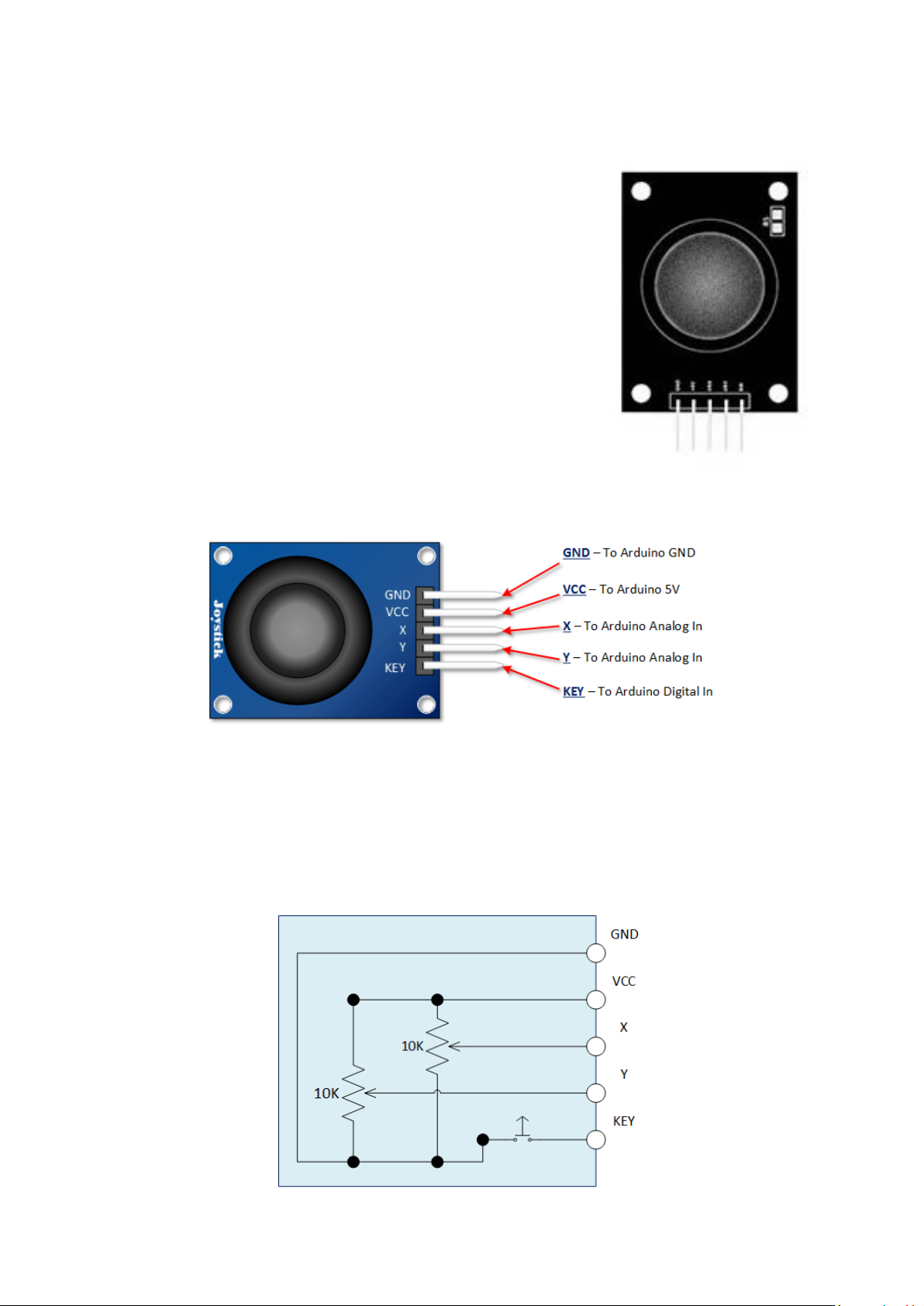
Analog Joystick Module
The PS2 style joystick is a thumb operated device, that when put to
creative use, offers a convenient way of getting operator input. It
fundamentally consists of two potentiometers and a push button
switch.
The two potentiometers indicate which direction the potentiometer
is being pushed.
The switch sends a low (or ground) when the knob is pressed.
Pinout
This input device interfaces to your Arduino via five pins. Three of
which are inputs to your Arduino, while the remaining two supply voltage and ground.
Arduino PS2 Joystick Schematic
As you can see in the schematic below, full deflection of a potentiometer in either direction will
provide ground or the supply voltage as an output
Page 2
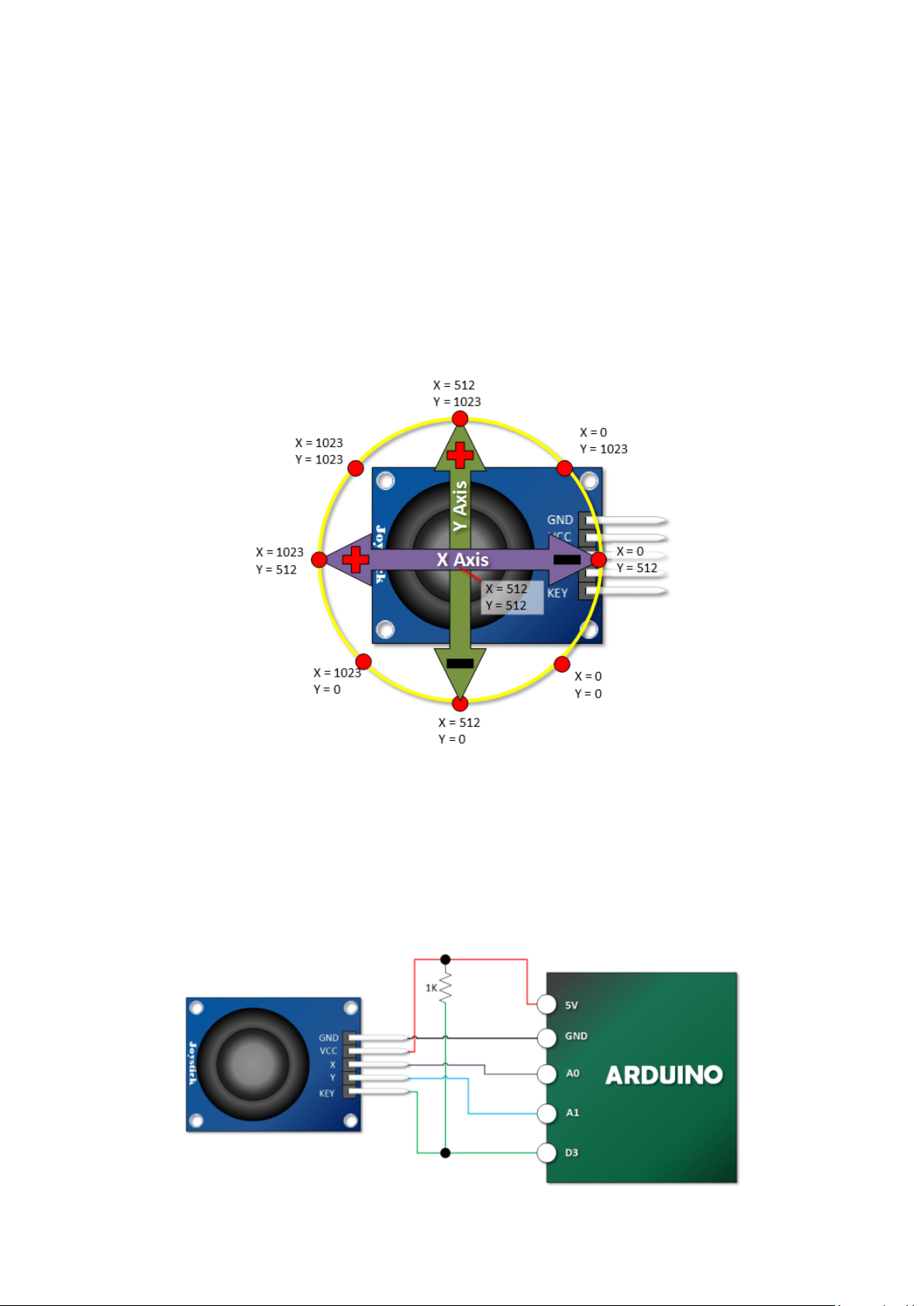
Arduino PS2 Joystick Output Orientation
In order to put this thumb control to use, you are going to want to understand which direction is X
and which direction is Y. You will also need to decipher the direction it is being pushed in either the X
or the Y direction.
In this tutorial we are using analog inputs to measure the joystick position. The analog inputs
provided indications that range between 0 and 1023.
The graphic below shows the X and Y directions and also gives an indication of how the outputs will
respond when the joystick is pushed in various directions.
Connection to Arduino
Note that I use a pull up resistor between the key switch and the digital input. Once you move
beyond experimentation, I highly recommend some sort of software or hardware debounce for this
switch as well.
Page 3

Arduino Example Sketch
The following Arduino Sketch will read both joystick axis and the push button and output the values
in serial monitor.
int Xin= A0; // X Input Pin
int Yin = A1; // Y Input Pin
int KEYin = 3; // Push Button
void setup ()
{
pinMode (KEYin, INPUT);
Serial.begin (9600);
}
void loop ()
{
int xVal, yVal, buttonVal;
xVal = analogRead (Xin);
yVal = analogRead (Yin);
buttonVal = digitalRead (KEYin);
Serial.print("X = ");
Serial.println (xVal, DEC);
Serial.print ("Y = ");
Serial.println (yVal, DEC);
Serial.print("Button is ");
if (buttonVal == HIGH){
Serial.println ("not pressed");
}
else{
Serial.println ("PRESSED");
}
delay (500);
}
 Loading...