

Page 1
OPERATION
MANUAL
DDA-106
HD/SD Digital Distribution Amp
1st Edition
Page 2
Edition Revision History
Edit. Rev. Date Description Section/Page
1 2012/07/11
Page 3
Precautions
Regularly check power cord for
Stop
Hazard
Hazard
Caution
Hazard
Caution
Caution
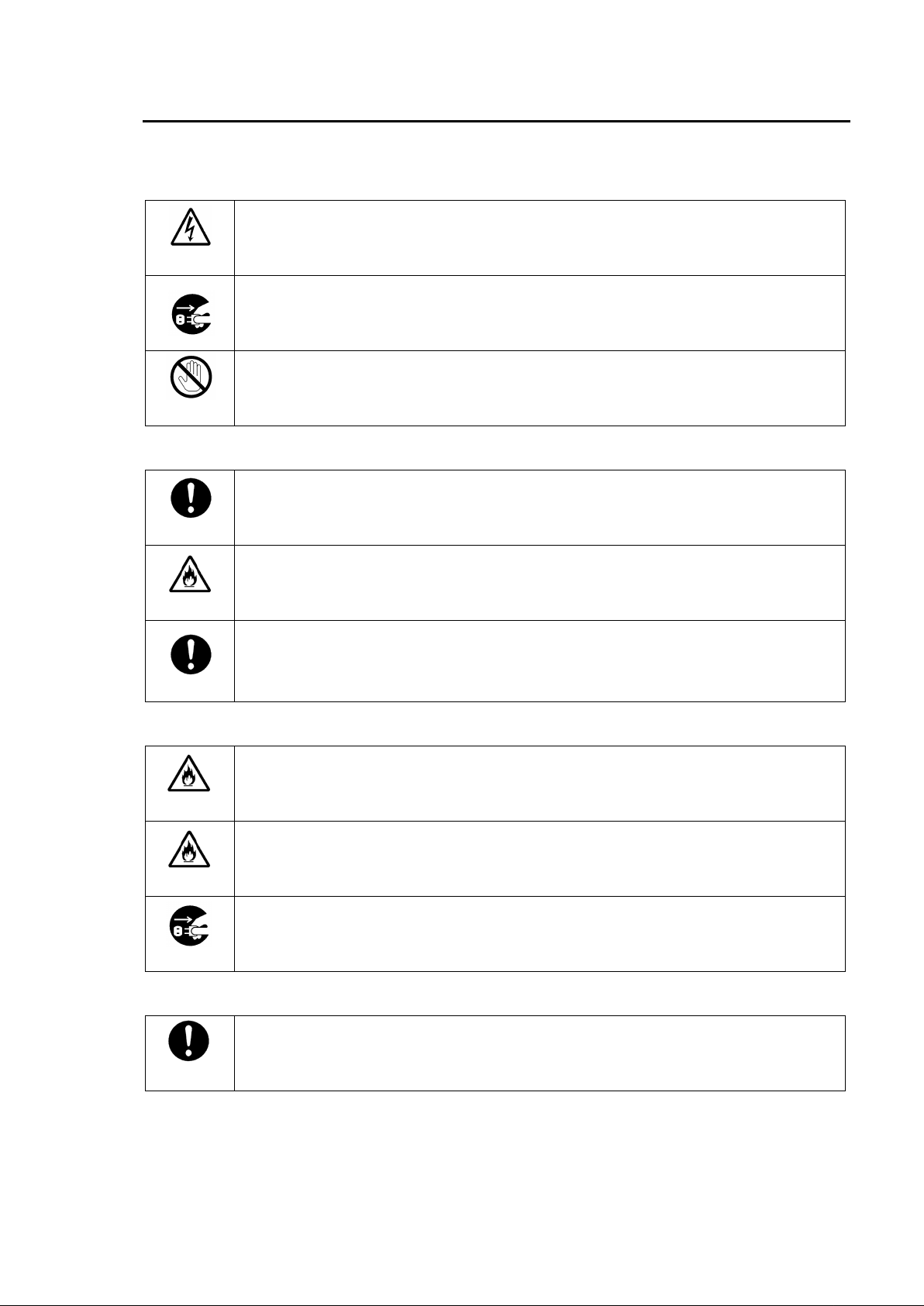
Important Safety Warnings
[Power]
Caution
Operate unit only on the specified supply voltage.
Disconnect power cord by connector only. Do not pull on cable portion.
Do not place or drop heavy or sharp-edged objects on power cord. A damaged cord
can cause fire or electrical shock hazards.
excessive wear or damage to avoid possible fi re / electrical hazards.
[Grounding]
Ensure unit is properly grounded at all times to prevent elec trical shock hazard.
Do not ground the unit to gas lines, units, or fi xtures of an explosive or dan gerous
nature.
Ensure power cord is firmly plugged into AC outl et.
[Operation]
Do not operate unit in hazardous or potentially explos ive atmospheres. Doing so
could result in fire, explosion, or other dangerous results.
Do not allow liquids, metal pieces, or other foreign materials to enter the unit. Doing
so could result in fire, other hazards, or unit malfunction.
If foreign material does enter the unit , turn power off and disconnect power cord
immediately. Remove material and contact authorized service representative if
damage has occurred.
[Transportation]
Handle with care to avoid shocks in transit. Shocks may cause malfunc tion. When
you need to transport the unit, use the original packing materials or alternate
adequate packing.
Page 4
[Circuitry Access]
Hazard
Stop
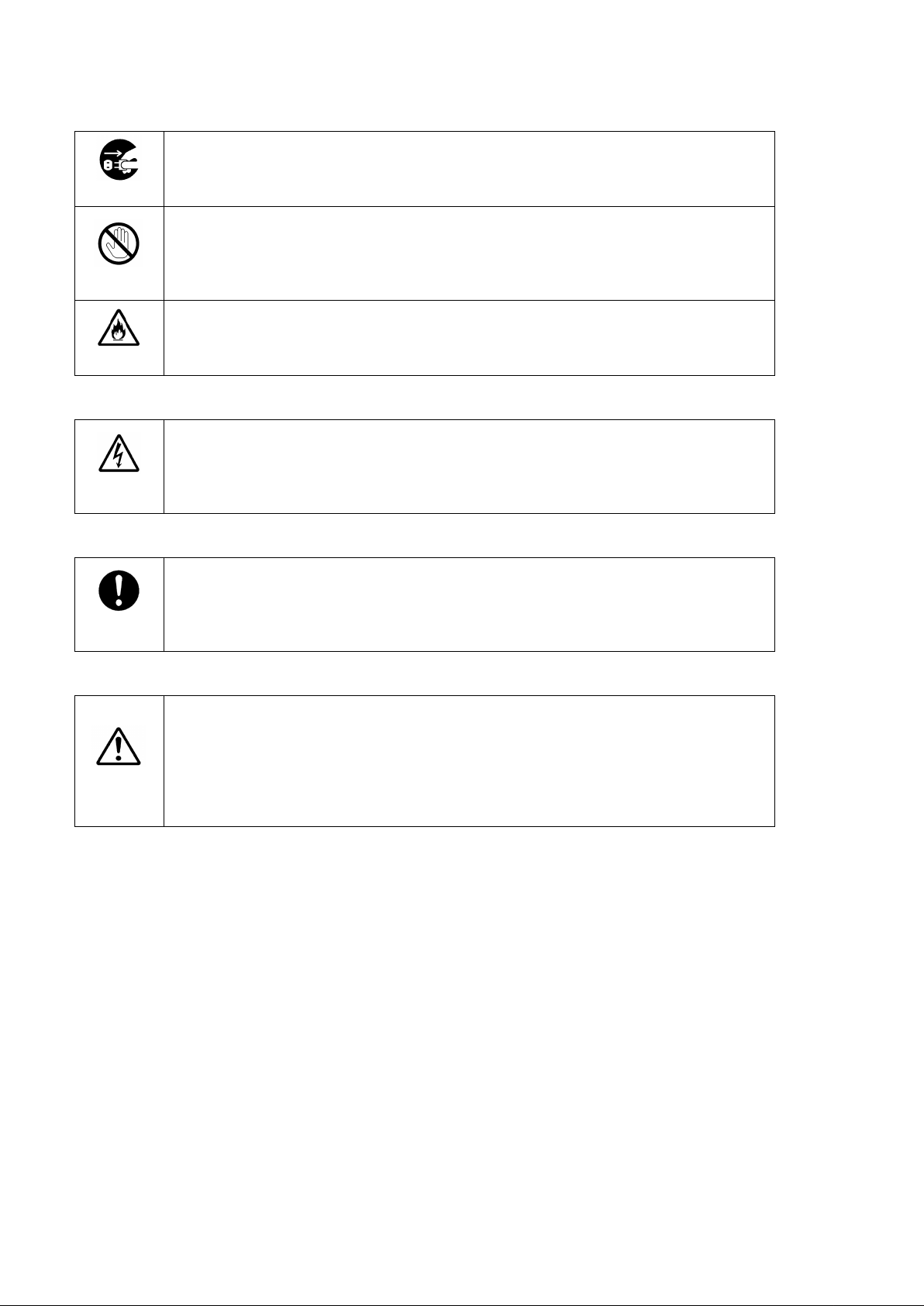
Do not remove covers, panels, casing, or access circuitry with power applied to the
unit! Turn power off and disconnect power cord prior to removal. Internal servicing /
adjustment of unit should only be performed by qualified personnel.
Do not touch any parts / circuitry with a high heat factor.
Capacitors can retain enough electric charge to cause mild to serious s hock, even
after power is disconnected. Capacitors associated with the power supply are
especially hazardous. Avoid contact wi th any capacitors.
Unit should not be operated or stored with cover, panels, and / or casing removed.
Operating unit with circuitry exposed could result in electric shock / fi re hazards or
unit malfunction.
[Potential Hazards]
Caution
If abnormal smells or noises are noticed coming from the unit, turn power off
immediately and disconnect power cord to avoid potentially hazardous conditions. If
problems similar to above occur, contact authori zed service representati ve before
attempting to again operate unit.
[Rack Mount Brackets, Ground Ter minal, and Rubber Feet]
Caution
To rack mount or ground the unit, or to install rubber feet, do not use screws or
materials other than those supplied. Otherwise, it may cause damage to the internal
circuits or components of the unit. If you remove the rubber feet attached on the unit,
do not reinsert the screws securing the rubber feet.
[Consumables]
Caution
The consumables used in unit must be replaced periodically. For further details on
which parts are consumables and when they should be replaced, refer to the
specifications at the end of the Operation Manual. Since the service life of the
consumables varies greatly depending on the e nvironment in whic h they are used,
they should be replaced at an early date. For details on replacing the consumables,
contact your dealer.
Page 5
Upon Receipt
Unpacking
DDA-106 units and their accessories are fully inspected and adjusted prior to shipment.
Operation can be performed immediately upon completing all required connections and
operational settings.
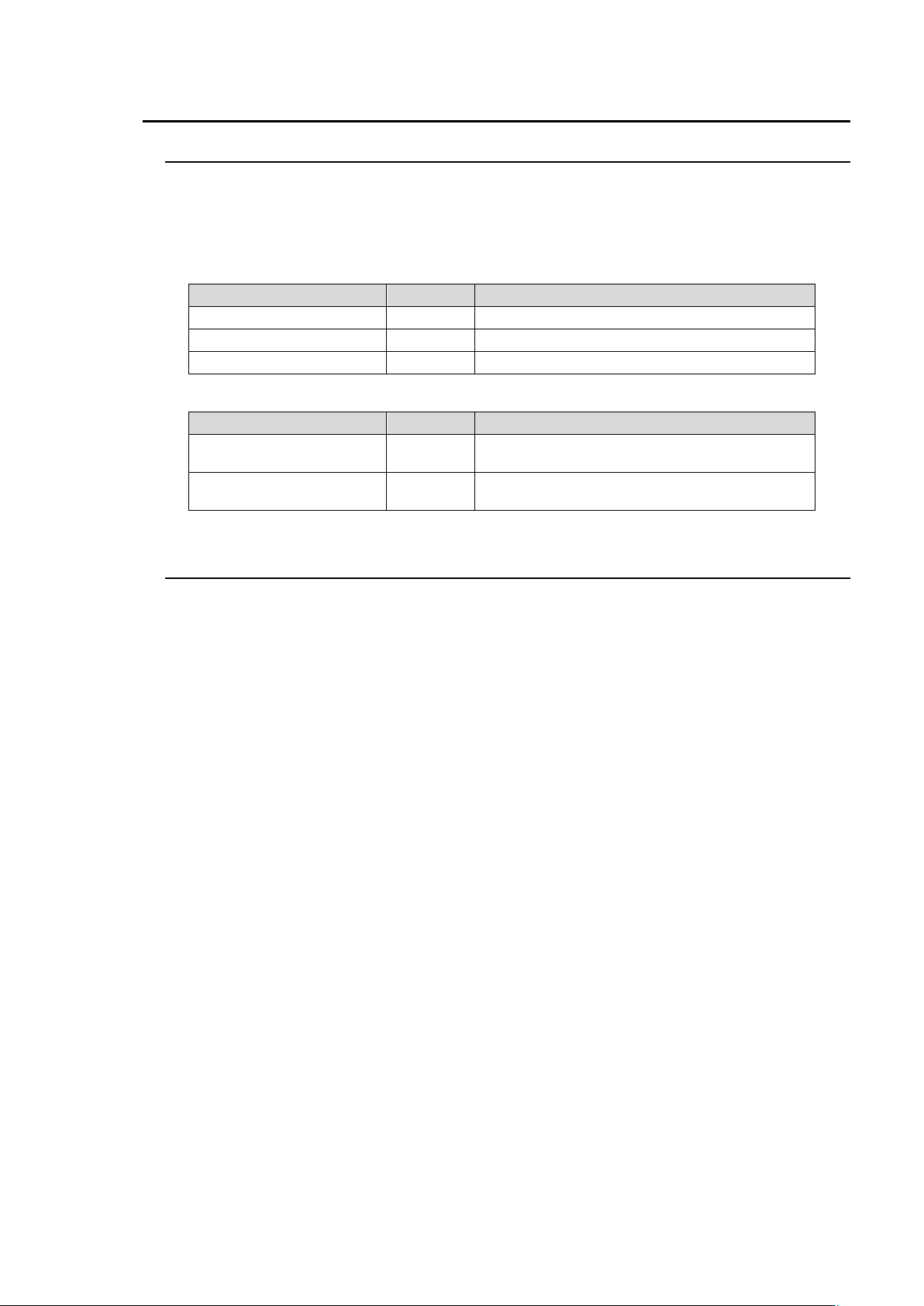
Check your received items against the packing lists below.
ITEM QTY REMARKS
DDA-106 1
AC Cord 1 set (Including ladder strap/retaining clip assembly)
Operation Manual 1
Option Items
ITEM QTY REMARKS
Rack mount bracket set
(Type 1)
Rack mount bracket set
(Type 2)
Check
1 set Mounts single unit to an EIA 1RU rack space.
1 set Mounts two units to an EIA 1RU rack space.
Check to ensure no damage has occurred during s hipment. If damage has occurred, or items
are missing, inform your supplier immediately.
Page 6
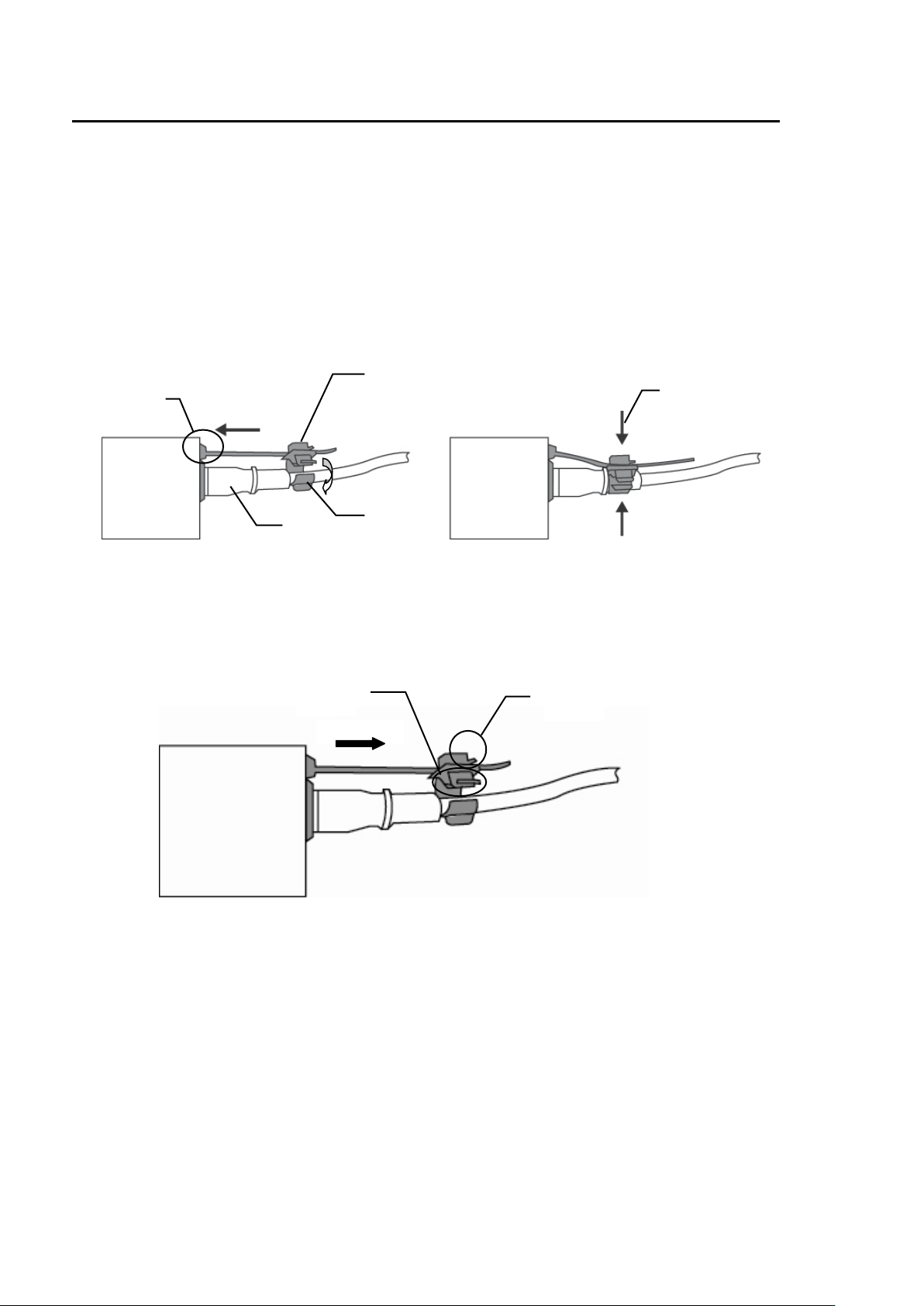
Installing the Ladder Strap/Retaining Clip Assembly
Secure the AC cord with the supplied ladder s trap/retaining clip assembly to prevent accidental
removal from the DDA-106.
Installing the clip
1) Wrap the retaining clip around the AC cord (with the anchor of the ladder strap toward the unit.)
2) Insert the anchor into the insertion hole next to the AC IN socket.
3) Lightly fasten the clip around the AC cord.
4) Plug in the power cord.
5) Slide the clip on the ladder strap toward the plug.
6) Fasten the clip tightly.
7) Gently pull on the AC cord to ensure it is secured.
2)
4)
5)
6)
3)
Unpluging the AC cord
1) Push the tab on the retaining clip up to unfasten the clip.
2) Push the tab on the ladder strap up and slide the clip back.
3) Unplug the AC cord.
1)
2)
Page 7

Table of Contents
1. Prior to Starting ......................................................................................................................... 1
1-1. Welcome ............................................................................................................................ 1
1-2. Features ............................................................................................................................. 1
1-3. About This Manual ............................................................................................................. 1
2. Panel Descriptions .................................................................................................................... 2
2-1. Front Panel ........................................................................................................................ 2
2-2. Rear Panel ......................................................................................................................... 2
3. Connection ................................................................................................................................ 3
4. Specifications and Dimensions ................................................................................................. 4
4-1. Unit Specifications ............................................................................................................. 4
4-2. External Dimensions .......................................................................................................... 5
Page 8

Page 9

1. Prior to Starting
1-1. Welcome
Congratulations! By purchasing DDA-106 HD/SD Digital Distribution Amp you have entered the
world of FOR-A and its many innovative products. Thank you for your patronage and we hope
you will turn to FOR-A products again and again to satisfy your video and audio needs.
FOR-A provides a wide range of products, from basic support units to complex system
controllers, which have been increasingly joined by products for computer video based systems.
Whatever your needs, talk to your FOR-A representative. We will do our best to be of continuing
service to you.
1-2. Features
The DDA-106 is a half-1U-size HD/SD-SDI signal distributor. It accepts HD-SDI, SD-SDI, or
DVB-ASI signal and distributes the input into six outputs.
Accepts and distributes digital component signals in both SD and HD. (Auto switching)
Cable compensation function allows the input-side cable length to be as long as 200 meters
when BNC 5C-2V or equivalent cable is used for SD-SDI, and 100 meters when BNC 5C-FB
or equivalent cable is used for HD-SDI.
Reclock function minimizes signal jitter.
HD and SD Input Signal Auto Detection/Auto Switching
Bypasses signal input when unit power is off.
DVB-ASI signal format supported.
Can be mounted into 1RU EIA racks using an optional rack mount bracket set.
1-3. About This Manual
This manual is intended to help the user easily operate this product and make full use of its
functions during operations. Before connecting or operating your unit, read this operation
manual thoroughly to ensure you understand the product. After reading, it is important to keep
this manual in a safe place and available for reference.
1
Page 10
2. Panel Descriptions
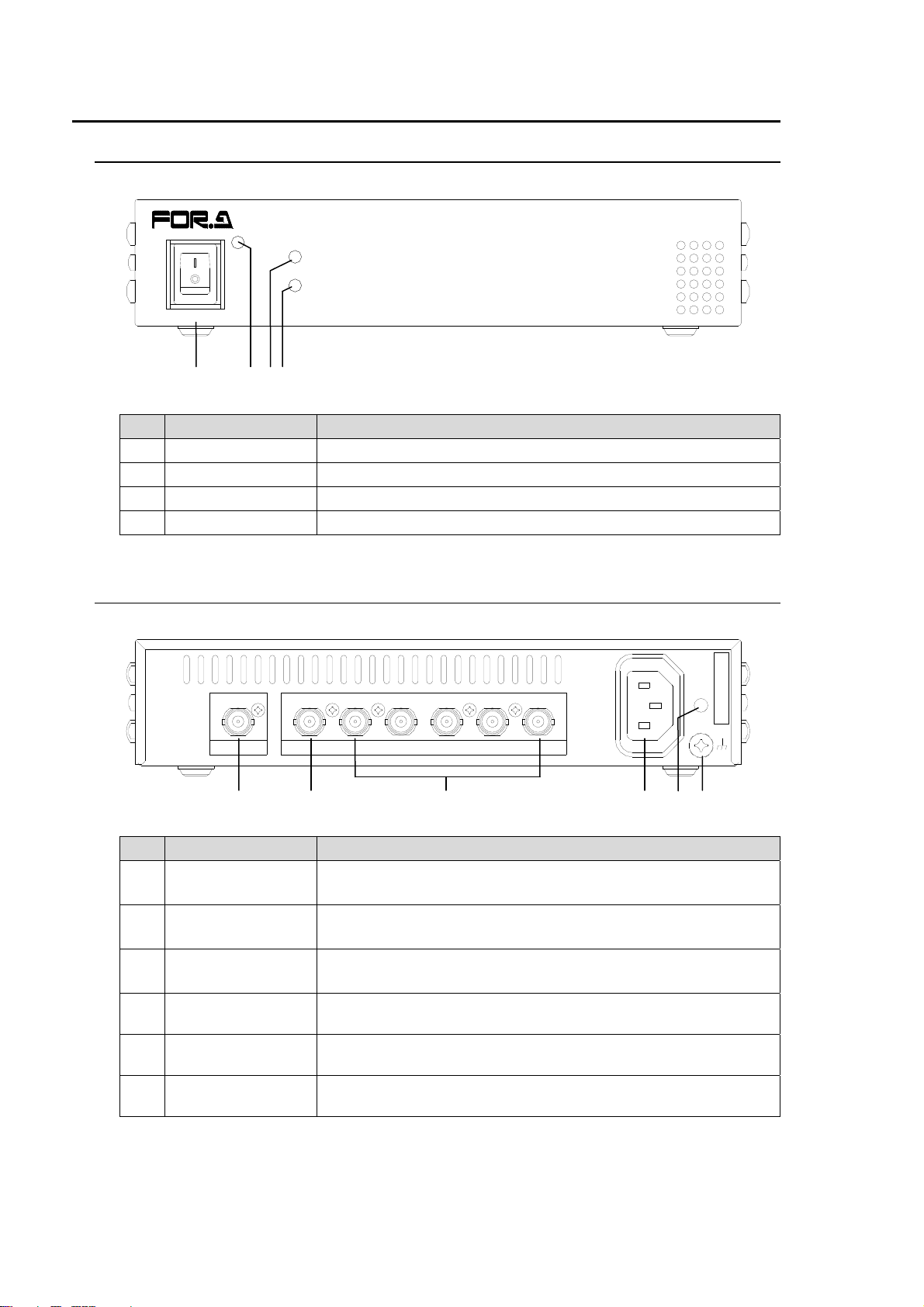
2-1. Front Panel
ON
POWER
OFF
(1) (2) (3)(4)
No. Name Description
1 POWER switch Switch used to turn the unit power ON/OFF.
2 POWER LED Lights whenever power is applied to the unit.
3 LOCK LED Lights whenever an input signal is properly input.
4 HD LED Lights whenever an HD-SDI signal is input.
2-2. Rear Panel
LOCK
HD
HD/SD DIGITAL DISTRIBUTION AMP
DDA-106
215
4
3
HD/SD-SDI IN
HD/SD-SDI OUT
(1) (2) (3) (4) (5) (6)
No. Name Description
1 HD/SD-SDI IN
HD/SD-SDI
2
OUT1
HD/SD-SDI
3
OUT2 to 6
4 AC IN
Ladder strap
5
insertion hole
6 Ground terminal
HD/SD-SDI signal input connector.
(Can bypass input signal to HD/SD-SDI OUT1.)
HD/SD-SDI signal output connector.
Bypasses HD/SD-SDI IN signal input when unit power is off.
Outputs HD/SD-SDI signals.
Used to connect to AC power source via supplied accessory
cord (100 to 240 VAC, 50/60 Hz).
Insertion hole for ladder strap assembly.
Used to protect operators from static electricity and / or
electrical shock.
6
SER. NO.
AC100-240V 50/60Hz IN
2
Page 11
3. Connection
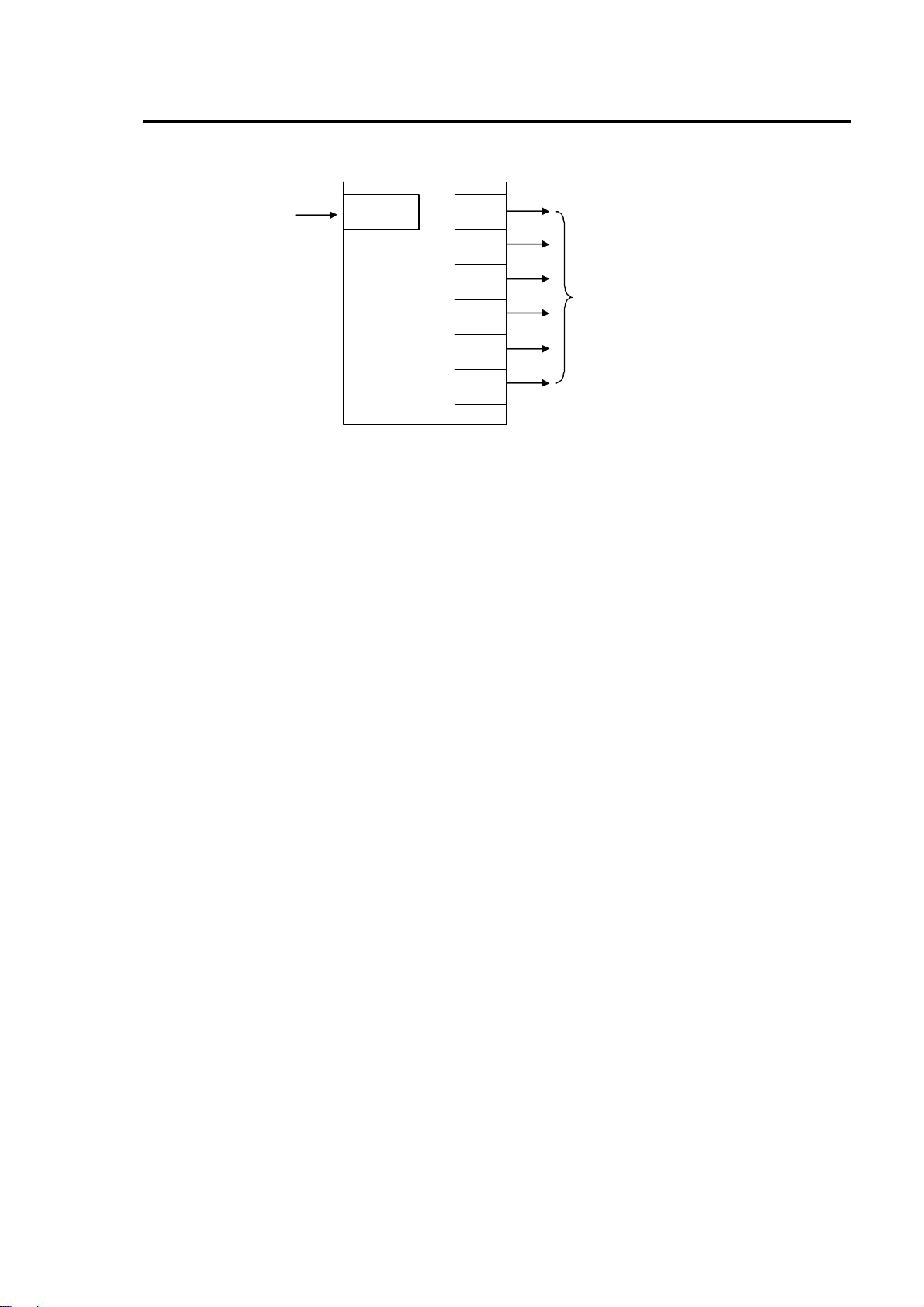
Refer to the figure below and connect the DDA-106 and other devices.
HD-SDI,
SD-SD I,
or
DV B-AS I s igna l
HD/SD-SDI
IN
DDA-106
HD/ SD
OUT1
HD/ SD
OUT2
HD/ SD
OUT3
HD/ SD
OUT4
HD/ SD
OUT5
HD/ SD
OUT6
HD-SDI,
SD-SDI,
or
DVB-ASI si gnal
3
Page 12

4. Specifications and Dimensions
*1
*1
4-1. Unit Specifications
Video Input
Video Output
Cable Equalization
Temperature 5ºC to 40ºC
Humidity Lower than 85% (no condensation)
Power 100 VAC to 240 VAC ±10%, 50/60 Hz
Power Consumption 15VA (7W)
Dimensions
Weight 1.0 kg
HD-SDI: 1.485/1.001Gbps or 1.485Gbps
SD-SDI: 270Mbps
DVB-ASI: 270Mbps
75Ω BNC x 1
(Can bypass input signal to HD/SD-SDI OUT1.)
HD-SDI: 1.485/1.001Gbps or 1.485Gbps
SD-SDI: 270Mbps
DVB-ASI: 270Mbps
75Ω BNC x 6
Auto cable equalization
HD-SDI: Max. 100m (5C-FB or equivalent)
SD-SDI: Max. 200m (5C-2V or equivalent)
212 (W) × 44 (H)× 161.5 (D) mm, EIA 1RU (excluding protruding parts)
To ensure the product is used under specified conditions, do not stack the
DDA-106 on or under other equipment.
4
Page 13
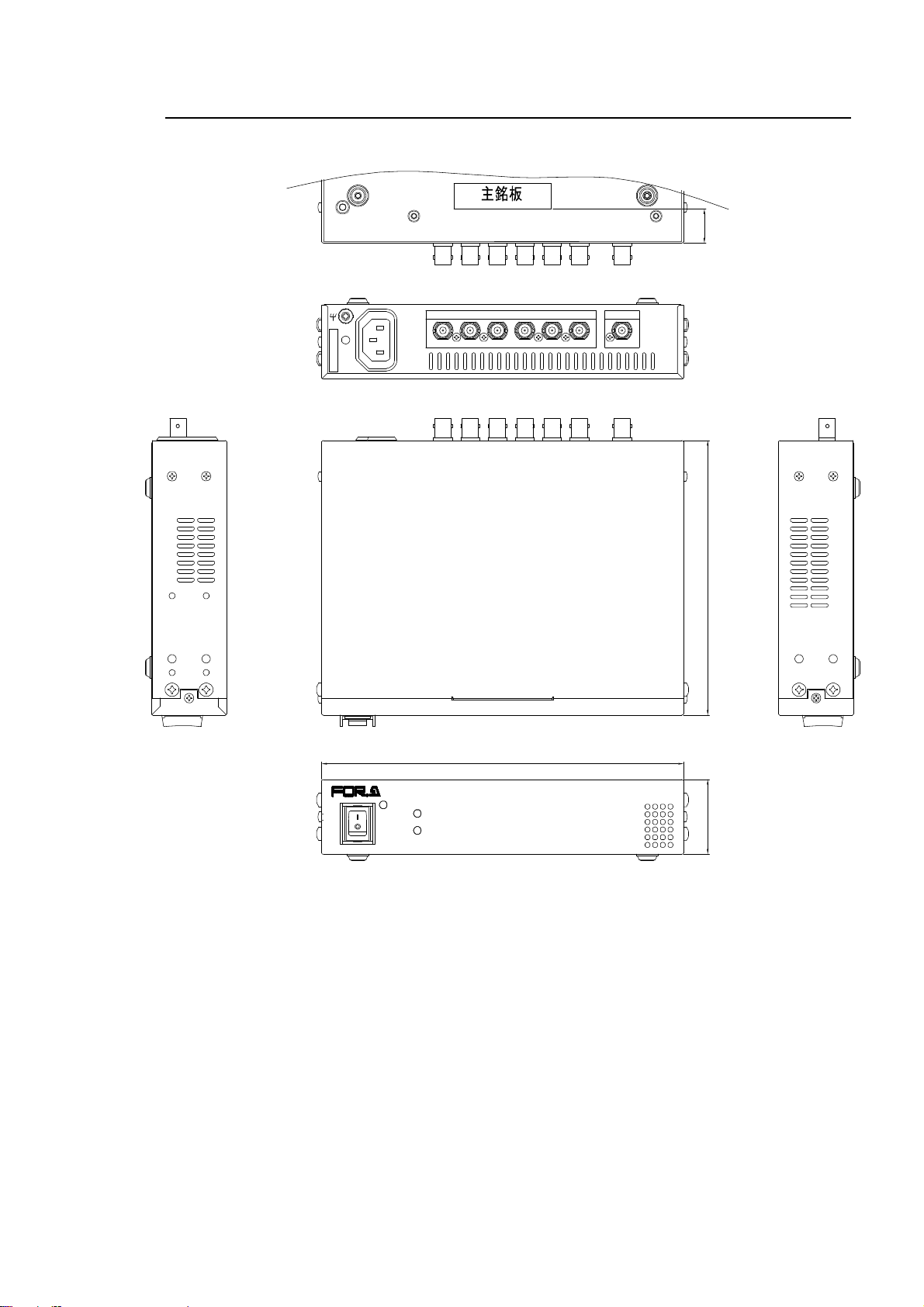
4-2. External Dimensions
SER. NO.
POWER
AC100-240V 50/60Hz IN
ON
LOCK
HD
OFF
(All dimensions in mm.)
20
HD/SD-SDIOUT
6
43215
212
HD/SD-SDIIN
HD/SD DIGITAL DISTRIBU TION AM P
DDA-106
161.5
44±0.4
5
Page 14

Page 15

Warning
This equipment has been tested and found to comply with the limits for a
Class A digital device, pursuant to Part 15 of FCC Rules. These limits are
designed to provide reasonable protection against harmful interference
when the equipment is operated in a commercial environment. This
equipment generates, uses, and can radiate radio frequency energy and,
if not installed and used in accordance with the instruction manual, may
cause harmful interference to radio communications. Operation of this
equipment in a residential area is likely to cause harmful interference, in
which case the user will be required to correct the interference at his own
expense.
Page 16

07/11/2012 Printed in Japan
FOR-A COMPANY LIMITED
Head Office 3-8-1 Ebisu, Shibuya-ku, Tokyo 150-0013, Japan
Overseas Division Phone: +81(0)3-3446-3936, Fax: +81(0)3-3446-1470
Japan Branch Offices Osaka/Okinawa/Fukuoka/Hiroshima/Nagoya/Sendai/Sapporo
R&D/Production Sakura Center/Sapporo Center
FOR-A America Corporate Office
11155 Knott Ave., Suite G&H, Cypress, CA 90630, USA
Phone: +1-714-894-3311 Fax: +1-714-894-5399
FOR-A America East Coast Office
2 Executive Drive, Suite 670, Fort Lee Executive Park, Fort Lee, NJ 07024, USA
Phone: +1-201-944-1120 Fax : +1-201-944-1132
FOR-A America Distribution & Service Center
2400 N.E. Waldo Road, Gainesville, FL 32609, USA
Phone: +1-352-371-1505 Fax: +1-352-378-5320
FOR-A Corporation of Canada
346A Queen Street West, Toronto, Ontario M5V 2A2, Canada
Phone: +1-416-977-0343 Fax: +1-416-977-0657
FOR-A Latin America & the Caribbean
5200 Blue Lagoon Drive, Suite 760, Miami, FL 33126, USA
Phone: +1-305-931-1700 Fax: +1-305-264-7890
FOR-A UK Limited
UNIT C71, Barwell Business Park, Leatherhead Road, Chessington Surrey, KT9 2NY, UK
Phone: +44(0)20-8391-7979 Fax: +44(0)20-8391-7978
FOR-A Italia S.r.l.
Via Volturno 37, 20047 Brugherio MB, Italy
Phone: +39-039-881-086/103 Fax: +39-039-878-140
FOR-A Corporation of Korea
1007, 57-5,Yangsan-ro,Yeongdeungpo-gu, Seoul 150-103, Korea
Phone: +82(0)2-2637-0761 Fax: +82(0)2-2637-0760
FOR-A China Limited
708B Huateng Bldg., No. 302, 3 District, Jinsong, Chaoyang, Beijing 100021, China
Phone: +86(0)10-8721-6023 Fax: +86(0)10-8721-6033
FOR-A Middle East-Africa Office
Jebel Ali Free Zone, LOB-16, Office 619, P. O. Box: 261914 Dubai, UAE
Phone: +971 4 887 6712 Fax: +971 4 887 6713
*The contents of this manual are subject to change without notice.
 Loading...