

Page 1
Get started
Erste Schritte
Prise en main
Page 2
Get started • Erste Schritte • Prise en main
1
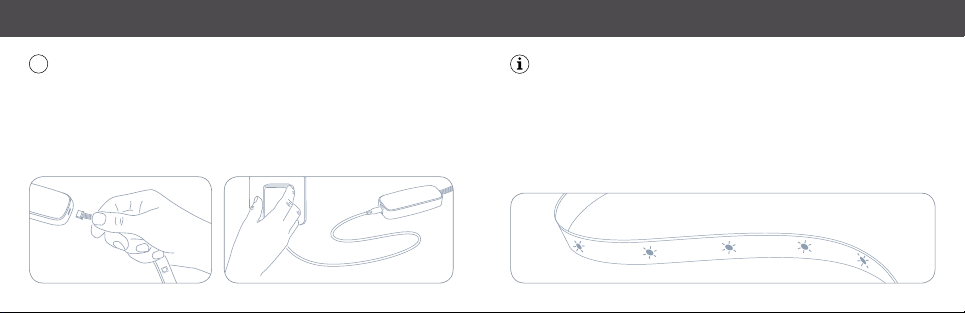
First, connect Eve Light Strip to the controller. Then connect the controller to
the power supply and plug it into a power outlet.
Schlie ße zunächst E ve Light St rip an den Cont roller an. Ver binde dann das N etzteil.
Comm encez par br ancher Eve L ight Strip au c ontrôleur. C onnectez e nsuite celui- ci à
l‘adap tateur sec teur, puis bran chez ce derni er sur une pris e.
As Eve Light Strip powers up, it will perform a quick test by cycling through
each color.
Sobal d Eve Light St rip mit Stro m versorgt i st, wird ein au tomatisch er Selbst test durch all e
Farben durchgeführ t.
Lors d e la mise sous ten sion, Eve Ligh t Strip eff ectue un te st rapide en fa isant défiler c haque
cou leur.
Page 3
Get started • Erste Schritte • Prise en main
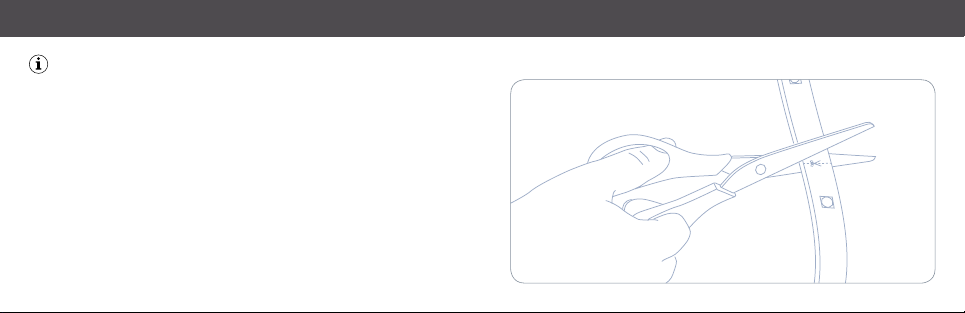
The length of Eve Light Strip can be adjusted to accommodate your chosen
application. To shorten Eve Light Strip, use a pair of scissors to cut along an
indicated trim line (approximately every 30 cm).
Die Län ge von Eve Ligh t Strip kann ganz nac h deinen Wünsc hen angepas st werden. Um
Eve Light Strip zu kürzen, schneide einf ach mit einer Sc here an einer der den vor gegebenen
Schni ttmarken (circa alle 30 cm).
Vous pou vez ajuster la longueur d‘E ve Light Str ip en fonction de vos besoins .
Pour le r accourcir, co upez Eve Ligh t Strip le long d ‘un trait de déc oupe (tous les 30 cm
envir on) avec une pai re de ciseaux .
Page 4
Get started • Erste Schritte • Prise en main
2
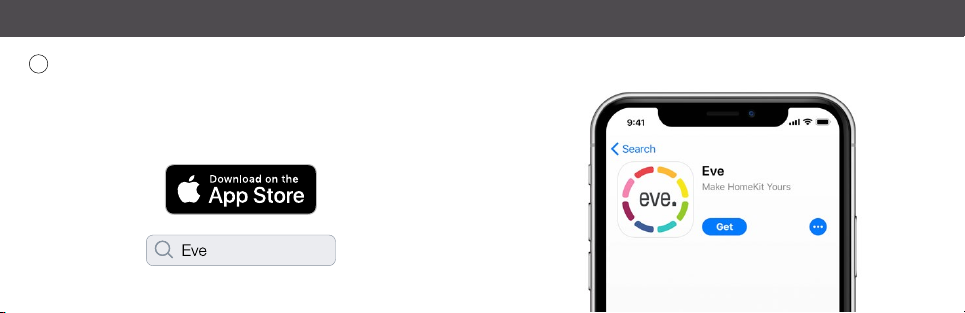
Download the Eve app from the App Store.
Lade di e Eve-App a us dem App Sto re herunte r.
Téléchar gez l‘app Eve s ur l‘App Store .
Page 5
Get started • Erste Schritte • Prise en main
4
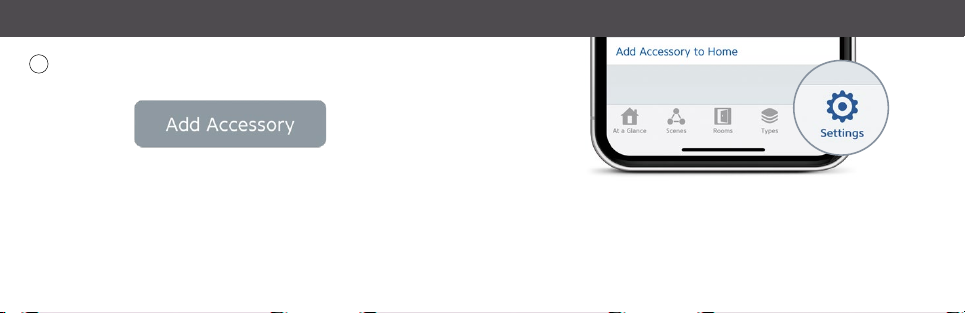
Open the Eve app and tap Add Accessory. Eve will now guide you through
the setup process.
Öff ne die Eve-A pp und tippe a uf Zubehör hi nzufügen . Eve wird dich nu n durch den
Installationsprozess leiten.
Ouvr ez l‘app Eve et t ouchez Ajou ter un acces soire. Eve v a maintenan t vous guider à
trav ers le proce ssus de confi guration.
If you have already set up another accessory, go to Settings in Eve to add
Eve Light Strip to your home.
Wenn du E ve bereits z uvor einger ichtet hast , öffne die E ve-Einst ellungen und f üge
Eve Li ght Strip hinz u.
Si vous a vez déjà confi guré un autr e accessoir e, accédez au x réglages d ‘Eve pour ajo uter
Eve Li ght Strip à vot re domicile.
Page 6

Legal Information • Rechtliche Hinweise • Informations légales
This dev ice compli es with par t 15 of the FC C Rules and Ind ustry C anada licen ce-exe mpt RSS st andard (s). Operat ion is subje ct to the follo wing two co nditions: (1) Thi s device may no t cause inte rferenc e, and (2) this de vice must
accep t any interf erence re ceived, incl uding inter ference th at may cause u ndesired op eration.
This equ ipment has be en tested an d found to comp ly with the limi ts for a Class B di gital devic e, pursuant t o part
15 of the FC C Rules. T hese limits are designed to provide reas onable p rotec tion ag ainst harmful in terf erenc e
in a reside ntial installa tion. This equip ment generat es, uses and can r adiate radio fr equency ener gy and, if not
install ed and used in a ccordan ce with the i nstruc tions, may ca use harmf ul interf erence to r adio communi cations.
Howev er, there is no gua rantee th at interf erence will n ot occur in a pa rticular in stallatio n. If this equip ment does
cause ha rmful int erfere nce to radi o or televisi on recep tion, which c an be dete rmined by t urning the e quipment o ff
and on, yo u are encoura ged to try to c orrect th e interfer ence by one or mo re of the follow ing measure s: reorient
or reloc ate the receiv ing ant enna; in creas e the sep aration between the equipme nt and re ceive r; cons ult the
dealer or a n experienc ed radio/T V technician f or help. • This Clas s B digital appar atus complie s with Canadia n
ICES-003.
This equipment c omplies w ith FC C RF and IC R SS-102 radiatio n expos ure limit s set for th for a n uncon trolle d
enviro nment. This e quipment sho uld be installe d and operate d with a minimum dis tance of 0.2 c entimeter s between th e radiat or and your body. T his tran smitt er must not be co- located or operatin g in conjun ction with any
other an tenna or transmitte r. The antennas us ed for this trans mitte r must be installe d to provide a sep aratio n
distan ce of at leas t 0.2 cm from al l persons an d must not be c o-locat ed or opera ting in conjun ction wit h any other
antenna or transmitter.
Change s or modific ations not e xpress ly approv ed by Eve Sy stems coul d void your aut hority t o operat e this devic e.
Purpose of control: operating control; construction of control: plug-in operating control; type 1 action, operating
time: continuous.
Le prés ent appar eil est con forme aux C NR d‘Indu strie Can ada applic ables aux ap pareils ra dio exempt s de licence .
L‘exploita tion est auto risée aux deu x condition s suivantes : (1) l‘ap pareil ne doit p as produire d e brouillage, et ( 2)
l‘utilis ateur de l‘appa reil doit acce pter tout br ouillage radi oélectriq ue subi, même si le b rouillage est s usceptibl e
d‘en comp romettr e le fonctio nnement. Ce t appareil num érique de la cla sse B est conf orme à la norme N MB-00 3
du Canada.
Cet équi pement est co nforme aux C NR-102 d‘Indus trie Canada . Cet équipeme nt doit être ins tallé et utilisé a vec
une dist ance minimal e de 20 centim ètres ent re le radiate ur et votre c orps. Cet é metteur n e doit pas êtr e co-loca lisée ou op érant en c onjoncti on avec aut re anten ne ou émet teur. Les ant ennes ut ilisées pou r cet émet teur doiv ent
être ins tallés et four nir une distan ce de séparat ion d‘au moins 20 ce ntimètre de t oute person ne et doit pas êt re
co-si tuée ni fonc tionner en con jonction av ec une autre a ntenne ou éme tteur.
For que stion s abou t Eve pr oduc t comp lianc e with F CC re gulat ions, pl ease c onta ct: C omplia nce Of fic er, Eve Sy stem s,
900 Ke arny St . #75 0, San Fr ancisc o, CA 9413 3. Product: 10 EAS 8301 / 10 EAS 4101 • Model: 2 0EA S99 01 &
30E AS9901 • P art: 51EAS 9901 • FCC I D: SNE-LS T-001 • IC: 11192A- LST00 1
Hereb y, Eve Sys tems declare s that this devic e is in compliance w ith the esse ntial requirem ents and other r elevant pr ovisions of Dir ective 20 14/53/ EC. The decl aration of co nformit y is available at w ww.eveho me.com/do c
Frequ ency range : 2412 - 2472 MHz (246 2 for FCC, ISE D),
Max RF e.i .r.p power < 20 dB m, Temperatu re range: 0 °C - 4 5 °C
Page 7
Extend • Erweitern • Étendre
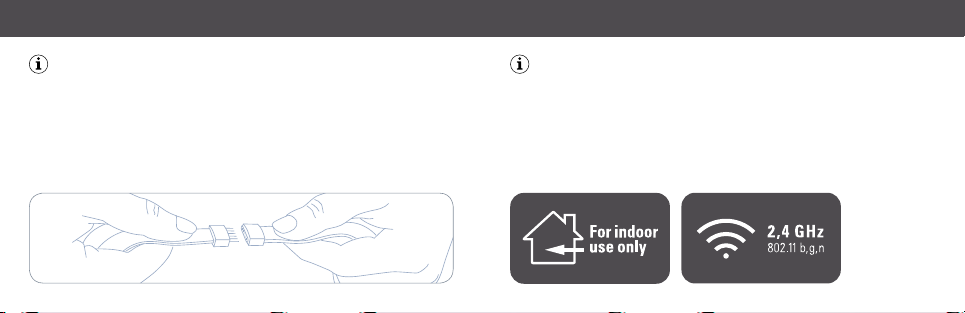
To extend Eve Light Strip, simply connect another strip. Eve Light Strip can be
daisy- chained to a maximum length of 10 m.
Um Eve L ight Strip zu v erlänger n, verbinde ein fach ein zusä tzliches El ement. Eve L ight Strip
kann au f bis zu 10 m Gesamt länge erwei tert wer den.
Pour allo nger Eve Lig ht Strip, il vou s suffit de co nnecter un a utre bande au lumineux . Vous
pouv ez brancher p lusieurs Ev e Light Strip e n série, jusqu‘ à une longue ur maximale de 10 m .
The light source of this accessory is non-replaceable. When the light source
reaches its end of life, the entire light strip should be replaced.
Die Lich tquelle dies es Produk ts ist nicht au stauschb ar. Wenn die Licht quelle ihr Leb ensende
errei cht hat, mus s der gesamt e Lichtstr eifen erse tztwer den.
La sou rce lumineus e de cetacc essoiren‘es t pas remplaç able. Une fois celle-ci ar rivée en fin de
vie, vou sdevezre mplacer int égralemen t le bandeau lum ineux .
Page 8
Reset • Réinitialisation
Reset • Zurücksetzen
•
Réinitialisation
2x
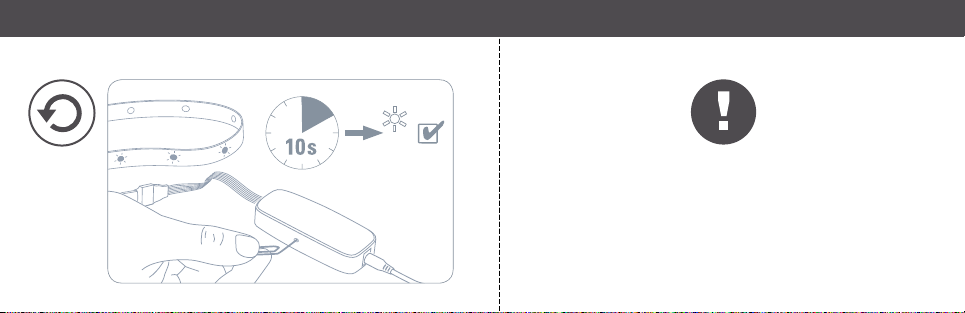
Please keep your HomeKit Setup Code in a safe place. You need it
to securely add Eve to your home, and nobody but you has a copy.
Bewa hre deinen Hom eKit-Co de an einem siche ren Platz au f. Du benötigs t ihn, um
Eve zu d einem Zuhaus e hinzuzufü gen. Niemand a ußer dir kennt d iesen Code.
Cons ervez en lieu s ûr votre cod e de configur ation HomeK it. Ce code e st indispens able pour
ajout er Eve au rése au de votre dom icile, et pers onne d’autre q ue vous ne conn aît ce code .
✁
Page 9
Room • Zimmer • Pièce :
Notes • Notizen • Remarques :
✁
 Loading...