

Page 1
Room • Pièce • Zimmer:
Notes • Remarques • Notizen:
✁
Get started
Prise en main
Erste Schritte
Page 2
Get started • Prise en main • Erste Schritte
1
Once Eve Light Strip is powered, it will perform a quick test by cycling through
each color.
FR FR FR FR FR FR FR FR FR FR FR FR FR FR FR FR FR FR FR FR FR FR FR FR FR FR FR FR FR FR
FR FR FR FR FR FR FR FR FR FR FR FR FR FR FR FR FR FR FR FR FR FR FR FR FR FR FR
Nachdem Eve Light Strip mit Strom versorgt ist, läuft dieser einmal automatisch durch alle
Farben um die LEDs und die Länge zu testen.
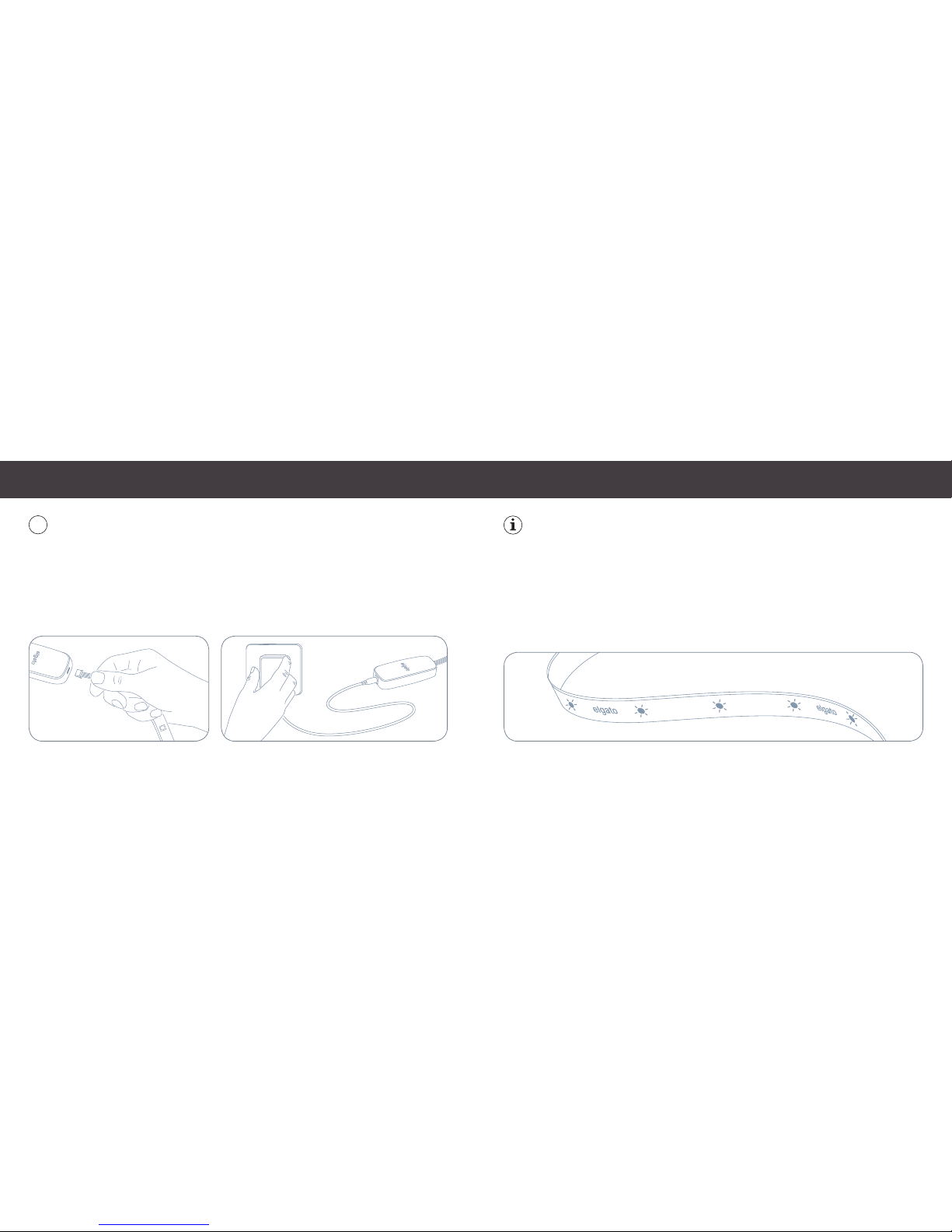
First, connect Eve Light Strip to the controller. Then connect the controller to the
power supply and plug it into a power outlet.
FR FR FR FR FR FR FR FR FR FR FR FR FR FR FR FR FR FR FR FR FR FR FR FR FR FR FR FR FR FR
FR FR FR FR FR FR FR FR FR FR FR FR FR FR FR FR FR FR FR FR FR FR FR FR FR FR
Schließe zunächst Eve Light Strip an den Controller an. Verbinde dann das Netzteil.
(2) (3)
Page 3
Get started • Prise en main • Erste Schritte
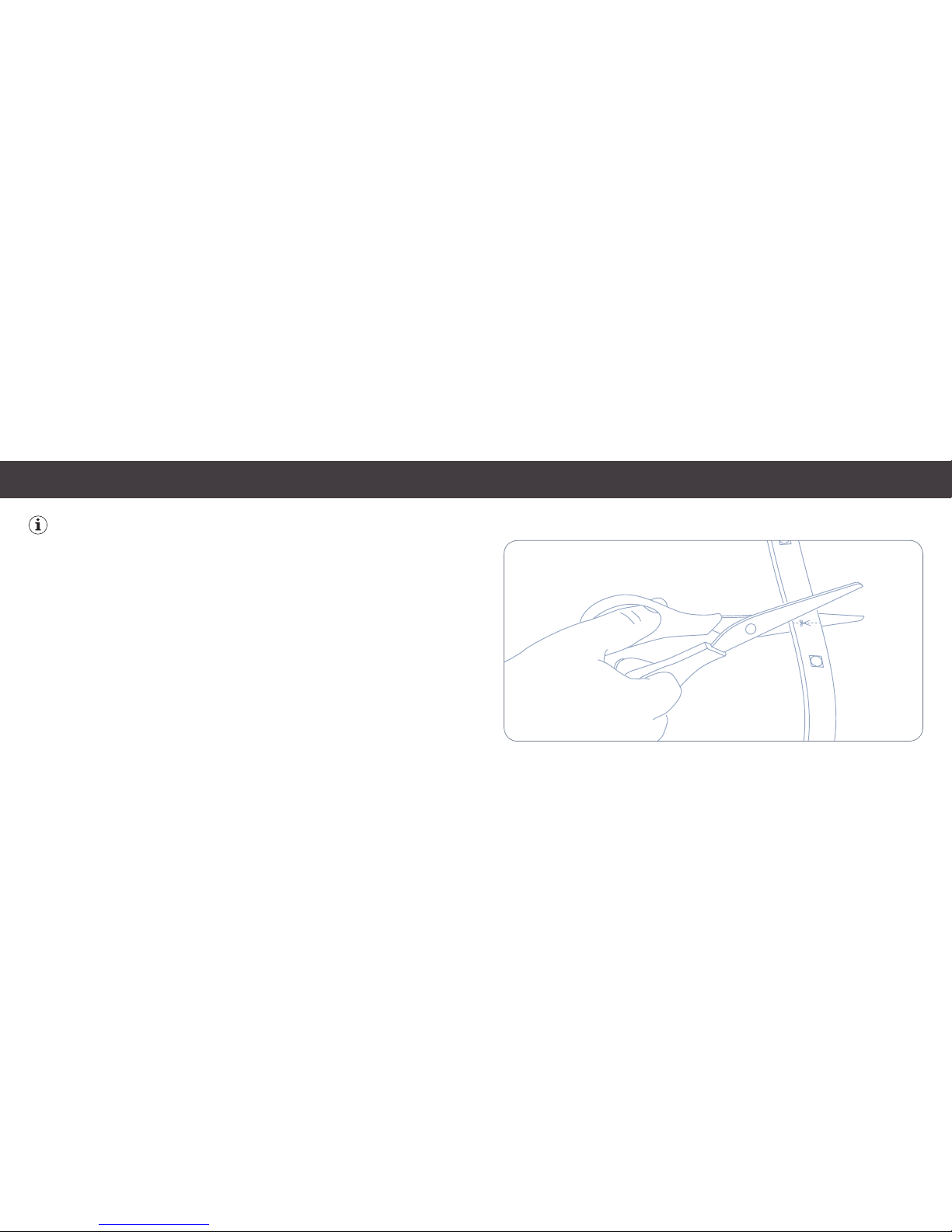
Eve Light Strip can be adjusted to accommodate your chosen application. To
shorten Eve Light Strip, use a pair of scissors to cut along an indicated trim line
(approximately every 30 cm).
FR FR FR FR FR FR FR FR FR FR FR FR FR FR FR FR FR FR FR FR FR FR FR FR FR FR FR FR FRFR
FR FR FR FR FR FR FR FR FR FR FR FR FR FR FR FR FR FR FR FR FR FR FR FR FR FR FR FR FR FR
FR FR FRFR FR FR FR FR FR FR FR
Die Länge von Eve Light Strip kann ganz nach deinen Wünschen angepasst werden.
Um Eve Light Strip zu kürzen, schneide einfach mit einer Schere an einer der den vorgegebenen Schnittmarken (circa alle 30 cm).
(4) (5)
Page 4
2
Get started • Prise en main • Erste Schritte
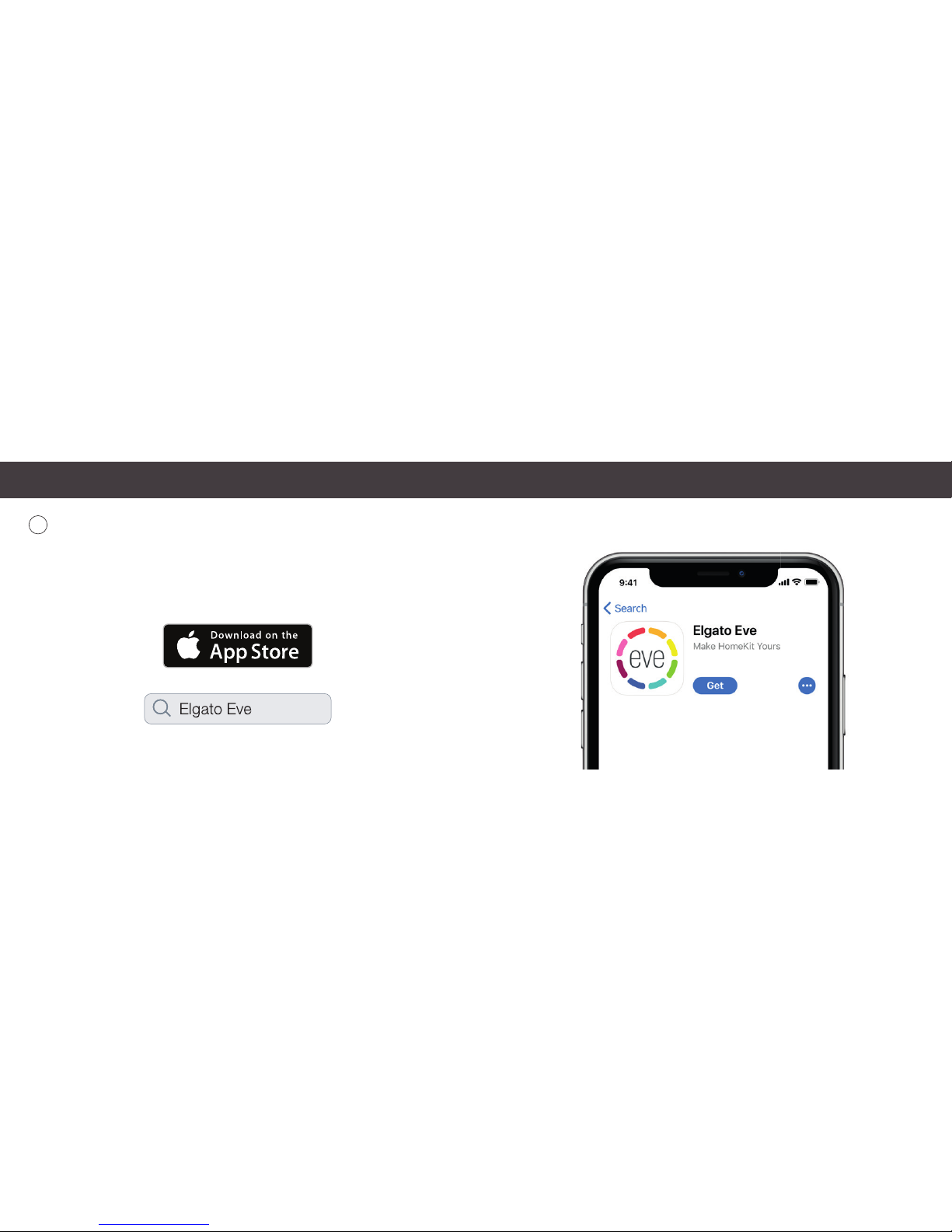
Download the Elgato Eve app from the App Store.
Téléchargez l‘app Elgato Eve sur l‘App Store.
Lade die Elgato Eve App aus dem App Store herunter.
(6) (7)
Page 5
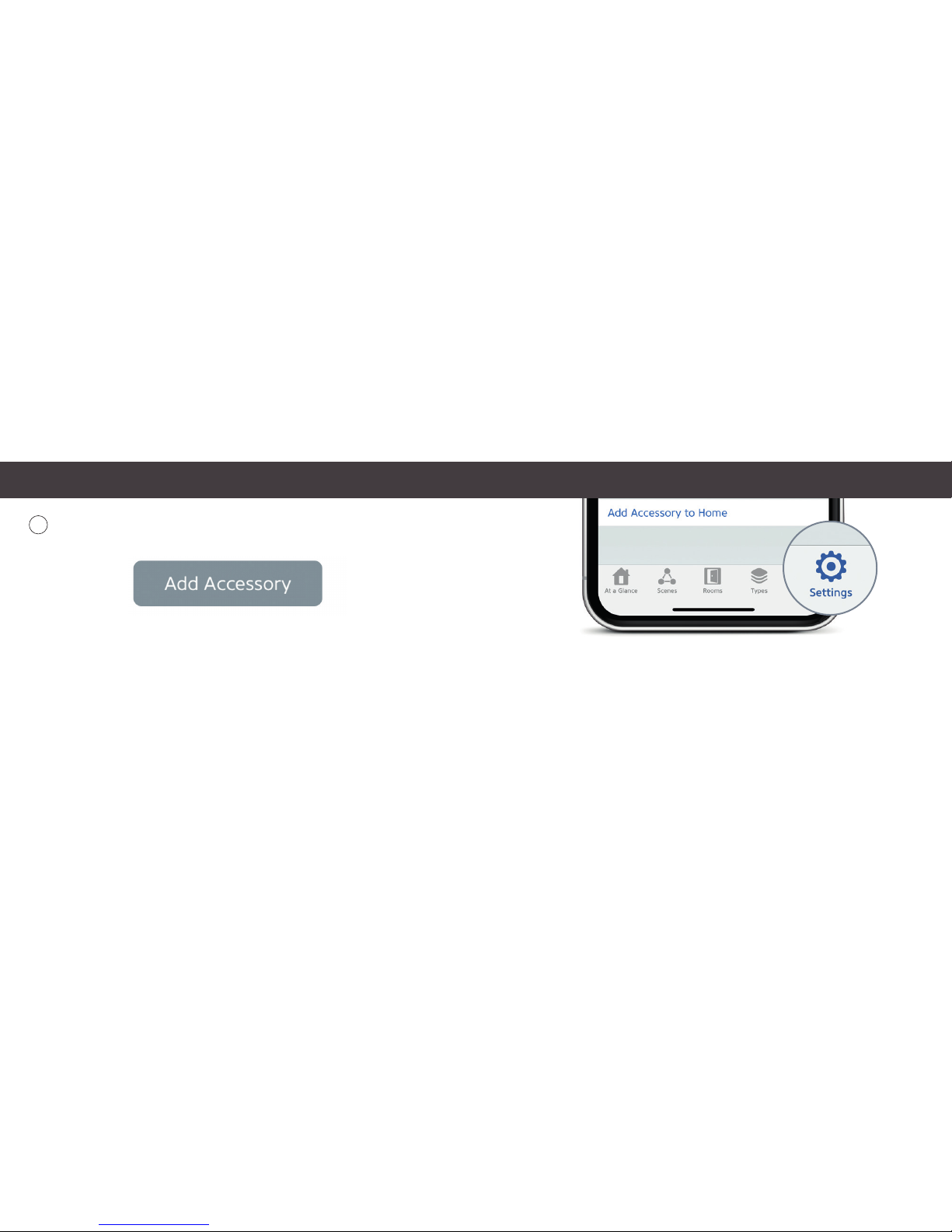
If you have already set up another accessory, go to Settings in Eve to add Eve
Light Strip to your home.
Si vous avez déjà confi guré un autre accessoire, accédez aux réglages d‘Eve pour ajouter Eve
Light Strip à votre domicile.
Wenn du Eve bereits zuvor eingerichtet hast, öffne die Eve-Einstellungen und füge Eve Light
Strip Strip hinzu.
4
Get started • Prise en main • Erste Schritte
Open the Elgato Eve app and tap Add Accessory. Eve will now guide you through
the setup process to remotely control your devices.
Ouvrez l‘app Elgato Eve et touchez Ajouter un accessoire. Eve va maintenant vous guider à
travers le processus de confi guration pour contrôler à distance vos appareils.
Öffne die Elgato Eve App und tippe auf Zubehör hinzufügen. Eve wird dich nun durch den
Installationsprozess leiten um deine Geräte aus der Ferne zu steuern.
(8) (9)
Page 6
Legal Information • Informations légales • Rechtliche Hinweise
This de vice comp lies with pa rt 15 of the FC C Rules and In dustr y Canada lic ence-e xempt RSS s tandard (s). Opera tion is subject to the followin g two conditions : (1) T his device may not c ause inter ference, an d (2) this device must
accept any inter ference recei ved, includin g interfer ence that may cause undesire d operation.
This eq uipment has been tested and found to comply w ith the limit s for a Class B digital device, p ursuant to part
15 of the FCC Rules. These limits are designed to provide reasonable protection against harmful interference
in a residential inst allation. This equipment generates, uses and can radiate radio frequency energy and, if not
inst alled and use d in accorda nce with th e instruc tions, may c ause harm ful inter ference t o radio commu nications .
Howe ver, there is no g uarantee t hat inter ference w ill not occur in a p articula r installati on. If this equ ipment does
cause h armful in terfer ence to ra dio or televi sion recep tion, whic h can be det ermined by t urning th e equipmen t off
and on, you are encouraged to tr y to correct the interference by one or more of the follo wing measures: re orient
or relocate the receiving antenna; increase the separation between the equipment and receiver; consult the
dealer or an experienced radio/T V technician for help. • This Class B digital apparatus complies with Canadian
ICES-003.
This equipment complies with FCC RF and IC RSS-102 radiation exposure limits set forth for an uncontrolled
environment. This equipment should be installed and operated with a minimum distance of 0.5 centimeters between the radiator and your body. This transmitter must not be co-located or operating in conjunction with any
other antenna or transmitter. The antennas used for this transmitter must be inst alled to provide a separation
dista nce of at lea st 0.5 cm fro m all persons a nd must not be c o-loca ted or opera ting in conju nction wit h any other
antenna or transmitter.
Changes or modific ations not expressly approved by Elgato Systems could void your authority to operate this
device. Pur pose
of control: operating control; construction of control: plug-in operating control; ty pe 1 action,
operating time: continuous.
Le pré sent app areil est co nforme au x CNR d’Ind ustrie C anada appli cables aux a ppareils r adio exemp ts de licenc e.
L’exploitation e st autorisée aux deux conditions sui vantes : (1) l’appareil ne d oit pas produire de brouilla ge, et (2)
l’utilis ateur de l’appareil doit acc epter tout brouillage radioéle ctrique subi, même si le brouillage est sus ceptible
d’en comprom ettre le fonctionnement. Cet ap pareil numér ique de la classe B est co nforme à la norme NMB-003
du Canada.
Cet équipement est conforme aux CNR-102 d’Industrie Canada. Cet équipement doit être installé et utilisé avec
une dis tance minim ale de 0.5 cen timètres e ntre le rad iateur et vo tre corp s. Cet émet teur ne doit p as être co -localisée ou o pérant e n conjonct ion avec au tre ante nne ou émet teur. Les an tennes u tilisées po ur cet émet teur doi vent
être installés et fournir une distance de séparation d’au moins 0.5 centimètre de toute personne et doit pas être
co-situé e ni fonction ner en conjonction avec une autre ant enne ou émet teur.
For questions about Elg ato produc t compliance with F CC regulations, please cont act: Compliance Officer, Elg ato
Syst ems, 900 K earny St . #750, S an Franci sco, CA 9413 3. Produ ct: 10EA S8301 / 10 EAS4101 • M odel: 20E AS99 01
& 30E AS9901 • Part: 51EA S9901 • FC C ID: SNE-L ST-001 • IC: 11192A
LST 001
Hereby, Elgato Systems declares that this device is in compliance with the essential requirements and other
relevant provisions of Directive 2014/53/EC. The declaration of conformity is available at www.elgato.com/doc
Frequency range: 2412 - 2472 MHz (2462 MHz for FCC, ISED), Max RF e.i.r.p power < 20 dBm, Temperature
range: 0 °C - 45 °C
(10) (11)
Page 7
The light source of this accessory is non-replaceable. When the light source
reaches its end of life, the entire light strip shall should be replaced.
FR FR FR FR FR FR FR FR FR FR FR FR FR FR FR FR FR FR FR FR FR FR FR FR FR FR FR FR FR FR
FR FR FR FR FR FR FR FR FR FR FR FR FR FR FR FR FR FR FR FR FR FR FR FR
Die Lichtquelle dieses Produkts ist nicht austauschbar. Wenn die Lichtquelle ihr Lebensende
erreicht hat, muss der gesamte Lichtstreifen ersetzt werden.
For indoor
use onl y
Extend • Étendre • Erweitern
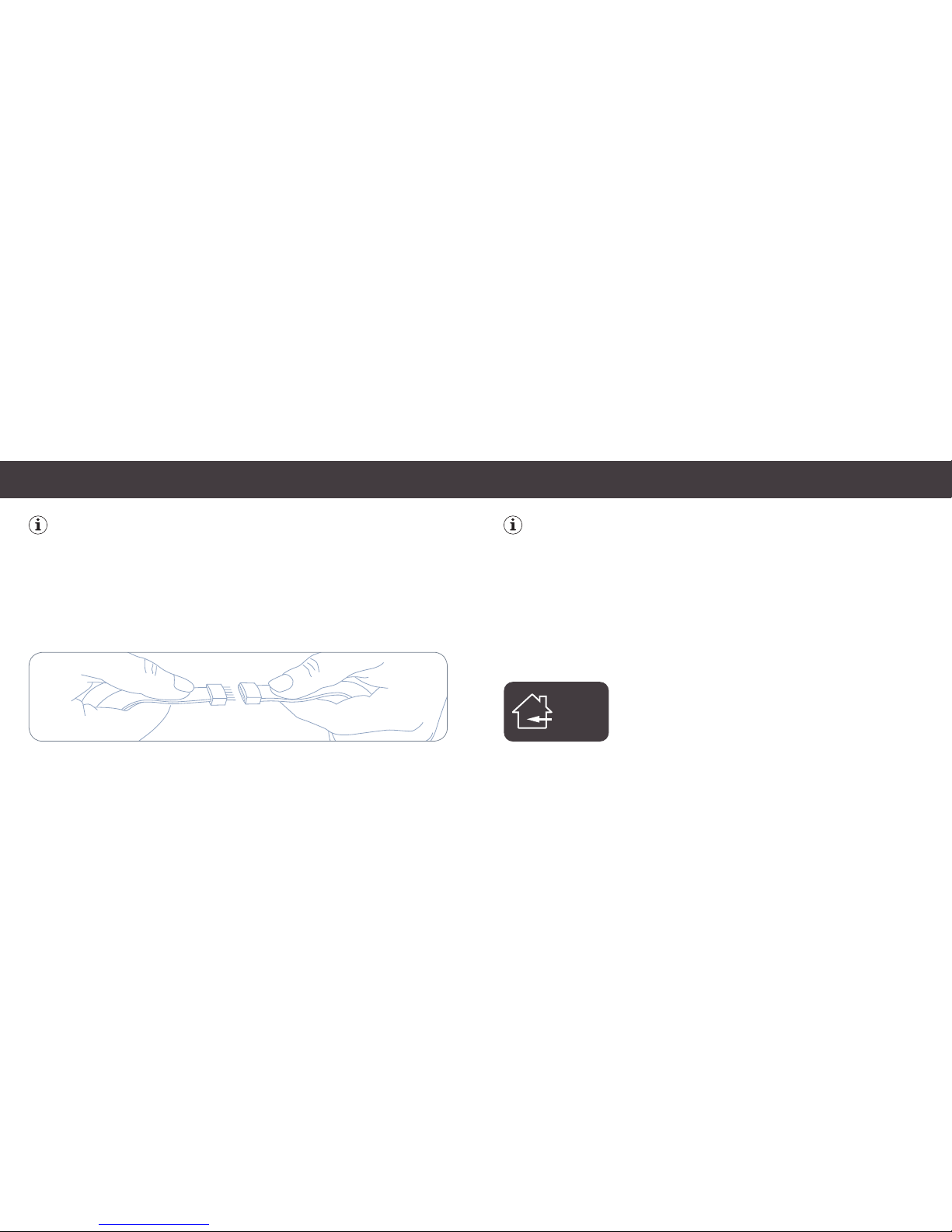
To extend Eve Light Strip, simply connect another strip.
Eve Light Strip can be daisy-chained to a maximum length of 10 m.
FR FR FR FR FR FR FR FR FR FR FR FR FR FR FR FR FR FR FR FR FR FR FR FR FR FR FR FR FR FR
FR FR FR FR FR FR FR FR FR FR FR FR FR FR FR FR FR FR FR FR FR FR FR FR FR
Um Eve Light Strip zu verlängern, verbinde einfach ein zusätzliches Element. Eve Light Strip
kann auf bis zu 10 m Gesamtlänge erweitert werden.
(12) (13)
Page 8
✁
Reset • Réinitialisation
Please keep your HomeKit Setup Code in a safe place. You need it
to securely add Eve to your home, and nobody but you has a copy.
Conservez en lieu sûr votre code de configuration HomeKit. Ce code est indispensable pour
ajouter Eve au réseau de votre domicile, et personne d’autre que vous ne connaît ce code.
Bewahre deinen HomeKit-Code an einem sicheren Platz auf. Du benötigst ihn, um
Eve zu deinem Zuhause hinzuzufügen. Niemand außer dir kennt diesen Code.
Reset • Réinitialisation • Zurücksetzen
Wi-Fi Reset
You can re-configure the Wi-Fi connection without removing Eve Light Strip from
HomeKit.To reset the Wi-Fi settings, push the reset button for 6 seconds and
release after Eve Light Strip blinks once. On your iPhone or iPad, go to Settings >
Wi-Fi, select Eve Light Switch, and enter your Wi-Fi credentials.
Factory Reset
To completely reset Eve Light Strip, push the reset button for 12 seconds and
release after Eve Light Strip blinks twice. After a factory reset, use the supplied
HomeKit setup code to re-add Eve Light Strip to your home.
FR FR FR
DE DE DE
(14) (15)
 Loading...