

Page 1
1
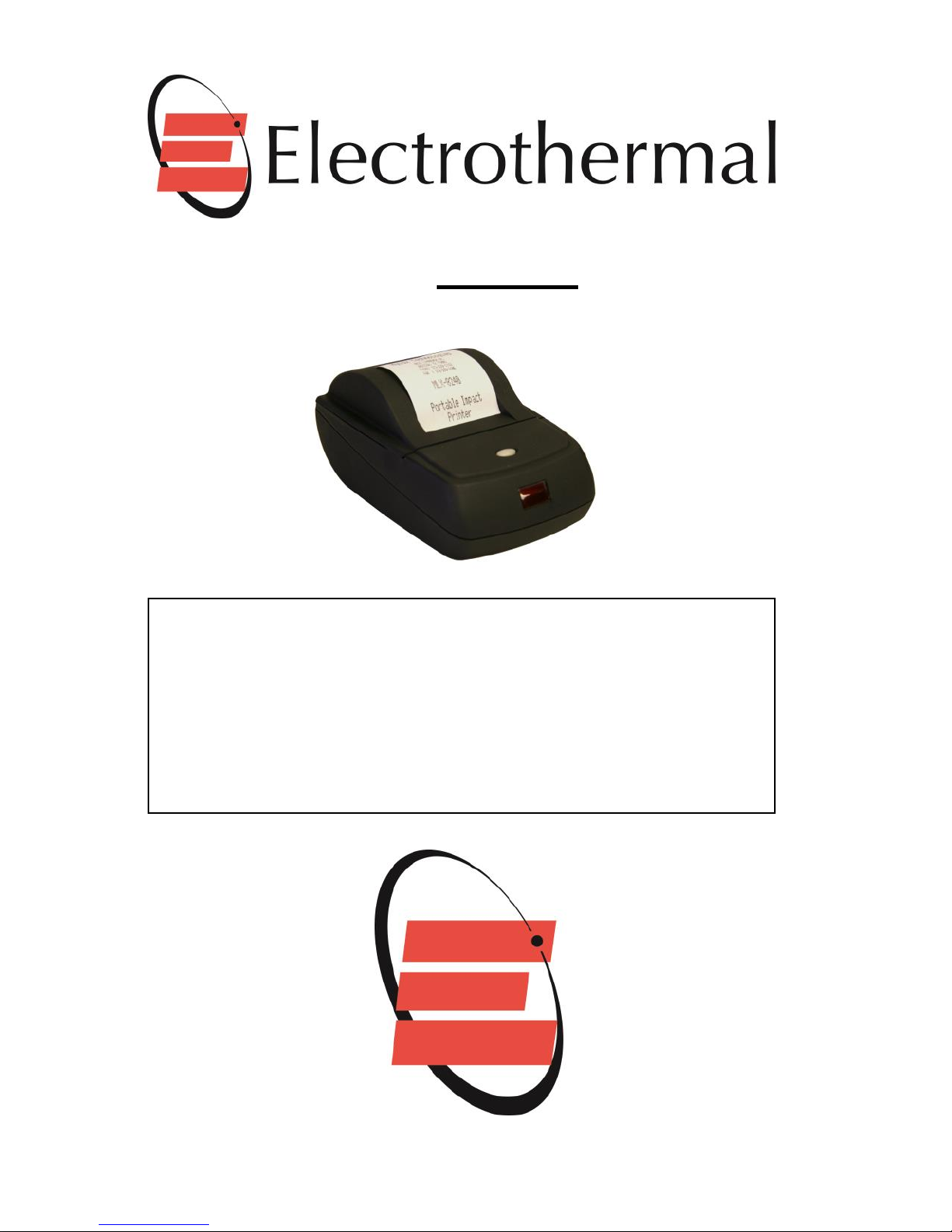
MODEL
PR2000S
(MYLOX PORTABLE/DESKTOP PRINTER)
OPERATION:
The printer is powered by an external 12V DC 3.3Amp universal
power supply that charges the internal 2200mA Lithium battery
pack. The power supply can ‘auto switch’ to directly power the
printer without the battery pack installed or should the battery
pack become discharged.
The printer can also operate from a 12V DC vehicle aux. output.
Page 2
2
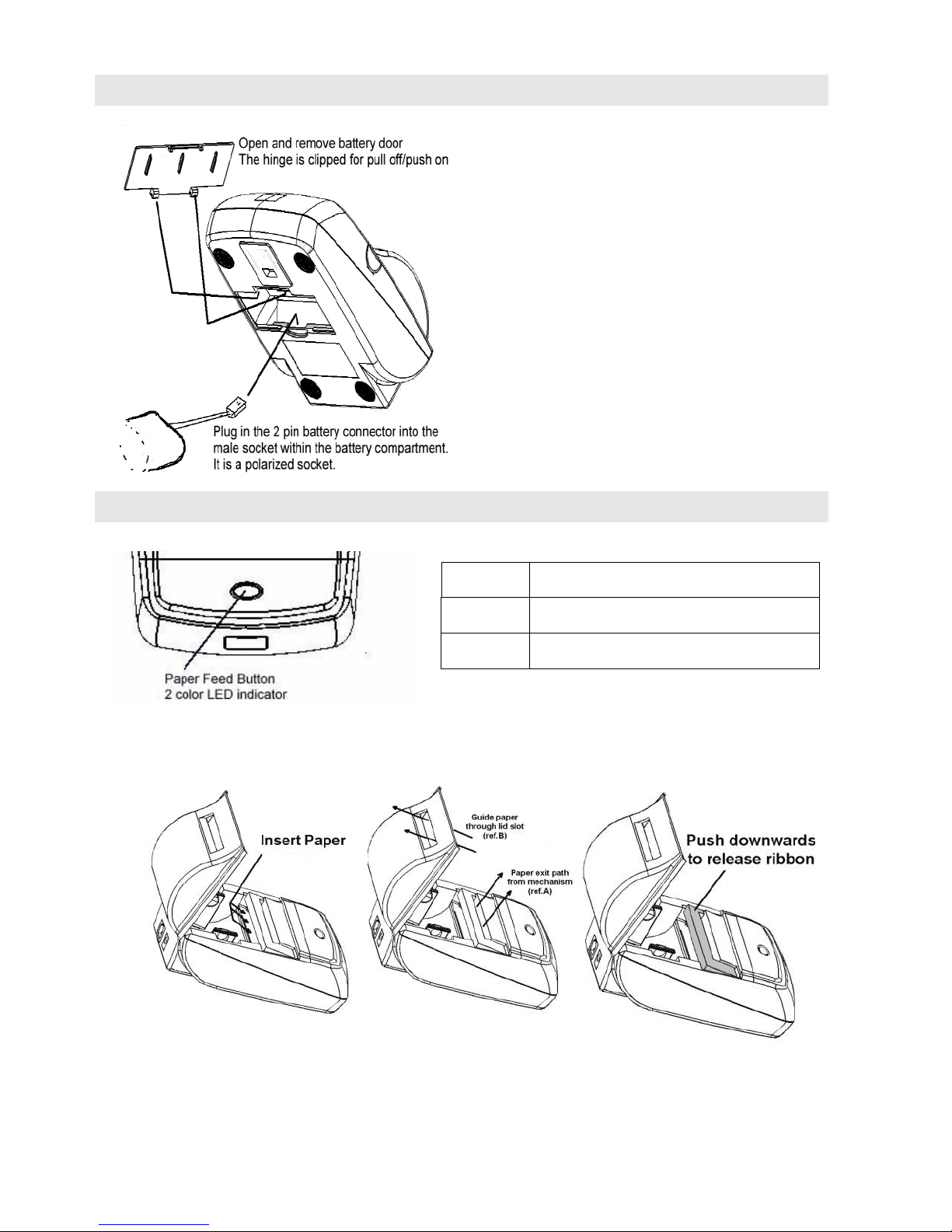
CONNECTING THE BATTERY
USING THE PRINTER
Replacing the paper and ribbon
A single ‘tap’ of the paper feed button wakes the printer during battery save
mode.
Green
Power on
Amber
Error
Off
Printer Off (in sleep mode)
The battery pack included
will have only a limited
charge on installation.
We recommend ensuring
an initial 8 to 12hr charge
be provided using the
included power supply.
The printer can be used
during the charging period.
Page 3
3
When the Paper feed button is pressed it will advance the paper until released.
The paper feed button is disabled during a print cycle.
If the button is ‘double clicked’ with the printer in an ‘awake’ status the printer
will enter the self-test mode.
Replacement paper & ribbon specification
PR2000S
Ribbon
Type
Impact 'Bond'
Paper Width
58 mm
Paper Thickness
70±5 µm
ERC-09
Outer Diameter
46 mm
Inner Core
12.5 mm
Part Number
AT4044
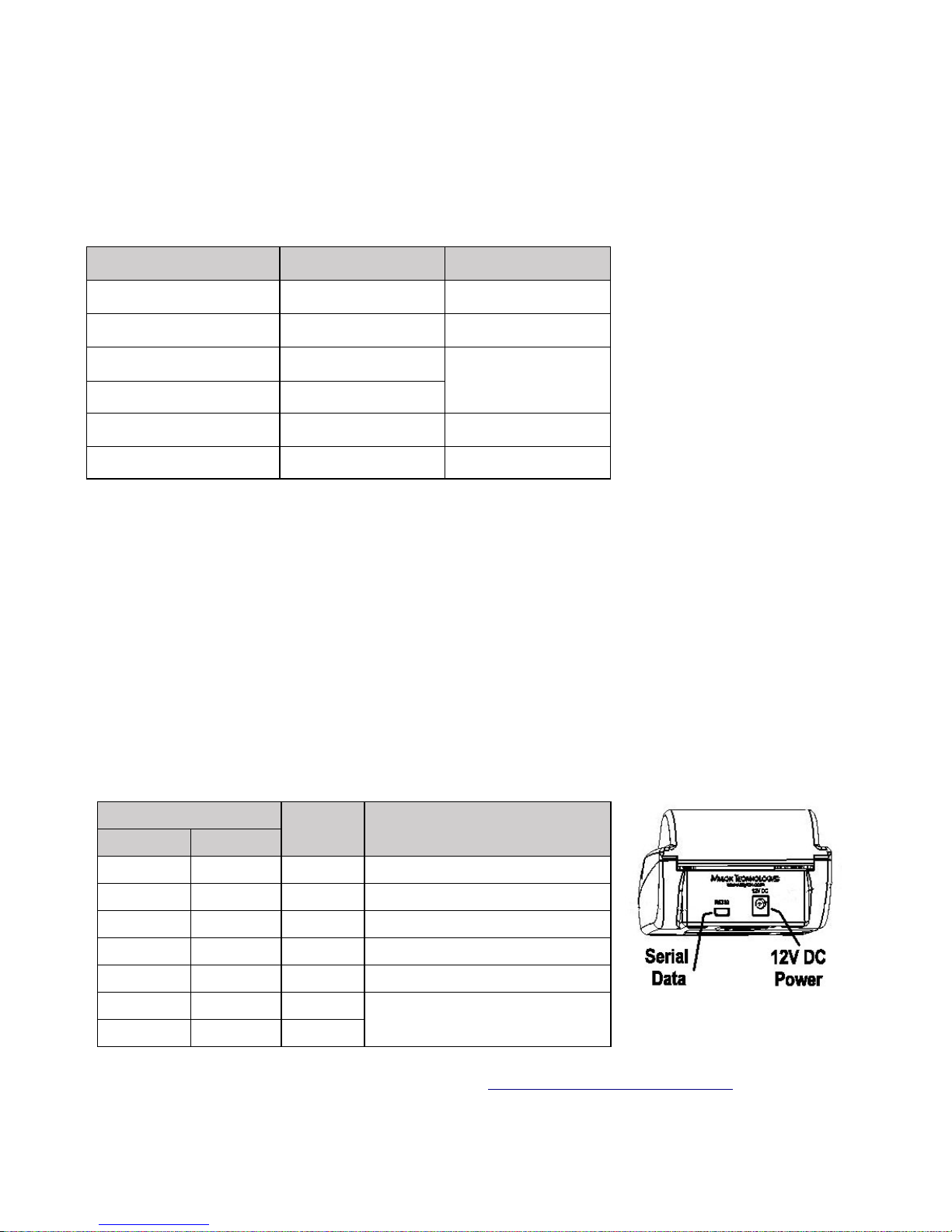
Serial Data Cable Connection
The printer is supplied with a dedicated serial data cable featuring an 8pin submini connector. This is the same shape as the mini USB connector that uses a 5
pin configuration.
DO NOT USE A SUB-MINI USB CABLE
- It will not fit!
The D9 connector has the following pin signals suitable for PC connection.
Pin No.
Signal
Name
Function
Printer
Host
1
3
RxD
Receive Data
2
2
TxD
Transmit Data
3
7
CTS
Clear to Send
4
8
RTS
Ready to Send
5
5
GND
Ground
-
4
DTR
Linked in D9 connector.
Not used by printer.
-
6
DSR
Full technical data available by contacting [email protected]
Page 4

4
Operating Precaution
When using the Printer
● Be careful not to drop or bump the printer on a hard surface.
● Suitable environment for the use of the printer is as follows:
Operating temperature : 0°C to 50°C
Relative humidity : 10% to 80% (No condensation)
● Do not open the printer cover during printing.
● Do not remove or reinstall the communication cable during printing or
transmission.
● Do not remove or reinstall the paper or ribbon during printing or data
transmission.
● When possible switch the POWER OFF when not in use.
● Do not use alcohol or other solvent when cleaning.
TROUBLESHOOTING
Check the following points before you make a request for repair.
The correct voltage is being supplied to the printer.
The Status LED is green.
The printer has paper and that the roll is correctly fitted.
Baud Rate & Comms protocol is correctly configured to the host equipment –
Parameters can be verified on the Self-Test print.
(Default Baud rate for printer is 9600Bd, 8,N,1. Hardware handshaking)
Initial diagnostic assistance can be provided over the phone by contacting
Mylox Technologies, Inc. www.mylox.com
CAUTION:
Replace paper roll when the roll starts to show a continuous red
line. This indicates only 3 to 5 ft. of paper remains on the roll.
It is recommended that the ribbon cassette is replaced after every
third roll of paper to ensure maximum mechanism life and
ongoing print quality.
Use of non-standard paper or ribbons may invalidate the printer
warranty.
 Loading...