

Page 1
Mini Wireless
Range Extender
Quick Installation Guide
DN-70185
Page 2
Product Introduction
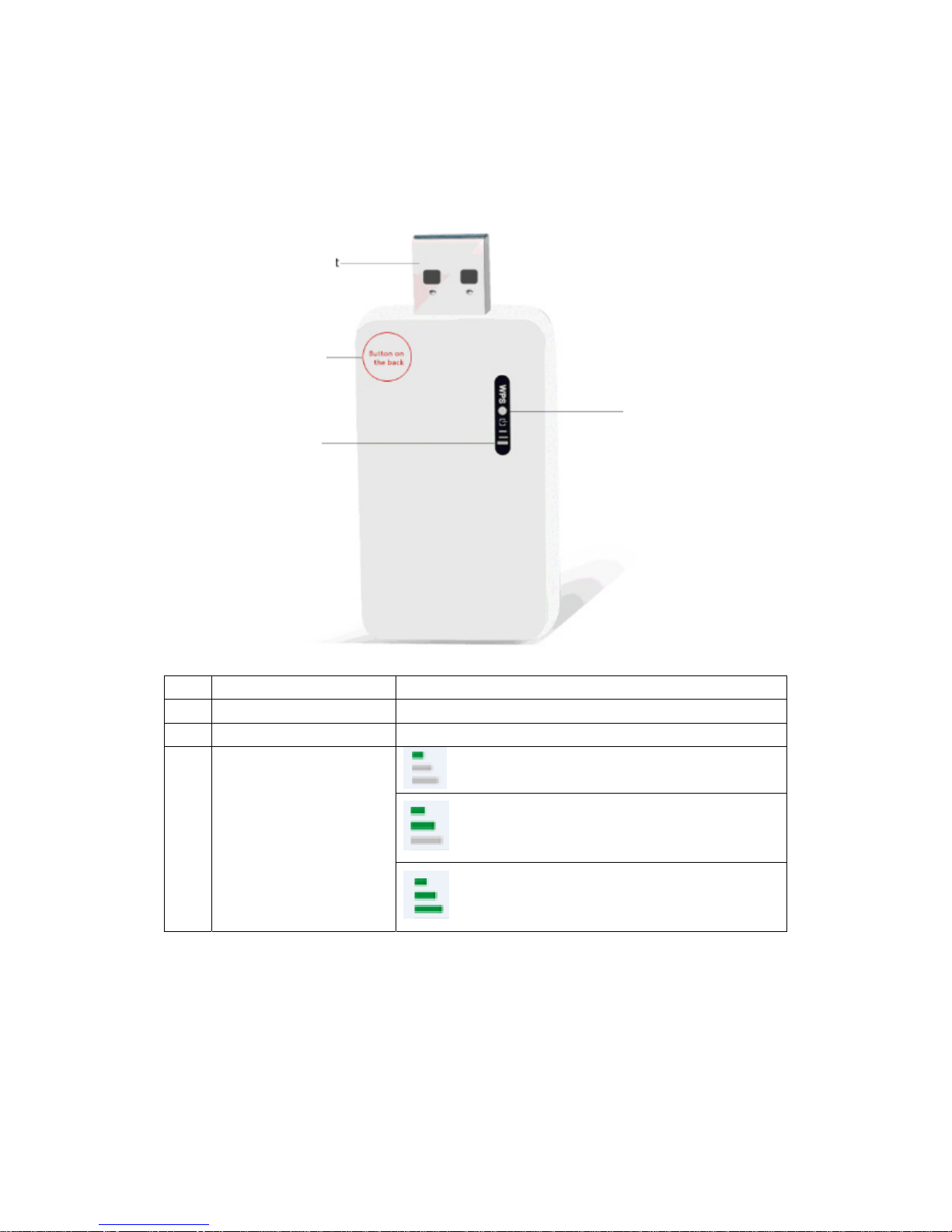
This is a mini size wireless range extender with USB power supply.
1 USB port For power supply
2 Reset button Press 5 seconds for reset to default setting
3 WPS button Press 1 seconds to start WPS
4
Wifi LED
: weak signal
:good signal
:strong signal
Note: You must reset it to the factory setting first (press reset button for
5 seconds), If you have done some settings before.
2. USB port
1. Reset Button
4. Wifi LED
3. WPS Button
Page 3
Prepare: Wireless Network Connection
(Windows
®
7/8/8.1/10)
If you want to install the wireless network repeater, please make sure your wifi
is ON, and your network cable has been detached.
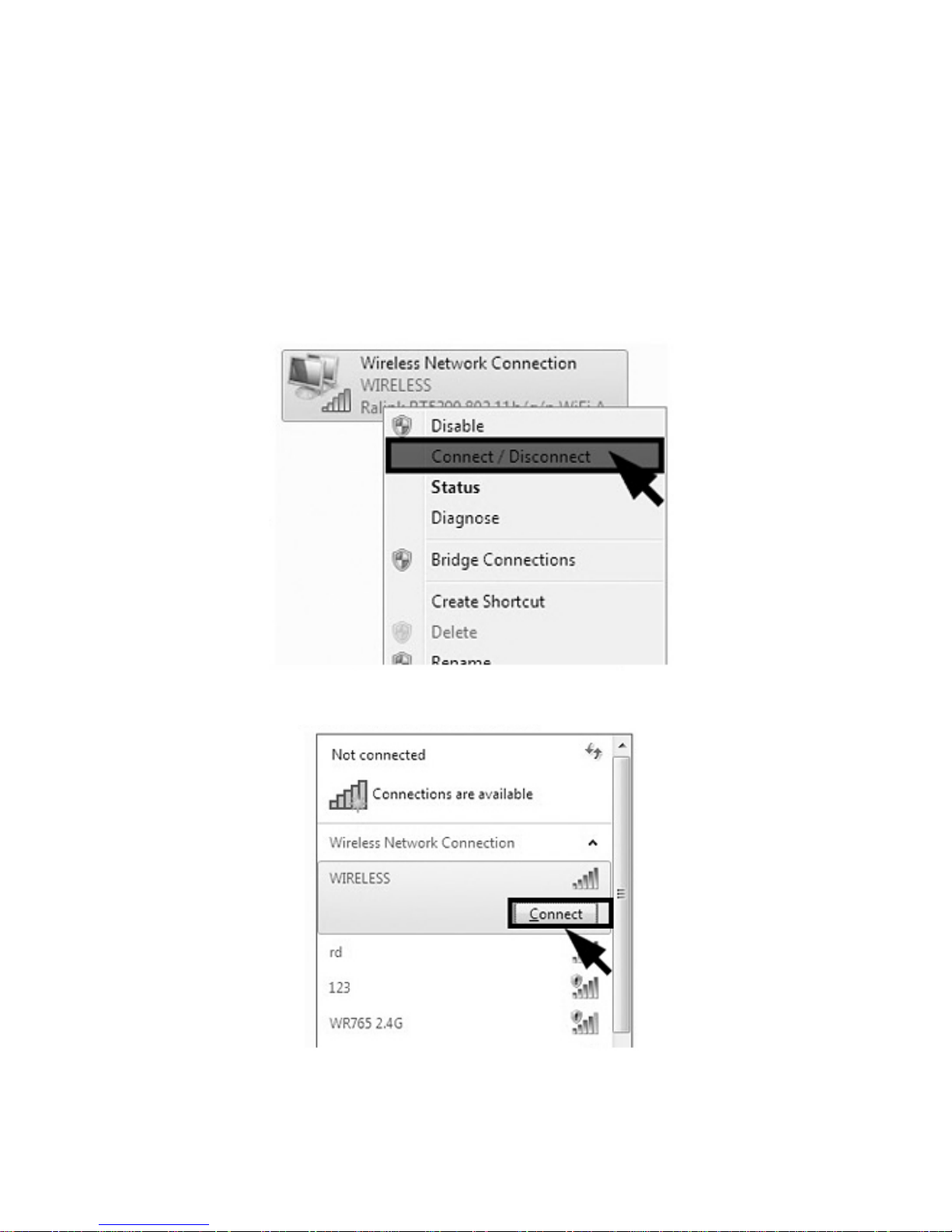
To operate, please follow the steps below to connect to the product:
1. Click Start→Control Panel→Network→Sharing Center→Change Adapter
Settings, right-click Wireless Network Connect, select Connect/Disconnect.
2. Click Refresh Button, select the SSID default is "WIRELESS" then click
Connect.
3. Click Refresh network list, double-click the SSID (default is "WIRELESS")
Page 4
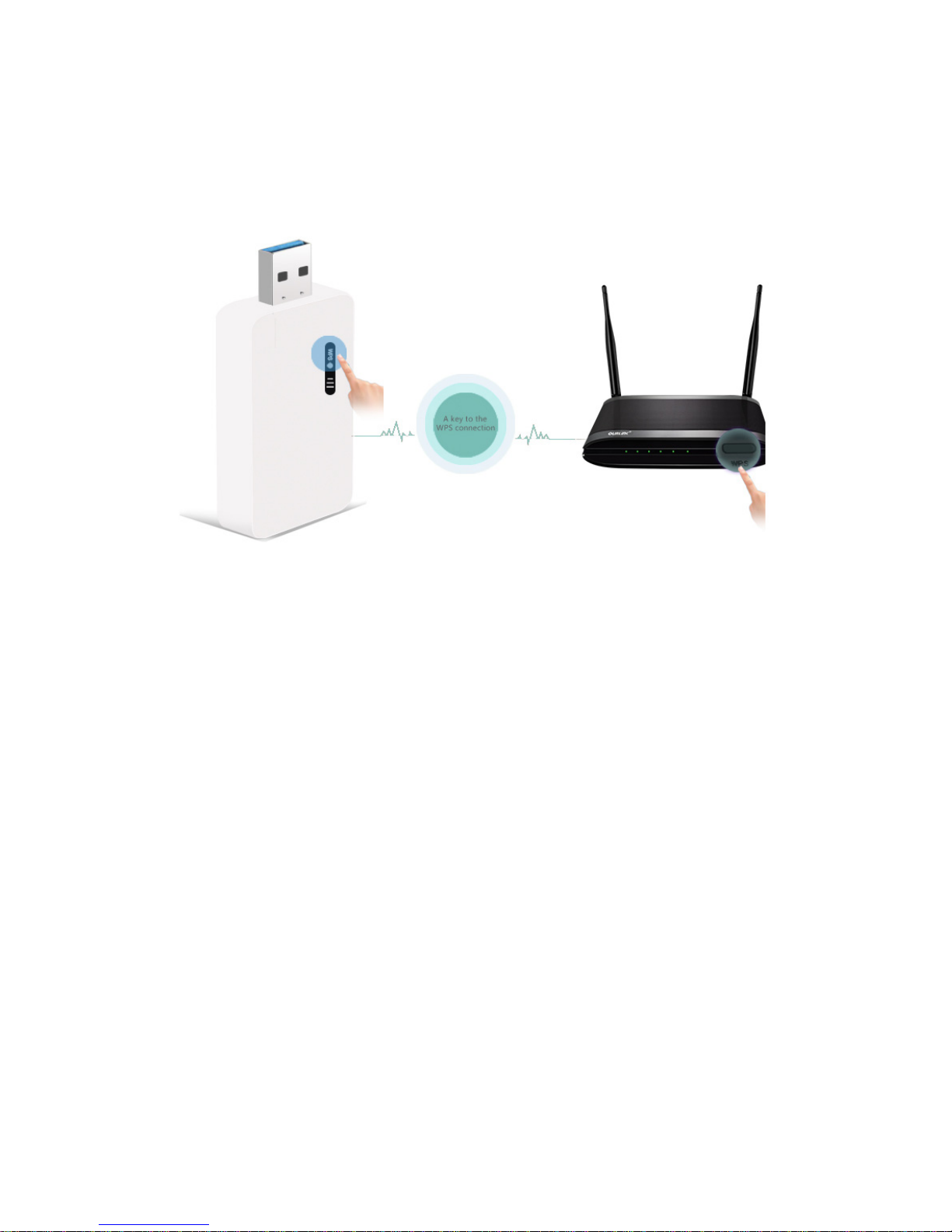
WPS Setting:
Just click first the WPS button of the router and also the repeater for one
second within 2 minutes, and then a wireless connection will be established
automatically.
Note: The WPS button will be invalid, if it has connected to one router
successfully, you must reset it to factory setting first. Then, do another WPS
connection.
Page 5
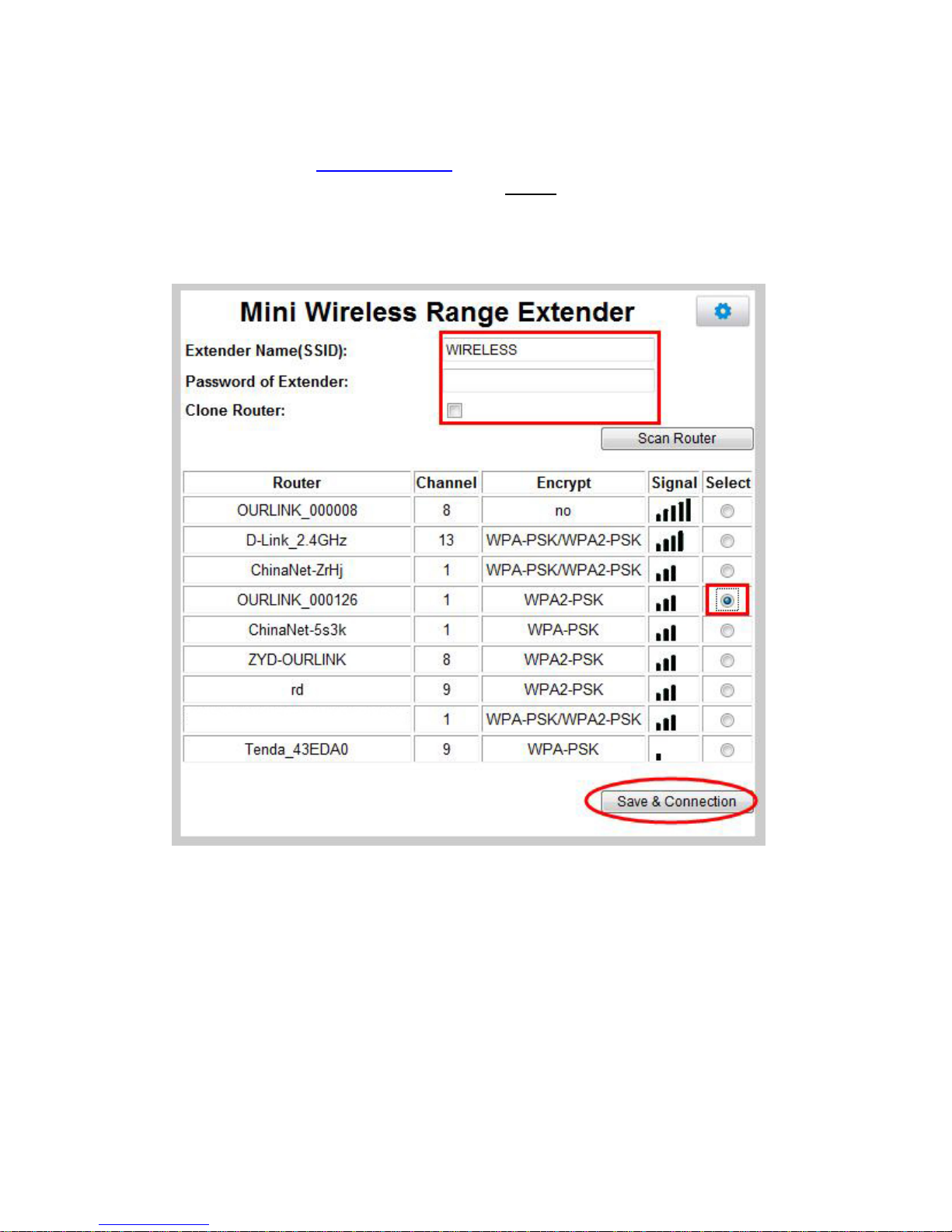
Web Setting:
Place the website http://192.168.8.1 in Internet explorer address column, then
key in the username and password with “admin”. Enter the main page. You
can choose “Clone Router”, and the Repeater’s SSID and password will be
the same with the router which you have connect to.
Select the router you want to connect and click “Save & Connection”
Input the root app’s password if need and click “Finish”
Page 6
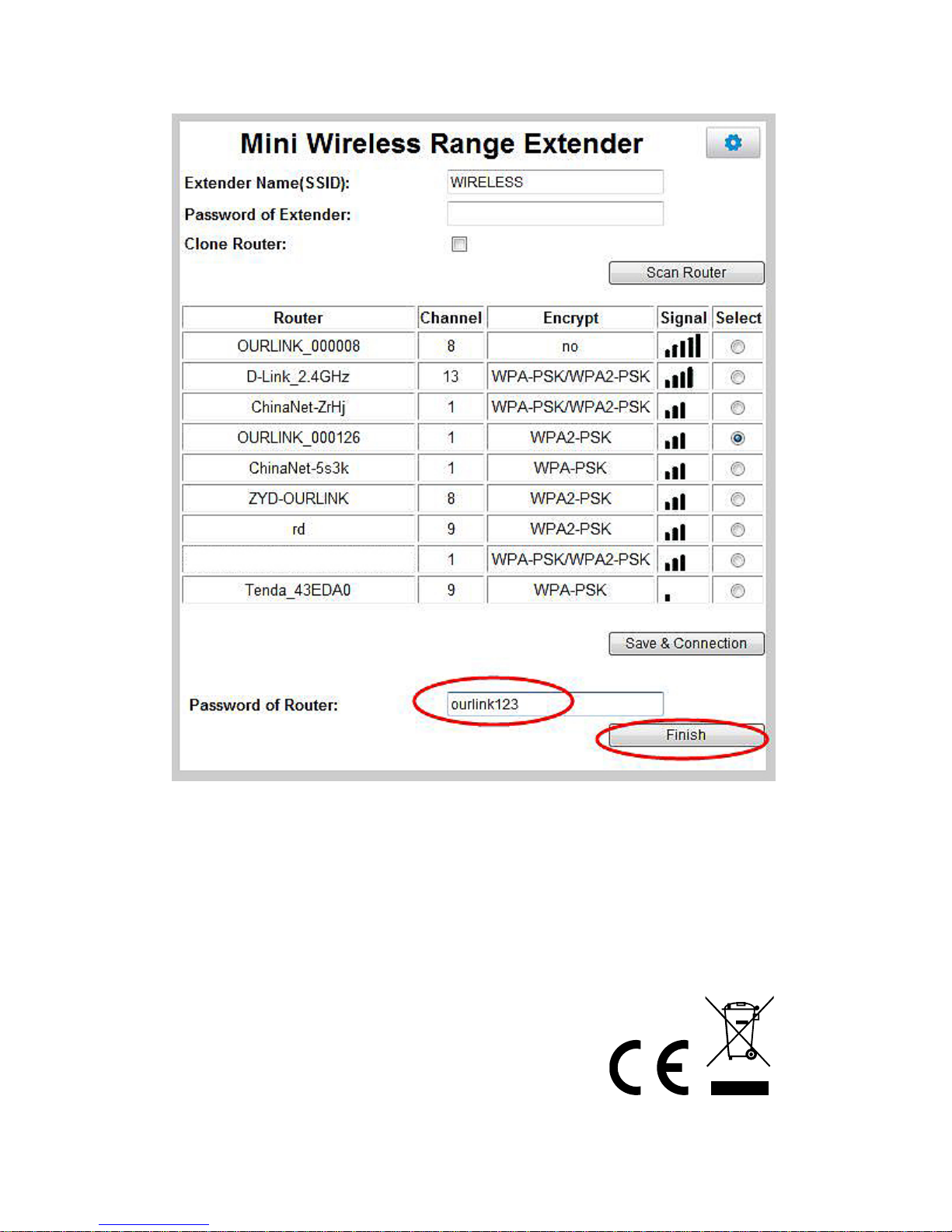
Note: Device will reboot after connecting successfully. If connection failed,
please check router’s password or other network problem.
Hereby ASSMANN Electronic GmbH, declares that this device is in compliance with the
requirements of Directive 2014/53/EU and the Directive 2011/65/EU for RoHS compliance.
The complete declaration of conformity can be requested by post under the below mentioned
manufacturer address.
Warning:
This device is a class B product. This equipment may cause some radio interference in living
environment. In this case, the user can be requested to undertake appropriate measures to
prevent interference.
www.assmann.com
Assmann Electronic GmbH
Auf dem Schüffel 3
58513 Lüdenscheid
Germany
 Loading...