

Page 1
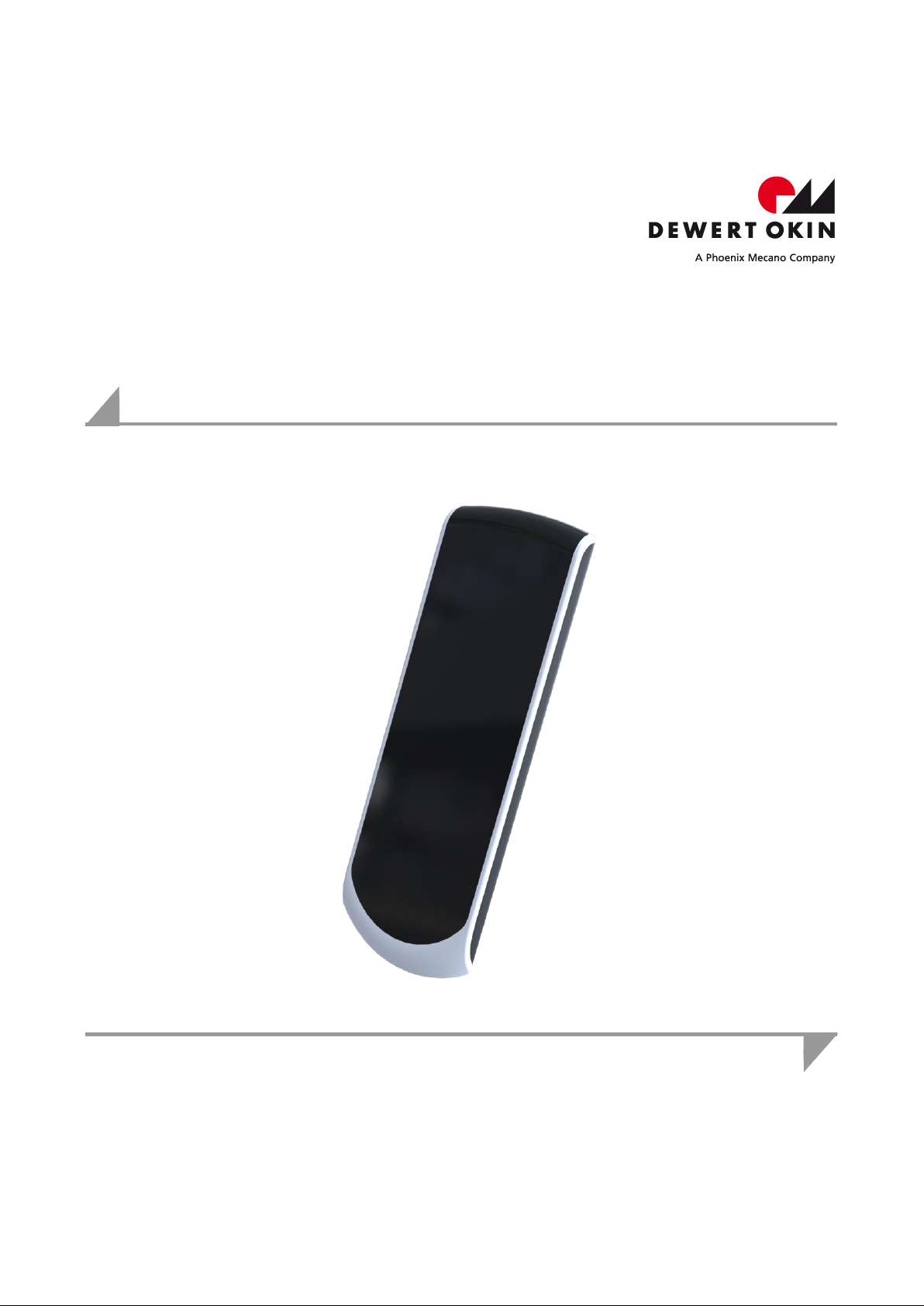
System Instructions
RF-TOUCH
Page 2

Page 3

SWS Wireless
Version
Date
Modification, change
(-)
12/15
First release
DewertOkin GmbH
Weststraße 1
32278 Kirchlengern
Germany
Phone: +49 (0)5223/979-0
Fax: +49 (0)5223/75182
http://www.dewertokin.de
[email protected]
Revisions
Disclaimer and Exclusion of Liability
DewertOkin is not responsible for damage resulting from:
failure to observe these instructions,
changes made to this product which have not been approved by DewertOkin, or
the use of replacement parts which have not been approved or manufactured by DewertOkin.
Address of manufacturer
83423(-) 3
Page 4

SWS Wireless
Revisions 3
Disclaimer and Exclusion of Liability 3
Address of manufacturer 3
1. General Information 5
1.1 About these system instructions 5
1.2 Creation of a complete operating instruction manual for the entire end product 5
1.3 Conventions used in this manual 5
2. Safety Instructions 6
2.1 Proper and Intended Usage 6
3. Description of the Hand-Held Remote Control 8
3.1 RF-TOUCH hand-held remote control 8
3.2 Technical specifications 8
4. Starting for the First Time 9
4.1 Teach-in the hand-held remote control with the drive system 9
5. Operation 10
5.1 Button functions on the RF-TOUCH hand-held remote control 10
5.2 Changing the battery 11
6. Troubleshooting 12
7. Maintenance 13
7.1 Cleaning and care 13
8. Disposal 14
8.1 Packing material 14
8.2 RF-TOUCH components 14
8.3 Batteries 14
EU Declaration of Conformity 15
Additional information 16
4 83423(-)
Page 5
RF-TOUCH General Information
CAUTION
The notices in these instructions must be followed! Following the guidelines during installation
and connection procedures will help to minimize:
the risk of accident and injury, and
damage to the drive system or the end product.
CAUTION
CAUTION indicates a hazardous situation; risk of injury
NOTICE
NOTICE is used to address practices which are not related to personal injury but may result in
damage to the product or surroundings.
1. General Information
1.1 About these system instructions
These instructions are intended specifically for the RF-TOUCH hand-held remote control. These
system instructions are not an instruction manual for the end product and should only be used in
conjunction with the installation instructions for the DewertOkin drive system in use.
These instructions have been written with due care and attention. However, we cannot guarantee that the data, images and drawings are complete and correct nor do we accept any liability
for the information contained therein, unless required by law.
Availability of this document
As manufacturer of the end product, you are obligated to comply with Machinery Directive
2006/42/EC. This directive stipulates that the installation instructions must be kept on file for
governmental inspection purposes.
1.2 Creation of a complete operating instruction manual for the entire end product
These instructions are only intended to be used by the end-product manufacturer. They should
not be given to the operator of the end product. The factual information contained within may be
used as a basis when creating the end-product manual.
The warning and danger notices are best suited for use in the end-product's manual. However it
is not sufficient to simply follow these notices. You should also carry out an internal risk assessment for your end product. This can then be used as the basis for the safety notices in your
manual.
1.3 Conventions used in this manual
Notices which do not relate to safety are indicated in these instructions with a triangle:
Triangular notice symbol
Explanations of warning notices
83423(-) 5
Page 6
Safety Instructions RF-TOUCH
CAUTION
This hand-held remote control should only be used for the applications described above. Any
other form of usage is not permitted and can lead to accidents or destruction of the unit. Such
non-approved applications will lead immediately to the expiration of all guarantee and warranty
claims on the part of the end-product manufacturer against the manufacturer.
2. Safety Instructions
2.1 Proper and Intended Usage
The DewertOkin RF-TOUCH hand-held remote control can be used together with a DewertOkin
drive system for continuously variable adjustment beds.
It can be used in the household (HOME).
Improper usage
Be sure to follow the notices below concerning improper usage. You should include them in
your product manual in order to inform the users of your end product.
The RF-TOUCH hand-held remote control may not be used:
in any environment where combustible or explosive gases or vapours (e.g., anaesthesiology)
may be present,
in the proximity of open fires or other heat sources (such as furnaces, ovens or direct sunlight),
in any application that will be cleaned with an automated washing system.
in a moist environment,
outdoors
The RF-TOUCH can be used by children of 8 years and older, persons with reduced physical,
sensory or mental capabilities, or persons with lack of experience or knowledge when they are
supervised or instructed concerning the safe use of the device and when they understand the
resulting risks. Do not allow children to play with this device. The cleaning and user maintenance must not be carried out by children without supervision.
You should only use spare parts which have been manufactured or approved by DewertOkin.
Only these parts will guarantee a sufficient level of safety.
6 83423(-)
Page 7
RF-TOUCH Safety Instructions
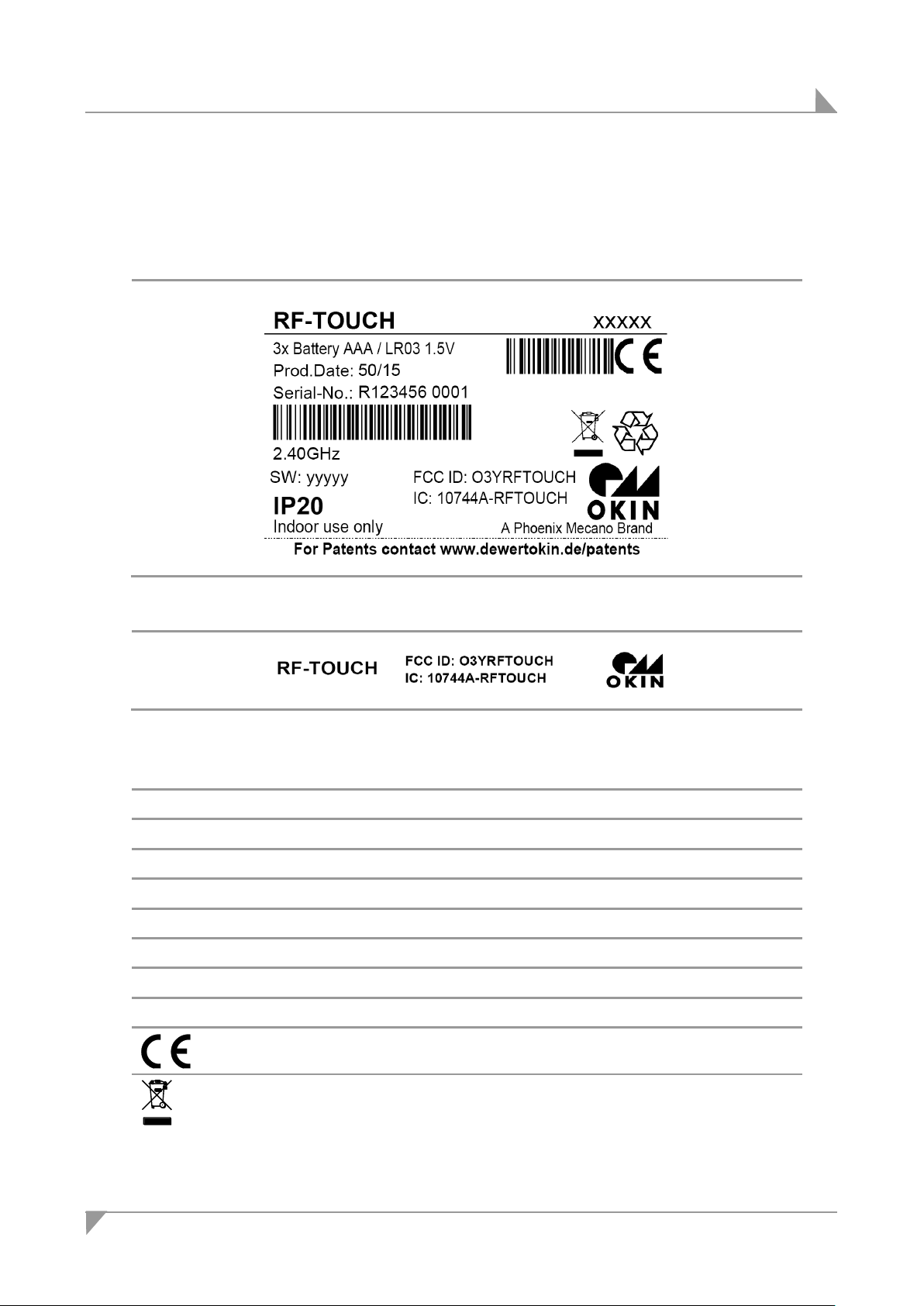
RF-TOUCH
Model name
xxxxx
Article number
3x Battery AAA / LR03 1.5V
Battery typ
2.40GHz
Frequency of wireless communication
SW
Software version
Prod.Date
Calendar week / year
IP20
Protection degree
FCC ID: O3YRFTOUCH
Federal Communications Commission ID
IC: 10744-RFTOUCH
Industry Canada identifier
Conformity mark
Follow all special disposal instructions!
Product labelling
The type label is attached to the battery case cover on the hand-held remote control.
The type label shown is an example. The specifications for hand-held remote control may
differ from this illustration.
The type label is located on the back side of the battery compartment.
Figure 1: Type label (example)
Figure 2: FCC / IC label (example)
83423(-) 7
Page 8
Description of the Hand-Held Remote Control RF-TOUCH
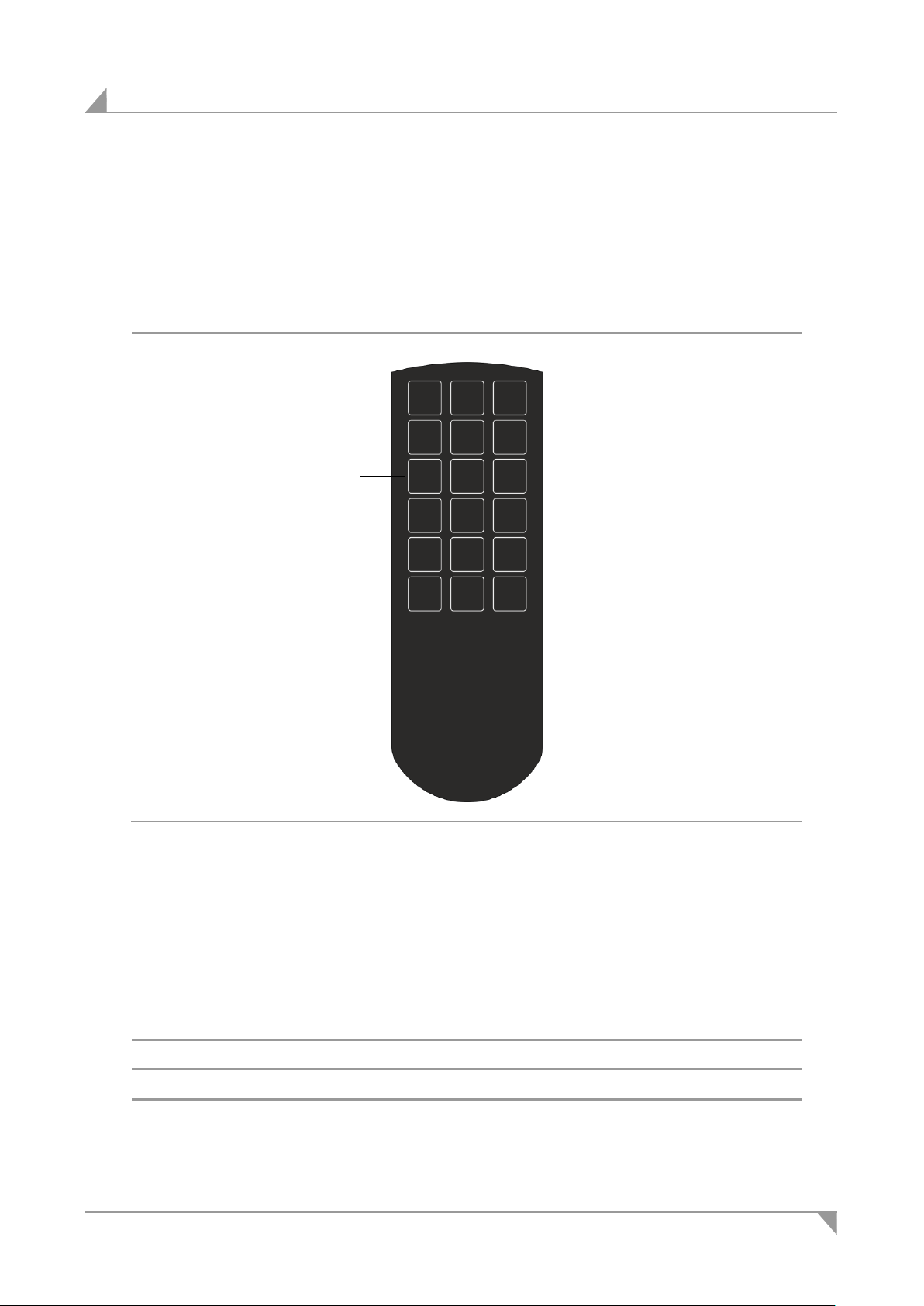
A Function and movement buttons and touch surface
Battery voltage
3x 1,5V (AAA / LR03)
Protection degree
IP20
Protection classification
III
Frequency
2,40GHz
A
3. Description of the Hand-Held Remote Control
The end product is controlled and adjusted using the RF-TOUCH hand-held remote control (the
remote's buttons). After the teach-in process, the RF-TOUCH hand-held remote control communicates with a DewertOkin drive.
3.1 RF-TOUCH hand-held remote control
Figure 3: RF-TOUCH hand-held remote control
The Starting for the First Time and Operation Chapters describe the teach-in process and
handset operations.
3.2 Technical specifications
8 83423(-)
Page 9
RF-TOUCH Starting for the First Time
Notice
There is a delay after the supply voltage is applied before the device actually turns on. Wait at
least 2 - 3 seconds before initial commissioning.
Make sure you do not contact the touch surface of the RF-TOUCH while you are inserting the
batteries.
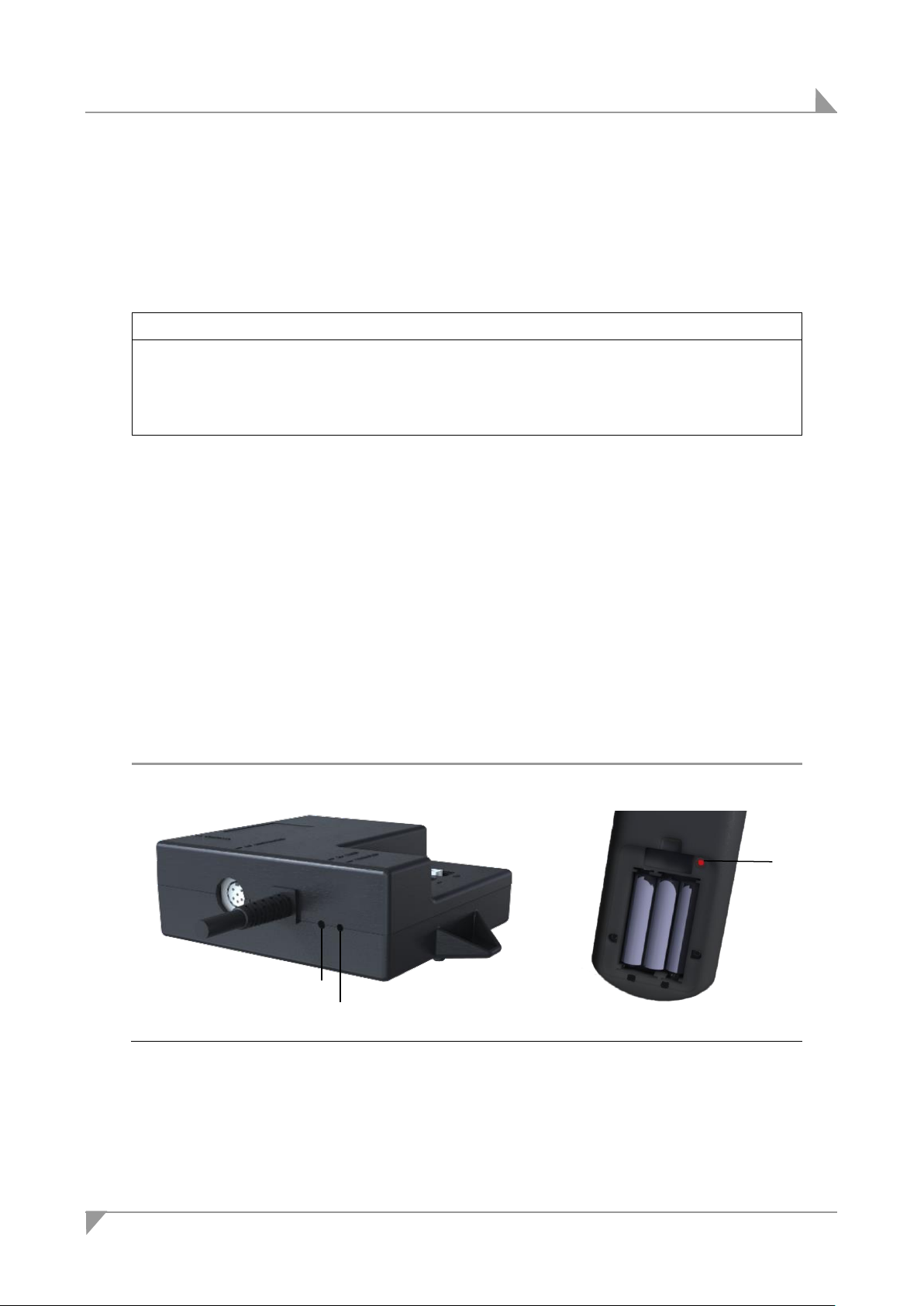
A Pairing-button / Reset-button (HE200)
B Pairing-LED
C Pairing-button / Pairing-LED (RF-TOUCH)
A
B
C
4. Starting for the First Time
Wireless communication must first be established with the drive system (the "teach-in" process)
before the initial commissioning. The teach-in process is carried out directly with the drive system. One or two drive systems can participate in the "teach-in"
4.1 Teach-in the hand-held remote control with the drive system
Insert the drive systems power plug into a power outlet.
1 Remove the battery lid on the back of the the RF-TOUCH. Insert the batteries (refer to Fig-
ure 5.3). Make sure you do not contact the touch surface.
2 Then press the Reset/Pairing button on the HE200 control unit twice briefly in succession.
The pairing LED switches on. The HE200 will now be in teach-in mode for about 10 seconds.
3 Press and hold the Pairing button on the battery compartment of the RF-TOUCH. Hold this
button down until the PAIRING LED flashes. The pairing LED will light continuously once the
teach-in (configuration) process is finished. The function LED then lights continuously. The
teach-in configuration process is thus completed.
4 The RF-TOUCH can be used after the teach-in process has been completed.
If the drive does not start up after the button has been pressed, release the button briefly
and repress. Repeat the teach-in process if necessary.
Figure 4: :Example CONTROL UNIT HE200 and RF-TOUCH (back side)
83423(-) 9
Page 10
Operation RF-TOUCH
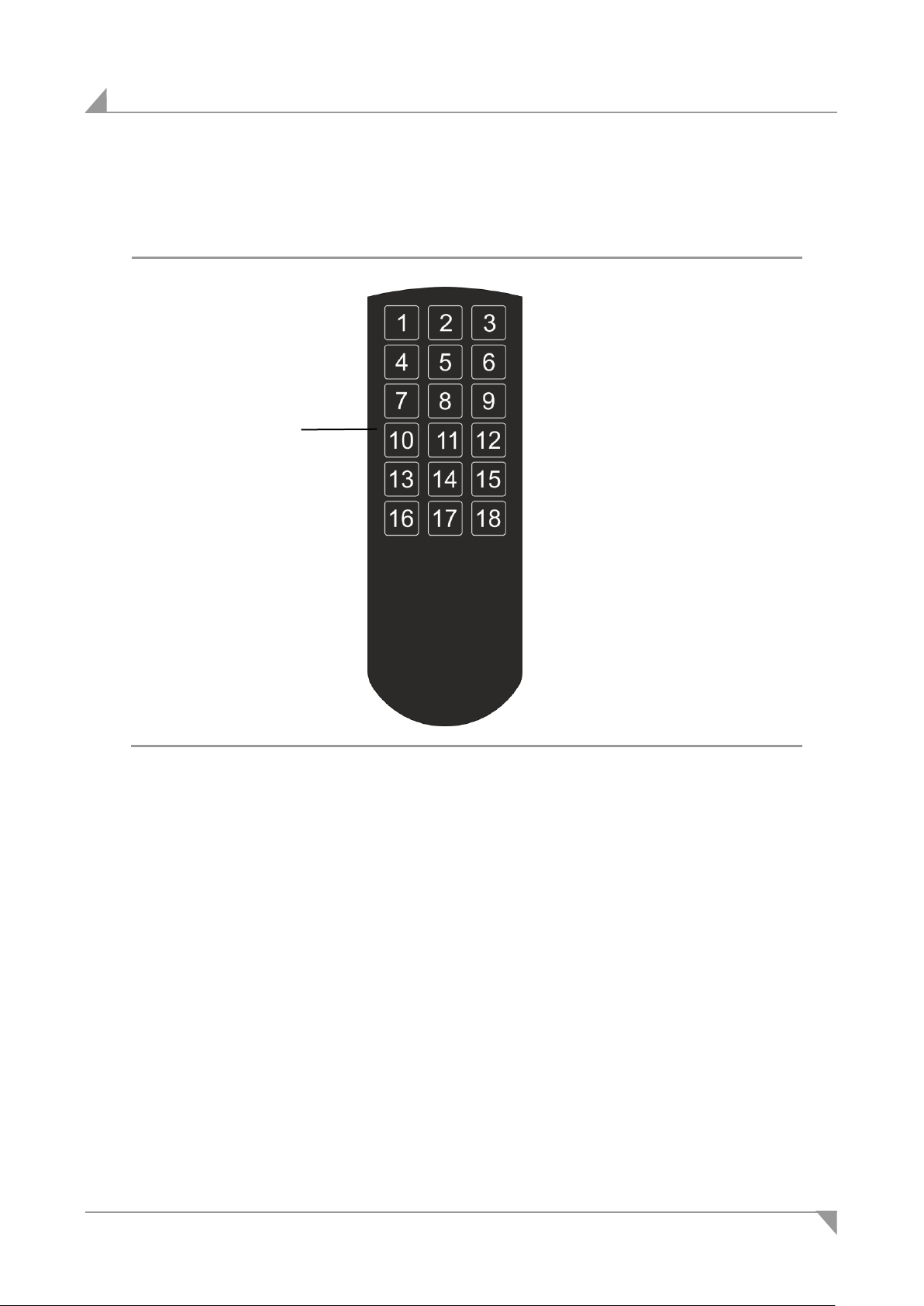
A Function and movement buttons
A
5. Operation
5.1 Button functions on the RF-TOUCH hand-held remote control
Figure 5: Buttons on the RF-TOUCH hand-held remote control
10 83423(-)
Page 11
RF-TOUCH Operation
Notice
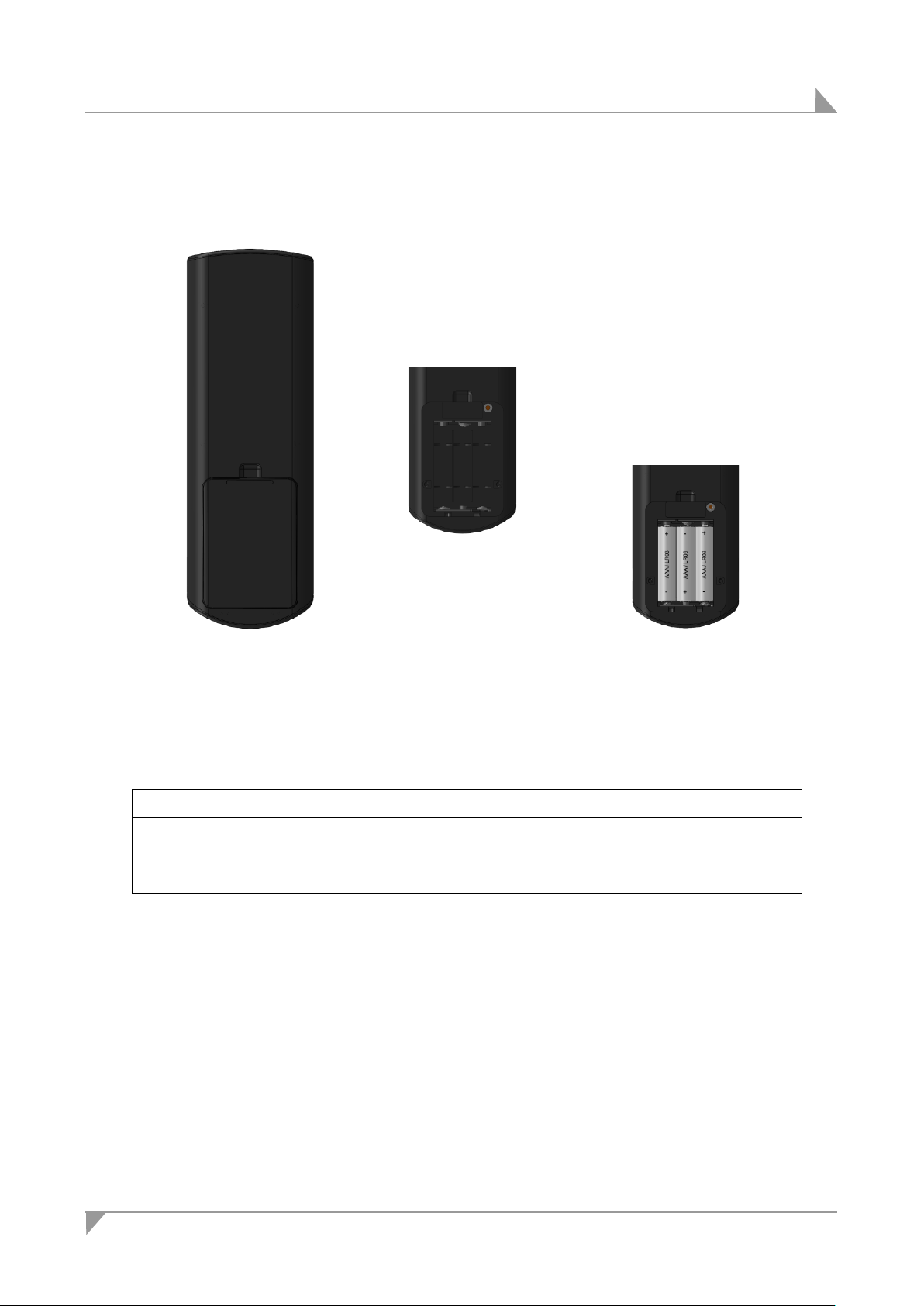
Be sure to align the battery poles properly!
Make sure you do not contact the touch surface of the RF-TOUCH while you are inserting the
batteries.
5.2 Changing the battery
Figure 6: Changing the battery in the RF-TOUCH hand-held remote control
1 Open the battery compartment on the back side of the RF-TOUCH hand-held remote control
2 Insert the new batteries (AAA / LR03) into the battery compartment.
3 Close the battery compartment.
83423(-) 11
Page 12

Troubleshooting RF-TOUCH
Problem
Possible cause
Solution
The hand-held remote or drive system is not functioning.
There is no mains voltage on the drive or control unit.
Connect the mains power.
The hand-held remote
control or drive system
is defective.
Please contact your supplier
or sales agent.
The batteries are empty
Check the batteries and replace if necessary.
The batteries have been
improperly inserted.
Reinsert the batteries properly. Be sure to align the battery poles properly!
The drive is suddenly not capable
of movement.
The drive's fuse may
have been triggered or
may be broken.
Please contact your supplier
or sales agent.
There is no mains supply voltage.
Connect the mains power.
The RF-TOUCH will not function
immediately after the initial start-up
or battery replacement.
The touch surface is
touched
Lay the RF-TOUCH approx.
5 min to side and do not
touch it.
The batteries are changed
Lay the RF-TOUCH approx.
5 min to side and do not
touch it.
6. Troubleshooting
If you experience an error that is not listed in this table, please contact your supplier.
12 83423(-)
Page 13
RF-TOUCH Maintenance
Type of check
Explanation
Time interval
Look over the housing periodically for any signs of
damage.
Check the housing for breaks or
cracks. The IP-class protection will
be impaired by any breakage or
cracks.
At least every six months.
Periodic functional test of the
remote.
Move the drive to the end positions
in order to test the end switches.
At least every six months.
NOTICE
Always disconnect the drive systems power plug before you start to clean!
Never clean the RF-TOUCH in an automated washing system or with a high-pressure cleaner.
Do not allow fluids to penetrate the unit. Damage to the remote control could result.
Do not use a cleanser that contains benzene, alcohol or similar solvents.
7. Maintenance
7.1 Cleaning and care
The RF-TOUCH was designed so that it would be easy to clean. The smooth surfaces can be
conveniently cleaned.
Clean the RF-TOUCH remote control with a dry, anti-static cloth.
83423(-) 13
Page 14
Disposal SWS Wireless
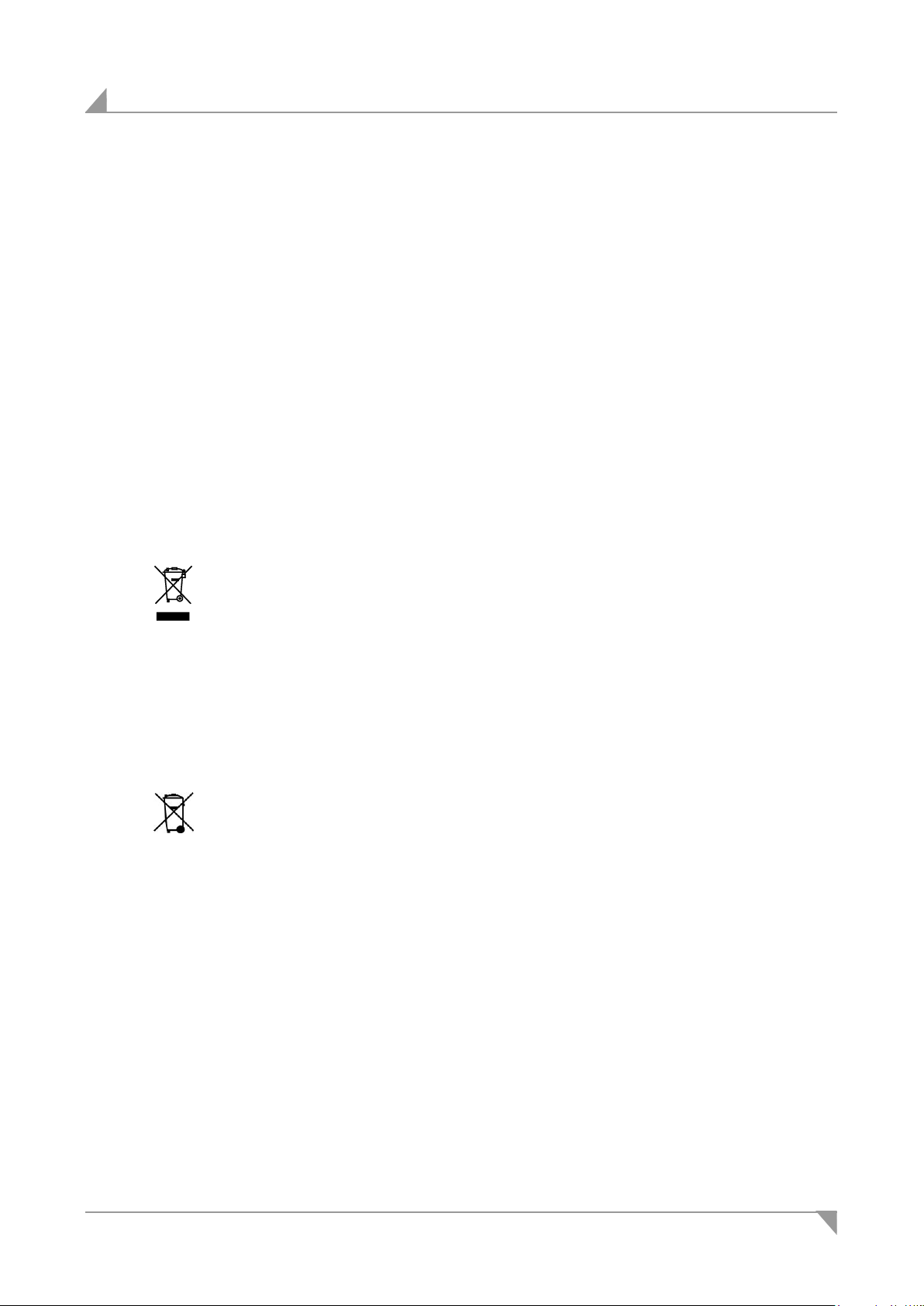
The RF-TOUCH components should not be disposed of with normal
household waste!
The Batteries should not be disposed of with normal household waste!
8. Disposal
8.1 Packing material
The packaging material should be sorted into recyclable components and then disposed of in
ac-cordance with the appropriate national environmental regulations (in Germany according to
the re-cycling law KrWG from 01.06.2012; internationally according to the EU Directive
2008/98/EC (Was-te Framework Directive WFD as of 12.12.2008)).
8.2 RF-TOUCH components
The RF-TOUCH consists of electronic components, cables and metal and plastic parts. You
should observe all corresponding national and regional environmental regulations when disposing of the RF-TOUCH.
The disposal of the end product is regulated in Germany by Elektro-G, internationally by the EU
Directive 2011/65/EC (RoHS), or by any applicable national laws and regulations. (The product
is not regulated by the EU Directive 2012/19/EC (WEEE).)
8.3 Batteries
The disposal of the battery is regulated in the EU by the Battery Directive 2006/66/EC, in Germany by the BattG battery law of 25.6.2009, and internationally by any applica-ble national laws
and regulations.
14 83423(-)
Page 15

EU Declaration of Conformity
In compliance with Appendix IV of the EU EMC Directive 1999/5/EC
In compliance with Appendix VI of the EU RoHS Directive 2011/65/EU
The manufacturer:
DewertOkin GmbH
Weststraße 1
32278 Kirchlengern
Germany
declares that the following product
RF-TOUCH
meets the requirements of the following EU directives:
Directive on wireless equipment and telecommunications equipment (1999/5/EC)
RoHS Directive 2011/65/EU of the European Parliament and of the Council of 8 June 2011
on the restriction of the use of certain hazardous substances in electrical and electronic
equipment
Applied standards:
EN 60950-1/A2:2013
EN 62479:2010
ETSI EN 300440-1 V1.6.1
ETSI EN 300440-2 V1.4.1
ETSI EN 301489-1 V1.9.2
ETSI EN 301489-3 V1.6.1
This declaration of conformity is no longer valid if constructional changes are made which significantly change the product (i.e., which influence the technical specifications found in the instructions or the intended use)!
Kirchlengern, Germany on 15 February 2016 Dr.-Ing. Josef G. Groß
Managing Director
Page 16

FCC Compliance Statement
This device complies Part 15 of the FCC Rules. Operation is subject to the following two
conditions:
(1) this device may not cause harmful interference, and
(2) this device must accept any interference received, including interference that may
cause undesired operation.
Section 15.21 Information to user
Changes or modifications not expressly approved by the party responsible for compliance
could void the user's authority to operate the equipment.
NOTE: This equipment has been tested and found to comply with the limits for a Class B
digital device, pursuant to part 15 of the FCC Rules. These limits are designed to provide
reasonable protection against harmful interference in a residential installation. This equipment generates, uses and can radiate radio frequency energy and, if not installed and
used in accordance with the instructions, may cause harmful interference to radio communications. However, there is no guarantee that interference will not occur in a particular installation. If this equipment does cause harmful interference to radio or television reception, which can be determined by turning the equipment off and on, the user is encouraged
to try to correct the interference by one or more of the following measures:
Reorient or relocate the receiving antenna.
Increase the separation between the equipment and receiver.
Connect the equipment into an outlet on a circuit different from that to which the receiver is
connected.
Consult the dealer or an experienced radio/ TV technician for help.
IC Compliance Notice
This device complies with Industry Canada licence-exempt RSS standard(s). Operation is
subject to the following two conditions:
(1) this device may not cause interference, and
(2) this device must accept any interference, including interference that my cause un-
desired operation of the device.
Le présent appareil est conforme aux CNR d’Industrie Canada applicables aux appareils
radio exempts de licence. Lexploitation est autorisée aux deux conditions suivantes:
(1) l’appareil ne diot pas produire de brouillage, et
(2) l’utilisateur de lappareil diot accepter tout bouillage radioélectrique subi, méme si le
brouillage est susceptible d’en compromettre le fonctionnement.
Additional information
RF-TOUCH
Page 17

Page 18

Page 19

Page 20

DewertOkin GmbH
Weststraße 1
32278 Kirchlengern, Germany
Phone: +49 (0)5223/979-0
Fax: +49 (0)5223/75182
http://www.dewertokin.de
[email protected]
ID-Nr.: 83423
 Loading...