

Page 1

POLSKI
РУССКИЙ
SVENSKA
AVR-3313
INTEGRATED NETWORK AV RECEIVER
Getting Started
ESpAñol
itAliANo
FrANçAiSNEDErlANDS
DEutSch ENGliSh
Erste Schritte / Mise en route / Guida introduttiva / Antes de empezar / Aan de slag / Att komma igång / Начало работы / Skrócona instrukcja obsługi
Page 2

ENGliSh DEutSch FrANçAiS itAliANo ESpAñol NEDErlANDS SVENSKA
Welcome
Thank you for choosing a DENON receiver. This guide provides
step-by-step instructions for setting up your receiver.
If you have setup problems:
If you need additional help in solving problems, contact DENON
customer service in your area.
See the address sheet included in the box.
1
Page 3

Before You Begin
ENGliShDEutSchFrANçAiSitAliANoESpAñolNEDErlANDSSVENSKA
Setup
microphone
What’s In the Box
Remote control
unit
Receiver Power cord
R6/AA batteries
Required for setup
TV HDMI cable
Speaker systems
Safety
Instructions
Note that the illustrations in this manual is for explanation purposes and
may differ from the actual unit.
Getting Started Owner’s Manual
2
Page 4
ENGliSh DEutSch FrANçAiS itAliANo ESpAñol NEDErlANDS SVENSKA
Setup Steps
There are three steps to the setup process.
1
2
3
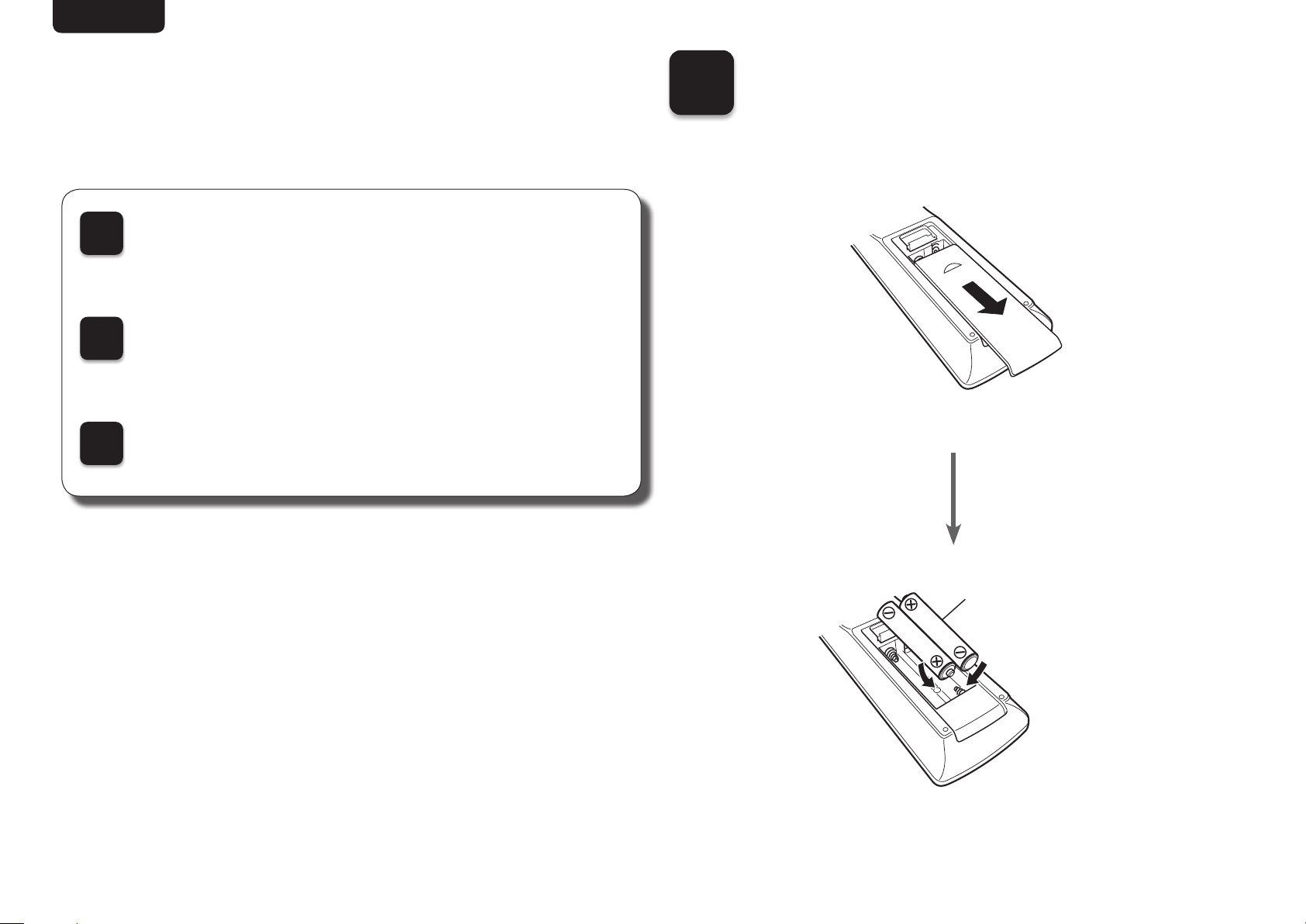
Install batteries in the remote control unit
Connect the receiver to your TV
Follow the On-Screen Setup Assistant
Installing batteries in
1
the remote control unit
R6/AA
batteries
3
Page 5
ENGliShDEutSchFrANçAiSitAliANoESpAñolNEDErlANDSSVENSKA
2
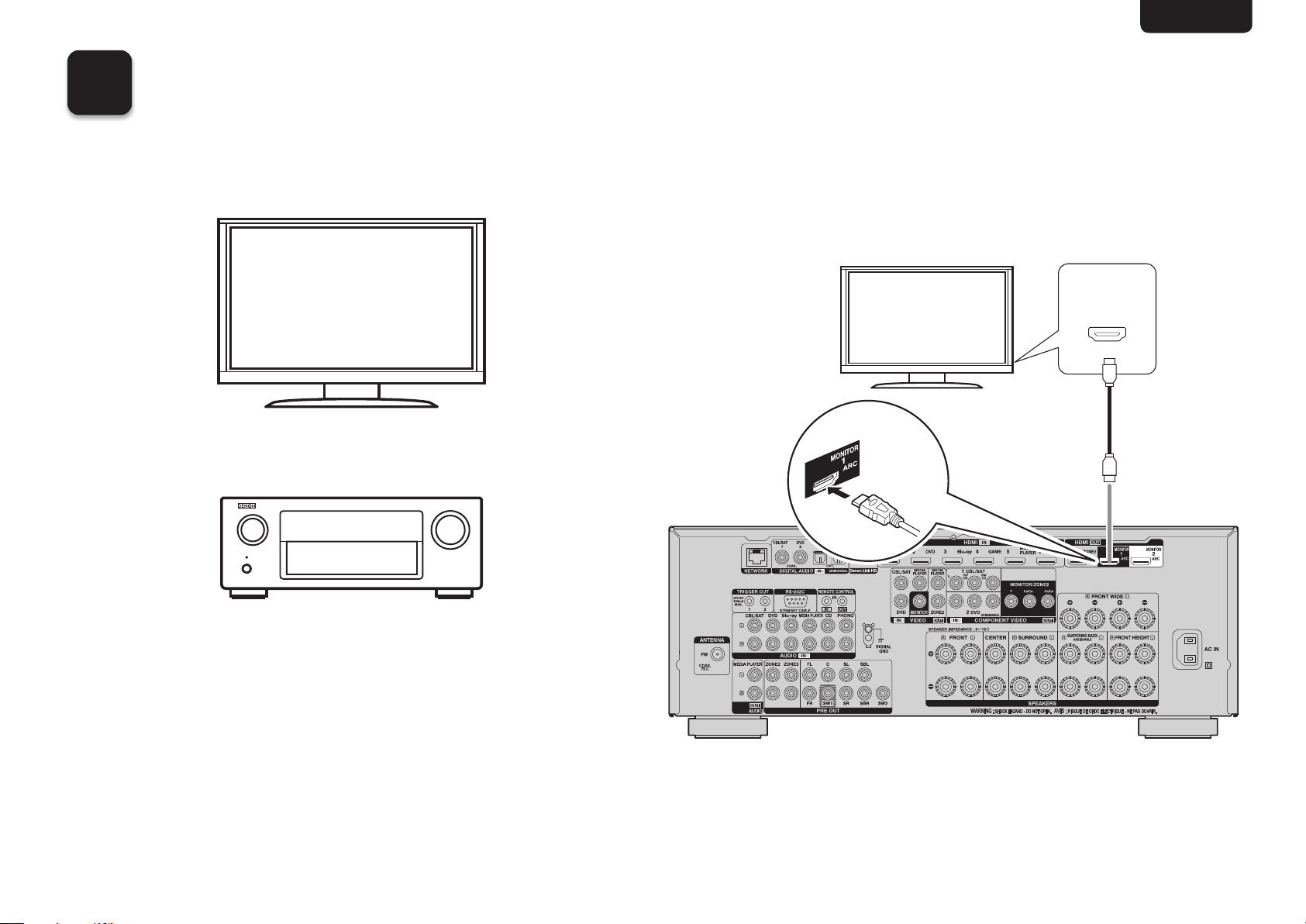
Connecting the receiver to your TV
n Place the receiver near your TV.
TV
n Connect the receiver to your TV with an
HDMI cable.
HDMI IN
(ARC)
HDMI cable
HDMI OUT
MONITOR
(ARC)
Receiver
Receiver (Rear panel)
4
Page 6
ENGliSh DEutSch FrANçAiS itAliANo ESpAñol NEDErlANDS SVENSKA
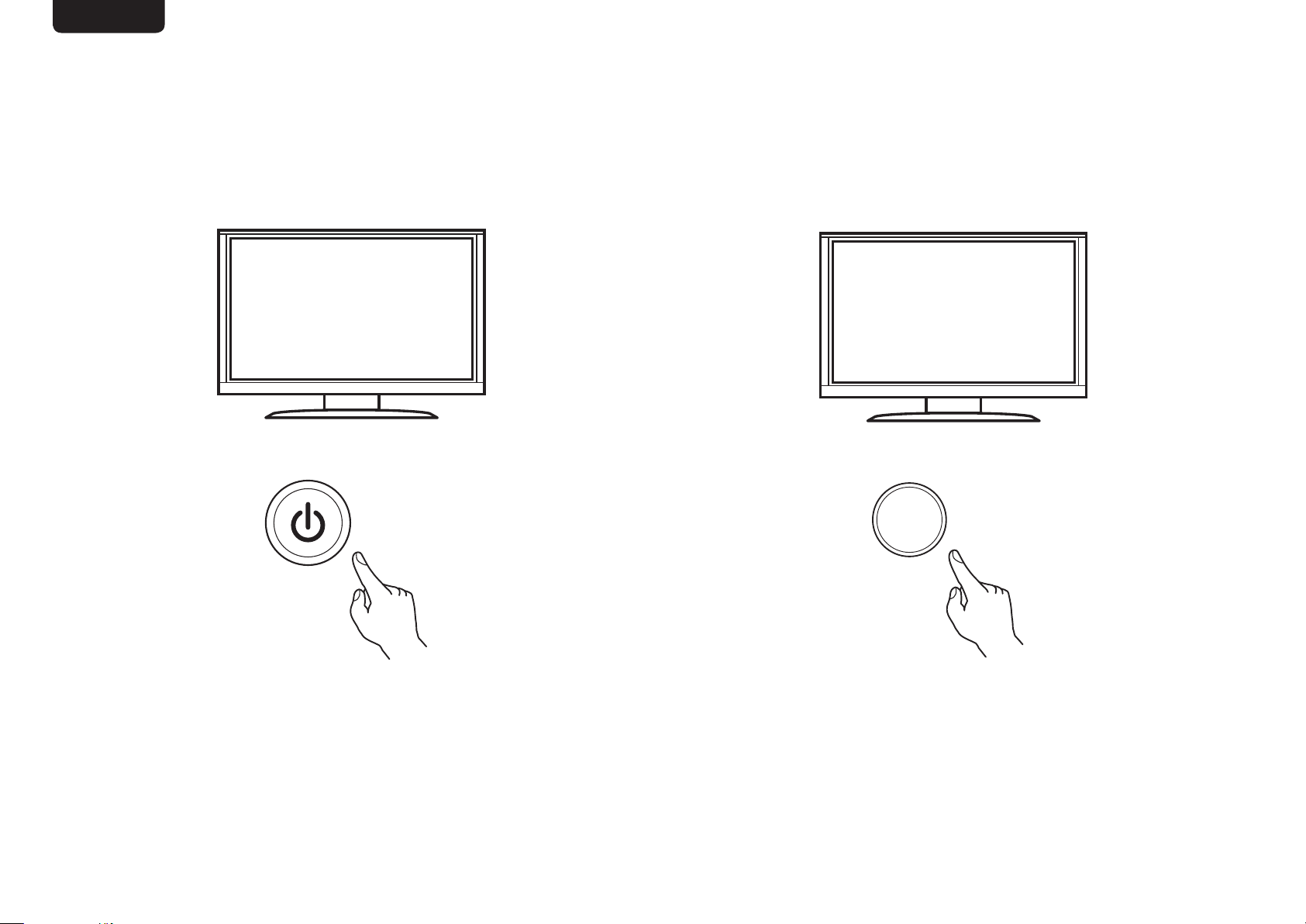
n Turn on the TV.
n Select the appropriate HDMI input on
your TV.
HDMI
INPUT
TV remote control unit
5
TV remote control unit
Page 7
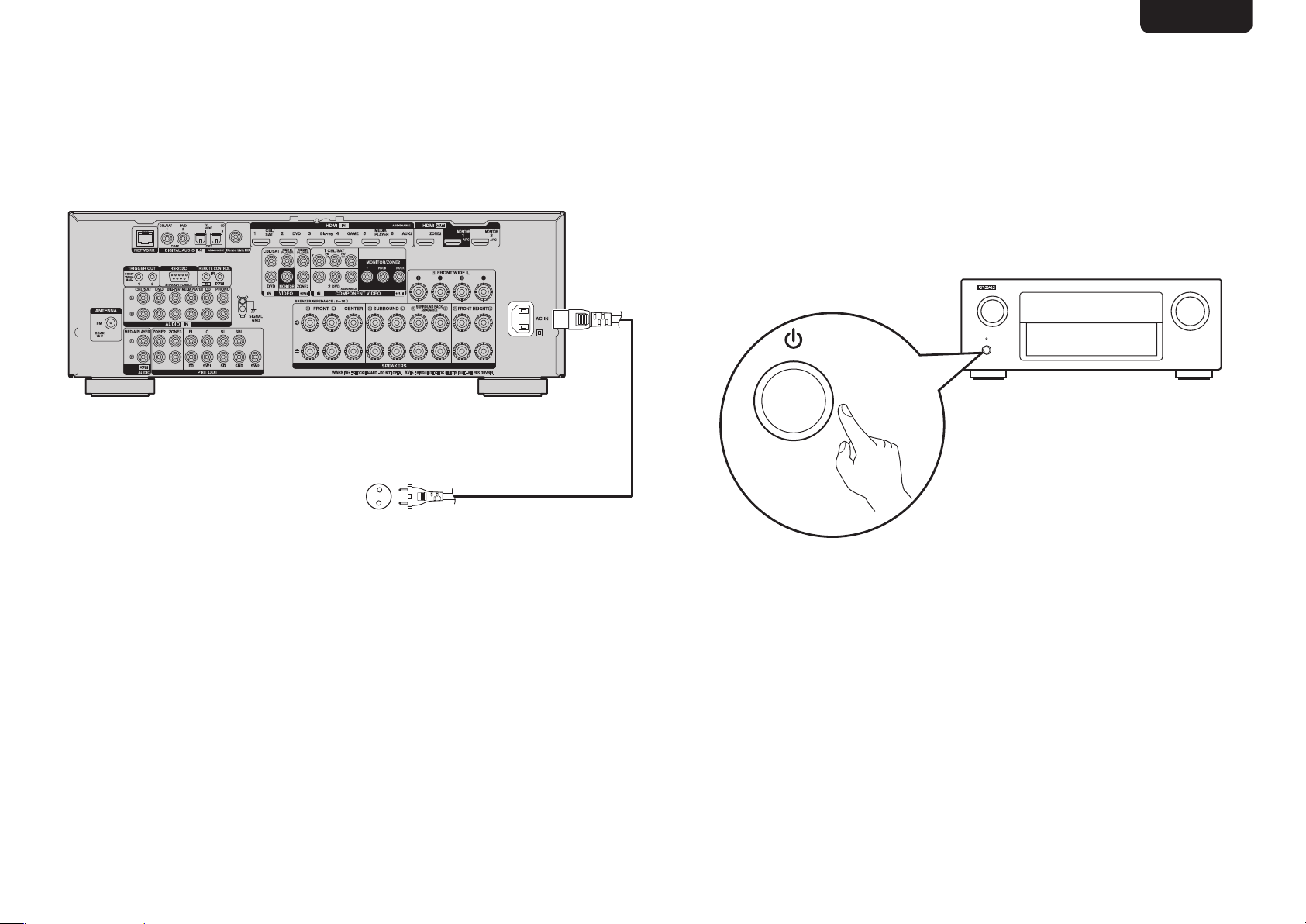
n Turn on receiver.
Connect to household power outlet
(AC 230 V, 50/60 Hz)
ENGliShDEutSchFrANçAiSitAliANoESpAñolNEDErlANDSSVENSKA
•Turn on receiver as shown below.
Power cord
(supplied)
6
Page 8
ENGliSh DEutSch FrANçAiS itAliANo ESpAñol NEDErlANDS SVENSKA
3
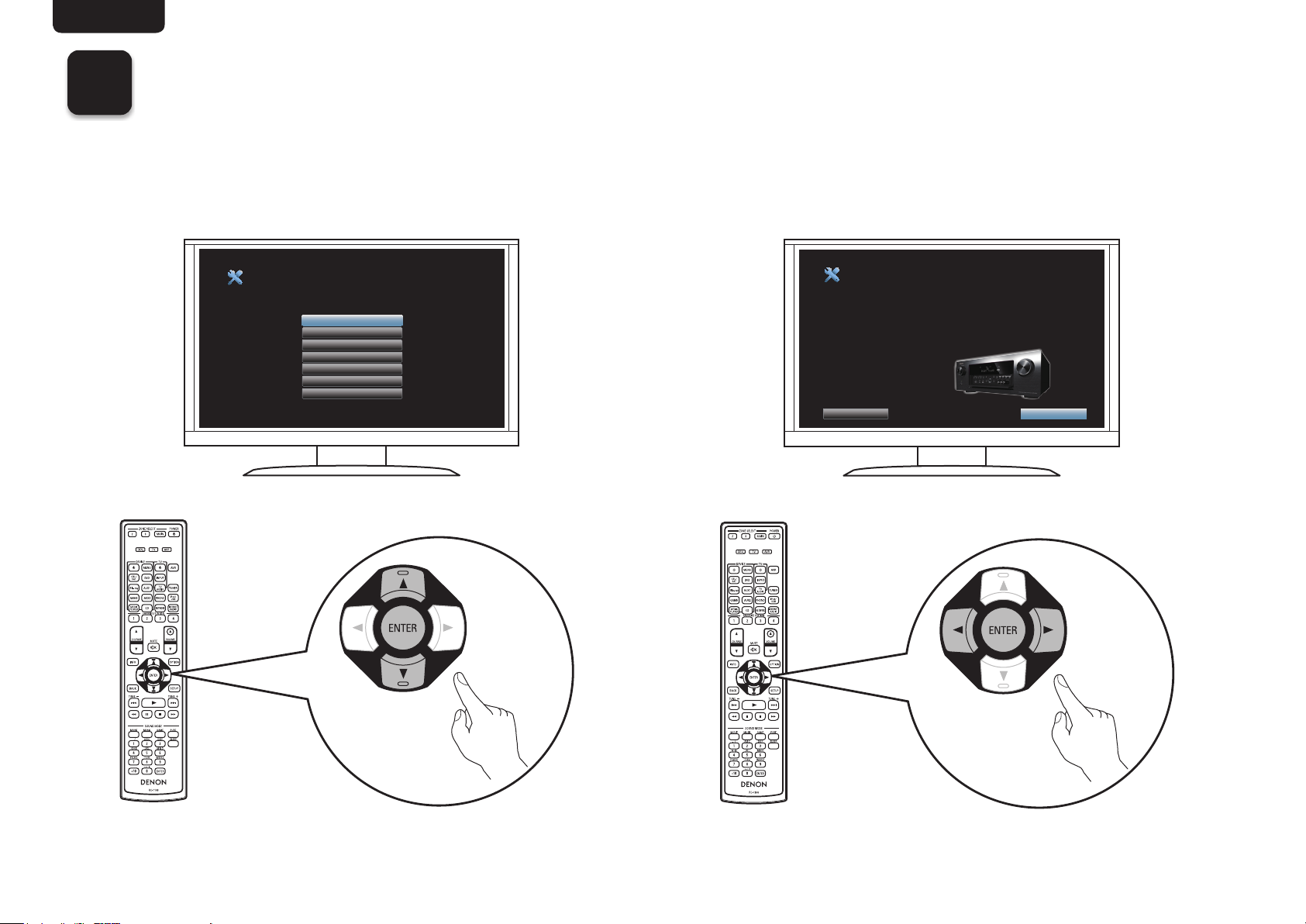
Follow the On-Screen Setup Assistant
The Setup Assistant will walk you through connecting and configuring your speakers and components to your DENON
receiver. Please use the remote control and follow the on-screen instructions.
Language Select
Please select a language...
English
Deutsch
Français
Italiano
Español
Nederlands
Svenska
AV Receiver Setup Assistant
Proper configuration is essential to providing the best possible
sound and video experience. The Setup Assistant will walk you
through connecting your speakers and components to your
AV receiver.
Select “Next” to continue...
Cancel
Next
7
Page 9
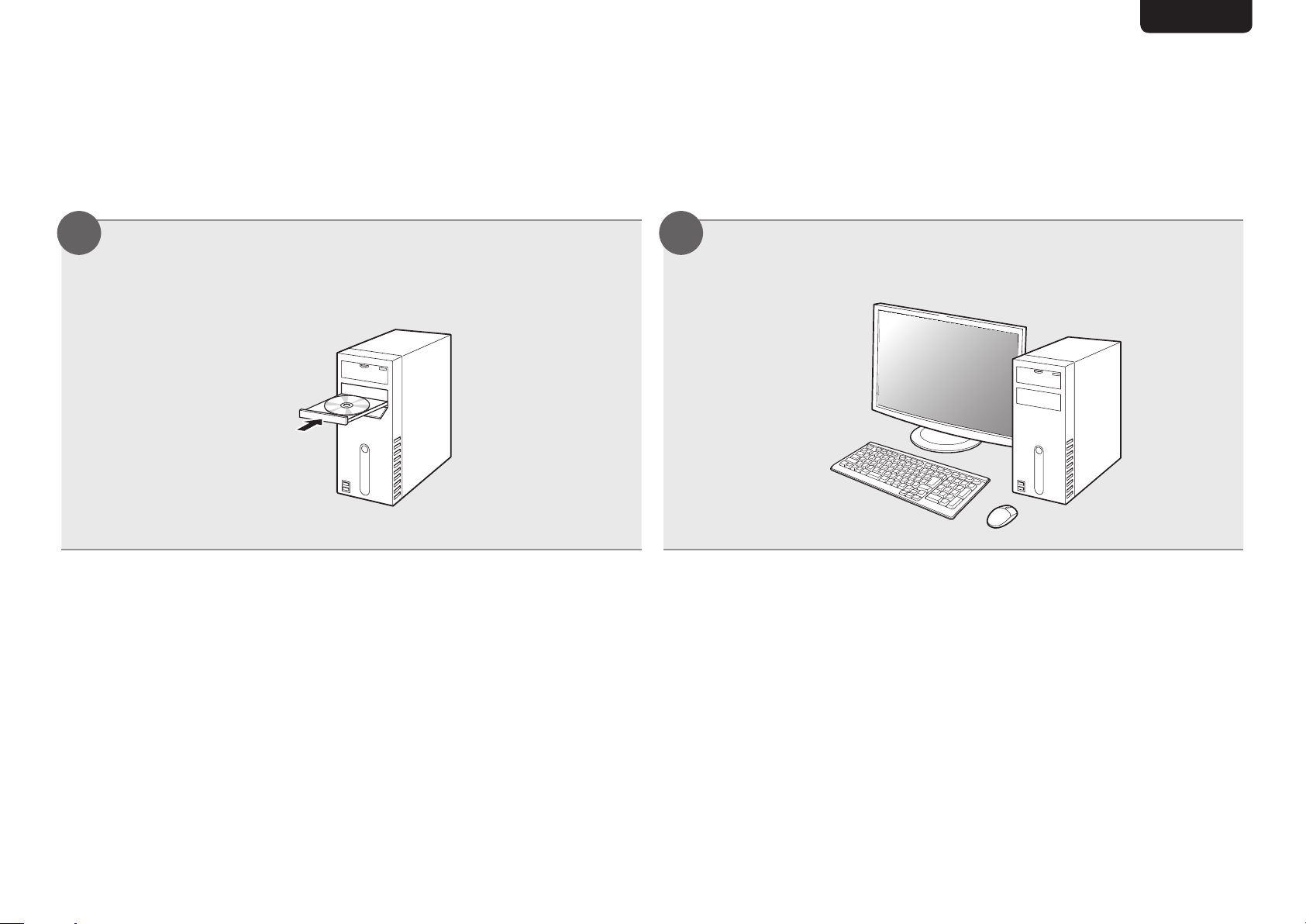
Owner’s Manual
The included CD-ROM contains an Adobe PDF version of the full owner’s manual for the AV receiver.
Please reference this manual for more details about the setup and operation of the receiver and it’s features.
Insert the disc into your PC. Follow the screen or double click on the PDF le.
1 2
ENGliShDEutSchFrANçAiSitAliANoESpAñolNEDErlANDSSVENSKA
8
Page 10

V00
www.denon.com
Printed in China 5411 10778 00AD
D&M Holdings Inc.
 Loading...