

Page 1
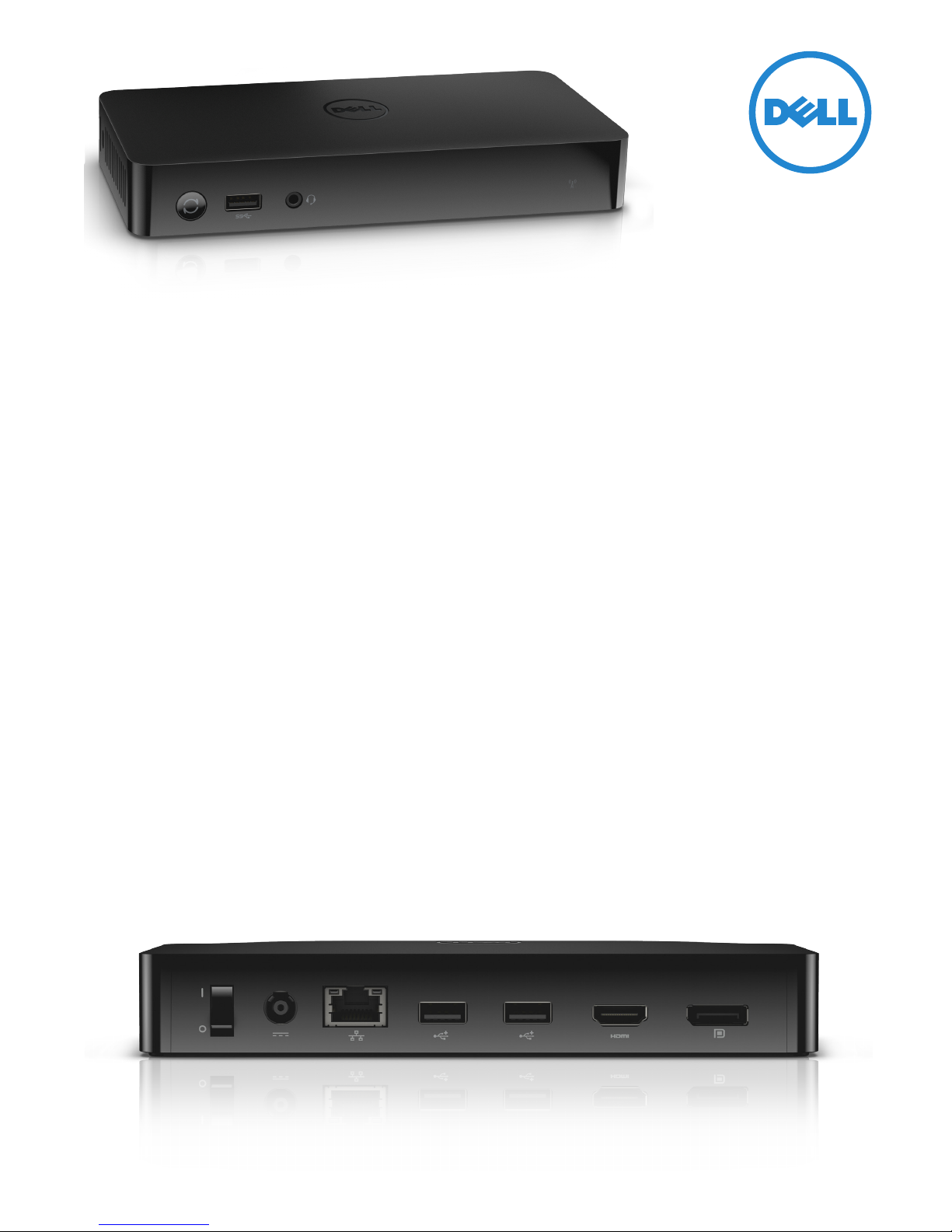
Dell Wireless Dock - WiGig
Dell™ Wireless Dock - WiGig delivers unparalleled convenience and superior connectivity. The only
WiGig technology docking solution provides best-in-class docking experience.
Unparalleled convenience
Convenient and powerful the Dell Wireless Dock – WiGig
delivers seamless connectivity to display, network and
peripherals with superb bandwidth.
Connect up to two external displays with DisplayPort and
HDMI ports as well as your peripherals with 1 front USB 3.0
and 2 back USB 3.0 for great productivity. Collaboration is
supported with front Audio In/Out port for voice over IP.
The docking station is equipped with an ethernet
connector that helps ensure high and dedicated bandwidth
for fast data transfers. Configuration and connectivity is
easy with Dell Connection Manager supporting WiGig and
Wireless LAN settings as well as seamless handover.
Fast and flexible
The Dell Wireless Dock - WiGig is an ideal solution for
meeting rooms or classrooms. It oers connectivity to
projectors and peripherals enalbing the user to seamlessly
connect to the environment.
Collaboration is easier as people can switch from one
user to the next enabling dynamic interactions. As it
provides connection to peripherals, display and network
simultaneously it also helps the workforce or students
collaborate across the room or around the world.
Dell Wireless Dock – WiGig can support Diplays, Projectors
or TVs with DisplayPort or HDMI including remote audio; and
for legacy VGA based infrastructure’s adapter are available.
Ethernet connector helps ensure the presenter benefit from
cable-class network connectivity for stable and ecient
collaboration with remote locations.
Secure and manageable
Secure and manageable, the Dell Wireless Dock – WiGig
is based on established protocols and authentication and
eciently manageable remotely.
Encrypted communications and strong authentication WiGig specifications are based on proven existing IEEE802.11
standard, security and manageability are similar to current
wireless LAN technologies.
Incredibly fast - WiGig technology allows devices to
communicate wirelessly at multi-gigabit speeds, faster than
the fastest Wi-Fi networks based on IEEE 802.11n.
Standard based for long term stability - WiGig specification
was confirmed in May 2010 as the basis for the 802.11ad draft
standard, it is a standard based 60GHz technology and here
to last.
Page 2
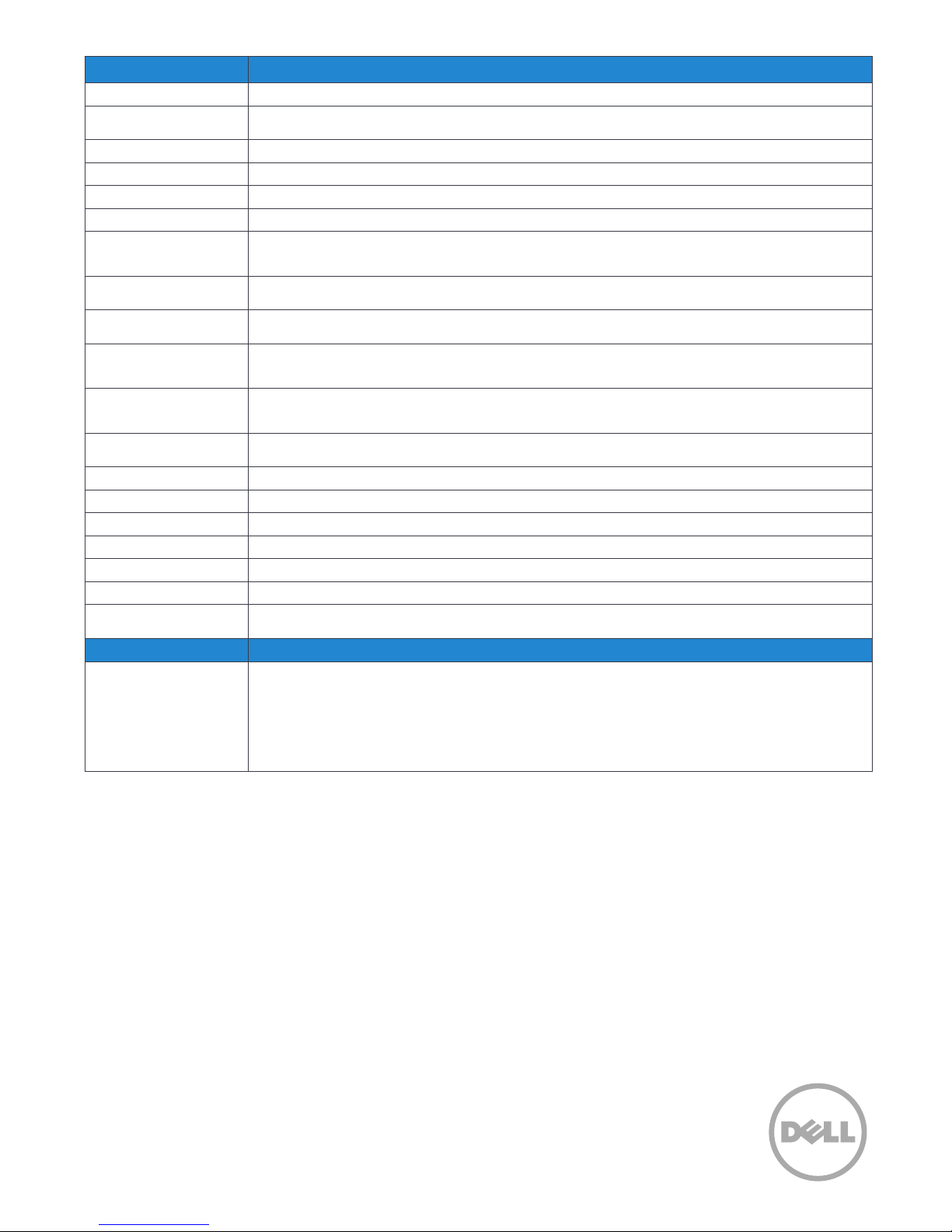
Feature Dell Wireless Dock - WiGig Technical Specication
Model number
Standard
Frequency
Max Data Rate
Max Distance
Wireless I/O Protocol
Chipsets
Operating System
Video ports
Input ports
Switch/Buttons
LED Indicators
Power Supply
Dimension
Weight
Operating Temperature
Storage Temperature
System Requirements
Max WiGig connection
to PC
Service and Warranty
Warranty
Dell Wireless Dock D5000
WiGig 1.1
IEEE 802.11ad
60 GHz
4.6 Gdps
Supports beam forming for max 10m (in room)
Wireless Bus Extension (WBE)
Wilocity WIL6120 Marlon-M (assembled IN hmc)
Wilocity WIL6110 Marlon-R (assembled in RF Module)
DisplayLink DL3900 (assembled in main PCBA)
Microsoft® Windows® 7
Microsoft® Windows® 8
1x DisplayPort 1.1
1x HDMI 1.3
3x USB3.0
1x RJ-45
1x Audio Jack (Mic in/out via combo jack)
Back: Power (on/o) rocker switch
Front: WPS (Pairing) button
Right: Reset button - accessible via a pin or paper clip; return to default setting
Link status
WPS Pairing
19.5V/3.34A (65W)
190 x 86 x 30.7mm
345g
0°C ~ 40°C
-20°C ~ 60°C
PCs equipped with WiGig antenna3 and WiGig Module supporting WBE portocol
1
If purchased as a tied laptop accessory, the Dell Wireless Dock- WiGig will share the system
warranty which can be:
Limited Hardware Warranty1 : Standard 3-year Next Business Day On Site Service after Remote
Diagnosis2.
Optional 3 year Dell ProSupport oers premium support from expert technicians and 24x7
global availability
If purchased separately, product warranty will be:
Limited Hardware Warranty1 : Standard 3-year Return after Remote Diagnosis2.
2
1. Limited Hardware Warranty: For copy of Ltd Hardware Warranty, write Dell USA LP, Attn: Warranties, One Dell Way, Round Rock, TX 78682 or see www.dell.com/warranty.
2. Availability and terms of Dell Services vary by region. For more information, visit www.dell.com/servicedescriptions.
3. Latitude 6430u is currently the only Dell laptop configurable with WiGig antenna and WiGig Module options.
Discover the Dell Wireless Dock - WiGig and Dell Latitude 6430u
on dell.com/latitude
Page 3
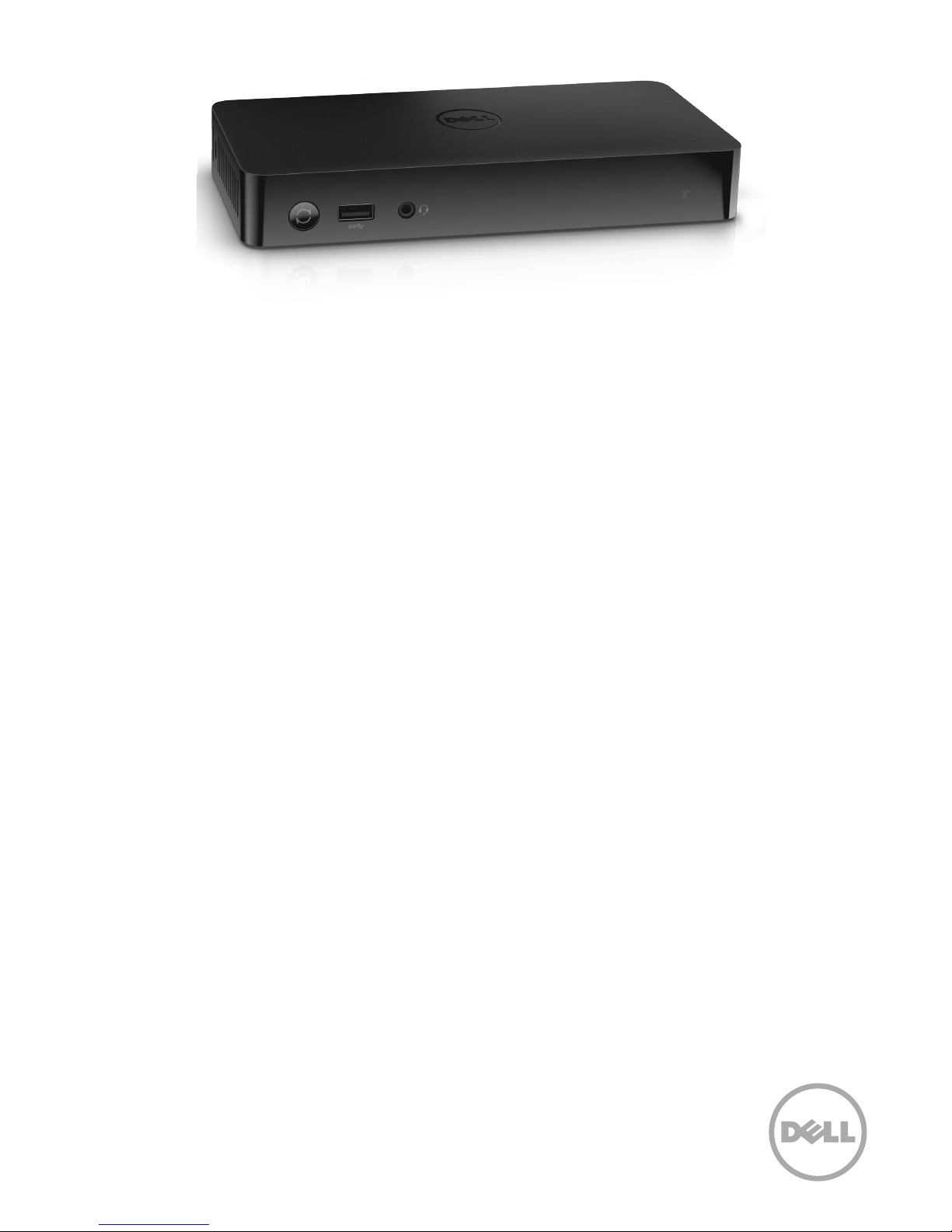
Dell Wireless Dock - WiGig : Frequently Asked Questions
Discover and get a better understanding of the new WiGig technology, Dell Wireless Dock D5000 and
Dell Latitude 6430u.
WiGig - Wireless Gigabit technology
Question: What is the dierence between WiDi and WiGig ?
Answer: WiDi utilizes 802.11n speeds (600 Mb/s) while
WiGig is 4.6 Gb/s and so only WiGig can support a seamless
docking experience. WiDi is better suited for streaming
video or still images.
Question: How will WiGig evolve? Will more Dell laptops
support WiGig ?
Answer: Yes, many systems will support WiGig in the future.
Dell Wireless Dock D5000
Question: Does the Dell Wireless Dock - WiGig
communicate to one PC at a time, or several?
Answer: One system at a time.
Question: If just one, how does it maintain connection to
just one device when several WiGig PC’s are within range?
Answer:
connect.
Question: Are Wake-on-LAN and PXE-Boot supported on
the D5000?
Answer: No, these are features that are planned to be
available on the next-generation of docking
Question: Will the WiGig dock work in a room where you
have several docks? How is the interference?
Answer: Based on testing, multiple docks can be used in the
same room with limited performance impact.
Question: How do you connect to a dock? Will a machine
always connect to the same dock? How to change the
dock that you connect to?
Either by password protection or by first user to
Answer: Initial setup is through WPS or through a passcode.
The dock can be set to be auto-connect or manually
connect depending on preference. Typically, a user would
auto-connect in their oce but manually connect to a
shared dock in a conference room.
Question: How can you switch which machine is docked
if you use the docking station as a meeting room dock
connected to a projector?
Answer:
would have to disconnect using the Connection Program, to
enable the second user to connect.
Automatic Docking should be disabled. First user
Dell Latitude 6430u with WiGig
Question: Can I walk around with my notebook once it is
connected?
Answer: It is recommended that the notebook remain in
one place but the benefit of a wireless connection is that
you can move around with limited performance impacts.
Question: Are all 6430u platforms WiGig-capable straight
from the factory?
Answer: Not all Latitude 6430u systems are WiGig-capable.
System that shipped out with Intel 6300 WLAN require a
dierent non-WiGig LCD cover due to a dierent antenna
requirement. All systems that shipped out with any of the
other WLAN options (DW1504, DW1540, Intel 6205, no
WLAN) are WiGig-capable, meaning that a customer can
upgrade them to WiGig-ready by purchasing a DW1601 card
and downloading the WiGig driver.
Question: Does the Latitude 6430u support E-family
docking solutions (Dell E-Port and E-Port Plus) ?
Answer: No
 Loading...