

Page 1
Dell Universal Dock
www.dell.com/drivers
Dell.com/drivers
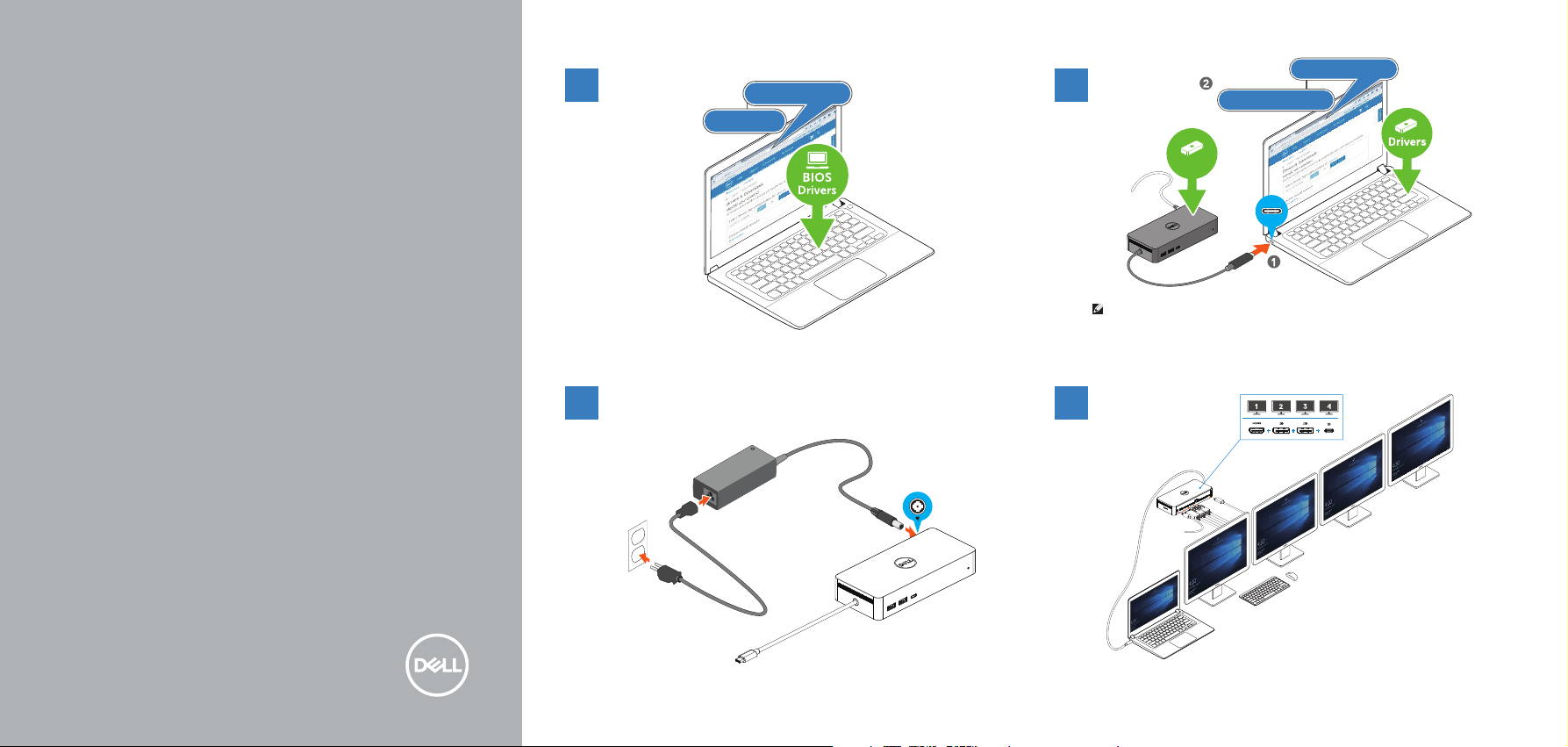
BIOS and Drivers
Dell.com/drivers
31
Firmware and Driver
UD22
Quick Start Guide
Important
You must update your computer’s drivers and BIOS along with the
Dell Universal Dock UD22 driver and rmware to the latest versions available
at www.dell.com/drivers before using the Dock.
Older BIOS versions and drivers could result in the
Dell Universal Dock UD22 not being recognized by your computer
or not functioning optimally.
For more information, please refer to the User Guide.
Firmware
NOTE: Computers requiring more than 90 W power input must also be connected
to their own power adapter for charging and operating at full performance.
2
4
Page 2
USB-C DisplayPort
www.dell.com/support
www.dell.com/support/drivers
www.dell.com/contactdell
www.dell.com/regulatory_compliance
Regulatory model K22A
Regulatory type K22A001
© 2022 Dell Inc. or its subsidiaries. 2022-05
0MRJW8A00
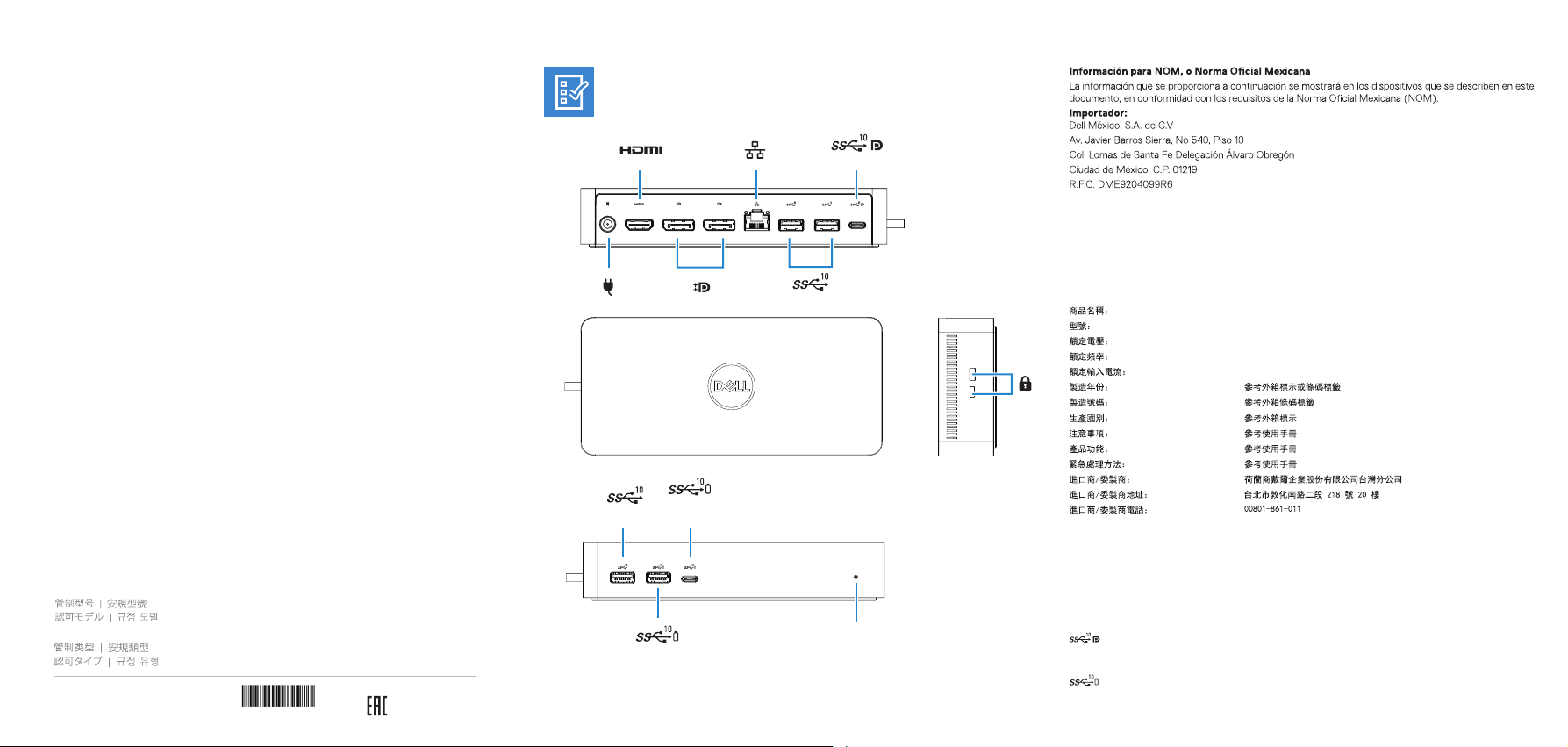
USB 3.2 Gen 2
USB-C 3.2 Gen 2
USB 3.2 Gen 2
+
PowerShare
+
PowerShare
USB 3.2 Gen 2
Modelo
Voltaje de alimentación
Frecuencia
Consumo de corriente de entrada
Voltaje de salida
Consumo de corriente de salida
本產品符合臺灣RoHS標準CNS15663, 請見
Dell.com/learn/tw/zh/twcorp1/envt-info-materials
LED
USB-C後連接埠:具備電源供應與DisplayPort功能的USB-C 3.2 Gen 2
(10 Gbps, 最大5 V/1.5 A 電源輸出)
USB-C前連接埠:具備電源供應的USB-C 3.2 Gen 2
(10 Gbps, 最大5 V/3 A電源輸出)
K22A
100 V CA–240 V CA
50 Hz–60 Hz
1,8 A
19,5 V CC
6,7 A
電腦擴充基座
UD22 (K22A)
100 - 240 伏特
50 - 60 赫茲
1.8 安培
 Loading...