

Page 1
Usage: Dell™ USB Enhanced Multimedia Keyboard User's Guide
Understanding the LED Indicators
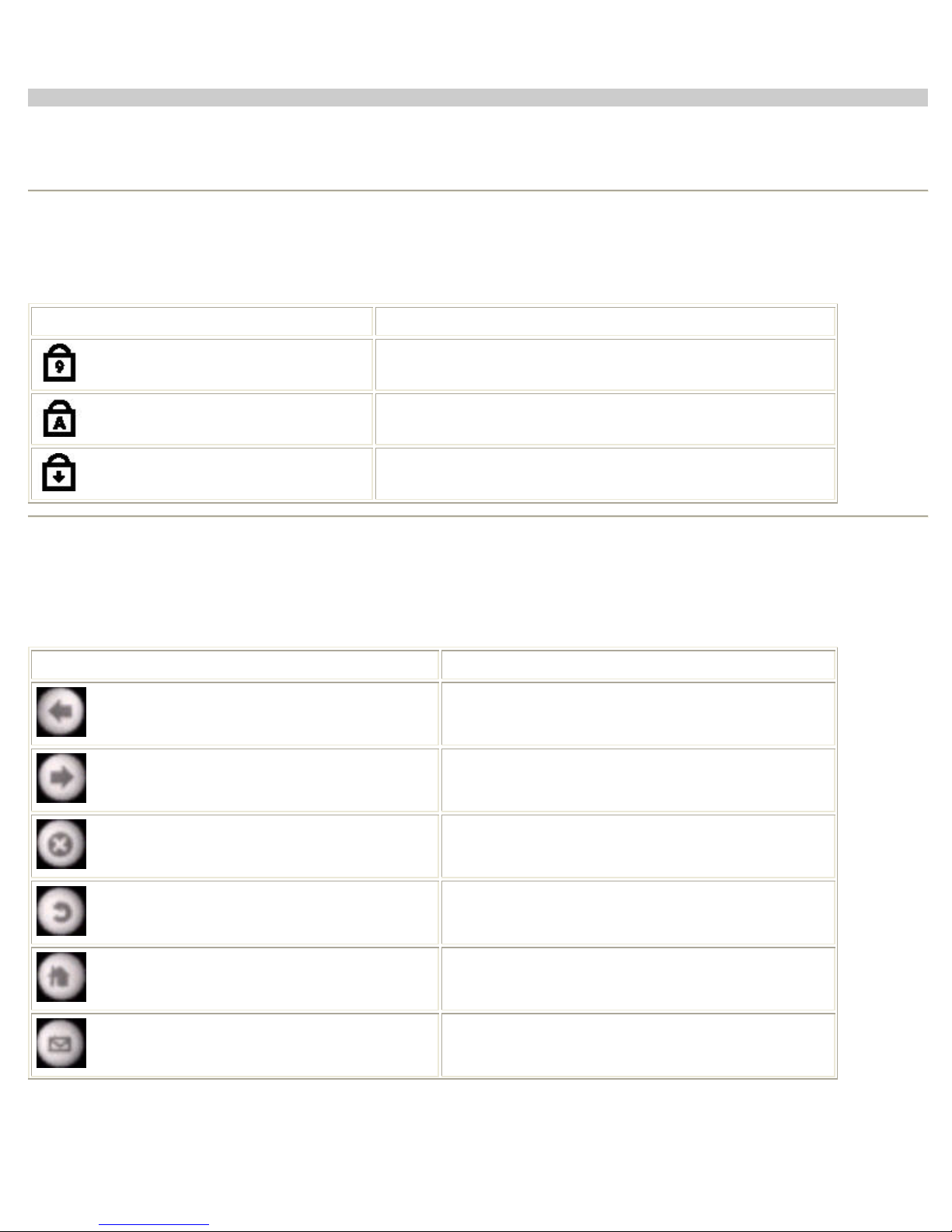
On Dell™ USB Enhanced Multimedia Keyboard, there are 3 LED indicators:
LED Indicator Light Meanning
Num Lock
Caps Lock
Scroll Lock
Num Lock key is toggled on
Caps Lock key is toggled on
Scroll Lock key is toggled on
Using the Hotkeys
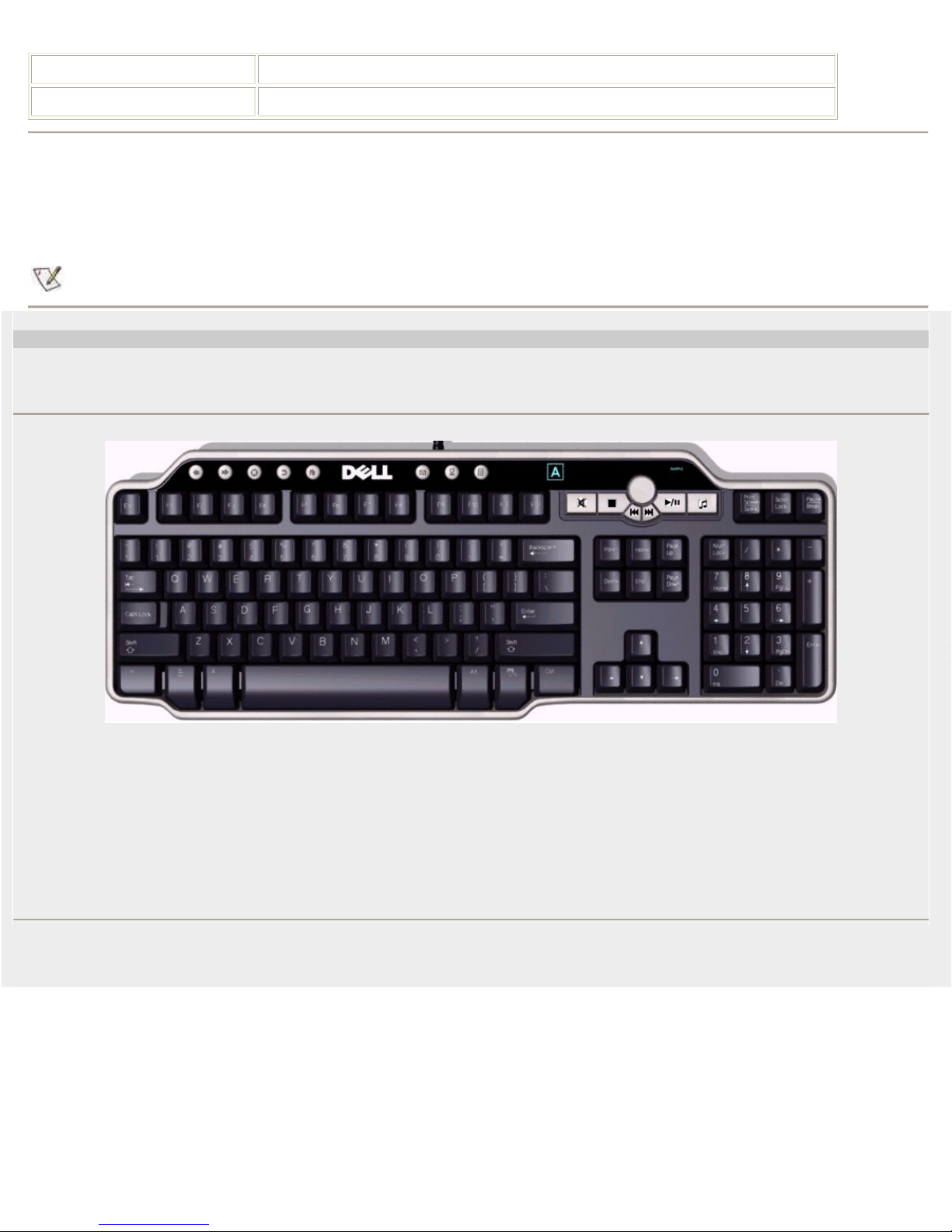
Eight hotkeys are designed on this keyboard for performing the Internet browser functions and launching E-mail, My Computer,
calculator on Windows system. Each Hotkey's function is described as following:
Hotkey Function
Back one page
WWW Back
Forward one page
WWW Forward
WWW Stop
WWW Refresh
WWW Home
E-mail
Stop the browser
Refresh this page
Go to Home page
Launch E-mail
Page 2
Launch My Computer
My Computer
Launch Calculator
Calculator
NOTE: E-mail, My Computer and Calcultor keys can supported by Windows XP and futher Windows version.
Using the Audio Cluster
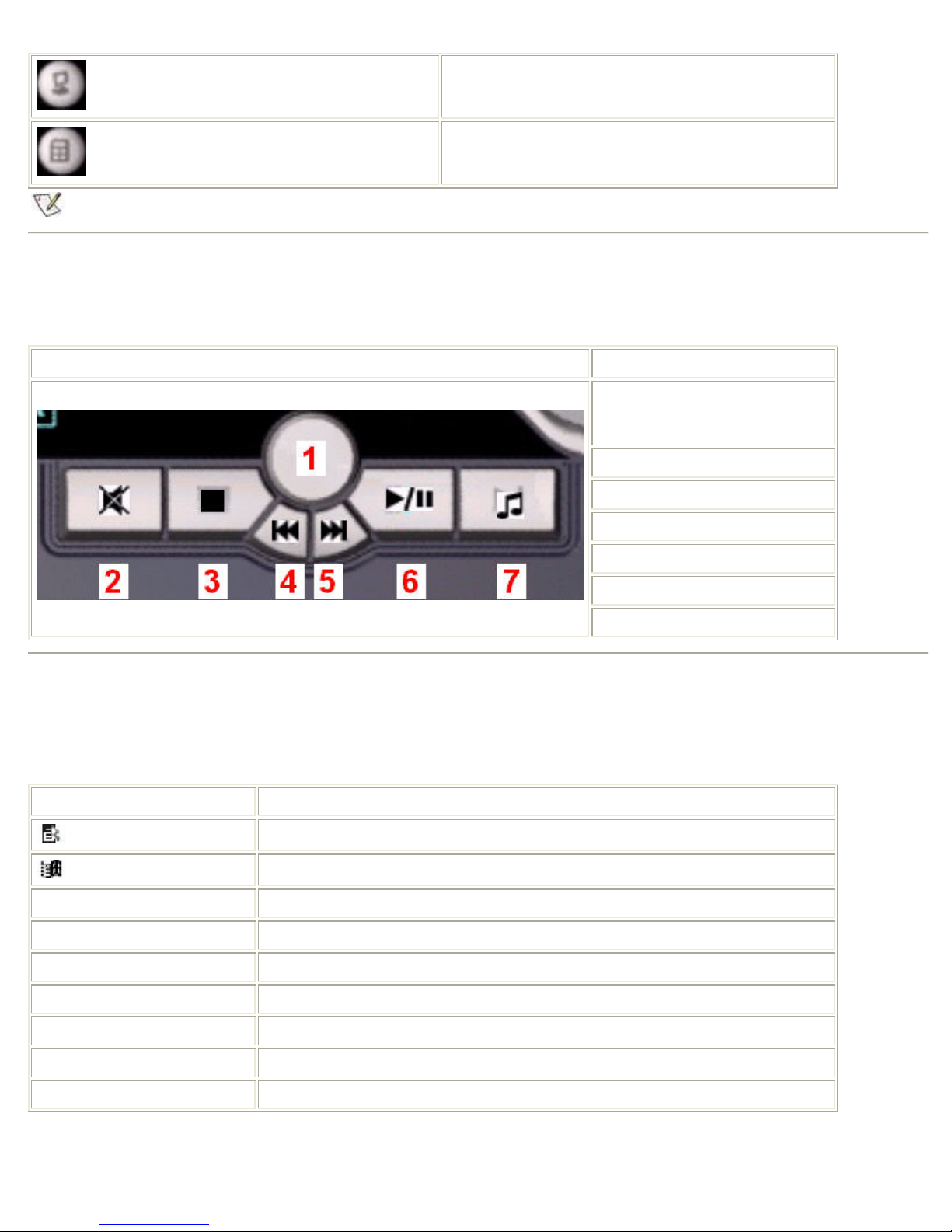
Audio Cluster provide quick, one-touch access to volume and audio functions on Windows system and discribed as following:
Audio Cluster Function
1. Volume Knob - Volume Up /
Volume Down (turns right to left,
no push button)
2. Mute On / Off
3. Media Stop
4. Previous Track
5. Next Track
6. Play / Pause
7. Audio Key
Using the Application Key and Windows Keys
Application Key and two Windows Keys are the three specific keys on the keyboard for more convenient use on Wind ows system
as following described:
Key Combinations Function
Application key
Windows key
Windows key + E Windows Explorer
Windows key + F Find Document
Windows key + M Minimize All
Windows key + R Display Run Dialog box
The same shortcut menu as right-clicking the desktop while pressing this key
Start Menu
Windows key + F1 Display Help Menu
Windows key + TAB Activate next taskbar button
Windows key + Ctrl + F Find Computer
Page 3
Windows key + Shift + M Undo Minimize All
Windows key + Pause/Break Perform a system function
Using the Keyboard's USB Ports
There are 2 USB Full-speed Hub ports under the bottom of keyboard that provides additional connections to the USB Full-speed or
Low-speed devices. Any low-power or self-powered USB devices can be plugged into the USB ports.
NOTE: Some of USB High-Speed devices maybe cannot workable on USB Full-speed Hub ports.
Dell™ USB Enhanced Multimedia Keyboard
System Requirements
In order to properly install and operate your Dell™ USB Enhanced Multimedia Keyboard, the following system requirements are
necessary:
• One free USB port
• Microsoft Windows® 2000, Microsoft Windows® XP, Red Hat Linux Enterprise WS Edition
sn EB19
 Loading...