

Page 1
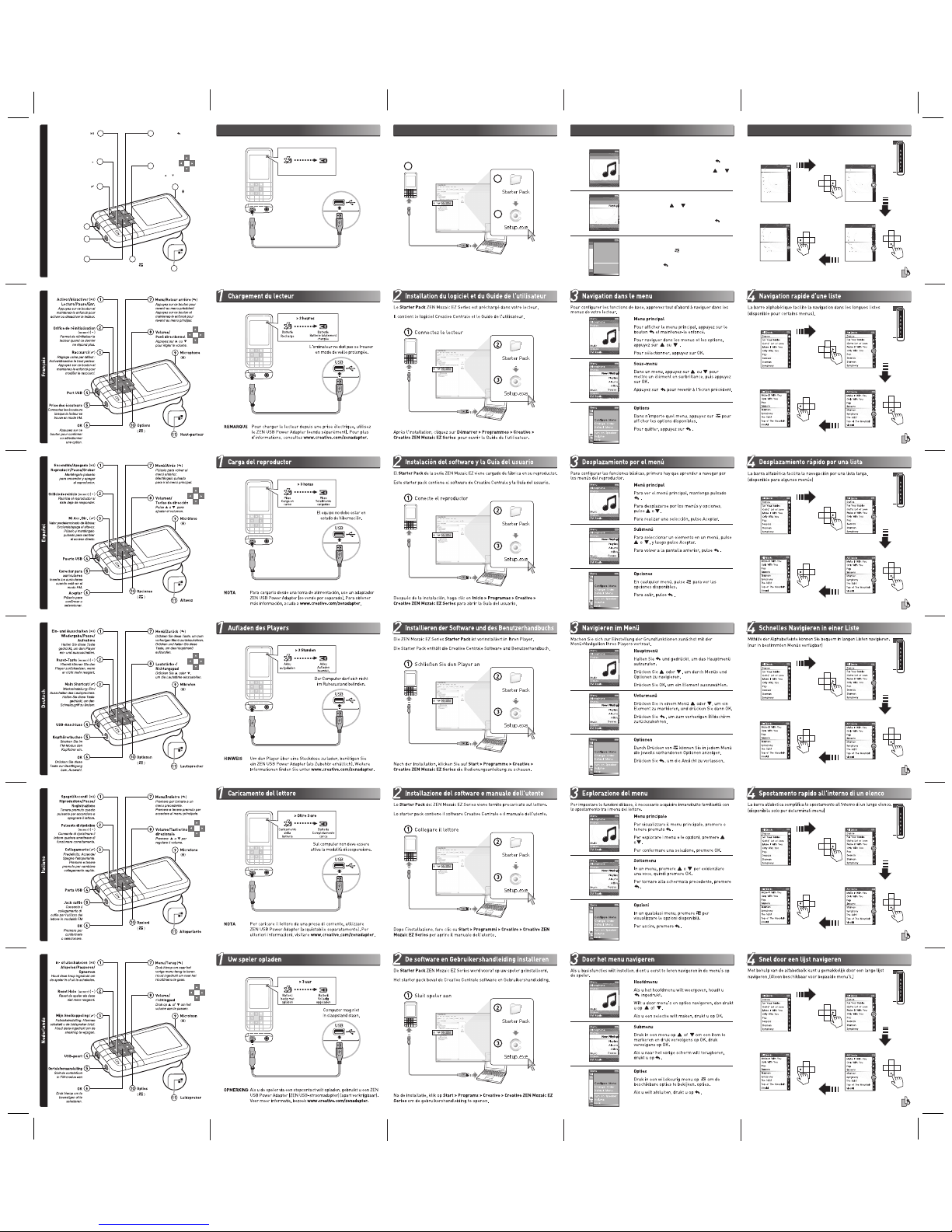
USB Port
Press and hold to turn on/
turn off your player.
Turn On/Off
Play/Pause/Record
( )
1 7
8
9
2
3
4
5
6 10
Insert earphones
when in FM mode.
Earphone Jack
11
Reset the player if it
stops responding.
Reset Hole
(
RESET
)
( )
Factory Default:
Turns on/off speaker.
Press and hold to
change shortcut.
My Shortcut
(
)
Press to return to
a previous menu.
Press and hold to
go to Main Menu.
Menu/Back
(
)
Press to confirm
or select.
OK
Options
( )
Press or to adjust volume.
Volume/
Direction Pad
Microphone
Speaker
( )
Make It With You
C
A
B
D
E
F
G
H
For Your Babies
Gotta’ Lot of Love
Make It With You
Only With You
Pop
Seasons
Starman
Symphony
Dance
Only With You
Pop
Seasons
Starman
Symphony
The Saint
Top of The Mountain
Vivaldi
Only With You
Pop
Seasons
Starman
Symphony
The Saint
Top of The Mountain
Vivaldi
Make It With You
R
P
N
O
T
U
V
P
N
O
R
T
U
V
Q
All Tracks
All Tracks
All Tracks
Q
C
D
A
B
E
F
G
H
For Your Babies
Gotta Lot of Love
Make It With You
Only With You
Pop
Seasons
Starman
Symphony
Dance
D
u
’
W
You
ea
T
o
STrSa
n
ph
rm
All Tracks
L
t
I
Yo
Yan
a
S
S
ith
e
S
a
ho
4
Navigating a List Quickly
2
Installing Software and User’s Guide
Connect player
The ZEN Mozaic EZ Series Starter Pack comes pre-loaded into your player.
The starter pack contains the Creative Centrale software and User’s Guide.
After installation, click Start > Programs > Creative > Creative ZEN Mozaic
EZ Series to open the User's Guide.
To set basic functions, first learn to navigate the menus on your player. The alphabet bar eases navigation through a long list.
(available for selected menus)
3
Navigating the Menu
Main Menu
To view the main menu, press and hold .
To navigate menus and options, press or .
To make a selection, press OK.
Submenu
In a menu, press or to highlight an item,
then press OK.
To return to the previous screen, press .
Options
In any menu, press to view the available
options.
To exit , press .
Photos
Microphone
Videos
FM Radio
Music
Menu
Music
Photos
Microphone
Videos
FM Radio
Now Now Playing
Playlists
Albums
Artists
Genres
tis
s
s
st
A
V
Vi
Menu
Photo
MicRadio
Videos
FM Radio
Menu
Music
Configure Menu
Change Order
Default Menu
Turn on Speaker
Volume
Lock
NOTE
To charge from a power outlet, use a ZEN USB Power
Adapter (sold separately). For more information, visit
www.creative.com/zenadapter.
1
Charging Your Player
1
3
2
EnglishEnglish
Nederlands
Français
Italiano
Deutsch
Español
USB
Computer must not
be in hibernation.
Battery
Charging
Battery
Fully Charged
> 3 hours
 Loading...