

Page 1
CAUTION: Do not keep the override keys inside the safe.
FINGERPRINT RECOGNITION SAFE
MODEL NO: CS400FP
PART NO: 7710200
OPERATION & MAINTENANCE
INSTRUCTIONS
LS1014
Page 2
INTRODUCTION
Thank you for purchasing this CLARKE Fingerprint Recognition Safe.
Before attempting to operate the safe, it is essential that you read this manual
thoroughly and carefully follow all instructions given. In doing so you can look forward to
the safe giving you long and satisfactory service.
GUARANTEE
This CLARKE product is guaranteed against faulty manufacture for a period of 12 months
from the date of purchase. Please keep your receipt as proof of purchase.
This guarantee is invalid if the product is found to have been abused or tampered with
in any way, or not used for the purpose for which it was intended.
Faulty goods should be returned to their place of purchase, no product can be
returned to us without prior permission.
This guarantee does not effect your statutory rights.
SPECIFICATION
Dimensions (D x W x H) 272 x 350 x 250 mm
Weight 11 kg
Batteries 4 x AA (1.5V)
Volume 16.3 L
Number of keys supplied 2
REPLACEMENT OVERRIDE KEY
A small label is located on the front of each safe with a key number. The number will
start with either the letter "J" or "G" followed by several digits. This number must be
registered with us in the event you require a replacement key.
Please complete the registration form supplied and send it to the address stated with
the form. If you fail to register the safe we will not be able to provide you with a
replacement key.
We recommend that in addition to sending the completed form you remove the label
from the safe and fix it to the space below. Please retain this document for future
reference.
Fix or record the key number here
2
Parts & Service: 020 8988 7400 / E-mail: [email protected] or [email protected]
Page 3
BEFORE USE
OPENING THE SAFE FOR THE FIRST TIME
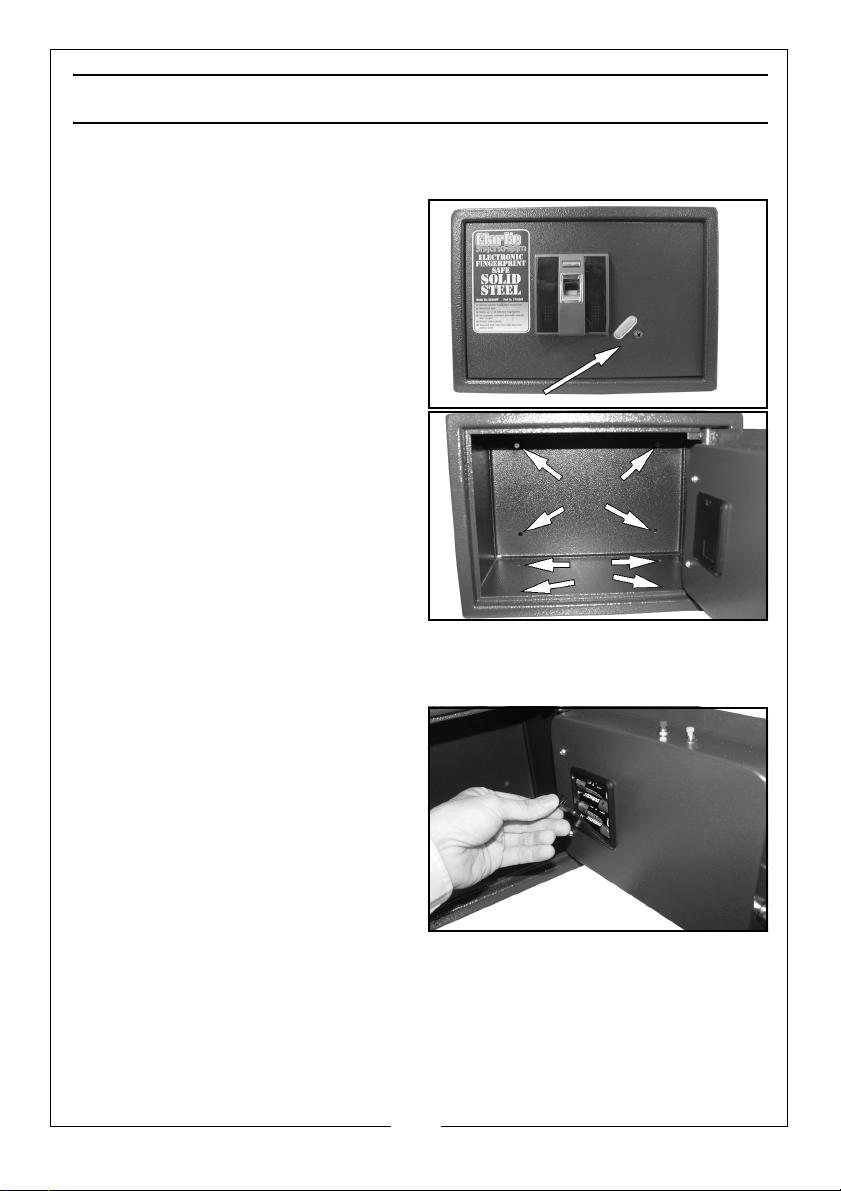
1. Rotate the plate downwards as
shown,
2. Use the key supplied to open your
safe.
• The notch on the key should be at
the top
INSTALLING THE SAFE
The safe should be secured vertically to a
wall or to the floor using the expansion
bolts (supplied).
• There are holes on the rear and
bottom of the safe for securing to a
wall or the floor.
INSTALLING THE BATTERIES
The safe requires 4 x AA (1.5V) batteries.
1. Open the safe.
2. Remove the battery cover plate on
the back of the door and install the
batteries.
• Ensure the batteries are fitted with
the correct polarity.
• Use of alkaline batteries is
recommended.
3. Replace the battery cover plate.
3
Parts & Service: 020 8988 7400 / E-mail: [email protected] or [email protected]
Page 4
USING THE SAFE
The safe can be opened by any finger until a profile is added See “Programming The
Fingerprint Profiles”
OPENING THE SAFE
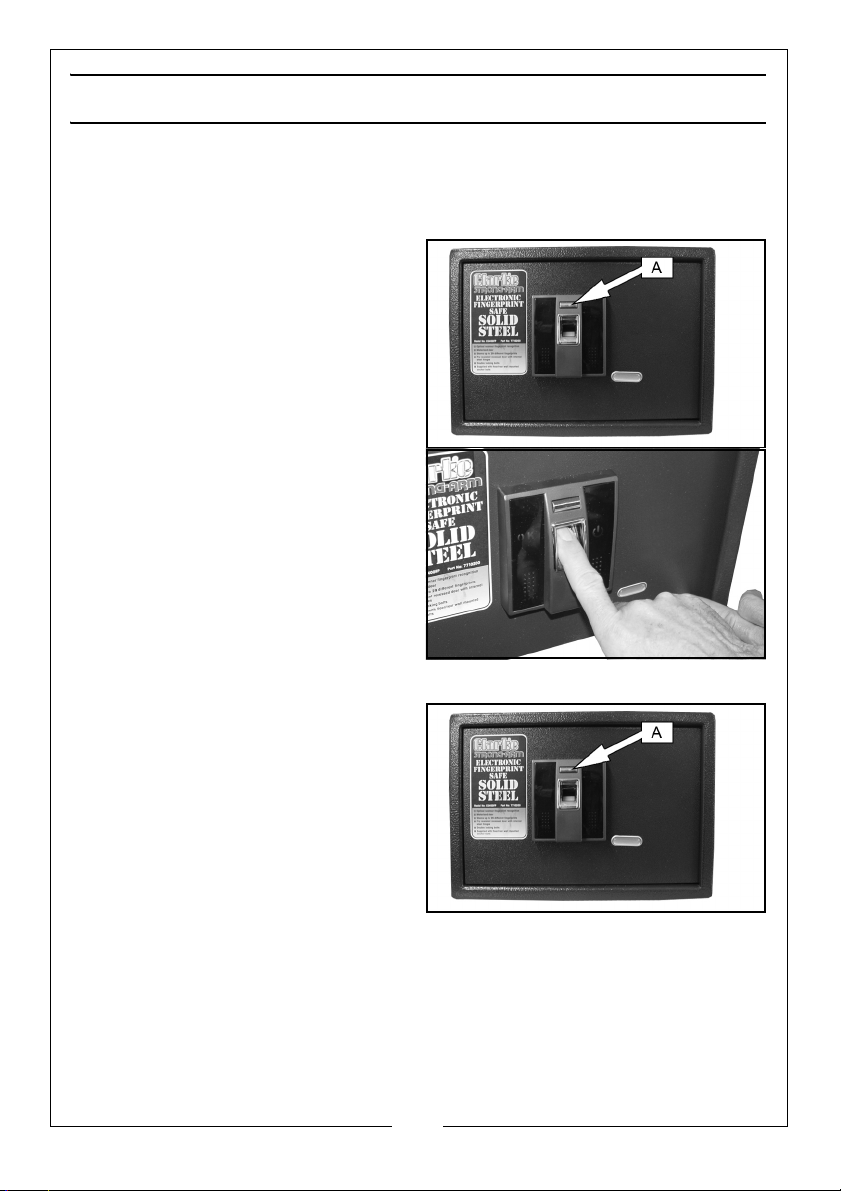
1. Press the ‘A’ button.
• The fingerprint reader will light up
with a red light.
2. Place your finger on fingerprint
reader within 5 seconds.
• When panel displays “OK”, The safe
will open.
CLOSING THE SAFE
1. Close the safe door and press the ‘A’
Button.
4
Parts & Service: 020 8988 7400 / E-mail: [email protected] or [email protected]
Page 5
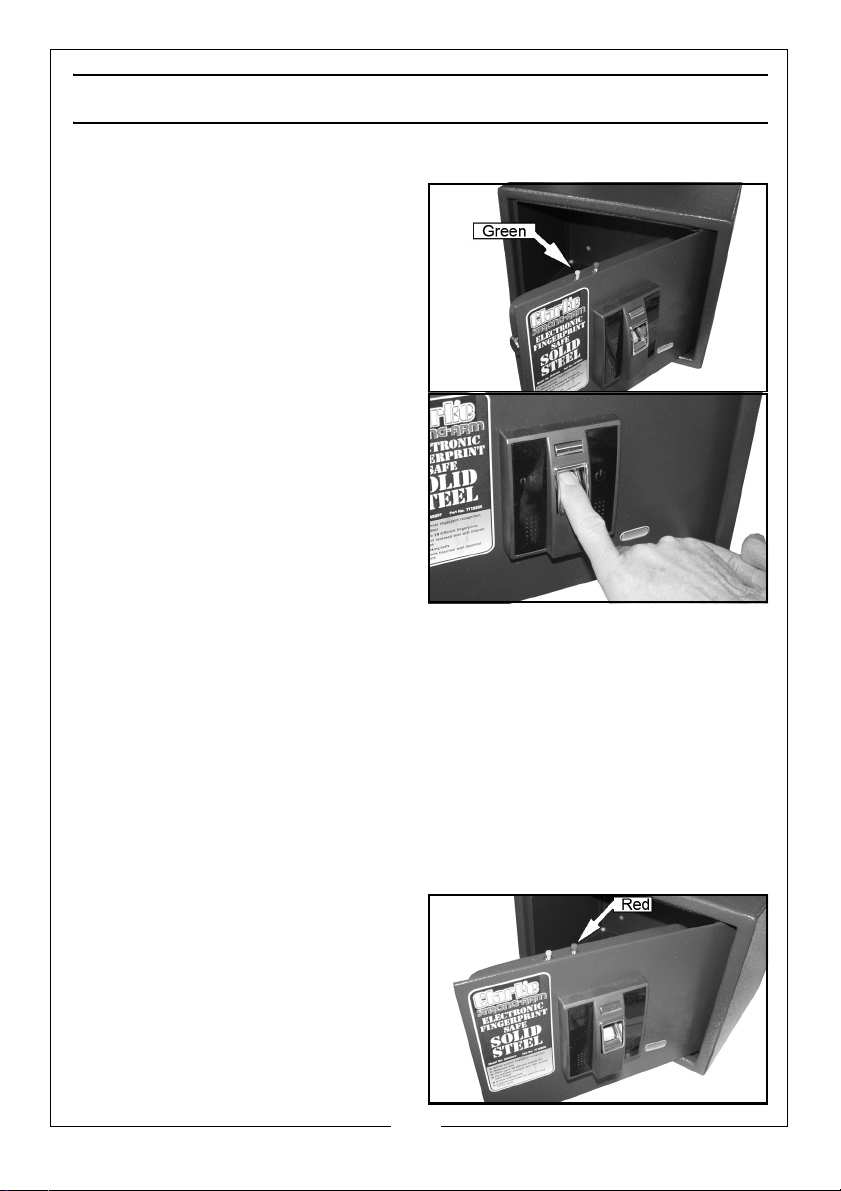
PROGRAMMING THE FINGERPRINT PROFILES
NOTE: The safe can record 100 different fingerprints.
1. With the door open, and the locking
bars retracted, press the green
button on the top of the door.
• The fingerprint reader will light up
with a red light.
2. Place your finger on the fingerprint
reader within 5 seconds.
• When panel displays “OK” the
profile has been set.
3. Repeat steps 1+ 2 for each additional
profile you want to create.
IMPORTANT:
• To enhance the fingerprint
identification rate, we recommend
the same finger is programmed 3 times.
• We also suggest two fingers from each hand are programmed.
• Clean fingers before placing on the reader.
• Keep the reader clean and free from grease and moisture.
• Always keep finger steady and fully touch the fingerprint reader when recording
or reading fingerprints.
• The little finger is not recommended for fingerprint identification.
• Avoid strong light on the top of fingerprint reader.
DELETING ALL PROFILES
Press the red button 3 times.
When the panel shows “OK”, all the
fingerprint records have been deleted
successfully.
Now the system is returned to its original
state and any finger can open the safe.
5
Parts & Service: 020 8988 7400 / E-mail: [email protected] or [email protected]
Page 6
CARE AND MAINTENANCE
• Keep the safe between 0°C to 50°C ambient temperatures. Avoid using in damp
conditions.
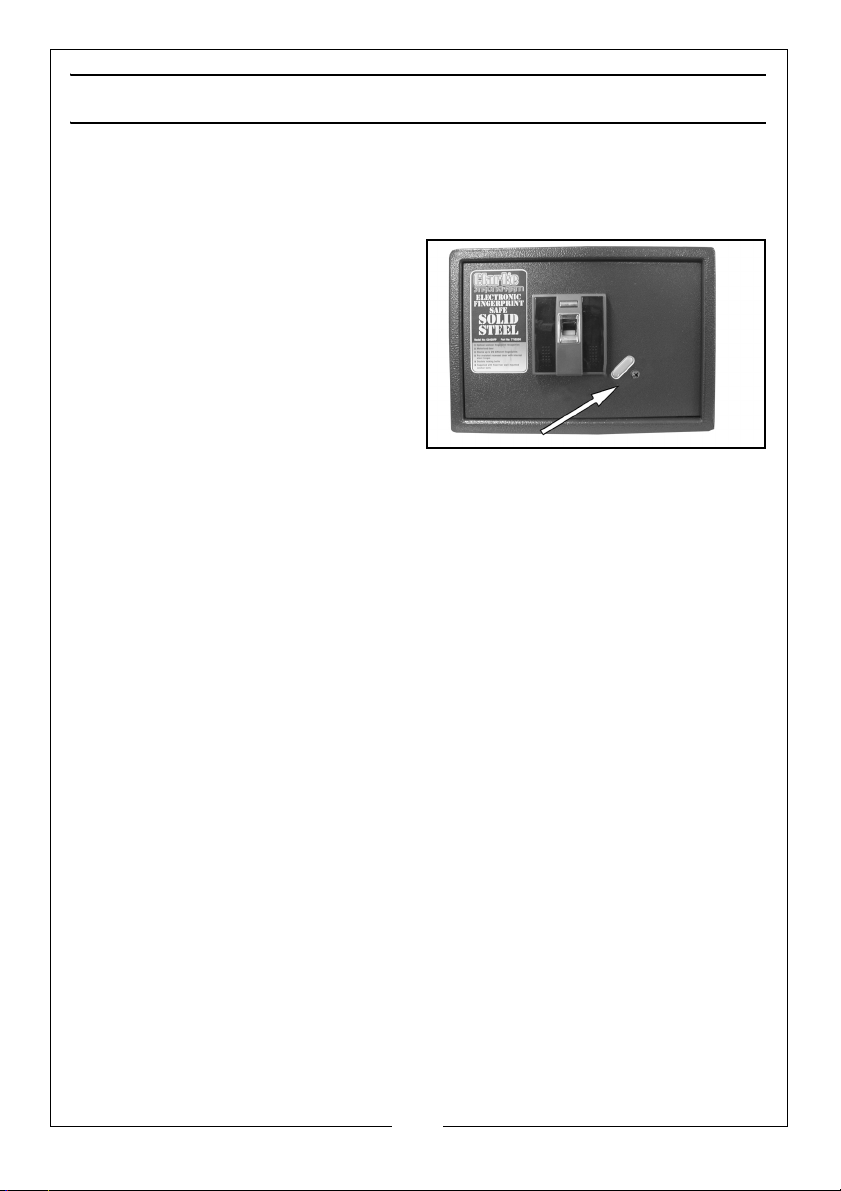
OVERRIDE INSTRUCTION TO OPEN THE SAFE
We have engineered a manual override
system for your safe. If there is any
emergency, move the plate as shown,
Use the key to open your safe.
• CAUTION: Do not keep the keys in
the safe.
6
Parts & Service: 020 8988 7400 / E-mail: [email protected] or [email protected]
Page 7
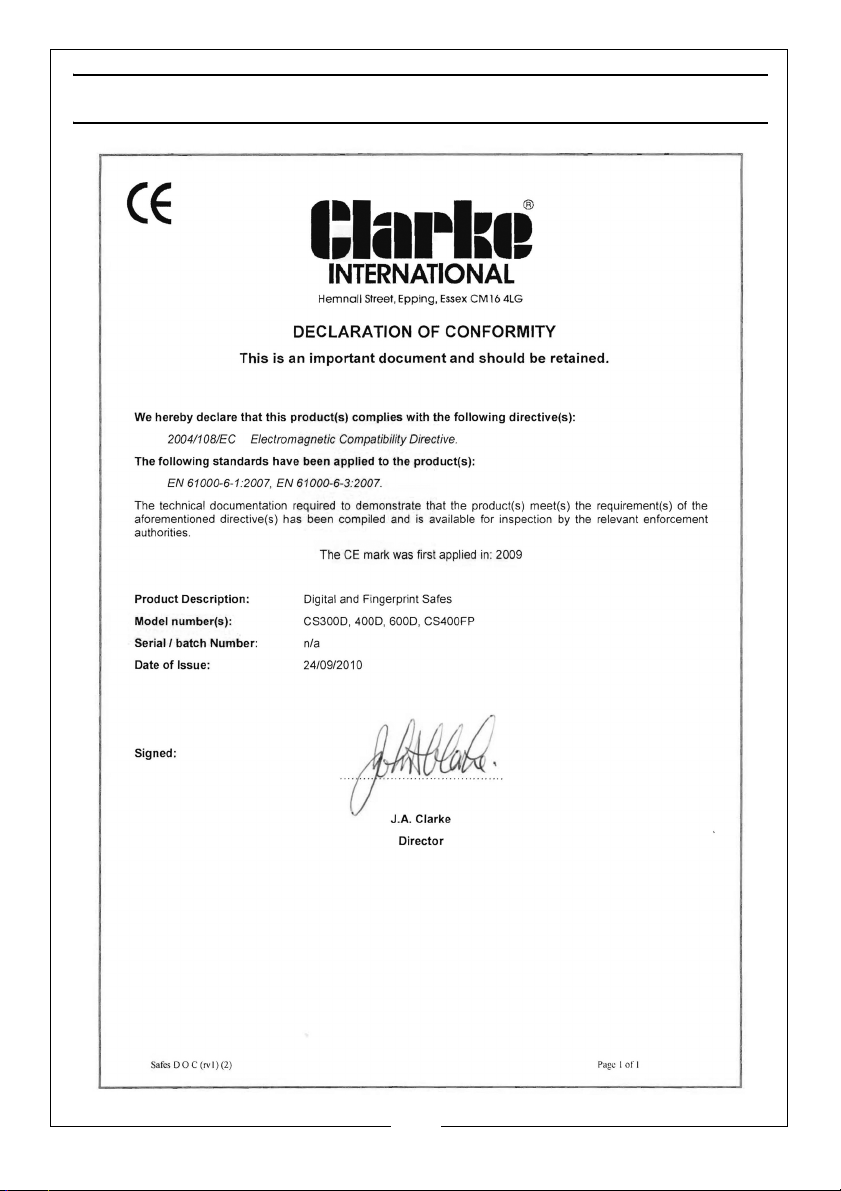
DECLARATION OF CONFORMITY
7
Parts & Service: 020 8988 7400 / E-mail: [email protected] or [email protected]
Page 8

 Loading...