

Page 1
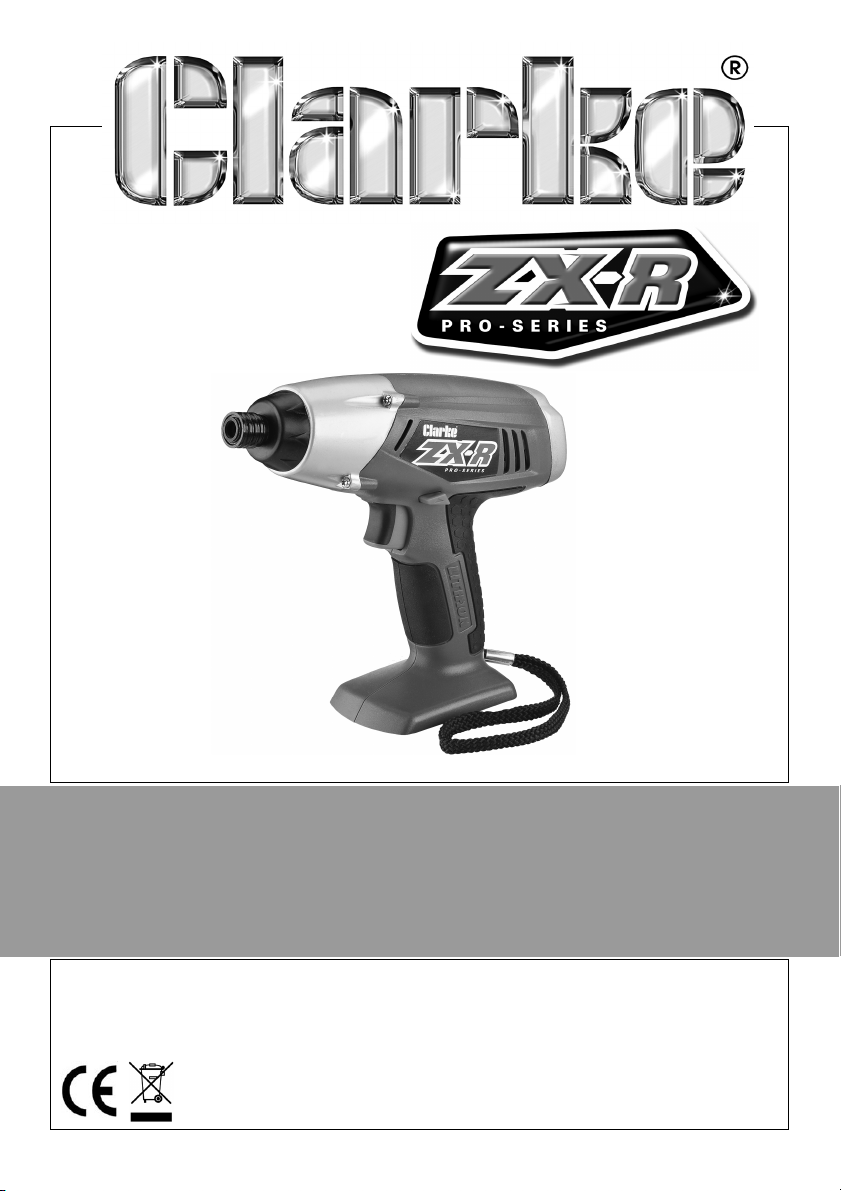
20V CORDLESS IMPACT DRIVER
MODEL NO: CID20Li
PART NO: 6487000
OPERATION & MAINTENANCE
INSTRUCTIONS
LS1013
Page 2

INTRODUCTION
Thank you for purchasing this CLARKE 20V Cordless Impact Driver.
Before attempting to use this product, please read this manual thoroughly and
follow the instructions carefully. In doing so you will ensure the safety of yourself
and that of others around you, and you can look forward to your purchase
giving you long and satisfactory service.
GUARANTEE
This product is guaranteed against faulty manufacture for a period of 12
months from the date of purchase. Please keep your receipt which will be
required as proof of purchase.
This guarantee is invalid if the product is found to have been abused or
tampered with in any way, or not used for the purpose for which it was
intended.
Faulty goods should be returned to their place of purchase, no product can
be returned to us without prior permission.
This guarantee does not effect your statutory rights.
2
Parts & Service: 020 8988 7400 / E-mail: [email protected] or [email protected]
Page 3
SAFETY PRECAUTIONS
WARNING: READ ALL INSTRUCTIONS. FAILURE TO FOLLOW ALL
INSTRUCTIONS LISTED BELOW MAY RESULT IN ELECTRIC SHOCK, FIRE AND/
OR SERIOUS INJURY. THE TERM “POWER TOOL” IN ALL WARNINGS LISTED
BELOW REFERS TO YOUR 20V CORDLESS IMPACT DRIVER.
1) WORK AREA SAFETY
a. Keep work area clean and well lit. Cluttered or dark areas invite accidents.
b. Do not operate power tools in explosive atmospheres, such as in the presence of
flammable liquids, gases or dust. Power tools create sparks which may ignite the
dust or fumes.
c. Keep children and bystanders away while operating a power tool. Distractions
can cause you to lose control.
2) ELECTRICAL SAFETY
a. Power tool plugs must match the outlet. Never modify the plug in any way. Do
not use any adapter plugs with earthed (grounded) power tools. Unmodified
plugs and matching outlets will reduce risk of electric shock.
b. Avoid body contact with earthed or grounded surfaces, such as pipes, radiators,
ranges and refrigerators. There is an increased risk of electric shock if your body is
earthed or grounded.
c. Do not expose power tools to rain or wet conditions. Water entering a power tool
will increase the risk of electric shock.
d. Do not abuse the cord. Never use the cord for carrying, pulling or unplugging the
power tool. Keep cord away from heat, oil, sharp edges or moving parts.
Damaged or entangled cords increase the risk of electric shock.
e. When operating a power tool outdoors, use an extension cord suitable for
outdoor use. Use of a cord suitable for outdoor use reduces the risk of electric
shock.
f. If operating a power tool in a damp location is unavoidable, use a residual
current device (RCD) protected supply. Use of an RCD reduces the risk of electric
shock.
3) PERSONAL SAFETY
a. Stay alert, watch what you are doing and use common sense when operating a
power tool. Do not use a power tool while you are tired or under the influence of
drugs, alcohol or medication. A moment of inattention while operating power
tools may result in serious personal injury.
b. Use personal protective equipment. Always wear eye protection. Protective
equipment such as dust mask, non-skid safety shoes, hard hat, or hearing
protection used for appropriate conditions will reduce personal injuries.
3
Parts & Service: 020 8988 7400 / E-mail: [email protected] or [email protected]
Page 4

c. Prevent unintentional starting. Ensure the switch is in the off-position before
connecting to power source and/or battery pack, picking up or carrying the
tool. Carrying power tools with your finger on the switch or energising power tools
that have the switch on invites accidents.
d. Remove any adjusting key or wrench before turning the power tool on. A wrench
or a key left attached to a rotating part o the power tool may result in personal
injury.
e. Do not overreach. Keep proper footing and balance at all times. This enables
better control of the power tool in unexpected situations.
f. Dress properly. Do not wear loose clothing or jewellery. Keep your hair, clothing
and gloves away from moving parts. Loose clothes, jewellery or long hair can be
caught in moving parts.
g. If devices are provided for the connection of dust extraction and collection
facilities, ensure these are connected and properly used. Use of dust collection
can reduce dust-related hazards.
4) POWER TOOL USE AND CARE
a. Do not force the power tool. Use the correct power tool for your application. The
correct power tool will do the job better and safer at the rate for which it was
designed.
b. Do not use the power tool if the switch does not turn it on and off. Any power tool
that cannot be controlled with the switch is dangerous and must be repaired.
c. Disconnect the plug from the power source and/or the battery pack from the
power tool before making any adjustments, changing accessories, or storing
power tools. Such preventive safety measures reduce the risk of starting the
power tool accidentally.
d. Store idle power tools out of the reach of children and do not allow persons
unfamiliar with the power tool or these instructions to operate the power tool.
Power tools are dangerous in the hands of untrained users.
e. Maintain power tools. Check for misalignment or binding of moving parts,
breakage of parts and any other condition that may affect the power tool's
operation. If damaged, have the power tool repaired before use. Many
accidents are caused by poorly maintained power tools.
f. Keep cutting tools sharp and clean. Properly maintained cutting tools with sharp
cutting edges are less likely to bind and are easier to control.
g. Use the power tool, accessories and tool bits etc. in accordance with these
instructions, taking into account the working conditions and the work to be
performed. Use of the power tool for operations different from those intended
could result in a hazardous situation.
5. BATTERY TOOL USE AND CARE
a. Recharge only with the charger specified by the manufacturer. A charger that is
suitable for one type of battery pack may create a risk of fire when used with
another battery pack.
b. Use power tools only with specifically designated battery packs. Use of any other
battery packs may create a risk of injury and fire.
4
Parts & Service: 020 8988 7400 / E-mail: [email protected] or [email protected]
Page 5
c. When battery pack is not in use, keep it away from other metal objects, like
paper clips, coins, keys, nails, screws or other small metal objects, that can make
a connection from one terminal to another. Shorting the battery terminals
together may cause burns or a fire.
d. Under abusive conditions, liquid may be ejected from the battery; avoid
contact. If contact accidentally occurs, flush with water. If liquid contacts eyes,
additionally seek medical help. Liquid ejected from the battery may cause
irritation or burns.
6) SERVICE
a. Have your power tool serviced by a qualified repair person using only identical
replacement parts. This will ensure that the safety of the power tool is
maintained.
SAFETY INSTRUCTIONS FOR ALL IMPACT DRIVERS
• Wear ear protectors with impact drivers. Exposure to noise can cause hearing
loss.
• Hold power tools by insulated gripping surfaces when performing an
operation where the cutting tool may contact hidden wiring or its own cord.
Contact with a “live" wire will make exposed metal parts of the tool “live"
and shock the operator.
• Use clamps or other practical way to secure and support the workpiece to a
stable platform. Holding the work by hand or against your body is unstable
and may lead to loss of control.
• Wear approved safety goggles or other eye protection.
• Driver bits may get hot during operation. Wear gloves when touching them.
• Do not operate this tool for long periods of time. Vibration caused by tool
action may be harmful to your hands and arms. Use gloves to provide extra
cushion and limit exposure by taking frequent rest periods.
ENVIRONMENTAL PROTECTION
Recycle unwanted materials instead of disposing of them as waste. All
tools, accessories and packaging should be sorted, taken to a recycling
centre and disposed of in a manner which is compatible with the
environment.
5
Parts & Service: 020 8988 7400 / E-mail: [email protected] or [email protected]
Page 6
SYMBOLS
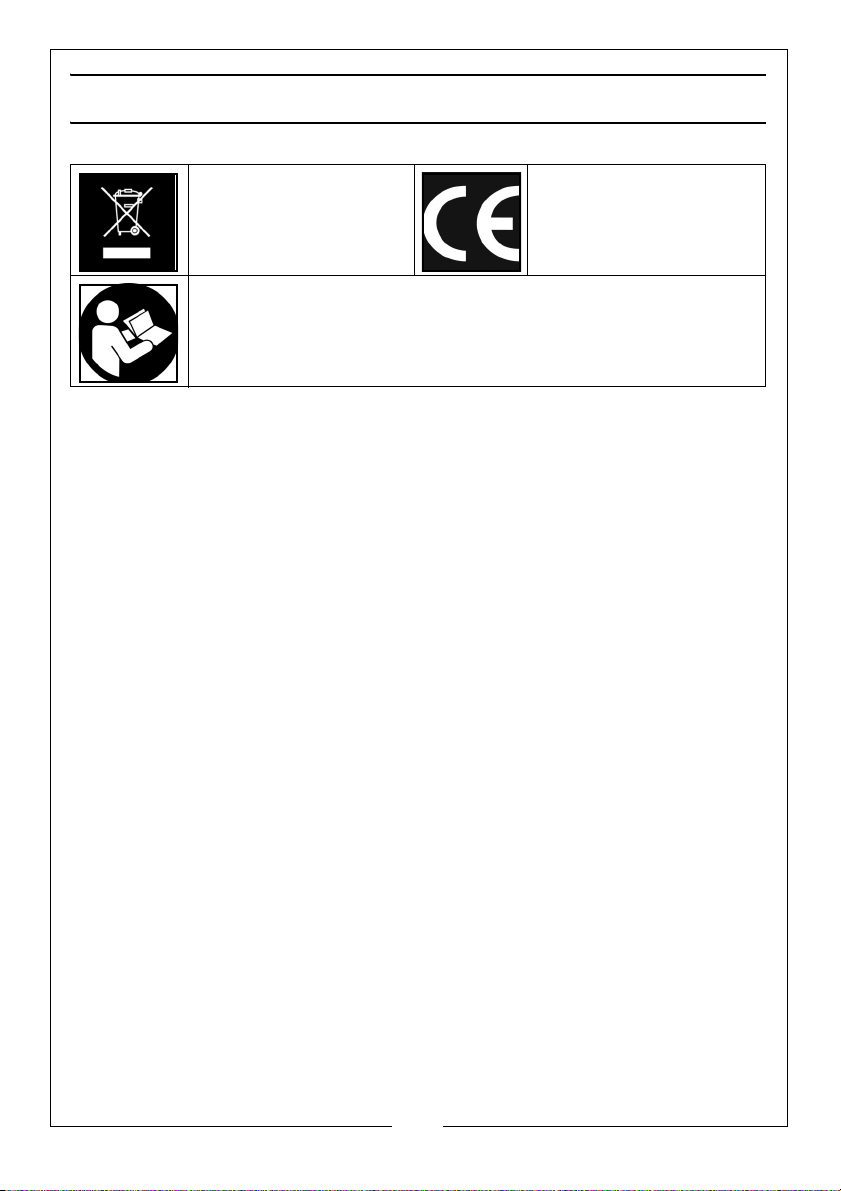
Weee Symbol CE Mark
Read instruction manual before use
6
Parts & Service: 020 8988 7400 / E-mail: [email protected] or [email protected]
Page 7
BEFORE USE
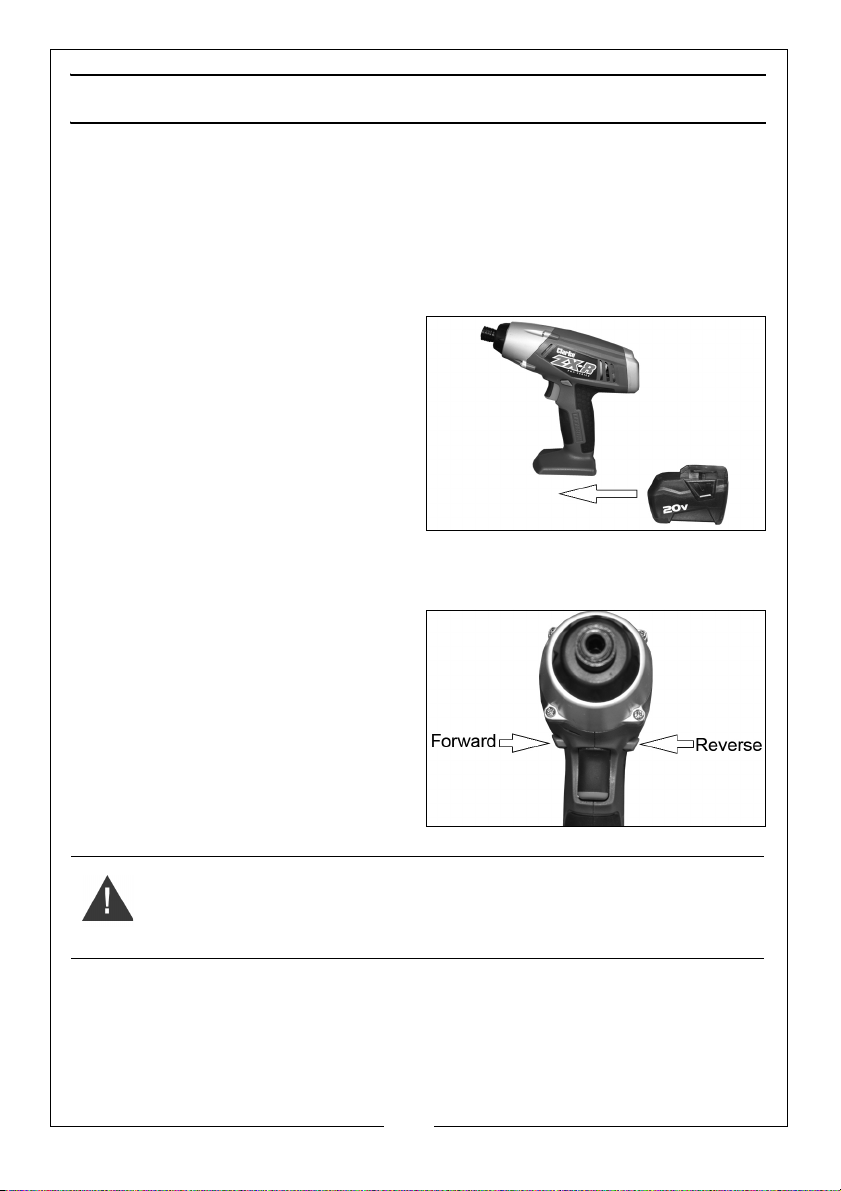
FITTING THE BATTERY PACK (NOT SUPPLIED)
This impact driver requires a 20V battery pack (6487040) and 1 Hour Charger
(6487050) to operate. Both are available separately from your local Clarke
dealer.
TO FIT THE BATTERY
1. Slide the battery pack onto the
base of the impact driver.
TO REMOVE THE BATTERY
1. Press and hold the release buttons
on the side of the battery.
2. Slide the battery pack away from
the base of the handle.
FORWARD/REVERSE
The forward/reverse switch is used to
select the direction of rotation.
SAFETY LOCK OFF
The forward/reverse switch can be
used as the safety lock off button by
pushing it half way through the drill
body.
WARNING: ALWAYS LOCK THE TRIGGER SWITCH IN THE OFF POSITION
WHEN THE IMPACT DRIVER IS NOT BEING USED. THIS IS AN IMPORTANT
SAFETY FEATURE AND MUST BE OBSERVED.
7
Parts & Service: 020 8988 7400 / E-mail: [email protected] or [email protected]
Page 8
FITTING THE IMPACT BITS
WARNING: BEFORE FITTING OR REMOVING ANY IMPACT BITS MAKE SURE
THAT THE FORWARD/REVERSE SWITCH IS IN THE CENTRAL LOCKED OFF
POSITION.
NOTE: The chuck accepts 1/4" (6.35 mm) hex accessories.
TO INSTALL AN ACCESSORY,
1. Pull the chuck collar away from the front of the tool.
2. Insert the impact bit.
3. Release the collar.
• The impact bit is locked in place.
TO REMOVE AN ACCESSORY,
1. Pull the chuck collar away from the front of the tool.
2. Remove the impact bit.
3. Release the collar.
OPERATING THE IMPACT DRIVER
1. Make sure that the forward/reverse switch is positioned in either the
forward, or reverse position. See page 7.
2. Place the impact bit into the fastener head.
• Keep the impact drive in-line with the fastener head at all times.
3. Squeeze the trigger.
NOTE: As the battery becomes discharged, the power available will
drop and will cause a reduction in torque.
8
Parts & Service: 020 8988 7400 / E-mail: [email protected] or [email protected]
Page 9
MAINTENANCE AND SERVICING
WARNING: ALWAYS REMEMBER TO POSITION THE DIRECTION CONTROL
SWITCH IN THE CENTRAL LOCKED OFF POSITION AND REMOVE THE
BATTERY PACK, BEFORE CLEANING THE IMPACT DRIVER.
1. Ensure all fixings remain tight to ensure the machine is in safe working
condition.
2. Avoid using solvents when cleaning plastic parts, most plastics are
susceptible to damage from the various types of commercial solvents.
Keep the unit clean by wiping with a dry cloth.
• All bearings etc, in this machine are lubricated with a sufficient
amount of high grade lubricant for the machines lifetime under
normal operating conditions, therefore no further lubrication is
required.
• Refer to your CLARKE dealer if internal maintenance is required.
• Your Clarke impact driver has been designed to give long and
trouble free service. If, however, having followed the instructions in
this booklet carefully, you encounter problems, take the unit to your
local Clarke dealer.
STORAGE
• Make sure that the machine is stored in a clean, dry place, out of
reach of children when not in use.
• Always store the machine and its charger in the case supplied.
9
Parts & Service: 020 8988 7400 / E-mail: [email protected] or [email protected]
Page 10
SPECIFICATIONS
MODEL CID20LI
Voltage 20 V DC
Drive Size 1/4” (6.35 mm) Hexagonal
Maximum Torque 160 Nm
Impact Rate 0-2800 Blows Per Minute
No Load Speed 2300 RPM
Weight (without battery pack) 1.2 kg
Dimensions (without battery pack) (L x W x H) 210 x 70 x 197 mm
Sound Pressure Level (LPA) 90.2 dB(A)
Sound Power Level (LWA) 101.2 dB(A)
Sound Uncertainty Value (K) 3 dB(A)
Vibration 3.688 m/s²
Vibration Uncertainty Value (K) 1.5 m/s²
10
Parts & Service: 020 8988 7400 / E-mail: [email protected] or [email protected]
Page 11
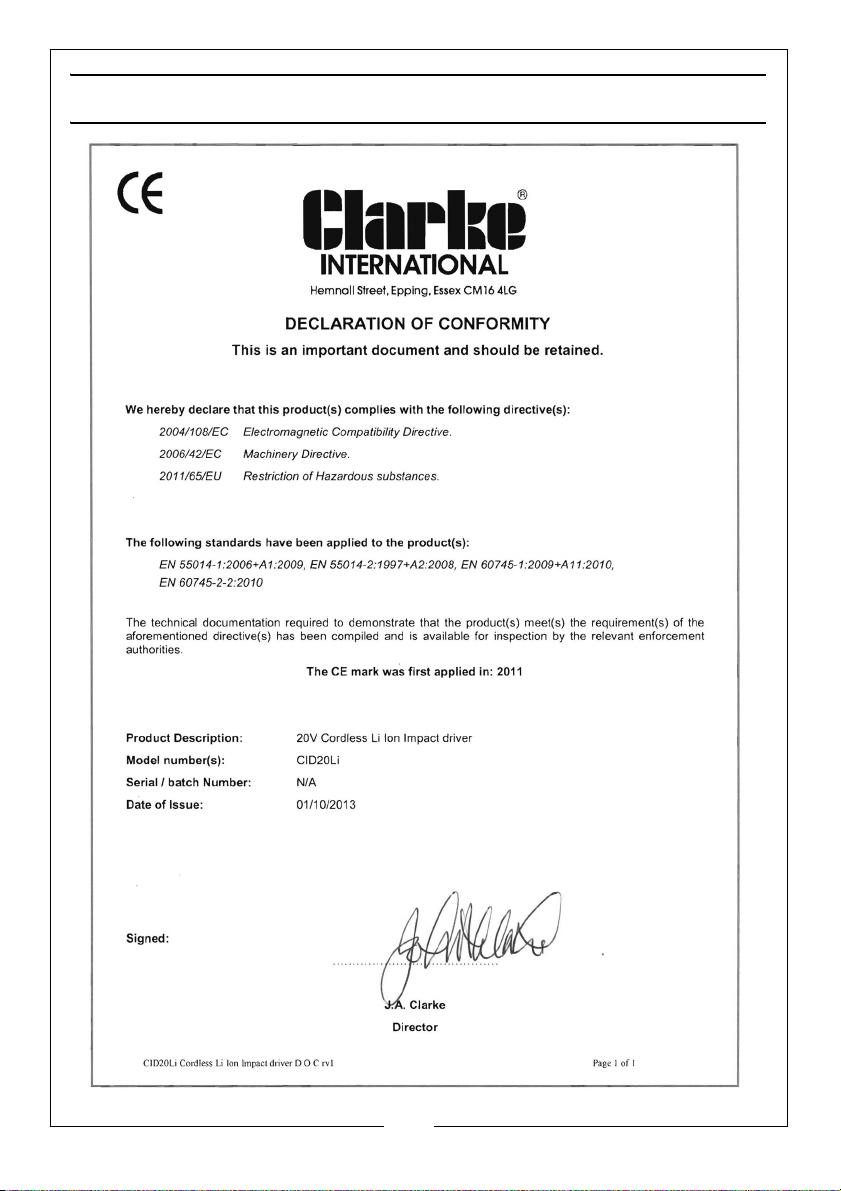
DECLARATION OF CONFORMITY
11
Parts & Service: 020 8988 7400 / E-mail: [email protected] or [email protected]
Page 12

 Loading...