

Page 1
quick start Guide
D-1000
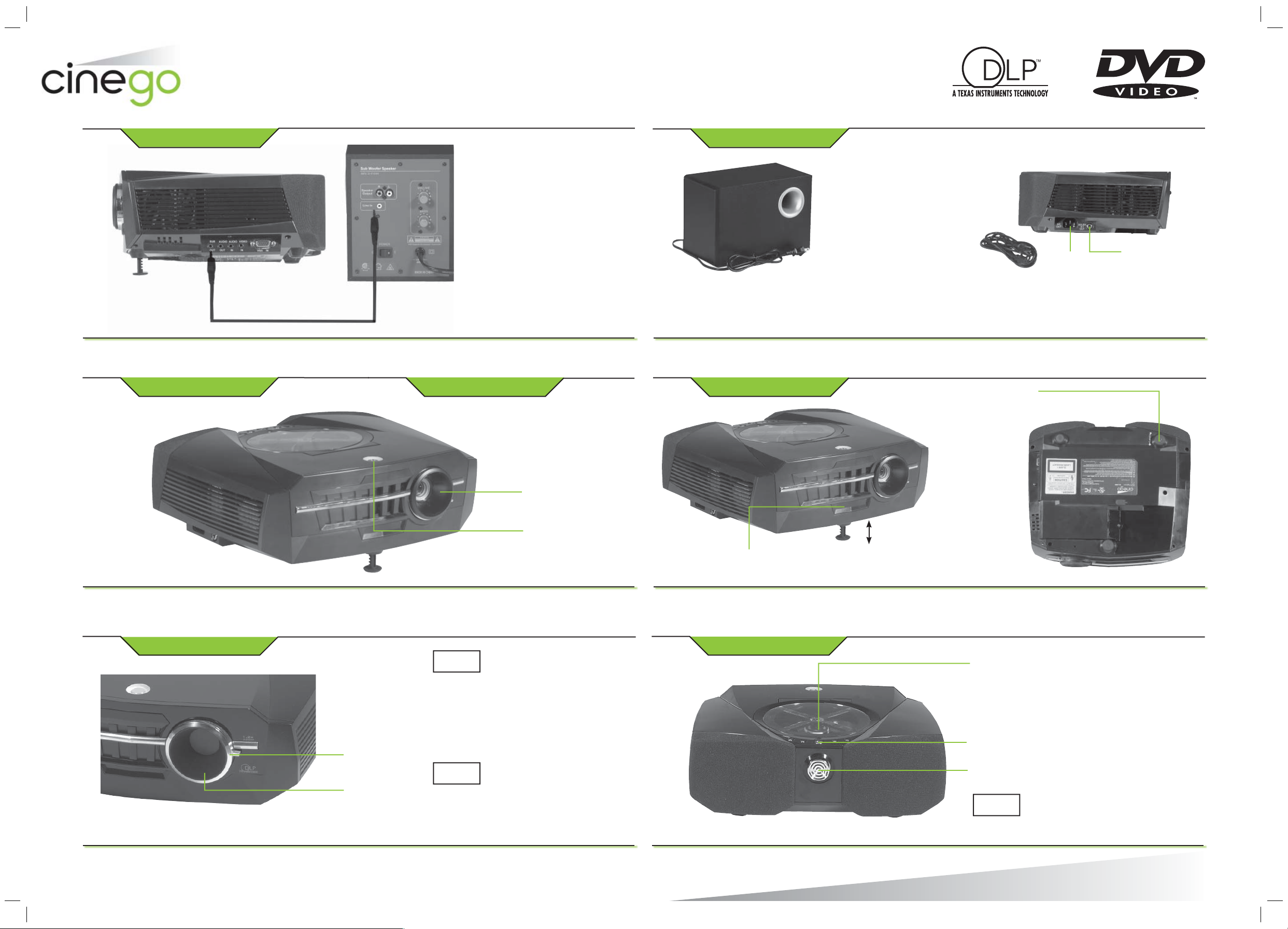
1. Connect Subwoofer
Connect the projector
to the subwoofer via the
subwoofer cable.
3. Remove Lens Cap 5. Adjust Height
4. Power on Projector
2. Connect Power
Connect Subwoofer’s power cord
to a standard AC wall outlet.
DOLBY
AC
OUT
Connect projector to AC wall outlet
via the supplied power cord.
Twist rear
leveling foot
to raise or
lower it.
5.1
OUT
6. Adjust Image
Zoom
Ring
Focus
Ring
NOTE
NOTE
Remove
lens cap
Press
Power
button
If your projected image
is wider on the top than
on the bottom (or vice
versa), you may need to
adjust Keystone or Aspect
Ratio. See page 28 of your
User’s Guide for more
information.
For information regarding
the ideal distance from
projector to screen, see
page 27 of your User’s
Guide.
Push button to release
height adjuster.
7. Play a movie
1. Open compartment. Place DVD
inside. Close compartment.
2. Press Play.
3. Turn to adjust volume.
NOTE
CAUTION: DO NOT move your projector
at all while the lamp is hot. Wait until
your projector has cooled before you
change its position or adjust its height.
©2004. Innovation One.
All rights reserved. Cinego and Cinego.com
are trademarks used by Innovation One.
Printed in Taiwan
D-1000
12A04
 Loading...