

Page 1
Furniture Assembly Instructions
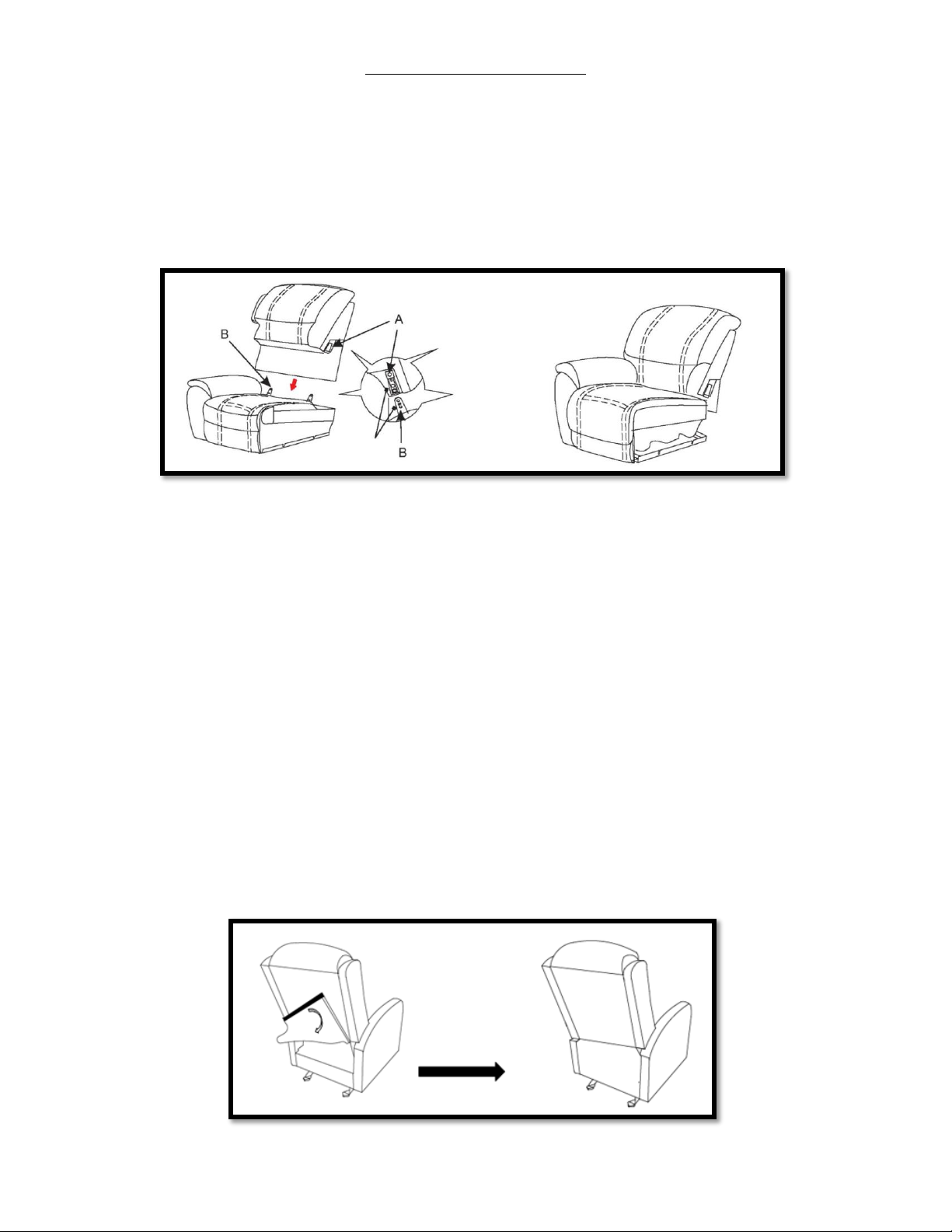
Your furniture is shipped with the Back Frame disconnected from the rest of the furniture.
Step 1. To connect the Back Frame of the furniture, simply align the female KD brackets (also called KD sleeves) on the
Back Frame with the male KD brackets at the back of the Seat/Arm Frame and push down to lock in place. When the
bracket is successfully locked into place you will hear an audible “click” confirming that the locking tab has been
engaged.
Step 2. With the Back Frame locked into place, carefully flip the furniture over to expose the reclining mechanism. Cut or
remove any bands/ties that were used to restrict the reclining mechanism during shipping. To prevent damage, this
must be done before operating the furniture.
Step 2A. (Power Furniture Only) Power furniture may require additional setup before use
If your power furniture has Heat, Massage, Power Headrest, and/or Power Lumbar feature, lift up the back cover (this is
secured by Hook and Loop fastener like Velcro) and plug in any loose wire/s, the wires are either keyed or color coded to
ensure that they can only go in the intended location.
Step 2B. (Power Furniture Only) All power furniture ships with a power cord that will plug into the wall after setup is
complete.
The power cord is attached to the reclining mechanism under the furniture and can be accessed by carefully flipping the
furniture over. While the furniture is flipped over, detach the power cord and cut any ties that were used to secure the
mechanism during shipping. Note: The power cord is intended to plug directly into a wall outlet, do NOT use an
extension cord with this product.
Step 3. Attach the back cover to the bottom of the Seat/Arm frame (this is done with preinstalled hook and loop
fastener).
Step 4. Test each function of your furniture and enjoy!
 Loading...