

Page 1
Departmental
Systems
Page 2
DEPARTMENTAL SYSTEMS
CHALLENGE THE CONVENTIONAL
AND EMPOWER YOUR BUSINESS.
Canon introduces the
®
imageRUNNER
2220 Series…
an innovative solution designed
to meet all the communication
Today’s business environment is in a constant state
of change. To remain competitive, corporate workgroups
require solutions that can rapidly adapt and address new
market realities, while streamlining costs and improving
efficiency. This is the time for Canon’s latest innovation
in digital multifunction business solutions—the new
imageRUNNER 2220 Series.
needs of your business.
Incorporating Canon’s MEAP
Application Platform) architecture, the imageRUNNER 2220
Series offers a complete suite of functionality, and the unique
ability to embed diverse and customizable applications that
integrate into every aspect of your business workflow.
Designed to fit seamlessly into your existing environment,
the imageRUNNER 2220 Series acts as a dynamic central
hub for total office automation and management of your
most valuable resources—critical business information,
s, and knowledge.
a
ide
™
(Multifunctional Embedded
Page 3
AND THE NETWORKED OFFICE EMERGES…
With its innovative technology, outstanding
reliability, and superior image quality, the
imageRUNNER 2220 Series represents a new
generation of integrated business systems.
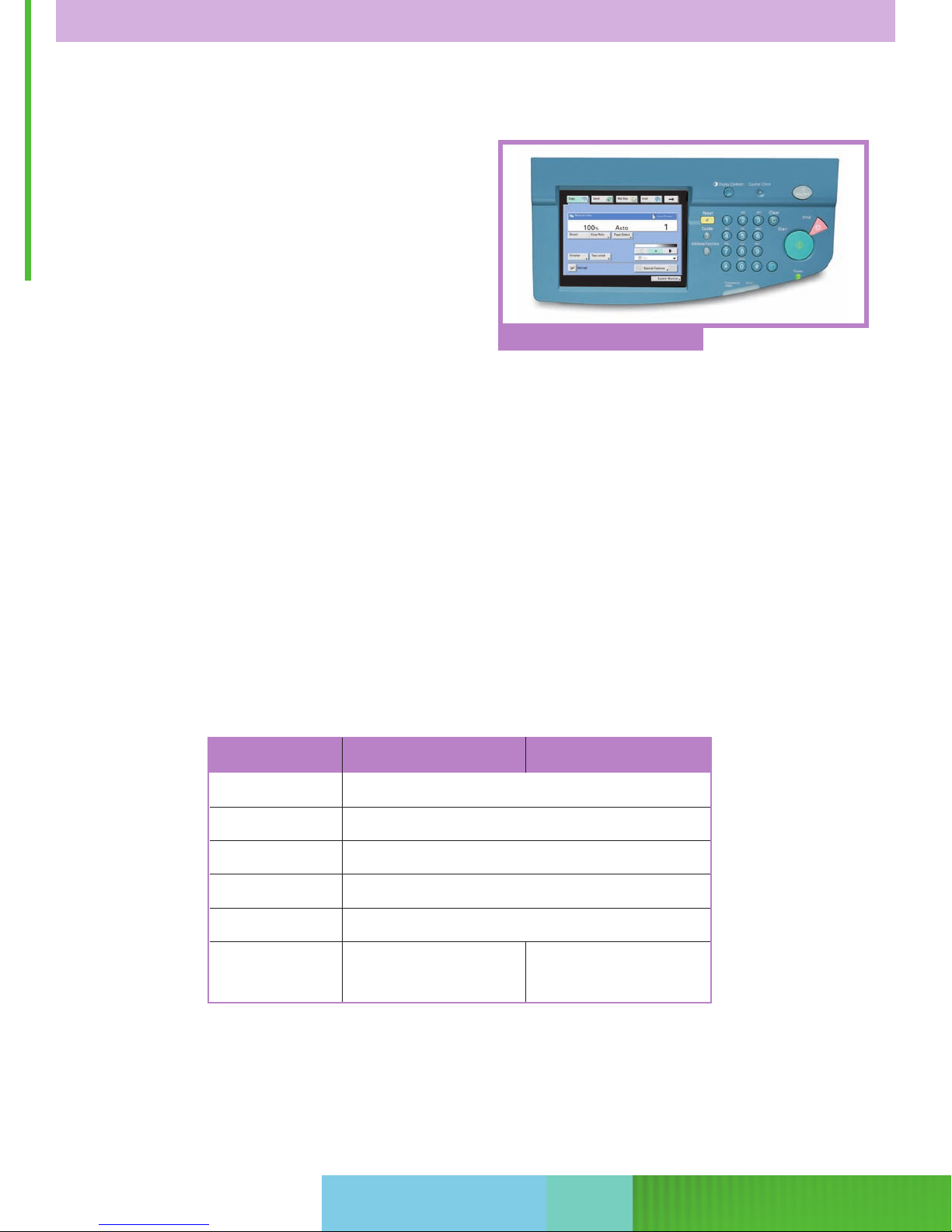
Full-color Control Panel
Canon’s MEAP-enabled imageRUNNER 2220 Series
includes the imageRUNNER 2220N and imageRUNNER 2220i
models. Both are highly advanced digital imaging systems
designed to give your business greater control over costs
and improved productivity.
This dynamic duo delivers output at speeds of up to
22 pages per minute, with support for advanced digital
Copying and Mail Box features, network Printing and
Scanning functions, Super G3 Fax capabilities, and the
ability to send electronic information across a diverse
Function imageRUNNER 2220N imageRUNNER 2220i
Copy Standard
Mail Box Standard
and ever-changing digital landscape. No matter which
model you choose, you’ll benefit from Canon’s industryrenowned image quality for the most faithful reproduction
of text and images.
Best of all, users and administrators are provided with
the necessary tools for quick and intuitive operation of all
features, whether it be at the device, through a large fullcolor, touch-screen user-interface panel, or at a desktop
through Canon-supplied device drivers and utilities.
Print Standard
Super G3 Fax Optional
Scan Standard
Send Optional Standard
Both models ship standard with Ethernet network connectivity.
s a 10-user version of eCopy Desktop
lude
*Inc
(eCopy Suite) (Universal Send*)
TM
are.
tw
sof
Page 4
COMMUNICATE ACROSS THE ROOM OR ACROSS THE GLOBE.
Using the power of corporate networks and the Internet, the imageRUNNER 2220 Series
transforms your one-lane paper trail into a multilane information superhighway.
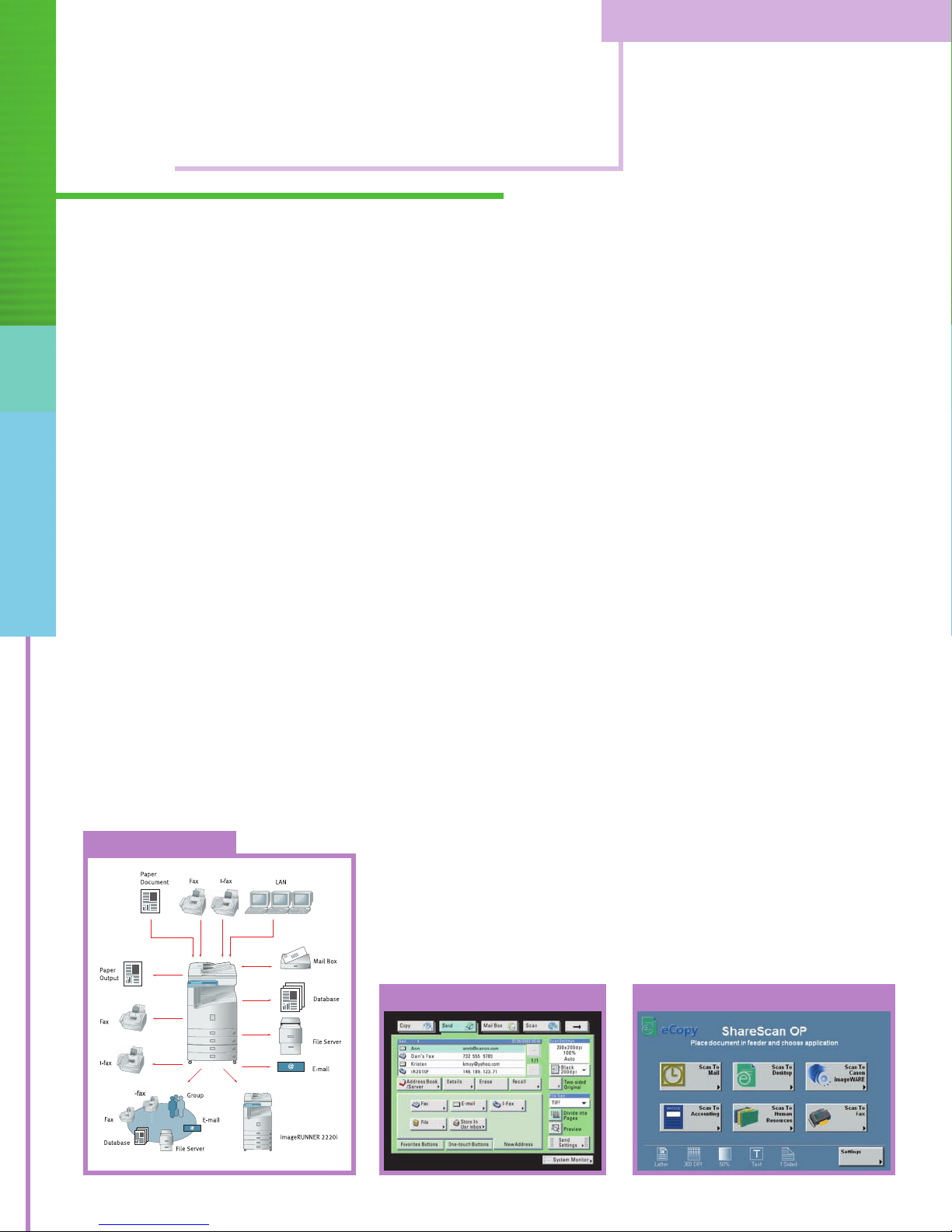
Universal Send™Makes Seamless Workgroup
Collaboration a Reality.
Targeted to workgroups and smaller departments,
Universal Send technology (a standard feature of the
imageRUNNER 2220i) allows users to scan documents
directly into the device for distribution to multiple destinations. These may include group or individual E-mail and
Internet fax (I-fax) addresses, network or host folders, and
document management applications such as Canon’s
™
imageWARE.
You can even send documents as Super G3
Fax transmissions (optional). This all-in-one operation
eliminates the expense and administrative burden
associated with using conventional methods of printing,
filing, and forwarding hard-copy documents.
al Send
s
er
Univ
Enterprise-wide Integration Made Easy with eCopy
Convert your imageRUNNER 2220 Series device into a
sophisticated yet simple-to-use document distribution
powerhouse. With the eCopy Suite of products, your
organization can transform paper documents into information that’s easily integrated into all your business
applications. eCopy connects with your company’s E-mail
and other networked enterprise applications for secure,
economic, and instantaneous distribution and management of information.
Scanning is a Snap with Canon’s Network ScanGear
anon Netw
C
ork ScanGear is a user-friendly, TWAINcompliant scanning utility that can be used with any 32-bit
TWAIN-compliant software application to pull scanned
im
ag
e
om the im
fr
s
ageRUNNER 2220 Series over a network
to a destination PC or a file server. Scanned images can
then be manipulated at the user’s workstation and
ated into other documents as needed.
orpor
inc
Universal Send Main Menu eCopy ShareScan OP*
*Check with your local Canon-authorized Dealer for availability.
Page 5
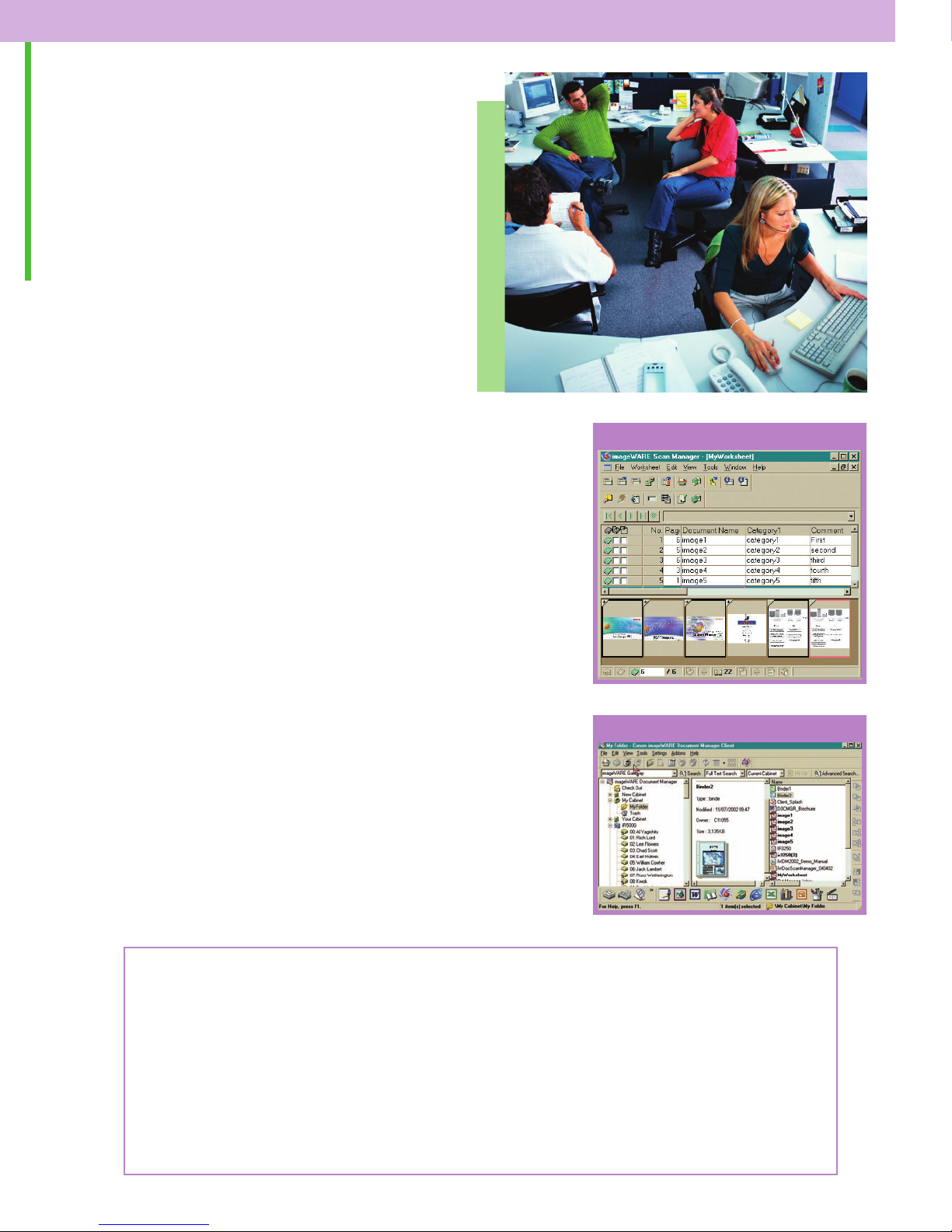
MANAGE YOUR CRITICAL ASSETS—
INFORMATION, IDEAS, AND KNOWLEDGE.
Digitize your documents and permanently
alter your to-do list.
imageWARE™Integration
Integrate the powerful scanning capabilities of the
imageRUNNER 2220 Series with Canon’s imageWARE
Office Software Suite for a complete information
capturing, management, and distribution system.
With the automatic scanning and indexing capabilities of
imageWARE Scan Manager, your business can capture high
volumes of documents quickly. Imagine reducing manual
labor costs related to scanning by more than 20% and
document indexing time by more than 50%! Advanced
image capture and data recognition improves the accuracy
and usefulness of digitized, computer-based information.
Canon’s imageWARE Document Manager is the central
database repository of the imageWARE Suite. It has a
client-server architecture that can be easily scaled to
meet growing business needs, and is designed to reduce
or replace traditional hard-copy document storage methods
in the general office environment. It also supports high-
lume doc
o
v
ument
g applications for retrieval,
andlin
-h
archival, and records management.
ageWARE Scan Manager
im
imageWARE Document Manager
Key Vertical Market Applications
Transportation/Warehousing
ore inventory reports, shipping manifests, and passenger lists into a secure database.
an and s
Sc
•
D
s
e
Sal
• Scan and edit product information with the most up-to-date specifications.
litie
i
ac
F
an and distribute floor plans and drawings to staff members via E-mail or to a shared
Sc
•
network folder.
t
epartment
anagement
M
s
Page 6
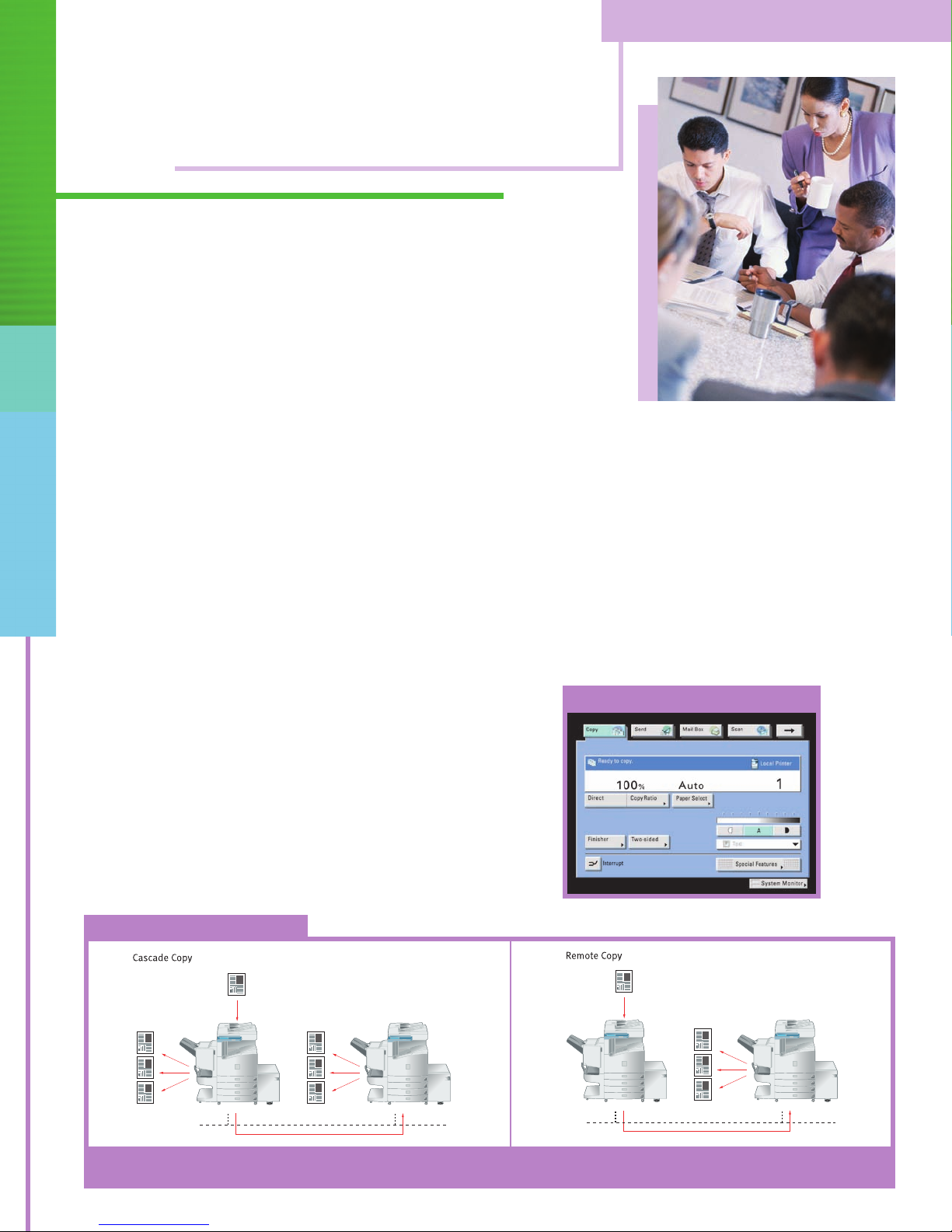
FEATURES SO ADVANCED, THEY’LL ADVANCE YOUR PRODUCTIVITY.
In addition to its many unique features, the
imageRUNNER 2220 Series provides considerable
flexibility, from simple copying to advanced,
production-level features.
Scan-Once-Print-Many: Leverages inherent digital fea-
tures by making copies from images scanned and stored
in memory, resulting in greater productivity and reduced
scanner wear and tear.
Copy Reservation:™No more waiting in line at the copier.
You can scan up to five copy jobs—complete with their
settings—into memory while a current copy or print job is
being processed. Users can be notified via E-mail when
their copy job is complete and ready for pick-up.
ld:
Jo
b B
ui
ily combine documents scanned through
s
a
E
the document feeder with those placed directly on the
platen glass. Also allows users to process jobs that
exceed the capacity of the document feeder.
cade and Remote Copy
s
a
C
Page Numbering and Forms Composition: Superimposes
page numbers and previously scanned images on copies
of documents.
Cascade and Remote Copy: Enhances productivity via the
connection of multiple imageRUNNER 2220 Series devices
on a network.
Copy Main Menu
Copy jobs can be split between two
ageRUNNER 2220 units on a network.
im
an be print
c
s
anned origin
Sc
imageRUNNER 2220 device on a network.
al
ed on a r
emote
Page 7
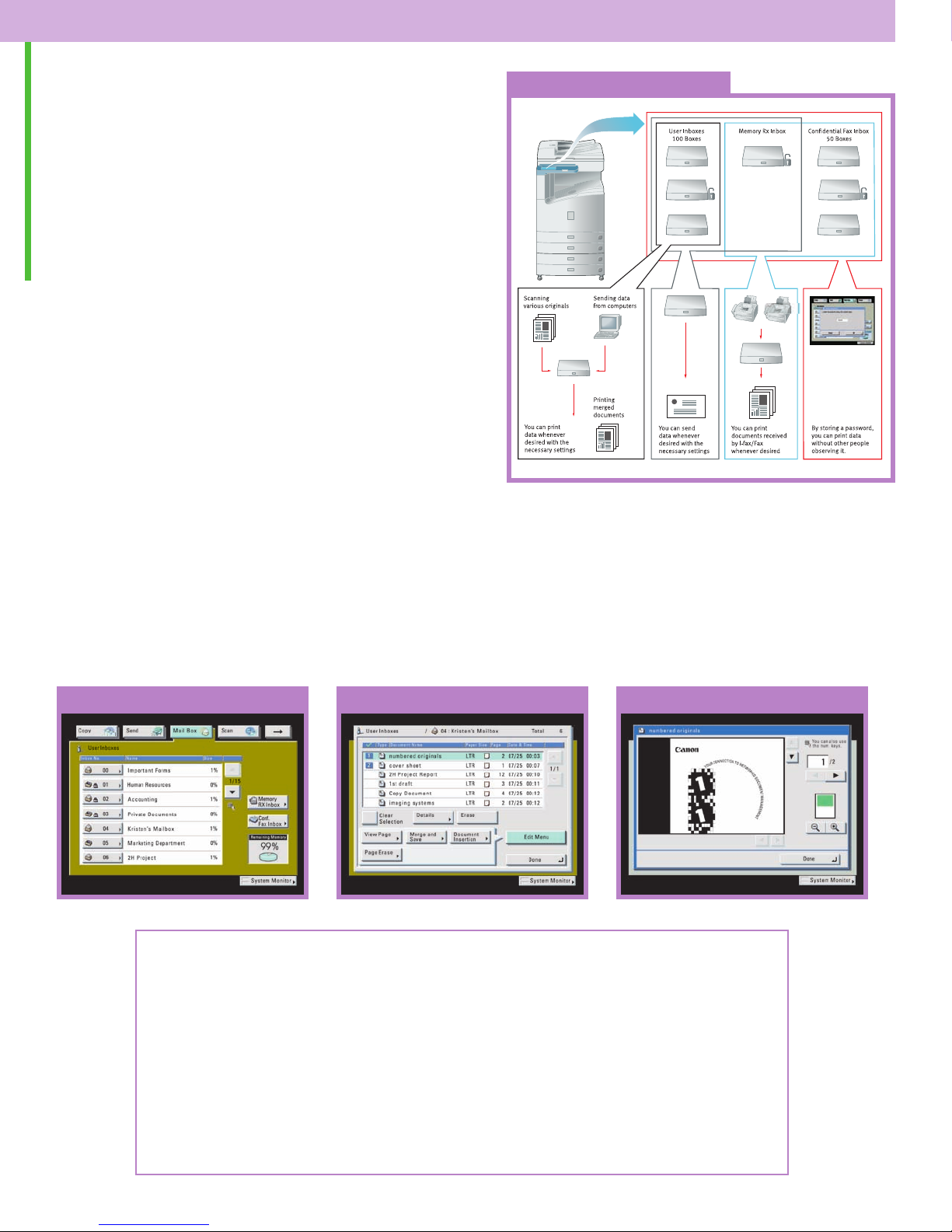
ALL THE TOOLS TO SIMPLIFY YOUR JOB,
SO DOING YOUR BEST IS SIMPLER, TOO.
The imageRUNNER 2220 Series supports Mail
Box functions that may serve as your centralized system for information-sharing, on-site
document storage, and print-on-demand
applications.
Mail Box Functionality
The Mail Box function can be used to store hard-copybased originals such as receipts and frequently used
forms, as well as print data such as presentations,
proposals, and spreadsheets. Once stored in the Mail
Box, take advantage of the ability to combine and print
Up to 100 Mail Boxes can be created for individual users,
departments, or specific tasks, and then password protected for security. For visual confirmation that the selected
file looks just as you want it, you can preview the document
either at the device or at your desktop using a Web browser.
documents as one job with the desired settings, or
send the job to other destinations.
Mail Box Main Menu Mail Box Preview ScreenMail Box Document Editing Screen
Key Vertical Market Applications
s Department
e
c
sour
e
an R
Hum
• Store frequently used forms, such as employment applications and medical forms, for
printing at the time—and in the quantity—needed.
Project Teams
anned im
c
ine s
omb
C
•
for professional-looking reports.
Admini
• Send data to the device for secured printing at a more convenient time.
strative Personnel
ag
with spreadsheets and files created in different applications
s
e
Page 8
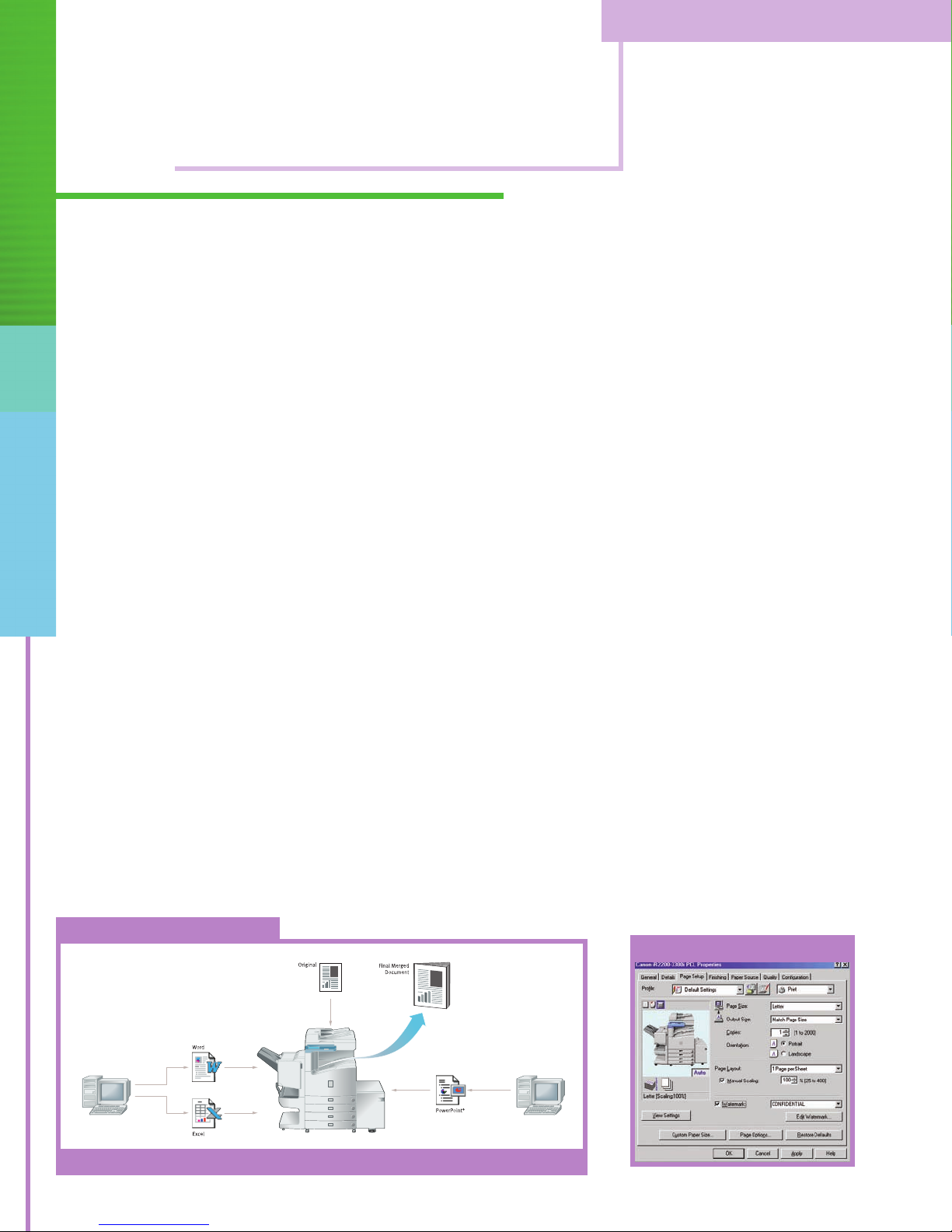
NETWORK CONNECTIVITY SHOULD NEVER BE AN AFTERTHOUGHT.
Each model in the imageRUNNER 2220 Series ships standard as a fully network-connected
device, providing your workgroup with the ability to leverage its functionality over multiple
users and multiple tasks.
When It Comes To Network Printing,
Nobody Does It Better Than Canon
The imageRUNNER 2220 Series delivers printing capabilities
that are ideally suited to handle the demand of your workgroup’s printing requirements with support for PostScript
®3™
emulation and PCL 5e/6 page description languages.
Intuitively designed print drivers allow you to start the
document creation process right from your personal computer
with the ability to access page layouts, document finishing,
and image quality settings. Canon has also equipped
this system with extensive advanced features, including
the following:
• Store – Send print jobs to personal Mail Boxes for
egration with other print or scanned data, creating
int
new compound documents.
• Secured Print – Allows for printing to begin at the
device only upon entry of a confidential PIN.
• Edit and Preview (Page Composer) – Combine and print
documents that were created in different applications as
a single document, preview and manipulate the merged
file through a thumbnail view, and change settings onthe-fly.
Create Professional-looking Output
Together with the imageRUNNER product line, Canon’s
imageWARE Publishing Manager and imageWARE
Document Composer provide a complete solution for
document
creation and optimal output. The result is
simplified production of professional-looking documents
equiring various inserts and content types, such as
r
manuals, brochures, catalogs, proposals, reports, books,
and presentations.
Building Compound Documents
Merge scanned images with documents from various applications to create one document.
PCL Page Setup Tab
Page 9
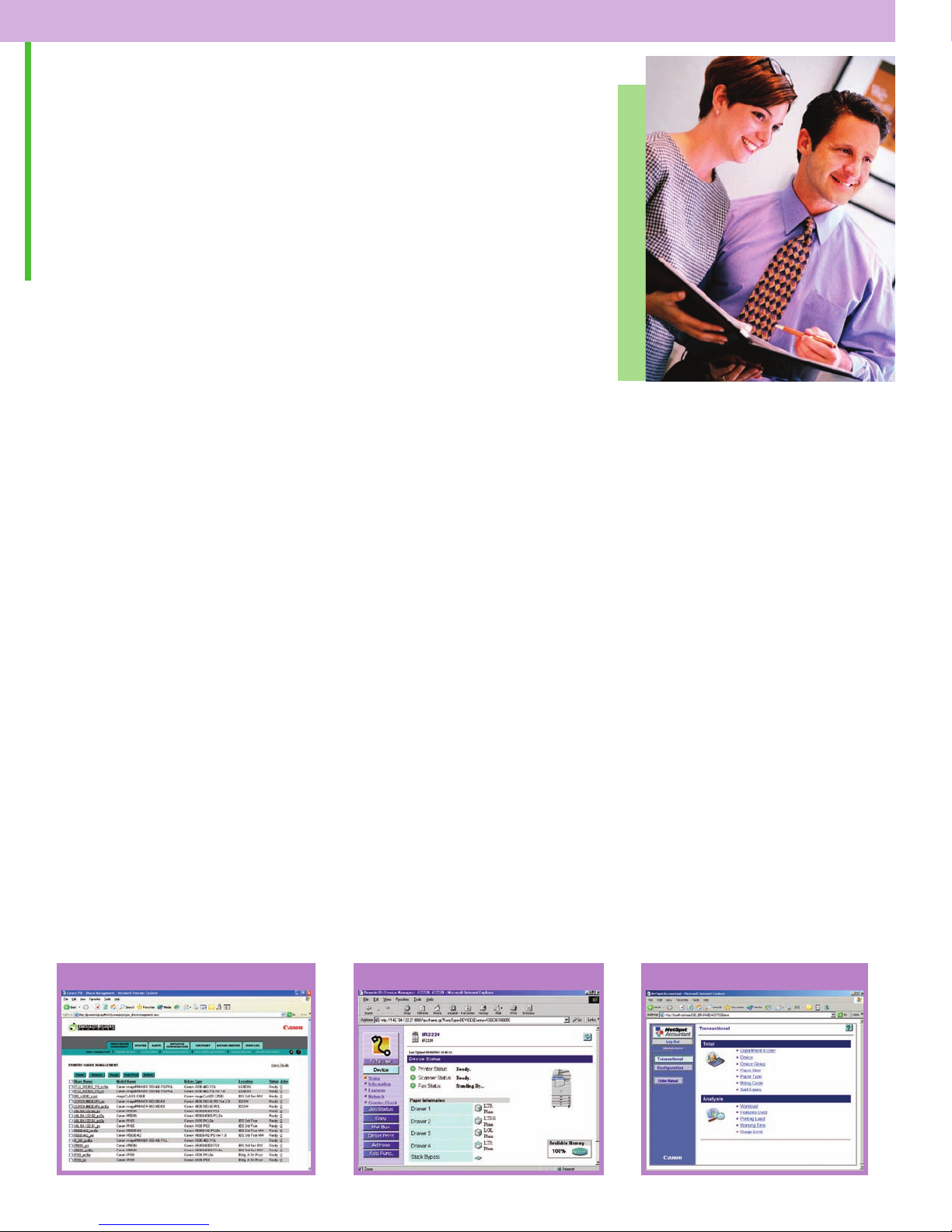
CONNECTIVITY SOFTWARE TO MAKE LIFE UNCOMPLICATED.
Make use of the comprehensive device management utilities
and security features offered by the imageRUNNER 2220
Series to control and manage resources from any location.
User Authentication
Enable Department ID Mode to limit access to the
imageRUNNER 2220 Series to those users assigned valid
IDs and passwords. You can set volume ceilings and
restrict or enable access to copy, scan, and print functions
for up to 300 departments or users. An optional Control
Card/Card Reader system manages usage through intelligent
cards that must be inserted in the system before granting
access to functions. What’s more, Simple Device Login
(SDL) and Single Sign-on (SSO) allow users to enter
personal IDs and passwords to gain system access, with
®
SSO linking directly to the Microsoft
Active Directory for
user authentication.
imageRUNNER Security Kit
vital asset and one that should be
a
s
ation i
orm
our inf
Y
protected at all times. That’s why Canon offers the
imageRUNNER Security Kit, a software package that initi-
s the overwriting of hard disks and completely erases
e
at
previously stored data. This allows you to safeguard
critical information in order to protect the interests of
your work environment.
Canon Print Server Appliance*
The Canon Print Server Appliance (PSA) is designed to help
administrators manage enterprise network printing. When
the PSA is first connected to a network, it will automatically
discover all print devices, create print shares for those
devices, and publish them on an intranet page generated by
the appliance. From this intranet page, end-users can download the driver—with a single click—and start printing,
resulting in increased efficiency and ease-of-use.
Simplified Device Management
To truly support customer requirements, networked
devices must be easy to install, seamlessly integrate into
existing network environments, and permit management
from anywhere. Canon’s comprehensive solution to this is
embodied w
ithin Canon’s Remote UI
™
lity and NetSpot
uti
®
Suite. Remote UI provides end-users with real-time system
ac
c
s
e
and inf
s
ormation at their fingertips using a standard
Web browser. NetSpot Suite is a group of utilities designed
se the administrative burdens associated with installing,
a
o e
t
g, and managing Canon and third-party print
orin
monit
devices on corporate enterprise networks.
PSA IT Administrator View Remote UI NetSpot Accountant
*Check with your local Canon-authorized Dealer for availability.
Page 10
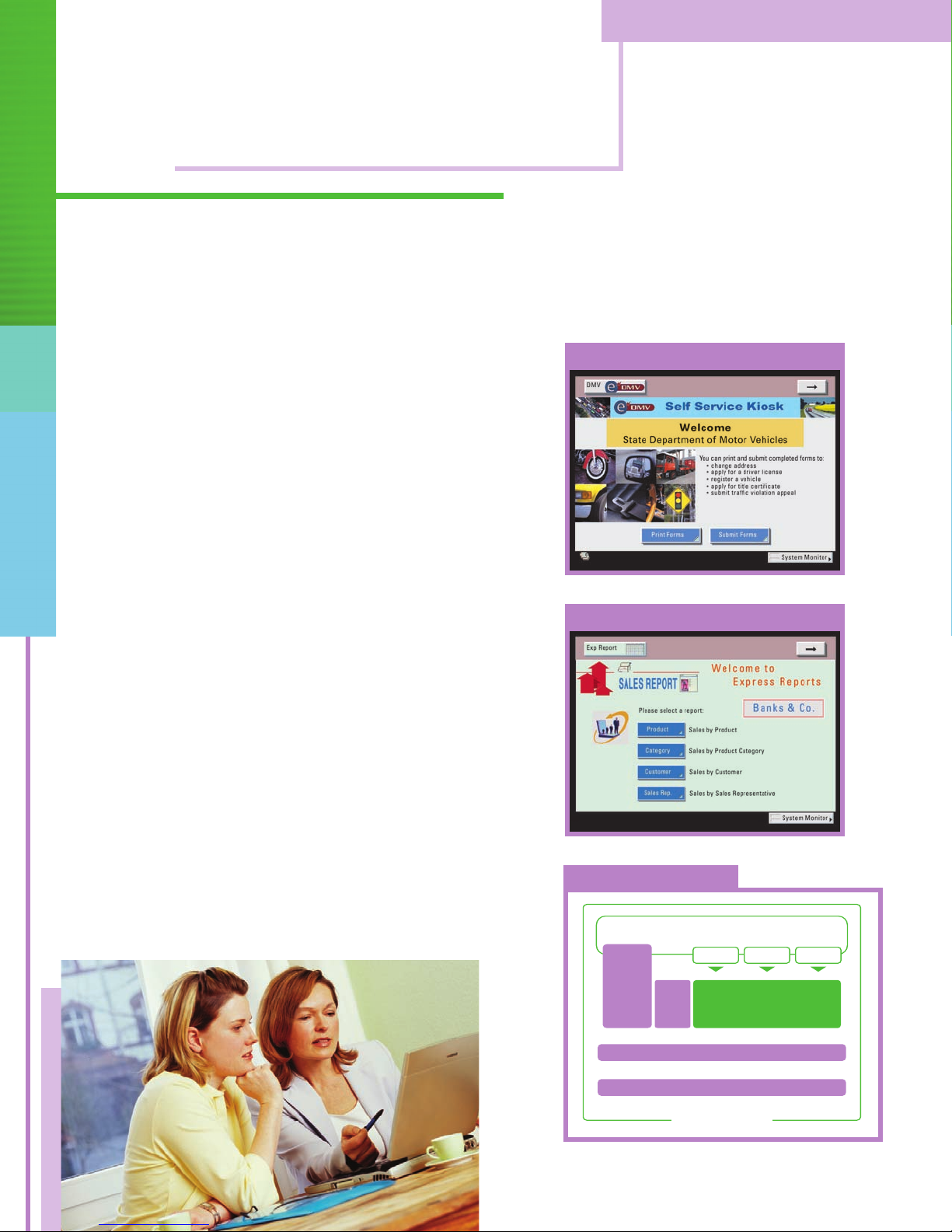
ENDLESS POSSIBILITIES TO INCREASE EFFICIENCY.
Single User-interface
App 1 App 2
Customized
App
Java
CPCA
Standard
Device
Functions
Operating System
Device Hardware
MEAP Structure
Utilize a unique, customizable platform designed
solely for your specific business applications.
Tailor Your System to Work The Way You Want
Canon is set to transform the way you work. For the first
time ever, your business needs come before anything
else. Through consultation, a personalized platform can
be developed to fulfill your precise applications, providing
unparalleled workflow benefits that are both affordable
and highly effective.
Java-based Open Platform Offering Unlimited Uses
Canon’s MEAP (Multifunctional Embedded Application
Platform) architecture is based on familiar Java standards
and presents highly flexible possibilities. With Canon’s
MEAP technology running inside imageRUNNER 2220 Series
devices, additional applications can be easily installed
and integrated, making it possible to control and manage
document workflow. The result is ultimate
of
pect
s
a
y
an
and total integration of your business needs.
Self Service Kiosk*
Report Printing System*
T
o l
arn mor
e
e about Canon’s customizable development
platform, contact your local Canon-authorized Dealer or
isit Canon’s website at
v
.usa.canon.com
www
MEAP Structure
.
*Screens shown as seen on an imageRUNNER 2220 LCD panel display. Sample
applications for illustrative purposes only; actual applications may vary.
Page 11
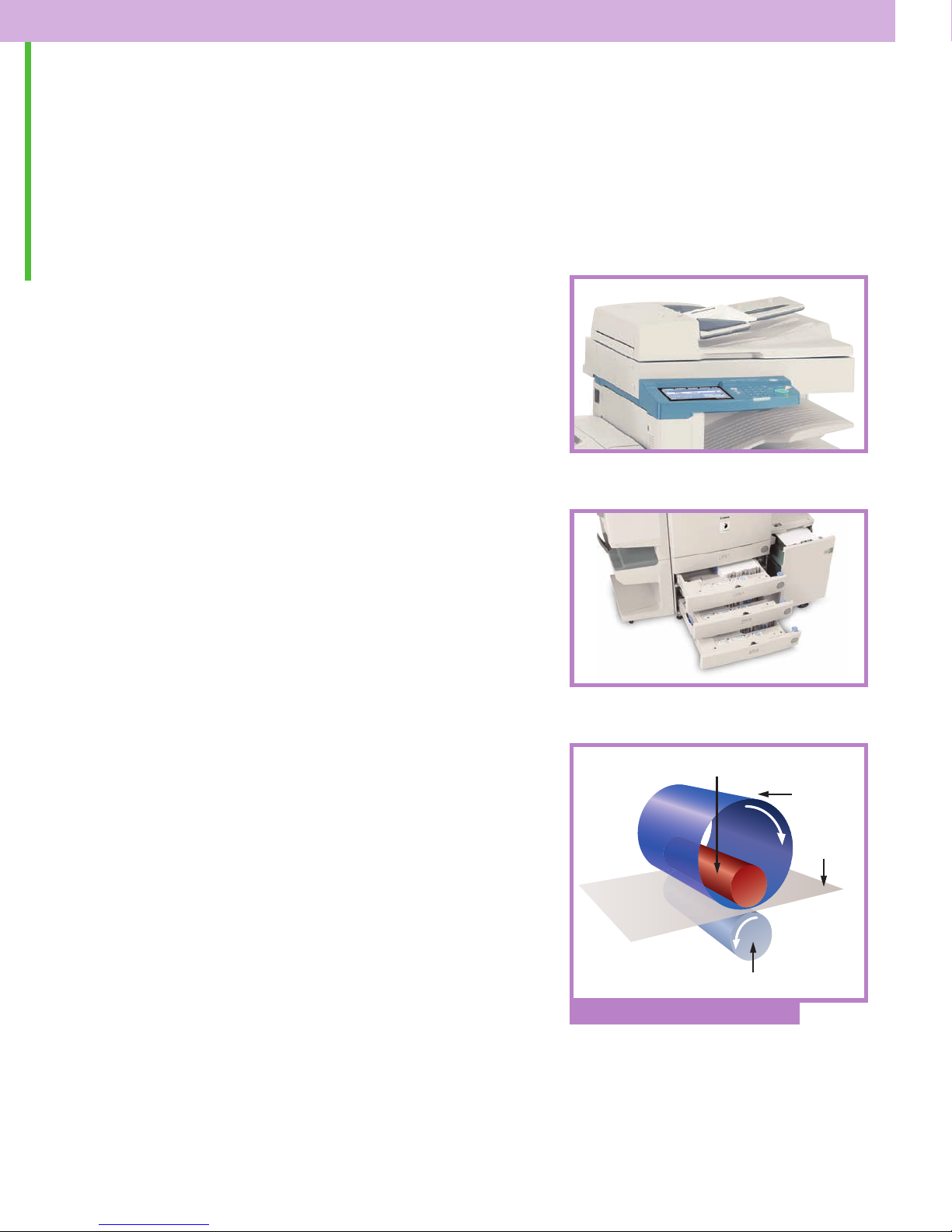
TRAVEL BEYOND YOUR GREATEST EXPECTATIONS.
The imageRUNNER 2220 Series offers all the tools
you need to dramatically improve workflow
and maximize performance.
Automate Your Business
Don’t settle for a device that simply delivers the basics.
Let the imageRUNNER 2220 Series maximize the efficiency
of your corporate workgroup. Its standard, 50-sheet
capacity Duplexing Automatic Document Feeder makes
quick work of scanning multipage and different-size origi-
als. A standard paper capacity of 1,050 sheets can be
n
expanded to support up to 4,550 sheets. With support for
numerous paper sizes and weights, transparencies, and
envelope feeding, the imageRUNNER 2220 Series can
meet the volume requirements of any workgroup.
A choice of two finishers gives you the ability to deliver professional-looking documents that will certainly make you
stand out above the rest. Choose the internally mounted
Finisher-J1 for basic stapling and collating features. For more
advanced document finishing, the optional Saddle
Finisher-G1 offers multiposition stapling, saddle-stitched
booklet-making, and support for two- and three-holepunched output.
Commitment to the Environment
In an extension of Canon’s initiatives as a concerned
global citizen, the imageRUNNER 2220 Series is designed
ironmentally-
v
and m
anuf
act
ith a number of
ed w
ur
en
friendly features, including a space-saving design
and Canon’s patented RAPID Fusing System
ed energy consumption
on-dem
and oper
ation and r
educ
™
for quick,
costs. Efficient use of energy, resource conservation,
lean manufacturing technologies are an integral
and c
part of Canon’s philosophy.
Image of a Leader
Ceramic Heater
Pressure Roller
Canon RAPID Fusing System
Fixing Film
aper
P
™
y’s leading producer of network-connected
tr
the indu
As
s
multifunction devices, Canon continues to set new stan-
ards for quality, performance, and reliability. That’s why
d
you can trust Canon to provide you with solutions to make
your department more productive, and your business
more competitive.
Page 12
Main Unit
C
opy Tray-F1 F
eeder (DADF-H
1)
Saddle Finisher-G1 Cassette Feeding
Unit-W
1
imageRUNNER 2220 Series Specifications
Type: Digital, Multifunction Imaging System
Imaging System: Laser Dry Electrostatic Transfer
Developing System: Dry MonocomponentToner Projection
xing System: RAPID Fusing System
Fi
Image Server Memory: Standard 256MB RAM/10GB HDD
First-copy Time: 5.8 Seconds from Platen Glass
Warm-up Tim e: 10 Secondsor Less from Sleep Mode
Copy/Print Speed: 22 ppm (Letter)
ax. Mail Boxes Supported: 100
M
opy Reservation: 5 Jobs
ax. C
M
Actual Resolution: 600 dpi x 600 dpi
Interpolated Resolution: 1200 dpi x 600 dpi (Copy)
Halftone: 256 Gradations of Gray
uplexing: Standard Automatic Trayless
D
Magnification Reduction/
largement: 25% to 800% — Platen (in 1% increments)
En
ly
p
up
S
aper
P
andard: Dual500-sheet Paper Cassettes (1,000 Sheets)
St
Optional: Dual500-sheet Paper Cassettes (1,000 Sheets)
sure Control: Automatic or Manual
Expo
ultiple Copies: 1 to 999
M
riginal Size: 11" x 17" (Ledger)
ax. O
M
eights:
W
aper
P
Power Source: 120V AC, 60Hz, 10A
Drum:
Max. Duty Cycle: 75,000 Impressions Per Month
Toner: Estimated Yield: 15,000 Images (at 6% Coverage)
nication Interface
ommu
C
Topology: Ethernet
Speed: 10/100 MbpsEthernet
ocols Supported: TCP/IP, IPX/SPX,
ot
Pr
ac
f
er
ed Int
ork
Netw
Connections: 10/100Base-T (RJ-45)
Universal Send Functions (2220i only)
Sending Methods: E-mail, I-fax, Super G3 Fax(Optional),
ss Book Capacity: Max. 1,800 Destinations
e
dr
Ad
File Format: Single-page TIFF, Single-page PDF, Multipage
Sendin
g Sizes: Statement to Ledger
ax. Capacity: Approx. 3,700 Originals)
(M
6.6 Seconds from Feeder
Seconds from Main Power Off
40
2400 d
Duplexing
o 400% — F
25% t
Stack Bypass (50 Sheets)
aper Deck (2,500 Sheets)
P
b. to 20 lb. Bond (Cassette)
17 l
. t
b
17 l
OPC—Estimated Yield: 55,000 Impressions
e
File Server (IPX, FTP, SMB)
ax. 5 LD
M
u
, M
TIFF
™
pi x 600 dpi (Print)
eeder
. Bond (St
b
o 32 l
™
therT
E
s
er
v
Ser
AP
ltipage PDF
ypass)
B
k
ac
®
alk,
MB
S
ed:
ag
Im
s
Inner 2-Way Tray-A1
Paper Deck-L1
(910.5mm x 565mm x 762mm)
13 lb. to 32 lb. Bond (Letter, Two-sided)
l)
a
Tray and Inner 2-WayTray
250 Sheets (Letter)
(1) Any Corner, (2) Side Margin, (3) Saddle-stitch
10 Sheets Saddle-stitched (Letter, Ledger)
40 (10 Sheets)
s/10 Saddle-stitched Sets
Sheet
o 10
6 t
Finisher-J1
Cabinet
Dimensions (H x W x D): 35-7/8" x 22-1/14" x 29"
Weight: 214 lb. (97.4kg)
Accessories
Duplexing Automatic Document Feeder-H1 (Standard)
Acceptable Originals: Statement-R to Ledger
Capacity: 50 Sheets (20 lb. Bond/Letter)
ax. Pap er Weight: 10 lb. to 32 lb. Bond (Letter, One-sided)
M
ssette Feeding Unit-W1 (Optional)
a
C
Paper Capacity: 2 x 500-sheet Paper Cassettes
Paper Size
op Cassette: Statement-R to Legal
T
Bottom Cassette: Statement-R to Ledger
aper Weights: 17 lb. to 20 lb. Bond
P
Envelope Feeder Attachment-B1 (Optional)
velope Size: COM10, DL, Monarch, ISO-B5, ISO-C5, Yougata-4
En
acity: Approx. 50 Envelopes or 1-1/4" (31.75mm)
ap
eeder C
F
-L1 (Option
k
ec
aper D
P
aper Capacity: 2,500 Sheets (20 lb. Bond)
P
Paper Size: Letter
Paper Weights: 17 lb. to 20 lb. Bond
sher-J1 (Optional)
Fini
Trays: One Tray
Number of
ay Capacity: 300 Sheets (Letter)
r
T
sition/Capacity: Top Corner (30 Sheets)
o
e P
l
ap
St
Saddle Finisher-G1 (Optional)
Trays: Four trays, including Saddle-stitch
Number of
Tray Capacity
Tray: 1,000 Sheets (Letter)
op
T
Inner 2-Way Tray: 100 Sheets (Letter)
ddle-stitch Tray: 100 Sheets
a
S
ition: Multiposition Stapling
s
o
e P
l
ap
St
Stapling Capacity: 50 Sheets (Letter)
e-stitch Specifications
dl
d
Sa
Side
al
ot
T
Total Sets: 2 to 5 Sheets/20 Saddle-stitched Sets
F
olding: V-folding Standard
Attachable Accessories: Puncher Unit-K1
Puncher Unit-K1 (Option for Saddle Finisher-G1)
Punch Method: Sequential Processing System
Punch Types: 2-hole/3-hole (Auto Change)
aper Sizes: 2-hole (Letter-R, Legal)
P
unch Dust Stock: Approx. 3,000 Sheets
P
Super G3 FaxBoard-J1 (Optional)
Applicable Line: Public Switched Telephone Network (PSTN)
onnection Lines: One ( J1)
C
Transmission Time:* ECM-MMR Approx. 3 Seconds per Page (33,600 bps)
ompression System: MMR, MR, MH, JBIG
C
Sizes: Statement to Ledger
g
Sendin
Network Multi-PDL Printer Kit-C1 (Standard)
ype: Embedded Print/Network
T
Processor: Canon Custom Processor
RAM: 256MB (Std./Max.)—Shared
Hard Disk: 10GB—Shared
Support: PCL 5e, PCL 6, PostScript 3 Emulation
PDL
Fonts: 136 PostScript Fonts,
al
ern
Int
Interface Connections: RJ-45 (10/100Base-T)
ocol Stacks: IPX/SPX: 802.2, 802.3,
ot
Pr
ork OS: Novell
Netw
ate
im
x
o
pr
Ap
*
(MMR, Standard Mode) at 33.6 Kbps modem speed when transmitting to another V.34
machine. The PublicSwitched Telephone Network (PSTN) currently supports 28.8 Kbps
modem speeds or lower, depending on telephone line conditions.
sec
3-
3-hole (Letter, Ledger)
ared
250 MHz—Sh
®
be
117 Ado
TrueType
19
Fonts, 32 PCL Bar-code Fonts
EEE 1284 (Compatibility: Nibble,
I
yte, and ECP mode)
B
oken Ring (Optional Card)
T
thernet
E
CP/IP: E
T
AppleTalk:
4.11, 4.2, 5, 6 (IPX/SPX),
Windows®95/98 (TCP/IP), Windows NT®4.0 (TCP/IP),
indo
W
Solaris
Apple®System 7.5 or higher (DDP)
ax transmission time based on ITU-T No.
e f
ag
-p
ond-per
onts,
ype F
T
®
onts, 80 PCL Roman
F
SNAP
II, 802.2
II
thernet
®
Phase II
®
®
are
. 3.2, 4.1,
NetW
v
ws 2000 (TCP/IP), Windows XP,
™
1.x, 2.5, or later (TCP/IP),
1 Ch
t
ar
As an ENERGY STAR®Partner, Canon U.S.A., Inc. has determined that these products meet the ENERGY STAR
guidelines for energy efficiency. ENERGY STAR and the ENERGY STAR mark are registered U.S. marks. Microsoft,
Windows, and Windows NT are registered trademarks of Microsoft Corporation in the United States and/or
other countries. Adobe and P
tates and/or other countries. Apple, AppleT
S
Computer, Inc. Novell and NetWare are registered trademarks of Novell, Inc. in the United States and other
countries. IPX/SPX is a trademark of Novell, Inc. Solaris is a trademark of Sun Microsystems, Inc. in the United
States and other countries. eCopy Desktop is a trademark of eCopy, Inc. CANON, IMAGERUNNER, NETSPOT,
ID FUSING SYSTEM, and MEAP are registered trademarks, and UNIVERSAL SEN D and the GENUINE logo are
RAP
trademarks of Canon Inc. in the United States and may also be registered trademarks or trademarks in other
countries. REMOTE UI is a tradem ark of Canon U.S.A., Inc. IMAGEWARE is a registered trademark of Canon
U.S.A., Inc. in the United States and is a trademark of Canon Inc. in certain other countries. IMAGEANYWARE is
a trademark of Canon. All referenced product names and other marks are trademarks of their respective owners.
ations subject to change without notice.
ific
pec
S
©2006 Canon U.S.A., Inc. All rights reserved.
iR2200-PDF
-
0106R
ostScript are registered trademarks of Adobe Systems Incorporated in the United
alk, EtherT
TrueType are registered trademarks of Apple
alk, and
-CR
®
1-800-OK-CANON
.usa.canon.com
www
Canon U.S.A., Inc.
anon Plaza
One C
ess, NY 11042
c
uc
S
e
Lak
 Loading...