

Page 1
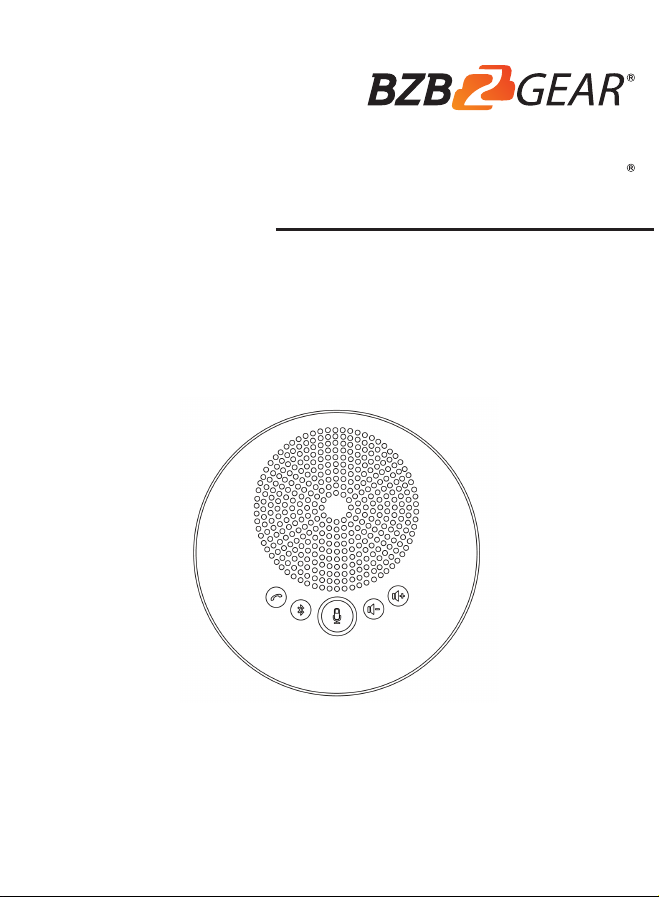
USB Bluetooth
Speaker & Speakerphone
User Manual
BG-SMB-4M
Page 2

1.Product description
Contents
Preface
----------------------------------
1
Attention
----------------------------------
1
Main features
----------------------------------
2
Product type
----------------------------------
2
Supplied accessories
----------------------------------
3
2.Function
Interface introductions
----------------------------------
3
Button function
----------------------------------
4
Led indicator function
----------------------------------
4
Charging instructions
----------------------------------
4
Connection introductions
----------------------------------
5
Pick up range
----------------------------------
7
Function diagram
----------------------------------
7
3.Tech parameters
Tech parameters
----------------------------------
8
4.Warranty Information
Warranty Information
----------------------------------
9
5.Mission Statement
Mission Statement --------------------------------------------------------------------- 9
Page 3

1
Product Description
Preface
Thanks for choosing this speakerphone. Please read the manual
carefully before using it. This manual describes the functions,
installation and use of this device in full detail.
BG-SMB-4M is a full duplex 16kHz echo cancellation speakerphone.
The pickup radius is 4m, which is ideal for one-to-one and small to
medium group conference calls. It uses Bluetooth and USB
connections to replace PC and smartphone speakers and microphones
with outstanding audio quality. The USB interface can be connected to
a PC or other video conference terminals, mobile phones, tablets, and
other smart devices can connect using Bluetooth.
Attention
a. Before operation, please fully read and follow all instructions in the
manual.
b. Operational environment: 0 ~ 40 degrees, Working humidity: 20
~ 85% (no frost)
c. Please keep the device away from motors, transformers and other
electronic devices to avoid noise.
d. Please keep the equipment away from water and other liquids to
avoid electric shock.
e. This device should be placed in a horizontal position, not wall-
mounted or ceiling mounted.
f. Please use the USB cable included with this device to prevent
electric shock and fire damage.
g. Use a dry soft cloth to clean the device. Never use strong or
abrasive cleaning agents on the device to avoid damaging the
case of the device.
h. There are no user serviceable parts inside. Please contact your
dealer for assistance rather than dismantle the speakerphone
and protect cover by yourself.
Page 4

2
Main features
1.
Ensure everyone experiences clear sound with 4 built-in Omni directional
microphones within 4m for 360 degrees pickup.
2.
Seamless Connectivity, simple plug and play set up via USB or Bluetooth
to get your meetings started quickly.
3.
Comes with a 3.5mm headset port that allows the user to switch from
a conference call to a private conversation.
4.
Full duplex echo cancellation and noise reduction, Ultra Wideband HD
Voice Call Technology provides Crystal clear sound without any echoes or
distortions.
5.
Intuitive red, green and blue LED indicators give you visual guidance
6.
Volume of the speaker can reach 85dB. Device can connect to external
speaker if you need a louder volume.
7.
Compatible with all leading UC platform such as video conference
software like ZOOM, Vidyo, WebEx, Skype for business, Google hangout,
etc.
Product Type
BG-SMB-4M
(Please charge before using the Wireless/Bluetooth devices.
Please charge with standard USB cable and power adaptor)
Page 5

3
Supplied Accessories
USB cable Power adaptor
Interface introduction
3.5mm jack interface
USB interface
Power
Power indicator
wireless indicator
Power on / off
Bluet ooth
Microphone
mute
LED indicator
Volume +
Volume -
Page 6
4
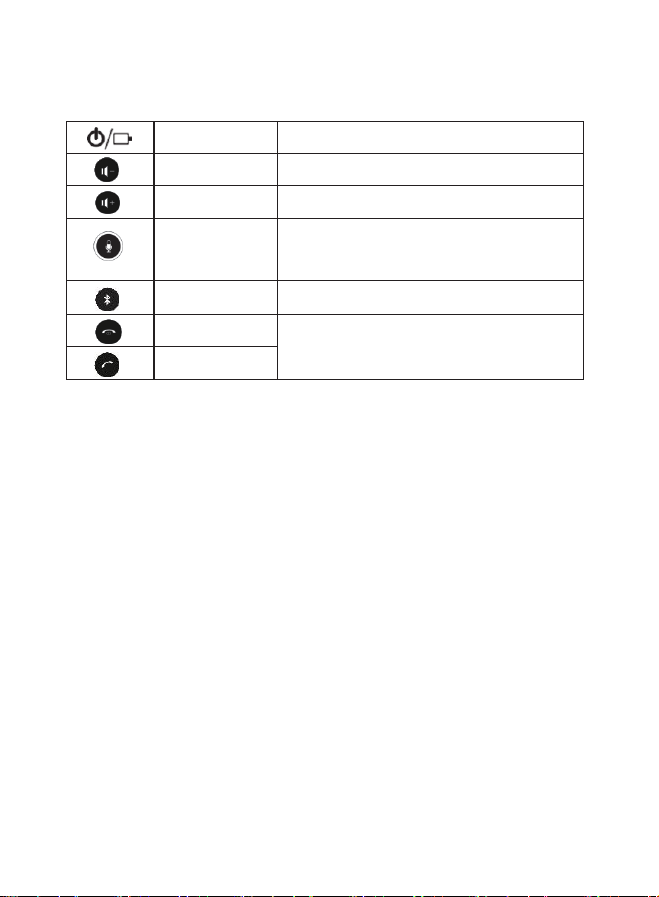
Buttons
Power button
Long press to turn on / off the microphone
Volume down
Reduce the volume
Volume up
Increase the volume
Microphone
mute
Press microphone mute button, red
indicator on. Press again, microphone
works, green indicator on.
Bluetooth
Turn on / off Bluetooth function
Hang up
Hang up call
Answer call
Answer
LED indicator function
1. The device works normally blue indicator on.
2. Red indicator on: Microphone mute.
3. Bluetooth turn on, blue indicator flashes; Bluetooth connect, blue
indicator on.
4. When the device has no peripheral connection after power on, it
will shut down automatically after 3 minutes.
Charging instructions
1. Please charge before using the Wireless / Bluetooth devices.
2. This device comes with built-in rechargeable battery. Please charge
with standard USB cable and power adaptor, or charge by
connecting the device to PC.
Note: Device takes 2-3 hours to be fully charged.
Page 7
5
Connection Introductions
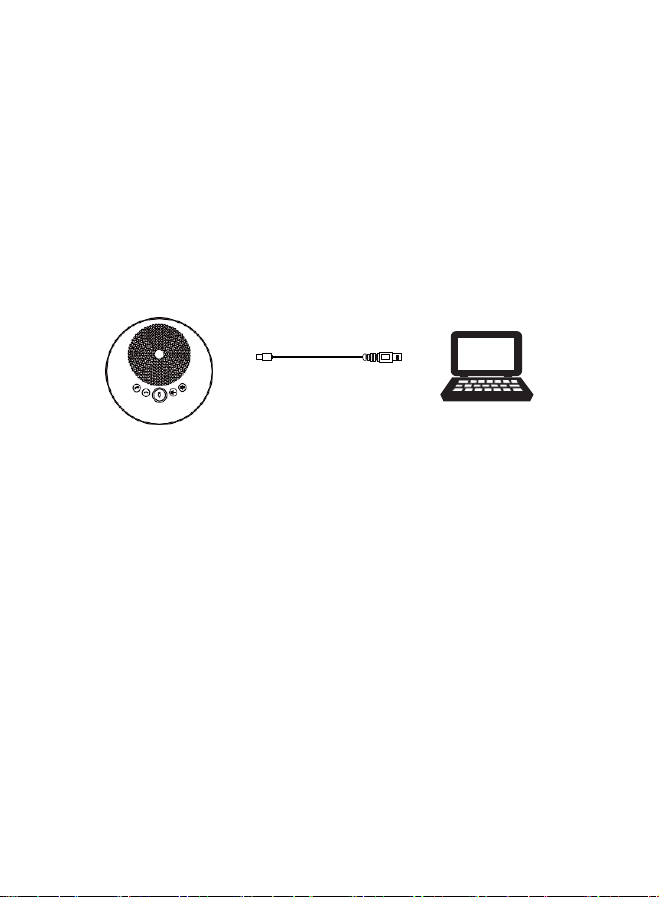
This device can be connected by USB cable as a speaker and a microphone.
1. Fit for Windows, IOS, Android, etc. with a USB port.
2. PC or other devices will automatically recognize and install the
device. It will take 1 minute to show successfully installed. (Only for
the first time to use).
3. Blue indicator will be on while working.
4. Open the platform of choice and initiate a call.
USB connection
Page 8
6
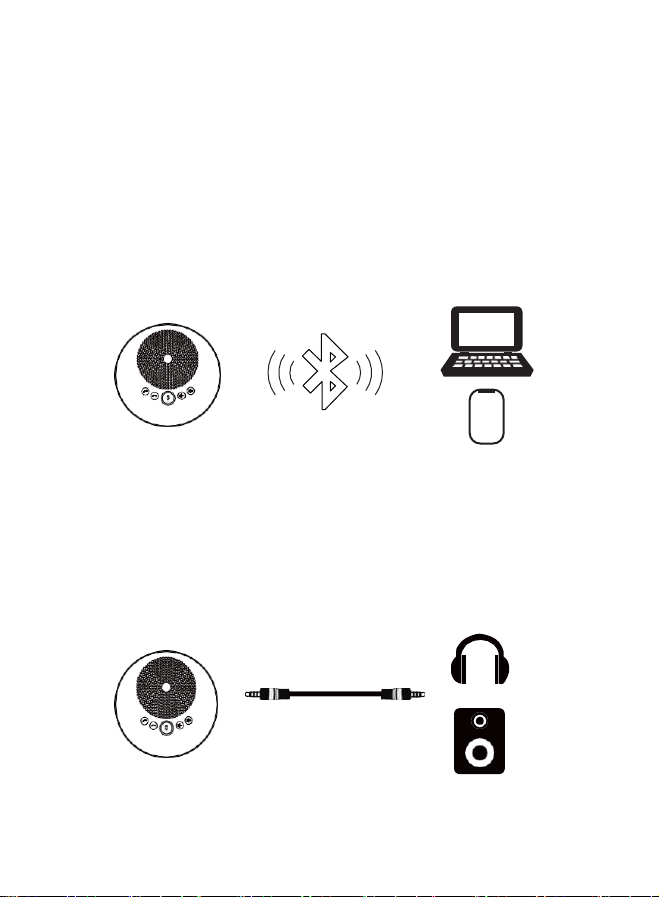
Bluetooth connection
This device can be connected by Bluetooth as a speaker and a
microphone for the smartphone and tablet.
1. Turn on the device, press Bluetooth button, blue indicator flashes
means you can pair.
2. Turn on the Bluetooth on your smartphone, tablet or other smart
devices, choose “BG-SMB-4M" to match. Blue indicator will be on
when matched successfully.
3. Open the of choice and initiate a call.
Bluetooth wireless connection
For music playing
1.
This device can be connected as a high-quality music source.
2.
Connect your speaker with the 3.5mm jack to have a crystal clear
voice, music and multimedia, or you can play the music via 3.5mm
jack for earphone.
3.5mm
Page 9
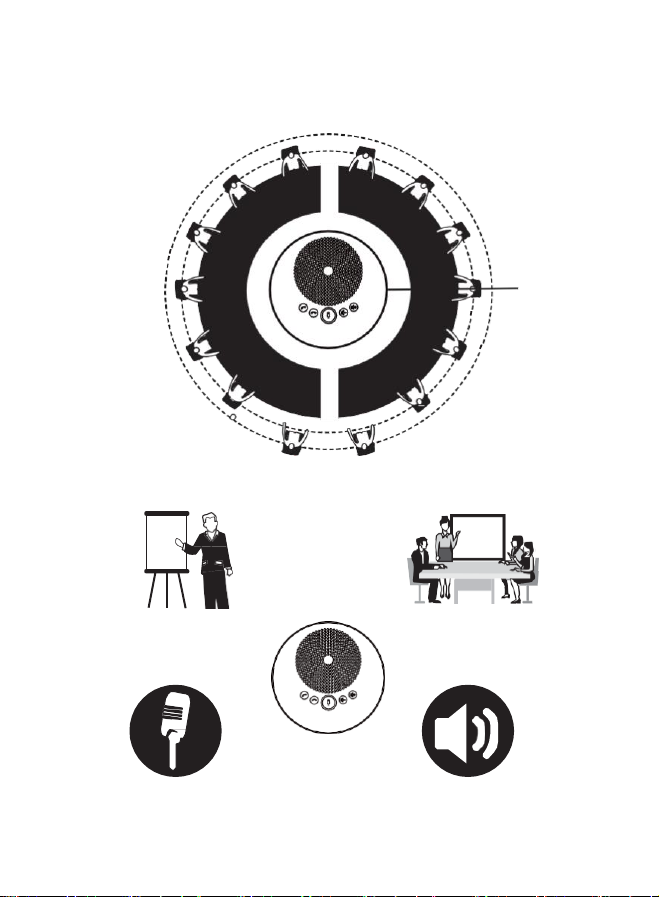
7
Pick up range
4m radius for small to medium meeting rooms
Function Diagram
Home based worker
Small - medium
business conference call
360-degree Omnidirectional call Audio playback
4
Page 10

8
Technical Specs
Voice technical
parameters
Acoustic Echo cancellation(AEC): >65dB
Echo length cancellation:≥500ms
Bidirectional noise compression(NC): <25dB
Automatic Direction finding Technology of
Intelligent microphone(EMI)
Automatic gain control(AGC)
Audio
parameters
Microphone frequency response:100Hz-22KHz
Speaker frequency response:100Hz-22KHz
Speaker volume: 95dB at the most
Microphone sound-pickup diameter: 4 m,
360 degrees full range
Interface
USB interface, 3.5mm audio output
Power supply
USB power supply(5V/500m)
Computer
environment
Windows, Mac OS, Android
Operating
environment
Operational environment: 0 ~ 40 degrees,
Working humidity: 20 ~ 85% (no frost)
Size
141 x 141x42mm/192x192x90mm
(before/after packaging)
Weight
260g/500g (Net/Gross weight)
Accessories
1.8m USB cable Power adapter, QC card, manual
Page 11

Warranty
BZBGEAR wants to assure you peace of mind. All BZBGEAR cameras
and camera-related products include our Stress-Free Three-Year
Warranty.
For complete warranty information, please visit
BZBGEAR.com/warranty.
For questions, please call 1.888.499.9906 or email
[email protected].
Mission Statement
BZBGEAR manifests from the competitive nature of the audiovisual
industry to innovate while keeping the customer in mind. AV solutions
can cost a pretty penny, and new technology only adds to it. We
believe everyone deserves to see, hear, and feel the advancements
made in today’s AV world without having to break the bank. BZBGEAR
is the solution for small to medium-sized applications requiring the
latest professional products in AV.
We live in a DIY era where resources are abundant on the internet.
With that in mind, our team offers system design consultation and
expert tech support seven days a week for the products in our
BZBGEAR catalog. You’ll notice comparably lower prices with
BZBGEAR solutions, but the quality of the products is on par with the
top brands in the industry. The unparalleled support from our team is
our way of showing we care for every one of our customers. Whether
you’re an integrator, home theater enthusiast, or a do-it-yourselfer,
BZBGEAR offers the solutions to allow you to focus on your project
and not your budget.
 Loading...